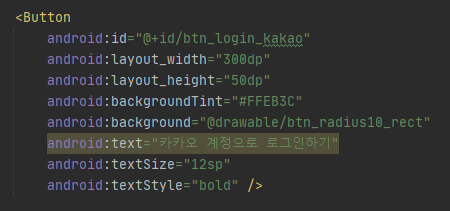
Android Button backgraound drawable 설정하기
안드로이드 버튼을 설정하기 위해 app>src>main>res>drawable 안에 btn_white_blackstroke 파일을 생성하였다.
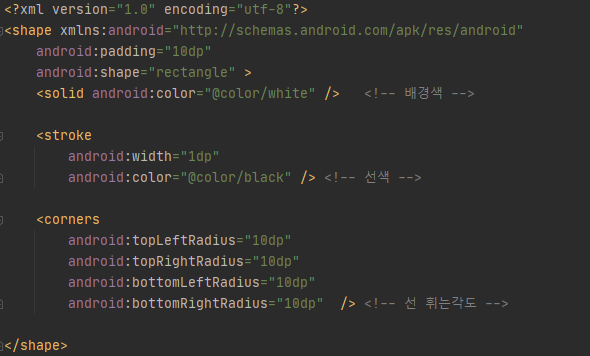
흰 배경색에 검정 테투리 radius 10인 사각형
    <?xml version="1.0" encoding="utf-8"?>
    <shape xmlns:android="http://schemas.android.com/apk/res/android"
        android:padding="10dp"
        android:shape="rectangle" >
        <solid android:color="@color/white" />   <!-- 배경색 -->

        <stroke
            android:width="1dp"
            android:color="@color/black" /> <!-- 선색 -->

        <corners
            android:topLeftRadius="10dp"
            android:topRightRadius="10dp"
            android:bottomLeftRadius="10dp"
            android:bottomRightRadius="10dp"  /> <!-- 선 휘는각도 -->

    </shape>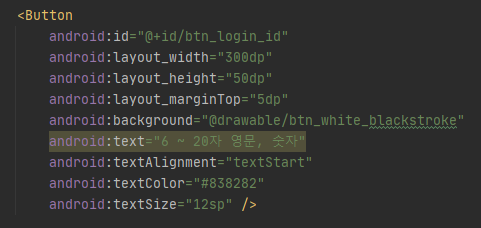
android:background 로 버튼 배경 drawable 설정했는데
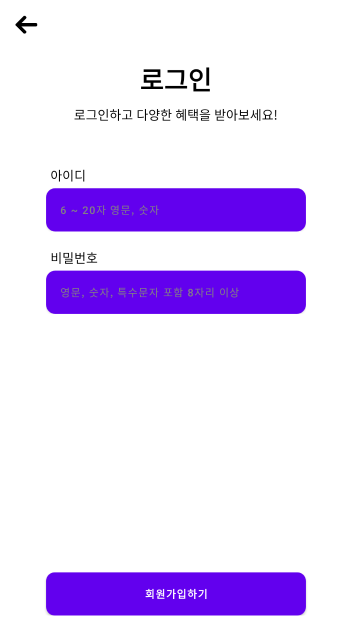
버튼 설정 적용이 제대로 안된다
https://stackoverflow.com/questions/64722733/android-background-drawable-not-working-in-button-since-android-studio-4-1
스택오버플로우를 참고해
app>src>main>res>values>theme.xml 파일 안에
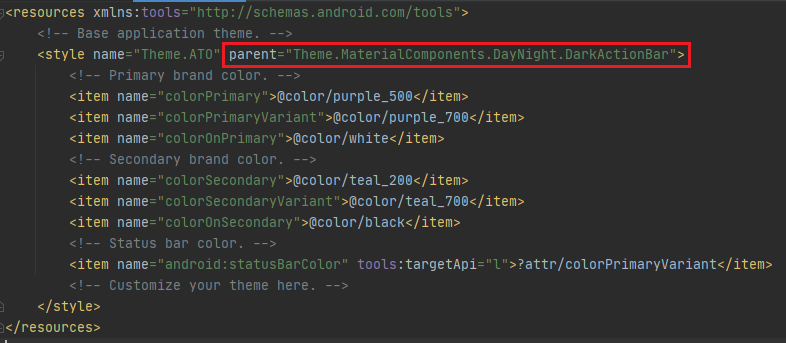
paranet="Theme.MaterialComponents.DayNight.DarkActionBar" 에서
MaterialComponents를 Appcompat으로 바꿔준다
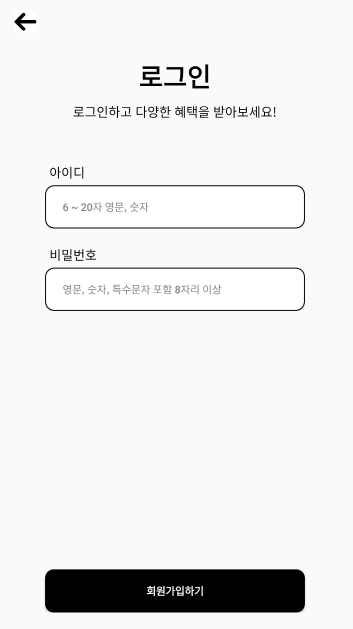
drawable이 잘 적용되는 걸 확인할 수 있다!
+++
theme.xml를 변경하지 않고
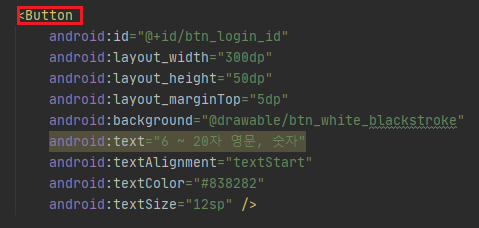
Button을 android.widget.Button으로 바꿔도 실행된다.
	android:backgroundTint="@null"
	android:background="@drawable/btn_white_blackstroke"
이렇게 적용해도 실행된다고 한다.

블로그 이전했습니다. https://velog.io/@graytorgb
버튼 색상이 안 바뀌어서 검색 중이었는데 좋은 정보 감사합니다.