인스타그램 회원가입 화면 클론코딩 해보기
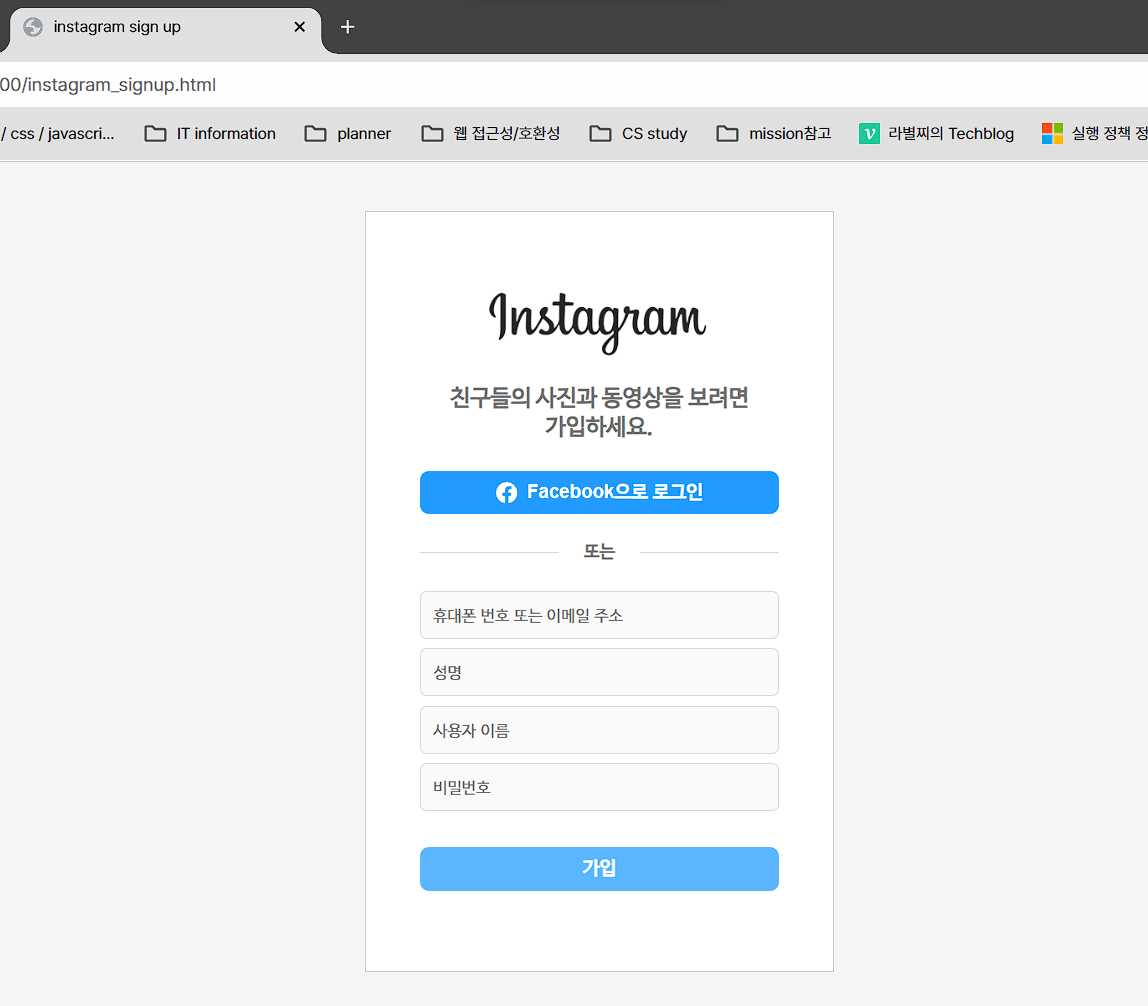
HTML 마크업
<!DOCTYPE html>
<html lang="en">
<head>
   <meta charset="UTF-8">
   <meta name="viewport" content="width=device-width, initial-scale=1.0">

   <title>instagram sign up</title>

   <link rel="stylesheet" href="styles/reset.css">
   <link rel="stylesheet" href="styles/instagram_signup.css">
</head>
<body>

   <div class="wrap">
      <section id="formSection">

         <div class="header">
            <img src="images/instagram_logo.png" width="165px">
            <p class="heading" style="color: #737373;">
               친구들의 사진과 동영상을 보려면<br>가입하세요.
            </p>
            <button class="facebook">
               <svg xmlns="http://www.w3.org/2000/svg" width="16" height="16" fill="currentColor" class="facebook_logo" viewBox="0 0 16 16">
                  <path d="M16 8.049c0-4.446-3.582-8.05-8-8.05C3.58 0-.002 3.603-.002 8.05c0 4.017 2.926 7.347 6.75 7.951v-5.625h-2.03V8.05H6.75V6.275c0-2.017 1.195-3.131 3.022-3.131.876 0 1.791.157 1.791.157v1.98h-1.009c-.993 0-1.303.621-1.303 1.258v1.51h2.218l-.354 2.326H9.25V16c3.824-.604 6.75-3.934 6.75-7.951"/>
                </svg>
               Facebook으로 로그인
            </button>
         </div>

         <div class="divider">
            <div>
               <hr class="hr-style">
            </div>
            <div class="or">
               <p style="color: #737373; font-size: 13px; font-weight: bold;">
                  또는
               </p>
            </div>
            <div>
               <hr class="hr-style">
            </div>
         </div>

         <div>
            <form class="form" action="server.html" method="get">
               <input class="input-style" type="email" placeholder="휴대폰 번호 또는 이메일 주소" required>
               <input class="input-style" type="text" placeholder="성명" required>
               <input class="input-style" type="text" placeholder="사용자 이름" required>
               <input class="input-style" type="password" placeholder="비밀번호" required minlength="8">
               <input class="signUp" type="submit" value="가입">
            </form>
         </div>

      </section>
   </div>

</body>
</html>
CSS 스타일
.wrap {
   width: 100vw;
   height: 100vh;

   background-color: whitesmoke;

   display: flex;
   justify-content: center;
   align-items: center;
}

#formSection {
   box-sizing: border-box;
   background-color: white;
   border: 1px solid #c6c6c6;
   /* max-width: 800px;
   min-width: 350px; */
   max-width: 700px;
   min-width: 350px;
   padding: 60px 40px;

   text-align: center;
}

.header {
   display: flex;
   flex-direction: column;
   align-items: center;
}

.heading {
   font-weight: bold;
   font-size: 17px;
   line-height: 1.3;
   text-align: center;
   margin-top: 20px;
   margin-bottom: 20px;
}

.facebook {
   width: 100%;
   border: 1px solid rgb(33, 155, 255);
   border-radius: 7px;
   padding: 7px 7px;

   background-color: rgb(33, 155, 255);
   color: white;

   font-weight: bold;
   font-size: 14px;

   display: flex;
   justify-content: center;
   align-items: center;
}

.facebook_logo {
   margin-right: 0.5em;
}

.facebook:hover {
   background-color: rgb(33, 118, 255);
   border: 1px solid rgb(33, 118, 255);
   cursor: pointer;
}

.divider {
   display: grid;
   width: 100%;
   margin: 20px auto;
   grid-template-columns: 1fr 60px 1fr;
   grid-row: 1fr;
}

.hr-style {
   height: 1px;
   border: none;
   background-color: rgb(215, 215, 215);
}

.or {
   height: 100%;
   display: flex;
   align-items: center;
   justify-content: center;
}

.form {
   width: 100%;
   margin: 0 auto;
   display: flex;
   flex-direction: column;
}

.input-style {
   padding: 9px;
   border: 1px solid rgb(215, 215, 215);
   border-radius: 5px;
   background-color: rgb(250, 250, 250);
   color: rgb(38, 38, 38);

   font-size: 14px;
   margin-bottom: 7px;
}

.input-style::placeholder {
   font-size: 12px;
}

input:active, input:focus {
   outline: none;
   border: 1px solid rgb(157, 157, 157);
}

.signUp {
   width: 100%;
   border: 1px solid rgb(92, 182, 255);
   border-radius: 7px;
   padding: 7px 7px;
   margin-top: 20px;

   background-color: rgb(92, 182, 255);
   color: white;

   font-weight: bold;
   font-size: 14px;

   display: flex;
   justify-content: center;
   align-items: center;
}

.signUp:hover {
   cursor: pointer;
}
⛅🛩️ 먼 길을 돌아서 온 프론트엔드 개발자 ✈️⛅