무리(Flocking)
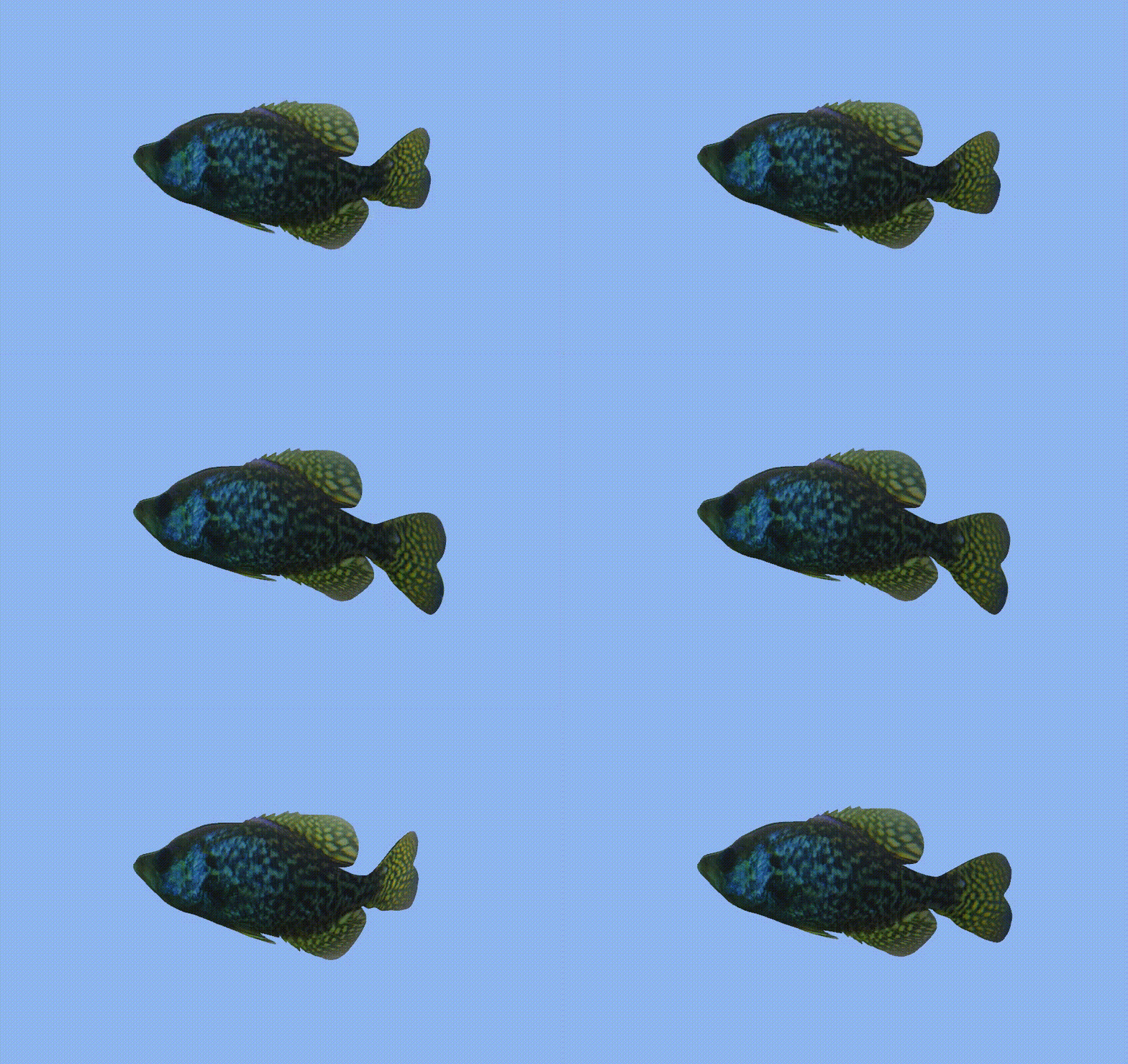
여기 귀여운 물고기가 무리지어다니도록 하는게 목표이다.
무리를 이루어 이동하기 위해선 몇가지의 규칙이 존재한다.
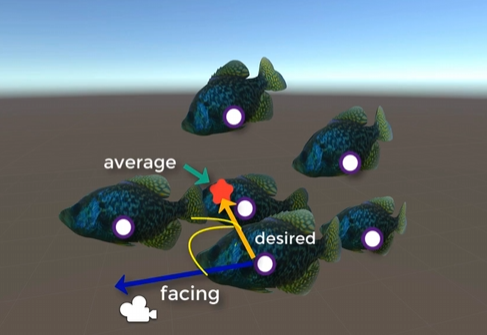
- 응집(Cohesion) 규칙
- 무리의 평균 위치를 향해 이동
- 모든 개체의 위치벡터를 더한 후 개체 수로 나누어 평균 위치를 계산
- 개별 개체는 자신의 위치와 평균 위치의 차이를 계산하여 그 방향으로 회전 및 이동
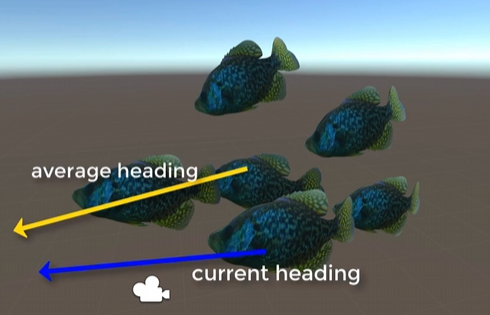
- 정렬(Alignment) 규칙
- 무리의 평균 방향 벡터를 따르는 규칙
- 모든 개체의 방향 벡터를 더한 후 개체수로 나누어 평균 방향 벡터를 계산
- 개별 개체는 자신의 방향 벡터와 이 평균 방향 벡터의 차이를 계산하여 그 방향으로 회전
- 분리(Separation) 규칙
- 주변 개체들과 너무 가까워지지 않도록 하는 규칙
- 주변 개체들과의 거리를 계산
- 거리가 가까울수록 반대 방향의 벡터값을 키워 반대 방향으로 회전
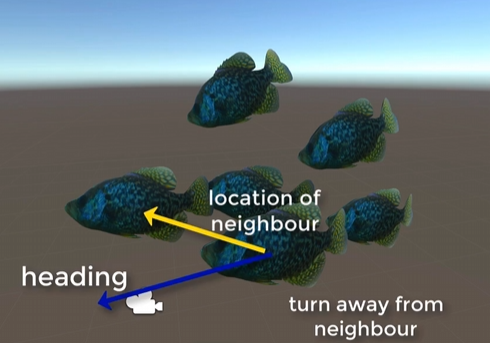
이렇게 3가지의 규칙이 있다.
위의 규칙을 전부 적용하면 최종 이동할 Vector가 결정된다.
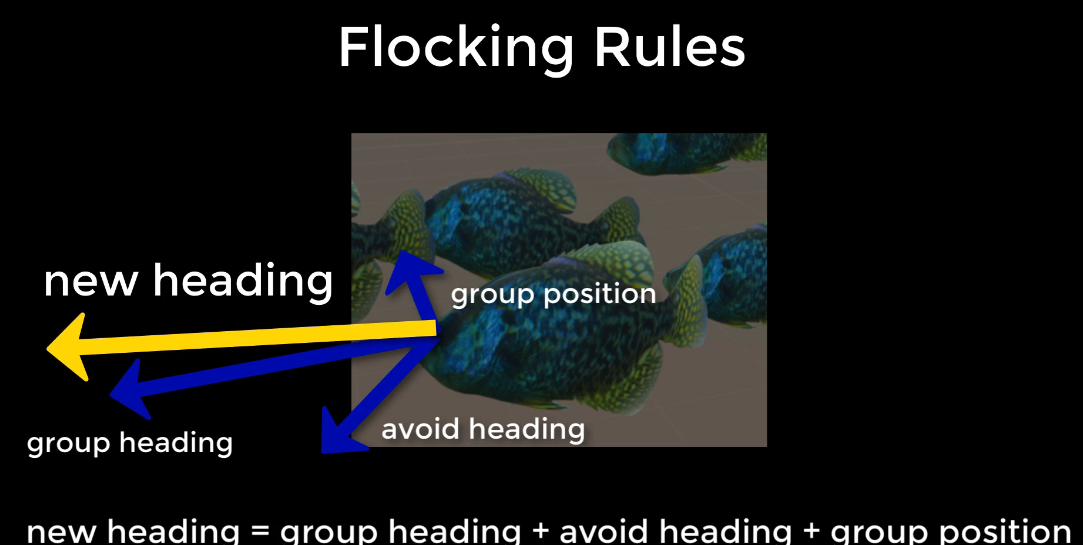
이 규칙들을 물고기들에게 적용하기 전에
먼저 물고기들을 생성하고 관리할 FlockManager을 생성한다.
public class FlockManager : MonoBehaviour {

    public static FlockManager FM;
    public GameObject fishPrefab;
    public int numFish = 20;
    public GameObject[] allFish;

    // 물고기의 헤엄 가능 구역 제한
    public Vector3 swimLimits = new Vector3(5.0f, 5.0f, 5.0f);

    // 물고기들이 이동할 위치
    public Vector3 goalPos = Vector3.zero;

    // 물고기 기본 세팅
    [Header("Fish Settings")]
    [Range(0.0f, 5.0f)] public float minSpeed;
    [Range(0.0f, 5.0f)] public float maxSpeed;
    [Range(1.0f, 10.0f)] public float neighbourDistance;
    [Range(1.0f, 5.0f)] public float rotationSpeed;
물고기들의 헤엄 가능 구역과 이동 속도, 회전 속도 등을 설정해준다.
    void Start() {

        allFish = new GameObject[numFish];

        for (int i = 0; i < numFish; ++i) {

            Vector3 pos = this.transform.position + new Vector3(
                Random.Range(-swimLimits.x, swimLimits.x),
                Random.Range(-swimLimits.y, swimLimits.y),
                Random.Range(-swimLimits.z, swimLimits.z));

            allFish[i] = Instantiate(fishPrefab, pos, Quaternion.identity);
        }

        FM = this;
        goalPos = this.transform.position;
    }
그 후 생성 가능 구역 swimLimits 내의 랜덤 위치에 물고기들을 생성시킨다.
    void Update() {

        if (Random.Range(0, 100) < 10) {

            goalPos = this.transform.position + new Vector3(
                Random.Range(-swimLimits.x, swimLimits.x),
                Random.Range(-swimLimits.y, swimLimits.y),
                Random.Range(-swimLimits.z, swimLimits.z));
        }
    }
그 뒤 매 프레임당 10프로의 확률로 물고기들이 이동할 포지션을 범위 내의 랜덤한 위치로 초기화 시킨다.
자 이제 앞서 설명한 규칙들을 물고기들에게 적용해보도록 하자.
    private void ApplyRules() {

        GameObject[] gos;
        gos = FlockManager.FM.allFish;

        Vector3 vCentre = Vector3.zero;
        Vector3 vAvoid = Vector3.zero;

        float gSpeed = 0.01f;
        float mDistance;
        int groupSize = 0;
먼저 기본적으로 필요한 변수들을 세팅해준다. 다른 물고기들을 저장할 배열과 중앙으로 향하는 Vector, 피하기 위해 사용할 Vector 등을 생성해준다.
아래는 실제 규칙을 적용하는 부분이다.
- 응집(Cohesion) 규칙
- 무리의 평균 위치를 향해 이동
       foreach (GameObject go in gos) {

            if (go != this.gameObject) {

                mDistance = Vector3.Distance(go.transform.position, this.transform.position);
                if (mDistance <= FlockManager.FM.neighbourDistance) {

                    vCentre += go.transform.position;
                    groupSize++;
물고기의 수만큼 반복문을 돌며, 해당 물고기와의 거리를 구해준다. 해당 물고기가 일정 거리 안에 있다면 같은 그룹으로 판단하고 vCentre 에 해당 물고기의 위치 벡터를 더해준다.
나중에 그룹내의 물고기수로 나눠 평균을 구해야 하기 때문에 groupSize 를 증가시켜 그룹내의 물고기수를 저장한다.
- 정렬(Alignment) 규칙
- 무리의 평균 방향 벡터를 따르는 규칙
이 부분은 FlockManager에서 Goal 위치를 따로 지정해주기 때문에 물고기에 구현은 안한다.
- 분리(Separation) 규칙
- 주변 개체들과 너무 가까워지지 않도록 하는 규칙
                     if (mDistance < 1.0f) {

                        vAvoid += (this.transform.position - go.transform.position);
                    }
만약 다른 물고기와의 거리가 너무 가깝다면 vAvoid에 다른 물고기와의 반대방향 벡터를 더해준다.
??? 물고기의 평균속력
                    Flock anotherFlock = go.GetComponent<Flock>();
                    gSpeed += anotherFlock.speed;
                }
            }
        }
강의에서는 추가적으로 물고기들의 평균적인 속력을 구해주기 위해 다른 물고기들의 속력을 가져와 gSpeed에 더해준다.
규칙 최종 적용
if (groupSize > 0) {
vCentre = vCentre / groupSize + (FlockManager.FM.goalPos - this.transform.position);
speed = gSpeed / groupSize;
if (speed > FlockManager.FM.maxSpeed) {
speed = FlockManager.FM.maxSpeed;
}
Vector3 direction = (vCentre + vAvoid) - transform.position;
if (direction != Vector3.zero) {
transform.rotation = Quaternion.Slerp(
transform.rotation,
Quaternion.LookRotation(direction),
FlockManager.FM.rotationSpeed *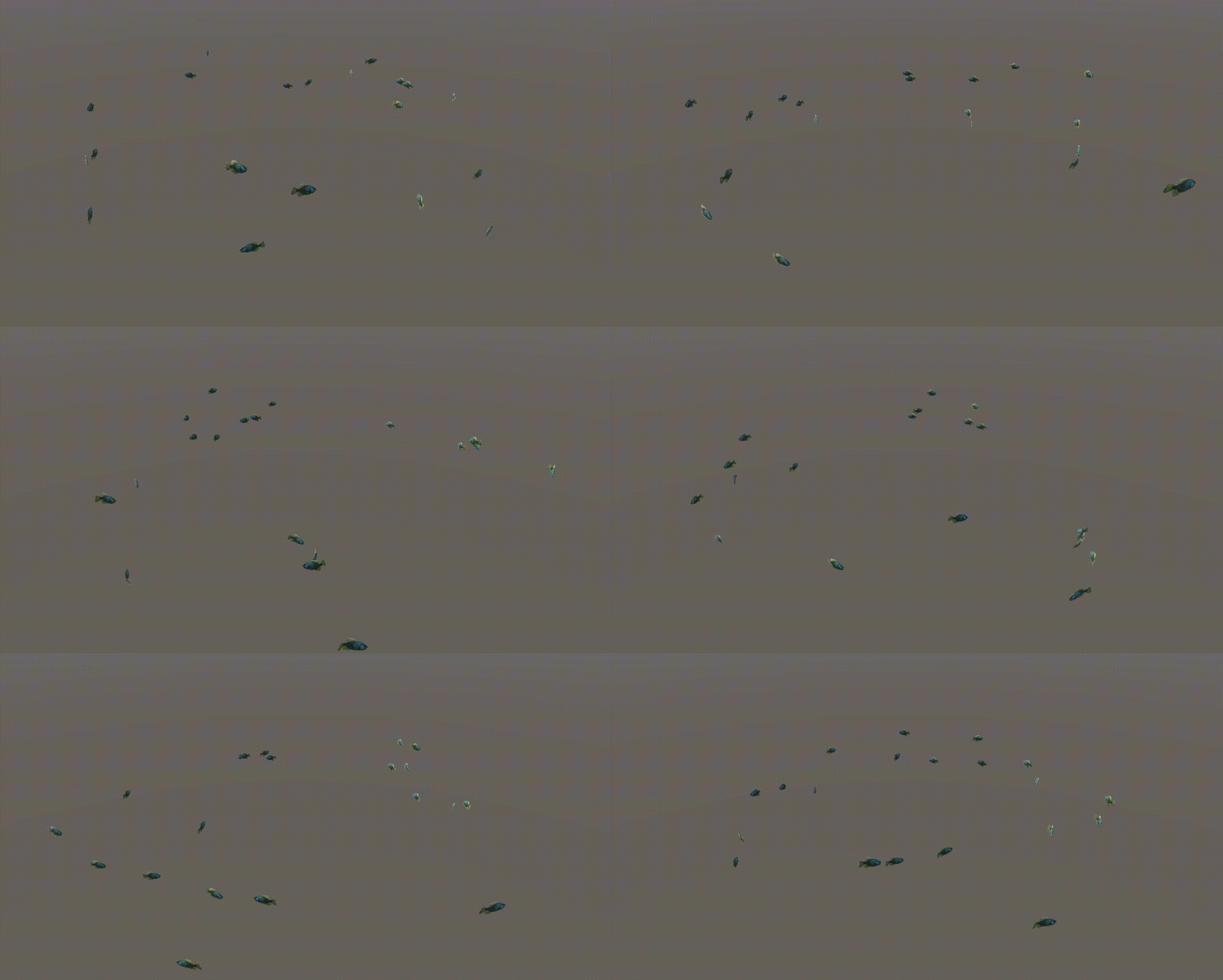
Time.deltaTime);
}
}최종적으로 vCentre 벡터를 groupSize로 나눠 물고기 군집의 평균 위치 벡터를 구해주고 거기에 goalPosition 으로 향하는 방향 벡터를 더해줘 1, 2 번 규칙을 적용했다.
그 다음 vCentre 에 vAvoid 를 더해 3번 규칙까지 적용한 후 현재 좌표값을 빼 최종적인 이동방향벡터를 구해주었다.
이걸 transform.rotation으로 적용시켜주면 완성이다.