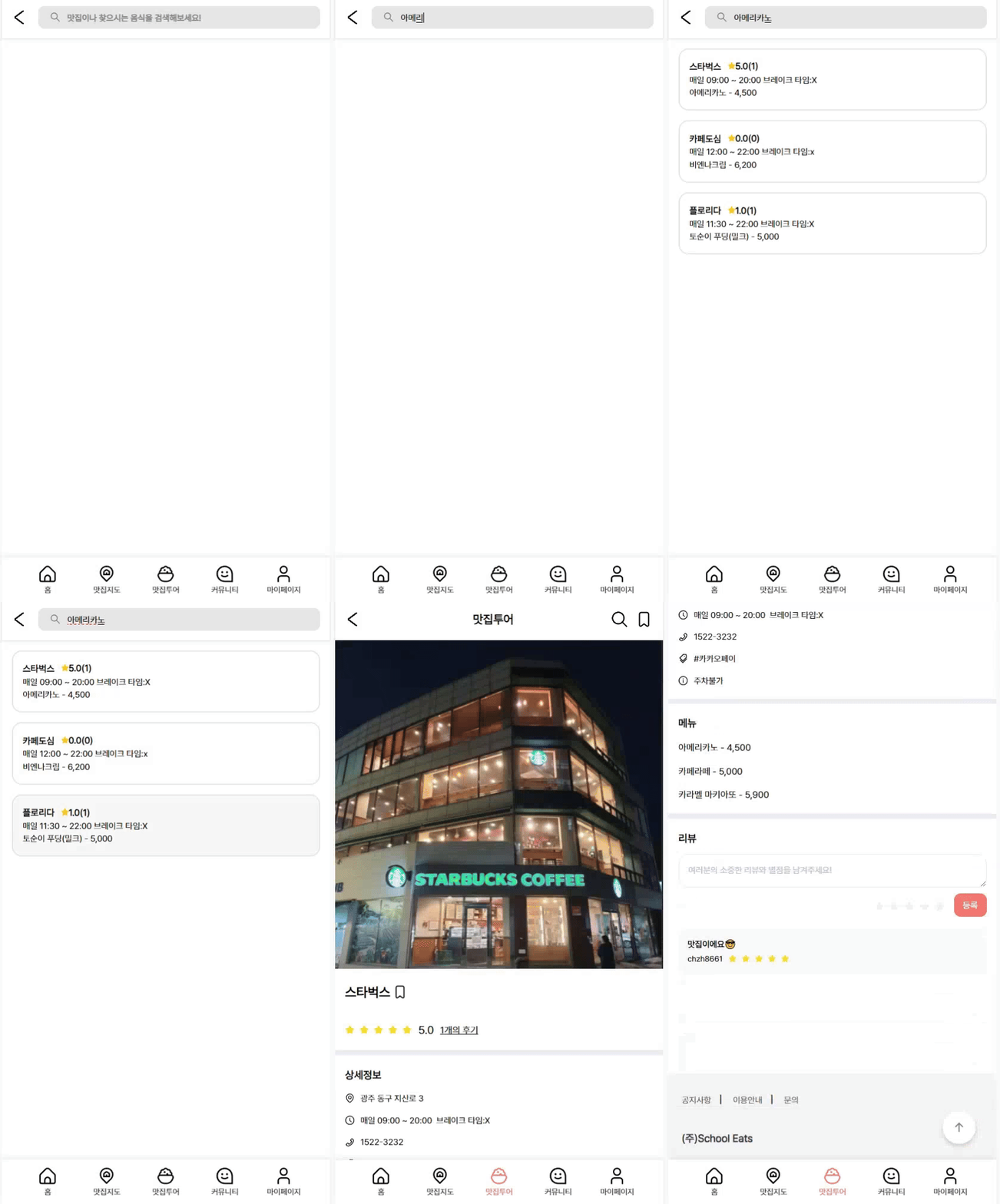
맛집의 이름 또는 메뉴로 맛집을 검색 할 수 있습니다. 검색한 맛집을 클릭시 해당 맛집의 상세페이지로 이동합니다.
interface SearchResult extends DocumentData {
  id: string;
  title?: string;
}

export const usePlaceSearch = (collectionName: string, searchTerm: string) => {
  const [searchResults, setSearchResults] = useState<SearchResult[]>([]);

  useEffect(() => {
    const fetchData = async () => {
      try {
        // 모든 문서를 가져오기
        const allDocsSnapshot = await getDocs(collection(db, collectionName));

        const allSearchData = allDocsSnapshot.docs
          .map((doc) => ({
            ...doc.data(),
            id: doc.id,
          }))
          // 'title' 또는 'menu'에 검색어가 포함된 문서만 필터링
          .filter((doc) => {

          //doc.title && doc.title.includes(searchTerm)는 두 조건을 모두 만족할 때 true를 반환
           const titleMatches = doc.title && doc.title.includes(searchTerm);

   		  //doc.menu || []는 doc.menu가 존재하면 그 값을 사용하고, 존재하지 않으면 빈 배열을 대신 사용
            const menuItems = doc.menu || [];

          //배열 내 어떤 항목이라도 searchTerm을 포함하고 있는지 확인
            const menuMatches = Array.isArray(menuItems) && menuItems.some((item) => item.includes(searchTerm));

            return titleMatches || menuMatches;
          });

        setSearchResults(allSearchData);
      } catch (error) {
        console.error('검색 중 오류 발생:', error);
      }
    };

    if (searchTerm) {
      fetchData();
    } else {
      // 검색어가 비어있을 때 초기화
      setSearchResults([]);
    }
  }, [collectionName, searchTerm]);

  return searchResults;
};