package me.whiteship.chapter08.item49;

import java.util.Objects;

import static java.util.Objects.requireNonNull;

public class RequireNonNullExample {
    public static void main(String[] args) {
        doWork("keesun");
    }

    public static void doWork(String name) {
        requireNonNull(name, "The name cannot be null");

        String value = null;
        try {
            // This will throw a NullPointerException with the specified message
            requireNonNull(value, "The value cannot be null");
        } catch (NullPointerException e) {
            System.out.println(e.getMessage());
        }

        value = "Hello, World!";

        // This will not throw an exception
        String result = requireNonNull(value, "The value cannot be null");
        System.out.println(result);
    }
}
처음에 검사를 다 하고 실행시키는 것이 낫다.
if(name == null){
throw new NullPointerException("error");
}
보다 requireNonNull도 좋다고 한다.
package me.whiteship.chapter08.item49;

public class AssertExample {
    public static void main(String[] args) {
        doPrivate(5);
        doPrivate(-5);
    }

    private static void doPrivate(int value) {
        assert value > 0 : "Value should be greater than 0";
    }
}
정상적인 것만 들어올 가정을 하고 있어서 value가 정상적일 때만 가져와서 assert로 체크한다.
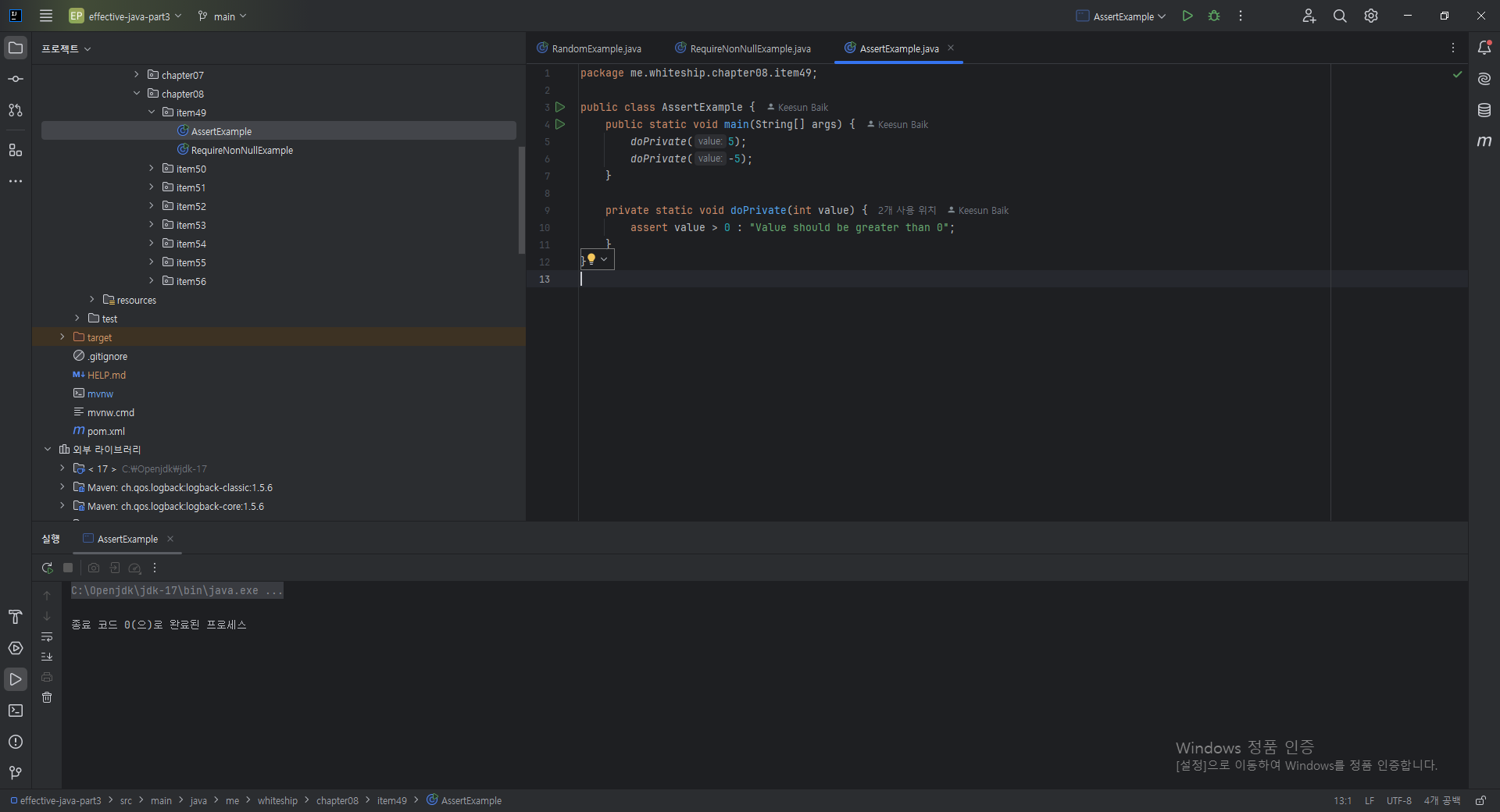
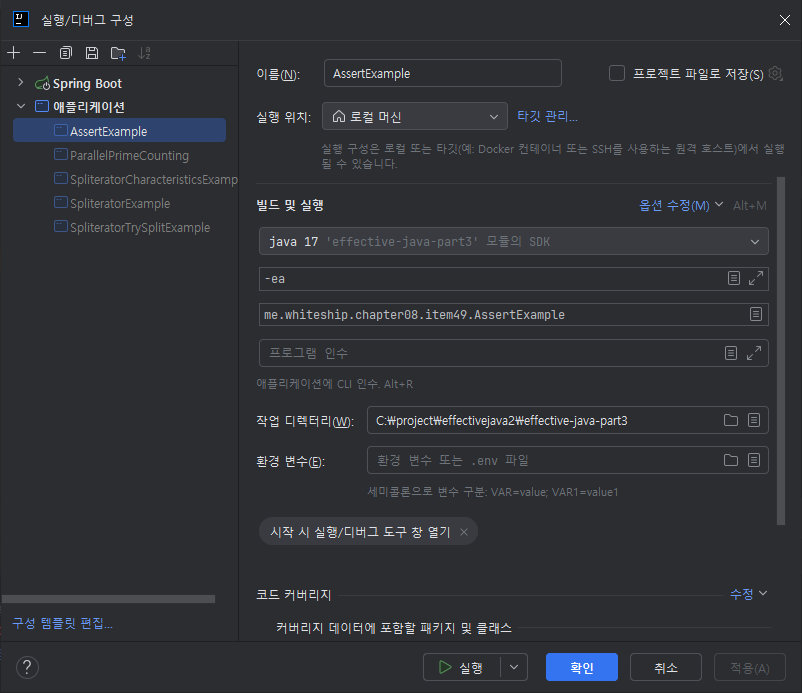
실행이 안되는데 modify options에 -ea를 넣으면 나오게 된다.
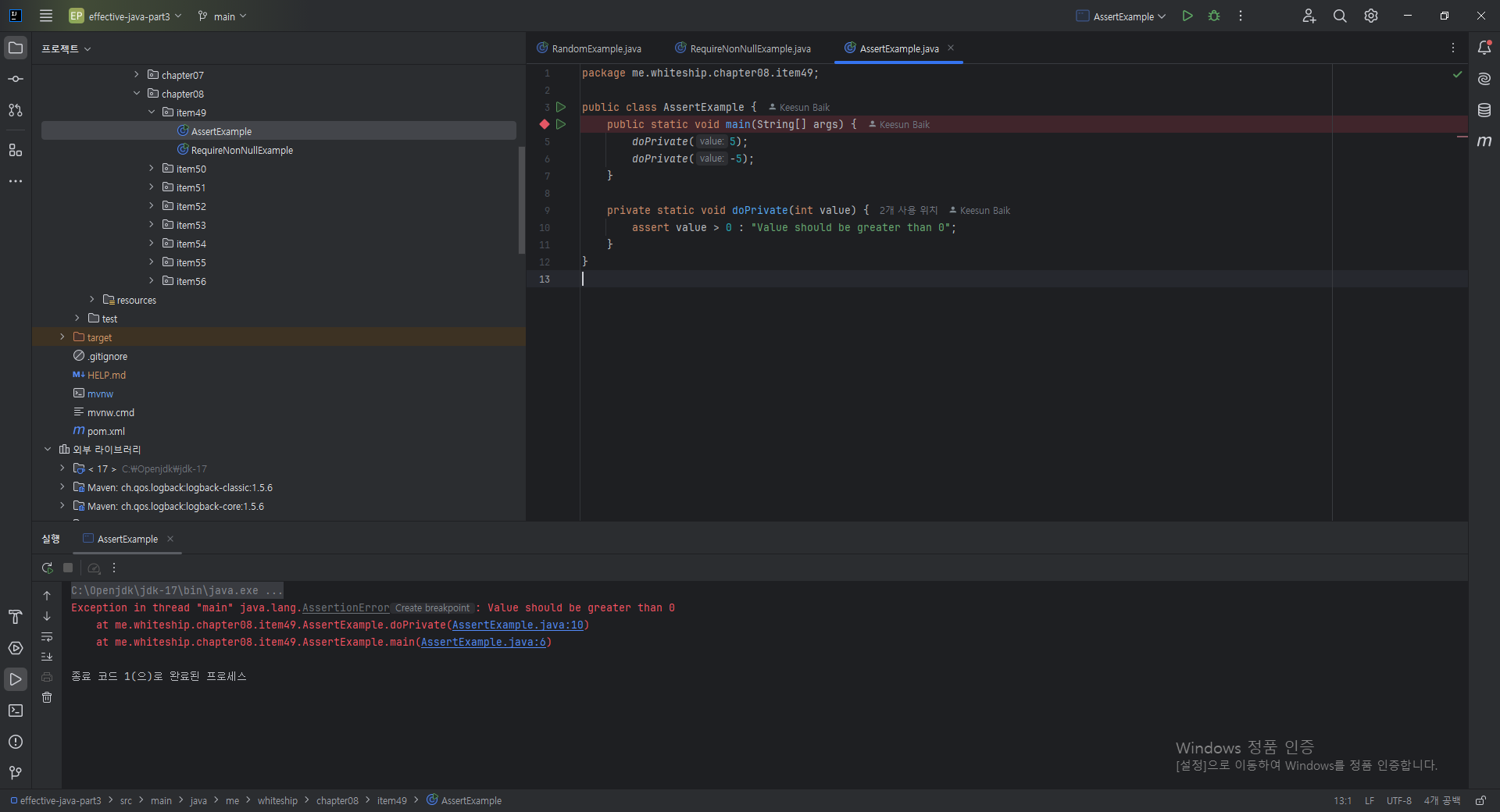
assert보다 if문이 낫는것 같다.
