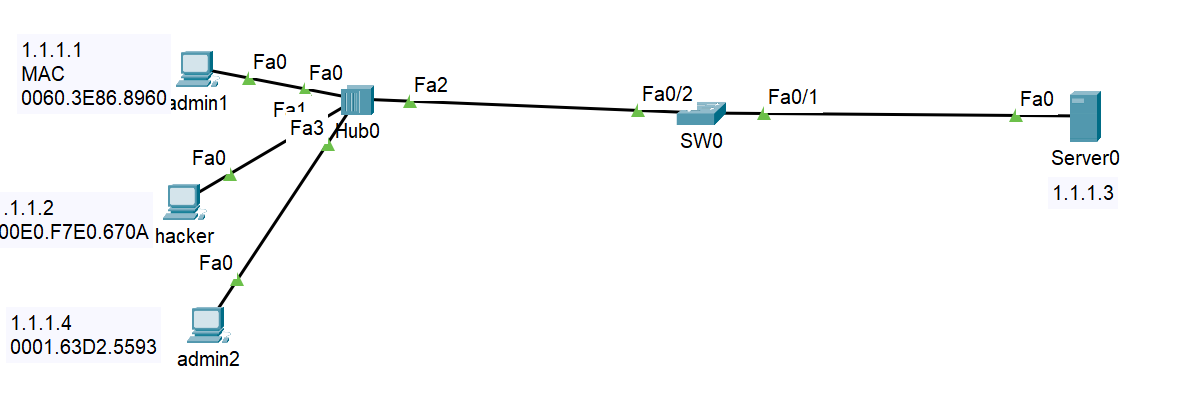
실습
패킷트레이서로 정적,동적 port-sercurity 연습
정적 static port-security
MAC 주소를 직접 입력하여 포트 보안
SW0
interface FastEthernet0/2
switchport mode access
switchport port-security
switchport port-security maximum 2
switchport port-security mac-address sticky
switchport port-security violation protect
switchport port-security mac-address sticky 0001.63D2.5593
switchport port-security mac-address sticky 0060.3E86.8960
설명
switchport port-security mac-address sticky
sticky로 저장하여 재부팅 시에도 해당 mac 주소가 유지될 수 있도록 설정
sticky 설정을 해주지 않으면 재부팅시 설정이 날라감
switchport port-security violation protect
포트에서 보안 위반을 일으킨 MAC 주소 차단
로그나 경고 메시지는 생성되지 않음
+ switchport port-security violation 모드는 세 가지가 있음

protect
위반이 발생하면 해당 포트에서 보안 위반을 일으킨 MAC 주소의 트래픽만 차단하고 드롭함
로그나 경고 메시지는 생성되지 않음
restrict
위반이 발생하면 protect 모드와 마찬가지로 해당 MAC 주소의 트래픽이 드롭
그러나 protect와 달리 이 모드에서는 로그나 알림이 발생함
관리자는 포트 보안 위반이 발생했는지 모니터링할 수 있음
shutdown
보안 위반이 발생하면 포트가 자동으로 비활성화됨
포트는 관리자에 의해 수동으로 shutdown 명령어와 no shutdown 명령어를 사용해 다시 활성화해야 한다.
shutdown이 가장 강력한 방식임
확인
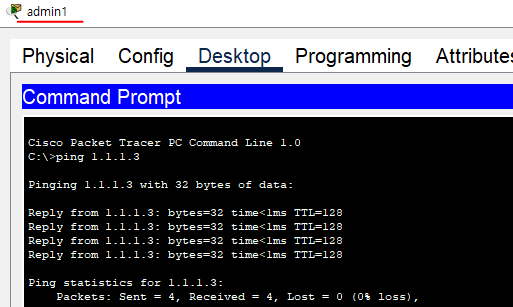
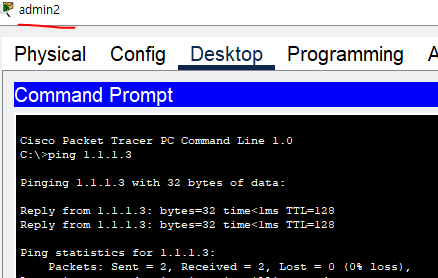
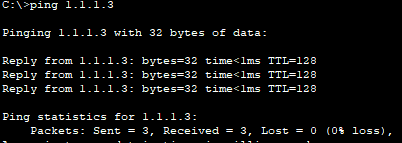
admin 1, admin2 가 server 로 핑테스트
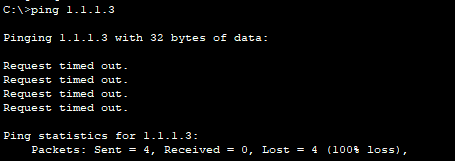
포트 보안이 잘되는지 hacker로 핑테스트
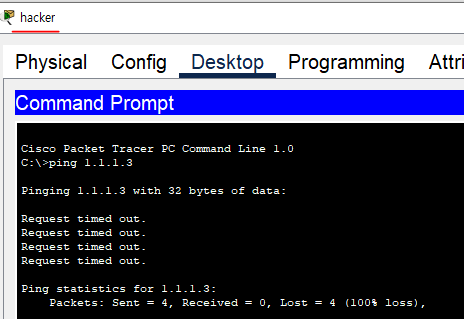
핑 차단 확인완료
동적 port-security
핑을 보내 동적으로 학습시켜 차단
SW0
interface FastEthernet0/2
switchport mode access
switchport port-security
switchport port-security maximum 2
switchport port-security mac-address sticky
switchport port-security violation restrict
protect가 아닌 restrict로 설정
패킷트레이서여서 restrict 알림이 오지 않을 수 있음
핑을 보내 동적으로 학습
admin1

admin2
hacker
확인
SW0에서 허용된 포트와 차단된 포트 확인하기
sh port-security

hacker에서 핑 보낸 횟수 4번을 의미
sh port-security address
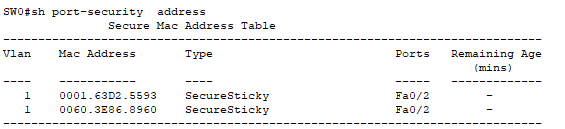
maximum 2로 허용했으므로, admin1, admin2의 Mac주소가 포트 보안 되고있음