스프링 부트 스타터 사이트로 이동해서 스프링 프로젝트 생성
https://start.spring.io
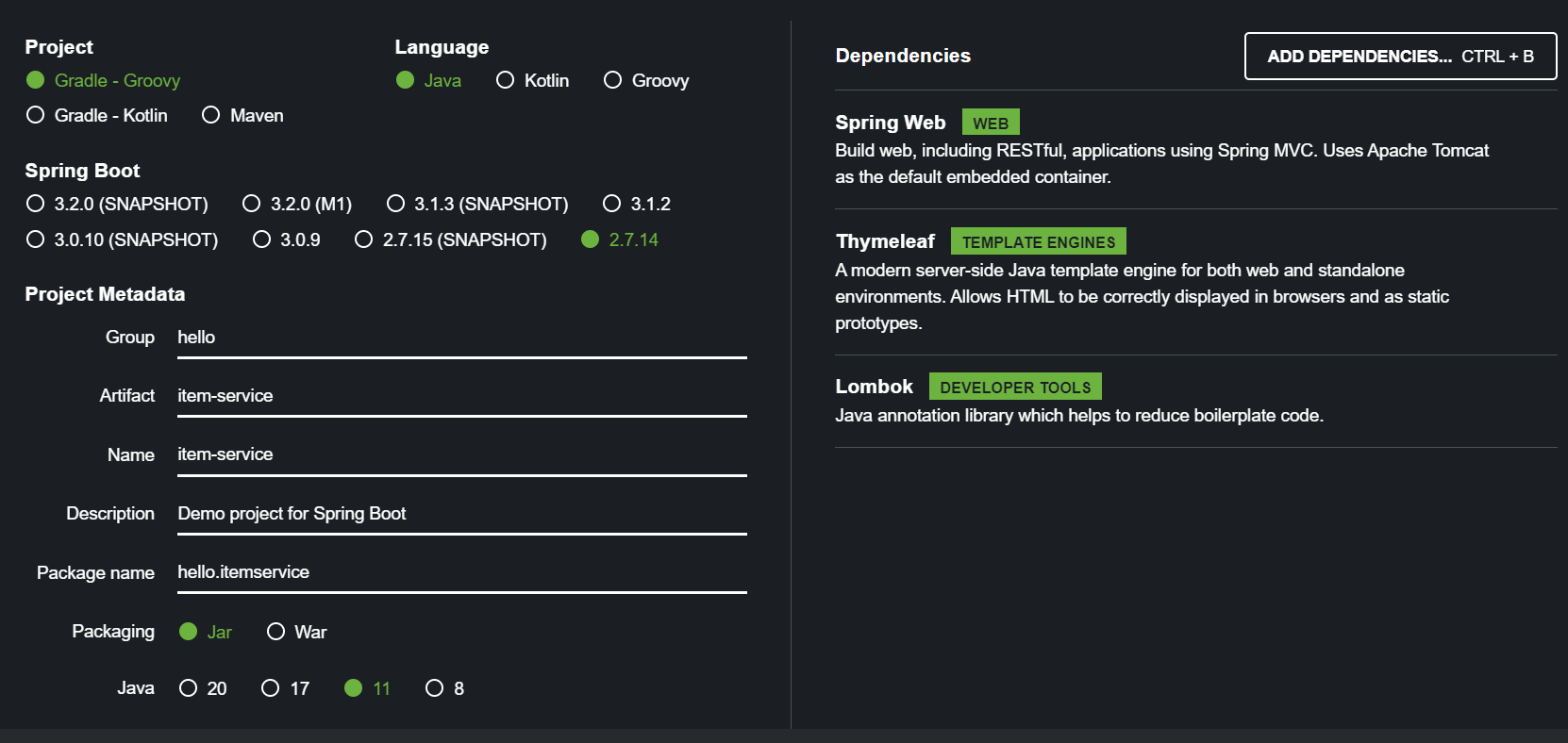
build.gradle
plugins {
	id 'java'
	id 'org.springframework.boot' version '2.7.14'
	id 'io.spring.dependency-management' version '1.0.15.RELEASE'
}

group = 'hello'
version = '0.0.1-SNAPSHOT'

java {
	sourceCompatibility = '11'
}

configurations {
	compileOnly {
		extendsFrom annotationProcessor
	}
}

repositories {
	mavenCentral()
}

dependencies {
	implementation 'org.springframework.boot:spring-boot-starter-thymeleaf'
	implementation 'org.springframework.boot:spring-boot-starter-web'
	compileOnly 'org.projectlombok:lombok'
	annotationProcessor 'org.projectlombok:lombok'
	testImplementation 'org.springframework.boot:spring-boot-starter-test'
}

tasks.named('test') {
	useJUnitPlatform()
}
Welcome 페이지 추가
편리하게 사용할 수 있도록 Welcome 페이지를 추가하자.
/resources/static/index.html
<!DOCTYPE html>
<html>
<head>
    <meta charset="UTF-8">
    <title>Title</title>
</head>
<body>
<ul>
    <li>상품 관리
        <ul>
            <li><a href="/basic/items">상품 관리 - 기본</a></li>
        </ul>
    </li>
</ul>
</body>
</html>
우엉이의 코딩 성장일기💻