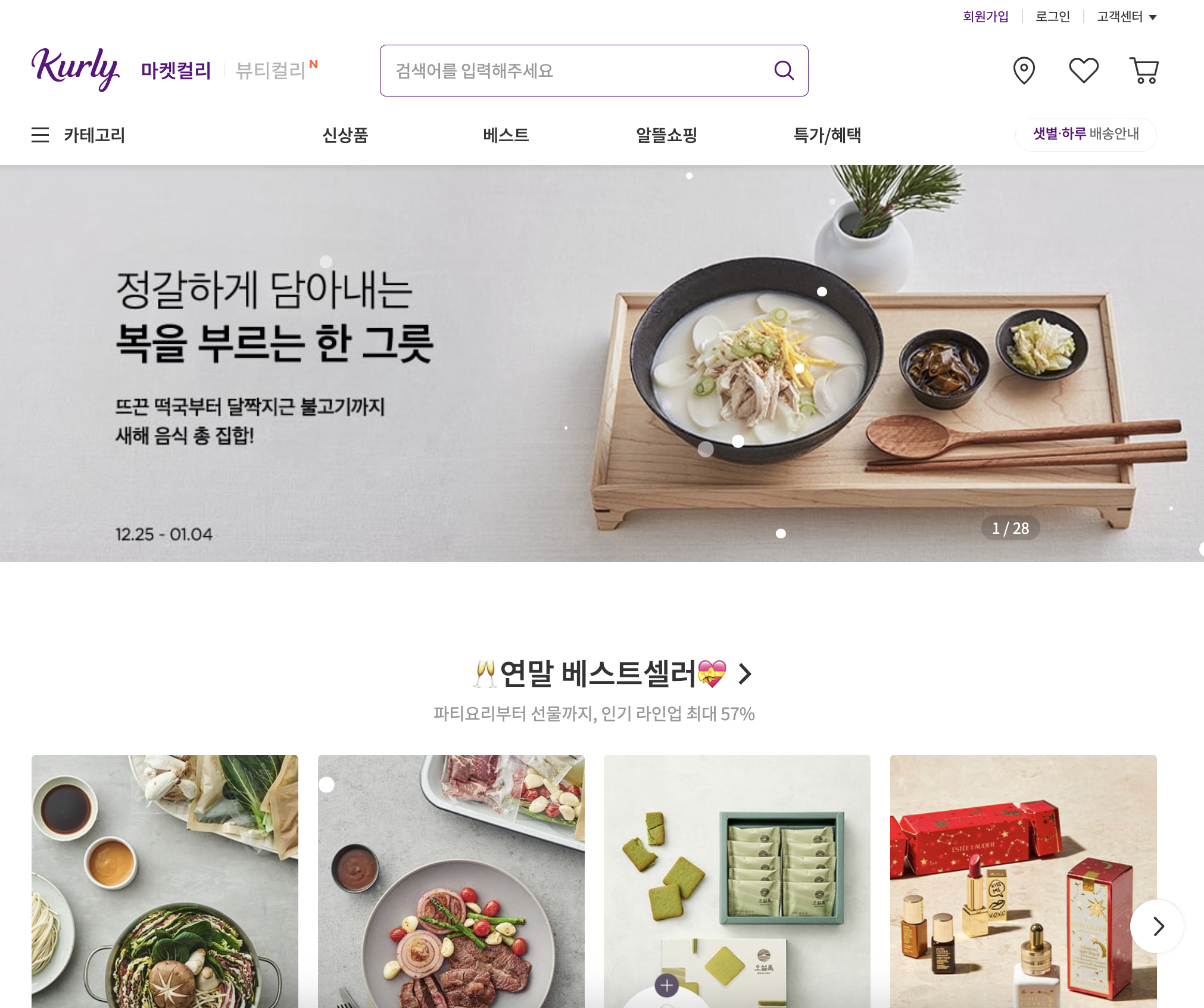
사진출처 : 마켓컬리
1. Mock Data
- Mock Data는 거짓이라는 뜻을 가진 데이터를 말한다. (실제 API에서 받아오는 데이터가 아닌 프론트앤드 개발자가 필요에 의해 샘플로 만든 데이터라고 이해하면 된다.)
(1-1) Mock Data를 사용해야 하는 이유?
-
프론트앤드 개발을 진행하다보면 UI 구성에 필요한 백엔드 API가 완성되지 않은 상황에서 개발을 진행해야 하는 상황이 생기는 경우가 있다. 이때 무작정 백엔드 API만 기다리는 것이 아닌 데이터가 의도대로 들어올것을 대비해서 UI가 구현되는지 확인해봐야 한다.
-
특히 Mock Data를 사용하지 않고 실제 데이터가 들어올 부분들을 하드코딩으로 대체하고 작업을 진행하게 된다면 여러 문제가 발생할 수 있다. 그 이유는 개발이 상태에 따라 많이 확장된 상태이므로, 백엔드 API가 완성되고 실제 데이터를 반영하는 작업을 수행할 때 번거로운 상황이 발생될 수 있으며, 실제 데이터에서는 존재하지 않는 값을 토대로 UI를 그렸거나, 반대로 실제 데이터를 기반으로 작업해야 하는 내용이 누락되었을 수도 있기 때문이다.
(1-2) Mock Data를 활용할 시 장점은?
- 백엔드 API가 미완성인 상태여도 작업에 차질없이 개발이 가능하다.
- 백엔드 API의 구성을 미리 맞춰볼 수 있다.
- 실제로 API 통신을 진행할 때 원활하게 할 수 있다.
2. Mock Data 생성
- Mock Data의 형태는 실제 서버에서 보내주는 데이터의 형식과 동일하게 만들어야 하므로
.json형태의 확장자 파일로 데이터를 생성해야 한다.
예시 1 - 여러개의 상품 리스트)
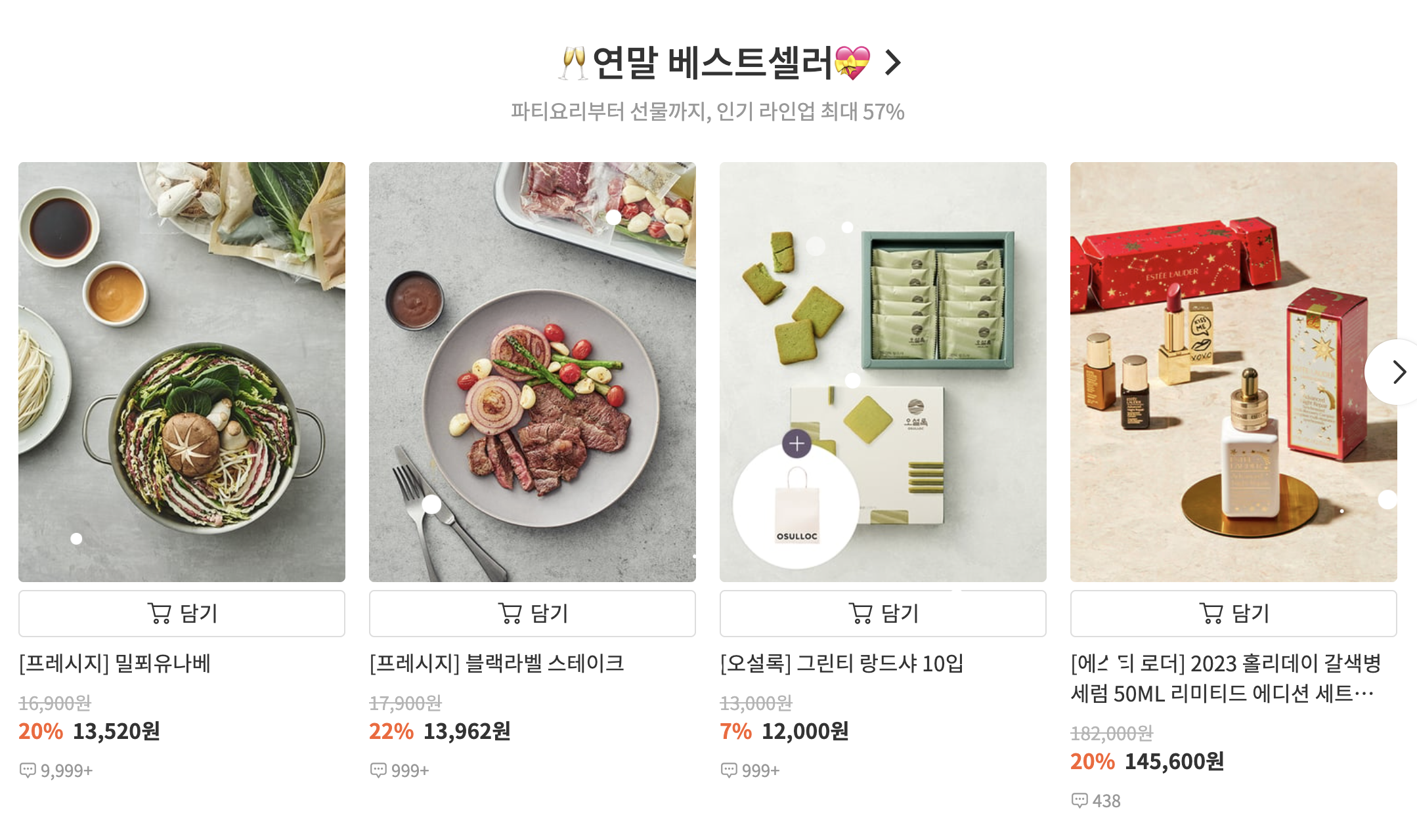
- 마켓컬리의 상품 리스트들을 예로 들면 동일한 형태의 상품 컴포넌트가 리스트로 나열되어 있는 형태이기 때문에 각각의 리스트마다 배열로 상품의 데이터를 관리할 수 있도록 해야한다.
json 코드)
// public/data/recommendData.json

[
  {
    "id": 1,
    "name": "[프레시지] 밀푀유나베",
    "discount_rate": 20,
    "discounted_price": 13520,
    "original_price": 16900,
    "is_sold_out": false,
    "comments": 9999,
  },
  {
    "id": 2,
    "name": "[프레시지] 블랙라벨 스테이크",
 	"disconut_rate": 22,
    "discounted_price": 13962,
    "original_price": 17900,
    "is_sold_out": false,
    "comments": 999,
  },
  ...
]
예시 2 - 상품 상세 페이지)

- 동일한 형태의 상품 리스트를 클릭하면 해당 상품에 대한 상세 페이지로 넘어가게 되고 여러 데이터들을 나열해서 보여주는것이 아닌 해당 상품의 데이터를 보여주는 것이기 때문에, 이경우에는 객체로 해당 상품의 데이터를 관리하는 것이 좋다.
json 코드)
// public/data/productData.json

{
  "id": 3,
  "image_url": "https://product-image.kurly.com/product/image/5aed1b86-a2a7-42cd-b404-8ed1e097caef.jpg",
  "name": "[프레시지] 밀푀유나베",
  "short_description": "꽃처럼 피어나는 전골 요리",
  "discounted_price": 13520,
  "discount_rate": 20,
  "original_price": 16900,
  "unit_text": "1팩",
  "weight": "850g",
	"delivery_type": [
    { "id": 0, "text": "샛별배송" },
  ],
  ...
}
참조 사항)
- 여기서 Mock Data를 만들때 JSX의 파일의 상수 데이터가 아닌 .json 형태의 파일로 만드는 이유는? (Mock Data는 public 폴더 하위의 data 폴더에 보관한다.) Mock Data가 서버에서 받아올 데이터의 목업 데이터인 만큼 프론트앤드 개발자가 로컬 서버에서 Mock Data를 받아오도록 구현해야 하기 때문이다.
Mock Data 보관 위치)
public
└── data
	  ├── recommendData.json
	  ├── productData.json
└── ...- 이전에 Mock Data는 로컬 서버에 받아와서 구현해야하기 때문에 npm start시 로컬 서버에 올라가는 폴더인 public 폴더 하위에서 관리해야 한다.
3. Mock Data 사용
(3-1) 호출
- Mock Data는 실제 데이터와 동일하게 fetch 메서드를 이용해 http 비동기 방식으로 호출해서 사용하는 방식으로 진행할 수 있다.(axios를 이용하는 방법도 있다.)
// http 주소를 이용할 경우
fetch('http://localhost:3000/data/recommendData.json')

// public 폴더의 절대 경로를 이용할 경우
fetch('/data/recommendData.json')- 첫번째로 fetch 메서드의 첫 번째 인자로 실제 백엔드 API에 http 주소를 요청을 보낼 API 주소를 받는데 여기에 우리가 각 상품 리스트들을 나열해서 보여줄 Mock Data 주소를 입력해준다.
- 이때, http://localhost:3000는 생략하고 사용할 수 있지만, 여러개의 로컬 서버를 실행할 때마다 로컬 호스트 번호가 3001, 3002로 매번 1씩 바뀌어 출력될텐데 그때마다 일일이 수정해야 하는 번거로움이 생긴다. 로컬 호스트를 연결해서 통신을 해보지 않는 이상 public 폴더의 절대 경로를 이용하는 것이 좋다.
fetch('/data/recommendData.json', {
  method: 'GET'
})- 두번째로 받아올 method 요청을 보낼 때의 옵션 객체를 전달하는 부분이다. 우리는 상품 리스트의 데이터를 서버로 부터 받아오는 요청이기 때문에
GET으로 받아와야 한다.
fetch('/data/recommendData.json', {
  method: 'GET'
})
  .then(res => res.json())
  .then(data => {
    setProductList(data);
});- 세번째로 json 형태의 데이터를 Javascript의 객체 형태로 바꾸어준 다음, 받아온 데이터를 화면에 than(비동기 처리) 메서드로 부터 랜더링 해주기 위해, 최상위 상단에서 선언해준 product state 함수(setProduct)를 업데이트 해줘야 한다.
(3-2) 호출 시점
- fetch를 이용해 데이터를 받아오고 호출하는 시점은 언제인지에 따라 다르다. 버튼을 클릭했을때 받아와야 하는 경우도 있고, 페이지를 불러올때 바로 화면에 그려줘야 하는 경우도 있기 때문이다. 다음은 페이지를 실행했을때, 상품의 리스트들을 바로 마운팅해서 랜더링으로 그려줘야 하는 경우이다.
useEffect(() => {
  fetch('/data/recommendData.json', {
    method: 'GET'
  })
    .then(res => res.json())
    .then(data => {
      setProductList(data);
    });
},[]);- 현재 시점은 페이지가 실행될 때 바로 상품의 리스트들을 보여줘야 하기 때문에, useEffect를 이용해서 컴포넌트가 마운팅(최초로 화면에 그려지는 행위) 되면 한번만 데이터를 받아올 수 있도록 해야 한다.
(3-3) 전체 코드예시
// RecommendList.js

import React, { useState, useEffect } from 'react';
import ProductCard from './ProductCard/ProductCard';
import './RecommendList.scss';

const RecommendList = () => {
  // 상품 리스트 상태 관리 (배열)
  const [productList, setProductList] = useState([]);

  // 상품 리스트 한번만 불러오기
  useEffect(() => {
    fetch('/data/recommendData.json', {
      method: 'GET'
    })
      .then(res => res.json())
      .then(data => {
        setProductList(data);
      });
  },[]);

  return (
    <div className="recommendList">
      <h1>이 상품 어때요?</h1>
      // 상품 리스트
      <div className="listWrapper">
        {productList.map(product => {
          return (
            <ProductCard
              key={product.id}
              product={product}
            />
          );
        })}
      </div>
    </div>
  );
}

export default RecommendList;- 참고로 Mock Data를 이용할 경우 fetch 또는 axios 메서드를 이용해야 하지만 useEffect를 필수적으로 사용해야 할 필요가 없다. 상황마다 데이터를 불러와서 사용해야 하는 경우도 있고 특정 버튼을 눌렀을때 데이터를 호출해야 하는 상황이 생길수 있기 때문이다.
- 만일 버튼의 onClick 이벤트 핸들러에서 호출하는 함수에 fetch 메서드를 사용하는 방식으로 구현할 수 있다.
요약)
- Mock Data는 프론트앤드 개발자가 필요에 의해 임의로 만든 샘플용 데이터이며, 백엔드 API랑 유사한 데이터이다.
- Mock Data를 활용하게 되면 백엔드 API랑 유사하게 맞춰서 확인할수 있기 때문에 원활한 개발이 가능하다.
- Mock Data를 사용하기 위해선 json 형태의 데이터로 사용하는 것이 편리하다.
- 여러개의 상품들을 리스트 별로 나열할 경우 배열을 이용하는 것이 좋다.
- 한개의 상품의 상세하게 데이터로 나열할 경우 객체를 이용하는 것이 좋다.
- 실제 데이터를 불러오는 것처럼 fetch나 axios 메서드를 통해 Mock Data를 받아올 수 있도록 해야 한다.

안녕하세요 Junior UIUX Designer 입니다 😊