
POST 방식 주소 설계
POST 방식에는 http문서에 body부분이 있는 만큼 웹브라우저에서 출력을 확인하기 어렵다
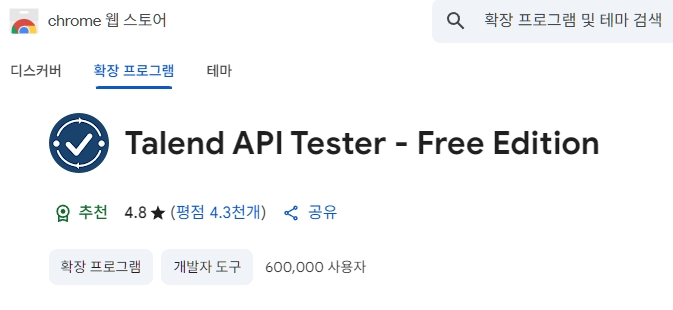
Talend API Tester 를 이용하면 이를 쉽게 테스트할 수 있다.
https://chromewebstore.google.com/detail/aejoelaoggembcahagimdiliamlcdmfm?utm_source=item-share-cb
@RestController // IoC 대상 : 프레임워크가 직접 객체 1개 생성
@RequestMapping("/post") // 공통 주소사용
public class PostApiController {
http://localhost:8080/post/demo1
body {"name":"둘리","age":11}
    @PostMapping("/demo1")
    public String demo1(@RequestBody Map<String, Object> reqData) {
        StringBuffer sb = new StringBuffer();
        reqData.entrySet().forEach(e -> {
            System.out.println("key:" + e.getKey() + "=" + e.getValue());
            sb.append("key:" + e.getKey() + "=" + e.getValue());
        });

        return sb.toString();
    }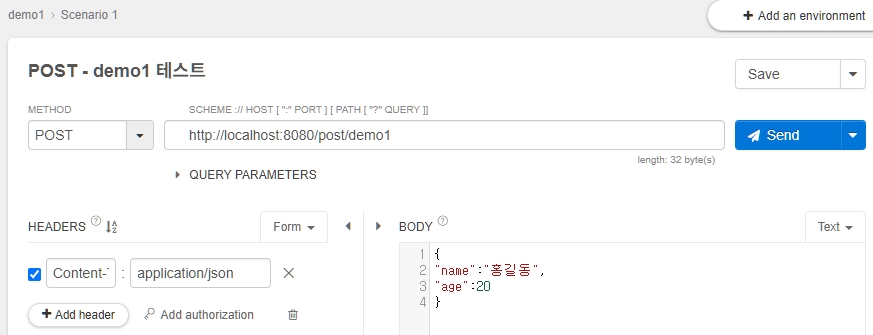
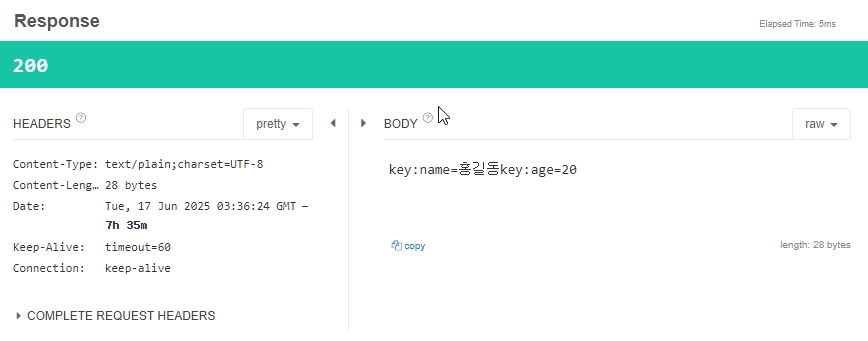
body 문서를 json 형식에 맞춰 작성한 뒤 요청을 보내보니 정상적으로 작동됐으며 ( 응답코드 200 ) 출력값은 다음과 같다.
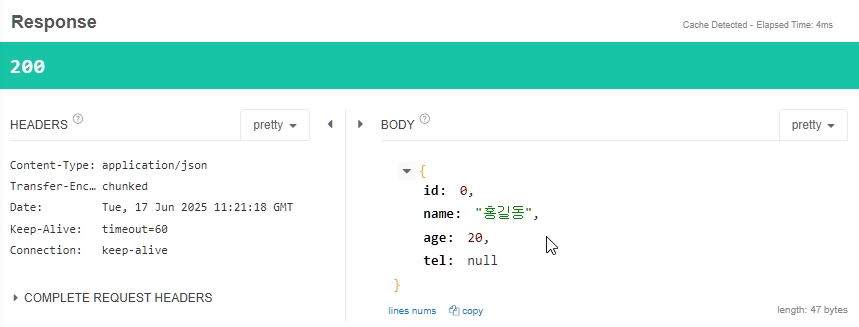
http://localhost:8080/post/demo2
body = {"name":"둘리","age":11}
    @PostMapping("/demo2")

    //public String demo2(@RequestBody UserDTO userDTO) {
    public UserDTO demo2(@RequestBody UserDTO userDTO) {
        System.out.println(userDTO);
        System.out.println(userDTO.getName());
        System.out.println(userDTO.getAge());
        System.out.println(userDTO.getTel());
        return userDTO;
    }
http://localhost:8080/post/demo3
{
"id":1,
"name":"홍길동",
"username":"gildong",
"email":"gildong@tenco.com",
"phone":"051-912-1000",
"website":"https://bskdp.greenart.co.kr"
}
오브젝트로 출력하기
    @PostMapping("/demo3")
    public Users demo1(@RequestBody Users users) {

        System.out.println(users.toString());

        return users;
    }
@Data
@AllArgsConstructor
@NoArgsConstructor
public class Users {
private Long id;
private String name;
private String username;
private String email;
private Address address;
private String phone;
private String website;
private Company company;
//기본: new Users().new Address()
//static: users.Address = new
@Data
@AllArgsConstructor
@NoArgsConstructor
static class Address {
private String street;
private String suite;
private String city;
private String zipcode;
private Geo geo;
@Data
@AllArgsConstructor
@NoArgsConstructor
static class Geo {
private String lat;
private String lng;
}
}//inner1
@Data
@AllArgsConstructor
@NoArgsConstructor
static class Company {
private String name;
private String catchPhrase;
private String bs;
}//inner2
}//outer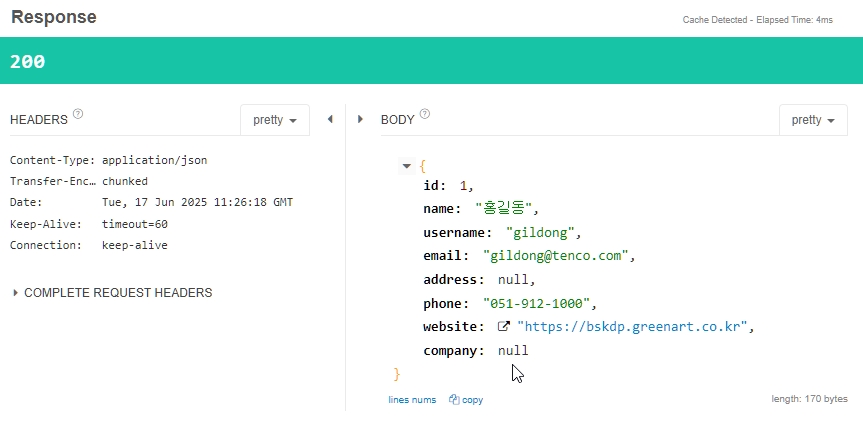

개발자 지망생