n8n 자동화시리즈
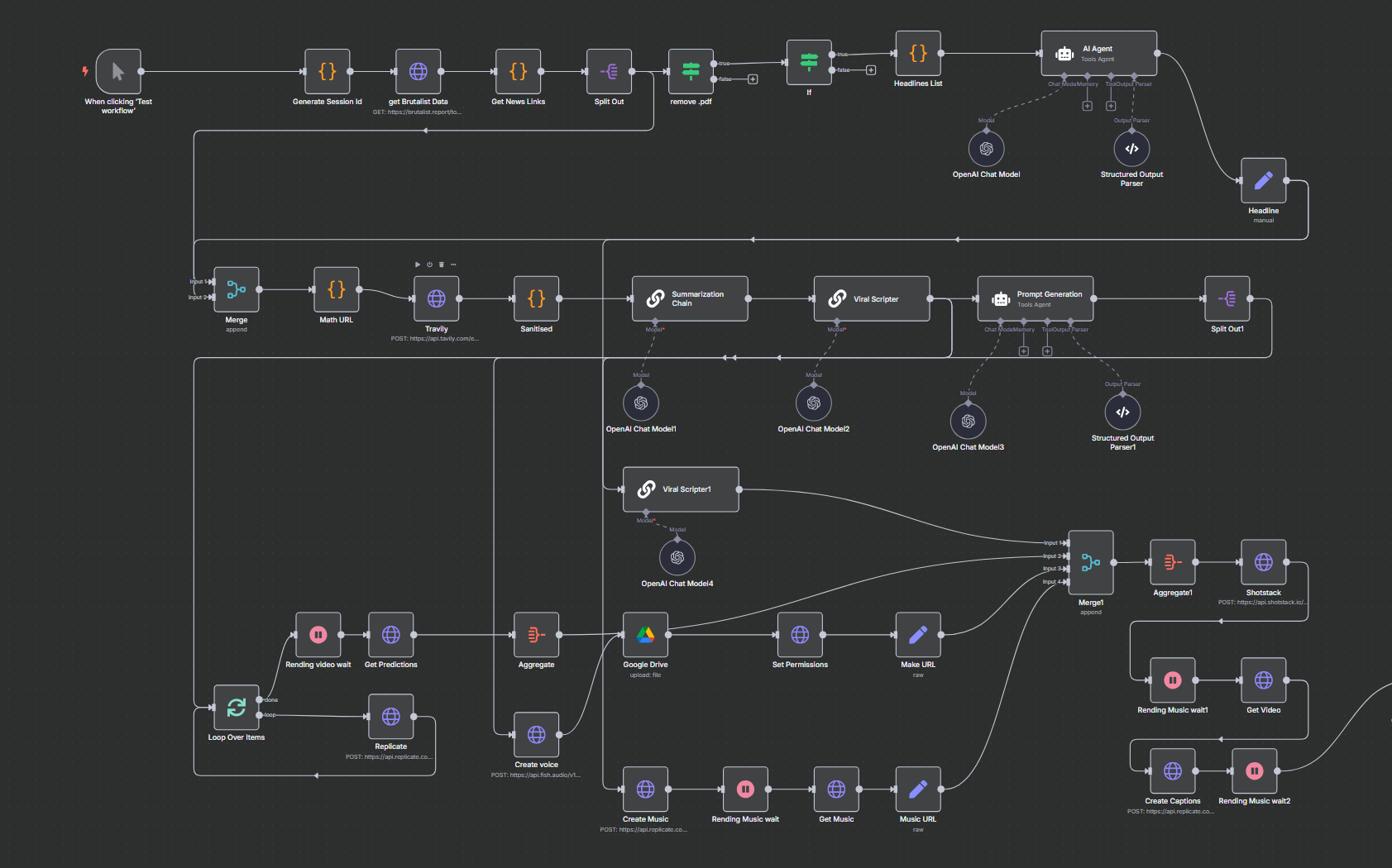
자동화를 통해서 n8n의 자동쇼츠를 만들 수 있음.
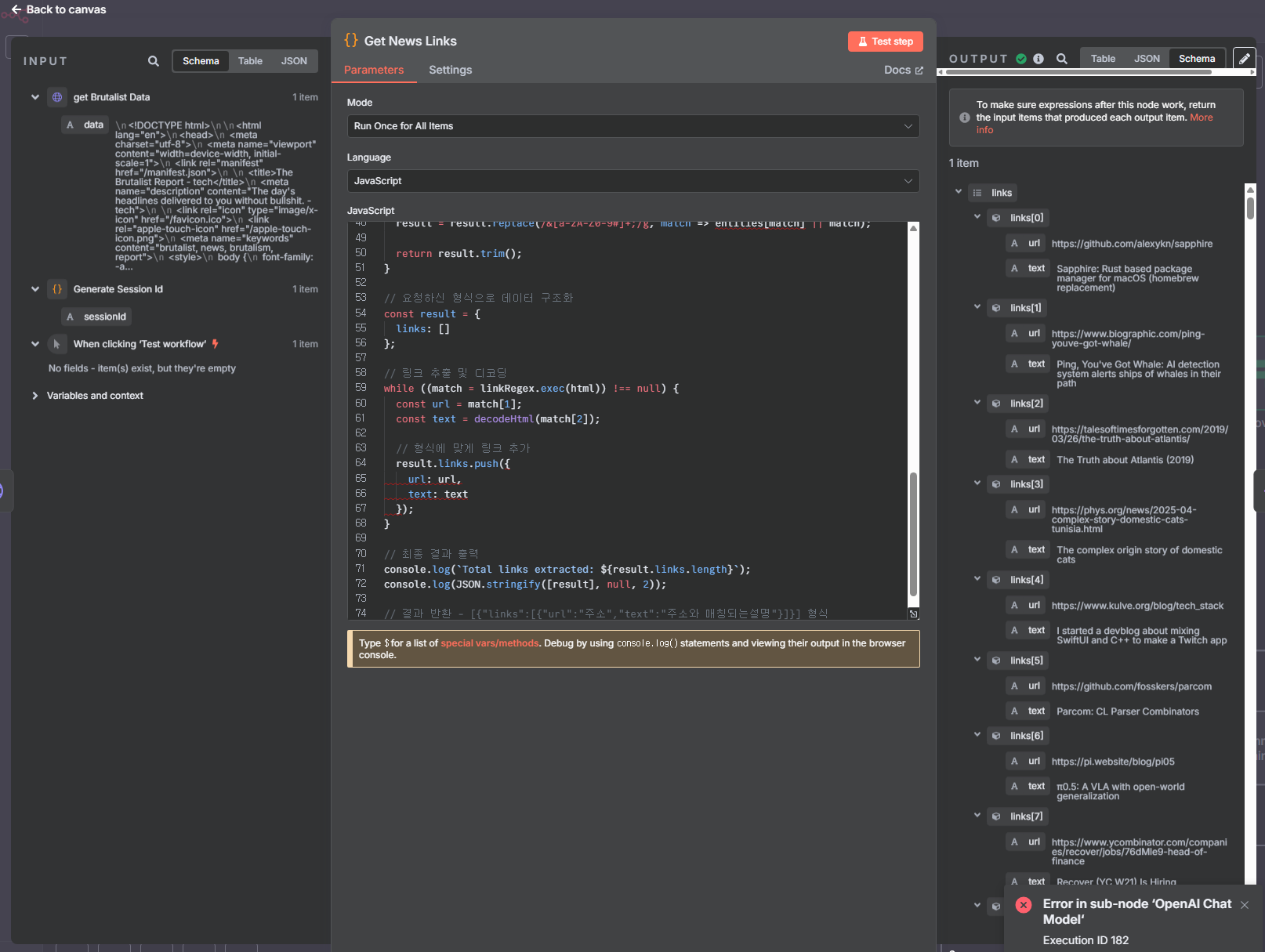
코드를 직접적으로 작성할 수 있고 왼쪽의 input 데이터를 끌어다 사용, 오른쪽은 아웃풋이 나타남.
해보고 느낀점.
- AI 특히 동영상 추출이나, 편집툴들의 비용이 상당히 나감.
-
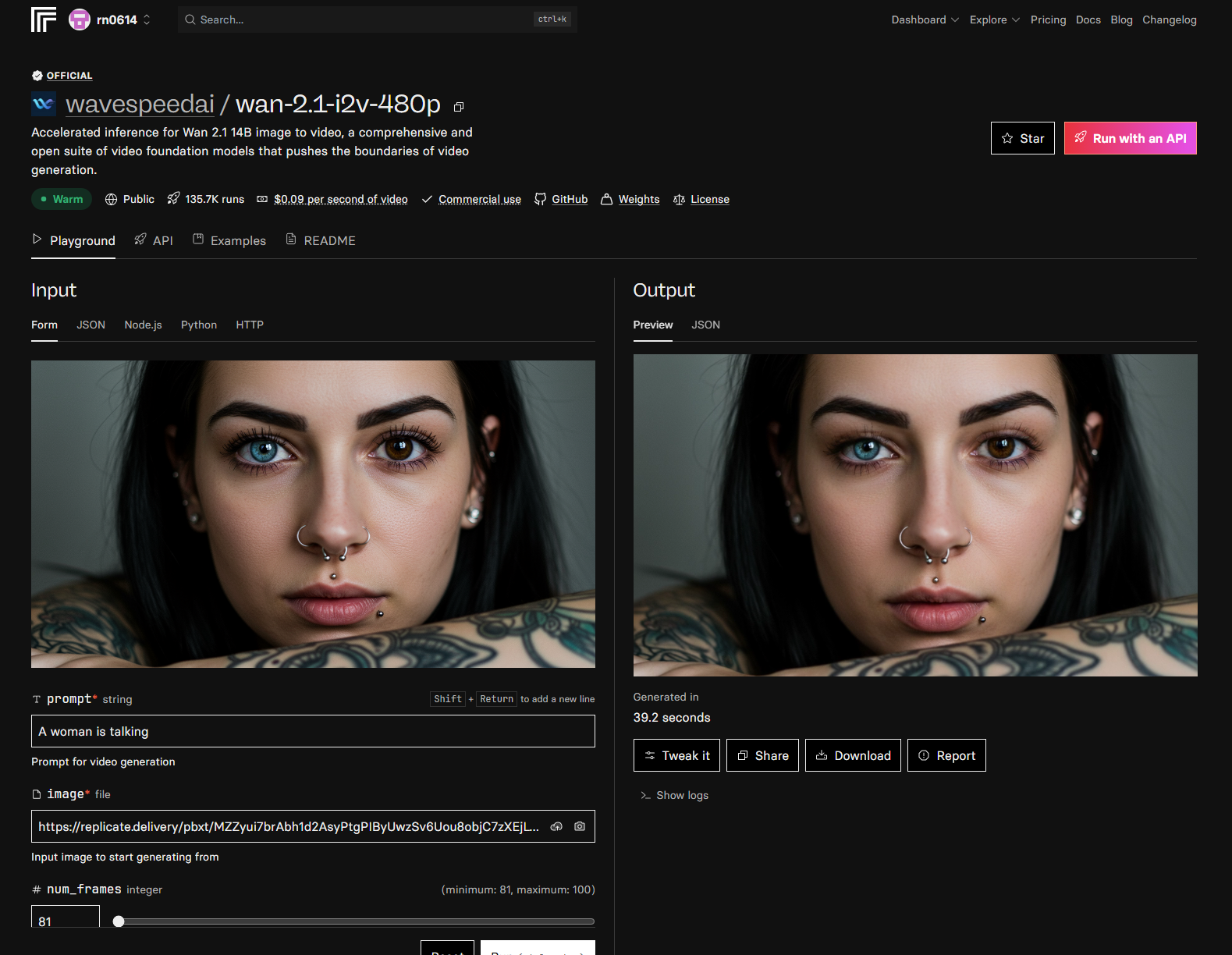
내가 사용한 AI 사이트는 https://replicate.com/explore인데
적게는 생성한 동영상 당 $0.03/s ~ $0.47 로 생각보다 많이 나감.
-
그래서 손수 만든 데이터, 결론 구림.
import torch
from diffusers import TextToVideoSDPipeline
from diffusers.utils import export_to_video
import os
import glob
import platform

def get_next_video_number(output_path):
    """
    output 디렉토리에서 가장 높은 번호를 찾아 다음 번호를 반환합니다.
    """
    # output 디렉토리가 없으면 생성
    os.makedirs(output_path, exist_ok=True)

    # 기존 비디오 파일 목록 가져오기
    existing_files = glob.glob(os.path.join(output_path, "generated_video_*.mp4"))

    if not existing_files:
        return 1

    # 파일명에서 숫자 추출
    numbers = []
    for file in existing_files:
        try:
            number = int(os.path.basename(file).split('_')[2].split('.')[0])
            numbers.append(number)
        except:
            continue

    if not numbers:
        return 1

    return max(numbers) + 1

def setup_cuda_arch():
    """
    CUDA 아키텍처 설정을 위한 환경 변수를 설정합니다.
    """
    if platform.system() == "Windows":
        os.environ["TORCH_CUDA_ARCH_LIST"] = "8.0;8.6;8.9;9.0;12.0"
    else:
        os.environ["TORCH_CUDA_ARCH_LIST"] = "8.0;8.6;8.9;9.0;12.0"

    # CUDA 실행 블로킹 활성화 (디버깅용)
    os.environ["CUDA_LAUNCH_BLOCKING"] = "1"

def generate_video(prompt, output_path="output", filename=None, num_frames=16, num_inference_steps=50, fps=8, height=320, width=576):
    """
    Generate a video using Text-to-Video Stable Diffusion based on a text prompt.

    Args:
        prompt (str): Text prompt for video generation
        output_path (str): Directory to save the generated video
        filename (str): Optional filename for the generated video. If None, will use auto-numbering.
        num_frames (int): Number of frames to generate
        num_inference_steps (int): Number of denoising steps
        fps (int): Frames per second for the output video
        height (int): Height of the generated video
        width (int): Width of the generated video
    """
    # CUDA 아키텍처 설정
    setup_cuda_arch()

    # Create output directory if it doesn't exist
    os.makedirs(output_path, exist_ok=True)

    # Initialize the Text-to-Video pipeline
    model_id = "damo-vilab/text-to-video-ms-1.7b"

    # GPU 사용 강제 설정
    if not torch.cuda.is_available():
        print("경고: CUDA가 사용 불가능합니다. GPU를 사용할 수 없습니다.")
        device = "cpu"
    else:
        device = "cuda"
        # GPU 정보 출력
        print(f"GPU 정보:")
        print(f"  이름: {torch.cuda.get_device_name(0)}")
        print(f"  메모리: {torch.cuda.get_device_properties(0).total_memory / 1024**3:.2f} GB")
        print(f"  CUDA 버전: {torch.version.cuda}")

    print(f"Using device: {device}")

    # Load the pipeline
    pipe = TextToVideoSDPipeline.from_pretrained(
        model_id,
        torch_dtype=torch.float16 if device == "cuda" else torch.float32,
        variant="fp16" if device == "cuda" else None
    )
    pipe = pipe.to(device)

    # Generate the video
    print(f"Generating video from prompt: {prompt}")

    video_frames = pipe(
        prompt,
        num_frames=num_frames,
        num_inference_steps=num_inference_steps,
        height=height,
        width=width
    ).frames[0]

    # 파일명 생성
    if filename is None:
        next_number = get_next_video_number(output_path)
        filename = f"generated_video_{next_number}.mp4"

    # Save the video
    full_path = os.path.join(output_path, filename)
    export_to_video(video_frames, full_path, fps=fps)
    print(f"Video saved to {full_path}")
    return full_path

if __name__ == "__main__":
    # Example usage
    prompt = "A beautiful sunset over the ocean with waves crashing on the shore"
    output_file = generate_video(prompt)
    print(f"Generated video: {output_file}")


## 실행 명령어어 python generate_video.py --prompt "a man running to the right" --height 384 --width 640 --steps 100 --fps 12 --num-frames 60