DataBase
데이터베이스(DB)는 여러 사람이 공유하여 사용할 목적으로 체계화해 통합, 관리하는 “데이터의 집합”!
데이터 베이스 관리 시스템(DBMS)의 통합된 정보들을 저장하여 운영할 수 있는 공용 데이터들의 묶음이다.
데이터베이스에 속해 있는 모델은 다양하다.
❓ **데이버 베이스 관리 시스템 (** **Database Management System )** 데이터 베이스를 관리하고 운영하는 소프트웨어를 말한다. 데이터베이스는 여러 사용자가 응용프로그램을 공유하고 동시에 접근이 가능해야하는데 이것은 데이터베이스 관리 시스템이 있기에 가능하다. ex) MySQL, 오라클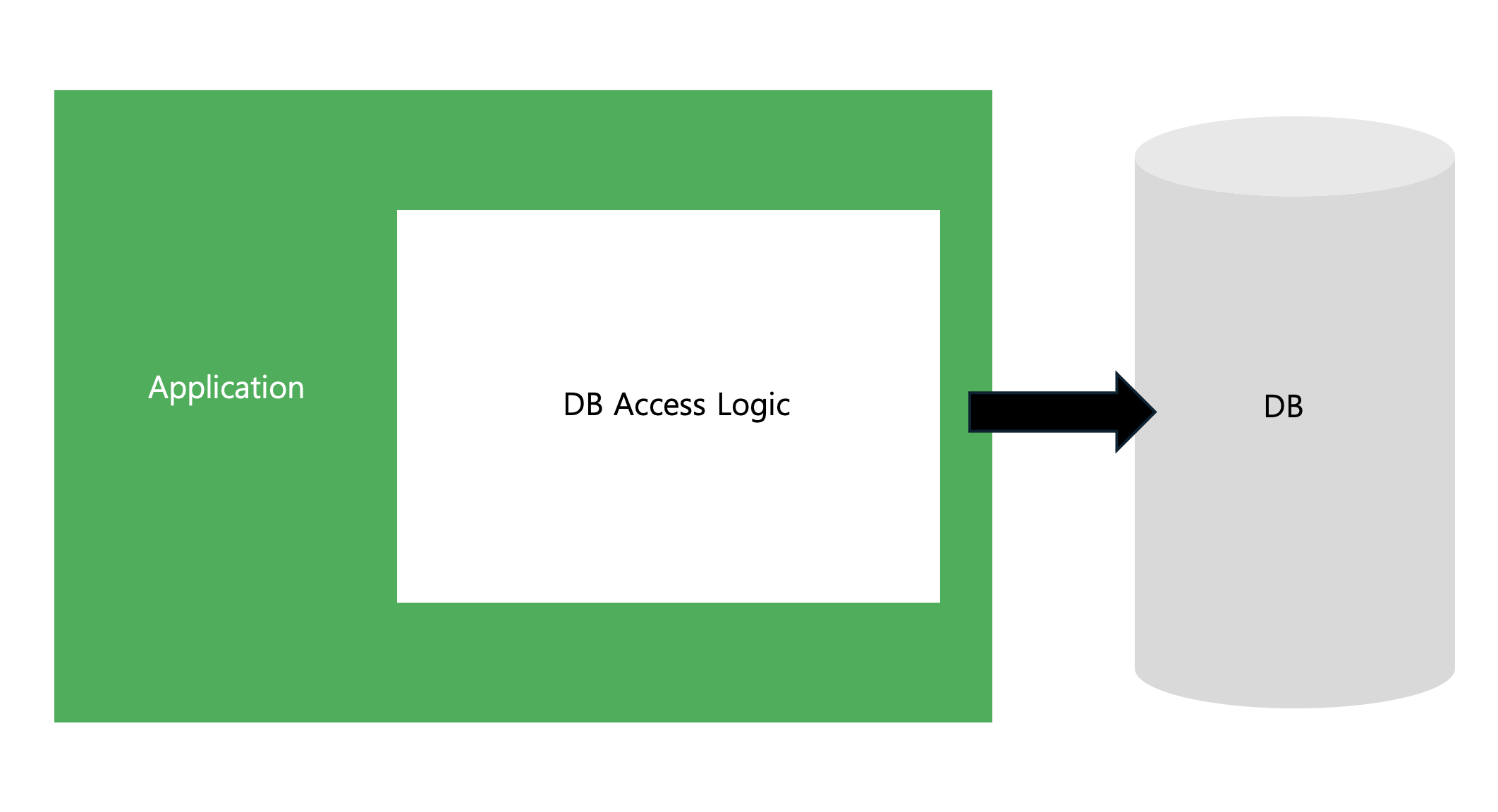
Application에서 DB로의 접근을 위해서는 다양한 작업이 필요하다.
→ 미리 구현된 코드를 사용
JDBC
데이터베이스에 접속할 수 있도록 도와주는 자바 API

JDBC는 왜 필요할까?
만약 구현체와 DB 접근 로직이 함께 있다면 DB의 종류에 따라 코드를 수정해야한다.
→ 분리시켜서 접근 로직만 수정하게 하기위해!
JDBC 사용
JDBC를 사용하여 데이터를 추가
public void insert(User user) throws SQLException {
    Connection con = null;
    PreparedStatement pstmt = null;
    try {
        con = ConnectionManager.getConnection();
        String sql = "INSERT INTO USERS VALUES (?, ?, ?, ?)";
        pstmt = con.prepareStatement(sql);
        pstmt.setString(1, user.getId());
        pstmt.setString(2, user.getPassword());
        pstmt.setString(3, user.getName());
        pstmt.setString(4, user.getEmail());

        pstmt.executeUpdate();
    } finally {
        if (pstmt != null) {
            pstmt.close();
        }

        if (con != null) {
            con.close();
        }
    }
}
// 코드 출처 초록스터디
public void insert(User user) throws SQLExceptionUser user객체를 인자로 받아 처리함
Connection con = null;
PreparedStatement pstmt = null;
Connection con: 데이터베이스와의 연결을 관리하는 객체PreparedStatement pstmt: SQL 문을 실행하기 위해 사용되는 객체로, SQL 인젝션 공격을 방지하고 성능을 향상
con = ConnectionManager.getConnection();
String sql = "INSERT INTO USERS VALUES (?, ?, ?, ?)";
pstmt = con.prepareStatement(sql);ConnectionManager.getConnection()은 데이터베이스와의 연결을 얻기 위해 호출- ConnectionManager 클래스는 일반적으로 데이터베이스 연결 설정을 관리
- sql 변수는 USERS 테이블에 데이터를 삽입하기 위한 SQL 쿼리. ?는 나중에 값이 바인딩될 자리표시자(placeholder)
con.prepareStatement(sql)메서드를 통해 SQL 문을 실행할 준비
pstmt.executeUpdate();pstmt.executeUpdate()메서드를 호출하여 데이터베이스에 SQL 쿼리를 실행하고, 데이터를 삽입
JDBC를 사용하여 데이터를 조회
public List<User> selectAll() throws SQLException {
    Connection con = null;
    PreparedStatement pstmt = null;
    ResultSet rs = null;

    try {
        con = ConnectionManager.getConnection();
        String sql = "SELECT id, password, name, email from USER";
        pstmt = con.prepareStatement(sql);
        rs = pstmt.executeQuery();

        List<User> users = new ArrayList();

        while (rs.next()) {
            String id = rs.getString("id"),
            String password = rs.getString("password"),
            String name = rs.getString("name"),
            String email = rs.getString("email"),

            users.add(new User(id, password, name, email));
        }

        return users;
    } finally {
        if (rs != null) {
            rs.close();
        }

        if (pstmt != null) {
            pstmt.close();
        }

        if (con != null) {
            con.close();
        }
    }
}
Connection con = null;
PreparedStatement pstmt = null;
ResultSet rs = null;Connection con: 데이터베이스와의 연결을 나타내는 객체. 이 객체를 통해 SQL 쿼리를 실행할 수 있다.PreparedStatement pstmt: SQL 쿼리를 실행하기 위한 객. 이 객체는 SQL 인젝션 공격을 방지하고, 쿼리 실행 성능을 향상.ResultSet rs: SQL 쿼리 실행 결과를 저장하는 객체. 이 객체를 통해 쿼리 결과를 순차적으로 읽어들일 수 있다.
con = ConnectionManager.getConnection();
String sql = "SELECT id, password, name, email FROM USER";
pstmt = con.prepareStatement(sql);ConnectionManager.getConnection(): 이 메서드는 데이터베이스와의 연결을 설정하고, Connection 객체를 반환.String sql: 실행할 SQL 쿼리를 문자열로 작성. 이 경우, USER 테이블에서 id, password, name, email 컬럼을 선택하는 쿼리.pstmt = con.prepareStatement(sql): Connection 객체를 사용해 PreparedStatement 객체를 생성하고, 이 객체를 통해 SQL 쿼리를 실행할 준비.
rs = pstmt.executeQuery();
List<User> users = new ArrayList<>();
while (rs.next()) {
    String id = rs.getString("id");
    String password = rs.getString("password");
    String name = rs.getString("name");
    String email = rs.getString("email");

    users.add(new User(id, password, name, email));
}
rs = pstmt.executeQuery(): PreparedStatement 객체를 통해 SQL 쿼리를 실행하고, 그 결과를 ResultSet 객체에 저장.List<User> users = new ArrayList<>();: User 객체들을 담을 리스트를 초기화.while (rs.next()) { ... }: ResultSet의 각 레코드를 순차적으로 읽어옵니다. rs.next()는 결과 집합의 다음 행(row)으로 이동하며, 더 이상 행이 없을 때까지 반복.rs.getString("id"), rs.getString("password"), …: 현재 행에서 각 컬럼의 값을 읽어옵니다. 이때 컬럼 이름은 쿼리에서 지정한 이름과 일치해야한다.users.add(new User(id, password, name, email)): 읽어온 데이터를 기반으로 User 객체를 생성하고, 이를 users 리스트에 추가.

💫
sql injection 방어 코드 보니 시큐어 코딩의 중요성을 알게 되는 글이네요