[ redux란? ]
- 상태관리 라이브러리
- 리액트의 상태 관리 라이브러리로 많이 사용되지만 javascript에서도 사용할 수 있다
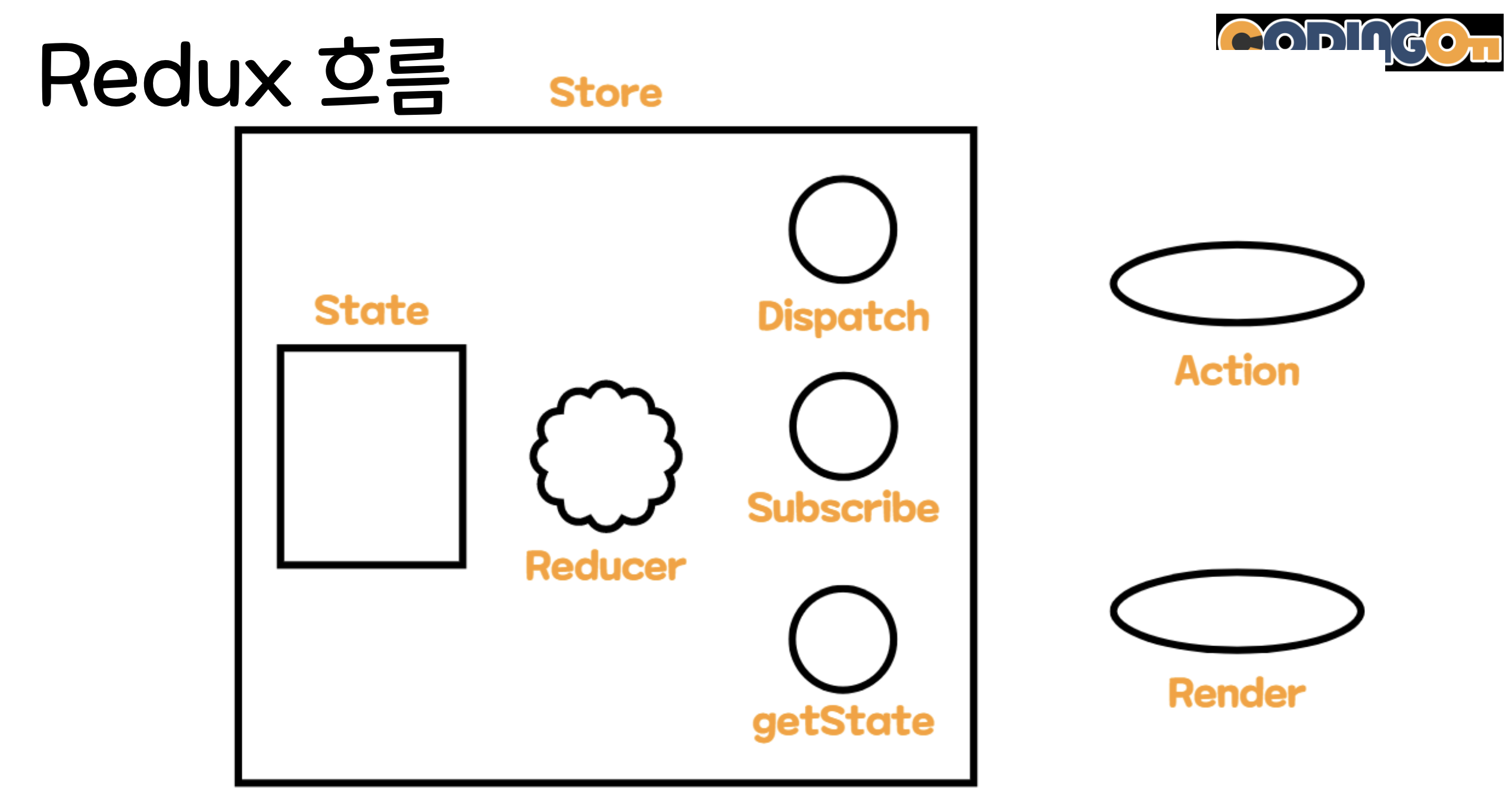
[ redux 용어 정리 ]
Store
‣ 상태가 관리되는 공간으로 한 개의 프로젝트에는 하나의 Store가 존재한다
Action
‣ Dispatch를 통해 상태를 변경할 때 전달되는 객체로 컴포넌트에서 store에 운반할 데이터를 말한다
‣ Action은 하나의 객체로 표현됨
Dispatch
‣ 상태를 변경하기 위해 action 객체를 받는다.
‣ Reducer을 호출해 state 값을 변경하고 subscribe 함수를 실행해 그
곳에 등록되어 있는 render 함수를 실행한다.
Reducer
‣ 액션의 type에 따라 변화를 일으키는 함수
‣ 첫번째 매개 변수는 초기 상태값 state, 두번째 매개 변수는 Action값을 받음
‣ 즉, state를 입력값으로 받고 action을 참조해 새로운 state를 만들어
return하는 state 가공자이다
state 가져오기
‣ store의 getState() 함수를 통해 state 값을 가져올 수 있다.
state 변경하기
‣ store의 dispatch 함수를 실행시킨다. 이때, 인자로 type과 데이터를 전달하는데 그 객체가 action 이다.
‣ dispatch 함수는 action 객체를 받고, reducer 함수를 실행시킨다.
‣ reducer 함수는 2개의 인자를 받는데 첫번째는 현재 state, 두번째는 dispatch에서 전달한 action 객체이다.
‣ reducer 함수는 action 을 토대로 state를 변경한 후, 변경된 state를 반환해준다.
‣ reducer 함수가 종료되면 dispatch 함수는 subscribe 함수에 등록된 render 함수를 실행한다.
[ 실습 ]
redux cdn 호출하기
<script src="https://cdnjs.cloudflare.com/ajax/libs/redux/4.2.0/redux.min.js"><head>
<script>
// reducer 함수는 createStore를 할 때 한번 실행되고, 이후 dispatch 함수를 통해 실행된다.
function reducer(state, action) {
// action = {type: , name: , content: }
if ( state == undefined ) {
return { cnt: 0, boards: [] };
}
if (action.type === 'WRITE') {
state.boards.push({no: state.cnt + 1, name: action.name, content: action.content});
return {cnt: state.cnt + 1, boards: state.boards};
} else if (action.type === 'DELETE') {
const arr = state.boards.filter(board => board.no != action.no);
return {cnt: state.cnt, boards: arr};
}
}
// state가 관리되는 store 생성 -> 인자로 reducer가 들어간다.
let store = Redux.createStore(reducer);
function writeBoard() {
let state = store.getState();
let tbody = document.querySelector("tbody");
let html = "";
for(let board of state.boards) {
html += "<tr><td>" + board.no + "</td><td>" + board.name + "</td><td>" + board.content + "</td><td><button onclick=deleteBoard(" + board.no + ")>삭제</button></td></tr>"
}
tbody.innerHTML = html;
}
// state가 변경되면 writeBoard 함수를 실행한다.
store.subscribe(writeBoard);
function clicked() {
let name = document.querySelector("input[name='name']");
let content = document.querySelector("input[name='content']");
// dispatch 함수를 통해 reducer 함수를 실행한다.
// action 객체에 type, name, content가 들어간다
store.dispatch({type: 'WRITE', name: name.value, content: content.value});
}
function deleteBoard(no) {
store.dispatch({type: 'DELETE', no: no});
}
</script>
</head>
<body>
이름 : <input type="text" name="name"> <br>
내용 : <input type="text" name="content">
<button onclick="clicked()">작성</button>
<hr>
<table border="1" cellspacing="0">
<thead>
<tr>
<td>No.</td>
<td>이름</td>
<td>내용</td>
<td>삭제</td>
</tr>
</thead>
<tbody></tbody>
</table>
</body>