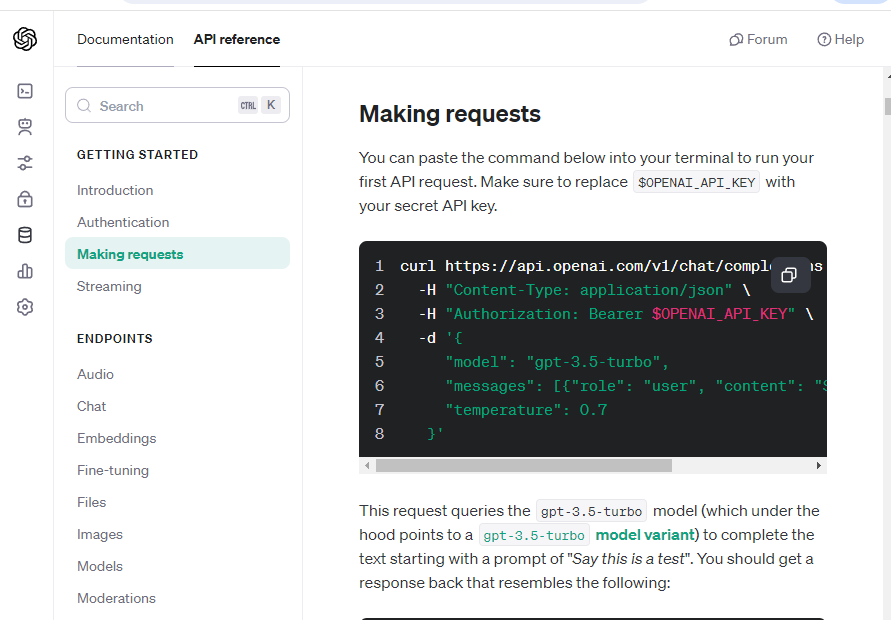
api/gpt.js
export const CallGPT = async () => {
    //console.log(">>CallGPT");
    // GPT API CALL
    /*
    curl https://api.openai.com/v1/chat/completions \
    -H "Content-Type: application/json" \
    -H "Authorization: Bearer $OPENAI_API_KEY" \
    -d '{
        "model": "gpt-3.5-turbo",
        "messages": [{"role": "user", "content": "Say this is a test!"}],
        "temperature": 0.7
    }'
    */
    const response = await fetch("https://api.openai.com/v1/chat/completions", {
        method: "POST",
        headers: {
          "Content-Type": "application/json",
          Authorization: `Bearer ${import.meta.env.VITE_GPT_API_KEY}`, //발급받은 api key(문자열)
        },
        body: JSON.stringify({
          model: "gpt-3.5-turbo",
          messages: [{role : "user", content : "Say this is a test!"}],
          temperature: 0.7,
          max_tokens: 1_000, // 너무많은 요청을 방지하기 위하여
        }),
    });

    const responseData = await response.json();
    console.log(">>responseData", responseData);

    return responseData

}
.evn 파일에 GPT Api key 받은걸로 수정
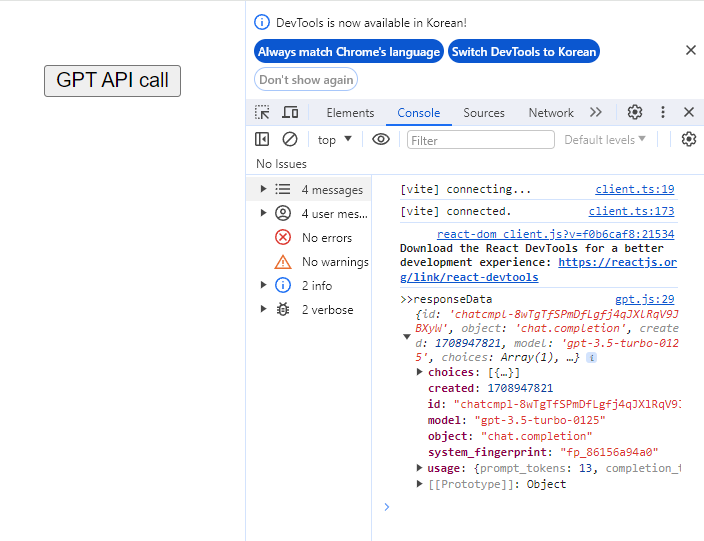
잘 나오는것이 확인이 된다면 작성해둔 프롬포트로 바꾸기
system과 user를 구분해서 messages를 작성한다.
gpt.js
export const CallGPT = async ({prompt}) => {
    //system과 user로 보내기
    const messages = [
        {
          role: "system",
          content: `## INFO ##
        you can add images to the reply by URL, Write the image in JSON field
        Use the Unsplash API (https://source.unsplash.com/1600x900/?). the query is just some tags that describes the image ## DO NOT RESPOND TO INFO BLOCK ##`,
        },
        {
          role: "system",
          content: `You are a psychological counselor who writes and analyzes emotional diaries. Proceed in the following order.`,
        },
        {
          role: "user",
          content: `1. [title] : Think of the diary title after understanding the [events] separated by """ at the bottom.
          2. [summarize] : summarize events in order with one line sentence.
          3. [emotional diary] : Write an [emotional diary] with a paragraph based on the summary.
          4. [evaluates] : The written emotional [evaluates], using explore the unconscious based on the contents of the [emotional diary].
          6. [Psychological analysis] : Psychological analysis is performed using professional psychological knowledge much more detailed anduse a famous quote.
          7. [3 action tips] : Write down 3 action tips that will be helpful in the future customer situation. The three action tips must beconverted into JSON Array format.
          8. [image] : Create an image by making the contents so far into one keyword.


          Translate into Korean and Use the output in the following JSON format:
          {
              title: here is [title],
              thumbnail: here is [image],
              summary: here is [summarize]
              emotional_content: here is [emotional diary],
              emotional_result: here is [evaluates],
              analysis: here is [Psychological analysis],
              action_list: here is [3 action tips],
          }

          [events]:`,
        },
        {
          role: "user",
          content: `
            """
            ${prompt}
            """`,
        },
      ];
    const response = await fetch("https://api.openai.com/v1/chat/completions", {
        method: "POST",
        headers: {
          "Content-Type": "application/json",
          Authorization: `Bearer ${import.meta.env.VITE_GPT_API_KEY}`, //발급받은 api key(문자열)
        },
        body: JSON.stringify({
          model: "gpt-3.5-turbo",
          messages,
          temperature: 0.7,
          max_tokens: 1_000, // 너무많은 요청을 방지하기 위하여
        }),
    });

    const responseData = await response.json();
    console.log(">>responseData", responseData);

    const message = responseData.choices[0].message.content

    return message

}
APP.jsx
import './App.css'
import { useState } from 'react';
import { CallGPT } from './api/gpt';

function App() {
  const [data, setData] = useState("");
  const [isLoading, setIsLoding] = useState(false);

  const handleClickAPICall = async () => {
    try {
      setIsLoding(true);
      const message = await CallGPT({
        prompt:`
        코딩 강의를 들었다. 프로젝트에 버그가 많이 나왔음. 스택오버플로에서 검색했지만 해결 안되었어.
        역시 gpt를 통해서 해결했다. 근데 이렇게 해결하는거 개발실력에 도움 될까..?
        `,
      });
      setData(message);
    } catch (error) {
    } finally {
      setIsLoding(false);
    }
  };

  return (
    <>
      <button onClick={handleClickAPICall}>GPT API call</button>
      <div>data : {data}</div>
      <div>isLoading : {isLoading ? "로딩중" : "로딩끝"}</div>
    </>
  )
}

export default App
프롬포트에 회고록을 작성한다면 gpt.js에서 받아서 작성해준다.
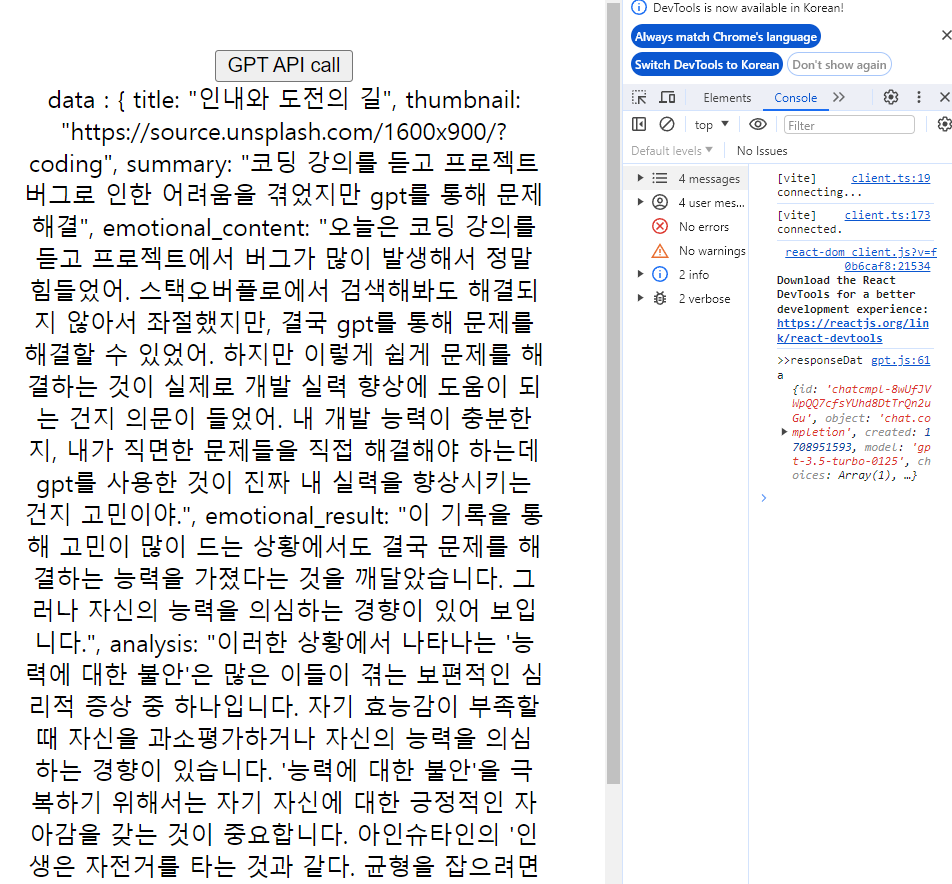
데이터가 나오는것을 확인했다면 테스트를 더미데이터로 바꿔서 진행한다(요금문제)

히히덕^^