What Is Sage 50 Peachtree and How Does It Work for You?
When it comes to managing business finances, not all software is created equal. Some tools are too complex for everyday use. Others are too basic to grow with your business. Finding that sweet spot — powerful yet simple — is what every small business owner is searching for. That's a challenge many have already solved by choosing the right accounting platform. And for millions of users across North America, the answer has been Sage 50 Peachtree.
This software has been around for decades, and for good reason. It handles everything from invoicing and payroll to inventory tracking and financial reporting — all within one clean, desktop-based interface that doesn't require a degree in accounting to navigate.
What Exactly Is Peachtree Sage 50?
To understand where we are today, it helps to understand a bit of history. Peachtree Accounting was originally developed in the late 1970s and became one of the first commercially available accounting software programs for personal computers. It grew enormously in popularity through the 1980s and 1990s, earning a loyal user base among small business owners who needed reliable, affordable bookkeeping tools.
In 2012, Sage Group — one of the world's leading providers of business management software — rebranded Peachtree Accounting as Sage 50. The name changed, but the core DNA of the product remained the same. That's why even today, many users and professionals still refer to it as Peachtree Sage 50 or simply Peachtree. The two names are interchangeable, and both refer to the same trusted software.
Understanding this history matters because it tells you something important: this isn't a startup product. It's a mature, battle-tested platform with decades of refinement behind it.
Who Uses Sage 50 Peachtree?
The software is designed primarily for small to medium-sized businesses — think retail shops, construction firms, service providers, nonprofits, and professional practices. It works particularly well for businesses that:
need detailed job costing and project tracking, manage physical inventory across multiple locations, run payroll in-house and need full compliance support, require strong audit trails and financial reporting for accountants or investors, or prefer desktop-based software over fully cloud-dependent solutions.
If you're in any of these categories and haven't yet explored what Sage 50 Peachtree can do, you're likely spending more time on manual tasks than you need to.
Core Features That Make Sage 50 Peachtree Stand Out
Complete Accounts Payable and Receivable Management
One of the most time-consuming parts of running a business is managing who owes you money and who you owe. Sage 50 Peachtree handles both sides of this equation with precision. You can set up recurring invoices, apply automatic payment reminders, track outstanding balances, and generate aging reports — all without opening a spreadsheet.
The accounts payable module is equally strong. Enter your vendor bills, schedule payments, and keep your cash flow organized. The software flags overdue payments and helps you avoid late fees by keeping everything visible in one place.
Payroll Processing Built Right In
Payroll is where many small businesses run into trouble. Calculations are complex, tax rules change constantly, and errors can be costly. Sage 50 Peachtree includes a full payroll module that calculates federal and state withholdings automatically, handles direct deposit setup, and generates the reports you need for quarterly and annual tax filings.
The payroll tax tables are updated regularly so you're always working with current rates — a small detail that saves enormous headaches come tax season.
Inventory and Job Costing
If your business sells physical products, the inventory management system in Sage 50 Peachtree is a genuine asset. You can track stock levels across multiple locations, set reorder points, manage serialized items, and generate purchase orders automatically when inventory runs low.
The job costing feature is particularly valuable for contractors and project-based businesses. You can assign costs and revenues to specific jobs, track profitability per project, and generate detailed job reports that help you bid more accurately on future work.
Financial Reporting and Dashboards
The reporting suite in Sage 50 Peachtree is one of its strongest features. With over 125 built-in reports and the ability to customize and save your own, you can generate a balance sheet, profit and loss statement, cash flow report, or budget comparison in seconds.
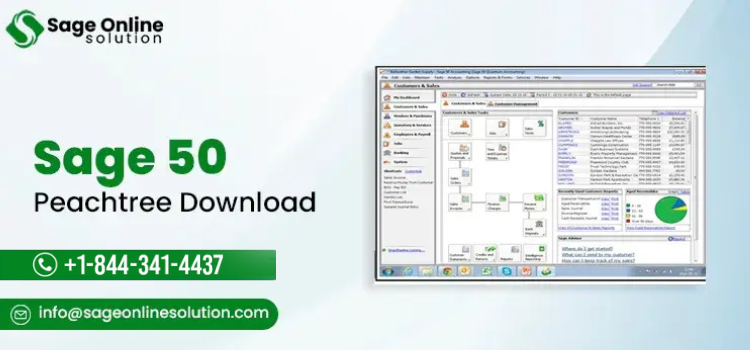
The dashboard gives you an at-a-glance view of your financial health — accounts receivable totals, recent transactions, cash position, and outstanding bills — so you always know where your business stands without digging through data.
How to Get Started With Sage 50 Peachtree
Getting set up is straightforward, especially if you're coming from a manual system or a simpler tool like basic spreadsheets. Here's how the typical setup process works.
Setting Up Your Company File
The first step is creating your company file. You'll enter your business name, address, fiscal year start date, and choose your industry type. Sage 50 Peachtree uses your industry selection to suggest a default chart of accounts, which saves you significant setup time. You can customize this further to match your specific business structure.
Entering Your Opening Balances
If you're migrating from another system, you'll need to enter your opening balances — what you currently owe, what's owed to you, and your current bank and asset balances. This is the step where many new users benefit most from professional help. Getting your opening balances right ensures your reports are accurate from day one.
Connecting Your Bank Accounts
Sage 50 Peachtree supports bank feeds that pull transactions directly from your financial institution. Once connected, you can reconcile your accounts quickly each month by matching imported transactions to existing entries in the software.
Setting Up Payroll
If you're using the payroll module, you'll need to enter each employee's details — pay rate, tax withholding information, direct deposit details, and any deductions or benefits. The software walks you through each field with clear guidance.
Common Issues Users Face and How to Solve Them
No software is perfect, and Sage 50 Peachtree is no exception. Over time, users occasionally run into problems that range from minor annoyances to workflow-stopping errors.
Data File Corruption
Large company data files can occasionally become corrupted, especially if there's a power interruption during a save or if the software is closed improperly. Sage 50 Peachtree has a built-in data repair tool that resolves most corruption issues. Regular backups are your best protection against losing data permanently.
Performance Slowdowns
If the software feels slower than usual, it's often caused by a bloated data file, too many background programs running simultaneously, or outdated system drivers. Archiving old data and running the software's built-in optimization tools usually restores normal performance.
Payroll Tax Table Errors
If your payroll calculations seem off, the most likely cause is an outdated tax table. Sage releases periodic payroll updates, and failing to install them means your withholding calculations may be incorrect. Always keep your payroll subscription current.
Installation and Activation Problems
New installations sometimes encounter licensing errors or activation failures, particularly on newer operating systems. These are almost always resolved by re-entering your serial number or contacting support directly.
For any issue you can't resolve on your own, reaching out to Sage 50 Peachtree customer service is the fastest path to a solution. The support team is trained specifically on the software and can diagnose and fix most problems remotely.
How to Reach Sage 50 Peachtree Customer Service
Getting timely, knowledgeable support is critical when your accounting software isn't working correctly. A delayed payroll run or an inaccessible company file isn't just inconvenient — it can have real consequences for your business.
The Sage 50 Peachtree contact number for customer support is +1-844-341-4437. When you call, you'll be connected with a trained support representative who can help you with installation, data issues, payroll problems, upgrade questions, and general how-to guidance.
Whether you're a brand-new user just getting set up or a long-time customer dealing with an unexpected error, the support team is equipped to help. Having this number saved somewhere accessible means you're never more than a phone call away from getting your business back on track.
Why Sage 50 Peachtree Remains Relevant in 2025 and Beyond
In an era where cloud-based software dominates the conversation, some business owners wonder whether a desktop-first platform like Sage 50 Peachtree is still worth choosing. The answer, for the right type of business, is a clear yes.
Cloud software is excellent for businesses that prioritize remote access and simplicity. But Sage 50 Peachtree offers something cloud-only tools often can't match — deep functionality, robust offline performance, and a level of customization that suits businesses with complex financial needs.
Sage has also invested in cloud-connectivity features for Sage 50, allowing users to access certain functions remotely while keeping their core data on a local server. This hybrid approach gives businesses the security of desktop software with some of the flexibility of cloud tools.
For businesses in construction, manufacturing, distribution, and other industries that rely on detailed job costing and inventory management, Sage 50 Peachtree remains one of the most complete and cost-effective solutions available.
Tips for Getting the Most Out of Sage 50 Peachtree
Making the most of your software investment comes down to a few consistent habits. Always keep your software updated to the latest version — each release includes bug fixes, performance improvements, and compliance updates. Schedule regular data backups, ideally automated and stored off-site or in the cloud. Take advantage of the built-in reporting tools rather than exporting to spreadsheets — your reports will be more accurate and much faster to generate.
If your team uses the software, consider investing in even basic training. Sage offers online tutorials and documentation, and the learning curve is much shorter than most users expect. A few hours of structured learning at the start can save dozens of hours of confusion later.
And whenever you hit a wall — whether it's a technical error, a setup question, or a billing concern — don't hesitate to call +1-844-341-4437. Good support is part of what you're paying for, and the Sage 50 Peachtree customer service team is genuinely there to help.
FAQ:
Q1. What is Sage 50 Peachtree and is it still available?
Sage 50 Peachtree is a desktop-based accounting software originally developed as Peachtree Accounting and later rebranded by Sage Group. Yes, it is still actively available and supported. It remains one of the most widely used accounting platforms for small and medium-sized businesses in North America, offering payroll, inventory, reporting, and job costing in one integrated solution.
Q2. How is Peachtree Sage 50 different from other accounting software?
Unlike fully cloud-based tools, Peachtree Sage 50 runs primarily on a desktop or local server, which makes it faster and more reliable for businesses that handle large volumes of transactions. It also offers deeper functionality in areas like job costing and inventory management, making it better suited for industries like construction, retail, and distribution than simpler online tools.
Q3. How do I contact Sage 50 Peachtree customer service?
The Sage 50 Peachtree customer service number is +1-844-341-4437. You can call this number for help with installation, data file issues, payroll errors, upgrade questions, licensing problems, and general software guidance. Support representatives are trained specifically on Sage 50 and can assist both new and existing customers with technical and account-related concerns.
Q4. What is the Sage 50 Peachtree contact number for technical support?
If you're experiencing a technical issue with Sage 50 Peachtree, the contact number to call is +1-844-341-4437. This line connects you with trained support staff who can help diagnose and resolve problems including slow performance, data corruption, payroll tax errors, bank feed issues, and software activation failures — usually within a single support session.
Q5. Is Sage 50 Peachtree secure for storing financial data?
Yes. Sage 50 Peachtree includes user-level access controls, password protection, and audit trail features that track every change made to your financial records. Your data is stored locally on your own hardware or server, which means you control the security environment. Regular backups — especially off-site or cloud-based — are strongly recommended to protect against hardware failure or data loss.
Q6. How much does Sage 50 Peachtree cost?
Sage 50 Peachtree is available through subscription plans that vary based on the number of users and the features you need. Entry-level plans cover core accounting functions, while premium tiers add payroll, advanced inventory, and job costing. Pricing changes periodically, so for the most current rates and available promotions, calling +1-844-341-4437 is the best way to get accurate, up-to-date pricing information.
Q7. Can I migrate my data from another accounting software to Sage 50 Peachtree?
Yes, Sage 50 Peachtree supports data migration from several other accounting platforms. The process typically involves exporting your existing data in a compatible format and importing it into a new Sage 50 company file. For complex migrations with large historical data sets, working with a support professional is recommended. Call +1-844-341-4437 to get guidance on your specific migration scenario.