
4번째 주간과제 메신저
지난 포스트에서 회원가입 컴포넌트까지의 렌더링을 구현했다.
이번 포스트에서는 회원가입과 로그인까지 해보려 한다.
1. 폼 컨트롤
회원가입Register 및 로그인Login 컴포넌트에서 InputFormInput 컴포넌트의 값을 받아와야 하니, forwardRef를 바로 써먹을 수 있는 기회가 생겼다.
/* RegisterForm.jsx */
const inputRef = useRef({});
...
return (
  ...
  <FormInput
    id="email"
    type="email"
    ref={element => inputRef.current["email"] = element}
    placeholder="your@company.io"
    value={inputInfo.email}
    onChange={handleInput}
  />
  ...
)

/* FormInput.jsx */
function FormInput({ id, ...restProps }, ref) {
  return (
    <>
      <label htmlFor={id} className="sr-only">
        {id}
      </label>
      <input
        id={id}
        ref={ref}
        className="w-72 h-10 rounded-sm text-md ps-3"
        {...restProps}
      />
    </>
  );
}

export default forwardRef(FormInput);
이렇게 useRef와 forwardRef로 input 데이터의 value를 가져오도록 구성했다.
2. 회원가입
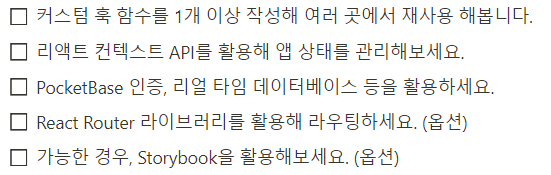
포켓베이스 인증을 활용하는 요구사항에 따라, 포켓베이스 데이터로 회원가입 및 로그인을 구현하고자 한다.
회원가입 버튼을 클릭 시 실행되는 onSubmit 이벤트를 통해 userData를 정리하고, 포켓베이스에 생성 요청을 보낸 후 데이터 생성이 정상적으로 완료되면 Cancel 버튼을 클릭했을 때와 마찬가지로 backPage('')를 통해 로그인 컴포넌트를 렌더링하도록 했다.
const END_POINT = import.meta.env.VITE_PB_URL;
const pb = new PocketBase(END_POINT)

async function fetchRegister(userData) {
  try {
    const data = await pb.collection('users').create(JSON.stringify(userData))
    return data;
  } catch(error) {
    console.log(error)
  }
}

function RegisterForm({ backPage }) {
  ...
  const handleRegister = async (e) => {
    e.preventDefault();
    if(!inputRef.current.email.value) {
      alert('이메일을 입력해 주세요.')
      return;
    }
    if(inputRef.current.password.value.length < 8) {
      alert('비밀번호는 8자리 이상이어야 합니다.')
      return;
    }
    if(inputRef.current.password.value !== inputRef.current.confirm.value) {
      alert('비밀번호와 비밀번호 확인 값을 확인해주세요.')
      return;
    }

    const userData = {};
    userData["username"] = inputRef.current.email.value.split('@')[0];
    userData["email"] = inputRef.current.email.value;
    userData["password"] = inputRef.current.password.value;
    userData["passwordConfirm"] = inputRef.current.password.value;

    fetchRegister(userData)
      .then((data) => {
        console.log(data);
        alert('회원가입이 완료되었습니다. 로그인 화면으로 이동합니다.');
        backPage('');
      })
  }

  return (
    <form onSubmit={handleRegister} className="relative flex flex-col gap-1 h-full" method="POST">
      <h3 className="text-center font-bold mb-3">회원가입</h3>
      ...
      <Button
        type="submit"
        theme="white"
        styleClass="absolute bottom-2"
      >
        Register
      </Button>
    </form>
  );
}
포켓베이스의 API 문서의 설명과 같게 했는데, 자꾸 회원가입이 안되는 문제가 발생해서 꽤나 고생했다.
문제는.. 테스트용으로 비밀번호를 짧게 날리니 8자 이하여서 안되는거였다..
문서에 8자이상으로 보내라고 추가 좀 해주지..
3. 로그인
회원가입도 완료했으니, 이제 생성된 정보로 로그인을 해야한다.
포켓베이스 데이터 연동을 회원가입부분에서 고생해서 구현에 쉽게 성공했다.
회원가입과 마찬가지로 폼 데이터를 받아 포켓베이스에 인증을 요청하고, JWT 토큰을 발급받아 sessionStorage에 저장하고 채팅리스트 컴포넌트를 렌더링하도록 했다.
function LoginForm({ register, onLogin }) {
  const [inputInfo, handleInput] = useInput();
  const inputRef = useRef({});

  const handleLogin = async () => {
    const { email, password } = inputRef.current;

    fetchAuth(email.value, password.value)
      .then(([pb]) => {
        sessionStorage.setItem('token', pb.authStore.token);
      })
      .then(onLogin())
      .catch(() => {
        alert('이메일 혹은 비밀번호가 틀렸습니다.');
      });
  };

  return (
    <form className="relative flex flex-col gap-1 h-full">
      <FormInput
        id="email"
        type="email"
        ref={(element) => (inputRef.current['email'] = element)}
        placeholder="your@company.io"
        value={inputInfo.email}
        onChange={handleInput}
      />
      <FormInput
        id="password"
        type="password"
        ref={(element) => (inputRef.current['password'] = element)}
        placeholder="password"
        value={inputInfo.password}
        onChange={handleInput}
      />
      <Button theme="zinc" styleClass="mt-2" onClick={handleLogin}>
        Log in
      </Button>
      ...
    </form>
  );
}
로그인 이후 로그인 유저의 정보를 보여주어야 하는데.. 이게 조금 꼬여서 고생좀 했다.
/* ChatRoomList.jsx */
const useJWTToken = (userInfo) => {
  const payload = userInfo.split('.')[1];
  const userData = base64.decode(payload);

  return JSON.parse(userData);
};

const useSetInfo = async (id, setUserName) => {
  const pb = usePb();
  const data = await pb.collection('users').getOne(id);

  setUserName(data.username);
};

function ChatRoomList({ userInfo }) {
  const [userName, setUserName] = useState('');
  const { id: userId } = useJWTToken(userInfo);

  useEffect(() => {
    useSetInfo(userId, setUserName);
  }, []);

  return (
    <>
      <section>
        <h3 className="sr-only">닉네임</h3>
        <figure className='flex gap-3 w-full items-center self-start mt-6'>
          <img src='/src/assets/user.jpg' alt='thumbnail' className='w-16 rounded-full' />
          <figcaption className='font-bold'>{userName}</figcaption>
        </figure>
      </section>
    </>
  );
}
포켓베이스에서 발급받은 JWT 토큰을 base-64 라이브러리 설치 후 디코딩을 통해 사용자의 이름을 표시해주도록 채팅방 리스트에 보여주는것 까지 구현 완료!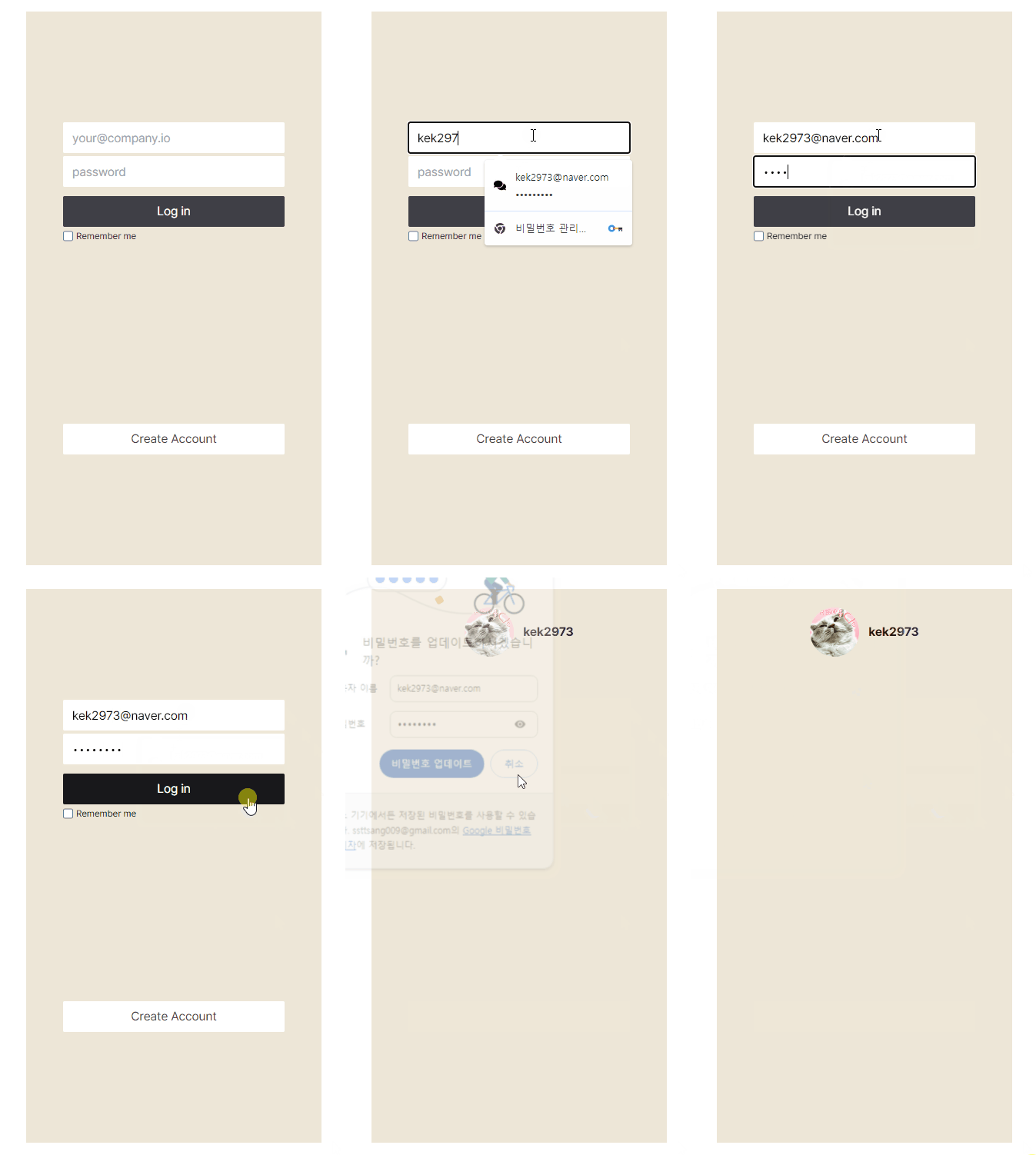
포스트가 벌써 2번째가 완료되었는데 아직도 로그인이라니.. 생각보다 과제 사이즈가 큰 것 같다..