나도 에러 해결 포스팅을 쓰는 날이 오는 구나!
TypeScript 설치할 때에도 애먹고 결국 해결하지 못했던 문제인데,
오늘 Vue.js를 설치하다가 또 안돼서 각잡고 해결해 보았다!! 나 조금 늘긴 늘었나보다!!
🥳
npm install -g @vue/cli이 명령어가 안먹어서 아주아주 고생하고 있었다. 앞에 sudo를 붙여도 해결이 되지 않아았고
yarn global add @vue/cliyarn으로 설치해도 Vue가 설치되지 않고 있었다.
에러 내용
npm ERR! code EACCES
npm ERR! syscall mkdir
npm ERR! path /usr/local/share/npm/bin/bin
npm ERR! errno -13
npm ERR! Error: EACCES: permission denied, mkdir '/usr/local/share/npm/bin/bin'
npm ERR!  [Error: EACCES: permission denied, mkdir '/usr/local/share/npm/bin/bin'] {
npm ERR!   errno: -13,
npm ERR!   code: 'EACCES',
npm ERR!   syscall: 'mkdir',
npm ERR!   path: '/usr/local/share/npm/bin/bin'
npm ERR! }
npm ERR!
npm ERR! The operation was rejected by your operating system.
npm ERR! It is likely you do not have the permissions to access this file as the current user
npm ERR!
npm ERR! If you believe this might be a permissions issue, please double-check the
npm ERR! permissions of the file and its containing directories, or try running
npm ERR! the command again as root/Administrator.

npm ERR! A complete log of this run can be found in:
npm ERR!     /Users/sangji/.npm/_logs/2022-10-04T09_10_15_858Z-debug-0.log
vue -v출력 zsh: command not found: vue
흑 왜 명령어를 찾을 수 없는 거니 도대체 왜 😭
위의 에러 내용에서 이상한 부분이 있었다.
Error: EACCES: permission denied, mkdir '/usr/local/share/npm/bin/bin'
왜 bin 이 두개지...?
그래서 해당 파일로 들어가 보기로 했다.
cli는 익숙치 않고 시간이 더 오래 걸릴 것 같아 finder를 뒤져보았다.
/usr/local/share/npm/bin/bin 이 파일에 bin이 두개 있었고 bin 안에 vue 파일이 들어있었다. bin을 하나 지우고, vue파일을 임의로 Users/내이름/.npm_global/lib/node_modules 로 위치를 옮겨 보았다.
그치 이게 될 리가 없지.
zsh: command not found: vue
저 경로가 이상하게 설정된 것 같은데.. 환경 변수에 대한 여러 글(StackOverFlow, 각종 포스팅들..)을 뒤져 보았지만 저마다 다른 경로를 알려주었다.
export NODE_PATH =$PATH:$HOME/node_modules/
export PATH=~/.npm_global/bin:$PATH
export PATH=$PATH:/Users/내이름/.npm-global/bin
그래서 base_profile, zprofile, profile 파일 마다 저 경로를 넣어보았지만 될 리가 없었다.
EACCES에러가 뭐지? 이 에러에 대한 내용도 열심히 구글링 해봤다. 에러 내용에 나타난 힌트가 될 만한 키워드들은 모두 구글에 물어봤다.
그래서 찾고 찾다가 도달한 곳,
바로 <<공식 문서>> ..
Resolving EACCES permissions errors when installing packages globally
시키는 대로 하니까 해결됬다.
자 먼저 cmd를 켜고 home directory로 들어가렴
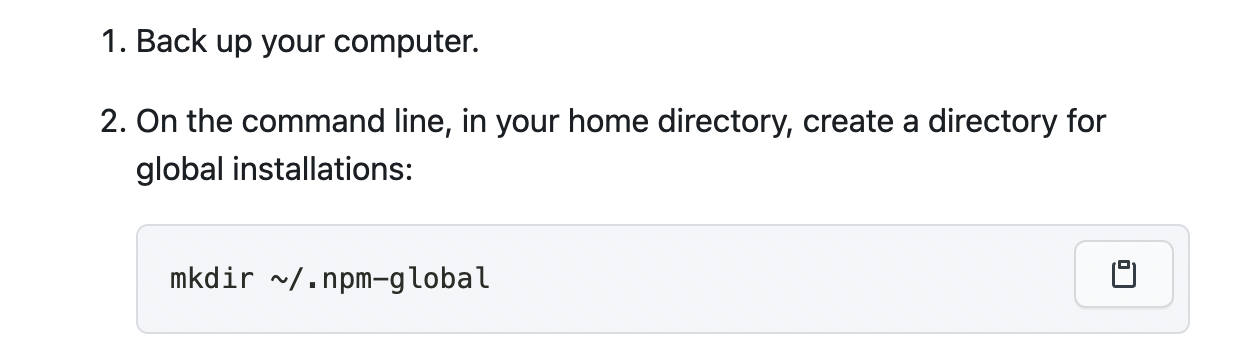
새로 안 부분 : 여기서 home directory는 사용자(Users) 디렉토리 밑의 컴터이름(나는 내 이름)디렉토리를 말한다. 혹은 finder를 켜고 상단 메뉴에서 이동 -> 홈 을 누르면 나오는 디렉토리
How to find your Mac's Home folder (and add it to Finder)
그리고 아래 명령어를 쳐봐. (3번)
했니? 그럼 그 디렉토리에서 .profile 라는 이름의 텍스트 파일을 만들고 아래 문장(4번)을 넣으렴
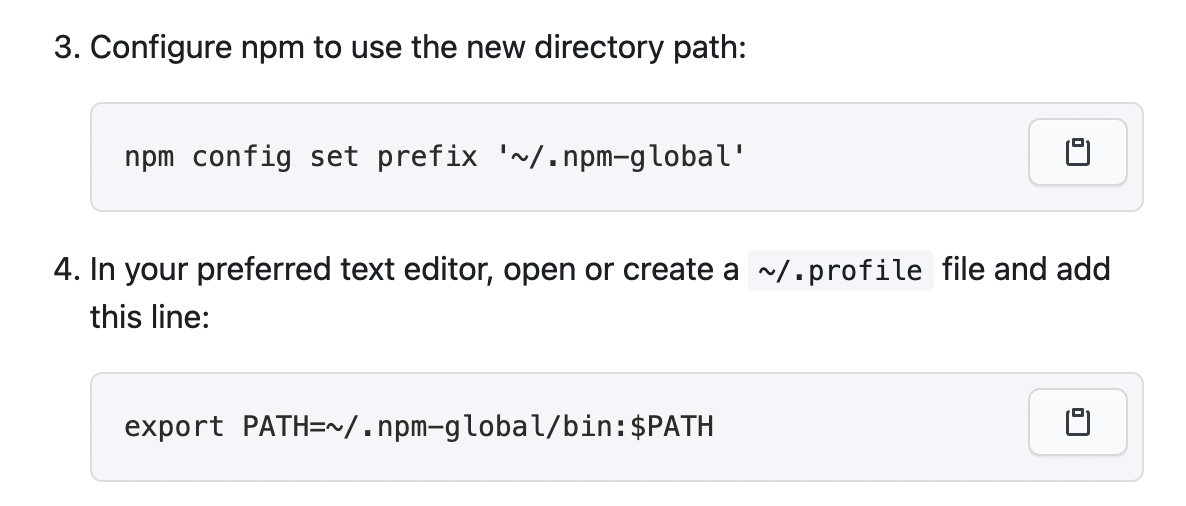
cmd에 이것도 입력해봐

자 그럼 npm install을 해볼까? 한번 설치해봐~
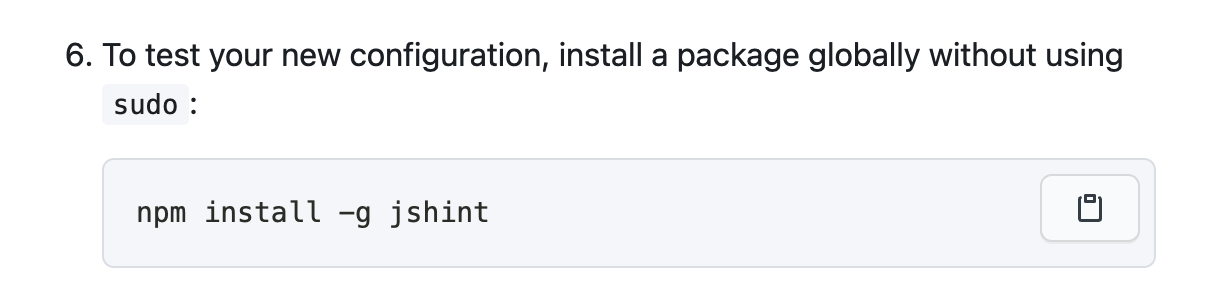
나는 npm install -g @vue/cli을 입력
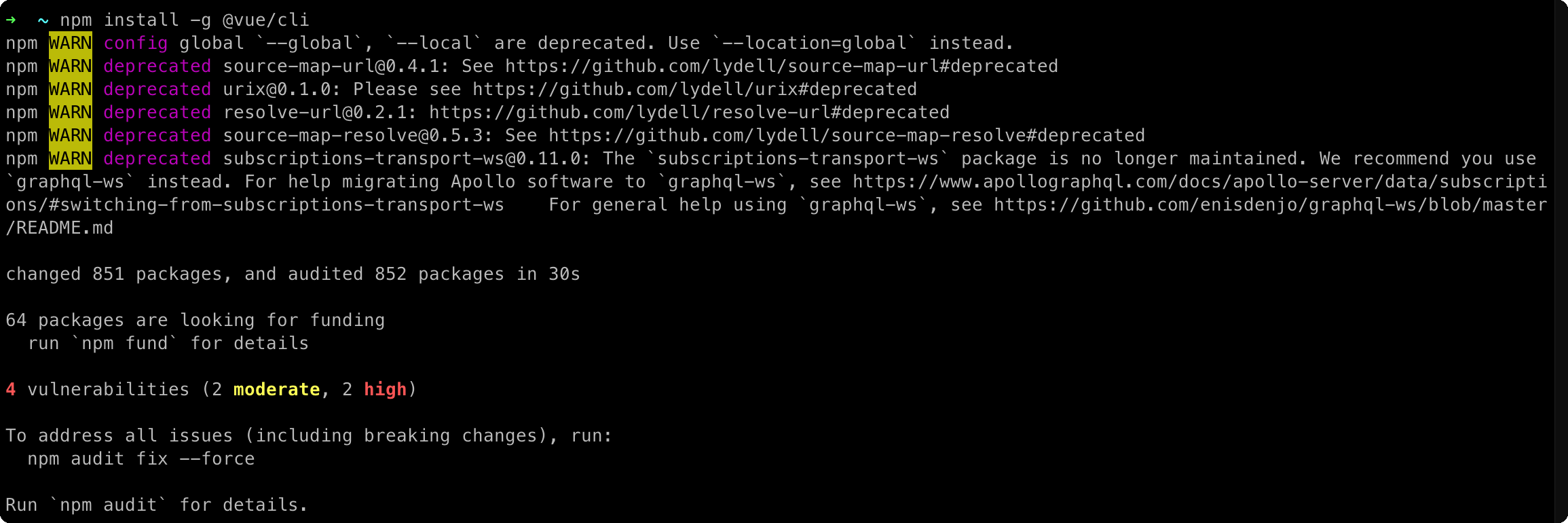
설치가 되었다🥺

vue 명령어도 잘 먹힌다🥺🥺
또 새로 알게 된 것 : 맥에서 숨김 파일을 보려면 cmd+shift+. 을 누르면 보인다