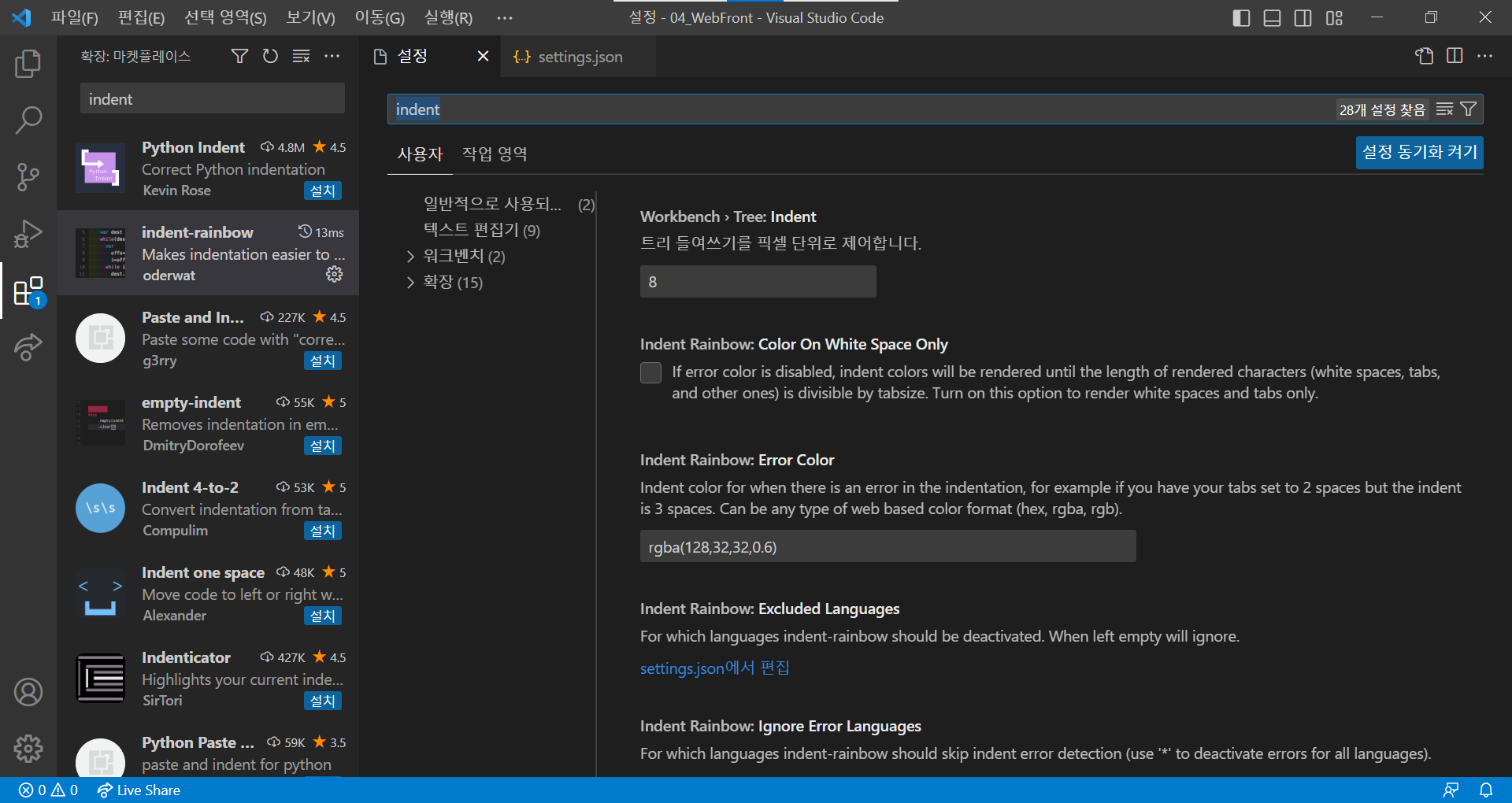
VScode를 처음 설치했을 때 기본적으로 깔아두어야 할 확장 프로그램 목록을 여기 가볍게 기록해둔다.
새롭게 환경 세팅을 하여 VScode를 깐다면 아래 목록의 확장 프로그램을 모두 깔아두자.
이중 Materical Icon Theme와 indent-rainbow는 추가적 컨트롤이 필요하다.
- live server
- Material Icon Theme
- Eclipse Keymap
- Quick HTML Previewer
- Auto Rename Tag
- Auto Close Tag
- Class autocomplete for HTML
- indent-rainbow
- CSS Peek
- BootStrap 5 Quick Snippets
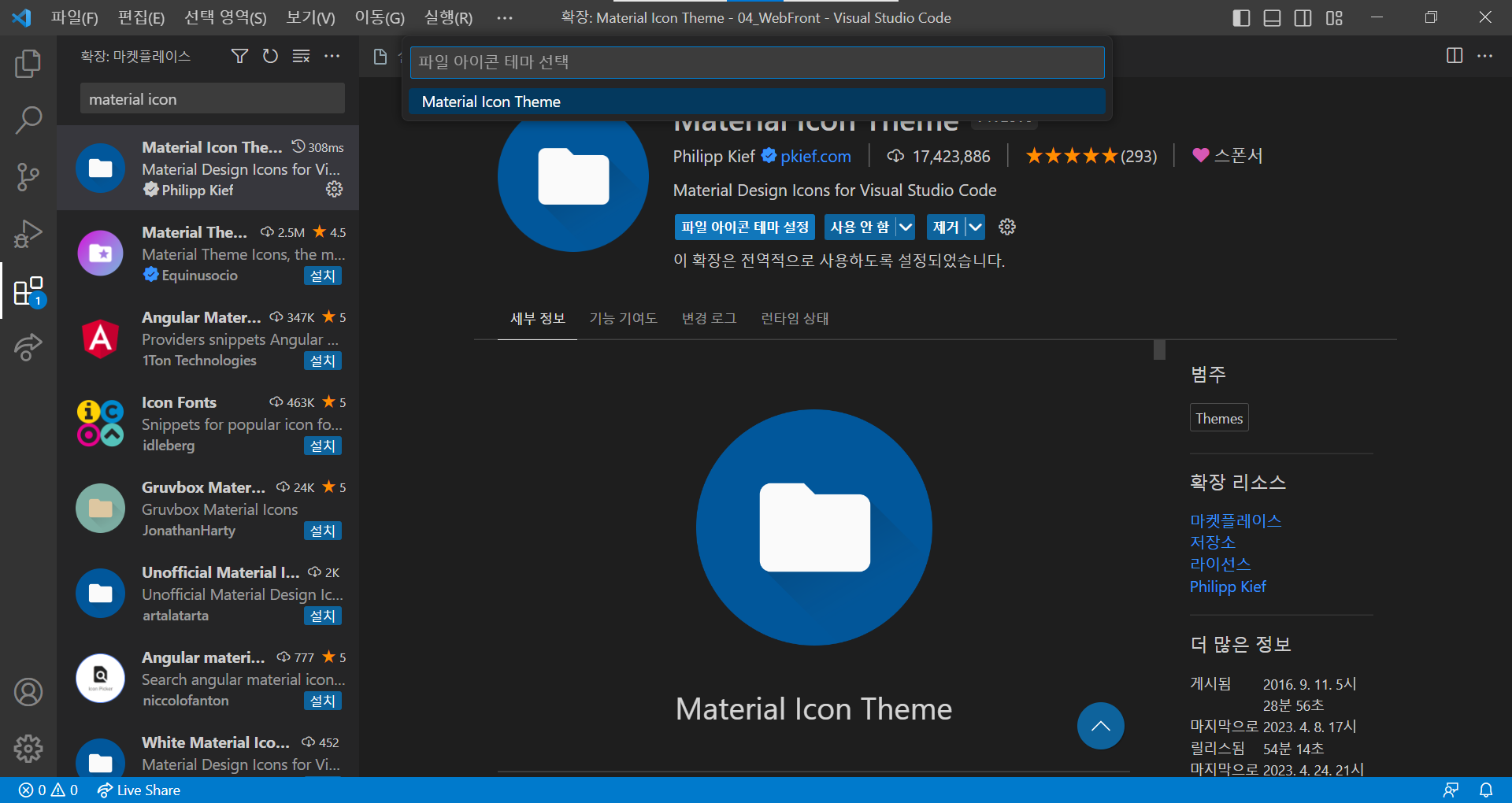
Material Icon Theme 추가 설정 방법
- 파일 아이콘 테마 설정 클릭
- 위에 뜨는 Material Icon Theme 클릭
indent-rainbow 추가 설정 방법
- 설정 > indent-rainbow 검색
- settings.json에서 편집 클릭
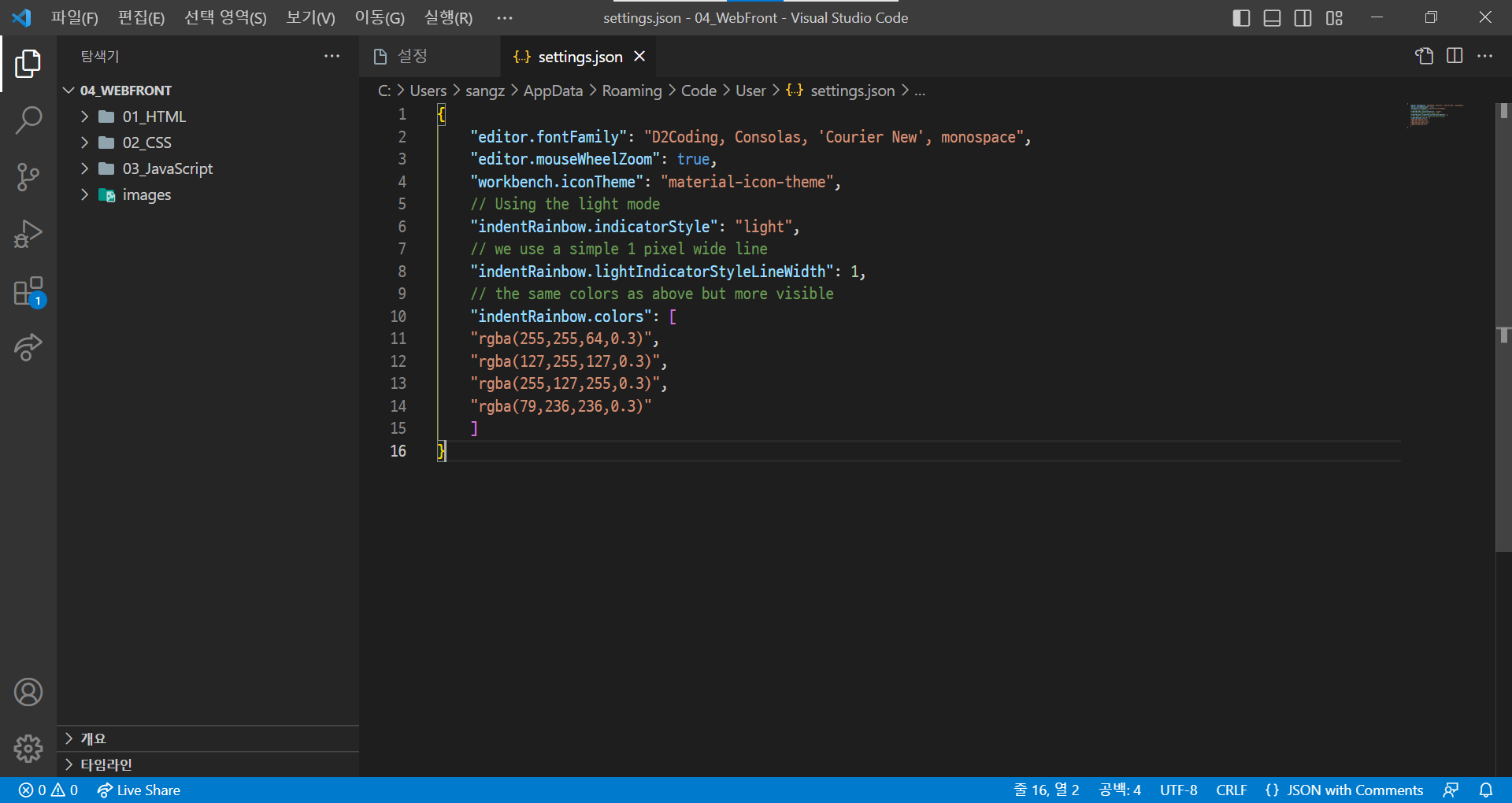
- 아래와 같은 코드로 수정:
면이 아니라 줄의 모양으로 들여쓰기 하게 하는 코드
"indentRainbow.indicatorStyle": "light",
"indentRainbow.lightIndicatorStyleLineWidth": 1,