REST API
- API : 프로그램들끼리 데이터를 주고받기 위한 약속된 통신 방식
- 주로 JSON 형식의 데이터를 주고 받음.
- REST : API를 설계할 때 사용하는 규칙이며
- URL로 자원을 표현하고, HTTP 프로토콜을 기반으로 하며, HTTP 메서드(GET, POST, PUT, PATCH, DELETE)를 사용함 .
Talend API Tester 설치하기
- 크롬 웹 스토어에서 Talend API Tester를 설치하여 확장 프로그램으로 추가한다.
- 이를 이용해서 HTTP 요청을 보내고 돌아온 응답을 확인할 수 있음.
REST 컨트롤러 생성
- Controller 패키지처럼 api라는 새로운 패키지를 만들어 "ArticleApiController'라는 이름으로 새로운 클래스를 생성한다.
@Slf4j
@RestController
public class ArticleApiController {
    @Autowired
ArticleRepository articleRepository;- 롬복 사용을 위한
@Slf4j어노테이션 추가 @RestController: Rest 컨트롤러임을 선언- 클래스 내부에 articleRepository를 선언하고
@Autowired를 추가해 의존성을 주입한다.
GET 요청
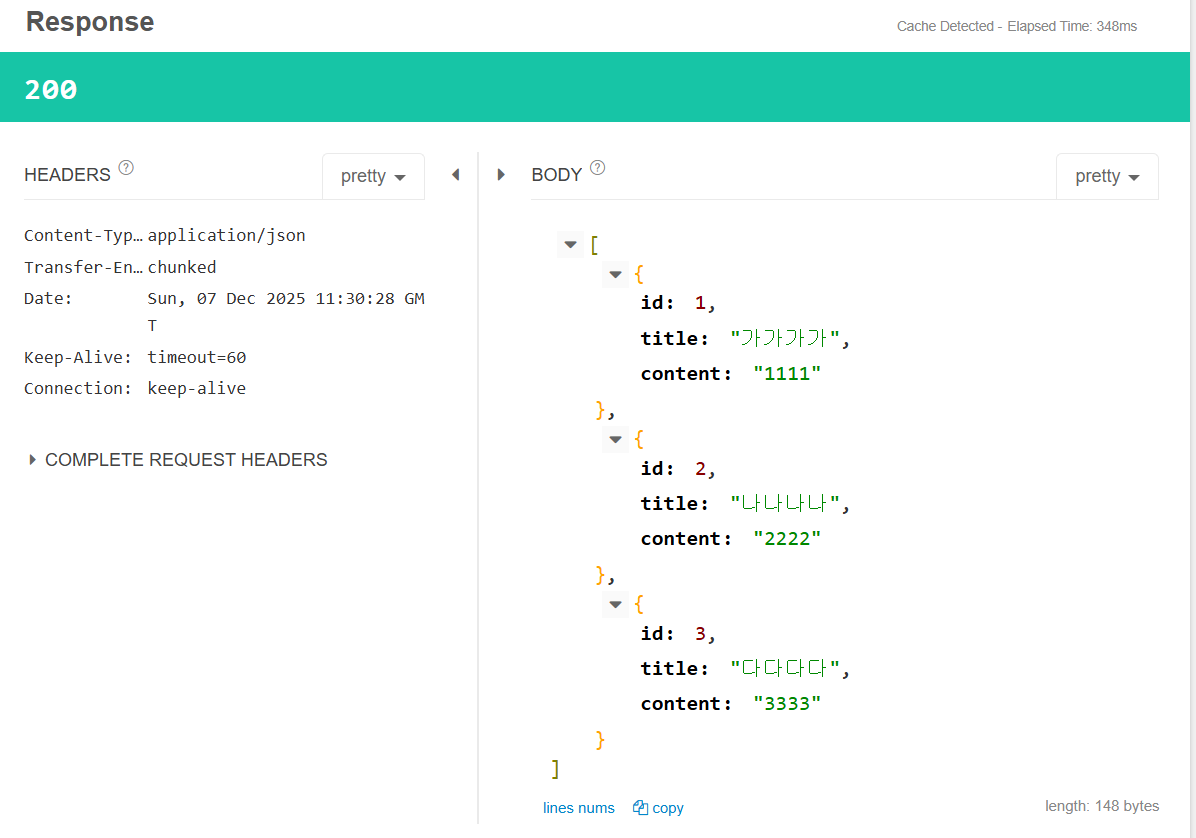
- 모든 게시물을 조회하는 GET 요청
    @GetMapping("/api/articles")
    public List<Article> index() {
        return articleRepository.findAll();
    }
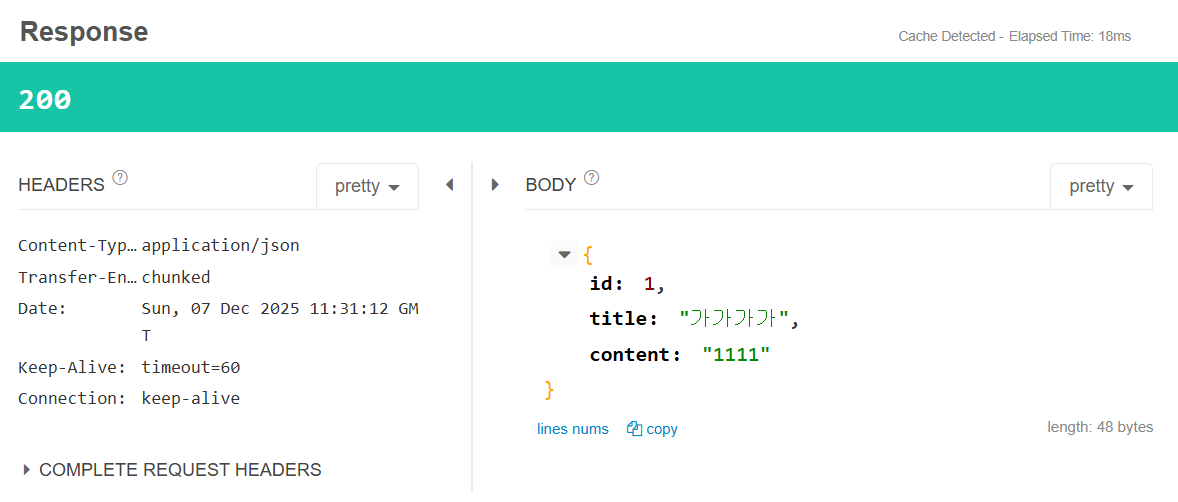
- 단일 게시물 조회하는 GET 요청
    @GetMapping("/api/articles/{id}")
    public Article show(@PathVariable Long id) {
        return articleRepository.findById(id).orElse(null);
    }
POST 요청
    @PostMapping("/api/articles")
    public Article create(@RequestBody ArticleForm form) {
        Article article = form.toEntity();
        return articleRepository.save(article);
}@RequestBody: HTTP 요청의 body에 담긴 데이터를 자바 객체로 변환해주는 어노테이션 (body는 JSON으로 나오기 때문에 자바에서 쓰기 위해서는 객체로 변환해줘야 함! 이 기능을 하는 것이@RequestBody)
PATCH 요청
- PUT : 리소스를 전체 교체하는 방식
- PATCH : 필요한 필드만 부분적으로 수정하는 방식
    @PatchMapping("/api/articles/{id}")
    public ResponseEntity<Article> update(@PathVariable Long id, @RequestBody ArticleForm form) {
        Article article = form.toEntity(); // 새로들어온 form 내용
        log.info("id: {}, article: {}", id, article.toString());

        Article target = articleRepository.findById(id).orElse(null); // url에 포함된 id에 해당되는 기존 내용
        //해당 id의 내용이 원래 없거나, url의 id와 전달된 내용의 id가 다른경우
        if(target == null  || id!=article.getId()) {
            log.info("잘못된 요청! id: {}, article: {}", id, article.toString());
            return ResponseEntity.status(HttpStatus.BAD_REQUEST).body(null);
        }
        target.patch(article);
        Article updated = articleRepository.save(target);
        return ResponseEntity.status(HttpStatus.OK).body(updated);
}-
ResponseEntity<Article>: HTTP 응답에 상태코드 + 헤더 + body (데이터)를 함께 담기 위해 사용 -
target.patch(article): 이 메서드를 사용하기 위해서는 우선 Article 엔티티에 아래와 같은 patch 메서드를 생성해줘야 한다.
    public void patch(Article article) {
        if(article.title != null) this.title = article.title;
        if(article.content != null) this.content = article.content;
}-
매개변수로 들어온 article의 title/content이 있다면 그걸로 내용을 변경. 없다면 그대로 두기 -> URL 요청 보낼때 작성한 데이터만 변경할 수 있음
-
api컨트롤러로 돌아와서, target(URL에서 전달된 id의 기존 데이터)로 patch메서드를 호출하면, article(새로 변경할 데이터)로 값이 변경됨.
-
ResponseEntity.status(HttpStatus.BAD_REQUEST).body(null);: HTTP 상태 코드를 400(Bad Request)로 보내고, 응답 body는 null로 반환. -
ResponseEntity.status(HttpStatus.OK).body(updated);: HTTP 상태 코드를 200 (OK)로 보내고, 응답 body는 수정된 updated 객체를 담아 반환.
Delete 요청
    @DeleteMapping("/api/articles/{id}")
    public ResponseEntity<Article> delete(@PathVariable Long id) {
        Article target = articleRepository.findById(id).orElse(null);
        if(target == null) {
            return ResponseEntity.status(HttpStatus.BAD_REQUEST).body(null);
        }
        articleRepository.delete(target);
        return ResponseEntity.status(HttpStatus.OK).build();
}- target(URL로 전달된 id의 데이터가 비었다면 400 에러로 보내고, 아니라면 delete하고 상태 200으로 보내기

헤맨 만큼 내 땅