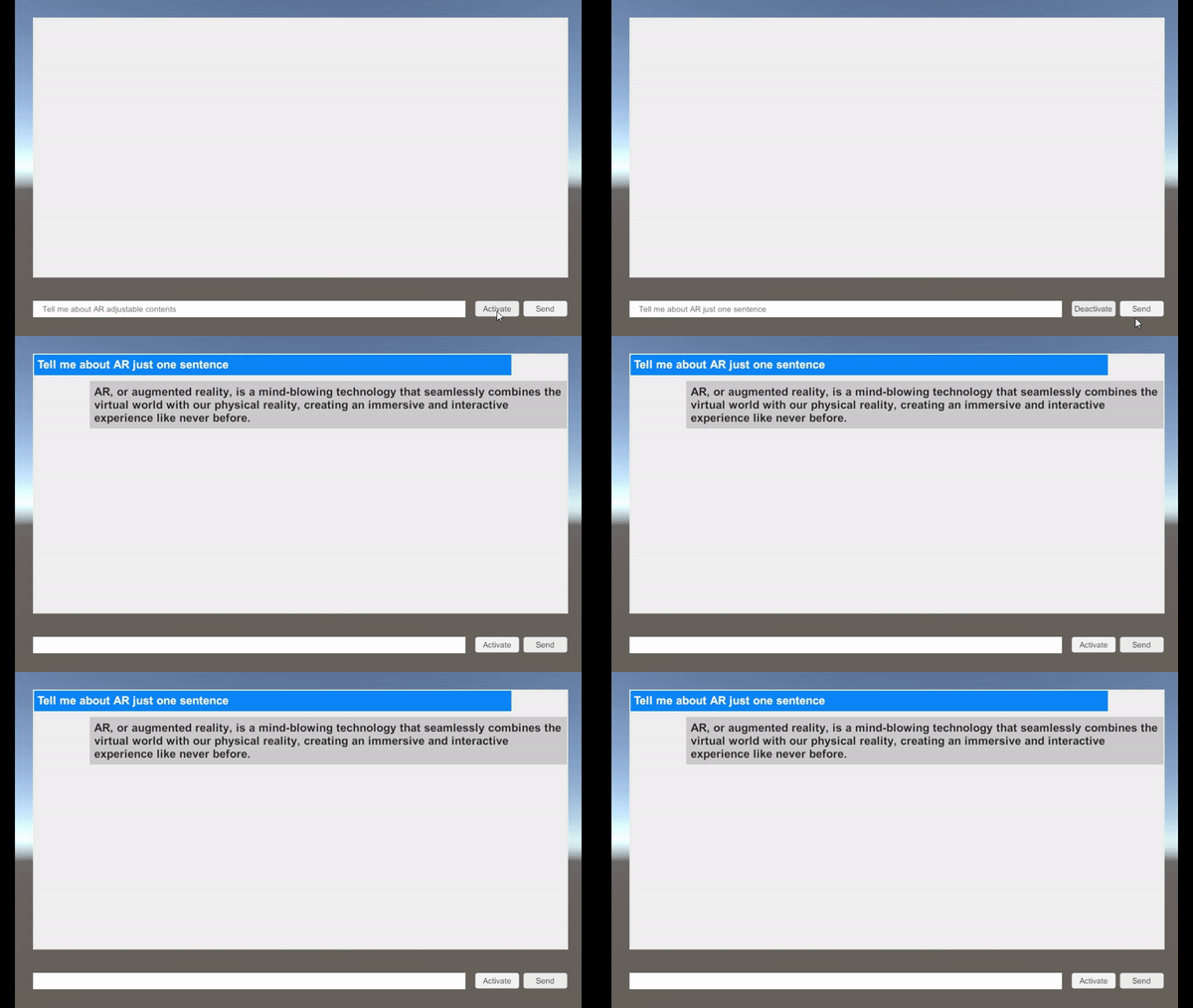
중간 결과물
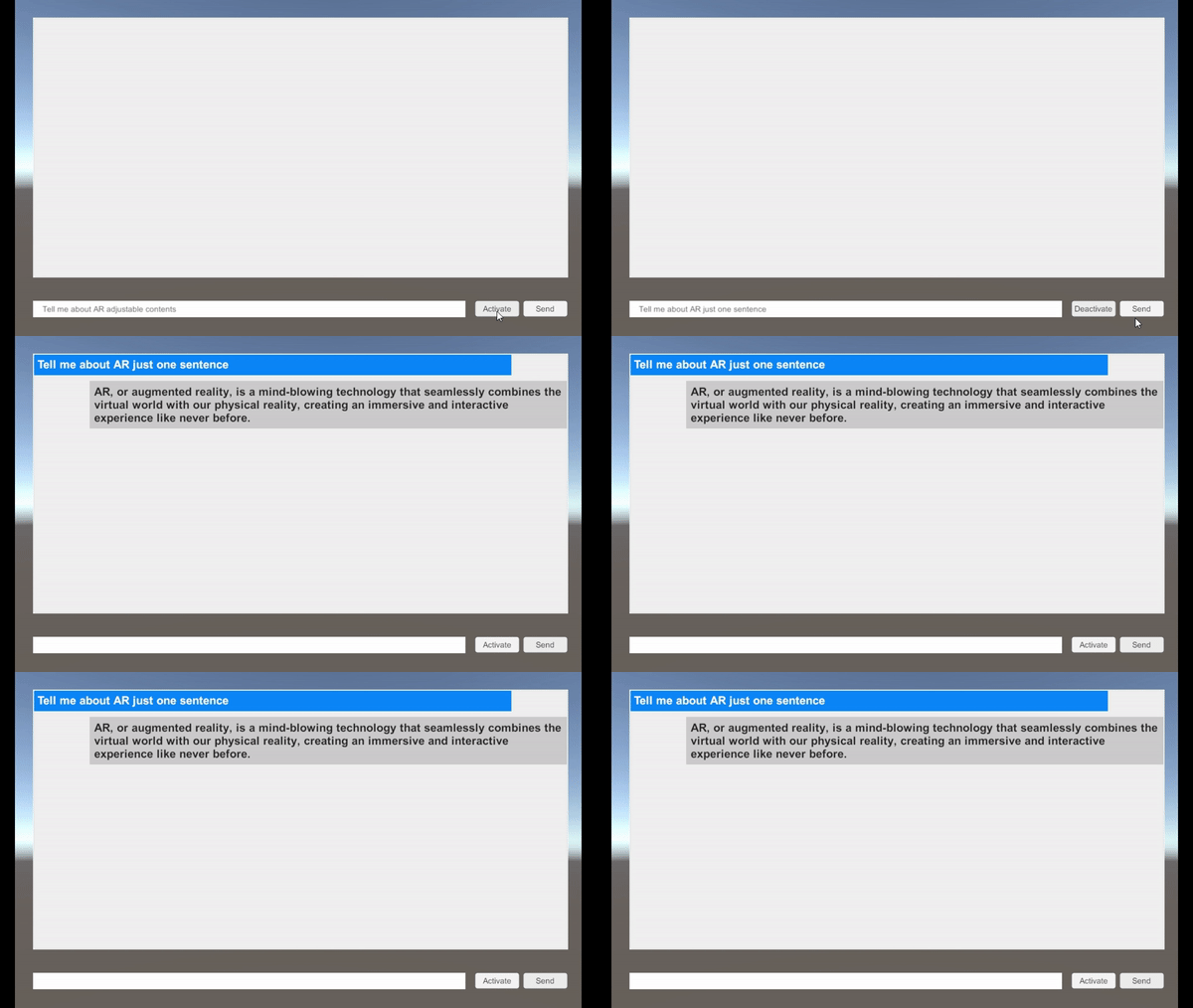
- Wit.ai로 STT -> 글자 받아와 chatgpt로 보내기 -> TTS로 출력
TTS
- 코드 분석 이전
url 이 무엇인가 ..
    public Text readingEng;

    string url = "https://translate.google.com/translate_tts?ie=UTF-8&total=1&idx=0&textlen=32&client=tw-ob&q=";

    AudioSource audio;
    // Start is called before the first frame update
    void Start()
    {
        audio = GetComponent<AudioSource>();
    }

    IEnumerator PlaySpeak(string str)
    {
        WWW www = new WWW(str); // 인터넷 주소를 받아옴
        yield return www;

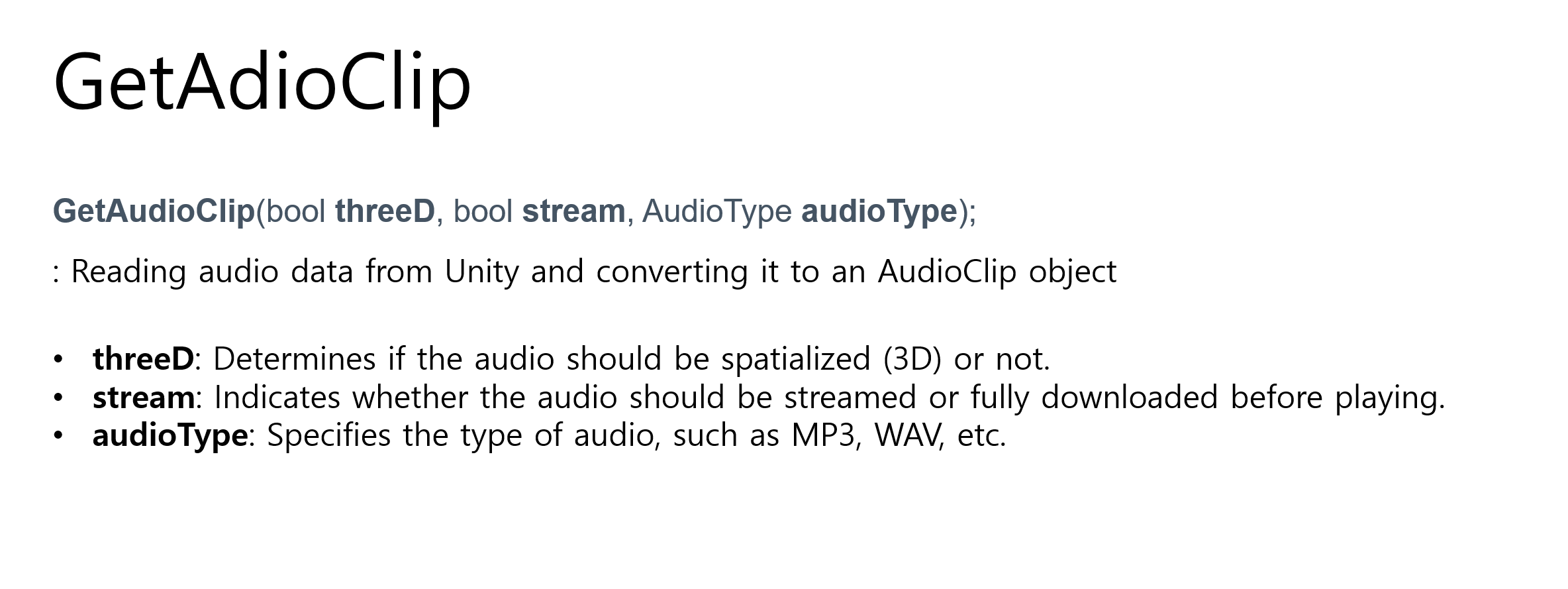
        audio.clip = www.GetAudioClip(false, true, AudioType.MPEG);
        audio.Play();
    }

    string getString(string text)
    {
        return text + "&tl=En-gb";
    }

    public void EngBtn()
    {
        StartCoroutine(PlaySpeak(url + getString(readingEng.text)));
    }
- STT와 마찬가지로 STT 도 있긴하던데 일단은 ...
출력되는 text에 TexttoSpeech, Audio source 첨부
- chat GPT 와 연동해보자
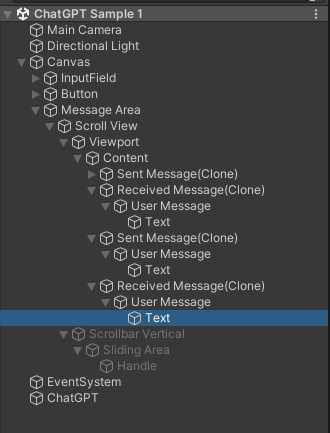
- Sample에 따르면 receviced message가 clone됨.
var item = Instantiate(message.Role == "user" ? sent : received, scroll.content);
// ✅ 추가한 내용 !!
if (message.Role != "user")
{
	GetComponent<TexttoSpeech>().readingEng = item.GetChild(0).GetChild(0).GetComponent<Text>();
	GetComponent<TexttoSpeech>().EngBtn();
}
STT
- Oculus Integration Voice 사용
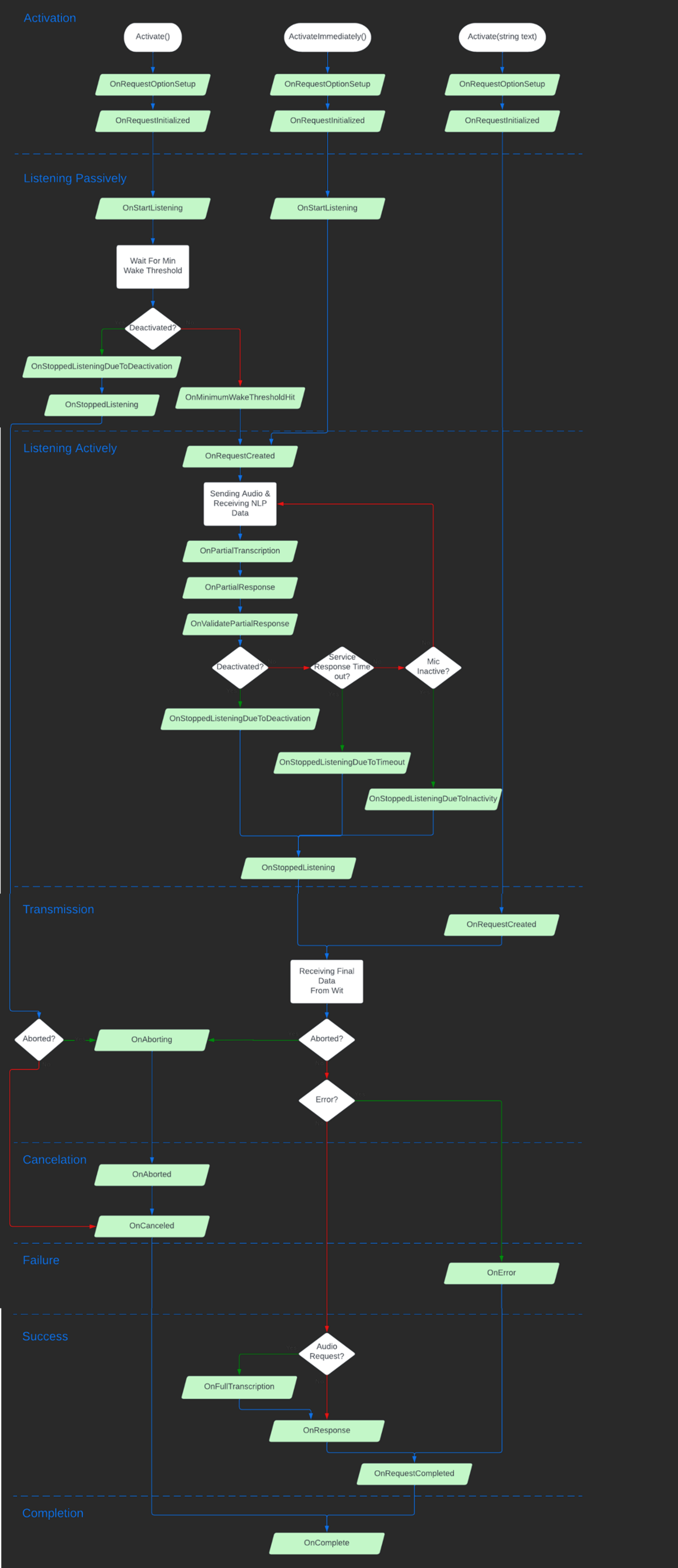
chatGPT
https://github.com/srcnalt/OpenAI-Unity
위 링크 Package Manager - git url로 등록 - samples - chatgpt import
- C -> user -> .openai 폴더 생성 -> 폴더 안에 auth.json 파일 생성 ->
{
    "api_key": "sk-...W6yi",
    "organization": "org-...L7W"
}-
Wit.ai configuration (Oculus -> Voice SDK -> Get Started)
-
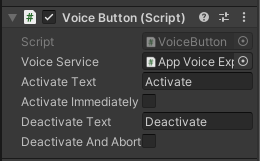
Activation Button (원래는 Voice Activation Button.cs)
- Transcription Text
--> Speech To Text_Memo.cs 추가 (원래는 Voice Transcription Label.cs)
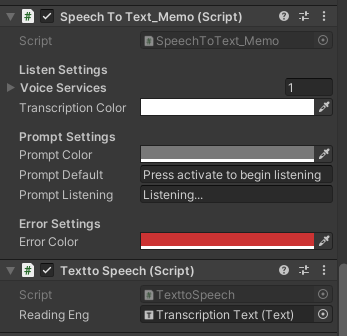
+) 그리고 음성 출력을 위해 AudioSource