SAML - Keycloak
https://developer.hashicorp.com/terraform/enterprise/saml/configuration
Keycloak은 ADFS와 달리 그룹에 대한 Attribute Mapping이 없다...
Keycloak 설치 (docker)
- 이미지 Pull
docker pull quay.io/keycloak/keycloak:21.0.1- Keycloak 실행
- Command
sudo docker run -d \
  --name keycloak \
  --hostname keycloak.ddimtech.click \
  -p 8443:8443 \
  -e KEYCLOAK_ADMIN=admin \
  -e KEYCLOAK_ADMIN_PASSWORD=admin \
  -v /home/scvit/keycloak/certs:/etc/x509/https \
  --add-host scvittfe.ddimtech.click:77.88.130.1 \
  quay.io/keycloak/keycloak:21.0.1 \
  start-dev \
  --https-certificate-file=/etc/x509/https/new_tfe_crt.pem \
  --https-certificate-key-file=/etc/x509/https/new_tfe_key.pem \
--https-port=8443- yaml
services:
  keycloak:
    image: quay.io/keycloak/keycloak:21.0.1
    container_name: keycloak
    hostname: keycloak.ddimtech.click
    ports:
      - "8443:8443"
    environment:
      - KEYCLOAK_ADMIN=admin  # admin username
      - KEYCLOAK_ADMIN_PASSWORD=admin # admin password
    volumes:
      - /home/scvit/keycloak/certs:/etc/x509/https # 인증서 호스트 경로 : 컨테이너 인증서 경로
    extra_hosts:
      - "scvittfe.ddimtech.click:77.88.130.1"  # Terraform 서버 /etc/hosts 추가
    command:
      start-dev \
      --https-certificate-file=/etc/x509/https/new_tfe_crt.pem \
      --https-certificate-key-file=/etc/x509/https/new_tfe_key.pem \
      --https-port=8443
     # start-dev : 개발모드 , start : 기본 시작 모드
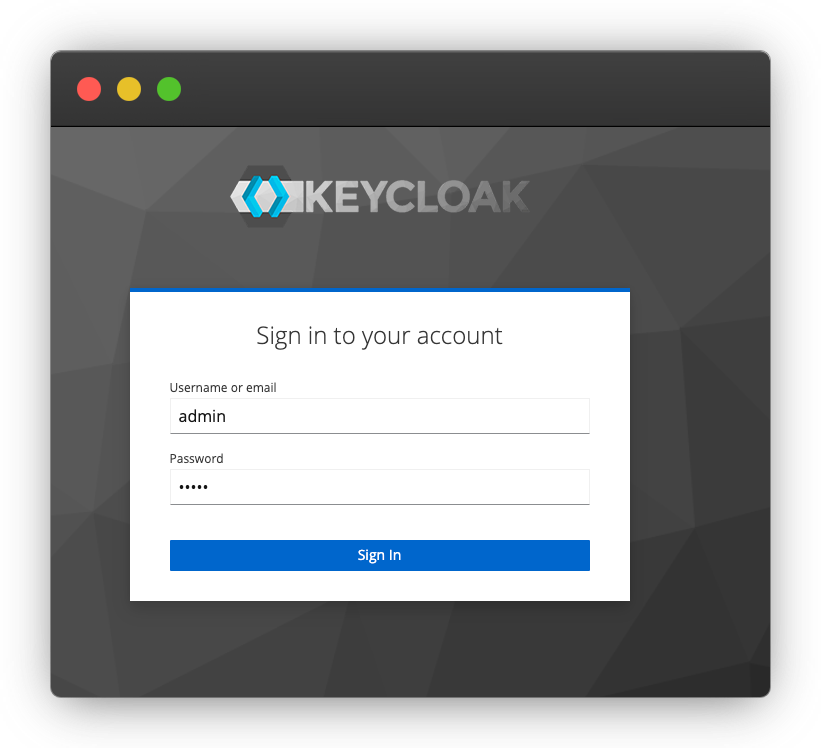
https://<keycloak hostname>:<port>접속
Realm
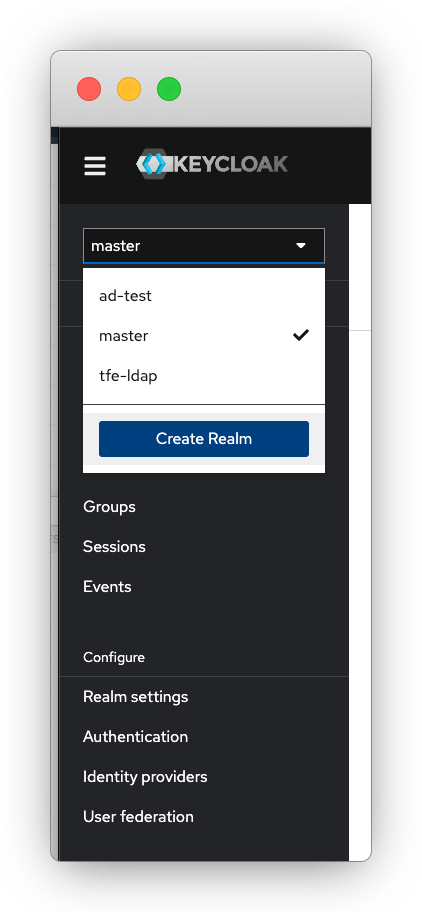
create Realm
.png)
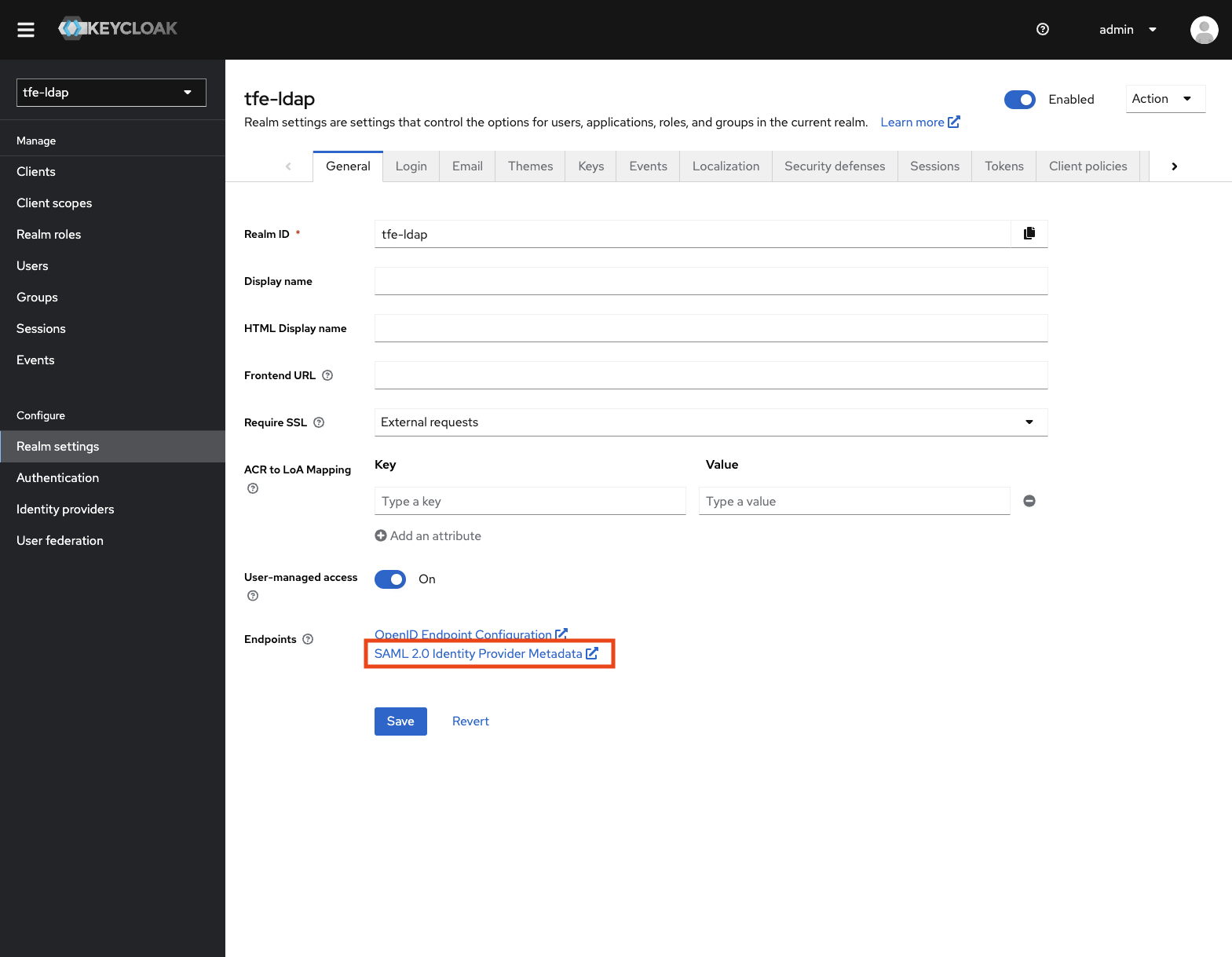
SAML SSO 설정
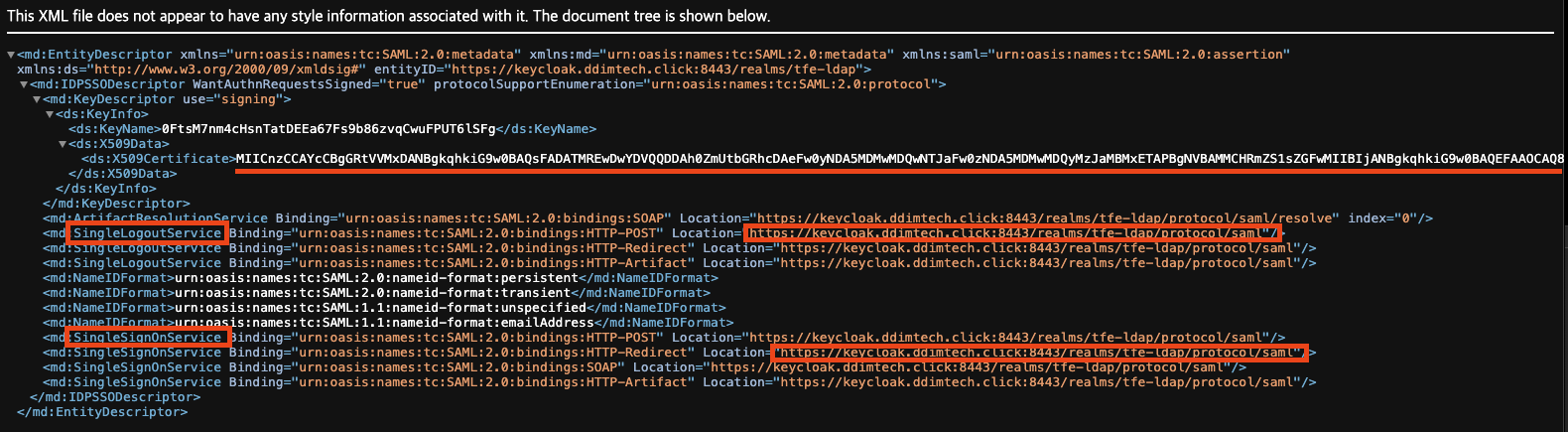
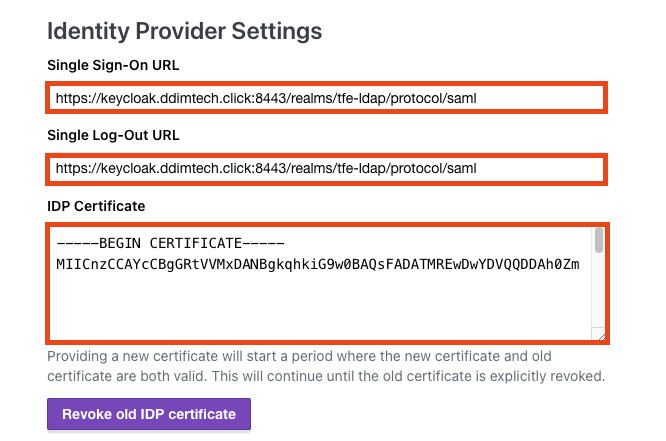
-
SingleLogoutService - Location : Single Log-Out URL
-
SingleSignOnService - Location : Singe Sign-On URL
-
IDP Certficiate
-----BEGIN CERTIFICATE-----
<ds:X509Certificate 값>
-----END CERTIFICATE-----
LDAP 연동 (openLDAP)
.png)
.png)
Vendor : Other ( OpenLDAP )
Connection URL : ldap 주소 - ldap://<ldap host>:389 혹은 ldaps://77.88.130.20:636
Bind DN : LDAP admin 정보 (cn=admin,dc=xxx,dc=xxx )
Bind Credentials : LDAP admin password
.png)
Edit Mode : Writable
User DN: 가져올 LDAP 유저의 DN ( ou=users,dc=xxx,dc=xxx )
.png)
Sync 성공을 하고나면 Users 탭에서 *로 검색하면 LDAP 유저 정보가 나타나는 것을 확인할 수 있다.
.png)
LDAP Mapper 설정
LDAP의 어떤속성을 Keycloak에서 가져올지를 설정한다. Terraform의 Team Management Attribute와 연결하기 위한 목적.
.png)
아래 예시는 ldap의 gecos 속성을 가져오기 위한 설정
# barnie.ldif

dn: cn=barnie,ou=users,{{ LDAP_BASE_DN }}
objectClass: inetOrgPerson
objectClass: posixAccount
objectClass: shadowAccount
uid: barnie
sn: Rubble
givenName: Barnie
cn: barnie
displayName: Barnie Rubble
uidNumber: 10001
gidNumber: 5000
userPassword: barnie-secret
gecos: barnie
loginShell: /bin/bash
homeDirectory: /home/barnie
mail: barnie@ddimtech.com
gecos 속성값 = barnie
.png)
설정후 Sync
.png)
Group Mapping
LDAP내 그룹정보를 가져오는 Mapper
LDAP Group DN : 'ou=groups,dc=xxxx,dc=xxxx'
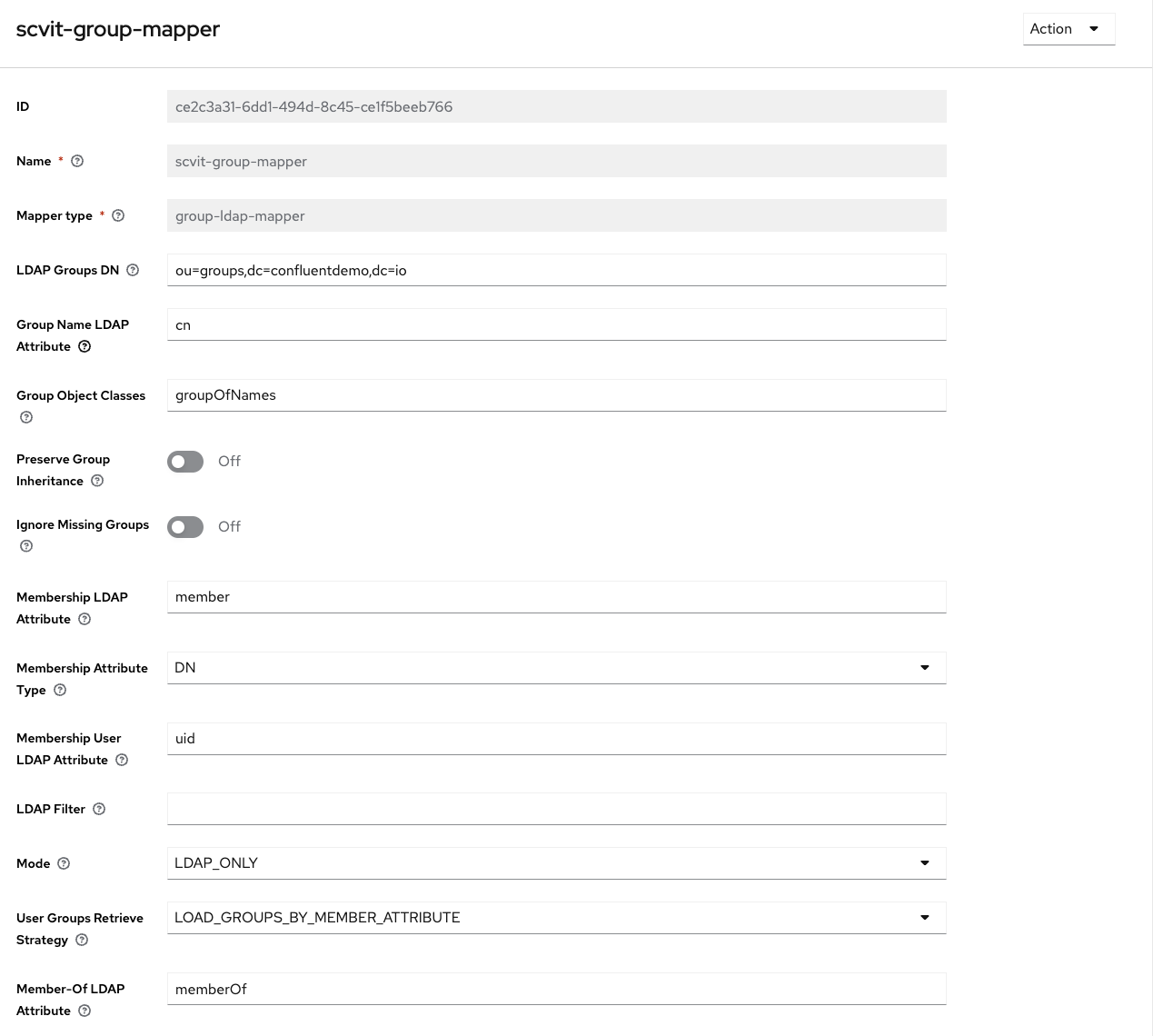
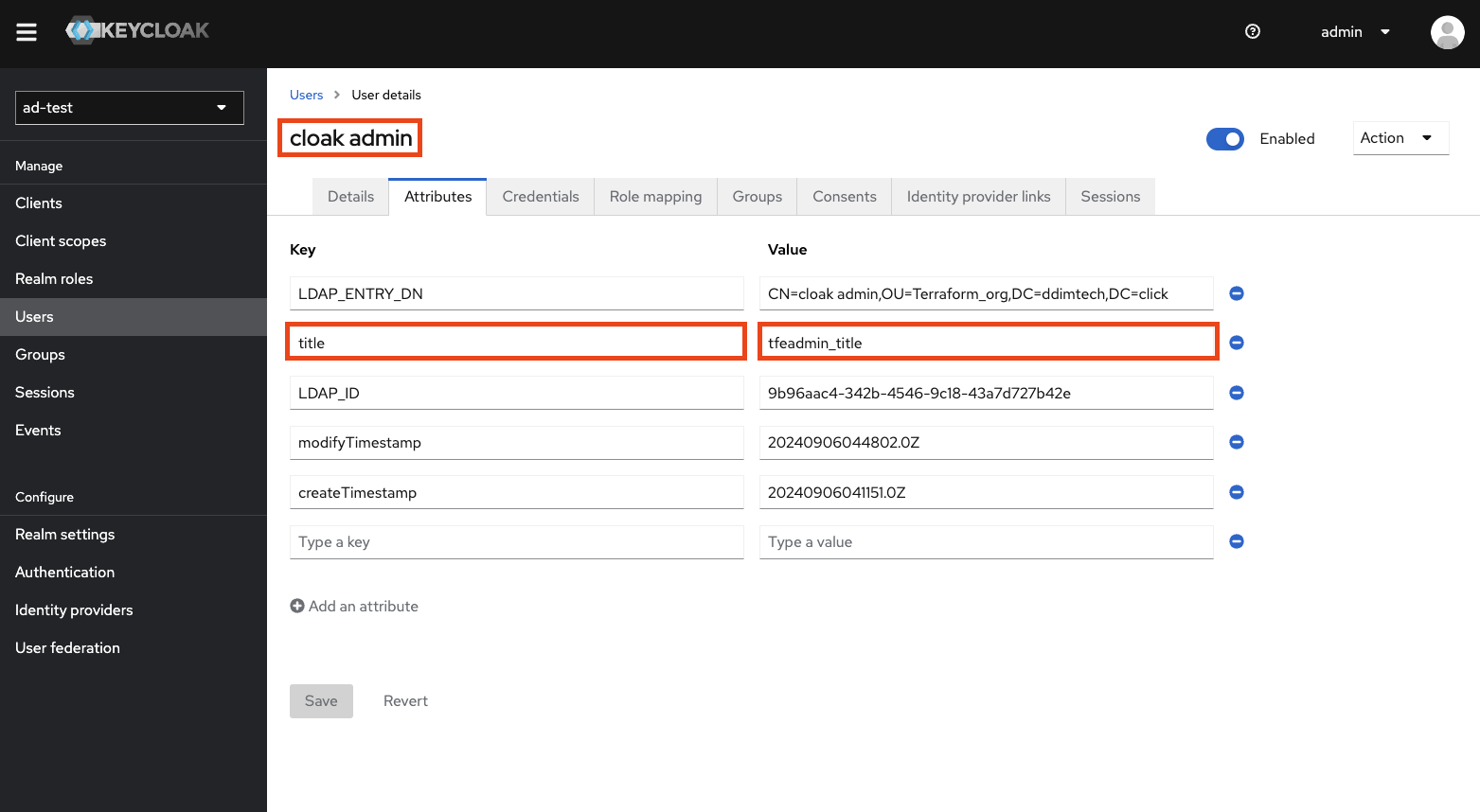
User정보에서 해당 Attribute Mapping이 잘 되었는지 확인
.png)
Terraform Client Import
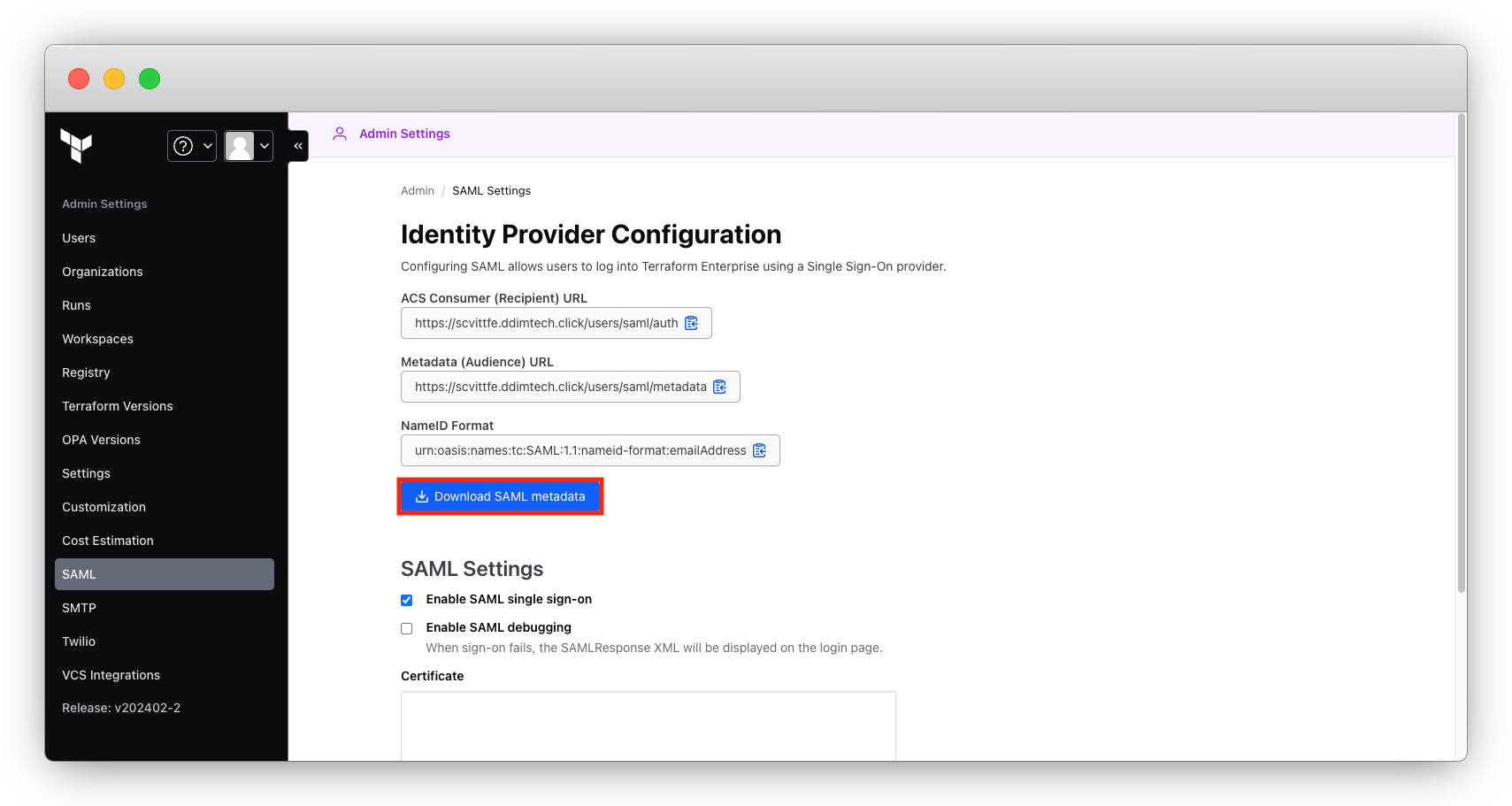
LDAP이 Terraform 과 SAML 연동이 되도록 Terraform SAML Metadata를 Import한다.
- Terraform SAML Metadata 다운로드
- Metadata Import
.png)
다운로드한 Terraform Metadata.xml 파일 Import
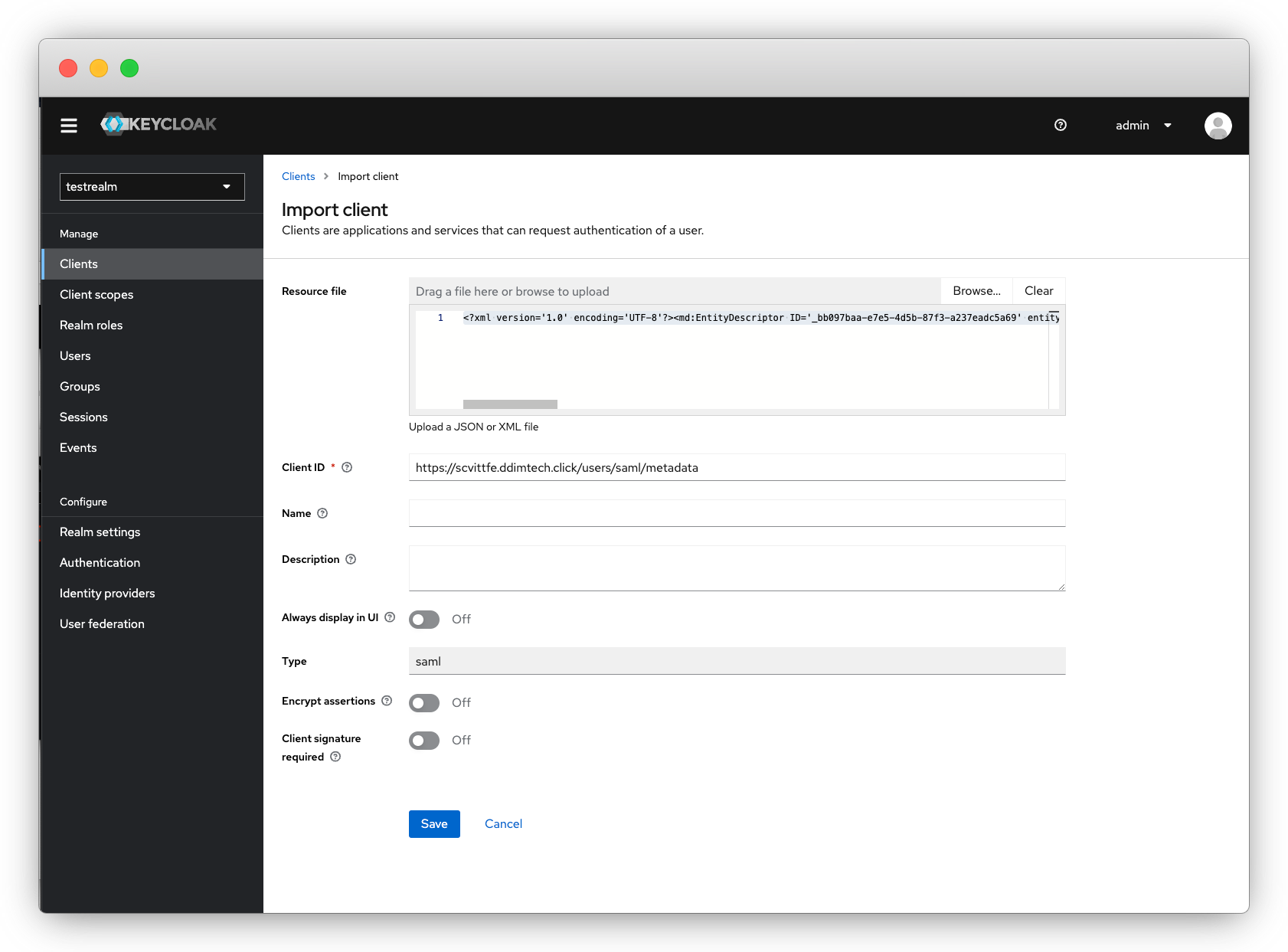
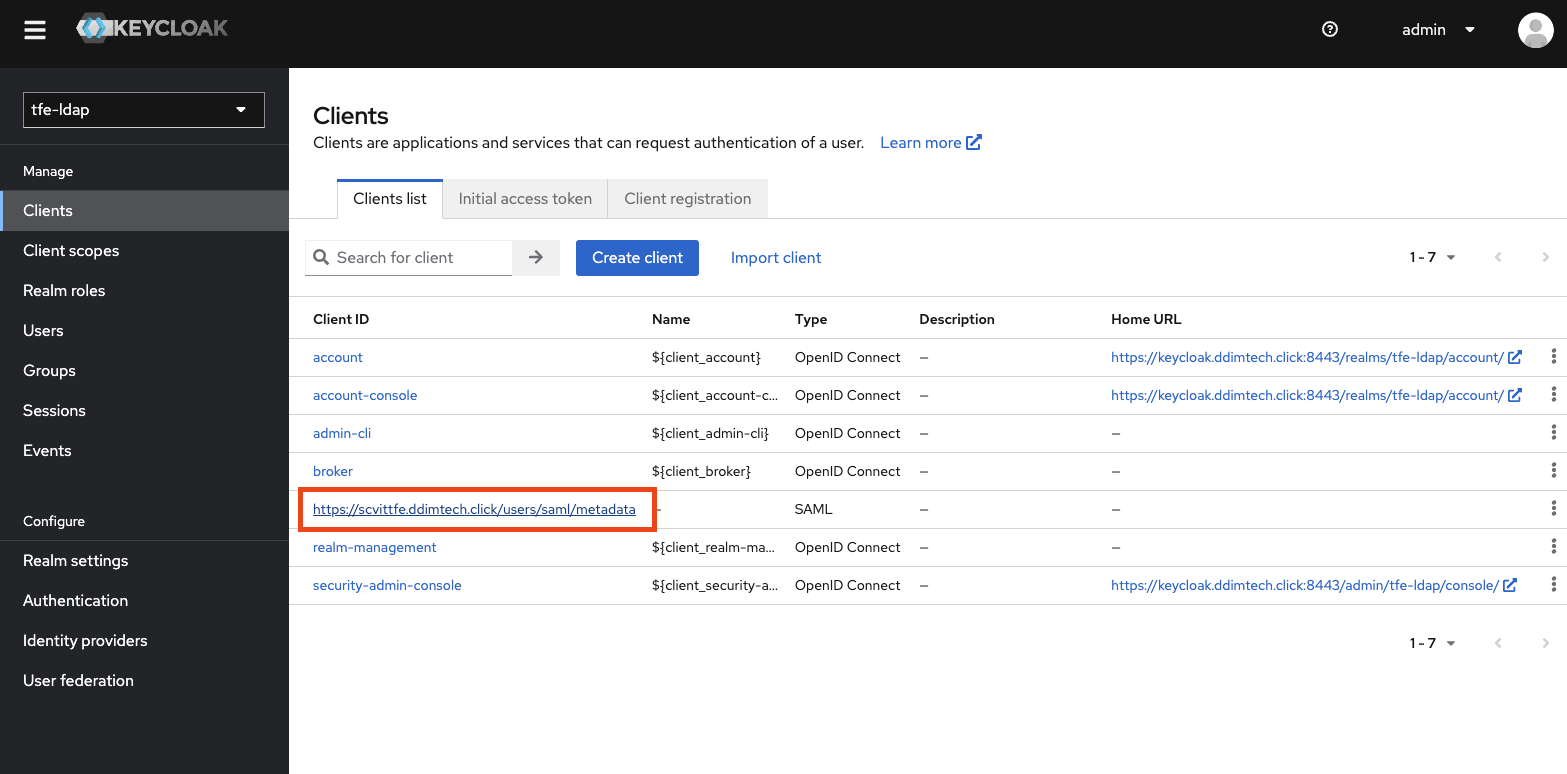
Terraform Client 설정
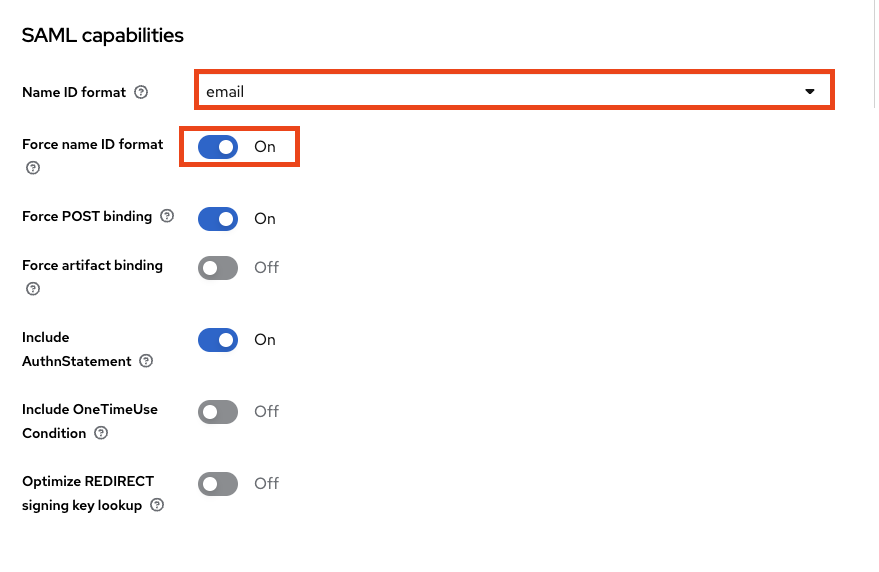
Settings
- Saml Capabilites - Name ID format - Email
- Force name ID Format - ON
Client Scope
-
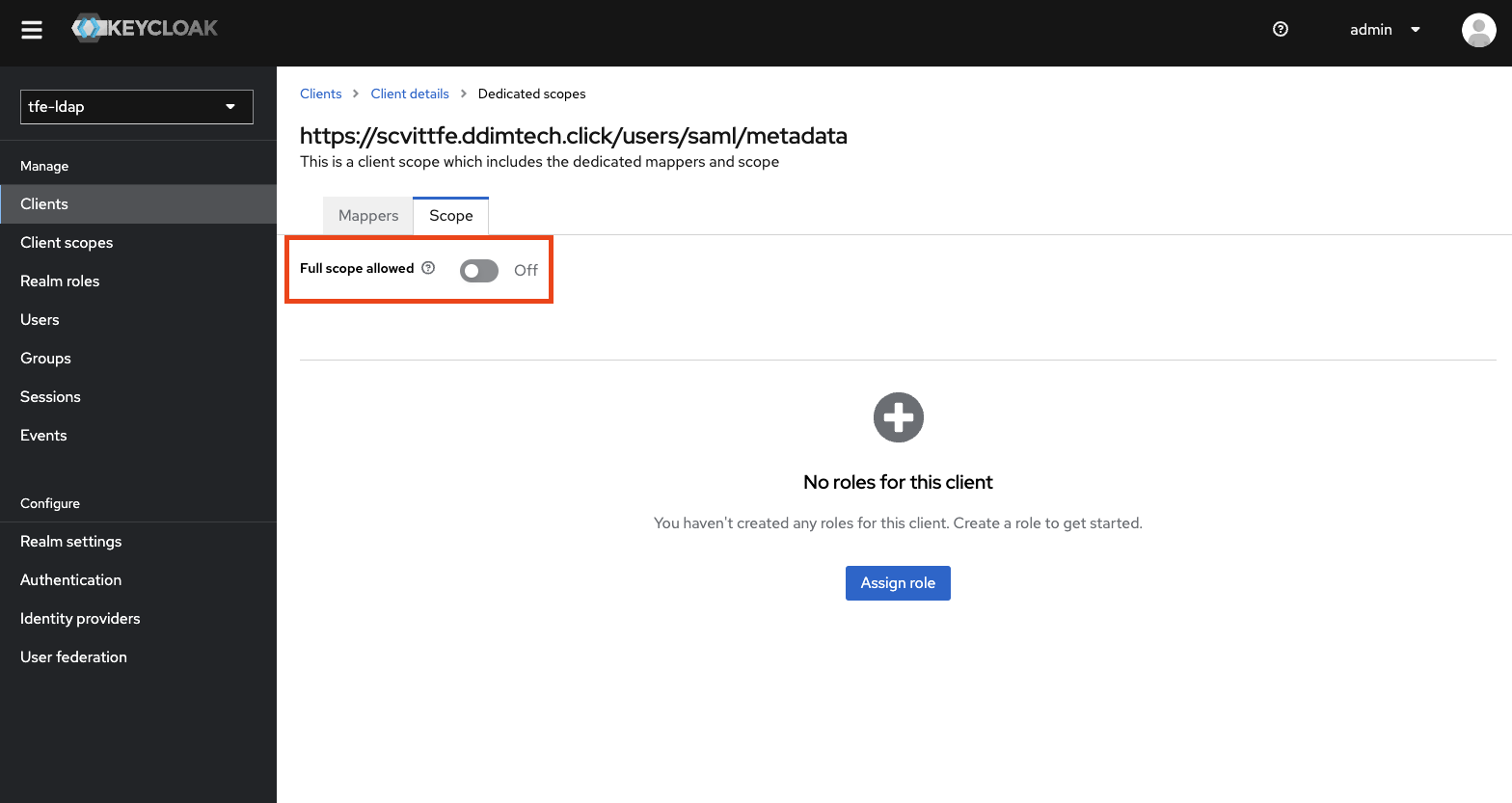
scope - full scope allowed : OFF
-
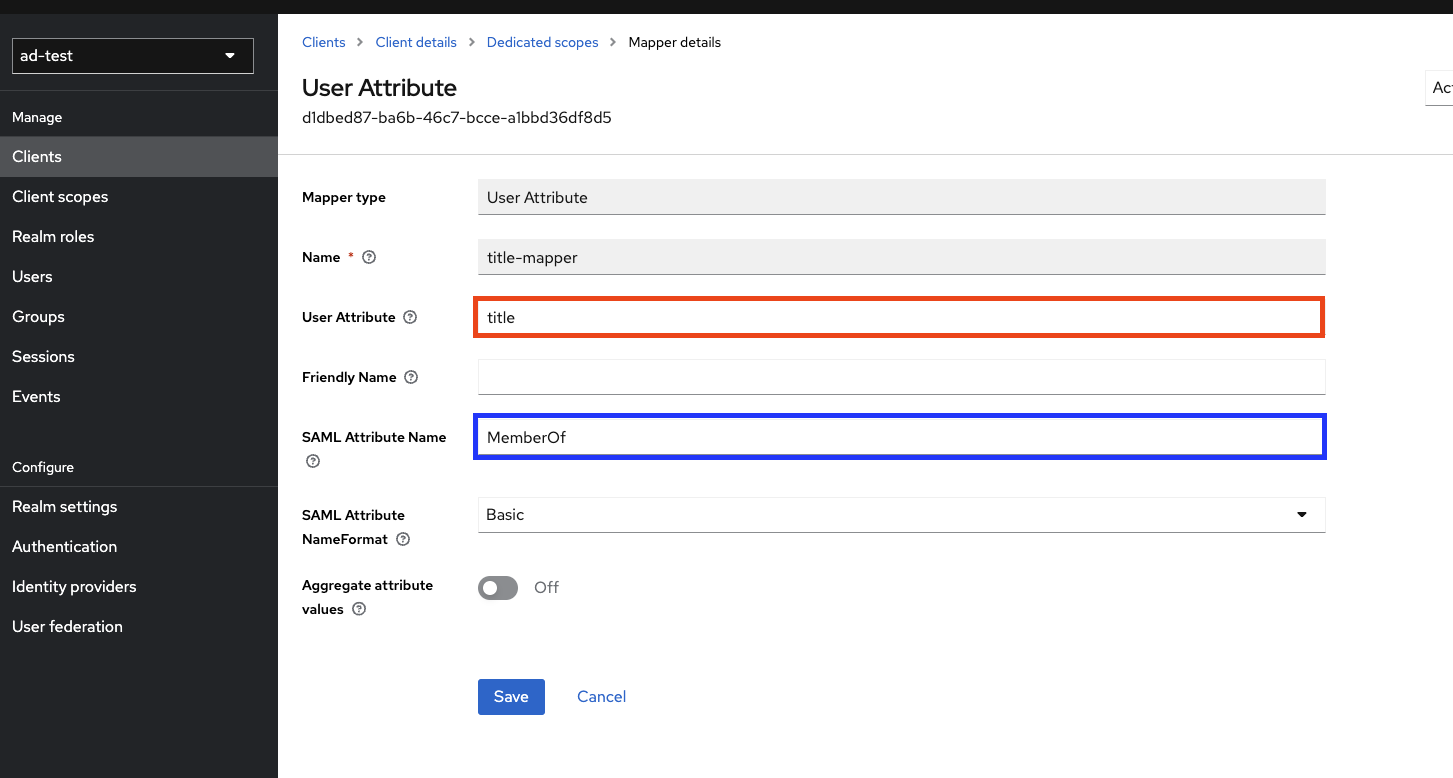
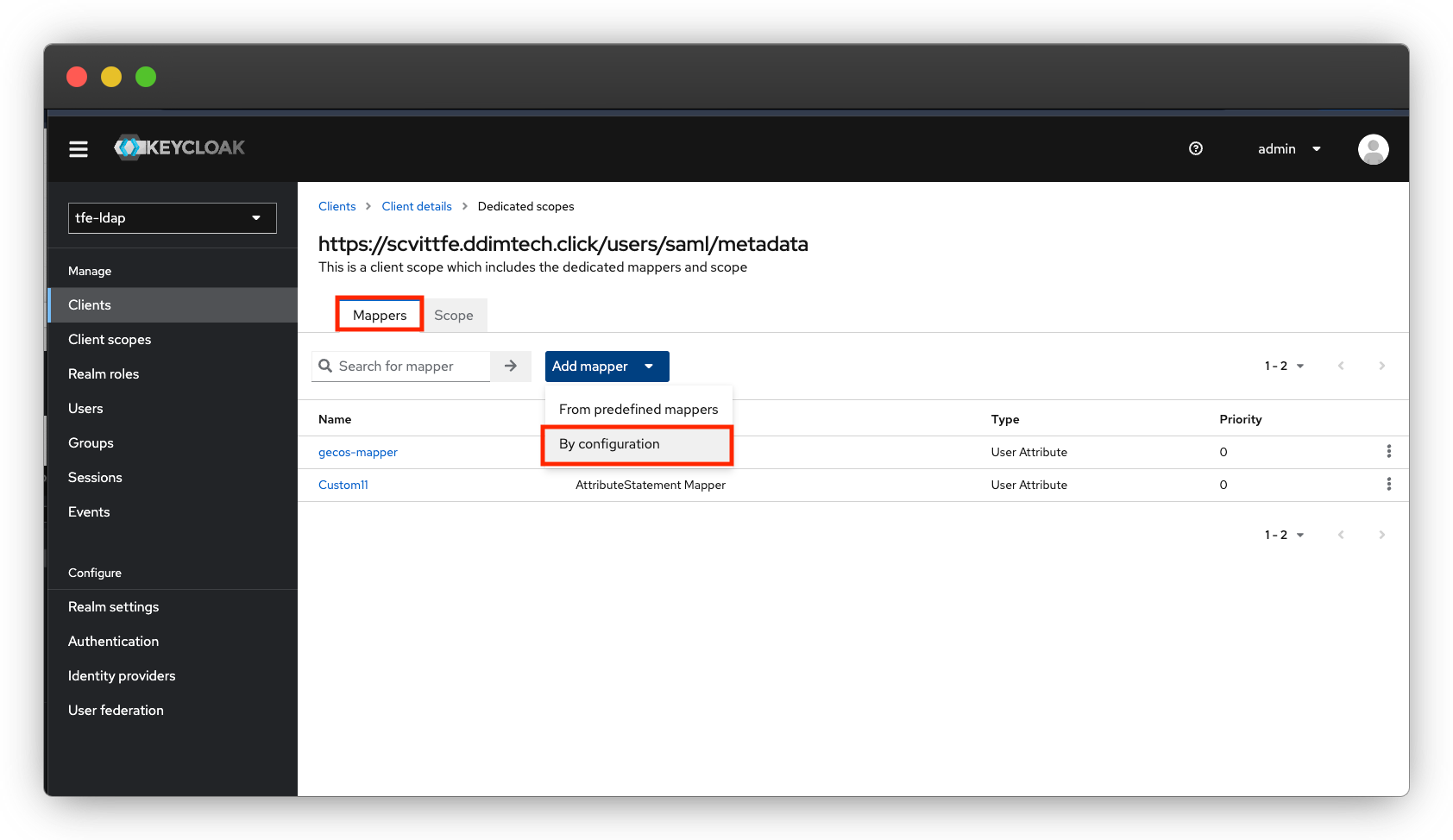
mapper 추가
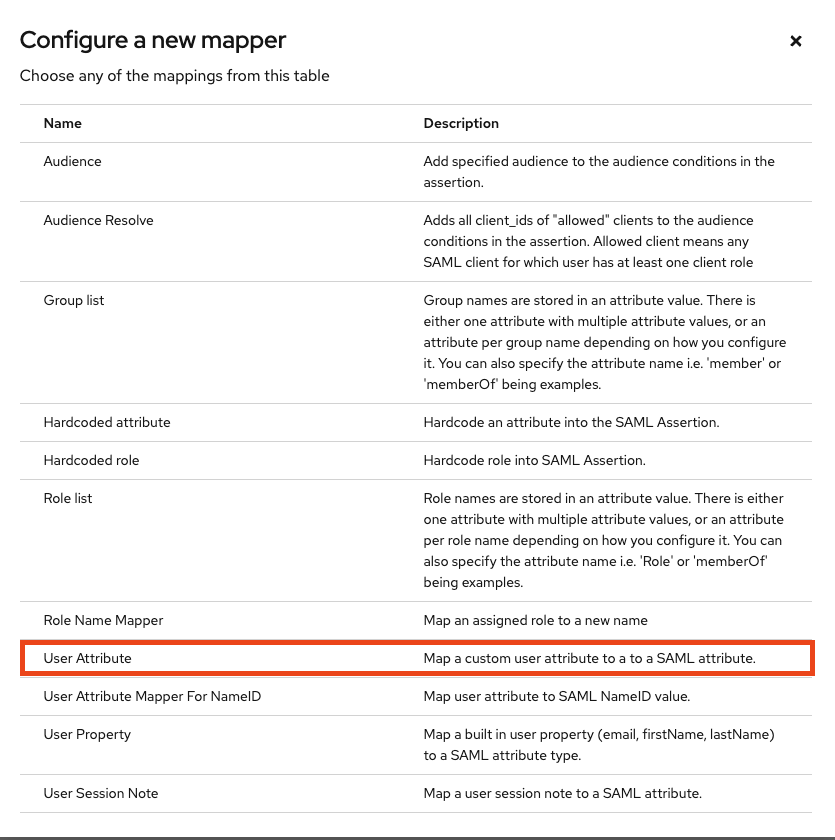
- Keycloak이 User Attribute만 지원
- Scope
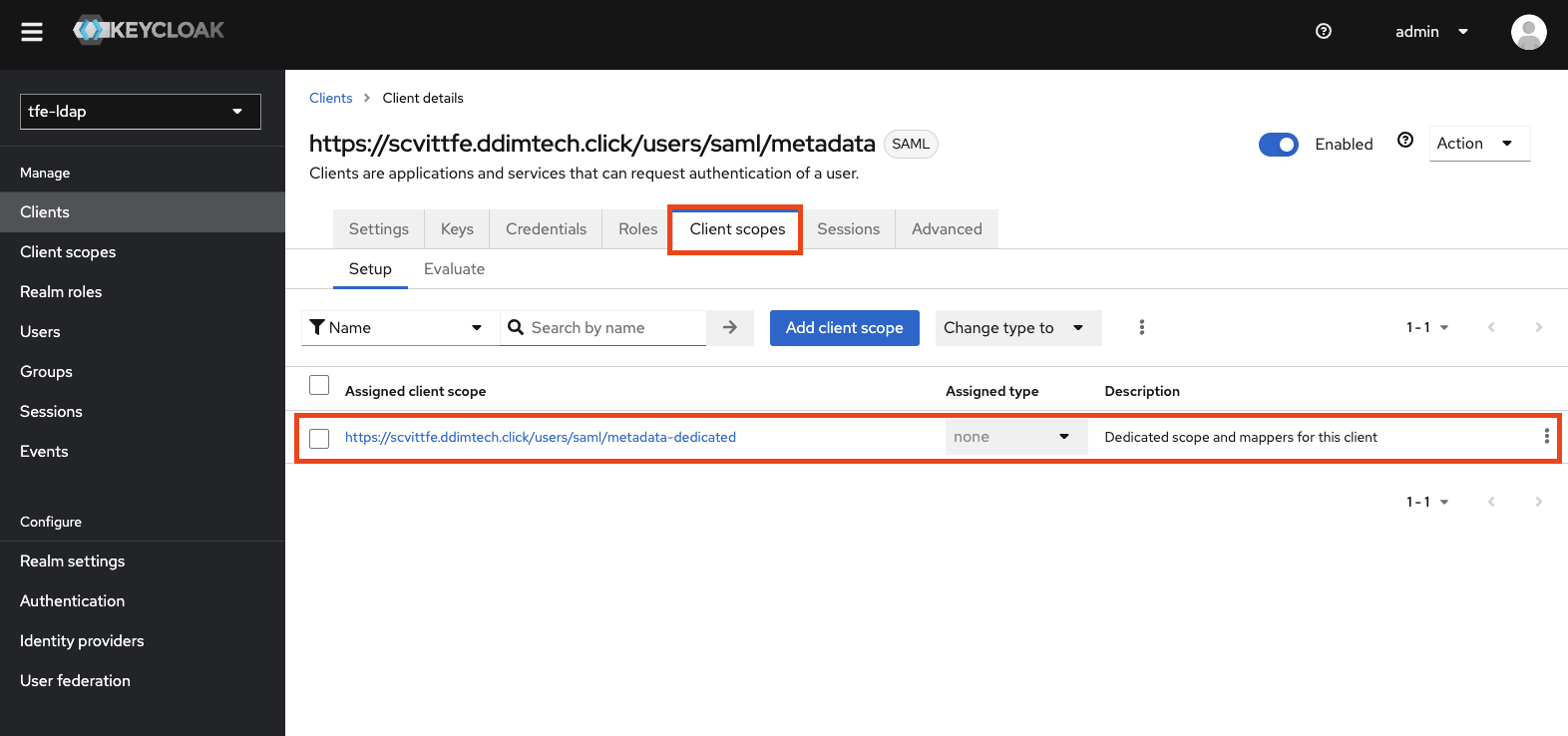
- Mapper 추가
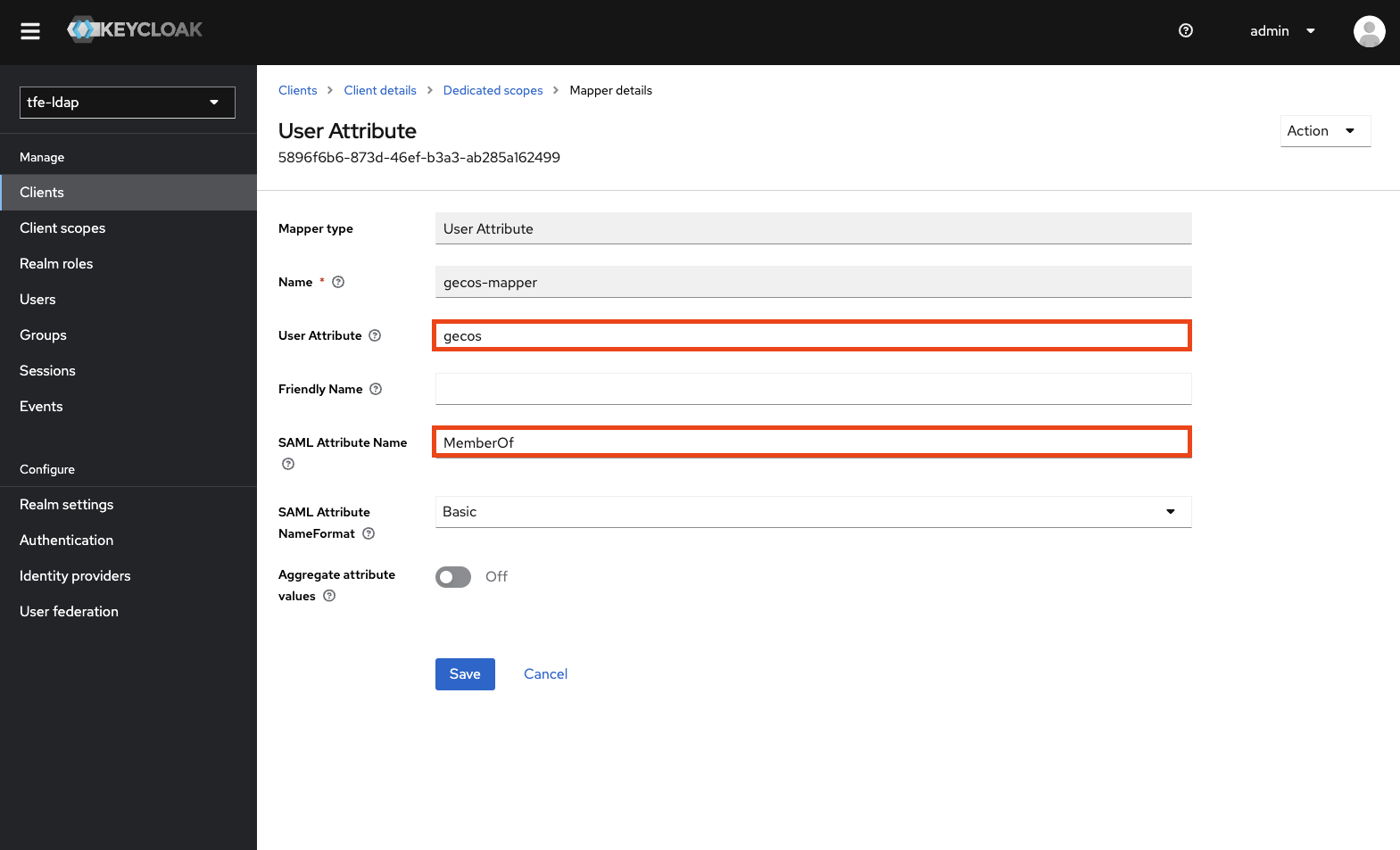
Name : scope 이름
User Attribute : 바라볼 User의 Attribute Key값
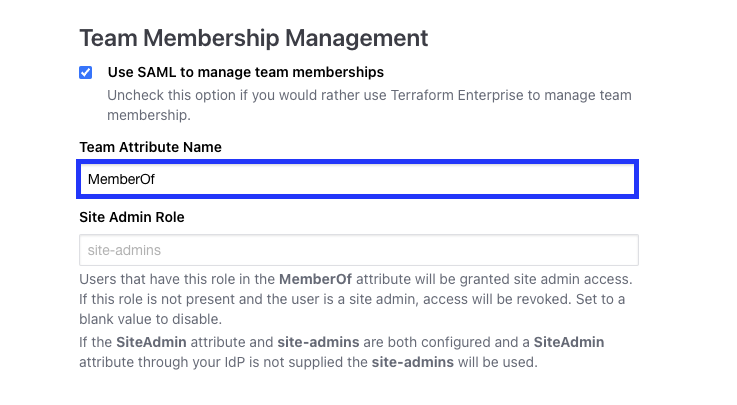
SAML Attribute Name : SAML연동시 User Attribute를 결과로 배출할 Attribute Name ( == Terraform SAML Team Mangement Attribute 와 Sync)
- Terraform
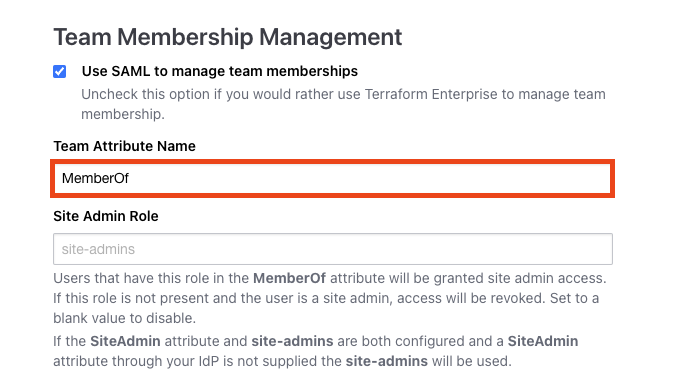
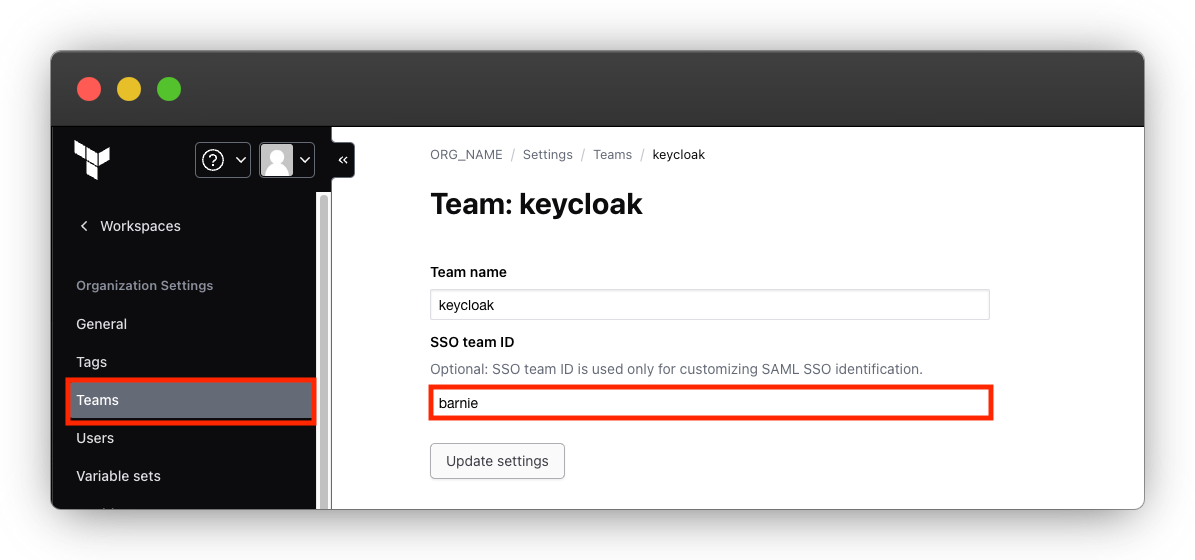
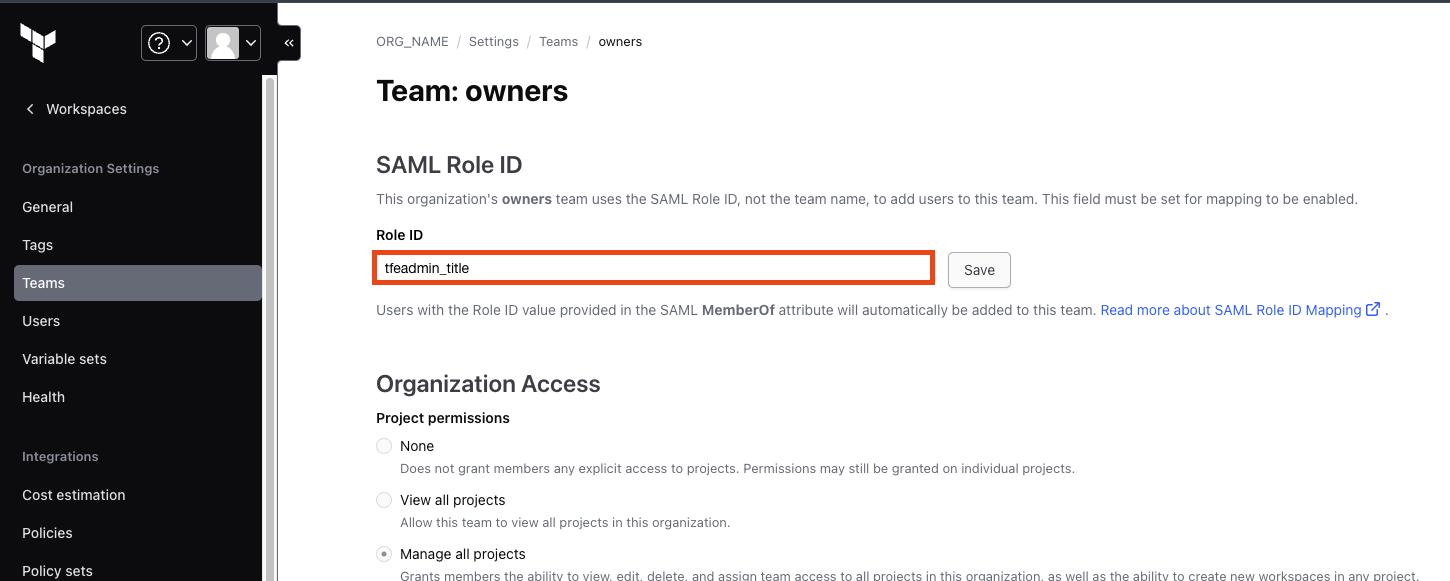
Barnie라는 유저는 gecos Attribute값 = barnie = Terraform의 Keycloak 팀의 SSO Team ID
따라서 barnie로 로그인 시, keycloak 팀으로 바로 소속된다.
- 로그인 확인
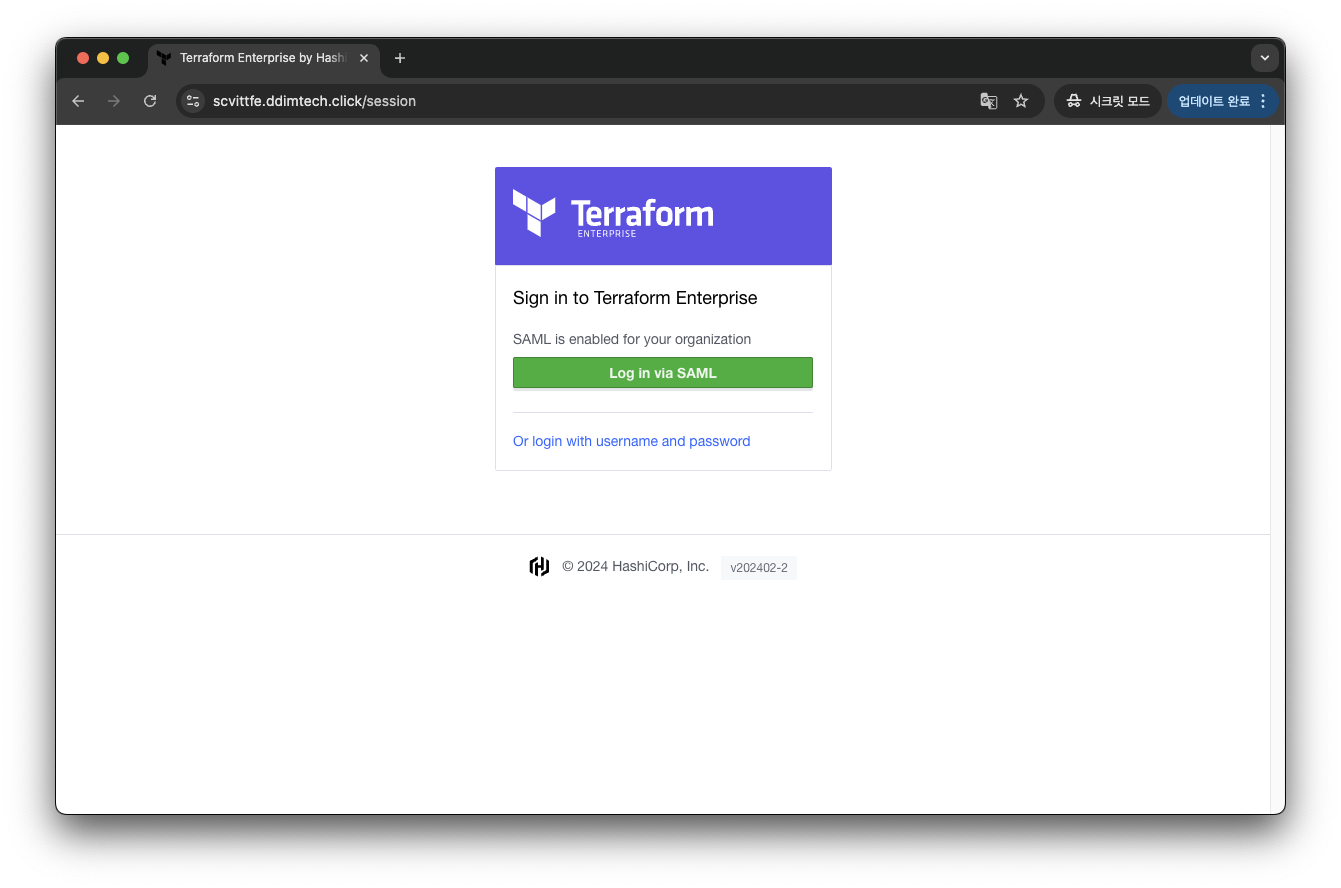
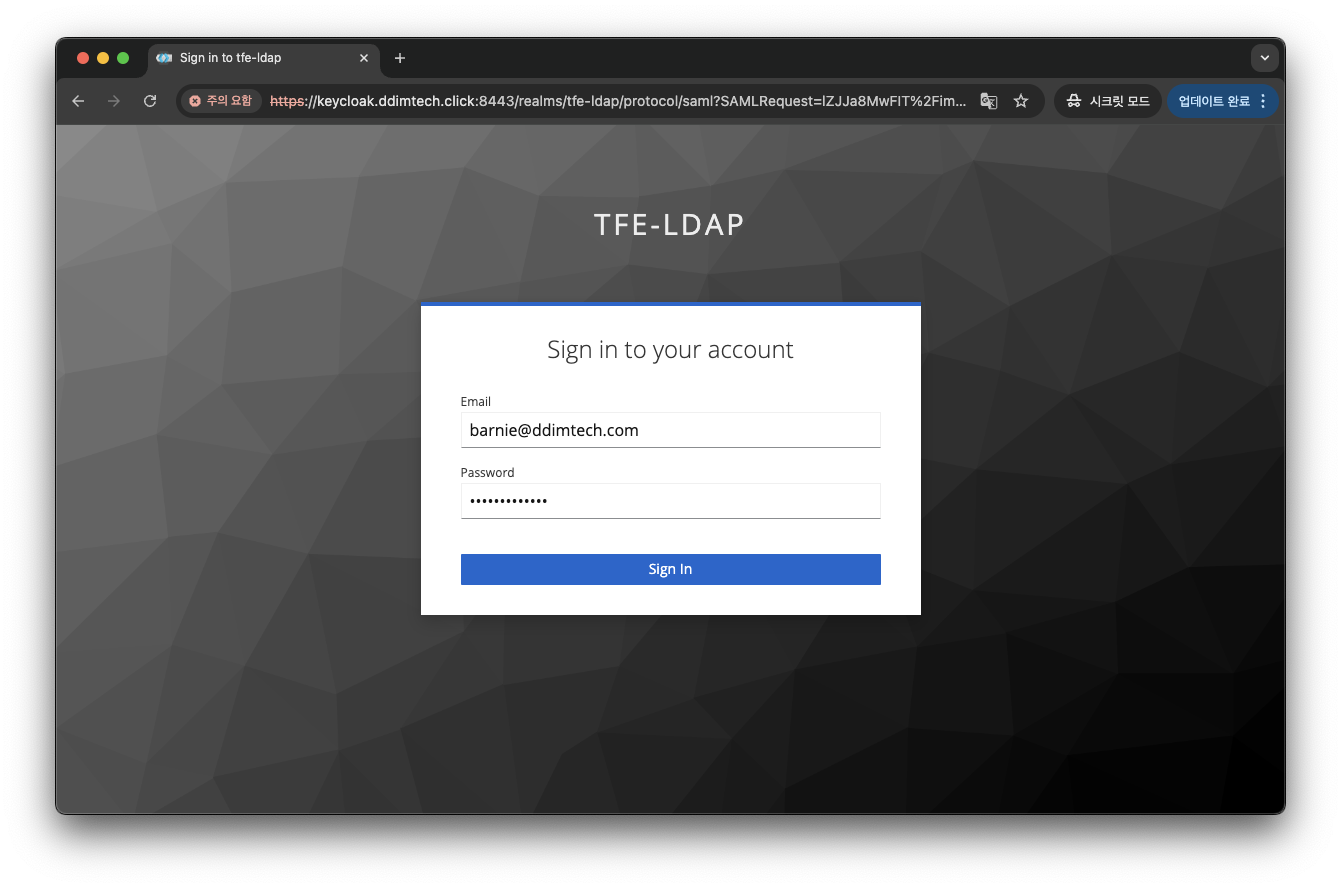
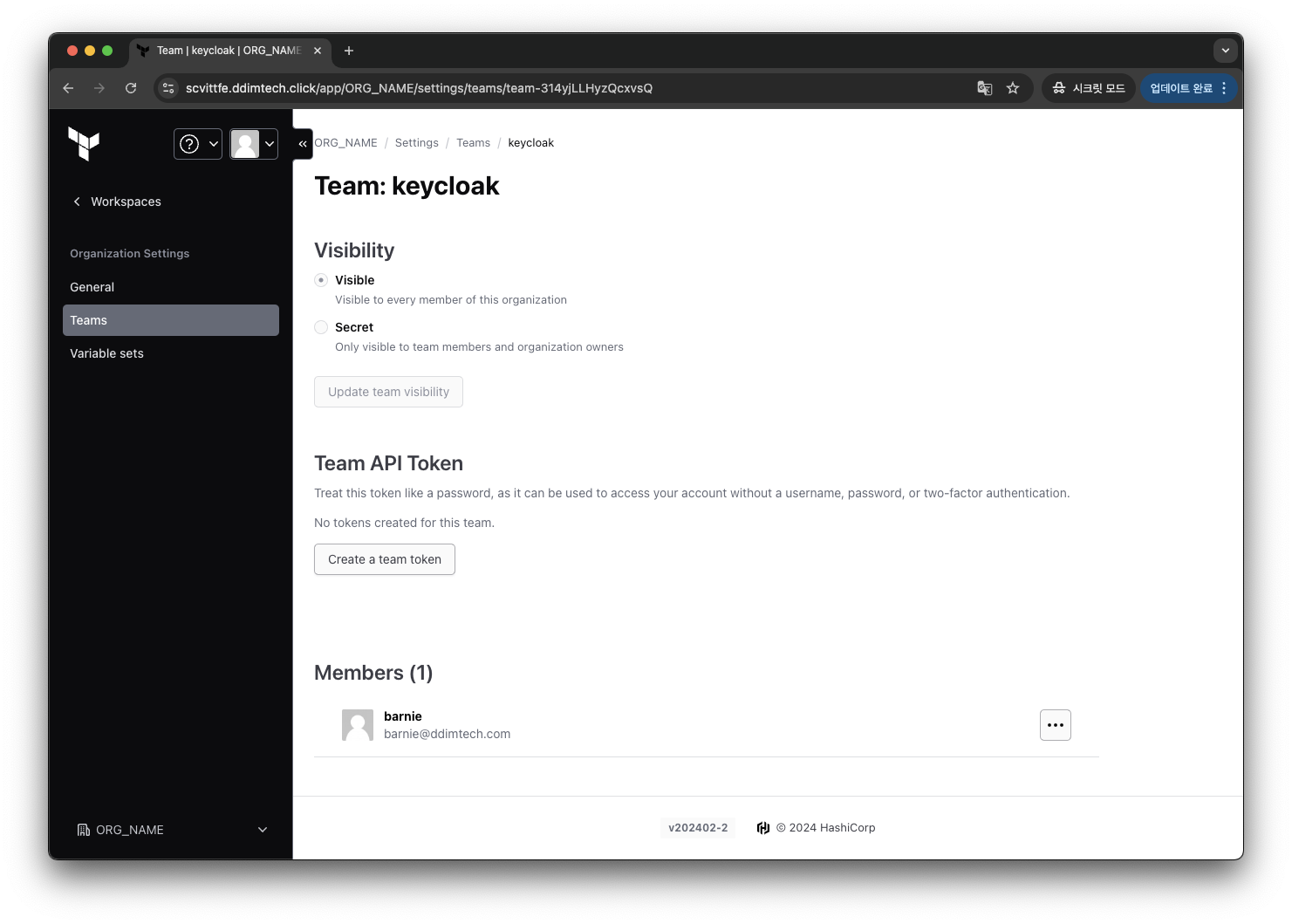
owner 팀 (admin 권한)을 주기 위해서는 Team Attribute Name의 Value 값이 Owenr Team 의 Role ID와 같으면 된다.