border: 선-두께 선-종류 선-색상;
border: width style color;
요소의 테두리 선을 지정하는 단축 속성
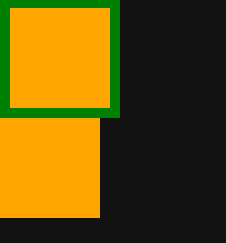
테두리가 생긴 만큼 요소의 크기가 넓어진다
HTML
 <div class="container">
    <div class="item"></div>
    <div class="item"></div>
  </div>
CSS
.container .item {
 width: 100px;
 height: 100px;
 background-color: orange;
}

.container .item:first-child {
 border: 10px solid green;
}
container 안에 첫번째 자식이고 item인 태그에 border 적용
border의 기본값
border: medium none black;!
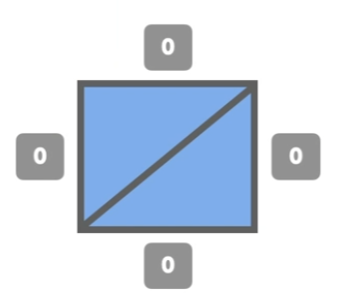
선의 종류가 없어서(none) 출력되지 않는다
border: 4px solid black;
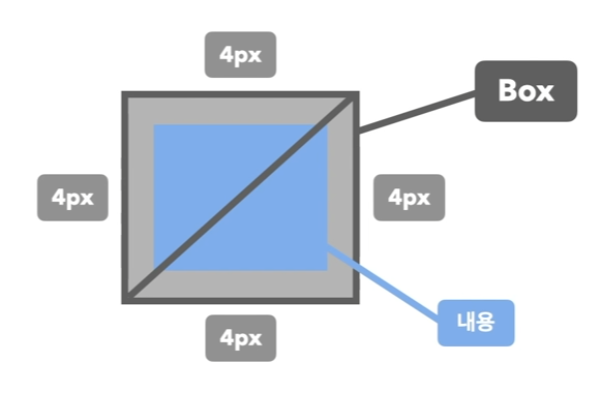
파란색 내용 영역 외부에 4px 두께의 선이 생기면서
요소가 커진다
선: 두께, 종류, 색깔
- border-width
- border-style
none, solid 실선(일반선), dashed 파선, dotted 점선 - border-color
transparent 투명, 색상이름, 색상코드, RGB, RGBA
border-방향, border-방향-속성
요소의 테두리선을 지정하는 기타 속성들
ex)
border-top: 두께, 종류, 색상;
border-top-width: 두께;
border-top-style: 종류;
border-top-color: 색상;
=>top, bottom, right, left
놓칠 수 있는 부분
- 테두리 선의 크기만큼 요소의 크기가 늘어남
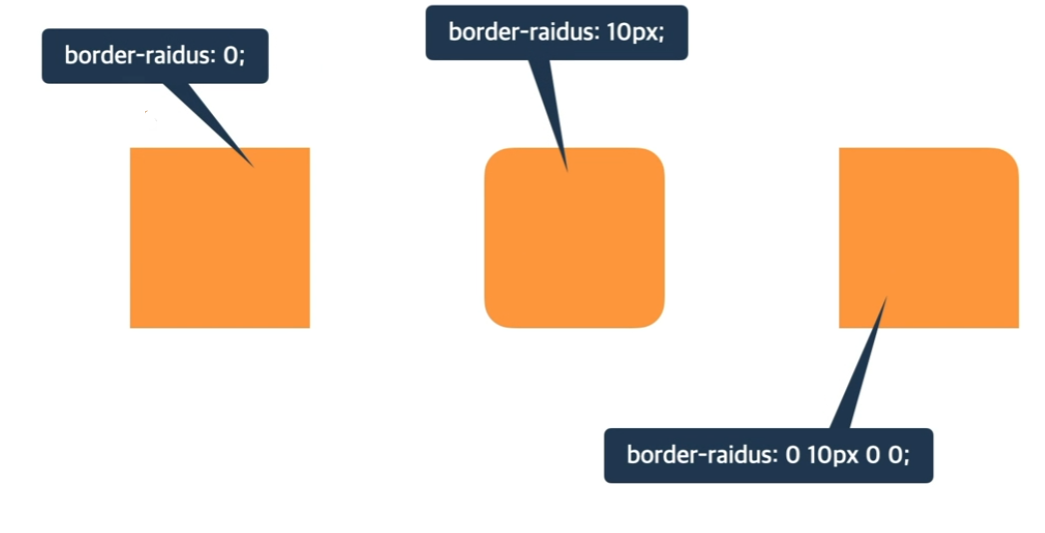
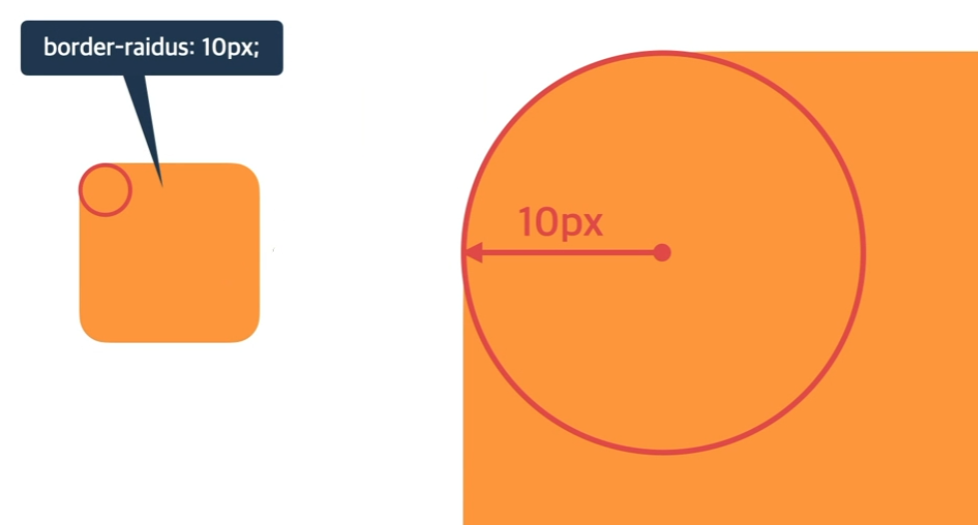
border-radius
요소의 모서리를 둥글게 깎음
HTML
<div class="container">
    <div class="item"></div>
  </div>
CSS
.container .item {
width: 100px;
height: 100px;
background-color: orange;
}

.container .item:first-child {
border-radius: 10px;
}
- 특정 부분만 둥글게