React Query는 서버 상태(Server State) 를 관리하기 위한 라이브러리다.
API 데이터의 캐싱, 동기화, 백그라운드 업데이트를 자동으로 처리해준다.
1. React Query란?
서버 상태 vs 클라이언트 상태
// 클라이언트 상태 (Redux, useState)
const [isModalOpen, setIsModalOpen] = useState(false);
const [theme, setTheme] = useState("dark");

// 서버 상태 (React Query)
const tasks = await fetch("/api/tasks");
const user = await fetch("/api/user");
서버 상태의 특징
- 비동기적으로 불러옴
- 여러 컴포넌트에서 동일 데이터 사용
- 시간이 지나면 stale(낡은 데이터) 상태가 됨
- 캐싱, 동기화, 재요청 로직이 복잡함
-> React Query가 문제를 해결
2. React Query 설치 및 기본 설정
설치
npm install @tanstack/react-queryQueryClient 설정
import { QueryClient, QueryClientProvider } from "@tanstack/react-query";

const queryClient = new QueryClient({
  defaultOptions: {
    queries: {
      staleTime: 5 * 60 * 1000,
      cacheTime: 10 * 60 * 1000,
      refetchOnWindowFocus: false,
      retry: 1,
    },
  },
});
3. 핵심 개념
3.1 Query Key
Query Key는 캐시를 식별하는 고유한 ID다.
queryKey: ["monthlyTasks", accountId, year, month]요약
| 개념 | 설명 |
|---|---|
| Query Key | 캐시 식별자 |
| useQuery | 서버 데이터 조회 |
| staleTime | API 호출 없이 유지되는 시간 |
| cacheTime | 캐시 보관 시간 |
| queryClient | 캐시 직접 제어 |
적용
기존에 Loader를 사용하여 초기 데이터를 로드하니, 사이드바를 클릭할때마다 api를 호출했었다.
// 초기 데이터 로드 (loader에서 가져온 현재 월 데이터)
  useEffect(() => {
    const loadInitialData = async () => {
      try {
        const tasks = await loaderData.items;
        setCurrentTasks(tasks);
        console.log(tasks);
      } catch (error) {
        console.error("초기 데이터 로드 실패:", error);
      }
    };

    loadInitialData();
  }, [loaderData.items]);

// loaders/index.ts
export const monthlyTasksLoader = () => {
  const accountId = localStorage.getItem("accountId");
  const month = new Date().getMonth() + 1;
  const year = new Date().getFullYear();

  console.error(accountId, month, year);

  const fetcher = createApiCall<MonthlyTasksResponse>(APIS.TASKS.MONTHLY_LIST, {
    accountId,
    month,
    year,
  });

  return createLoaderResultForTask(fetcher);
};
너무 비효율적이어서 React Query를 이용해보았다.
// taskService
export const taskService = {
  // 일일 태스크 조회
  getDailyTasks: async (accountId: string, createdAt: string) => {
    const response = await apiCall<{ totalCount: number; tasks: DailyTasksType[] }>(APIS.TASKS.LIST, { accountId, createdAt });
    return response.tasks;
  },

  // 완료된 태스크 조회
  getCompletedTasks: async (accountId: number) => {
    const response = await apiCall<CompletedTaskListResponse>(APIS.TASKS.COMPLETED_LIST(accountId), {});
    return response;
  },

  // 월별 태스크 조회
  getMonthlyTasks: async (accountId: string, year: number, month: number) => {
    const response = await apiCall<{ totalCount: number; tasks: MonthlyTasksType[] }>(APIS.TASKS.MONTHLY_LIST, { accountId, year, month });
    return response.tasks;
  },
};
API 호출을 서비스로 따로 뺏다.
// (코드 생략)
  const { data: currentTasks = [], isLoading: loading } = useQuery({
    queryKey: ["monthlyTasks", accountId, currentMonth.year, currentMonth.month],
    queryFn: () => taskService.getMonthlyTasks(accountId, currentMonth.year, currentMonth.month),
    staleTime: 5 * 60 * 1000,
    cacheTime: 10 * 60 * 1000,
    refetchOnWindowFocus: false,
    enabled: !!accountId,
  });


  const handleTodoUpdate = (taskId: number, completed: boolean) => {
    // 캐시 업데이트 (낙관적 업데이트)
    queryClient.setQueryData(["monthlyTasks", accountId, currentMonth.year, currentMonth.month], (old: MonthlyTasksType[] = []) =>
      old.map((task) => (task.taskId === taskId ? { ...task, isCompleted: completed } : task))
    );

    if (selectedTodo && selectedTodo.taskId === taskId) {
      setSelectedTodo((prev) => (prev ? { ...prev, isCompleted: completed } : null));
    }
  };

  const handleTodoDelete = (taskId: number) => {
    // 캐시에서 삭제
    queryClient.setQueryData(["monthlyTasks", accountId, currentMonth.year, currentMonth.month], (old: MonthlyTasksType[] = []) =>
      old.filter((task) => task.taskId !== taskId)
    );

    setIsModalOpen(false);
    setSelectedTodo(null);
  };
그리고 UI에 바로 표시해줘야하는건 캐시 업데이트를 통해 구현을 했다.
일단 월별 보기 화면만 좀 바꿨는데 훨씬 효율적이었다.
  children: [
          { index: true, element: <Navigate to="todo/daily" replace /> },
          {
            path: "todo/daily",
            element: <DailyTodoListPage />,
            loader: dailyTasksLoader, // defer({ totalCount, items }) 반환
          },
          { path: "todo/month", element: <MonthlyTodoListPage /> /* loader: monthlyTasksLoader */ },
          { path: "todo/complete", element: <CompletePage />, loader: completedTasksLoader },
          { path: "groups/own", element: <GroupListPage />, loader: groupListLoader },
          { path: "groups/pending", element: <GroupInvitationPage />, loader: groupPendingListLoader },
          { path: "groups/request", element: <GroupRequestPage />, loader: groupPendingListLoader },
          { path: "groups/joined", element: <JoinedGroupPage />, loader: joinedGroupListLoader },
          { path: "etc/settings", element: <SettingPage /> },
          { path: "*", element: <ErrorPage /> },
        ],
라우터도 일단 주석처리를 했다.
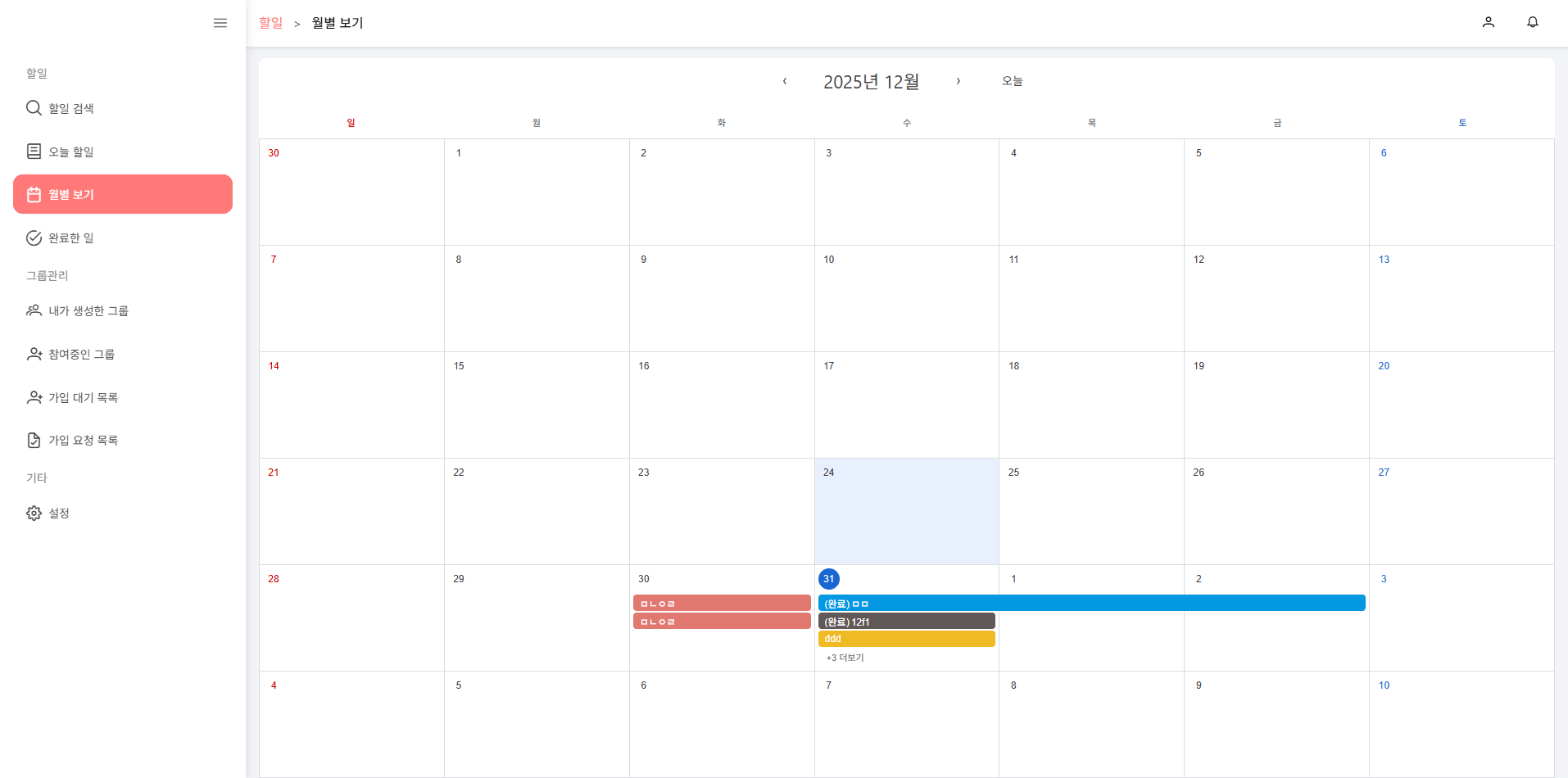
더이상 사이드바를 아무리 클릭해도 api호출이 되지 않았다.
React Query는 언제 쓰는 게 좋을까?
무조건 쓰는 라이브러리는 아니다.
“서버 상태”일 때만 쓰는 게 정답이다.
한 줄 결론
서버에 저장된 데이터 -> React Query
UI·임시·입력 상태 -> React Query 사용 x
React Query 사용하기 좋은 곳
1. 서버에서 가져오는 데이터 (조회)
- 사용자 목록
- 할 일(Task) 리스트
- 게시글 / 댓글
- 월별 캘린더 데이터
특징
- API 호출 결과
- 여러 컴포넌트에서 공유
- 캐싱 가치가 있음
👉 useQuery 사용
2. 목록 + 상세 구조
useQuery(["posts"], fetchPosts);
useQuery(["post", postId], fetchPost);
장점
- 뒤로 가기 시 API 재호출 x
- 캐시 재사용으로 UX 향상
3. 페이지 전환이 잦은 데이터
queryKey: ["tasks", userId, year, month];- 캘린더
- 탭 이동
- 필터 변경
4. 서버와 동기화되는 상태 (CRUD)
useMutation(updateTask, {
  onMutate: optimisticUpdate,
});- 낙관적 업데이트
- rollback 가능
5. 여러 컴포넌트에서 공유되는 서버 데이터
useQuery(["user"]);Redux 없이도 충분한 경우 많음
React Query 사용하면 안 좋은 곳
1. 순수 UI 상태
const [isModalOpen, setIsModalOpen] = useState(false);
const [selectedTab, setSelectedTab] = useState("calendar");
2. 폼 입력값
const [title, setTitle] = useState("");3. 단발성 요청
useEffect(() => {
  fetch("/health-check");
}, []);
4. 계산된 값 / 파생 상태
const completedCount = tasks.filter(t => t.done).length;판단 기준
| 질문 | YES | NO |
|---|---|---|
| 서버 데이터인가? | React Query | useState |
| 재사용되는가? | React Query | useState |
| 캐시가 유용한가? | React Query | useEffect |
| UI 상태인가? | x | useState |
정리
서버에서 오고, 저장되고, 공유되는 데이터 → React Query
UI·입력·임시 상태 → useState / useReducer
