가시다(gasida) 님이 진행하는 AEWS(Amazon EKS Workshop Study) 3기 과정으로 학습한 내용을 정리 또는 실습한 내용을 정리한 게시글입니다.
7주차는 K8S Scheduler, EKS Fargate와 Auto mode, Hybrid Nodes에 대해 학습한 내용을 정리하였습니다.
1. Kubernetes Scheduler
1.1 개요
Kubernetes Scheduler는 클러스터 내의 파드(Pod)를 적절한 노드(Node)에 배치하는 핵심 컴포넌트이다. 이 컴포넌트는 클러스터의 자원 사용률, 정책, 제약 조건을 고려하여 최적의 노드를 선택함으로써, 클러스터의 성능과 안정성을 유지하는 데 중요한 역할을 한다.
Kubernetes Scheduler는 클러스터 자원 최적화와 파드 안정성 확보를 위한 핵심 컴포넌트로, 기본 스케줄링 정책 외에도 다양한 확장성과 유연성을 제공한다. DevOps 관점에서 Scheduler는 시스템의 퍼포먼스를 좌우하는 중요한 인프라 레벨 요소이며, 워크로드에 맞는 적절한 튜닝과 확장 전략이 필요하다.
[참고자료] : Kubernetes 공식 문서: https://kubernetes.io/docs/concepts/scheduling-eviction/kube-scheduler/
1.2 Scheduler의 역할
Kubernetes Scheduler의 주요 역할은 다음과 같다:
1. 스케줄링 대상 파드 탐색: 스케줄러는 Pending 상태의 파드를 감지한다.
2. 적합한 노드 탐색: 주어진 파드를 실행할 수 있는 후보 노드를 선별한다.
3. 스코어링 및 순위 결정: 후보 노드들에 대해 다양한 정책 기반 점수를 매겨 최적의 노드를 선택한다.
4. 스케줄링 결정 기록: 선택된 노드 정보를 파드의 Spec.nodeName에 기록하여 바인딩을 완료한다.
1.3 스케줄링 프로세스
Kubernetes의 스케줄링 로직은 크게 2단계로 나뉜다.
1.3.1 Filtering (필터링 단계)
필터링은 파드가 특정 노드에서 실행 가능한지를 판단하는 단계이다. 다음 조건들을 기준으로 노드 후보군을 좁힌다:
- Node Affinity / Anti-Affinity
- Taints & Tolerations
- Node Selector
- 자원 요구사항(CPU/Memory)
- PodAffinity, PodAntiAffinity
예: nodeSelector: disktype: ssd 조건을 가진 파드는 disktype=ssd 라벨이 없는 노드에서는 필터링된다.
1.3.2 Scoring (점수화 단계)
필터링을 통과한 노드들에 대해 점수를 부여하여 우선순위를 결정한다. 주요 정책:
- Least Requested Priority : 자원이 가장 여유로운 노드에 우선 배치
- Balanced Resource Allocation : CPU/Memory 비율이 균형 잡힌 노드 선호
- Node Affinity Priority : 노드 affinity를 만족하는 노드에 가중치 부여
- Custom Score Plugins (v1.19+) : 스케줄링 확장을 위한 사용자 정의 플러그인 지원
1.4 Scheduler의 구성 요소
Kubernetes Scheduler는 다음과 같은 주요 구성 요소로 구성된다:
- SchedulerCache : 노드 상태, 파드 대기열 등의 캐시 역할
- Scheduling Queue : Pending 파드를 저장하고 우선순위에 따라 스케줄링
- Scheduling Algorithm : 필터링 및 점수화 로직을 수행
- Extenders : 외부 스케줄링 확장을 위한 인터페이스
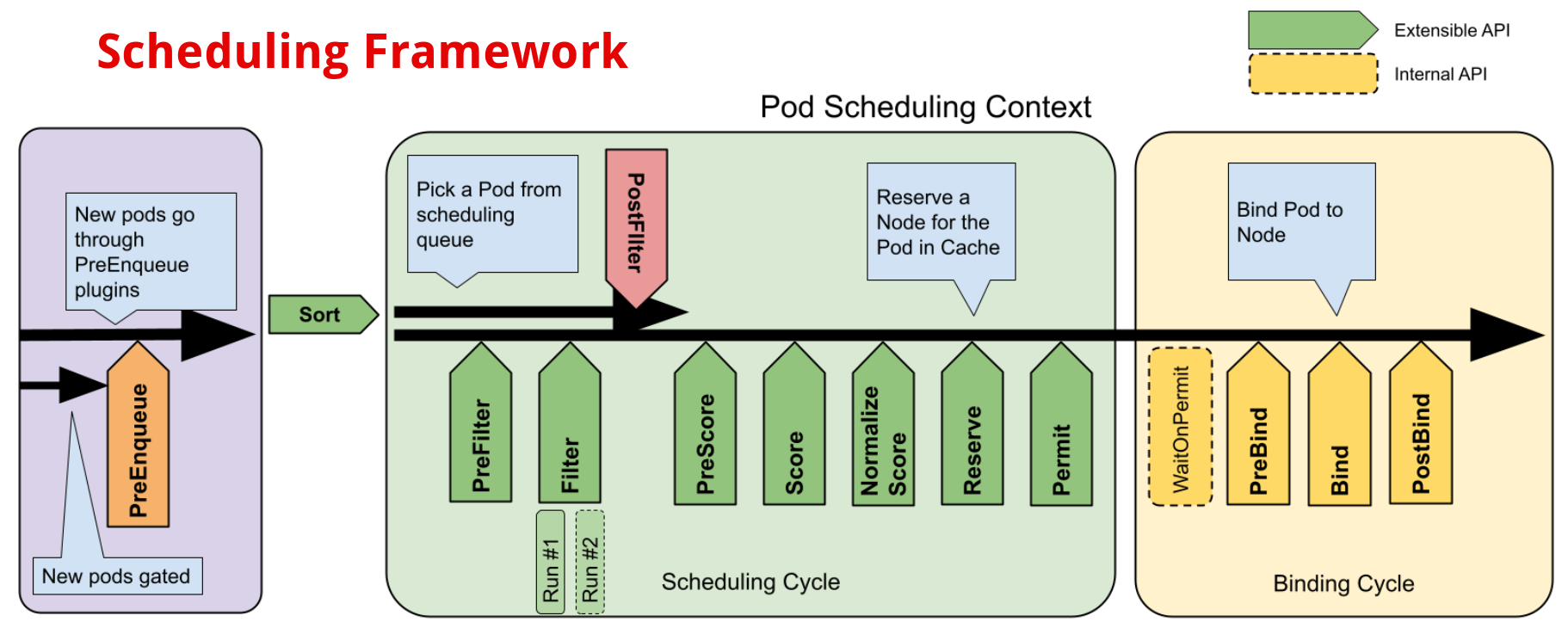
- Plugins : Filter, Score, Bind 등 다양한 Hook 포인트 제공 (Scheduler Framework 기반)
1.5 Custom Scheduler
Kubernetes는 기본 스케줄러 외에도 다음과 같은 방식으로 커스텀 스케줄러를 구현할 수 있다:
- Deployment를 통한 독립 실행 스케줄러
- 파드의 spec.schedulerName 필드로 사용 스케줄러 지정
- Custom Scheduling Logic: 특수 자원, 워크로드에 맞는 스케줄링 로직 구성
1.6 실무 적용 사례
예: CPU 집약적인 ML 워크로드를 taint: gpu=enabled:NoSchedule로 설정된 GPU 노드에만 배치하도록 toleration과 nodeAffinity를 적용함. 이 때, 커스텀 스코어링 플러그인을 통해 GPU 사용률이 낮은 노드에 우선 배치되도록 설정.
2. Fargate
2.1 Fargate 소개
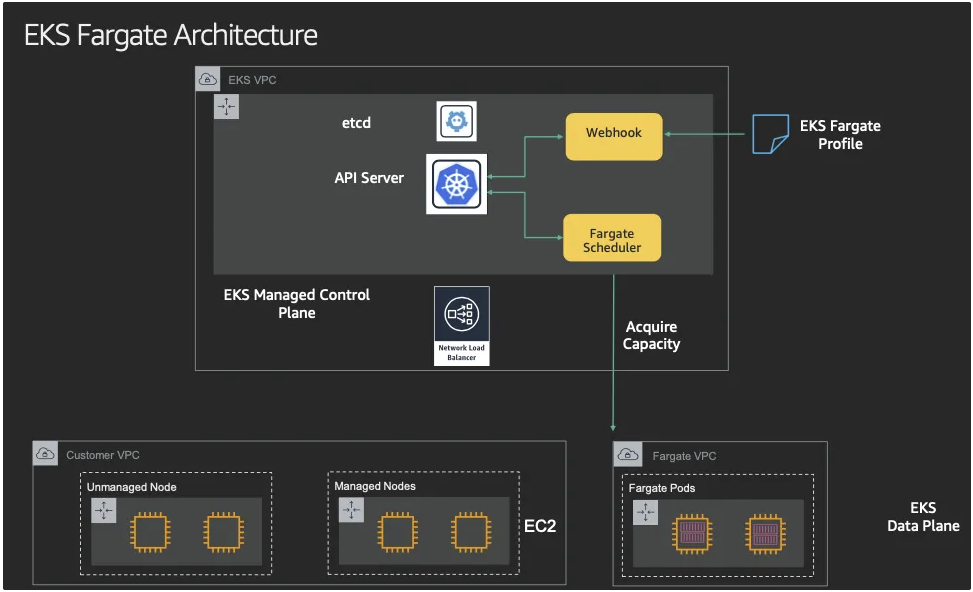
EKS(컨트롤 플레인) + Fargate(데이터 플레인)의 완전한 서버리스화(=AWS 관리형)
- Cluster Autoscaler 불필요, VM 수준의 격리 가능(VM isolation at Pod Level)
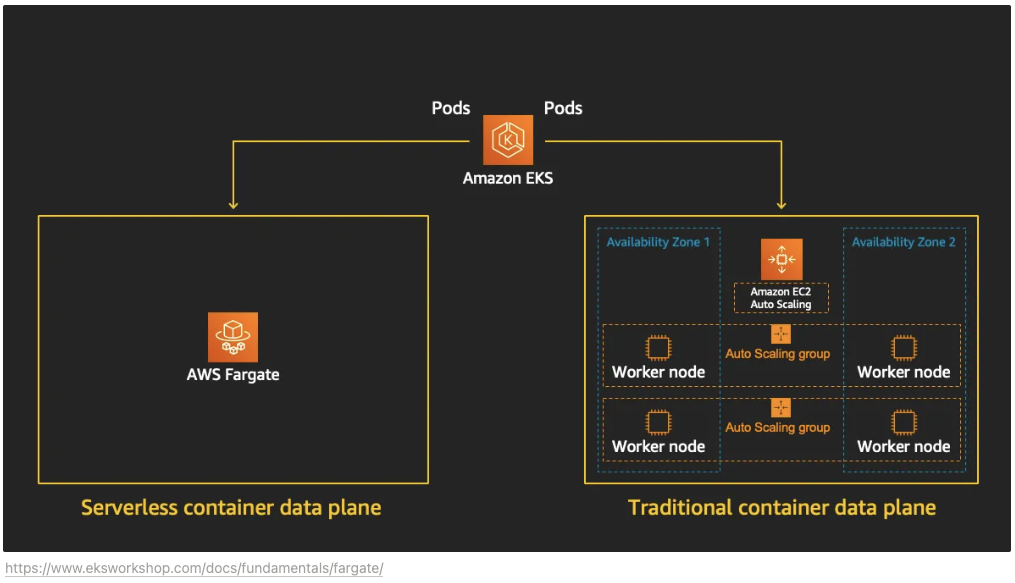
- Fargate 프로파일(파드가 사용할 서브넷, 네임스페이스, 레이블 조건)을 생성하여 지정한 파드가 Fargate에서 동작하게 함
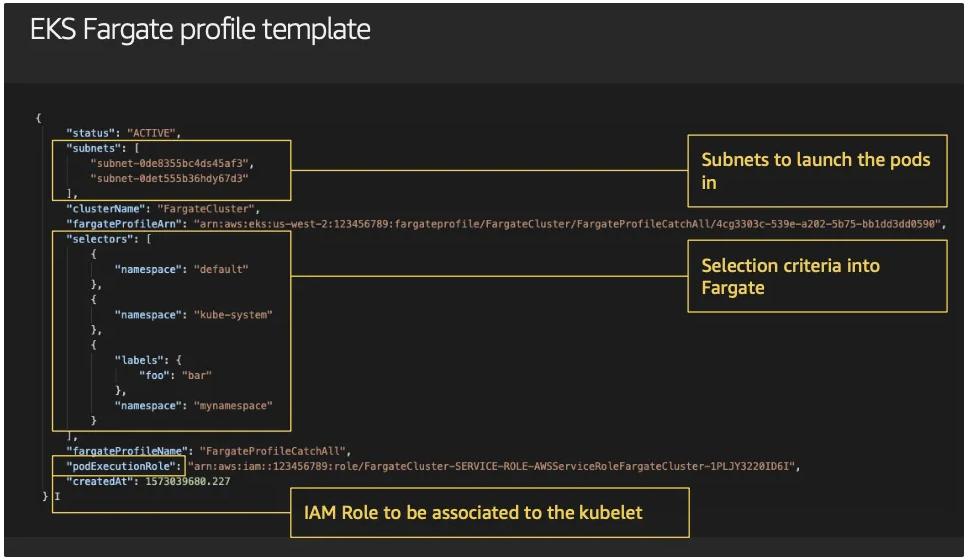
- EKS는 스케줄러가 특정 조건을 기준으로 어느 노드에 파드를 동작시킬지 결정, 혹은 특정 설정으로 특정 노드에 파드가 동작하게 가능함
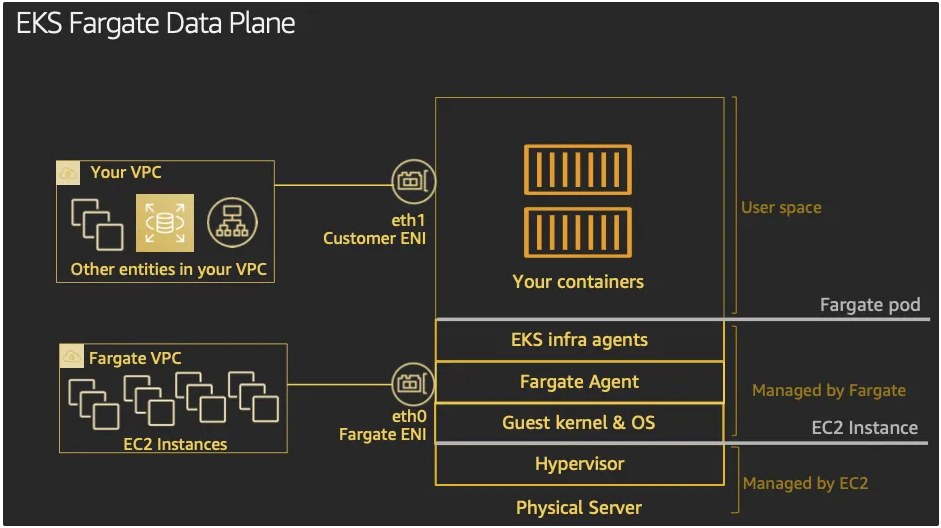
- EKS Fargate Data Plane
2.2 Firecracker
- [참고자료] : Github , Install, AWS_Blog
- 아키텍처
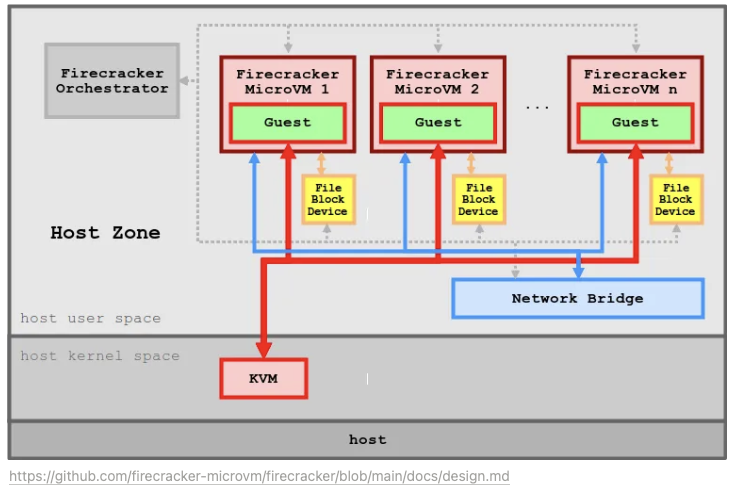
- KVM을 사용하는 새로운 가상화 기술인 Firecracker를 여러분에게 소개하고자 합니다. Firecracker를 통해 여러분은 가상화되지 않은 환경에서 1초도 되지 않는 시간 안에 경량 microVM(마이크로 가상 머신)을 시작할 수 있고, 컨테이너를 통해 제공하는 리소스 효율성과 기존 VM에서 제공하는 워크로드 격리 및 보안의 혜택을 그대로 활용할 수 있습니다.
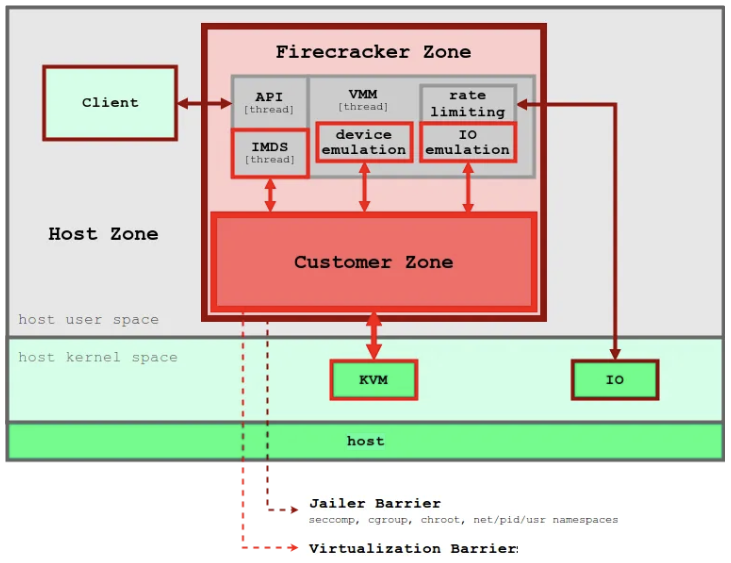
- 보안 – 항상 가장 중요한 우선순위입니다! Firecracker는 여러 수준의 격리와 보호를 사용하며, 공격 노출 영역을 최소화합니다.
- 고성능 – 현 시점 기준으로 125밀리초 안에 microVM을 시작할 수 있으며(2019년에는 더 빨라질 예정), 단기간 또는 일시적인 워크로드를 비롯한 여러 유형의 워크로드에 적합합니다.
- 검증된 실적 – Firecracker는 실전에서 검증되어 있습니다. 이미 AWS Lambda 및 AWS Fargate를 비롯한 사용량이 많은 여러 AWS 서비스가 Firecracker를 사용하고 있습니다.
- 낮은 오버헤드 – Firecracker는 microVM당 약 5MiB의 메모리를 사용합니다. 그리고 동일한 인스턴스에서 다양한 vCPU 및 메모리 구성 사양을 갖춘 안전한 수천 개의 VM을 실행할 수 있습니다.
- 오픈 소스 – Firecracker는 현재 진행 중인 오픈 소스 프로젝트입니다. 이미 검토와 PR(Pull Request)을 수락할 준비가 되었으며, 전 세계 기고자들과 협업할 수 있기를 기대하고 있습니다.
- Firecracker는 미니멀리즘에 기반하여 제작되었습니다. crosvm에서 시작하여 오버헤드를 줄이고 안전한 멀티 테넌시를 활용하도록 최소 디바이스 모델을 설정했습니다. Firecracker는 스레드 보안을 보장하고 보안 취약성을 야기할 수 있는 여러 유형의 버퍼 오버런 오류를 방지하는 최신 프로그래밍 언어인 Rust로 작성되었습니다.
- 단순한 게스트 모델 – Firecracker 게스트는 공격 영역을 최소화하기 위해 가상화된 단순한 디바이스 모델로 제시됩니다(예: 네트워크 디바이스, 블록 I/O 디바이스, PIT(Programmable Interval Timer), KVM 클럭, 직렬 콘솔, 부분 키보드(VM을 재설정할 수 있을 정도의 기능)).
- 잠금(Jail) 처리 – Firecracker 프로세스는 cgroups 및 seccomp BPF를 사용하여 잠기며(Jail), 매우 제한된 소량의 시스템 호출 목록에 액세스합니다.
- 정적 연결 –
firecracker프로세스는 정적으로 연결되며, 잠금자(Jailer)에서 시작하여 가능한 안전하고 클린한 상태의 호스트 환경을 보장합니다.
2.3 Fargate 특장점, 고려사항
- [참고자료] : 용찬호님 AWS Fargate on EKS 실전 사용하기
- 주요 내용
- Control Plane + Data Plane의 완전한 서버리스화
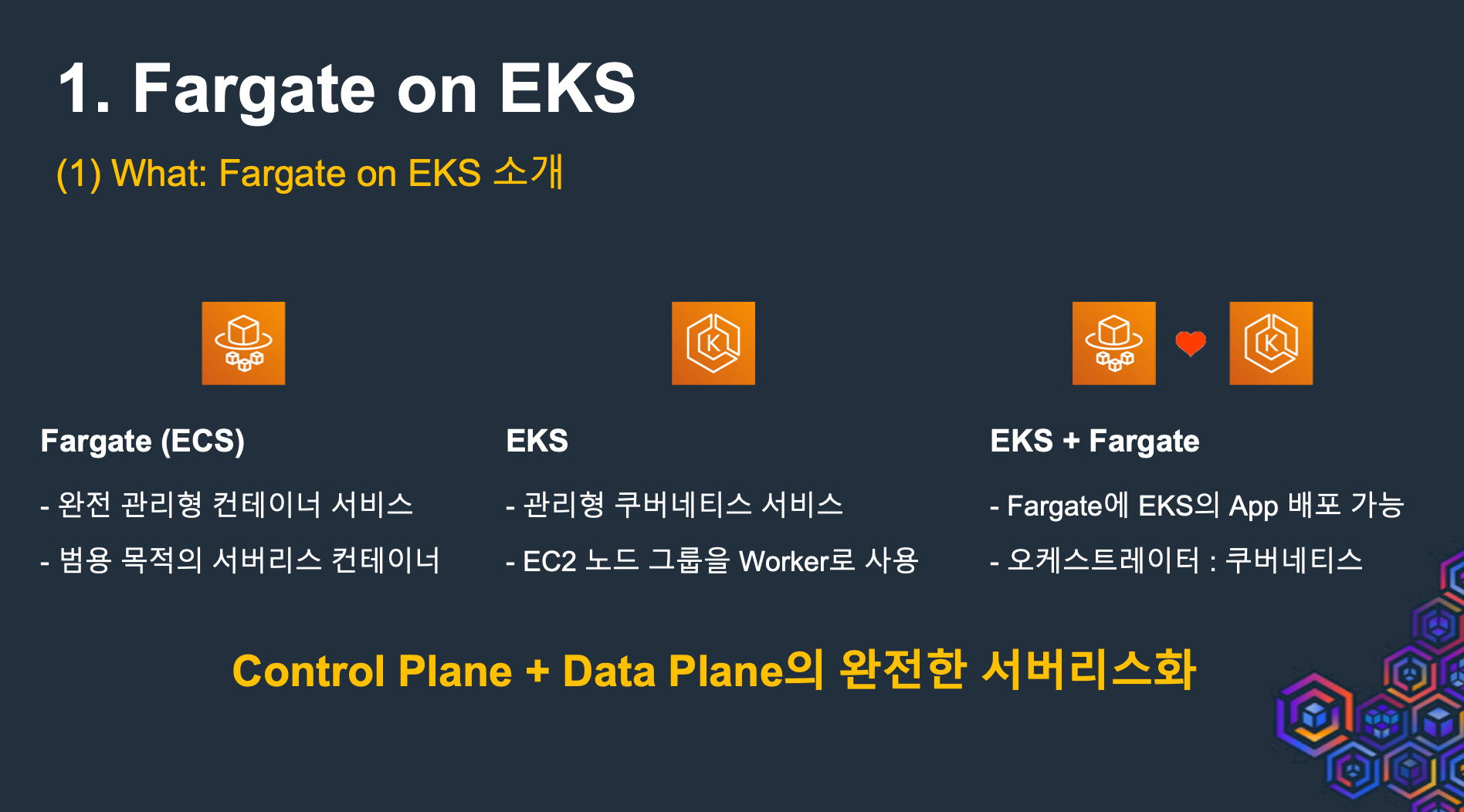
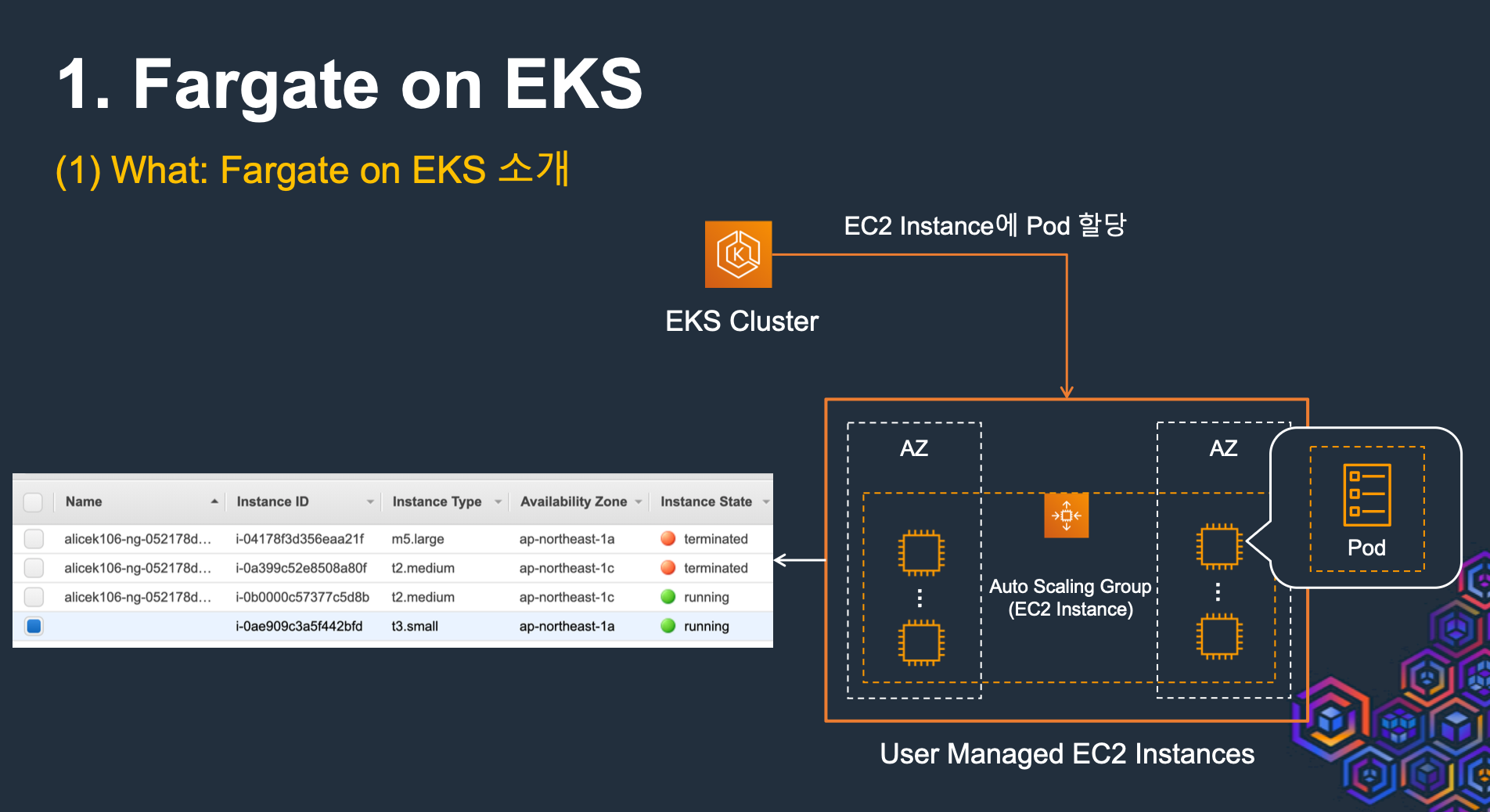
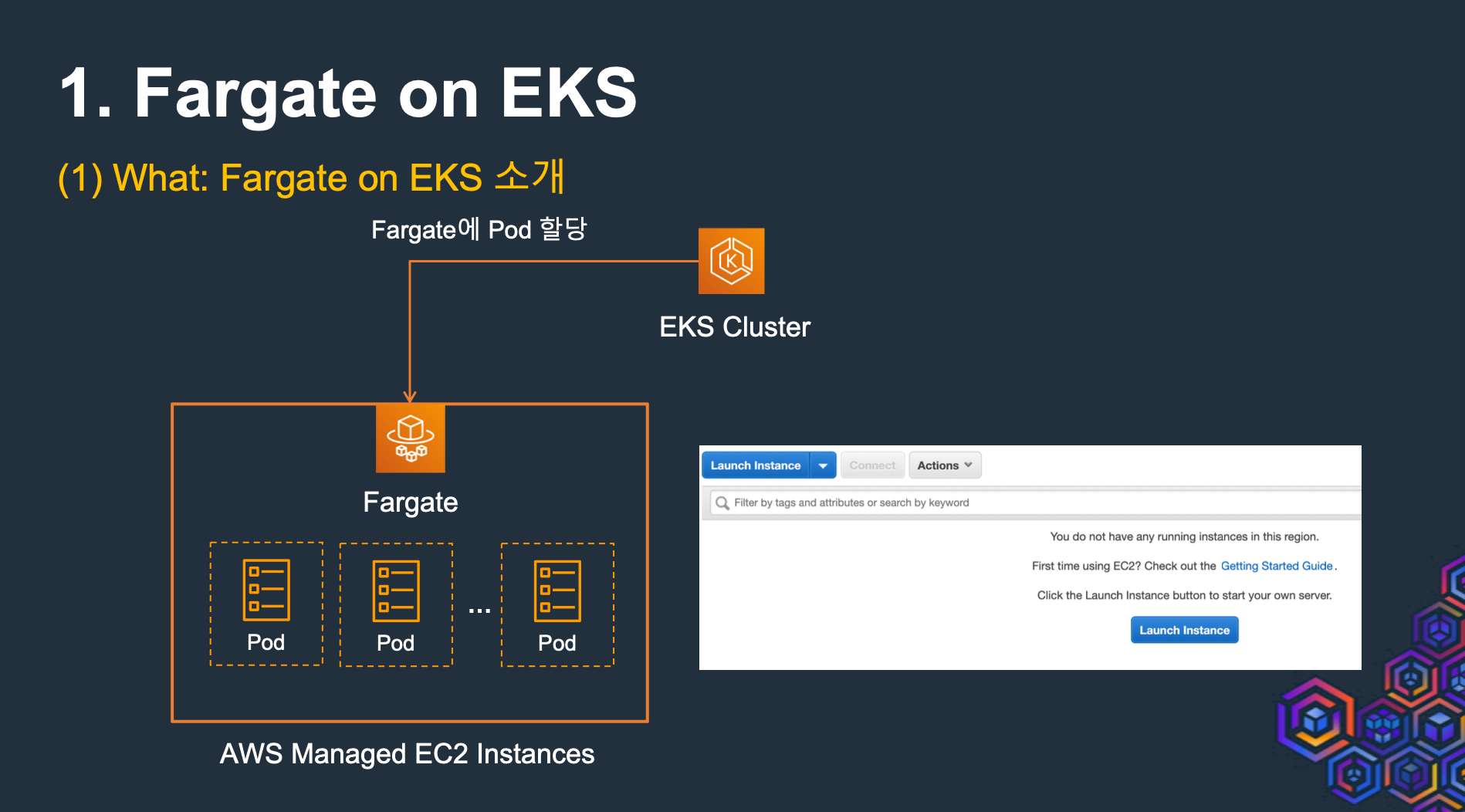
- 관리해야 하는 EC2 인스턴스가 미존재, But 모든것을 해결해 주지 않음
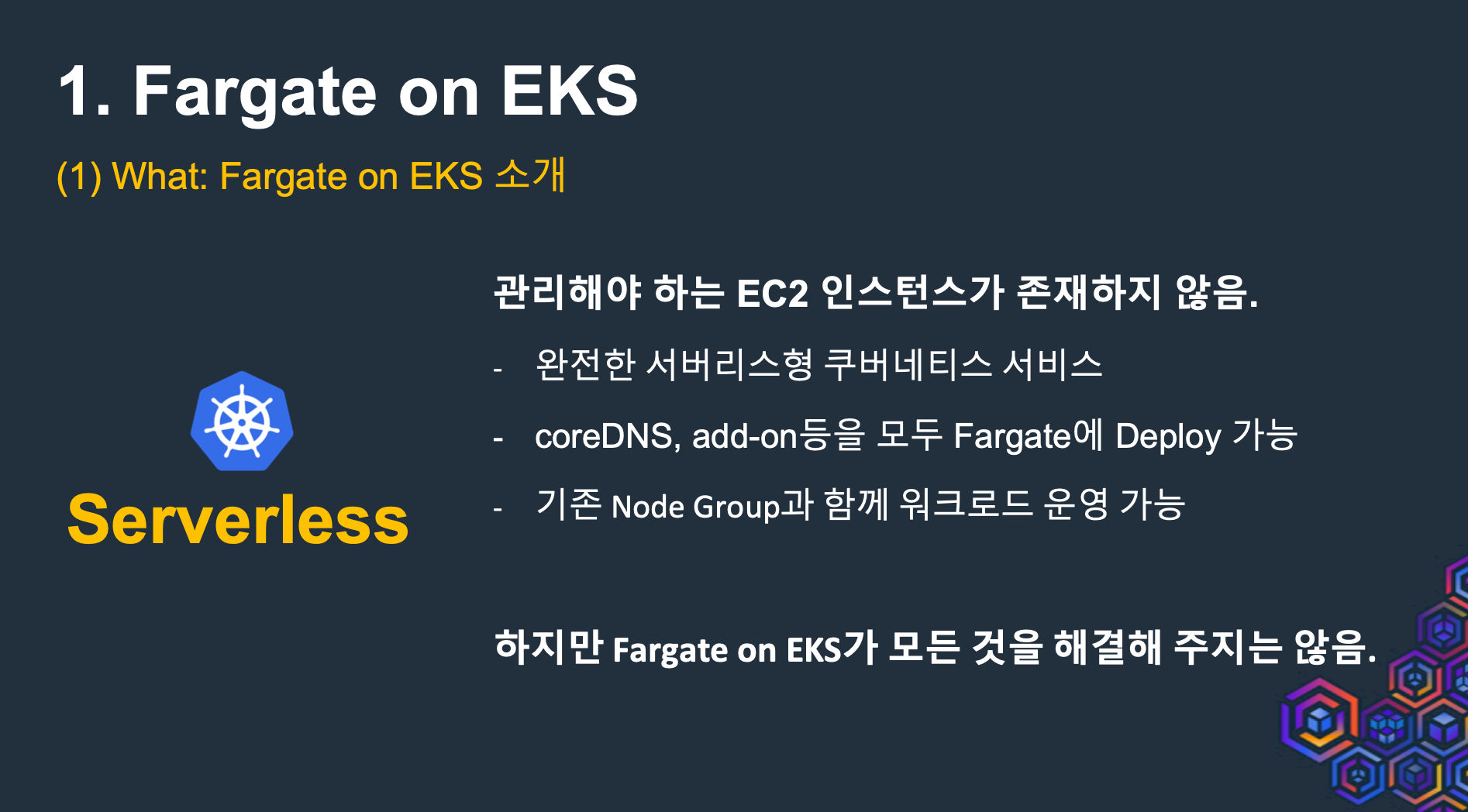
- 관리의 복잡도가 줄어듬
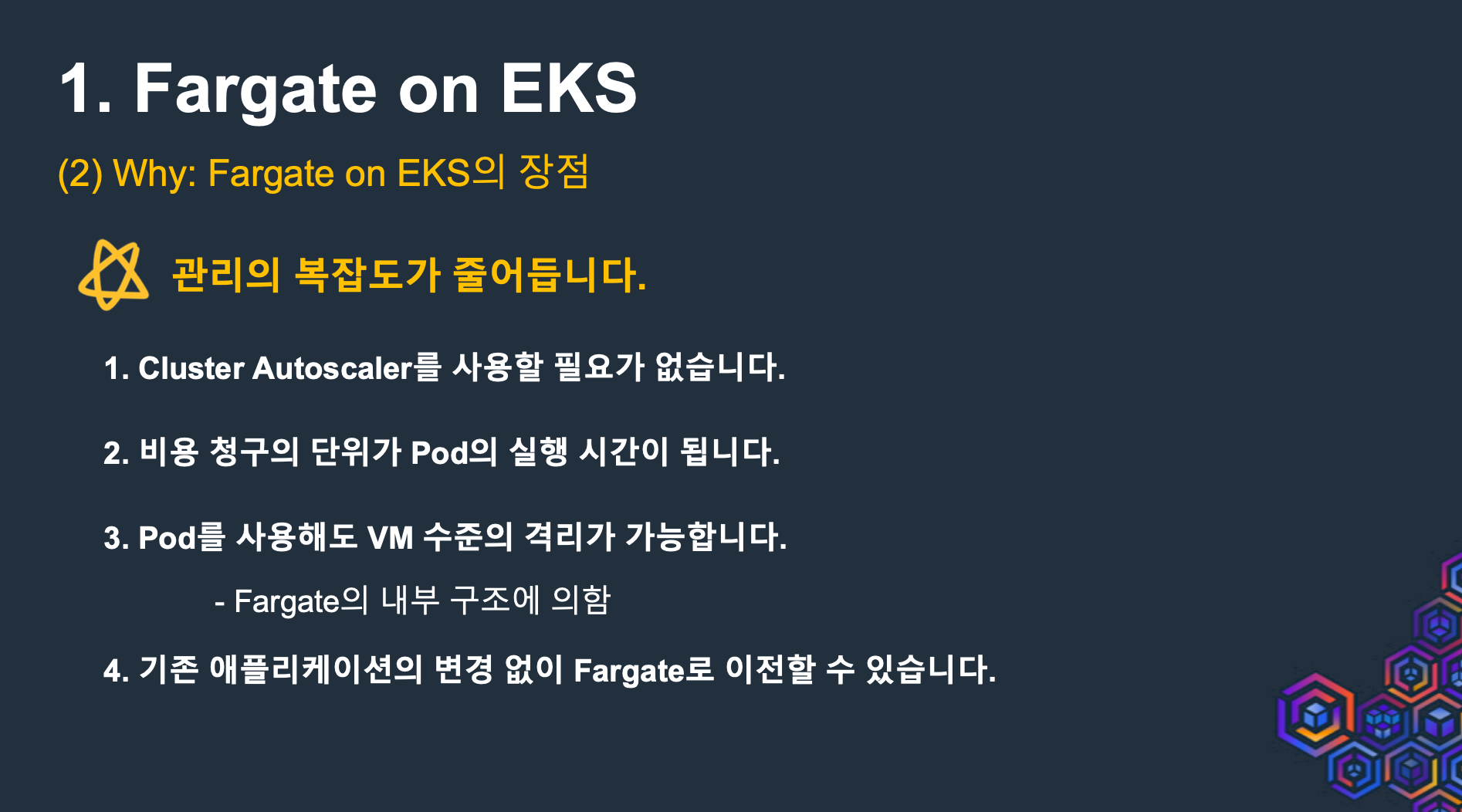
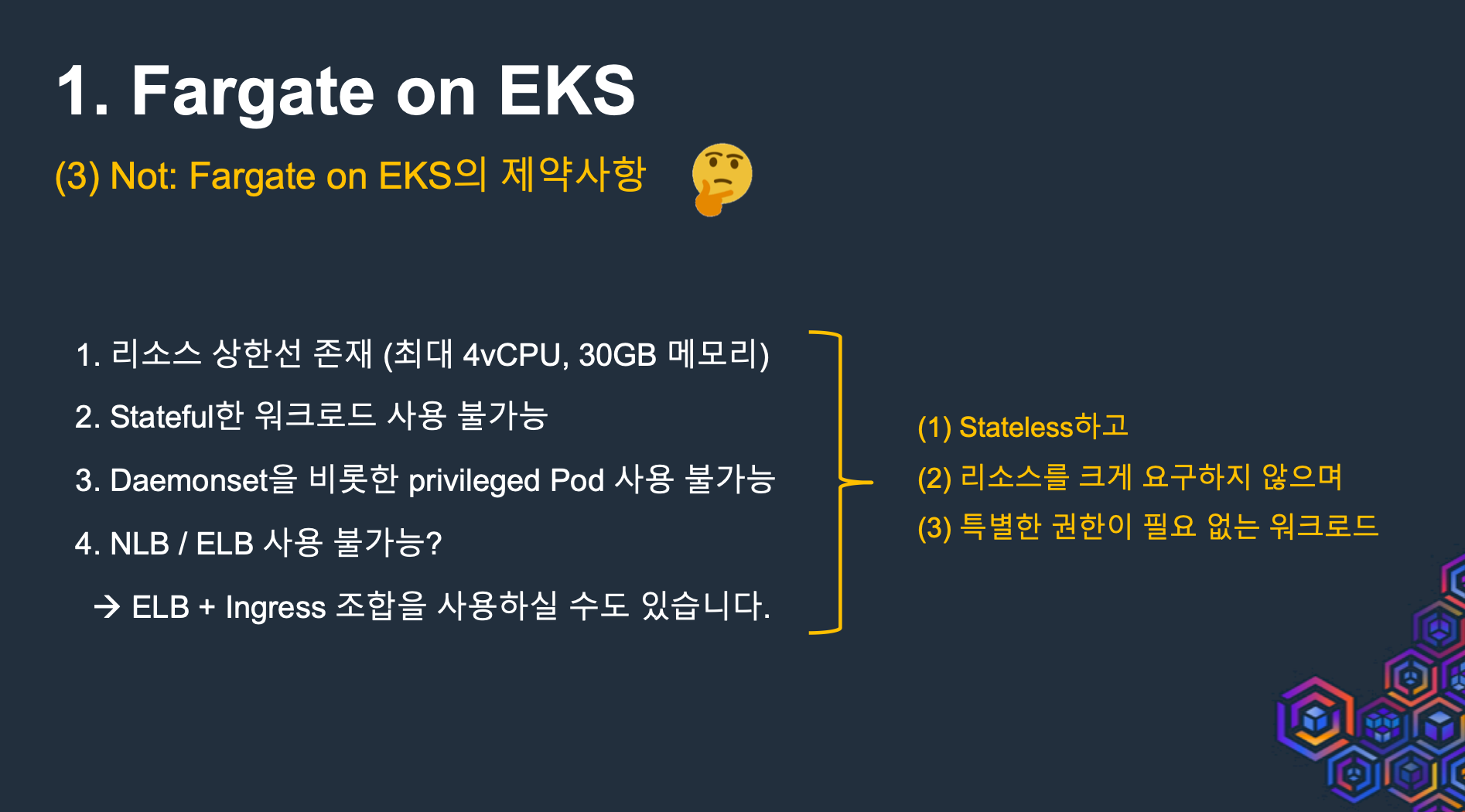
- Fargate on EKS의 제약사항 (리소스 상한선, Stateful 미지원, privileged pod 사용불가)
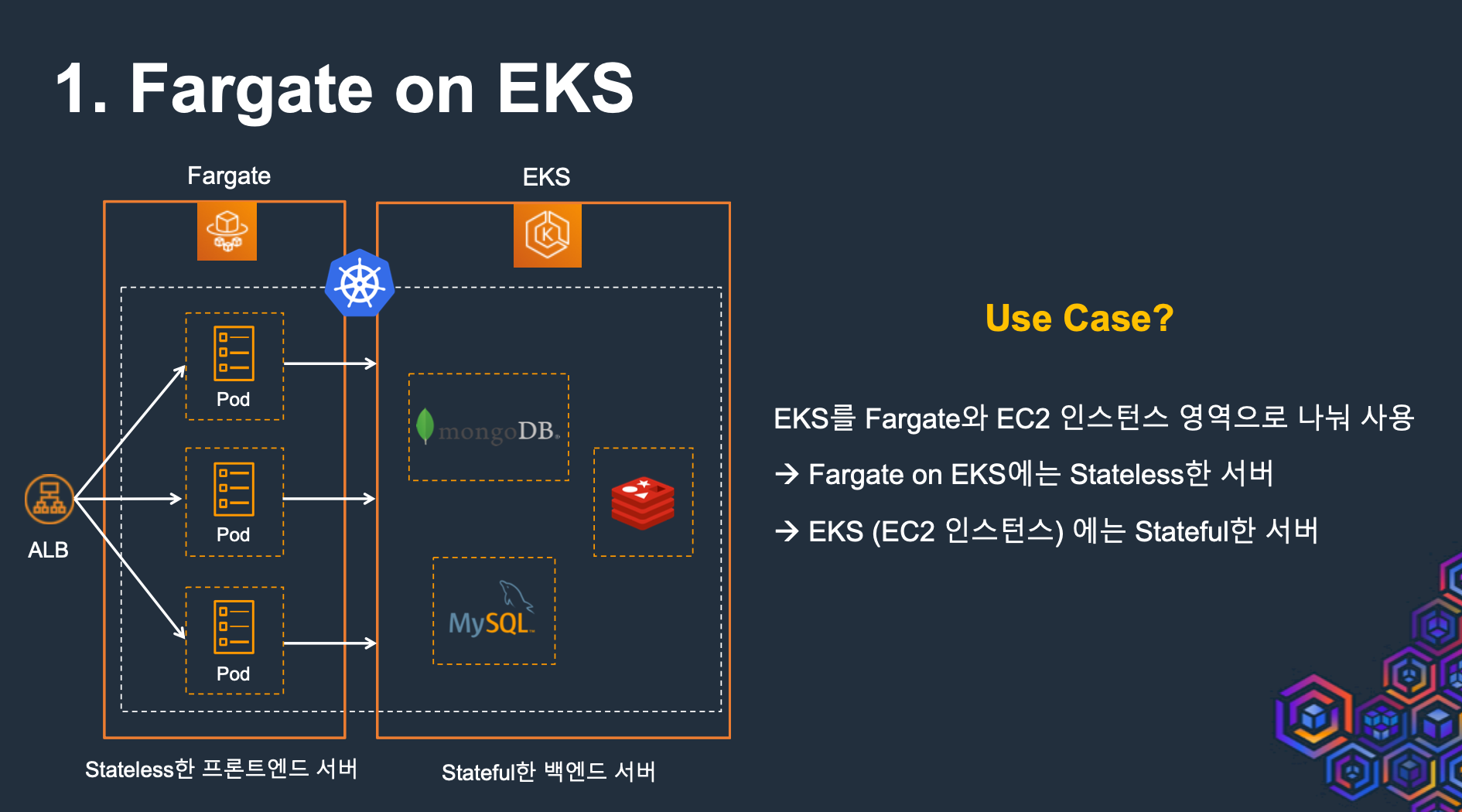
- Fargate 사용 사례 : Stateless한 Frontend 서버
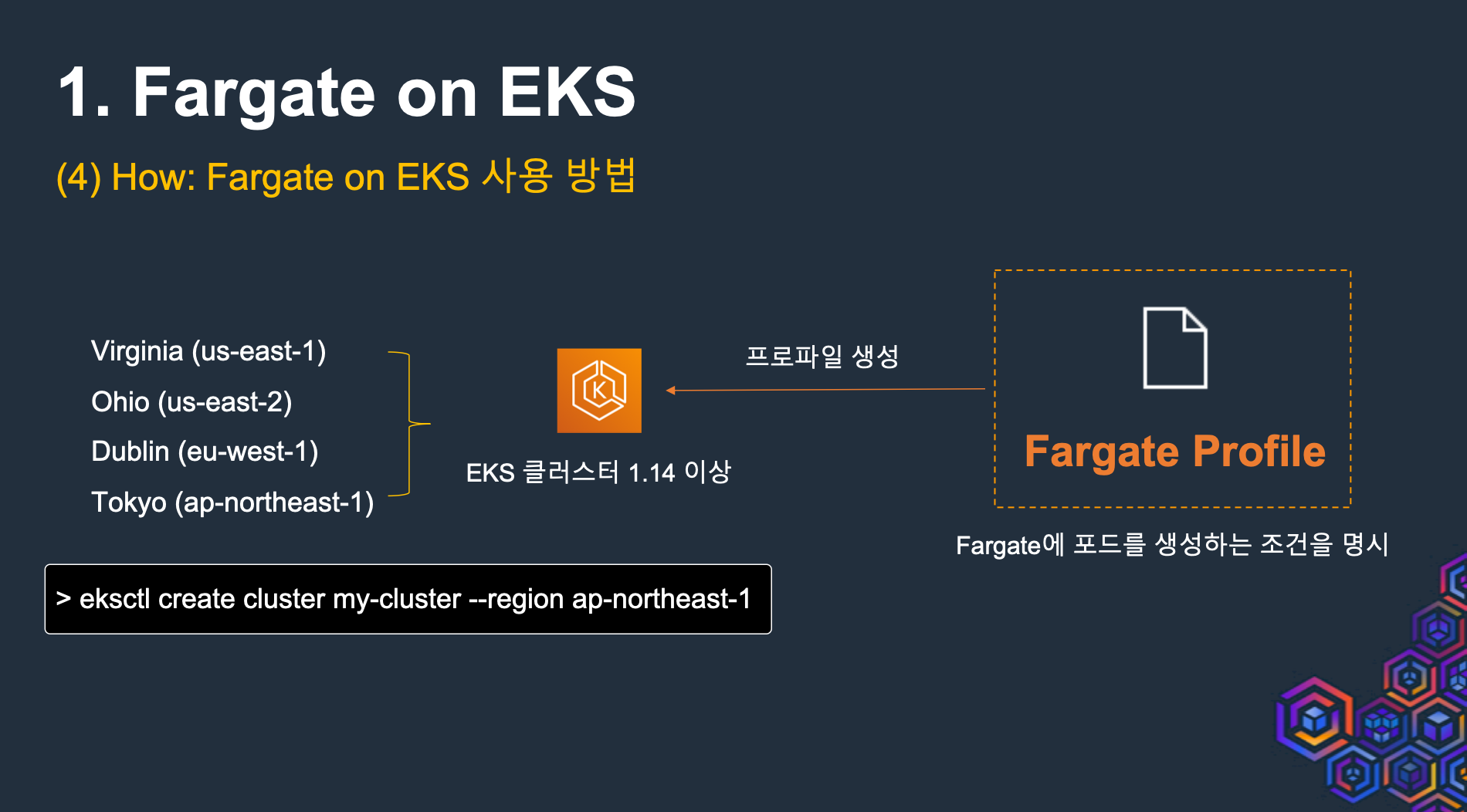
- Fargate on EKS 사용 방법 - 서울리전 사용가능
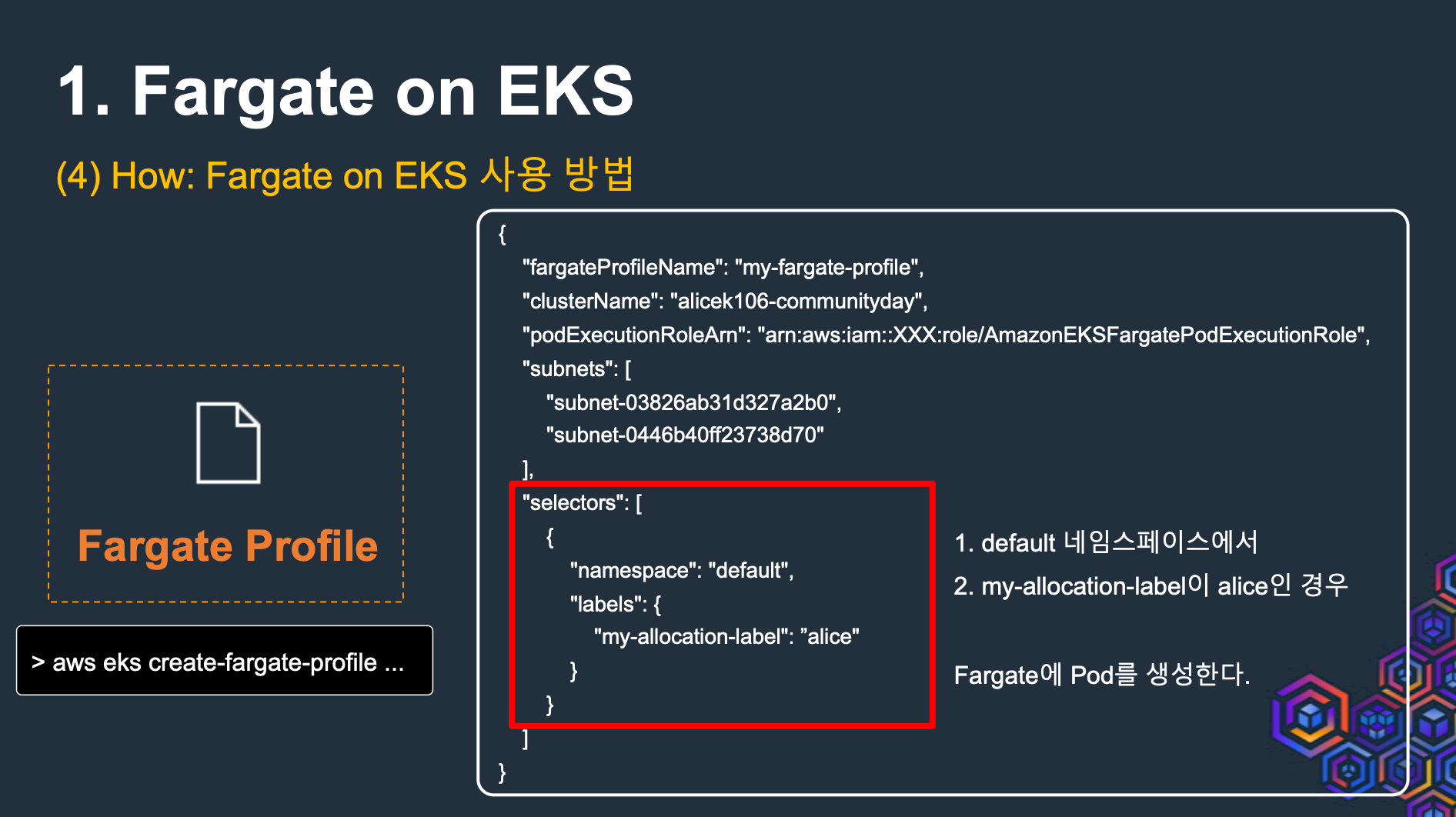
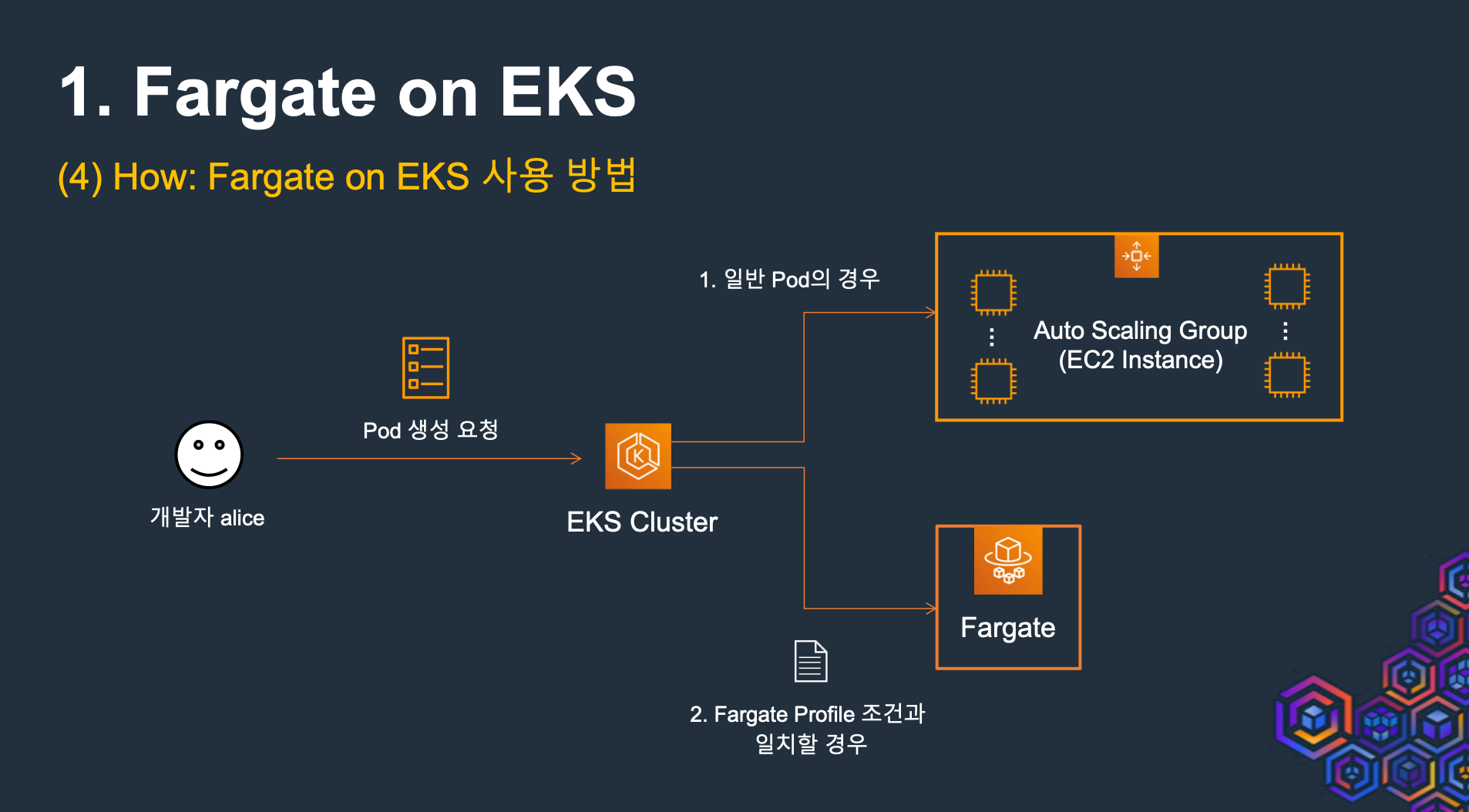
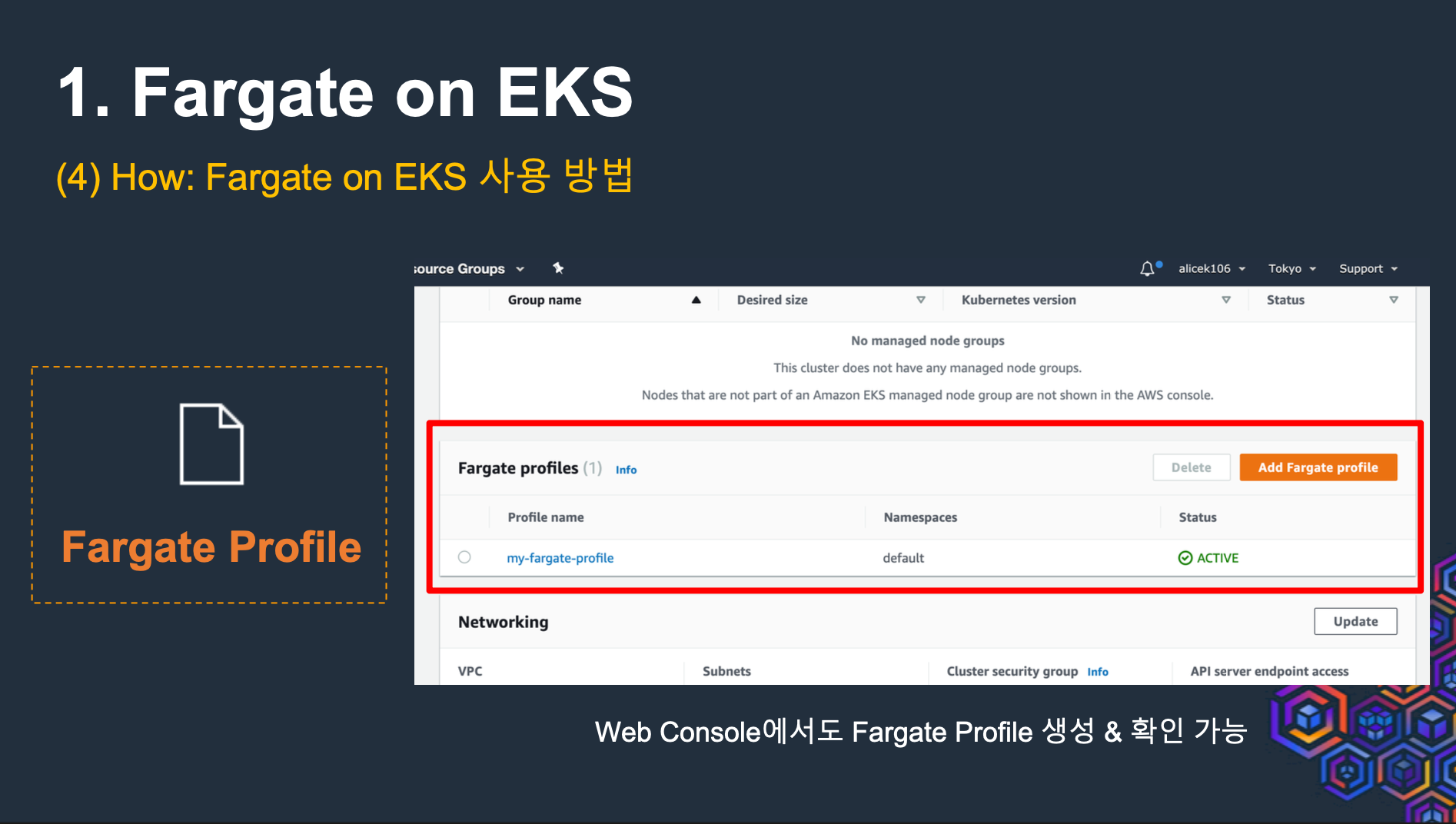
- Fargate on EKS 내부 구조 - 노드와 Pod IP 동일
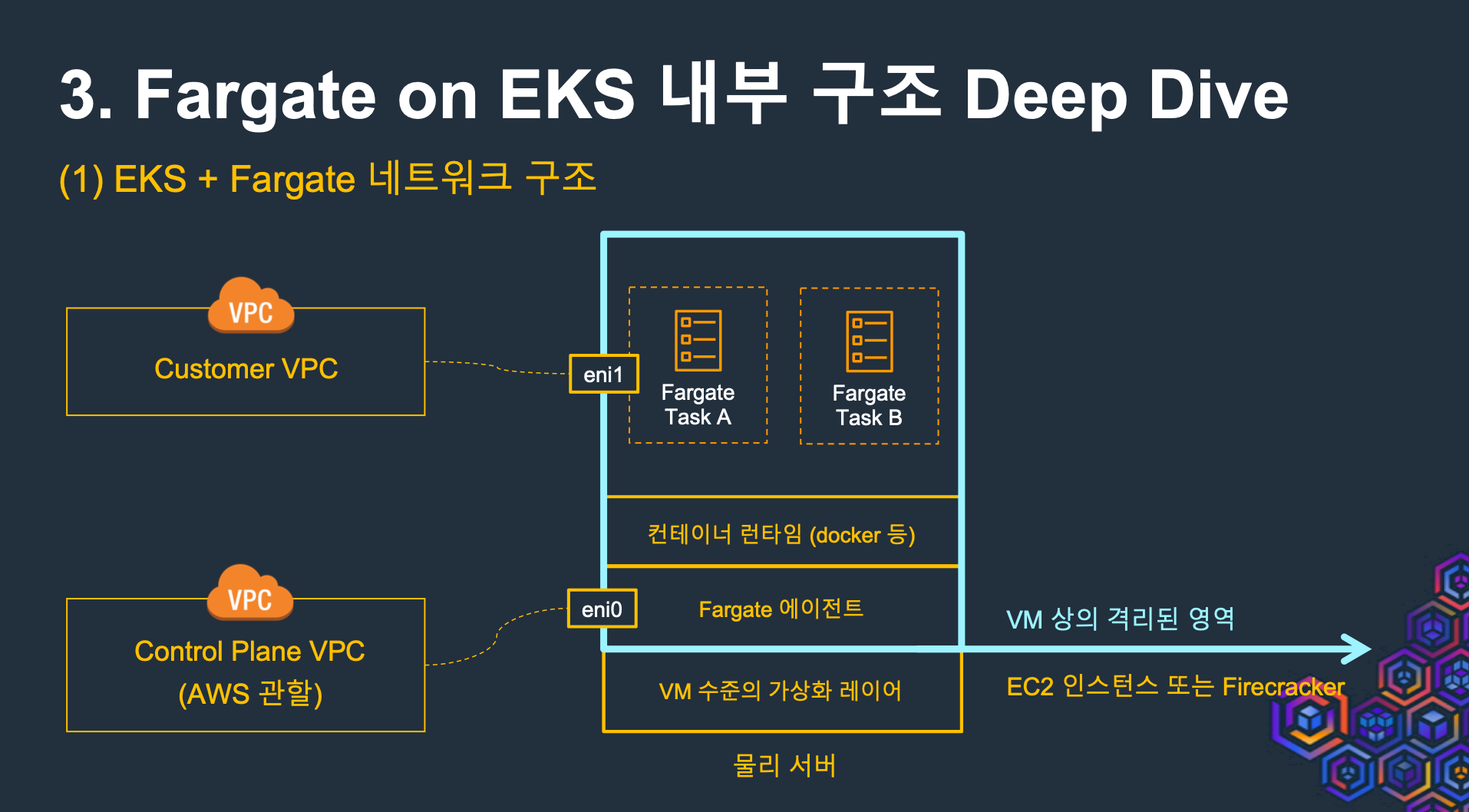
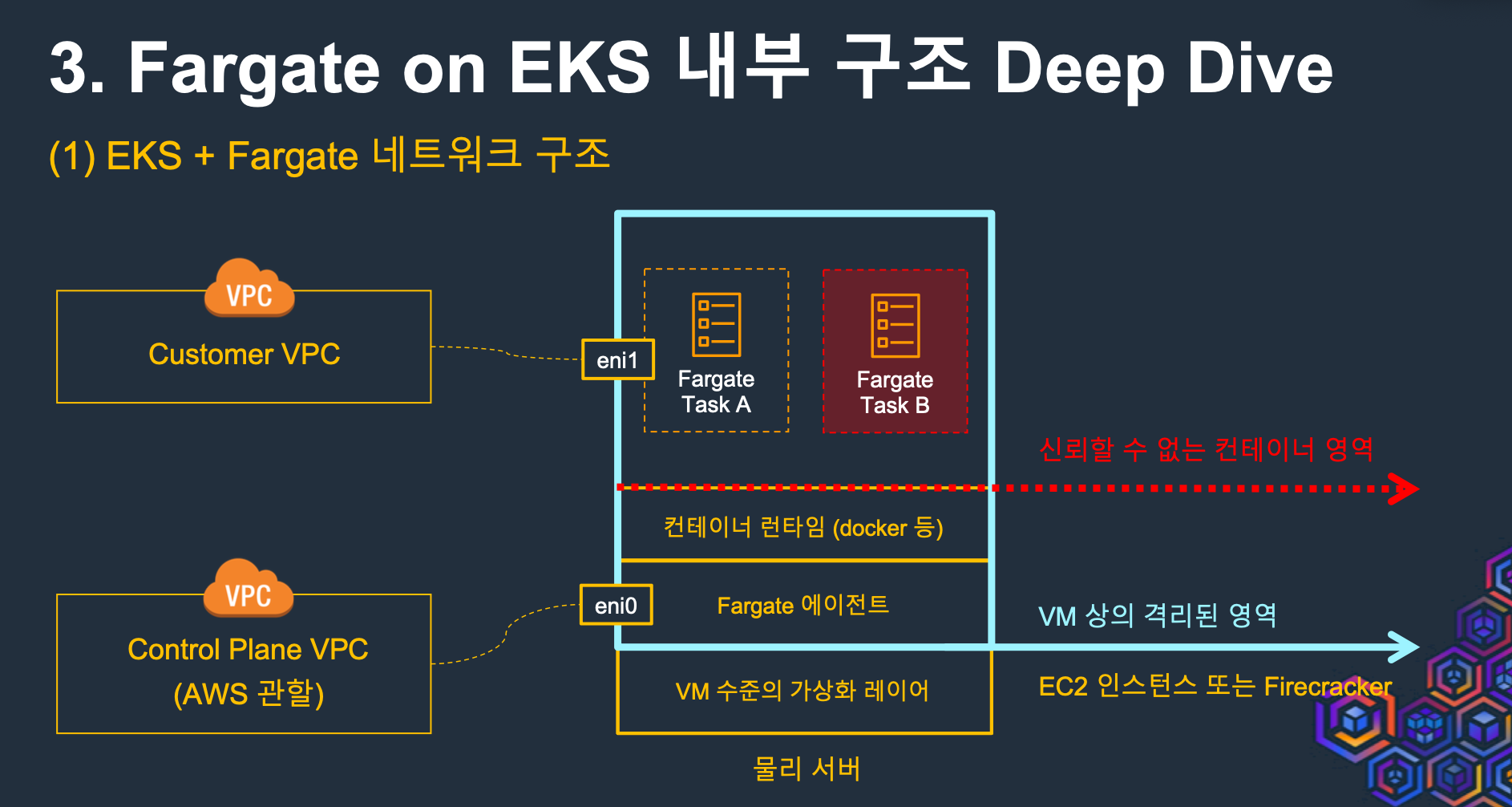
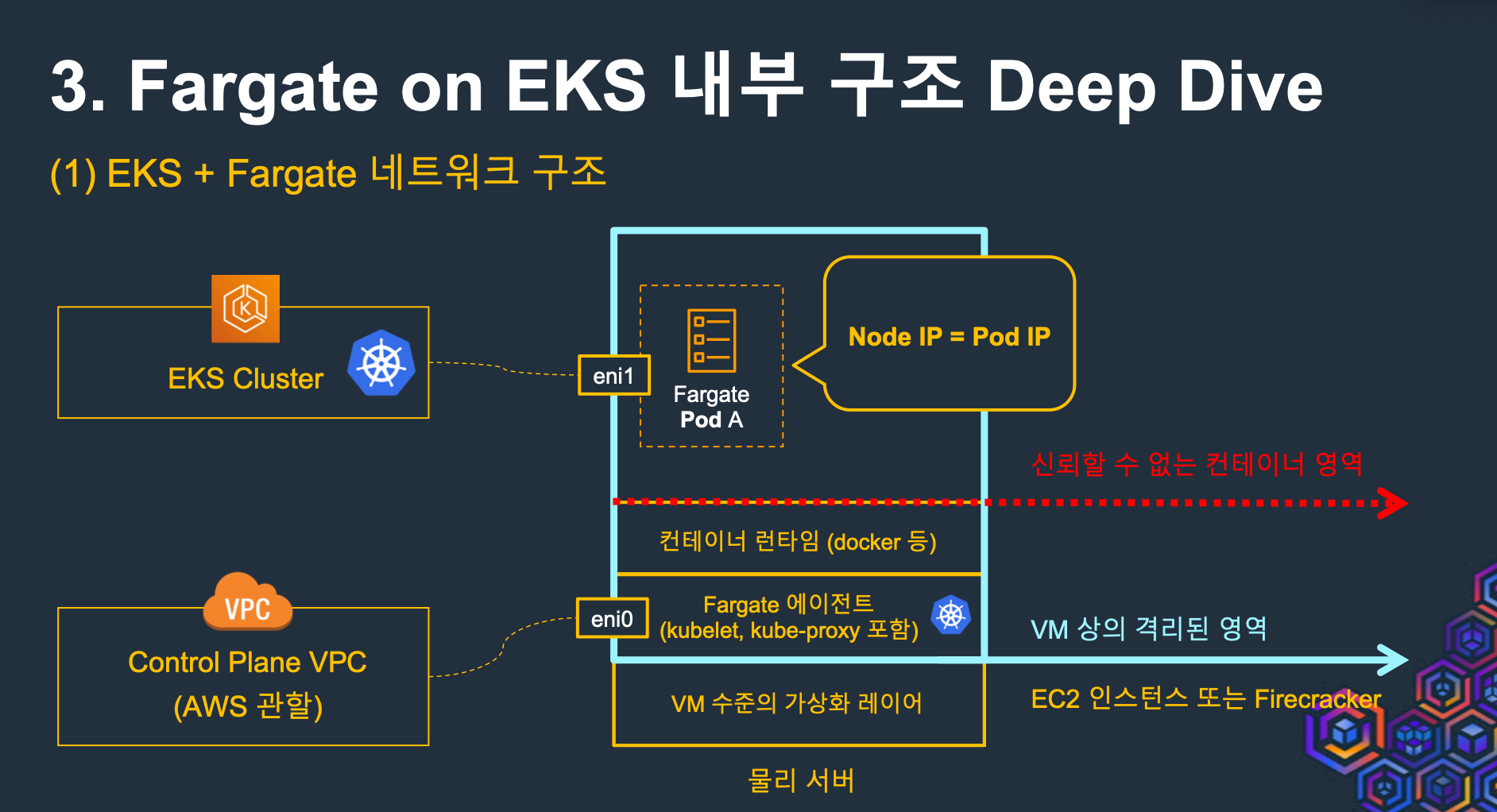
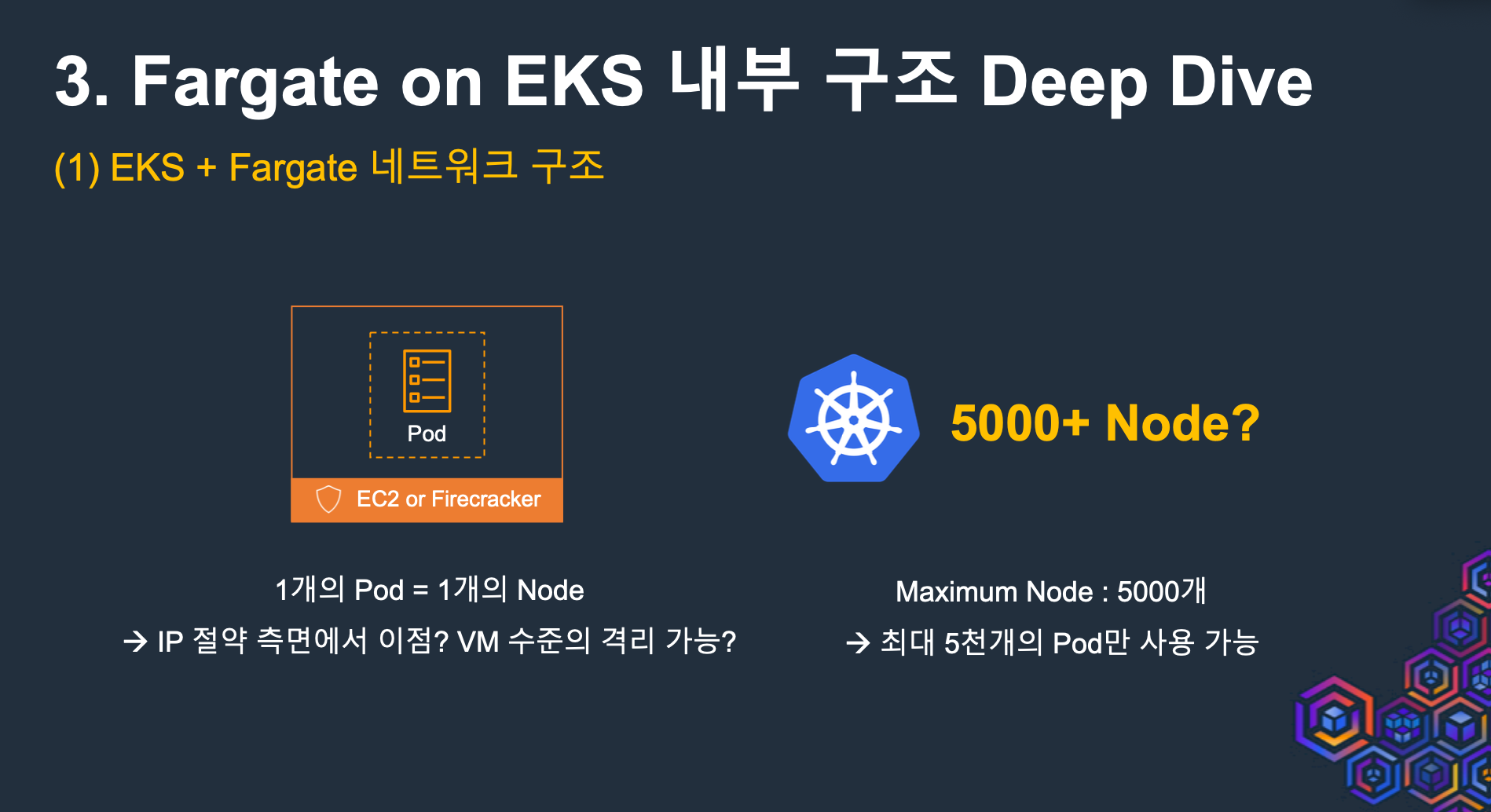
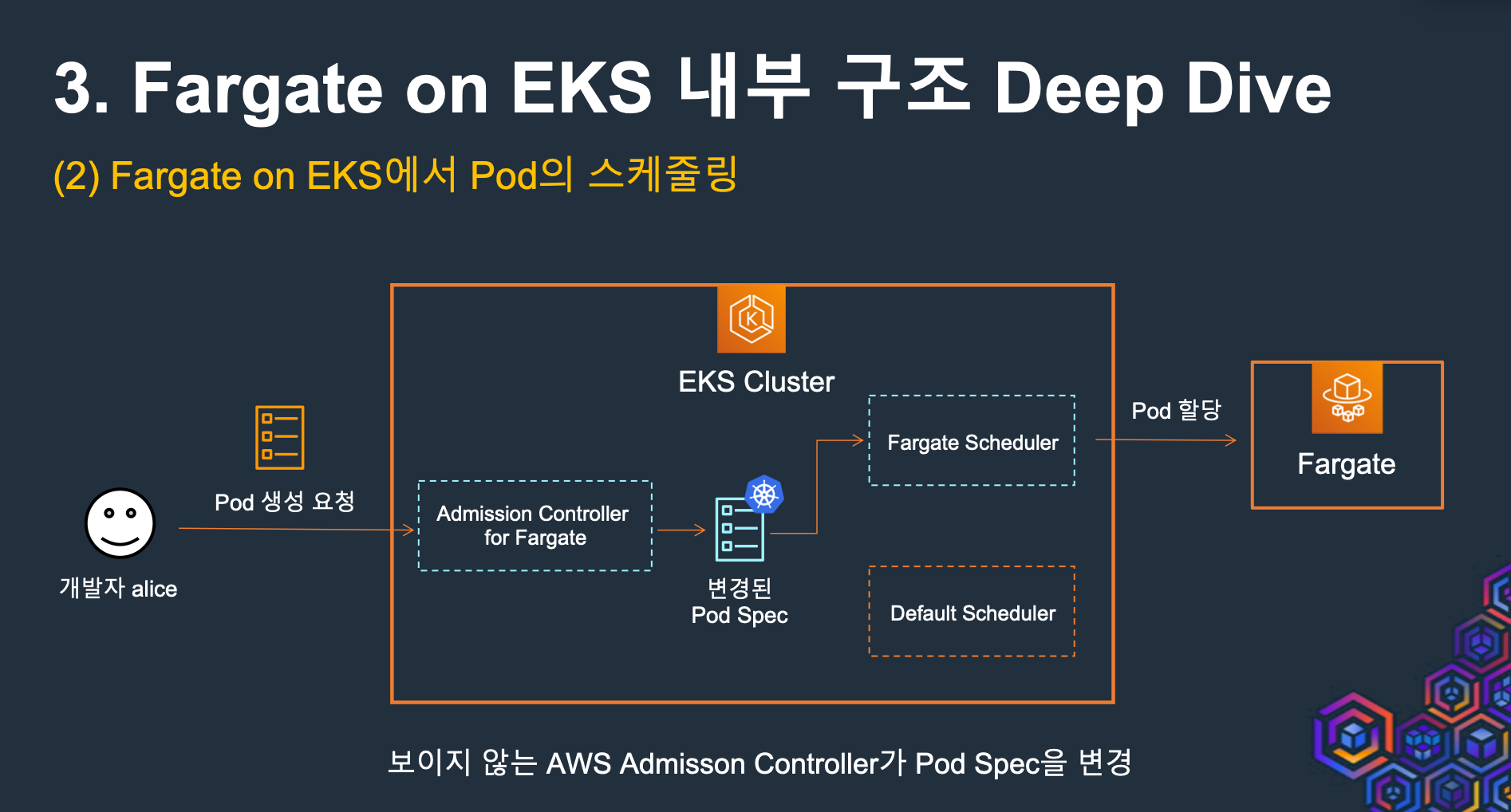
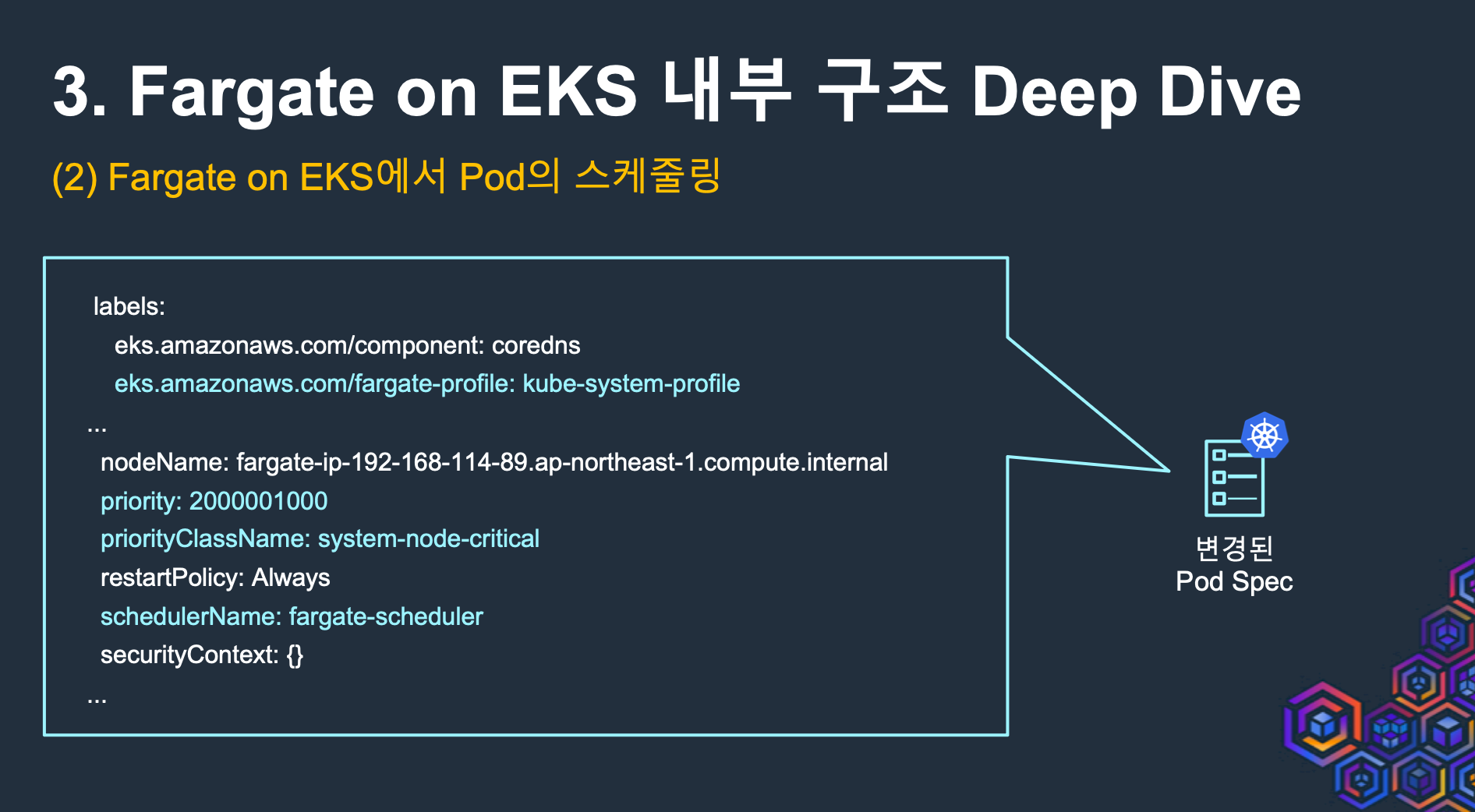
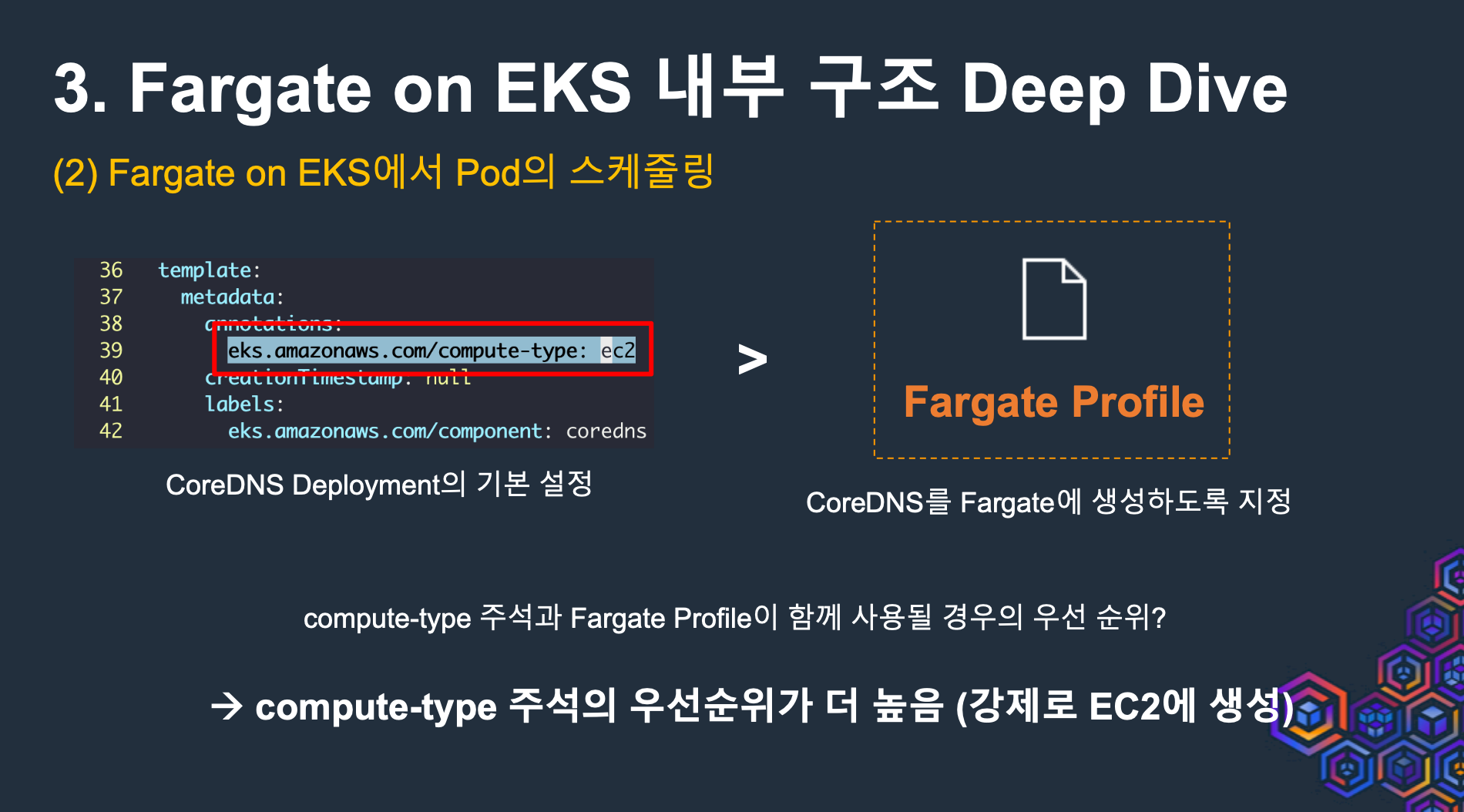
- 보이지 않는 AWS Admission Controller가 Pod Spec을 변경
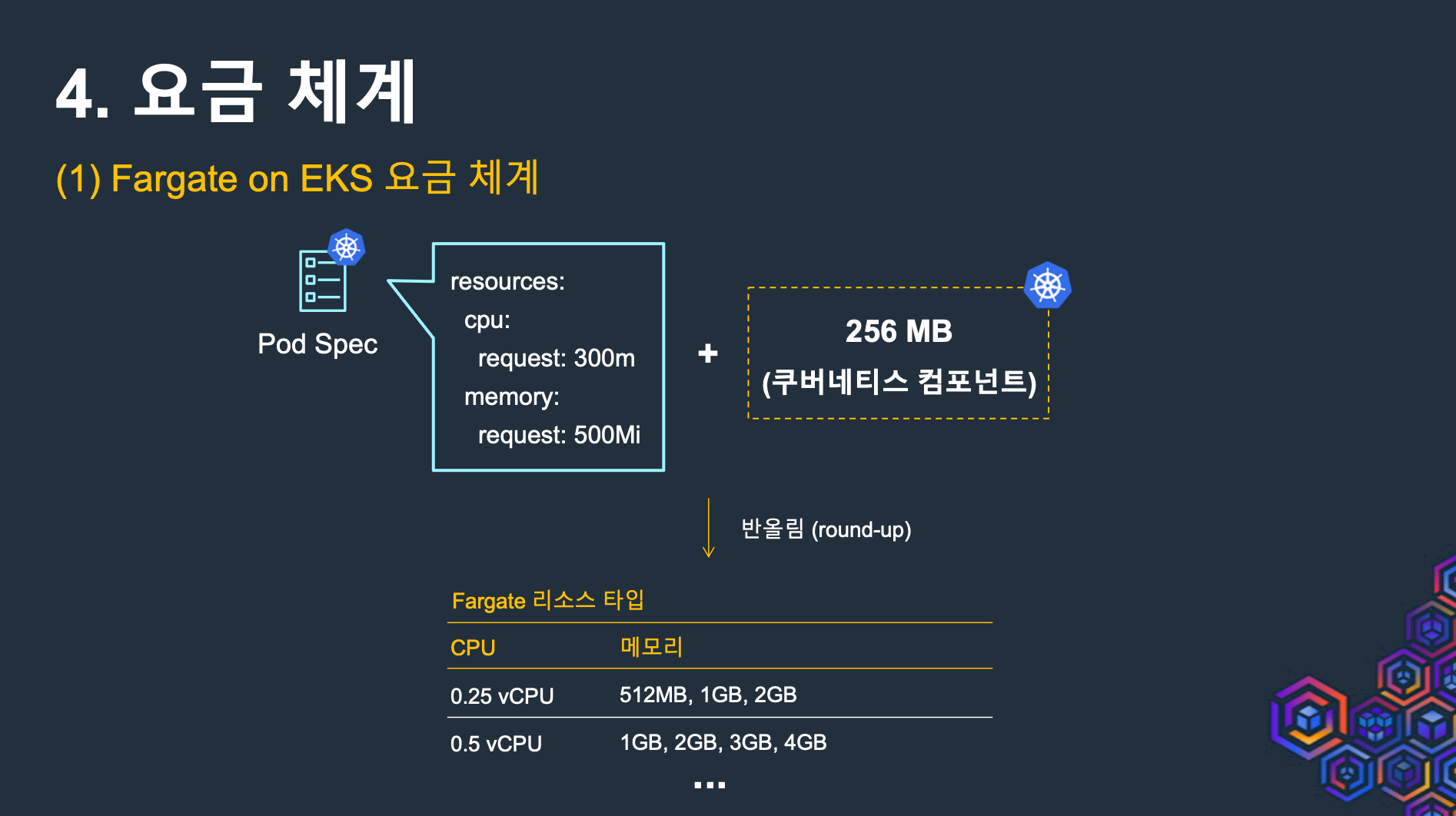
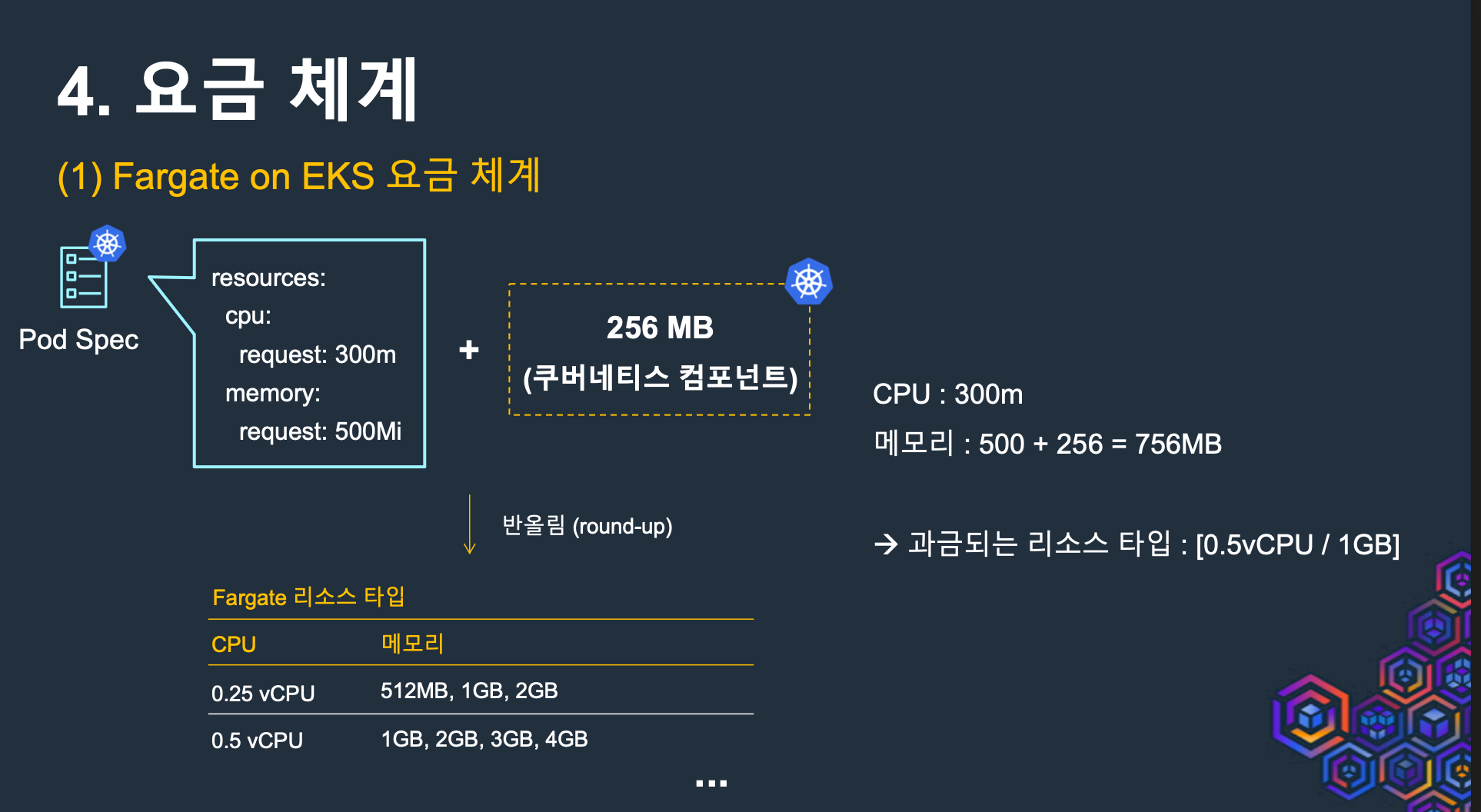
- 요금 체계
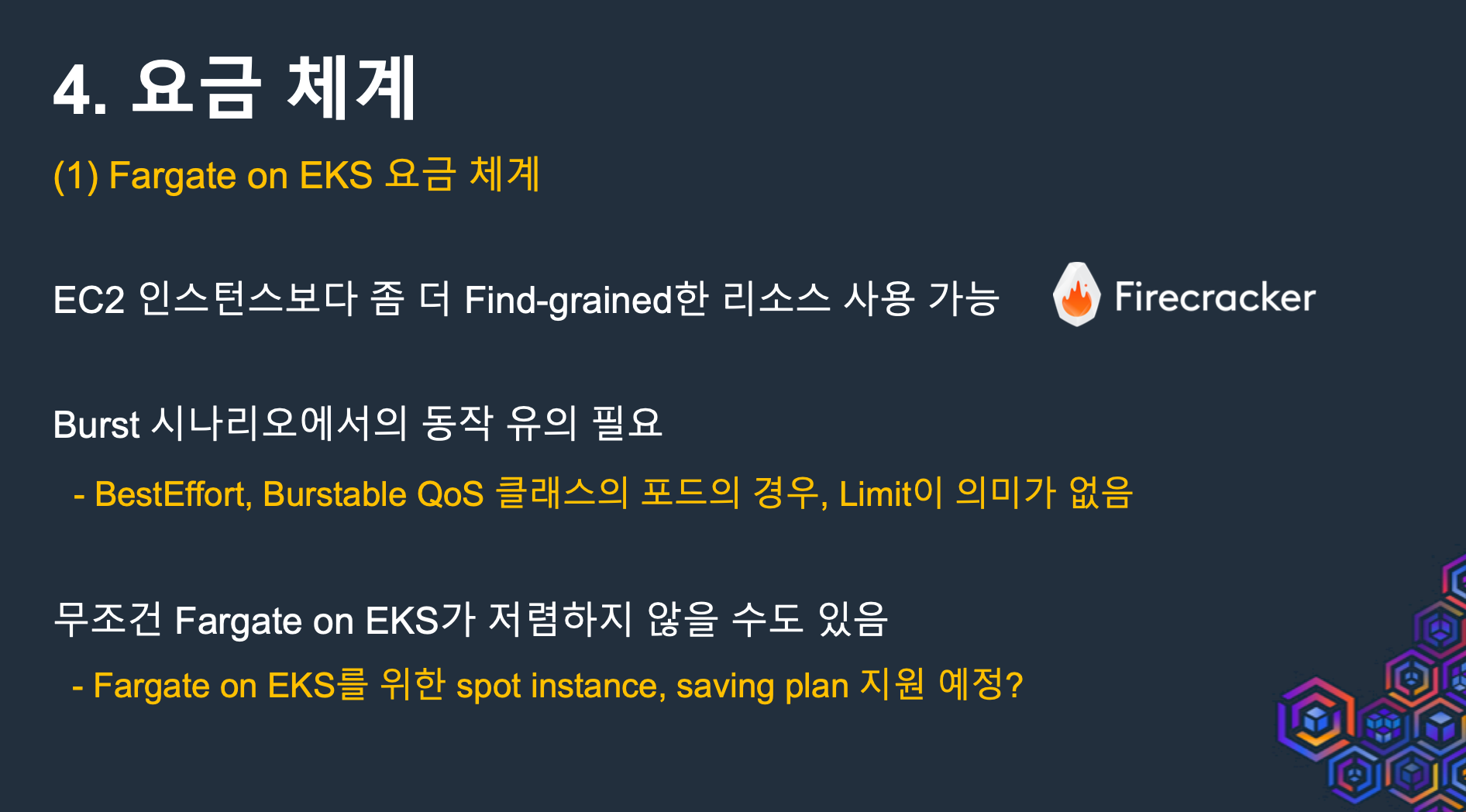
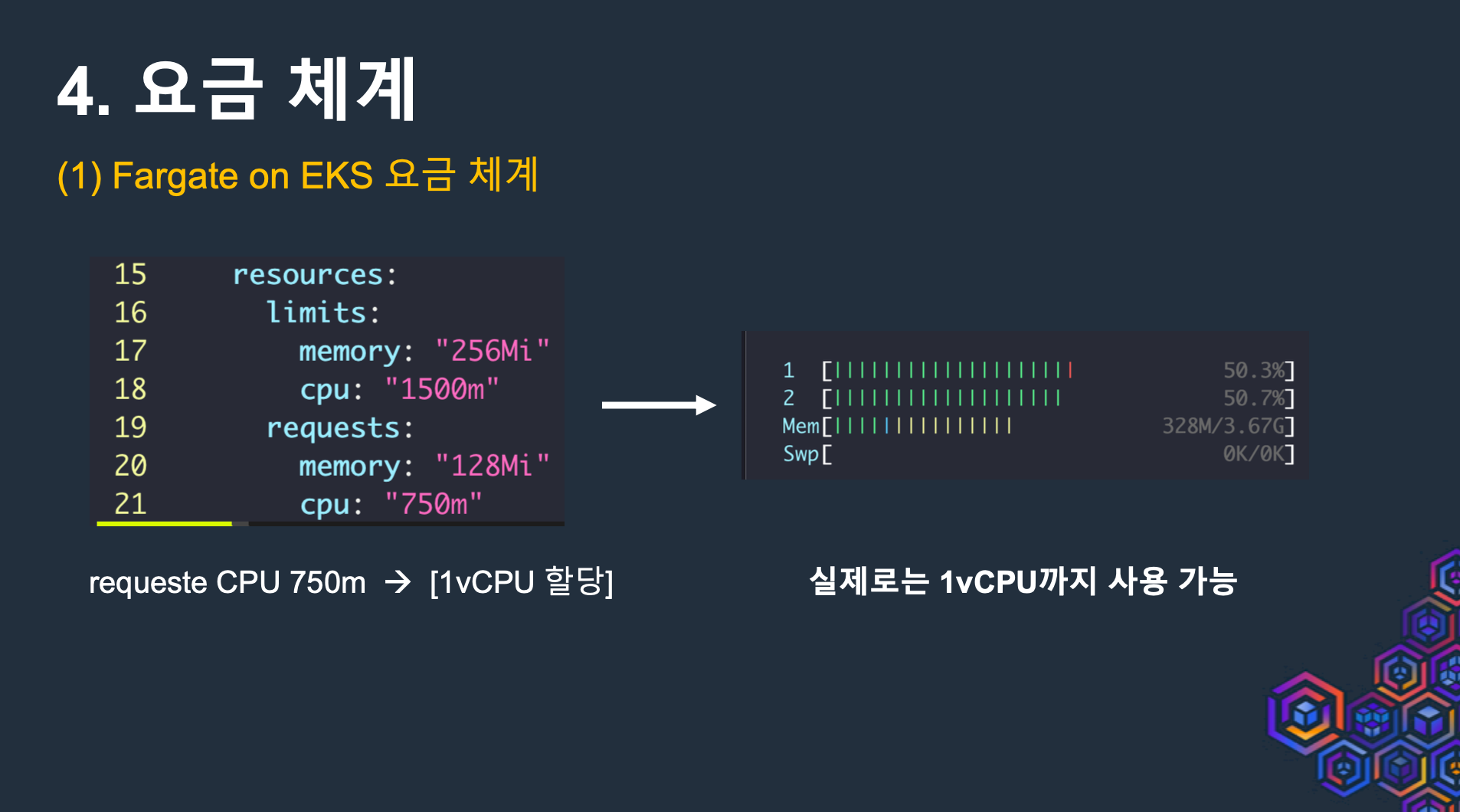
- Control Plane + Data Plane의 완전한 서버리스화
- 결론
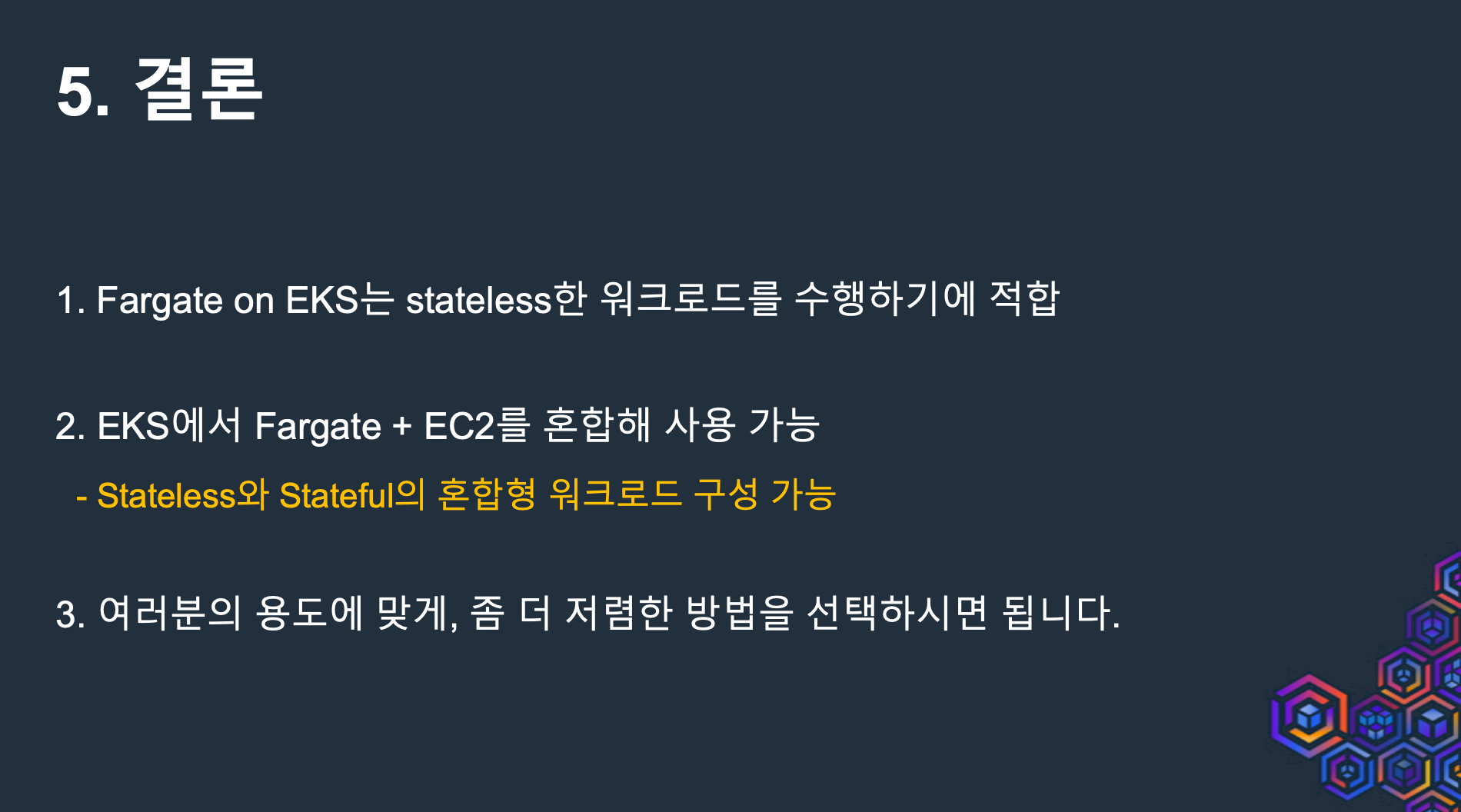
2.4 Fargate 아키텍처
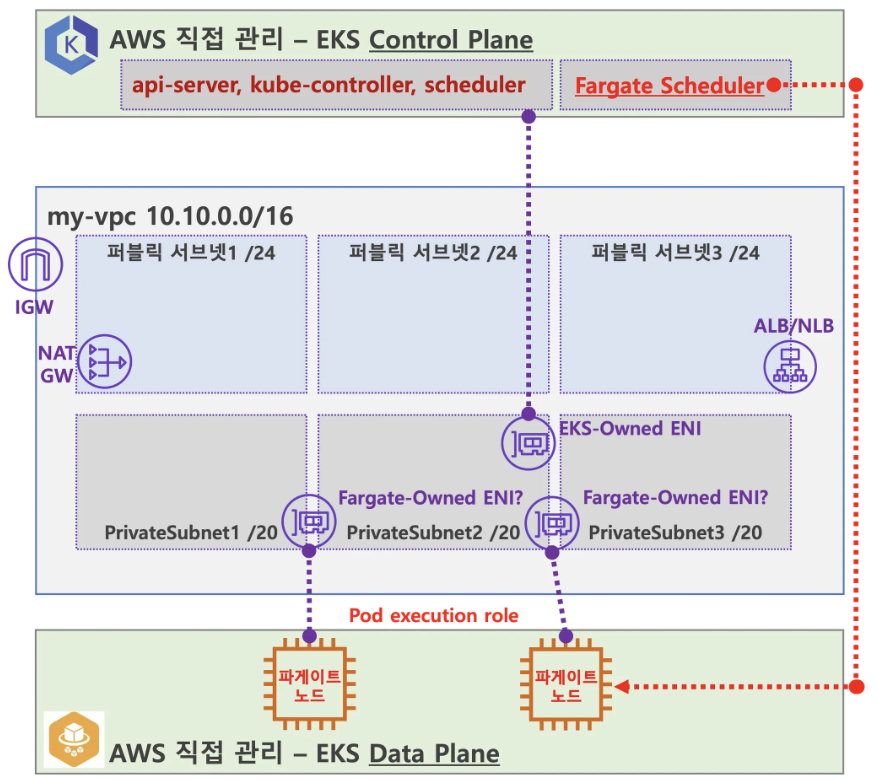
- EKS Control Plane, EKS Data Plane을 AWS에서 직접관리, User VPC엔 EKS-Owned ENI와 Fargate-Owned ENI 존재(?), 추가적으로 Fargate Scheduler 추가 됨
- 사용자에게 보이지 않지만, Fargate Scheduler(Controller 추정)가 EKS Control Plane 에서 동작.
- fargate Scheduler(controller) 에 필요한 IAM Role(Policy)는 AWS에서 알아서 관리 하는 것으로 보임. 설치 시에 별도 설정 없음.
- Fargate에 의해서 배포된 파드(노드 당 1개 파드)에 ENI는 사용자의 VPC 영역 내에 속하여, Fargate-Owned ENI로 추정.
- 파드(노드)에 필요 IAM Role(Policy)는 Fargate 설치 시에 설정 필요함. 필요 시 파드에 IRSA 추가 설정 가능.
- 파드가 외부 통신 시에는 → NATGW(공인 IP로 SNAT) ⇒ IGW(외부 인터넷)
- 만약 파드가 퍼블릭 서브넷이 있을 경우 공인IP 비용 부과 및 외부 침입 시도가 빈번할듯..
- 외부에서 파드 내부로 인입 요청 시에는 → ALB/NLB ⇒ Fargate-Owned ENI 에 연결된 Fargate 파드(노드)로 전달
- 사용자에게 보이지 않지만, Fargate Scheduler(Controller 추정)가 EKS Control Plane 에서 동작.
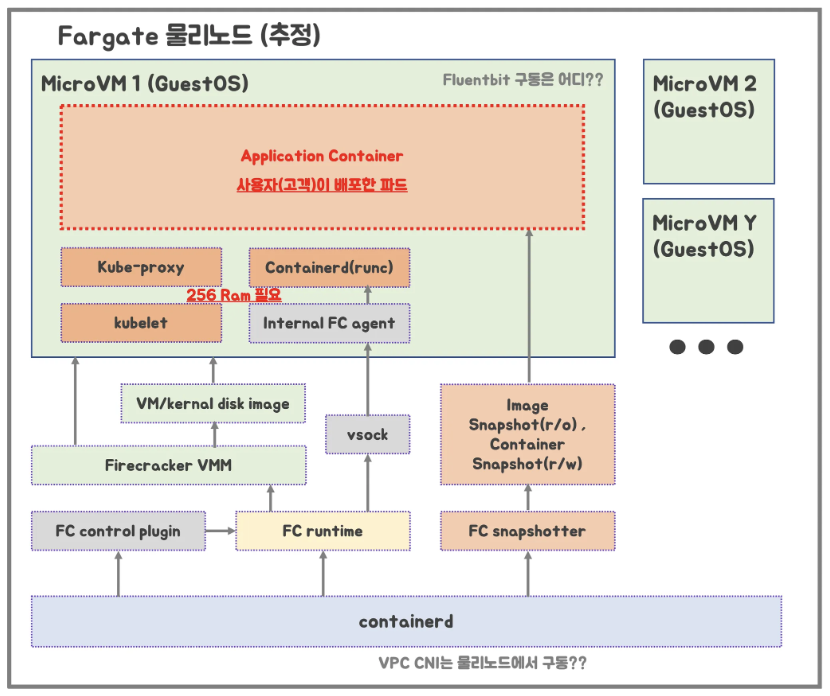
- Fargate 물리노드 (추정)
- firecracker-containerd 를 통하여 MicroVM(Application 컨테이너)를 배포.
- VMM을 통해서 MicroVM을 배포하고, FC Snapshotter 를 통해서 Application Container 의 이미지를 구현.
- MicroVM 마다 ‘Kubelet, Kube-proxy, Containerd’ 가 동작하여, 256 RAM 반드시 필요.
- 사용자가 생성한 VPC에 보이는 ENI는 Application Containter 와 직접 매핑되어 있는 것으로 추정
2.5 Fargate 제약사항 및 고려사항
- 데몬셋은 Fargate에서 지원되지 않습니다. 애플리케이션에 데몬이 필요한 경우 해당 데몬을 포드에서 사이드카 컨테이너로 실행하도록 재구성합니다.
- Fargate에서는 특권 컨테이너(Privileged containers)가 지원되지 않습니다.
- Fargate에서 실행되는 포드는 포드 매니페스트에서 HostPort 또는 HostNetwork를 지정할 수 없습니다.
- 현재 Fargate에서는 GPU를 사용할 수 없습니다.
- Can run workloads that require Arm processors 미지원.
- Can SSH into node 미지원
- Fargate에서 실행되는 포드는 AWS 서비스에 대한 NAT 게이트웨이 액세스 권한이 있는 private 서브넷에서만 지원됨
- 포드에는 Amazon EC2 인스턴스 메타데이터 서비스(IMDS)를 사용할 수 없습니다
- 대체 CNI 플러그인을 사용할 수 없습니다.
- EFS 동적 영구 볼륨 프로비저닝을 사용할 수 없음.
- Fargate Spot을 지원하지 않음
- EBS 볼륨을 Fargate 포드에 마운트할 수 없음
- Fargate does not currently support Kubernetes topologySpreadConstraints.
- Can run containers on Amazon EC2 dedicated hosts 미지원
- Can run AWS Bottlerocket 미지원
- Fargate Pods run with guaranteed priority, so the requested CPU and memory must be equal to the limit for all of the containers.
- Fargate는 필요한 Kubernetes 구성 요소(kubelet, kube-proxy, and containerd에 대해 각 Pod의 메모리 예약에 256MB를 추가합니다.
- 프로비저닝되면 Fargate에서 실행되는 각 Pod는 기본적으로 20 GiB의 임시 저장소를 받게 됩니다. 임시 저장소의 총 양을 최대 175 GiB까지 늘릴 수 있습니다.
- Fargate의 Amazon EKS는 Fluent Bit 기반의 내장 로그 라우터를 제공합니다. 즉, Fluent Bit 컨테이너를 사이드카로 명시적으로 실행하지 않고 Amazon에서 실행합니다
2.6 Fargate 실습
2.6.1 Terraform 이용하여 환경구성
- 테라폼으로 실습환경 배포 : EKS, fargate profile
# 소스 다운로드
git clone https://github.com/aws-ia/terraform-aws-eks-blueprints
tree terraform-aws-eks-blueprints/patterns
├── fargate-serverless
│   ├── README.md
│   ├── main.tf
│   ├── outputs.tf
│   ├── variables.tf
│   └── versions.tf
cd terraform-aws-eks-blueprints/patterns/fargate-serverless- main.tf 수정 : 리전 등 일부 실습 편리를 위해 수정, Sample App 배포 부분 삭제
provider "aws" {
  region = local.region
}

provider "kubernetes" {
  host                   = module.eks.cluster_endpoint
  cluster_ca_certificate = base64decode(module.eks.cluster_certificate_authority_data)

  exec {
    api_version = "client.authentication.k8s.io/v1beta1"
    command     = "aws"
    # This requires the awscli to be installed locally where Terraform is executed
    args = ["eks", "get-token", "--cluster-name", module.eks.cluster_name]
  }
}

provider "helm" {
  kubernetes {
    host                   = module.eks.cluster_endpoint
    cluster_ca_certificate = base64decode(module.eks.cluster_certificate_authority_data)

    exec {
      api_version = "client.authentication.k8s.io/v1beta1"
      command     = "aws"
      # This requires the awscli to be installed locally where Terraform is executed
      args = ["eks", "get-token", "--cluster-name", module.eks.cluster_name]
    }
  }
}

data "aws_availability_zones" "available" {
  # Do not include local zones
  filter {
    name   = "opt-in-status"
    values = ["opt-in-not-required"]
  }
}

locals {
  name     = basename(path.cwd)
  region   = "ap-northeast-2"

  vpc_cidr = "10.10.0.0/16"
  azs      = slice(data.aws_availability_zones.available.names, 0, 3)

  tags = {
    Blueprint  = local.name
    GithubRepo = "github.com/aws-ia/terraform-aws-eks-blueprints"
  }
}

################################################################################
# Cluster
################################################################################

module "eks" {
  source  = "terraform-aws-modules/eks/aws"
  version = "~> 20.11"

  cluster_name                   = local.name
  cluster_version                = "1.30"
  cluster_endpoint_public_access = true

  # Give the Terraform identity admin access to the cluster
  # which will allow resources to be deployed into the cluster
  enable_cluster_creator_admin_permissions = true

  vpc_id     = module.vpc.vpc_id
  subnet_ids = module.vpc.private_subnets

  # Fargate profiles use the cluster primary security group so these are not utilized
  create_cluster_security_group = false
  create_node_security_group    = false

  fargate_profiles = {
    study_wildcard = {
      selectors = [
        { namespace = "study-*" }
      ]
    }
    kube_system = {
      name = "kube-system"
      selectors = [
        { namespace = "kube-system" }
      ]
    }
  }

  fargate_profile_defaults = {
    iam_role_additional_policies = {
      additional = module.eks_blueprints_addons.fargate_fluentbit.iam_policy[0].arn
    }
  }

  tags = local.tags
}

################################################################################
# EKS Blueprints Addons
################################################################################

module "eks_blueprints_addons" {
  source  = "aws-ia/eks-blueprints-addons/aws"
  version = "~> 1.16"

  cluster_name      = module.eks.cluster_name
  cluster_endpoint  = module.eks.cluster_endpoint
  cluster_version   = module.eks.cluster_version
  oidc_provider_arn = module.eks.oidc_provider_arn

  # We want to wait for the Fargate profiles to be deployed first
  create_delay_dependencies = [for prof in module.eks.fargate_profiles : prof.fargate_profile_arn]

  # EKS Add-ons
  eks_addons = {
    coredns = {
      configuration_values = jsonencode({
        computeType = "Fargate"
        # Ensure that the we fully utilize the minimum amount of resources that are supplied by
        # Fargate https://docs.aws.amazon.com/eks/latest/userguide/fargate-pod-configuration.html
        # Fargate adds 256 MB to each pod's memory reservation for the required Kubernetes
        # components (kubelet, kube-proxy, and containerd). Fargate rounds up to the following
        # compute configuration that most closely matches the sum of vCPU and memory requests in
        # order to ensure pods always have the resources that they need to run.
        resources = {
          limits = {
            cpu = "0.25"
            # We are targeting the smallest Task size of 512Mb, so we subtract 256Mb from the
            # request/limit to ensure we can fit within that task
            memory = "256M"
          }
          requests = {
            cpu = "0.25"
            # We are targeting the smallest Task size of 512Mb, so we subtract 256Mb from the
            # request/limit to ensure we can fit within that task
            memory = "256M"
          }
        }
      })
    }
    vpc-cni    = {}
    kube-proxy = {}
  }

  # Enable Fargate logging this may generate a large ammount of logs, disable it if not explicitly required
  enable_fargate_fluentbit = true
  fargate_fluentbit = {
    flb_log_cw = true
  }

  enable_aws_load_balancer_controller = true
  aws_load_balancer_controller = {
    set = [
      {
        name  = "vpcId"
        value = module.vpc.vpc_id
      },
      {
        name  = "podDisruptionBudget.maxUnavailable"
        value = 1
      },
    ]
  }

  tags = local.tags
}

################################################################################
# Supporting Resources
################################################################################

module "vpc" {
  source  = "terraform-aws-modules/vpc/aws"
  version = "~> 5.0"

  name = local.name
  cidr = local.vpc_cidr

  azs             = local.azs
  private_subnets = [for k, v in local.azs : cidrsubnet(local.vpc_cidr, 4, k)]
  public_subnets  = [for k, v in local.azs : cidrsubnet(local.vpc_cidr, 8, k + 48)]

  enable_nat_gateway = true
  single_nat_gateway = true

  public_subnet_tags = {
    "kubernetes.io/role/elb" = 1
  }

  private_subnet_tags = {
    "kubernetes.io/role/internal-elb" = 1
  }

  tags = local.tags
}
# init 초기화
terraform init
tree .terraform
cat .terraform/modules/modules.json | jq
tree .terraform/providers/registry.terraform.io/hashicorp -L 2
# plan
terraform plan- EKS 배포 : 10여분 소요. 1.30 과 1.31 가능
# 배포 : EKS, Add-ons, fargate profile - 13분 소요
terraform apply -target="module.eks" -auto-approve
terraform apply -target="module.eks_blueprints_addons" -auto-approve
terraform apply -auto-approve

# 배포 완료 후 확인
terraform state list
data.aws_availability_zones.available
module.eks.data.aws_caller_identity.current[0]
module.eks.data.aws_iam_policy_document.assume_role_policy[0]
module.eks.data.aws_iam_policy_document.custom[0]
module.eks.data.aws_iam_session_context.current[0]
module.eks.data.aws_partition.current[0]
module.eks.data.tls_certificate.this[0]
module.eks.aws_cloudwatch_log_group.this[0]
module.eks.aws_ec2_tag.cluster_primary_security_group["Blueprint"]
module.eks.aws_ec2_tag.cluster_primary_security_group["GithubRepo"]
module.eks.aws_eks_access_entry.this["cluster_creator"]
module.eks.aws_eks_access_policy_association.this["cluster_creator_admin"]
module.eks.aws_eks_cluster.this[0]
module.eks.aws_iam_openid_connect_provider.oidc_provider[0]
module.eks.aws_iam_policy.cluster_encryption[0]
module.eks.aws_iam_policy.custom[0]
module.eks.aws_iam_role.this[0]
module.eks.aws_iam_role_policy_attachment.cluster_encryption[0]
module.eks.aws_iam_role_policy_attachment.custom[0]
module.eks.aws_iam_role_policy_attachment.this["AmazonEKSClusterPolicy"]
module.eks.aws_iam_role_policy_attachment.this["AmazonEKSVPCResourceController"]
module.eks.time_sleep.this[0]
module.eks_blueprints_addons.data.aws_caller_identity.current
module.eks_blueprints_addons.data.aws_eks_addon_version.this["coredns"]
module.eks_blueprints_addons.data.aws_eks_addon_version.this["kube-proxy"]
module.eks_blueprints_addons.data.aws_eks_addon_version.this["vpc-cni"]
module.eks_blueprints_addons.data.aws_iam_policy_document.aws_load_balancer_controller[0]
module.eks_blueprints_addons.data.aws_iam_policy_document.fargate_fluentbit[0]
module.eks_blueprints_addons.data.aws_partition.current
module.eks_blueprints_addons.data.aws_region.current
module.eks_blueprints_addons.aws_cloudformation_stack.usage_telemetry[0]
module.eks_blueprints_addons.aws_cloudwatch_log_group.fargate_fluentbit[0]
module.eks_blueprints_addons.aws_eks_addon.this["coredns"]
module.eks_blueprints_addons.aws_eks_addon.this["kube-proxy"]
module.eks_blueprints_addons.aws_eks_addon.this["vpc-cni"]
module.eks_blueprints_addons.aws_iam_policy.fargate_fluentbit[0]
module.eks_blueprints_addons.kubernetes_config_map_v1.aws_logging[0]
module.eks_blueprints_addons.kubernetes_namespace_v1.aws_observability[0]
module.eks_blueprints_addons.random_bytes.this
module.eks_blueprints_addons.time_sleep.this
module.vpc.aws_default_network_acl.this[0]
module.vpc.aws_default_route_table.default[0]
module.vpc.aws_default_security_group.this[0]
module.vpc.aws_eip.nat[0]
module.vpc.aws_internet_gateway.this[0]
module.vpc.aws_nat_gateway.this[0]
module.vpc.aws_route.private_nat_gateway[0]
module.vpc.aws_route.public_internet_gateway[0]
module.vpc.aws_route_table.private[0]
module.vpc.aws_route_table.public[0]
module.vpc.aws_route_table_association.private[0]
module.vpc.aws_route_table_association.private[1]
module.vpc.aws_route_table_association.private[2]
module.vpc.aws_route_table_association.public[0]
module.vpc.aws_route_table_association.public[1]
module.vpc.aws_route_table_association.public[2]
module.vpc.aws_subnet.private[0]
module.vpc.aws_subnet.private[1]
module.vpc.aws_subnet.private[2]
module.vpc.aws_subnet.public[0]
module.vpc.aws_subnet.public[1]
module.vpc.aws_subnet.public[2]
module.vpc.aws_vpc.this[0]
module.eks.module.fargate_profile["kube_system"].data.aws_caller_identity.current
module.eks.module.fargate_profile["kube_system"].data.aws_iam_policy_document.assume_role_policy[0]
module.eks.module.fargate_profile["kube_system"].data.aws_partition.current
module.eks.module.fargate_profile["kube_system"].data.aws_region.current
module.eks.module.fargate_profile["kube_system"].aws_eks_fargate_profile.this[0]
module.eks.module.fargate_profile["kube_system"].aws_iam_role.this[0]
module.eks.module.fargate_profile["kube_system"].aws_iam_role_policy_attachment.additional["additional"]
module.eks.module.fargate_profile["kube_system"].aws_iam_role_policy_attachment.this["AmazonEKSFargatePodExecutionRolePolicy"]
module.eks.module.fargate_profile["kube_system"].aws_iam_role_policy_attachment.this["AmazonEKS_CNI_Policy"]
module.eks.module.fargate_profile["study_wildcard"].data.aws_caller_identity.current
module.eks.module.fargate_profile["study_wildcard"].data.aws_iam_policy_document.assume_role_policy[0]
module.eks.module.fargate_profile["study_wildcard"].data.aws_partition.current
module.eks.module.fargate_profile["study_wildcard"].data.aws_region.current
module.eks.module.fargate_profile["study_wildcard"].aws_eks_fargate_profile.this[0]
module.eks.module.fargate_profile["study_wildcard"].aws_iam_role.this[0]
module.eks.module.fargate_profile["study_wildcard"].aws_iam_role_policy_attachment.additional["additional"]
module.eks.module.fargate_profile["study_wildcard"].aws_iam_role_policy_attachment.this["AmazonEKSFargatePodExecutionRolePolicy"]
module.eks.module.fargate_profile["study_wildcard"].aws_iam_role_policy_attachment.this["AmazonEKS_CNI_Policy"]
module.eks.module.kms.data.aws_caller_identity.current[0]
module.eks.module.kms.data.aws_iam_policy_document.this[0]
module.eks.module.kms.data.aws_partition.current[0]
module.eks.module.kms.aws_kms_alias.this["cluster"]
module.eks.module.kms.aws_kms_key.this[0]
module.eks_blueprints_addons.module.aws_load_balancer_controller.data.aws_caller_identity.current[0]
module.eks_blueprints_addons.module.aws_load_balancer_controller.data.aws_iam_policy_document.assume[0]
module.eks_blueprints_addons.module.aws_load_balancer_controller.data.aws_iam_policy_document.this[0]
module.eks_blueprints_addons.module.aws_load_balancer_controller.data.aws_partition.current[0]
module.eks_blueprints_addons.module.aws_load_balancer_controller.aws_iam_policy.this[0]
module.eks_blueprints_addons.module.aws_load_balancer_controller.aws_iam_role.this[0]
module.eks_blueprints_addons.module.aws_load_balancer_controller.aws_iam_role_policy_attachment.this[0]
module.eks_blueprints_addons.module.aws_load_balancer_controller.helm_release.this[0]

terraform output
configure_kubectl = "aws eks --region ap-northeast-2 update-kubeconfig --name fargate-serverless"
...

# EKS 자격증명
$(terraform output -raw configure_kubectl) # aws eks --region ap-northeast-2 update-kubeconfig --name fargate-serverless
cat ~/.kube/config

# kubectl context 변경
kubectl ctx
kubectl config rename-context "arn:aws:eks:ap-northeast-2:$(aws sts get-caller-identity --query 'Account' --output text):cluster/fargate-serverless" "fargate-lab"

# k8s 노드, 파드 정보 확인
kubectl ns default
kubectl cluster-info
kubectl get node
NAME                                                      STATUS   ROLES    AGE     VERSION
fargate-ip-10-10-37-9.ap-northeast-2.compute.internal     Ready    <none>   14m     v1.30.8-eks-2d5f260
fargate-ip-10-10-40-228.ap-northeast-2.compute.internal   Ready    <none>   9m45s   v1.30.8-eks-2d5f260
fargate-ip-10-10-44-160.ap-northeast-2.compute.internal   Ready    <none>   14m     v1.30.8-eks-2d5f260
fargate-ip-10-10-9-191.ap-northeast-2.compute.internal    Ready    <none>   9m40s   v1.30.8-eks-2d5f260

kubectl get pod -A # kube-proxy, aws-node 보이지 않음
kube-system   aws-load-balancer-controller-54468f4cc7-ddds4   1/1     Running   0          10m
kube-system   aws-load-balancer-controller-54468f4cc7-qfrpp   1/1     Running   0          10m
kube-system   coredns-64696d8b7f-7shs4                        1/1     Running   0          15m
kube-system   coredns-64696d8b7f-zqsvq                        1/1     Running   0          15m

# 상세 정보 확인
terraform show
...
terraform state list
terraform state show 'module.eks.aws_eks_cluster.this[0]'
terraform state show 'module.eks.data.tls_certificate.this[0]'
terraform state show 'module.eks.aws_cloudwatch_log_group.this[0]'
terraform state show 'module.eks.aws_eks_access_entry.this["cluster_creator"]'
terraform state show 'module.eks.aws_iam_openid_connect_provider.oidc_provider[0]'
terraform state show 'module.eks.data.aws_partition.current'
terraform state show 'module.eks.aws_iam_policy.cluster_encryption[0]'
terraform state show 'module.eks.aws_iam_role.this[0]'

terraform state show 'module.eks.time_sleep.this[0]'
terraform state show 'module.eks.module.kms.aws_kms_key.this[0]'
terraform state show 'module.eks.module.fargate_profile["kube_system"].aws_eks_fargate_profile.this[0]'
...- 기본 정보 확인
# k8s api service 확인 : ENDPOINTS 의 IP는 EKS Owned-ENI 2개
kubectl get svc,ep
NAME                 TYPE        CLUSTER-IP   EXTERNAL-IP   PORT(S)   AGE
service/kubernetes   ClusterIP   172.20.0.1   <none>        443/TCP   43m

NAME                   ENDPOINTS                           AGE
endpoints/kubernetes   10.10.24.235:443,10.10.36.233:443   43m

# node 확인 : 노드(Micro VM) 4대
kubectl get csr
NAME        AGE   SIGNERNAME                      REQUESTOR                                                             REQUESTEDDURATION   CONDITION
csr-c8hxs   13m   kubernetes.io/kubelet-serving   system:node:fargate-ip-10-10-40-228.ap-northeast-2.compute.internal   <none>              Approved,Issued
csr-j8wv5   12m   kubernetes.io/kubelet-serving   system:node:fargate-ip-10-10-9-191.ap-northeast-2.compute.internal    <none>              Approved,Issued
csr-knmkv   17m   kubernetes.io/kubelet-serving   system:node:fargate-ip-10-10-44-160.ap-northeast-2.compute.internal   <none>              Approved,Issued
csr-qbcc7   17m   kubernetes.io/kubelet-serving   system:node:fargate-ip-10-10-37-9.ap-northeast-2.compute.internal     <none>              Approved,Issued

kubectl get node -owide # Amazon Linux 2 사용
NAME                                                      STATUS   ROLES    AGE   VERSION               INTERNAL-IP    EXTERNAL-IP   OS-IMAGE         KERNEL-VERSION                  CONTAINER-RUNTIME
fargate-ip-10-10-37-9.ap-northeast-2.compute.internal     Ready    <none>   18m   v1.30.8-eks-2d5f260   10.10.37.9     <none>        Amazon Linux 2   5.10.234-225.910.amzn2.x86_64   containerd://1.7.25
fargate-ip-10-10-40-228.ap-northeast-2.compute.internal   Ready    <none>   13m   v1.30.8-eks-2d5f260   10.10.40.228   <none>        Amazon Linux 2   5.10.234-225.910.amzn2.x86_64   containerd://1.7.25
fargate-ip-10-10-44-160.ap-northeast-2.compute.internal   Ready    <none>   18m   v1.30.8-eks-2d5f260   10.10.44.160   <none>        Amazon Linux 2   5.10.234-225.910.amzn2.x86_64   containerd://1.7.25
fargate-ip-10-10-9-191.ap-northeast-2.compute.internal    Ready    <none>   13m   v1.30.8-eks-2d5f260   10.10.9.191    <none>        Amazon Linux 2   5.10.234-225.910.amzn2.x86_64   containerd://1.7.25

kubectl describe node | grep eks.amazonaws.com/compute-type
Labels:             eks.amazonaws.com/compute-type=fargate
Taints:             eks.amazonaws.com/compute-type=fargate:NoSchedule
...

# 파드 확인 : 파드의 IP와 노드의 IP가 같다!
NAME                           MIN AVAILABLE   MAX UNAVAILABLE   ALLOWED DISRUPTIONS   AGE
aws-load-balancer-controller   N/A             1                 1                     16m
coredns                        N/A             1                 1                     46m

kubectl get pod -A -owide
NAMESPACE     NAME                                            READY   STATUS    RESTARTS   AGE   IP             NODE                                                      NOMINATED NODE   READINESS GATES
kube-system   aws-load-balancer-controller-54468f4cc7-ddds4   1/1     Running   0          17m   10.10.40.228   fargate-ip-10-10-40-228.ap-northeast-2.compute.internal   <none>           <none>
kube-system   aws-load-balancer-controller-54468f4cc7-qfrpp   1/1     Running   0          17m   10.10.9.191    fargate-ip-10-10-9-191.ap-northeast-2.compute.internal    <none>           <none>
kube-system   coredns-64696d8b7f-7shs4                        1/1     Running   0          22m   10.10.37.9     fargate-ip-10-10-37-9.ap-northeast-2.compute.internal     <none>           <none>
kube-system   coredns-64696d8b7f-zqsvq                        1/1     Running   0          22m   10.10.44.160   fargate-ip-10-10-44-160.ap-northeast-2.compute.internal   <none>           <none>


# aws-load-balancer-webhook-service , eks-extension-metrics-api?
kubectl get svc,ep -n kube-system
NAME                                        TYPE        CLUSTER-IP       EXTERNAL-IP   PORT(S)                  AGE
service/aws-load-balancer-webhook-service   ClusterIP   172.20.183.132   <none>        443/TCP                  18m
service/eks-extension-metrics-api           ClusterIP   172.20.87.169    <none>        443/TCP                  49m
service/kube-dns                            ClusterIP   172.20.0.10      <none>        53/UDP,53/TCP,9153/TCP   48m

NAME                                          ENDPOINTS                                                 AGE
endpoints/aws-load-balancer-webhook-service   10.10.40.228:9443,10.10.9.191:9443                        18m
endpoints/eks-extension-metrics-api           172.0.32.0:10443                                          49m
endpoints/kube-dns                            10.10.37.9:53,10.10.44.160:53,10.10.37.9:53 + 3 more...   48m

# eks-extension-metrics-api?
kubectl get apiservices.apiregistration.k8s.io | grep eks
v1.metrics.eks.amazonaws.com           kube-system/eks-extension-metrics-api   True        50m

kubectl get --raw "/apis/metrics.eks.amazonaws.com" | jq
{
  "kind": "APIGroup",
  "apiVersion": "v1",
  "name": "metrics.eks.amazonaws.com",
  "versions": [
    {
      "groupVersion": "metrics.eks.amazonaws.com/v1",
      "version": "v1"
    }
  ],
  "preferredVersion": {
    "groupVersion": "metrics.eks.amazonaws.com/v1",
    "version": "v1"
  }
}

kubectl get --raw "/apis/metrics.eks.amazonaws.com/v1" | jq
{
  "kind": "APIResourceList",
  "apiVersion": "v1",
  "groupVersion": "metrics.eks.amazonaws.com/v1",
  "resources": [
    {
      "name": "kcm",
      "singularName": "kcm",
      "namespaced": false,
      "kind": "KCM",
      "verbs": []
    },
    {
      "name": "kcm/metrics",
      "singularName": "",
      "namespaced": false,
      "kind": "KCM",
      "verbs": [
        "get"
      ]
    },
    {
      "name": "ksh",
      "singularName": "ksh",
      "namespaced": false,
      "kind": "KSH",
      "verbs": []
    },
    {
      "name": "ksh/metrics",
      "singularName": "",
      "namespaced": false,
      "kind": "KSH",
      "verbs": [
        "get"
      ]
    }
  ]
}

# configmap 확인
kubectl get cm -n kube-system
NAME                                                   DATA   AGE
amazon-vpc-cni                                         7      51m
aws-auth                                               1      28m
aws-load-balancer-controller-leader                    0      20m
coredns                                                1      51m
extension-apiserver-authentication                     6      52m
kube-apiserver-legacy-service-account-token-tracking   1      52m
kube-proxy                                             1      51m
kube-proxy-config                                      1      51m
kube-root-ca.crt                                       1      52m

# aws-auth 보다 우선해서 IAM access entry 가 있음을 참고.
# 기본 관리노드 보다 system:node-proxier 그룹이 추가되어 있음.
# fargate profile 이 2개인데, 그 profile 갯수만큼 있음.
kubectl get cm -n kube-system aws-auth -o yaml
apiVersion: v1
data:
  mapRoles: |
    - groups:
      - system:bootstrappers
      - system:nodes
      - system:node-proxier
      rolearn: arn:aws:iam::170698194833:role/study_wildcard-20250322070522864900000002
      username: system:node:{{SessionName}}
    - groups:
      - system:bootstrappers
      - system:nodes
      - system:node-proxier
      rolearn: arn:aws:iam::170698194833:role/kube-system-20250322070522864900000001
      username: system:node:{{SessionName}}
kind: ConfigMap
metadata:
  creationTimestamp: "2025-03-22T07:05:56Z"
  name: aws-auth
  namespace: kube-system
#
kubectl rbac-tool lookup system:node-proxier
  SUBJECT             | SUBJECT TYPE | SCOPE       | NAMESPACE | ROLE                | BINDING
----------------------+--------------+-------------+-----------+---------------------+-------------------------
  system:node-proxier | Group        | ClusterRole |           | system:node-proxier | eks:kube-proxy-fargate

kubectl rolesum -k Group system:node-proxier
Group: system:node-proxier

Policies:
• [CRB] */eks:kube-proxy-fargate ⟶  [CR] */system:node-proxier
  Resource                         Name  Exclude  Verbs  G L W C U P D DC
  endpoints                        [*]     [-]     [-]   ✖ ✔ ✔ ✖ ✖ ✖ ✖ ✖
  endpointslices.discovery.k8s.io  [*]     [-]     [-]   ✖ ✔ ✔ ✖ ✖ ✖ ✖ ✖
  events.[,events.k8s.io]          [*]     [-]     [-]   ✖ ✖ ✖ ✔ ✔ ✔ ✖ ✖
  nodes                            [*]     [-]     [-]   ✔ ✔ ✔ ✖ ✖ ✖ ✖ ✖
  services                         [*]     [-]     [-]   ✖ ✔ ✔ ✖ ✖ ✖ ✖ ✖

# amazon-vpc-cni configmap 확인
kubectl get cm -n kube-system amazon-vpc-cni -o yaml
apiVersion: v1
data:
  branch-eni-cooldown: "60"
  enable-network-policy-controller: "false"
  enable-windows-ipam: "false"
  enable-windows-prefix-delegation: "false"
  minimum-ip-target: "3"
  warm-ip-target: "1"
  warm-prefix-target: "0"
kind: ConfigMap
metadata:
  creationTimestamp: "2025-03-22T06:43:01Z"
  labels:
    app.kubernetes.io/instance: aws-vpc-cni
    app.kubernetes.io/managed-by: Helm
    app.kubernetes.io/name: aws-node
    app.kubernetes.io/version: v1.19.3
    helm.sh/chart: aws-vpc-cni-1.19.3
    k8s-app: aws-node
  name: amazon-vpc-cni
  namespace: kube-system

# coredns 설정 내용
kubectl get cm -n kube-system coredns -o yaml
apiVersion: v1
data:
  Corefile: |
    .:53 {
        errors
        health {
            lameduck 5s
          }
        ready
        kubernetes cluster.local in-addr.arpa ip6.arpa {
          pods insecure
          fallthrough in-addr.arpa ip6.arpa
        }
        prometheus :9153
        forward . /etc/resolv.conf
        cache 30
        loop
        reload
        loadbalance
    }
kind: ConfigMap
metadata:
  creationTimestamp: "2025-03-22T06:43:01Z"
  labels:
    eks.amazonaws.com/component: coredns
    k8s-app: kube-dns
  name: coredns
  namespace: kube-system

# 인증서 작성되어 있음 : client-ca-file , requestheader-client-ca-file
kubectl get cm -n kube-system extension-apiserver-authentication -o yaml

#
kubectl get cm -n kube-system kube-proxy -o yaml
kubectl get cm -n kube-system kube-proxy-config -o yaml
apiVersion: v1
data:
  config: |-
    apiVersion: kubeproxy.config.k8s.io/v1alpha1
    bindAddress: 0.0.0.0
    clientConnection:
      acceptContentTypes: ""
      burst: 10
      contentType: application/vnd.kubernetes.protobuf
      kubeconfig: /var/lib/kube-proxy/kubeconfig
      qps: 5
    clusterCIDR: ""
    configSyncPeriod: 15m0s
    conntrack:
      maxPerCore: 32768
      min: 131072
      tcpCloseWaitTimeout: 1h0m0s
      tcpEstablishedTimeout: 24h0m0s
    enableProfiling: false
    healthzBindAddress: 0.0.0.0:10256
    hostnameOverride: ""
    iptables:
      masqueradeAll: false
      masqueradeBit: 14
      minSyncPeriod: 0s
      syncPeriod: 30s
    ipvs:
      excludeCIDRs: null
      minSyncPeriod: 0s
      scheduler: ""
      syncPeriod: 30s
    kind: KubeProxyConfiguration
    metricsBindAddress: 0.0.0.0:10249
    mode: "iptables"
    nodePortAddresses: null
    oomScoreAdj: -998
    portRange: ""
kind: ConfigMap
metadata:
  creationTimestamp: "2025-03-22T06:43:00Z"
  labels:
    eks.amazonaws.com/component: kube-proxy
    k8s-app: kube-proxy
  name: kube-proxy-config
namespace: kube-system- coredns 파드 상세 정보 확인 : schedulerName: fargate-scheduler
# coredns 파드 상세 정보 확인
kubectl get pod -n kube-system -l k8s-app=kube-dns -o yaml
...
  spec:
    affinity:
      nodeAffinity:
        requiredDuringSchedulingIgnoredDuringExecution:
          nodeSelectorTerms:
          - matchExpressions:
            - key: kubernetes.io/os
              operator: In
              values:
              - linux
            - key: kubernetes.io/arch
              operator: In
              values:
              - amd64
              - arm64
      podAntiAffinity:
        preferredDuringSchedulingIgnoredDuringExecution:
        - podAffinityTerm:
            labelSelector:
              matchExpressions:
              - key: k8s-app
                operator: In
                values:
                - kube-dns
            topologyKey: kubernetes.io/hostname
          weight: 100
      ...
      resources:
        limits:
          cpu: 250m
          memory: 256M
        requests:
          cpu: 250m
          memory: 256M
      ...
      securityContext:
        allowPrivilegeEscalation: false
        capabilities:
          add:
          - NET_BIND_SERVICE
          drop:
          - ALL
        readOnlyRootFilesystem: true
    ...
    dnsPolicy: Default
    enableServiceLinks: true
    nodeName: fargate-ip-10-10-44-160.ap-northeast-2.compute.internal
    preemptionPolicy: PreemptLowerPriority
    priority: 2000001000
    priorityClassName: system-node-critical
    restartPolicy: Always
    schedulerName: fargate-scheduler   # 스케줄러는 fargate-scheduler 임
    securityContext: {}
    serviceAccount: coredns
    serviceAccountName: coredns
    terminationGracePeriodSeconds: 30
    tolerations:
    - effect: NoSchedule
      key: node-role.kubernetes.io/control-plane
    - key: CriticalAddonsOnly
      operator: Exists
    - effect: NoExecute
      key: node.kubernetes.io/not-ready
      operator: Exists
      tolerationSeconds: 300
    - effect: NoExecute
      key: node.kubernetes.io/unreachable
      operator: Exists
      tolerationSeconds: 300
    topologySpreadConstraints:
    - labelSelector:
        matchLabels:
          k8s-app: kube-dns
      maxSkew: 1
      topologyKey: topology.kubernetes.io/zone
      whenUnsatisfiable: ScheduleAnyway
    ...
    qosClass: Guaranteed
- 실습간 생성된 자원
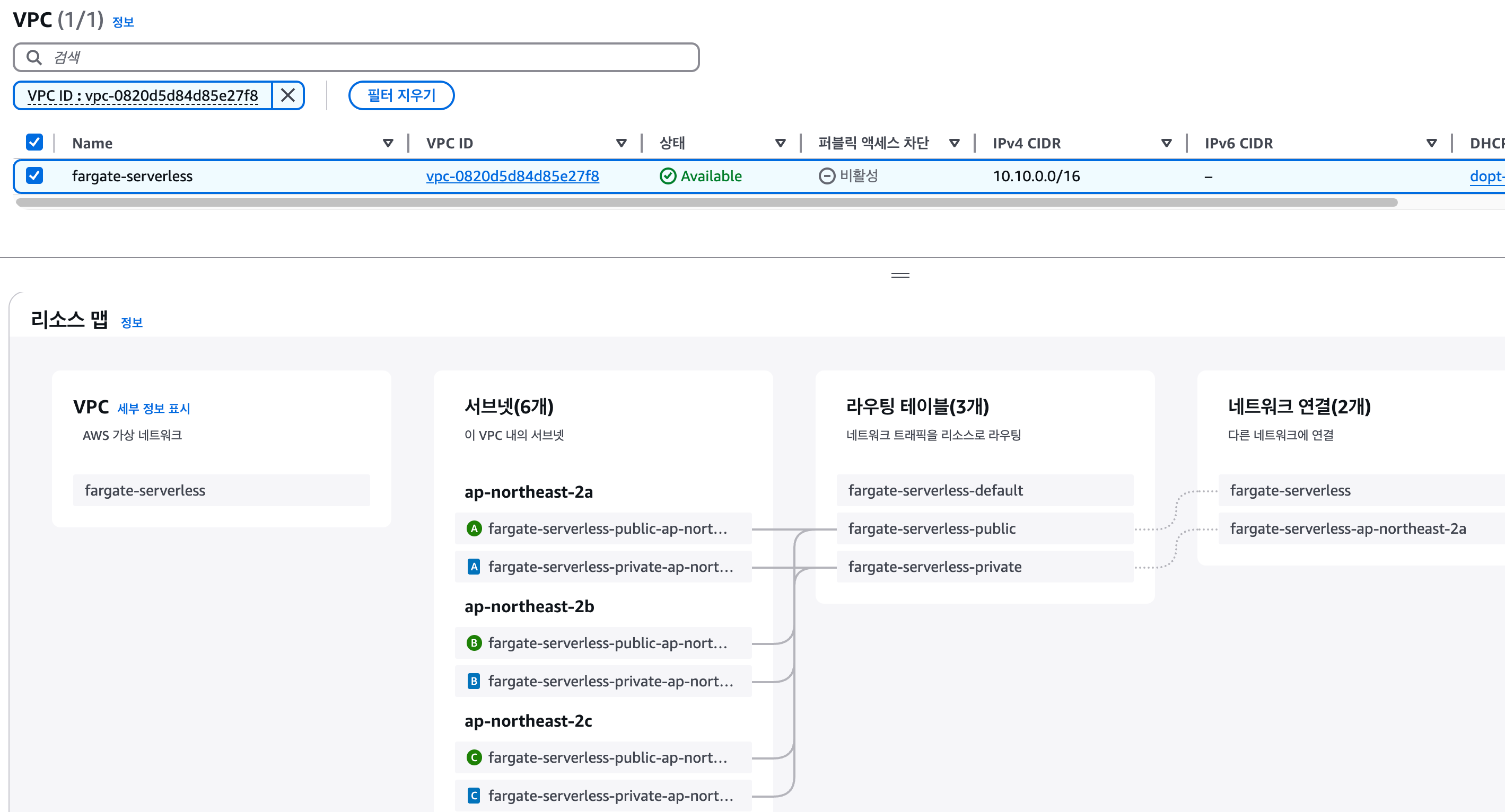
- vpc
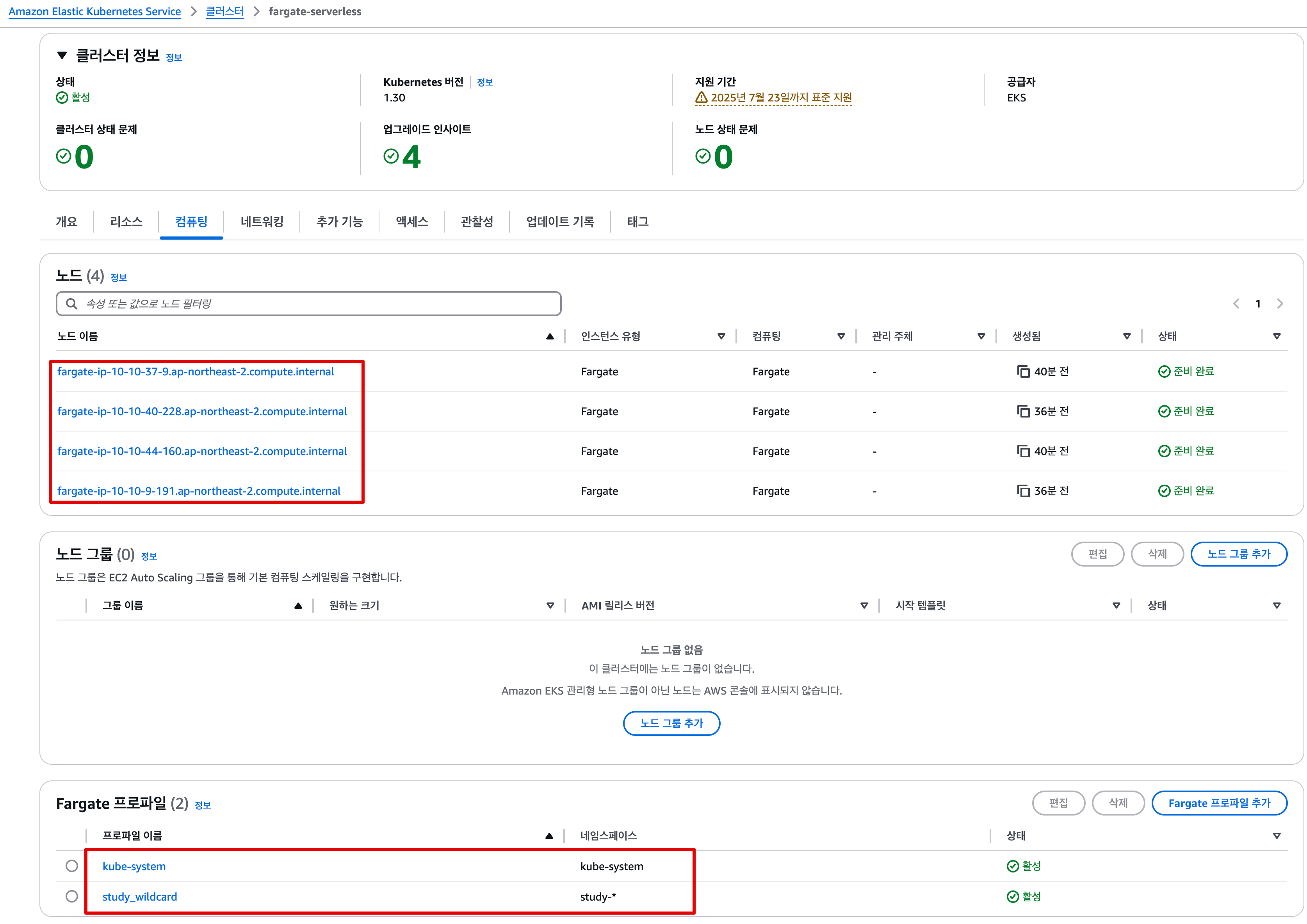
- EKS Cluster > Fargate Profile
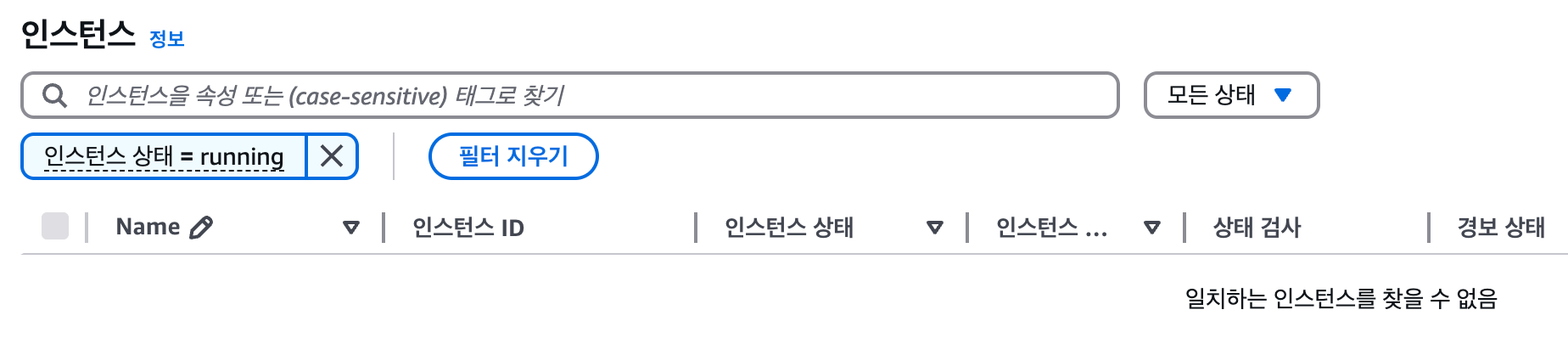
- Fargate를 사용하는 관계로 실행중인 EC2 없음
- ENI 사용정보, EC2 Instance ID 없음
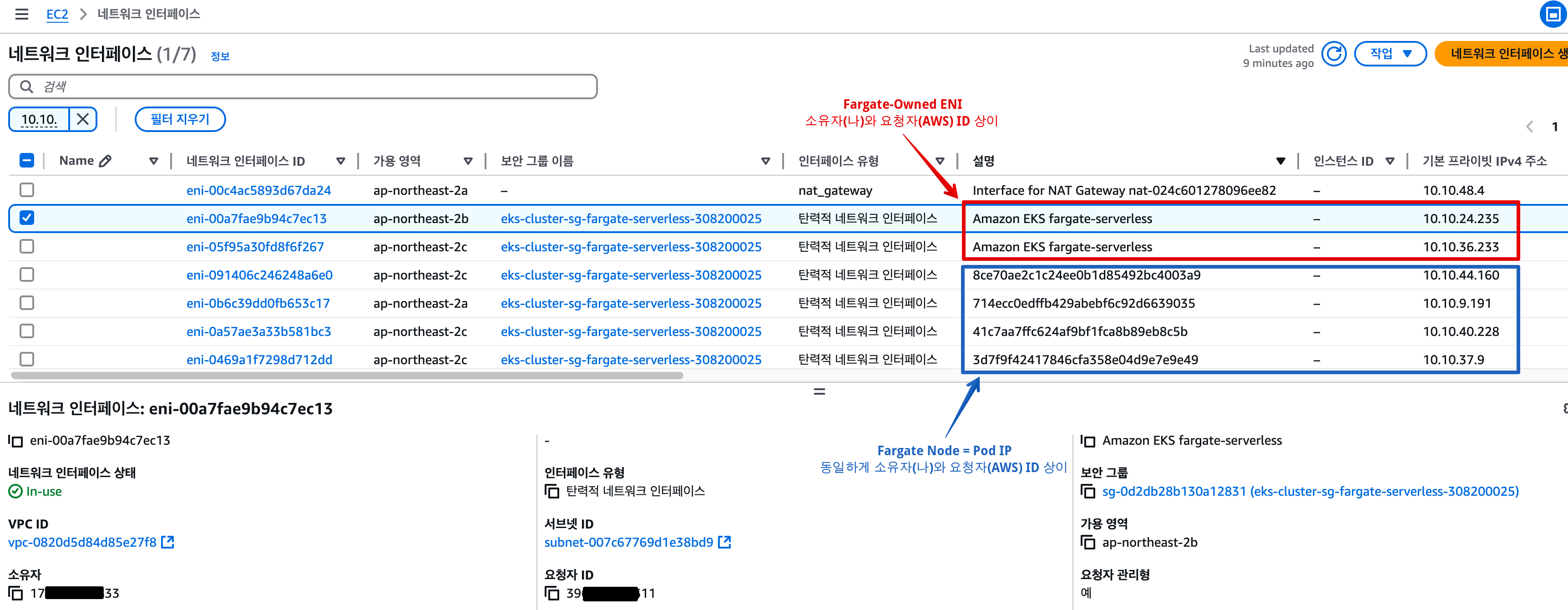
- vpc
2.6.2 Fargate에 kube-ops-view 배포
# helm 배포
helm repo add geek-cookbook https://geek-cookbook.github.io/charts/
helm install kube-ops-view geek-cookbook/kube-ops-view --version 1.2.2 --set env.TZ="Asia/Seoul" --namespace kube-system
NAME: kube-ops-view
LAST DEPLOYED: Sat Mar 22 17:20:44 2025
NAMESPACE: kube-system
STATUS: deployed
REVISION: 1
TEST SUITE: None
NOTES:
1. Get the application URL by running these commands:
  export POD_NAME=$(kubectl get pods --namespace kube-system -l "app.kubernetes.io/name=kube-ops-view,app.kubernetes.io/instance=kube-ops-view" -o jsonpath="{.items[0].metadata.name}")
  echo "Visit http://127.0.0.1:8080 to use your application"
  kubectl port-forward $POD_NAME 8080:8080

# 포트 포워딩
kubectl port-forward deployment/kube-ops-view -n kube-system 8080:8080 &

# 접속 주소 확인 : 각각 1배, 1.5배, 3배 크기
echo -e "KUBE-OPS-VIEW URL = http://localhost:8080"
echo -e "KUBE-OPS-VIEW URL = http://localhost:8080/#scale=1.5"
echo -e "KUBE-OPS-VIEW URL = http://localhost:8080/#scale=3"

open "http://127.0.0.1:8080/#scale=1.5" # macOS
- kube-ops-view
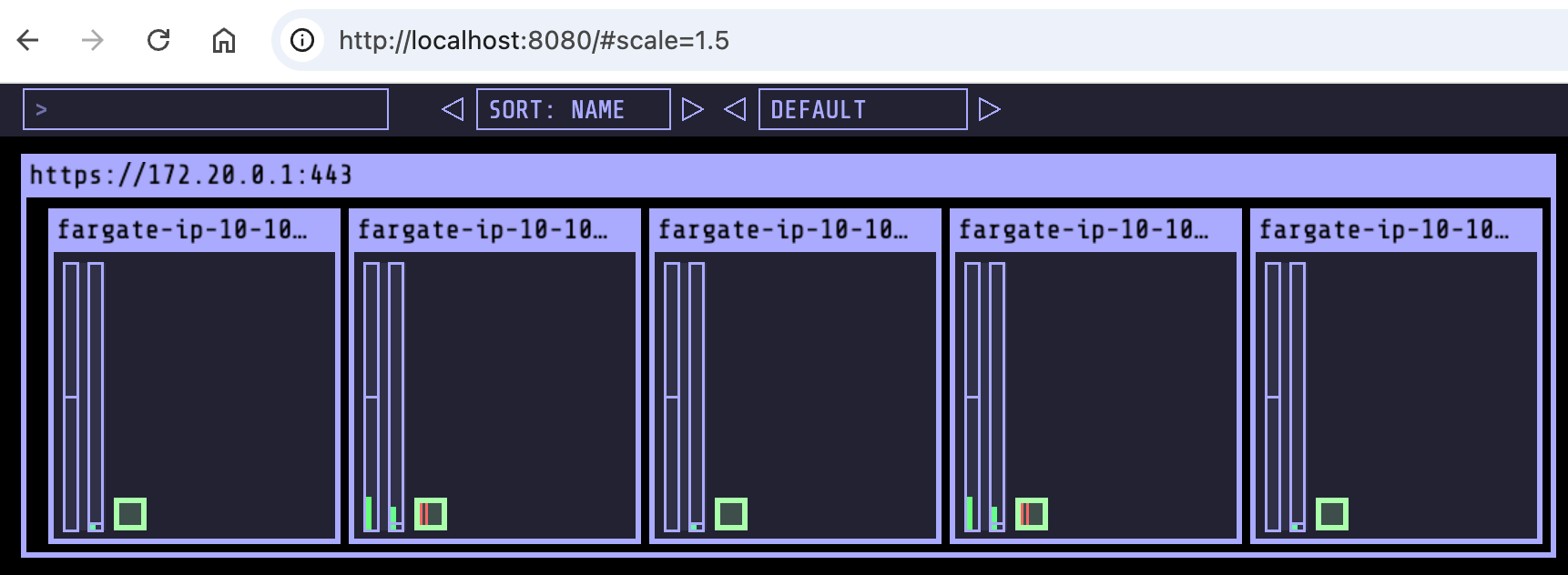
- Fargate 파드로 배포 됨
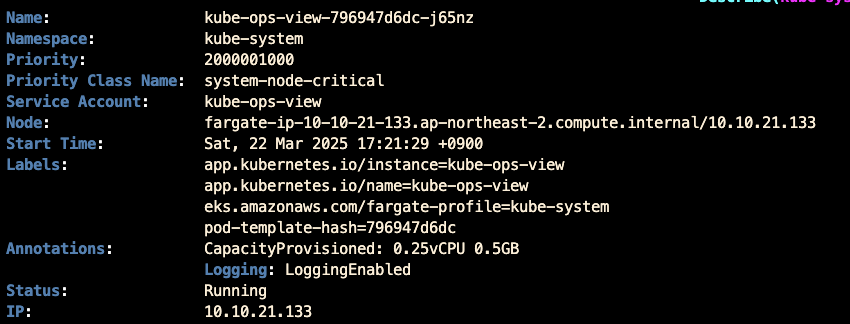
- kube-ops-view 파드 정보 확인
# node 확인 : 노드(Micro VM)
kubectl get csr
kubectl get node -owide
kubectl describe node | grep eks.amazonaws.com/compute-type

# kube-ops-view 디플로이먼트/파드 상세 정보 확인
kubectl get pod -n kube-system
kubectl get pod -n kube-system -o jsonpath='{.items[0].metadata.annotations.CapacityProvisioned}'
kubectl get pod -n kube-system -l app.kubernetes.io/instance=kube-ops-view -o jsonpath='{.items[0].metadata.annotations.CapacityProvisioned}'
0.25vCPU 0.5GB

# 디플로이먼트 상세 정보
kubectl get deploy -n kube-system kube-ops-view -o yaml
...
  template:
    ...
    spec:
      automountServiceAccountToken: true
      containers:
      - env:
        - name: TZ
          value: Asia/Seoul
        image: hjacobs/kube-ops-view:20.4.0
        imagePullPolicy: IfNotPresent
        livenessProbe:
          failureThreshold: 3
          periodSeconds: 10
          successThreshold: 1
          tcpSocket:
            port: 8080
          timeoutSeconds: 1
        name: kube-ops-view
        ports:
        - containerPort: 8080
          name: http
          protocol: TCP
        readinessProbe:
          failureThreshold: 3
          periodSeconds: 10
          successThreshold: 1
          tcpSocket:
            port: 8080
          timeoutSeconds: 1
        resources: {}
        securityContext:
          readOnlyRootFilesystem: true
          runAsNonRoot: true
          runAsUser: 1000
        startupProbe:
          failureThreshold: 30
          periodSeconds: 5
          successThreshold: 1
          tcpSocket:
            port: 8080
          timeoutSeconds: 1
        terminationMessagePath: /dev/termination-log
        terminationMessagePolicy: File
      dnsPolicy: ClusterFirst
      enableServiceLinks: true
      restartPolicy: Always
      schedulerName: default-scheduler
      securityContext: {}
      serviceAccount: kube-ops-view
      serviceAccountName: kube-ops-view
      terminationGracePeriodSeconds: 30
...

# 파드 상세 정보 : admission control 이 동작했음을 알 수 있음
kubectl get pod -n kube-system -l app.kubernetes.io/instance=kube-ops-view -o yaml
...
  metadata:
    annotations:
      CapacityProvisioned: 0.25vCPU 0.5GB
      Logging: LoggingEnabled
    ...
      resources: {}
    ...
    dnsPolicy: ClusterFirst
    enableServiceLinks: true
    nodeName: fargate-ip-10-10-21-133.ap-northeast-2.compute.internal
    preemptionPolicy: PreemptLowerPriority
    priority: 2000001000
    priorityClassName: system-node-critical
    restartPolicy: Always
    schedulerName: fargate-scheduler
    securityContext: {}
    serviceAccount: kube-ops-view
    serviceAccountName: kube-ops-view
    terminationGracePeriodSeconds: 30
    tolerations:
    - effect: NoExecute
      key: node.kubernetes.io/not-ready
      operator: Exists
      tolerationSeconds: 300
    - effect: NoExecute
      key: node.kubernetes.io/unreachable
      operator: Exists
      tolerationSeconds: 300
    ...
    qosClass: BestEffort

#
kubectl describe pod -n kube-system -l app.kubernetes.io/instance=kube-ops-view | grep Events: -A10
Events:
  Type    Reason          Age   From               Message
  ----    ------          ----  ----               -------
  Normal  LoggingEnabled  11m   fargate-scheduler  Successfully enabled logging for pod
  Normal  Scheduled       11m   fargate-scheduler  Successfully assigned kube-system/kube-ops-view-796947d6dc-j65nz to fargate-ip-10-10-21-133.ap-northeast-2.compute.internal
  Normal  Pulling         11m   kubelet            Pulling image "hjacobs/kube-ops-view:20.4.0"
  Normal  Pulled          10m   kubelet            Successfully pulled image "hjacobs/kube-ops-view:20.4.0" in 10.068s (10.068s including waiting). Image size: 81086356 bytes.
  Normal  Created         10m   kubelet            Created container kube-ops-view
  Normal  Started         10m   kubelet            Started container kube-ops-view
...- 조회 정보
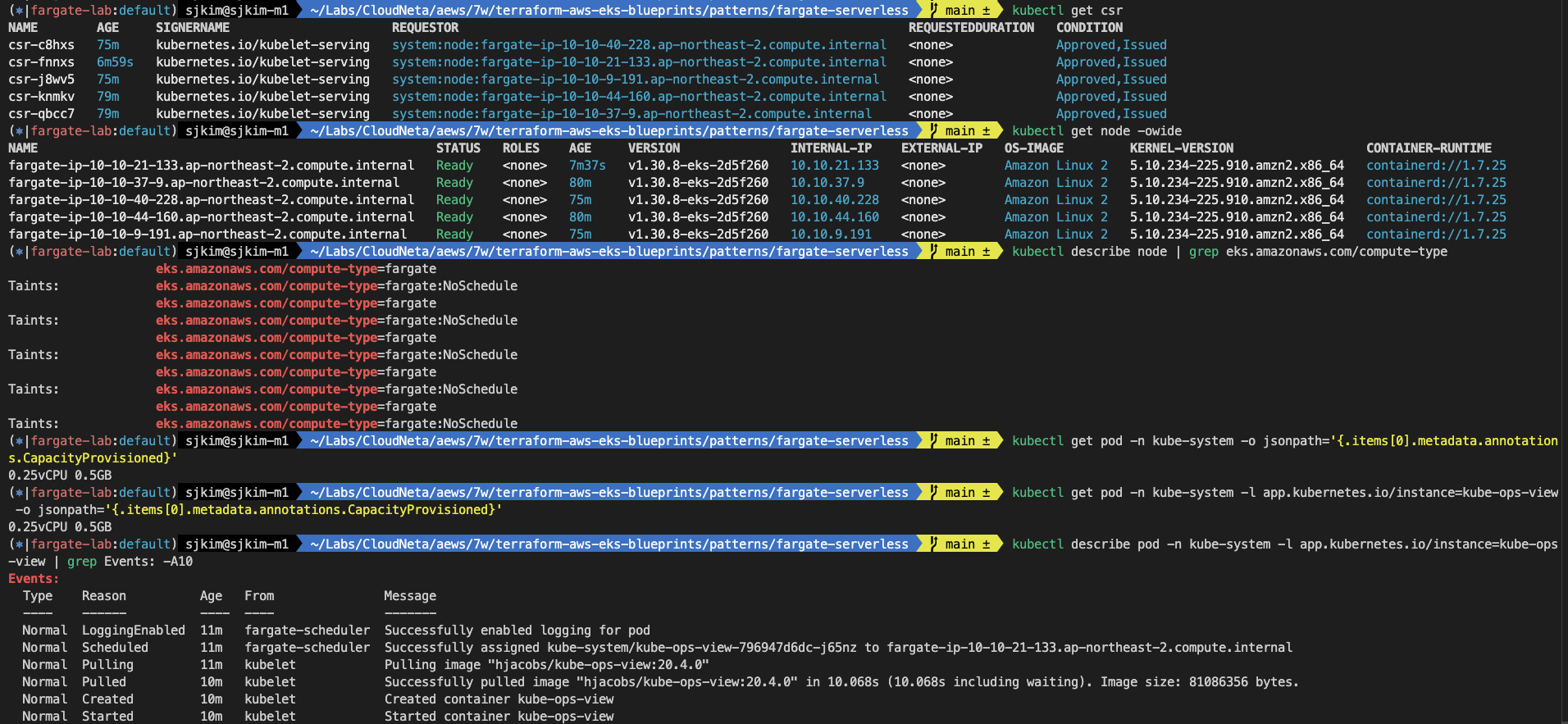
2.6.3 Fargate에 netshoot 디플로이먼트(파드)
- cpu와 memory 관계
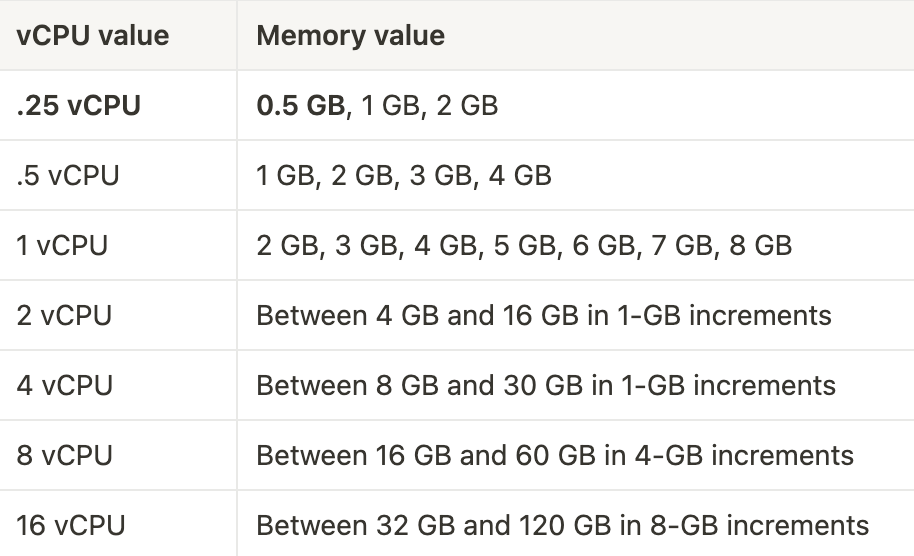
# 네임스페이스 생성
kubectl create ns study-aews

# 테스트용 파드 netshoot 디플로이먼트 생성 : 0.5vCPU 1GB 할당되어, 아래 Limit 값은 의미가 없음. 배포 시 대략 시간 측정해보자!
cat <<EOF | kubectl apply -f -
apiVersion: apps/v1
kind: Deployment
metadata:
  name: netshoot
  namespace: study-aews
spec:
  replicas: 1
  selector:
    matchLabels:
      app: netshoot
  template:
    metadata:
      labels:
        app: netshoot
    spec:
      containers:
      - name: netshoot
        image: nicolaka/netshoot
        command: ["tail"]
        args: ["-f", "/dev/null"]
        resources:
          requests:
            cpu: 500m
            memory: 500Mi
          limits:
            cpu: 2
            memory: 2Gi
      terminationGracePeriodSeconds: 0
EOF
kubectl get events -w --sort-by '.lastTimestamp'
LAST SEEN   TYPE      REASON                    OBJECT                                                         MESSAGE
43s         Normal    Starting                  node/fargate-ip-10-10-33-218.ap-northeast-2.compute.internal
17m         Normal    Starting                  node/fargate-ip-10-10-21-133.ap-northeast-2.compute.internal
17m         Warning   InvalidDiskCapacity       node/fargate-ip-10-10-21-133.ap-northeast-2.compute.internal   invalid capacity 0 on image filesystem
17m         Normal    NodeHasSufficientMemory   node/fargate-ip-10-10-21-133.ap-northeast-2.compute.internal   Node fargate-ip-10-10-21-133.ap-northeast-2.compute.internal status is now: NodeHasSufficientMemory
17m         Normal    NodeHasNoDiskPressure     node/fargate-ip-10-10-21-133.ap-northeast-2.compute.internal   Node fargate-ip-10-10-21-133.ap-northeast-2.compute.internal status is now: NodeHasNoDiskPressure
17m         Normal    NodeHasSufficientPID      node/fargate-ip-10-10-21-133.ap-northeast-2.compute.internal   Node fargate-ip-10-10-21-133.ap-northeast-2.compute.internal status is now: NodeHasSufficientPID
17m         Normal    NodeAllocatableEnforced   node/fargate-ip-10-10-21-133.ap-northeast-2.compute.internal   Updated Node Allocatable limit across pods
17m         Normal    Synced                    node/fargate-ip-10-10-21-133.ap-northeast-2.compute.internal   Node synced successfully
17m         Normal    NodeReady                 node/fargate-ip-10-10-21-133.ap-northeast-2.compute.internal   Node fargate-ip-10-10-21-133.ap-northeast-2.compute.internal status is now: NodeReady
17m         Normal    Starting                  node/fargate-ip-10-10-21-133.ap-northeast-2.compute.internal   Starting kubelet.
17m         Normal    RegisteredNode            node/fargate-ip-10-10-21-133.ap-northeast-2.compute.internal   Node fargate-ip-10-10-21-133.ap-northeast-2.compute.internal event: Registered Node fargate-ip-10-10-21-133.ap-northeast-2.compute.internal in Controller
43s         Normal    Starting                  node/fargate-ip-10-10-33-218.ap-northeast-2.compute.internal   Starting kubelet.
43s         Normal    NodeHasSufficientMemory   node/fargate-ip-10-10-33-218.ap-northeast-2.compute.internal   Node fargate-ip-10-10-33-218.ap-northeast-2.compute.internal status is now: NodeHasSufficientMemory
43s         Normal    NodeHasNoDiskPressure     node/fargate-ip-10-10-33-218.ap-northeast-2.compute.internal   Node fargate-ip-10-10-33-218.ap-northeast-2.compute.internal status is now: NodeHasNoDiskPressure
43s         Normal    NodeHasSufficientPID      node/fargate-ip-10-10-33-218.ap-northeast-2.compute.internal   Node fargate-ip-10-10-33-218.ap-northeast-2.compute.internal status is now: NodeHasSufficientPID
43s         Normal    NodeAllocatableEnforced   node/fargate-ip-10-10-33-218.ap-northeast-2.compute.internal   Updated Node Allocatable limit across pods
43s         Normal    Synced                    node/fargate-ip-10-10-33-218.ap-northeast-2.compute.internal   Node synced successfully
43s         Normal    NodeReady                 node/fargate-ip-10-10-33-218.ap-northeast-2.compute.internal   Node fargate-ip-10-10-33-218.ap-northeast-2.compute.internal status is now: NodeReady
43s         Warning   InvalidDiskCapacity       node/fargate-ip-10-10-33-218.ap-northeast-2.compute.internal   invalid capacity 0 on image filesystem
40s         Normal    RegisteredNode            node/fargate-ip-10-10-33-218.ap-northeast-2.compute.internal   Node fargate-ip-10-10-33-218.ap-northeast-2.compute.internal event: Registered Node fargate-ip-10-10-33-218.ap-northeast-2.compute.internal in Controller

# 확인 : 메모리 할당 측정은 어떻게 되었는지?
kubectl get pod -n study-aews -o wide
kubectl get pod -n study-aews -o jsonpath='{.items[0].metadata.annotations.CapacityProvisioned}'
0.5vCPU 1GB

# 디플로이먼트 상세 정보
kubectl get deploy -n study-aews netshoot -o yaml
...
  template:
    ...
    spec:
      ...
      schedulerName: default-scheduler
      securityContext: {}
      terminationGracePeriodSeconds: 0
...

# 파드 상세 정보 : admission control 이 동작했음을 알 수 있음
kubectl get pod -n study-aews -l app=netshoot -o yaml
...
  metadata:
    annotations:
      CapacityProvisioned: 0.5vCPU 1GB
      Logging: LoggingEnabled
    ...
    preemptionPolicy: PreemptLowerPriority
    priority: 2000001000
    priorityClassName: system-node-critical
    restartPolicy: Always
    schedulerName: fargate-scheduler
    ...
    qosClass: Burstable

#
kubectl describe pod -n study-aews -l app=netshoot | grep Events: -A10

#
kubectl get mutatingwebhookconfigurations.admissionregistration.k8s.io
NAME                                             WEBHOOKS   AGE
0500-amazon-eks-fargate-mutation.amazonaws.com   2          97m
aws-load-balancer-webhook                        3          91m
pod-identity-webhook                             1          121m
vpc-resource-mutating-webhook                    1          121m

kubectl describe mutatingwebhookconfigurations 0500-amazon-eks-fargate-mutation.amazonaws.com
kubectl get validatingwebhookconfigurations.admissionregistration.k8s.io

# 파드 내부에 zsh 접속 후 확인
kubectl exec -it deploy/netshoot -n study-aews -- zsh
-----------------------------------------------------
ip -c a
1: lo: <LOOPBACK,UP,LOWER_UP> mtu 65536 qdisc noqueue state UNKNOWN group default qlen 1000
    link/loopback 00:00:00:00:00:00 brd 00:00:00:00:00:00
    inet 127.0.0.1/8 scope host lo
       valid_lft forever preferred_lft forever
    inet6 ::1/128 scope host
       valid_lft forever preferred_lft forever
4: eth0@if6: <BROADCAST,MULTICAST,UP,LOWER_UP> mtu 9001 qdisc noqueue state UP group default qlen 1000
    link/ether 42:17:2f:62:3a:58 brd ff:ff:ff:ff:ff:ff link-netnsid 0
    inet 10.10.33.218/20 brd 10.10.47.255 scope global eth0
       valid_lft forever preferred_lft forever
    inet6 fe80::4017:2fff:fe62:3a58/64 scope link
       valid_lft forever preferred_lft forever

cat /etc/resolv.conf
curl ipinfo.io/ip # 출력되는 IP는 어떤것? , 어떤 경로를 통해서 인터넷이 되는 걸까?
ping -c 1 <다른 파드 IP ex. coredns pod ip>
lsblk
NAME          MAJ:MIN RM SIZE RO TYPE MOUNTPOINTS
nvme1n1       259:0    0  30G  0 disk /etc/resolv.conf
                                      /etc/hostname
nvme0n1       259:1    0   5G  0 disk
├─nvme0n1p1   259:2    0   5G  0 part
└─nvme0n1p128 259:3    0   1M  0 part

df -hT /
Filesystem           Type            Size      Used Available Use% Mounted on
overlay              overlay        29.4G     11.8G     16.0G  43% /

cat /etc/fstab
/dev/cdrom      /media/cdrom    iso9660 noauto,ro 0 0
/dev/usbdisk    /media/usb      vfat    noauto,ro 0 0

exit
-----------------------------------------------------
2.6.4 AWS ALB Ingress 배포
# 게임 디플로이먼트와 Service, Ingress 배포
cat <<EOF | kubectl apply -f -
apiVersion: apps/v1
kind: Deployment
metadata:
  namespace: study-aews
  name: deployment-2048
spec:
  selector:
    matchLabels:
      app.kubernetes.io/name: app-2048
  replicas: 2
  template:
    metadata:
      labels:
        app.kubernetes.io/name: app-2048
    spec:
      containers:
      - image: public.ecr.aws/l6m2t8p7/docker-2048:latest
        imagePullPolicy: Always
        name: app-2048
        ports:
        - containerPort: 80
---
apiVersion: v1
kind: Service
metadata:
  namespace: study-aews
  name: service-2048
spec:
  ports:
    - port: 80
      targetPort: 80
      protocol: TCP
  type: ClusterIP
  selector:
    app.kubernetes.io/name: app-2048
---
apiVersion: networking.k8s.io/v1
kind: Ingress
metadata:
  namespace: study-aews
  name: ingress-2048
  annotations:
    alb.ingress.kubernetes.io/scheme: internet-facing
    alb.ingress.kubernetes.io/target-type: ip
spec:
  ingressClassName: alb
  rules:
    - http:
        paths:
        - path: /
          pathType: Prefix
          backend:
            service:
              name: service-2048
              port:
                number: 80
EOF

deployment.apps/deployment-2048 created
service/service-2048 created
ingress.networking.k8s.io/ingress-2048 created

# 모니터링
watch -d kubectl get pod,ingress,svc,ep,endpointslices -n study-aews

# 생성 확인
kubectl get-all -n study-aews
kubectl get ingress,svc,ep,pod -n study-aews
kubectl get targetgroupbindings -n study-aews
NAME                               SERVICE-NAME   SERVICE-PORT   TARGET-TYPE   AGE
k8s-studyaew-service2-7621b6a591   service-2048   80             ip            7m1s

# Ingress 확인
kubectl describe ingress -n study-aews ingress-2048
kubectl get ingress -n study-aews ingress-2048 -o jsonpath="{.status.loadBalancer.ingress[*].hostname}{'\n'}"
k8s-studyaew-ingress2-08c53ee834-372317368.ap-northeast-2.elb.amazonaws.com

# 게임 접속 : ALB 주소로 웹 접속
kubectl get ingress -n study-aews ingress-2048 -o jsonpath='{.status.loadBalancer.ingress[0].hostname}' | awk '{ print "Game URL = http://"$1 }'
Game URL = http://k8s-studyaew-ingress2-08c53ee834-372317368.ap-northeast-2.elb.amazonaws.com

# 파드 IP 확인
kubectl get pod -n study-aews -owide
NAME                              READY   STATUS    RESTARTS   AGE     IP             NODE                                                      NOMINATED NODE   READINESS GATES
deployment-2048-85f8c7d69-7qx9k   1/1     Running   0          8m28s   10.10.14.160   fargate-ip-10-10-14-160.ap-northeast-2.compute.internal   <none>           <none>
deployment-2048-85f8c7d69-jv7vj   1/1     Running   0          8m28s   10.10.28.111   fargate-ip-10-10-28-111.ap-northeast-2.compute.internal   <none>           <none>
netshoot-84558cd8d9-gvm6p         1/1     Running   0          19m     10.10.33.218   fargate-ip-10-10-33-218.ap-northeast-2.compute.internal   <none>           <none>

# 파드 증가
kubectl scale deployment -n study-aews  deployment-2048 --replicas 4

# 게임 실습 리소스  삭제
kubectl delete ingress ingress-2048 -n study-aews
kubectl delete svc service-2048 -n study-aews && kubectl delete deploy deployment-2048 -n study-aews
2.6.5 Fargate Job
#
cat <<EOF | kubectl apply -f -
apiVersion: batch/v1
kind: Job
metadata:
  name: busybox1
  namespace: study-aews
spec:
  template:
    spec:
      containers:
      - name: busybox
        image: busybox
        command: ["/bin/sh", "-c", "sleep 10"]
      restartPolicy: Never
  ttlSecondsAfterFinished: 60 # <-- TTL controller
---
apiVersion: batch/v1
kind: Job
metadata:
  name: busybox2
  namespace: study-aews
spec:
  template:
    spec:
      containers:
      - name: busybox
        image: busybox
        command: ["/bin/sh", "-c", "sleep 10"]
      restartPolicy: Never
EOF

#
kubectl get job,pod -n study-aews
kubectl get job -n study-aews -w
kubectl get pod -n study-aews -w
kubectl get job,pod -n study-aews
NAME                            READY   STATUS      RESTARTS   AGE
pod/busybox2-l5hx5              0/1     Completed   0          2m19s
pod/netshoot-84558cd8d9-gvm6p   1/1     Running     0          27m

# 삭제
kubectl delete job -n study-aews --all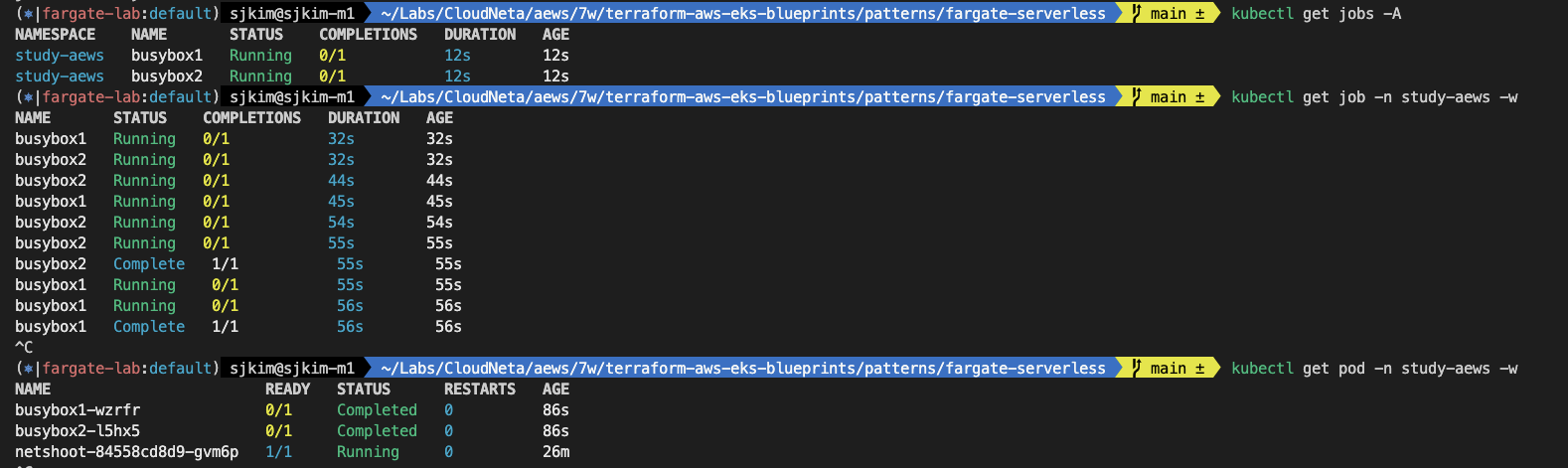
2.6.6 Fargate Logging
- 들어가며 → 내장 로그 라우터는 어디에서 구동될까요???
- Fargate의 Amazon EKS는 Fluent Bit 기반의 내장 로그 라우터를 제공합니다. 즉, Fluent Bit 컨테이너를 사이드카로 명시적으로 실행하지 않고 Amazon에서 실행합니다. 로그 라우터를 구성하기만 하면 됩니다.
- Amazon EKS on Fargate offers a built-in log router based on Fluent Bit. This means that you don’t explicitly run a Fluent Bit container as a sidecar, but Amazon runs it for you.
- 구성은 다음 기준을 충족해야 하는 전용 ConfigMap을 통해 이루어집니다.
- 이름 : aws-logging
- aws-observability라는 전용 네임스페이스에서 생성됨
- 5300자를 초과할 수 없습니다.
- ConfigMap을 생성하면 Fargate의 Amazon EKS가 자동으로 이를 감지하고 로그 라우터를 구성합니다. Fargate는 AWS에서 관리하는 Fluent Bit의 업스트림 호환 배포판인 Fluent Bit용 AWS 버전을 사용합니다. 자세한 내용은 GitHub의 Fluent Bit용 AWS를 참조하세요 - Docs
- 로그 라우터를 사용하면 AWS의 다양한 서비스를 로그 분석 및 저장에 사용할 수 있습니다. Fargate에서 Amazon CloudWatch, Amazon OpenSearch 서비스로 로그를 직접 스트리밍할 수 있습니다. 또한 Amazon Data Firehose를 통해 Amazon S3, Amazon Kinesis 데이터 스트림 및 파트너 도구와 같은 대상으로 로그를 스트리밍할 수도 있습니다.
- Fargate 포드를 배포할 기존 Kubernetes 네임스페이스를 지정하는 기존 Fargate 프로필입니다.
- Fargate의 Amazon EKS는 Fluent Bit 기반의 내장 로그 라우터를 제공합니다. 즉, Fluent Bit 컨테이너를 사이드카로 명시적으로 실행하지 않고 Amazon에서 실행합니다. 로그 라우터를 구성하기만 하면 됩니다.
- 로그 발생 nginx 배포
cat <<EOF | kubectl apply -f -
apiVersion: apps/v1
kind: Deployment
metadata:
  name: sample-app
  namespace: study-aews
spec:
  replicas: 2
  selector:
    matchLabels:
      app: nginx
  template:
    metadata:
      labels:
        app: nginx
    spec:
      containers:
      - image: nginx:latest
        name: nginx
        ports:
        - containerPort: 80
          name: http
        resources:
          requests:
            cpu: 500m
            memory: 500Mi
          limits:
            cpu: 2
            memory: 2Gi
---
apiVersion: v1
kind: Service
metadata:
  name: sample-app
  namespace: study-aews
spec:
  selector:
    app: nginx
  ports:
  - port: 80
    targetPort: 80
    protocol: TCP
  type: ClusterIP
EOF

# 확인
kubectl get pod -n study-aews -l app=nginx
kubectl describe pod -n study-aews -l app=nginx

# 반복 접속
kubectl exec -it deploy/netshoot -n study-aews -- curl sample-app | grep title
while true; do kubectl exec -it deploy/netshoot -n study-aews -- curl sample-app | grep title; sleep 1; echo ; date; done;

# 로그 확인
kubectl stern -n study-aews -l app=nginx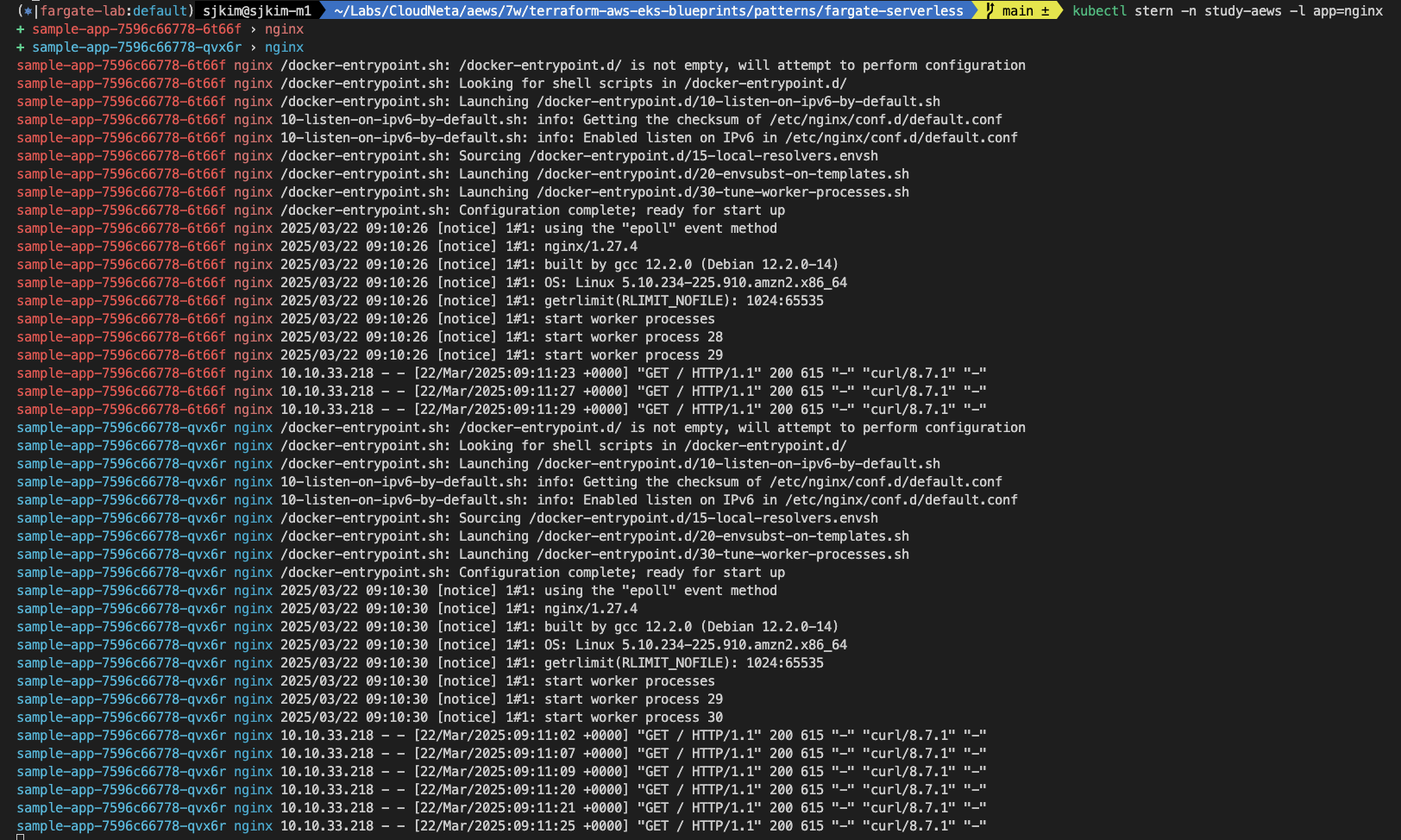
- 로그 정보 확인
# main.tf
...
  # Enable Fargate logging this may generate a large ammount of logs, disable it if not explicitly required
  enable_fargate_fluentbit = true
  fargate_fluentbit = {
    flb_log_cw = true
  }
...

# aws-observability라는 이름의 전용 네임스페이스 확인
kubectl get ns --show-labels
NAME                STATUS   AGE    LABELS
aws-observability   Active   128m   aws-observability=enabled,kubernetes.io/metadata.name=aws-observability
default             Active   151m   kubernetes.io/metadata.name=default
kube-node-lease     Active   151m   kubernetes.io/metadata.name=kube-node-lease
kube-public         Active   151m   kubernetes.io/metadata.name=kube-public
kube-system         Active   151m   kubernetes.io/metadata.name=kube-system
study-aews          Active   36m    kubernetes.io/metadata.name=study-aews

# Fluent Conf 데이터 값이 포함된 ConfigMap : 컨테이너 로그를 목적지로 배송 설정
## Amazon EKS Fargate 로깅은 ConfigMap의 동적 구성을 지원하지 않습니다.
## ConfigMap에 대한 모든 변경 사항은 새 포드에만 적용됩니다. 기존 포드에는 변경 사항이 적용되지 않습니다.
kubectl get cm -n aws-observability
NAME               DATA   AGE
aws-logging        4      128m
kube-root-ca.crt   1      128m

kubectl get cm -n aws-observability aws-logging -o yaml
apiVersion: v1
data:
  filters.conf: |
    [FILTER]
      Name parser
      Match *
      Key_name log
      Parser crio
    [FILTER]
      Name kubernetes
      Match kube.*
      Merge_Log On
      Keep_Log Off
      Buffer_Size 0
      Kube_Meta_Cache_TTL 300s
  flb_log_cw: "true"
  output.conf: |+
    [OUTPUT]
          Name cloudwatch
          Match kube.*
          region ap-northeast-2
          log_group_name /fargate-serverless/fargate-fluentbit-logs2025032206445441160000000c
          log_stream_prefix fargate-logs-
          auto_create_group true
    [OUTPUT]
          Name cloudwatch_logs
          Match *
          region ap-northeast-2
          log_group_name /fargate-serverless/fargate-fluentbit-logs2025032206445441160000000c
          log_stream_prefix fargate-logs-fluent-bit-
          auto_create_group true

  parsers.conf: |
    [PARSER]
      Name crio
      Format Regex
      Regex ^(?<time>[^ ]+) (?<stream>stdout|stderr) (?<logtag>P|F) (?<log>.*)$
      Time_Key    time
      Time_Format %Y-%m-%dT%H:%M:%S.%L%z
      Time_Keep On
immutable: false
kind: ConfigMap
metadata:
  creationTimestamp: "2025-03-22T07:05:22Z"
  name: aws-logging
namespace: aws-observability- 수집된 파드 로그 확인 : CW Log streams 에서 nginx 로 검색 필터링(fluent-bot 포함 체크) → First event time 중 가장 최근것 클릭
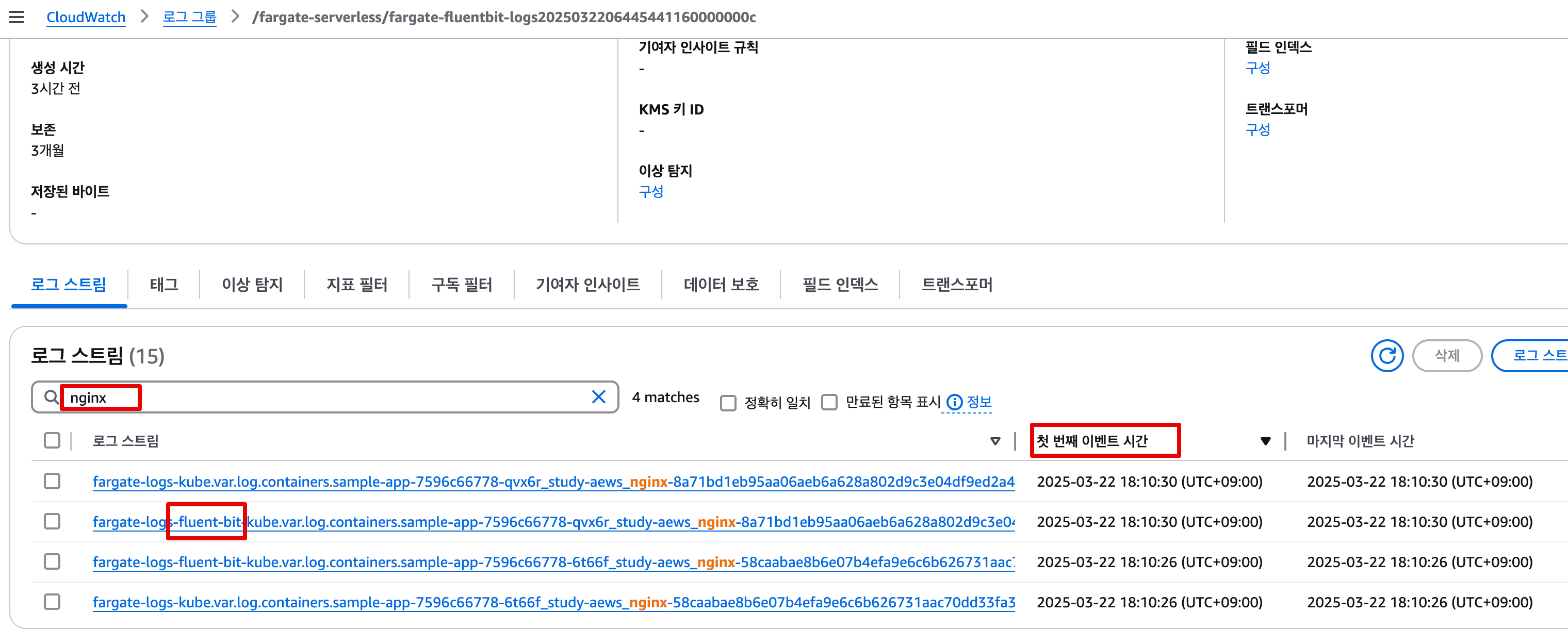
- 아래 처럼 해당 로그 스트림 화면에서 상세 로그 정보 확인 : curl 접속 로그 확인
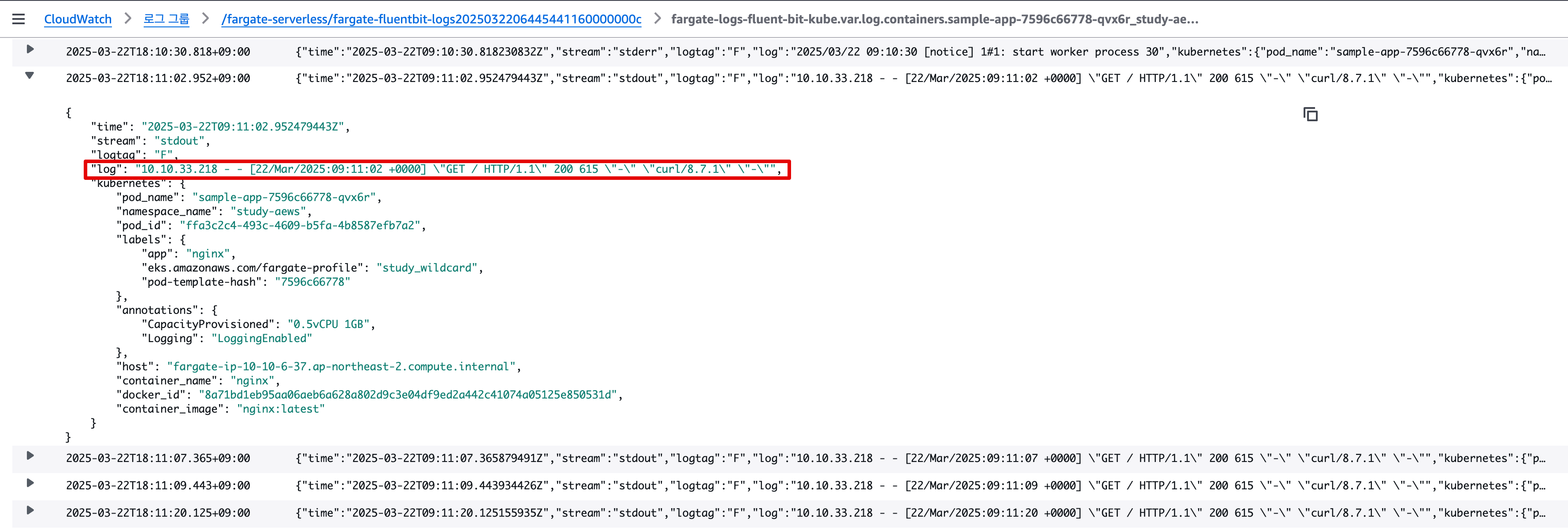
- 아래 처럼 해당 로그 스트림 화면에서 상세 로그 정보 확인 : curl 접속 로그 확인
- 삭제 : kubectl delete deploy,svc -n study-aews sample-app
2.6.7 순서대로 자원 삭제
- 실습 배포 리소스들 먼저 삭제
# 게임 실습 리소스  삭제
kubectl delete ingress ingress-2048 -n study-aews
kubectl delete svc service-2048 -n study-aews && kubectl delete deploy deployment-2048 -n study-aews

# netshoot 삭제
kubectl delete deploy netshoot -n study-aews

# kube-ops-view 삭제
helm uninstall kube-ops-view -n kube-system- 테라폼 삭제
# 테라폼 삭제 : vpc 삭제가 잘 안될 경우 aws 콘솔에서 vpc 수동 삭제 -> vnic 등 남아 있을 경우 해당 vnic 강제 삭제
terraform destroy -auto-approve

# VPC 삭제 확인
aws ec2 describe-vpcs --filter 'Name=isDefault,Values=false' --output yaml

# kubeconfig 삭제
rm -rf ~/.kube/config
3. Auto mode
3.1 소개
3.1.1 개요
Amazon EKS Auto Mode는 AWS가 제공하는 완전관리형 Kubernetes 환경인 Amazon EKS의 신규 실행 모드로, 사용자가 클러스터의 노드 그룹이나 인프라 리소스를 관리하지 않아도 되는 서버리스 기반 Kubernetes 실행 환경입니다. Auto Mode를 사용하면 EKS 클러스터와 파드(Pod)를 빠르게 생성하고 실행할 수 있으며, 인프라 관리의 부담 없이 Kubernetes 애플리케이션을 운영할 수 있습니다.
EKS Auto Mode는 Kubernetes 클러스터 운영의 복잡성을 줄이고, 간편하게 클라우드 네이티브 애플리케이션을 배포할 수 있는 새로운 방식입니다. 특히 빠르게 테스트 환경이 필요한 경우나, 인프라 리소스를 직접 관리하지 않고 싶을 때 강력한 선택지가 될 수 있습니다.
3.1.2 주요 특징
| 항목 | 설명 |
|---|---|
| 서버리스 | EC2 인스턴스, 노드 그룹 없이 클러스터 생성 및 운영 가능 |
| 간편한 클러스터 생성 | eksctl 혹은 콘솔로 몇 분 안에 클러스터 생성 가능 |
| 빠른 파드 시작 | Cold Start 최소화, 빠른 배포 및 실행 |
| 자동 스케일링 | 워크로드에 따라 자동으로 리소스 할당 및 확장 |
| 리소스 기반 과금 | CPU 및 메모리 사용량 기반 요금 부과 |
| Fargate와 차별점 | EKS Auto Mode는 새로운 스케줄링 방식으로 더 높은 유연성 제공 |
3.1.3 구성 및 아키텍처
Auto Mode에서는 노드(EC2, Fargate)를 수동으로 생성하거나 관리할 필요 없이, AWS가 내부적으로 인프라를 자동으로 운영합니다.
- 사용자는 Deployment, Service 등 Kubernetes 객체만 정의
- EKS는 Auto Mode 기반으로 파드를 실행할 리소스를 자동으로 생성 및 배정
- 기본 VPC 환경에 pod가 자동 배치됨
🔍 참고: EKS Auto Mode 클러스터는
eksctl로 생성 시--enable-auto-mode옵션 필요
3.1.4 클러스터 생성 예시
eksctl create cluster \
  --name auto-mode-cluster \
  --region ap-northeast-2 \
  --auto-kubernetes-version \
  --with-oidc \
  --enable-auto-mode

	•	--enable-auto-mode: Auto Mode 활성화
	•	--auto-kubernetes-version: 최신 Kubernetes 버전 자동 적용
3.1.5 사용 사례
| 상황 | 설명 |
|---|---|
| PoC 및 테스트 환경 | 빠르게 클러스터를 만들고 파드 테스트 가능 |
| 개발 및 교육용 | 복잡한 인프라 설정 없이 학습 및 데모 용도로 적합 |
| 간단한 API 서비스 | 서버리스 기반 소규모 서비스에 이상적 |
| 단기 실행 배치 작업 | 인프라 구성 없이 배치 잡만 실행 가능 |
3.1.6 EKS Auto Mode vs Fargate vs Managed Node Group
| 항목 | Auto Mode | Fargate | Managed Node Group |
|---|---|---|---|
| 노드 관리 | ❌ | ❌ | ✅ |
| 실행 형태 | 서버리스 (EKS 내부 리소스) | 서버리스 (Fargate Infra) | EC2 기반 |
| 시작 속도 | 매우 빠름 | 빠름 | 느림 |
| 사용 편의성 | 매우 쉬움 | 쉬움 | 복잡 |
| 비용 | 사용량 기반 | 사용량 기반 | EC2 시간 기반 |
| 파드 제한 | 일부 제한 | 리소스 제한 존재 | 노드 용량에 따라 |
3.1.7 요금
Auto Mode는 EC2 인스턴스를 직접 생성하지 않기 때문에, 파드에서 사용된 CPU 및 Memory에 대해서만 요금이 청구됩니다. AWS 공식 가격 페이지 참고 필요.
Amazon EKS Auto Mode를 서울 리전(ap-northeast-2)에서 사용할 경우, 다음과 같은 요금이 적용됩니다
- EKS 클러스터 요금: 모든 Amazon EKS 클러스터에는 클러스터의 Kubernetes 버전에 따라 시간당 요금이 부과됩니다.
- 표준 지원 버전: 시간당 클러스터당 0.10 USD
- 확장 지원 버전: 시간당 클러스터당 0.60 USD
- EC2 인스턴스 요금: EKS Auto Mode는 AWS에서 EC2 인스턴스를 자동으로 프로비저닝하고 관리합니다. 이때 사용되는 EC2 인스턴스의 유형과 사용 시간에 따라 요금이 부과됩니다.
- EKS Auto Mode 추가 요금: EKS Auto Mode에서 관리하는 EC2 인스턴스에 대해 추가 관리 요금이 부과됩니다. 이 요금은 사용된 EC2 인스턴스의 유형과 사용 시간에 따라 결정됩니다. 예를 들어, EC2 인스턴스 비용의 약 12% 정도가 추가 관리 요금으로 부과됩니다.
예시: c7g.2xlarge 인스턴스를 사용하는 경우, EC2 인스턴스 비용은 시간당 0.3264 USD이며, EKS Auto Mode 추가 요금은 시간당 0.03917 USD입니다. 이를 한 달(약 730시간)로 계산하면, EC2 인스턴스 비용은 약 238.27 USD, EKS Auto Mode 추가 요금은 약 28.61 USD로, 총 비용은 약 266.88 USD가 됩니다.
참고: EKS Auto Mode 추가 요금은 EC2 인스턴스 비용에 비례하여 부과되며, 사용한 인스턴스의 유형과 수에 따라 전체 비용이 달라집니다. 자세한 요금 정보는 AWS 공식 요금 페이지를 참고하시기 바랍니다.
3.2 EKS Auto Mode 아키텍처
- AWS에서 Karpenter, LoadBalancer, EBS Controller, Pod-identity, Node-monitor 등을 자동으로 관리 함
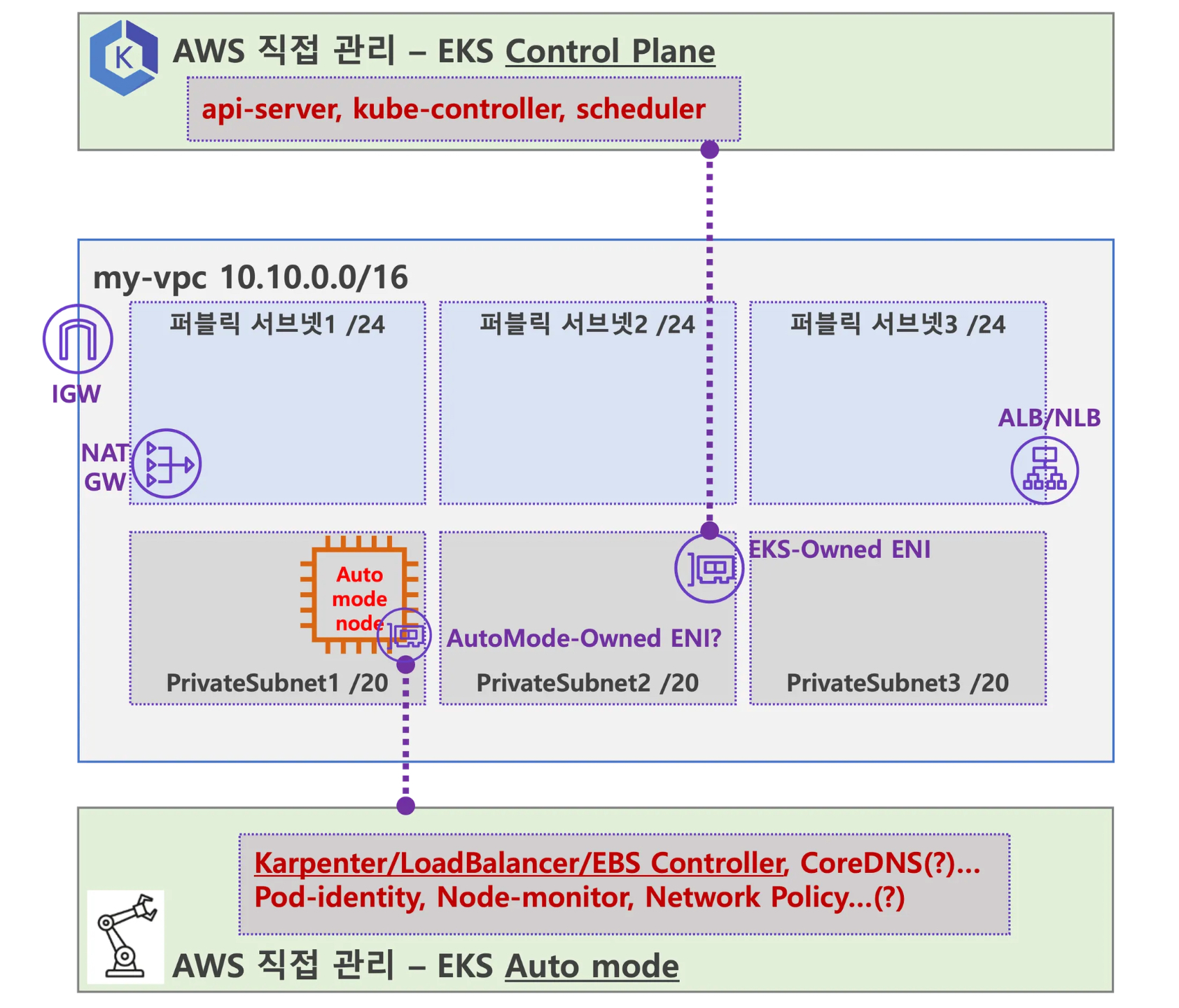
- kube-proxy, coredns csi-driver 등이 pod에서 프로세스로 동작하고 AWS에서 직접관리
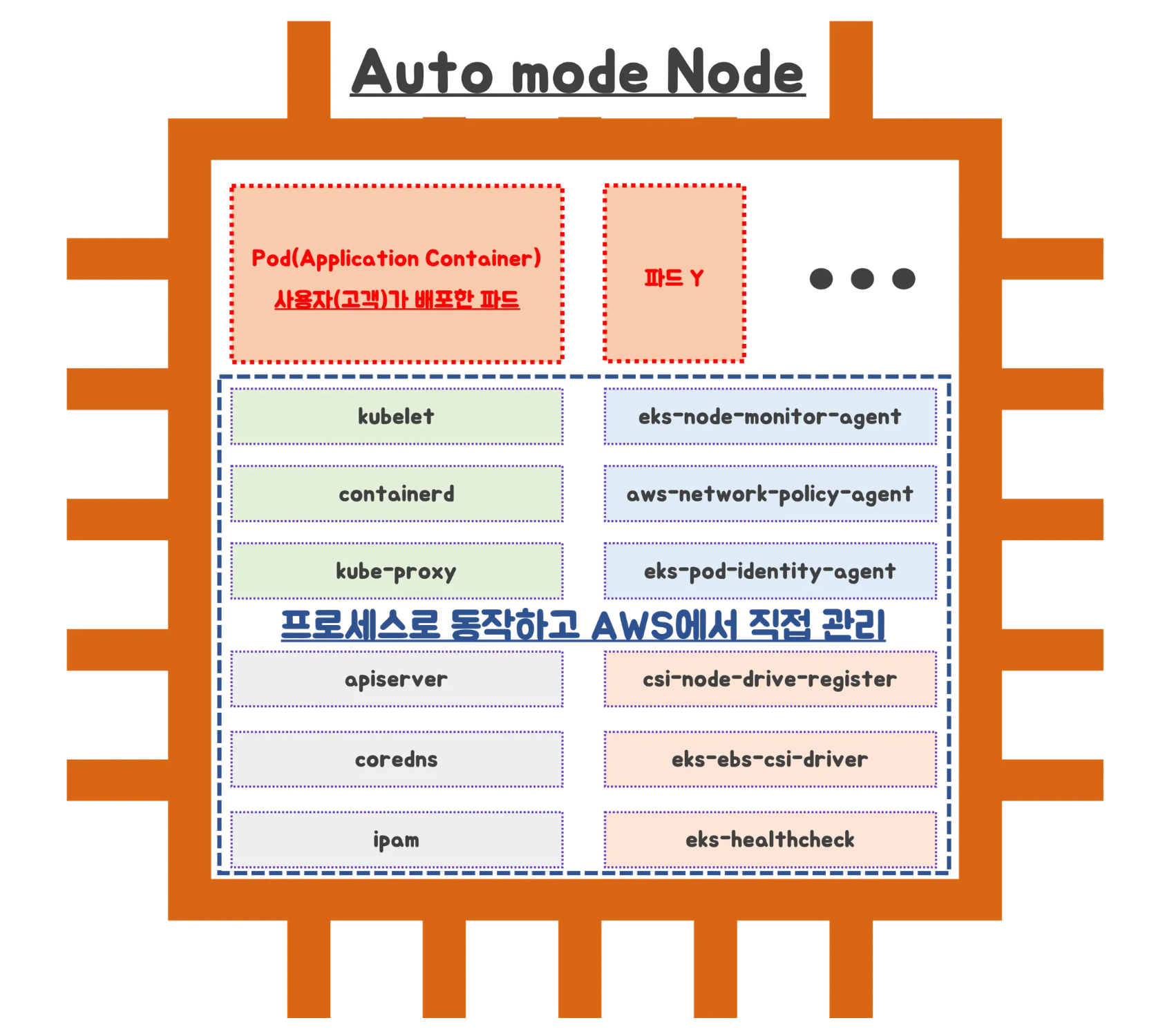
- (추정) AWS측에서 관리가 가능한 부분은 완전하게 관리를 하고, 애초에 사용자(고객)에게 보여주지 말자. (혹시라도 사용자의 휴먼 에러 방지)
3.3 EKS Auto Mode 실습
- This repository provides a production-ready template for deploying various workloads on EKS Auto Mode - Github
3.3.1 테라폼 배포
- 소스 다운로드
# Get the code : 배포 코드에 addon 내용이 없음
git clone https://github.com/aws-samples/sample-aws-eks-auto-mode.git
tree sample-aws-eks-auto-mode
├── CODE_OF_CONDUCT.md
├── CONTRIBUTING.md
├── LICENSE
├── README.md
├── examples
│   ├── gpu
│   │   ├── README.md
│   │   ├── lb-service.yaml
│   │   ├── namespace.yaml
│   │   ├── open-webui.yaml
│   │   └── vllm-deepseek-gpu.yaml
│   └── graviton
│       ├── 2048-ingress.yaml
│       ├── README.md
│       └── game-2048.yaml
├── nodepool-templates
│   ├── gpu-nodepool.yaml.tpl
│   └── graviton-nodepool.yaml.tpl
└── terraform
    ├── eks.tf
    ├── main.tf
    ├── outputs.tf
    ├── setup.tf
    ├── variables.tf
    ├── versions.tf
    └── vpc.tf
cd sample-aws-eks-auto-mode/terraform- variables.tf 수정 : 리전(ap-northeast-2), VPC-CIDR (10.20.0.0/16)
variable "name" {
  description = "Name of the VPC and EKS Cluster"
  default     = "automode-cluster-sejkim"
  type        = string
}

variable "region" {
  description = "region"
  default     = "ap-northeast-2"
  type        = string
}

variable "eks_cluster_version" {
  description = "EKS Cluster version"
  default     = "1.31"
  type        = string
}

# VPC with 65536 IPs (10.0.0.0/16) for 3 AZs
variable "vpc_cidr" {
  description = "VPC CIDR. This should be a valid private (RFC 1918) CIDR range"
  default     = "10.20.0.0/16"
  type        = string
}- 테라폼 실행
# eks.tf : "system" 은 '전용인스턴스'로 추가하지 않는다
...
  cluster_compute_config = {
    enabled    = true
    node_pools = ["general-purpose"]
  }
...

# Initialize and apply Terraform
terraform init
terraform plan
terraform apply -auto-approve
...
Changes to Outputs:
  + configure_kubectl = "aws eks --region ap-northeast-2 update-kubeconfig --name automode-cluster-sejkim"
null_resource.create_nodepools_dir: Creating...
null_resource.create_nodepools_dir: Provisioning with 'local-exec'...
null_resource.create_nodepools_dir (local-exec): Executing: ["/bin/sh" "-c" "mkdir -p ./../nodepools"]
null_resource.create_nodepools_dir: Creation complete after 0s [id=3701937793369399432]
module.eks.aws_iam_policy.custom[0]: Creating...
module.eks.aws_iam_role.eks_auto[0]: Creating...
module.eks.aws_iam_role.this[0]: Creating...
module.eks.aws_cloudwatch_log_group.this[0]: Creating...
module.vpc.aws_vpc.this[0]: Creating...
module.eks.aws_cloudwatch_log_group.this[0]: Creation complete after 1s [id=/aws/eks/automode-cluster-sejkim/cluster]
module.eks.aws_iam_policy.custom[0]: Creation complete after 2s [id=arn:aws:iam::170698194833:policy/automode-cluster-sejkim-cluster-20250322115318084200000003]
module.eks.aws_iam_role.eks_auto[0]: Creation complete after 2s [id=automode-cluster-sejkim-eks-auto-20250322115318084200000002]
module.eks.aws_iam_role.this[0]: Creation complete after 2s [id=automode-cluster-sejkim-cluster-20250322115318084000000001]
module.eks.aws_iam_role_policy_attachment.eks_auto["AmazonEKSWorkerNodeMinimalPolicy"]: Creating...
module.eks.aws_iam_role_policy_attachment.this["AmazonEKSClusterPolicy"]: Creating...
module.eks.aws_iam_role_policy_attachment.eks_auto["AmazonEC2ContainerRegistryPullOnly"]: Creating...
module.eks.aws_iam_role_policy_attachment.this["AmazonEKSComputePolicy"]: Creating...
module.eks.aws_iam_role_policy_attachment.custom[0]: Creating...
module.eks.aws_iam_role_policy_attachment.this["AmazonEKSBlockStoragePolicy"]: Creating...
module.eks.aws_iam_role_policy_attachment.this["AmazonEKSLoadBalancingPolicy"]: Creating...
local_file.setup_gpu: Creating...
local_file.setup_graviton: Creating...
local_file.setup_graviton: Creation complete after 0s [id=90784e03476a662b559129c2ea0c79f683ac4d04]
local_file.setup_gpu: Creation complete after 0s [id=47683ba2f72adaa68c878c9cb63e62c4637d94d4]
module.eks.aws_iam_role_policy_attachment.this["AmazonEKSNetworkingPolicy"]: Creating...
module.eks.module.kms.data.aws_iam_policy_document.this[0]: Reading...
module.eks.module.kms.data.aws_iam_policy_document.this[0]: Read complete after 0s [id=667183535]
module.eks.module.kms.aws_kms_key.this[0]: Creating...
module.eks.aws_iam_role_policy_attachment.this["AmazonEKSClusterPolicy"]: Creation complete after 1s [id=automode-cluster-sejkim-cluster-20250322115318084000000001-20250322115320322700000004]
module.eks.aws_iam_role_policy_attachment.eks_auto["AmazonEC2ContainerRegistryPullOnly"]: Creation complete after 1s [id=automode-cluster-sejkim-eks-auto-20250322115318084200000002-20250322115320353300000005]
module.eks.aws_iam_role_policy_attachment.eks_auto["AmazonEKSWorkerNodeMinimalPolicy"]: Creation complete after 1s [id=automode-cluster-sejkim-eks-auto-20250322115318084200000002-20250322115320365800000006]
module.eks.aws_iam_role_policy_attachment.this["AmazonEKSComputePolicy"]: Creation complete after 1s [id=automode-cluster-sejkim-cluster-20250322115318084000000001-20250322115320654900000009]
module.eks.aws_iam_role_policy_attachment.this["AmazonEKSBlockStoragePolicy"]: Creation complete after 1s [id=automode-cluster-sejkim-cluster-20250322115318084000000001-20250322115320634300000008]
module.eks.aws_iam_role_policy_attachment.custom[0]: Creation complete after 1s [id=automode-cluster-sejkim-cluster-20250322115318084000000001-20250322115320602300000007]
module.eks.aws_iam_role_policy_attachment.this["AmazonEKSLoadBalancingPolicy"]: Creation complete after 1s [id=automode-cluster-sejkim-cluster-20250322115318084000000001-2025032211532086200000000a]
module.eks.aws_iam_role_policy_attachment.this["AmazonEKSNetworkingPolicy"]: Creation complete after 1s [id=automode-cluster-sejkim-cluster-20250322115318084000000001-2025032211532091430000000b]
module.vpc.aws_vpc.this[0]: Still creating... [10s elapsed]
module.vpc.aws_vpc.this[0]: Creation complete after 11s [id=vpc-0569862e8d3f7f4ea]
module.eks.aws_security_group.node[0]: Creating...
module.vpc.aws_default_security_group.this[0]: Creating...
module.vpc.aws_default_route_table.default[0]: Creating...
module.eks.aws_security_group.cluster[0]: Creating...
module.vpc.aws_internet_gateway.this[0]: Creating...
module.vpc.aws_route_table.public[0]: Creating...
module.vpc.aws_route_table.private[0]: Creating...
module.vpc.aws_subnet.private[0]: Creating...
module.vpc.aws_default_network_acl.this[0]: Creating...
module.vpc.aws_default_route_table.default[0]: Creation complete after 1s [id=rtb-0a7d75e0d533aba99]
module.vpc.aws_subnet.private[2]: Creating...
module.vpc.aws_internet_gateway.this[0]: Creation complete after 1s [id=igw-05f2970997ee9cf20]
module.vpc.aws_subnet.private[1]: Creating...
module.vpc.aws_route_table.public[0]: Creation complete after 1s [id=rtb-06a4b9e35b80a45a9]
module.vpc.aws_subnet.public[1]: Creating...
module.vpc.aws_route_table.private[0]: Creation complete after 1s [id=rtb-06a5e81494b957401]
module.vpc.aws_subnet.public[0]: Creating...
module.vpc.aws_subnet.private[0]: Creation complete after 1s [id=subnet-068b6144a3656a5fc]
module.vpc.aws_subnet.public[2]: Creating...
module.vpc.aws_subnet.private[2]: Creation complete after 0s [id=subnet-0c6e549cae79fe765]
module.eks.module.kms.aws_kms_key.this[0]: Still creating... [10s elapsed]
module.vpc.aws_eip.nat[0]: Creating...
module.vpc.aws_default_security_group.this[0]: Creation complete after 1s [id=sg-09554e2c44a8a3580]
module.vpc.aws_route.public_internet_gateway[0]: Creating...
module.vpc.aws_default_network_acl.this[0]: Creation complete after 1s [id=acl-0db44b4977427505f]
module.vpc.aws_subnet.public[1]: Creation complete after 0s [id=subnet-019b7667d244adf9c]
module.vpc.aws_subnet.private[1]: Creation complete after 0s [id=subnet-00f4800fa61d80fb5]
module.vpc.aws_route_table_association.private[0]: Creating...
module.vpc.aws_route_table_association.private[1]: Creating...
module.vpc.aws_route_table_association.private[2]: Creating...
module.vpc.aws_subnet.public[2]: Creation complete after 0s [id=subnet-08e8a9d55f31b1330]
module.eks.aws_security_group.node[0]: Creation complete after 1s [id=sg-0d9e558e94ced900b]
module.vpc.aws_eip.nat[0]: Creation complete after 0s [id=eipalloc-075f4451fb48566c5]
module.eks.aws_security_group.cluster[0]: Creation complete after 2s [id=sg-05b4a3549248ba68a]
module.eks.aws_security_group_rule.cluster["ingress_nodes_443"]: Creating...
module.eks.aws_security_group_rule.node["ingress_cluster_443"]: Creating...
module.eks.aws_security_group_rule.node["ingress_nodes_ephemeral"]: Creating...
module.eks.aws_security_group_rule.node["ingress_cluster_6443_webhook"]: Creating...
module.vpc.aws_route_table_association.private[0]: Creation complete after 1s [id=rtbassoc-005f720dce920d049]
module.eks.aws_security_group_rule.node["ingress_cluster_9443_webhook"]: Creating...
module.vpc.aws_route_table_association.private[1]: Creation complete after 1s [id=rtbassoc-0b635fcbef2036e1e]
module.vpc.aws_route_table_association.private[2]: Creation complete after 1s [id=rtbassoc-09891fd98e6e70476]
module.vpc.aws_route.public_internet_gateway[0]: Creation complete after 1s [id=r-rtb-06a4b9e35b80a45a91080289494]
module.eks.aws_security_group_rule.node["egress_all"]: Creating...
module.eks.aws_security_group_rule.node["ingress_cluster_8443_webhook"]: Creating...
module.eks.aws_security_group_rule.node["ingress_self_coredns_tcp"]: Creating...
module.eks.aws_security_group_rule.cluster["ingress_nodes_443"]: Creation complete after 0s [id=sgrule-3787078451]
module.eks.aws_security_group_rule.node["ingress_cluster_6443_webhook"]: Creation complete after 0s [id=sgrule-1519436357]
module.eks.aws_security_group_rule.node["ingress_self_coredns_udp"]: Creating...
module.eks.aws_security_group_rule.node["ingress_cluster_kubelet"]: Creating...
module.eks.aws_security_group_rule.node["ingress_cluster_443"]: Creation complete after 0s [id=sgrule-1138121659]
module.eks.aws_security_group_rule.node["ingress_cluster_4443_webhook"]: Creating...
module.vpc.aws_subnet.public[0]: Creation complete after 2s [id=subnet-0e629228130992972]
module.vpc.aws_nat_gateway.this[0]: Creating...
module.eks.aws_security_group_rule.node["ingress_nodes_ephemeral"]: Creation complete after 1s [id=sgrule-1271778820]
module.vpc.aws_route_table_association.public[0]: Creating...
module.vpc.aws_route_table_association.public[0]: Creation complete after 0s [id=rtbassoc-0dcc3dcb137cfb8b6]
module.vpc.aws_route_table_association.public[2]: Creating...
module.eks.aws_security_group_rule.node["ingress_cluster_9443_webhook"]: Creation complete after 1s [id=sgrule-762170799]
module.vpc.aws_route_table_association.public[1]: Creating...
module.vpc.aws_route_table_association.public[2]: Creation complete after 0s [id=rtbassoc-05c97bc8c4acf1b24]
module.eks.aws_security_group_rule.node["egress_all"]: Creation complete after 1s [id=sgrule-46064533]
module.vpc.aws_route_table_association.public[1]: Creation complete after 0s [id=rtbassoc-095d7283b7e751c28]
module.eks.aws_security_group_rule.node["ingress_cluster_8443_webhook"]: Creation complete after 2s [id=sgrule-1238171236]
module.eks.aws_security_group_rule.node["ingress_self_coredns_tcp"]: Creation complete after 2s [id=sgrule-3104444725]
module.eks.aws_security_group_rule.node["ingress_self_coredns_udp"]: Creation complete after 2s [id=sgrule-492155610]
module.eks.aws_security_group_rule.node["ingress_cluster_kubelet"]: Creation complete after 3s [id=sgrule-3751124205]
module.eks.aws_security_group_rule.node["ingress_cluster_4443_webhook"]: Creation complete after 3s [id=sgrule-2480055763]
module.eks.module.kms.aws_kms_key.this[0]: Still creating... [20s elapsed]
module.eks.module.kms.aws_kms_key.this[0]: Creation complete after 20s [id=a2ec094c-d1c5-4dd7-992c-861cbd3dd5ad]
module.eks.module.kms.aws_kms_alias.this["cluster"]: Creating...
module.eks.aws_iam_policy.cluster_encryption[0]: Creating...
module.eks.aws_eks_cluster.this[0]: Creating...
module.eks.module.kms.aws_kms_alias.this["cluster"]: Creation complete after 0s [id=alias/eks/automode-cluster-sejkim]
module.eks.aws_iam_policy.cluster_encryption[0]: Creation complete after 1s [id=arn:aws:iam::170698194833:policy/automode-cluster-sejkim-cluster-ClusterEncryption20250322115340319200000011]
module.eks.aws_iam_role_policy_attachment.cluster_encryption[0]: Creating...
module.vpc.aws_nat_gateway.this[0]: Still creating... [10s elapsed]
module.eks.aws_iam_role_policy_attachment.cluster_encryption[0]: Creation complete after 1s [id=automode-cluster-sejkim-cluster-20250322115318084000000001-20250322115341376500000012]
module.eks.aws_eks_cluster.this[0]: Still creating... [10s elapsed]
module.vpc.aws_nat_gateway.this[0]: Still creating... [20s elapsed]
module.vpc.aws_nat_gateway.this[0]: Still creating... [1m40s elapsed]
module.vpc.aws_nat_gateway.this[0]: Creation complete after 1m44s [id=nat-0e875e38d49edc10b]
module.vpc.aws_route.private_nat_gateway[0]: Creating...
module.vpc.aws_route.private_nat_gateway[0]: Creation complete after 0s [id=r-rtb-06a5e81494b9574011080289494]
module.eks.aws_eks_cluster.this[0]: Still creating... [1m40s elapsed]
module.eks.aws_eks_cluster.this[0]: Still creating... [11m0s elapsed]
module.eks.aws_eks_cluster.this[0]: Creation complete after 11m7s [id=automode-cluster-sejkim]
module.eks.aws_ec2_tag.cluster_primary_security_group["Blueprint"]: Creating...
module.eks.aws_eks_access_entry.this["cluster_creator"]: Creating...
module.eks.data.tls_certificate.this[0]: Reading...
module.eks.time_sleep.this[0]: Creating...
module.eks.data.tls_certificate.this[0]: Read complete after 0s [id=380aae2c5231dddde8b28d3d72626bcf7a67b2d8]
module.eks.aws_iam_openid_connect_provider.oidc_provider[0]: Creating...
module.eks.aws_ec2_tag.cluster_primary_security_group["Blueprint"]: Creation complete after 0s [id=sg-075c4f2c5e995d263,Blueprint]
module.eks.aws_eks_access_entry.this["cluster_creator"]: Creation complete after 0s [id=automode-cluster-sejkim:arn:aws:iam::170698194833:user/sejkim@lgcns.com]
module.eks.aws_eks_access_policy_association.this["cluster_creator_admin"]: Creating...
module.eks.aws_eks_access_policy_association.this["cluster_creator_admin"]: Creation complete after 0s [id=automode-cluster-sejkim#arn:aws:iam::170698194833:user/sejkim@lgcns.com#arn:aws:eks::aws:cluster-access-policy/AmazonEKSClusterAdminPolicy]
module.eks.aws_iam_openid_connect_provider.oidc_provider[0]: Creation complete after 1s [id=arn:aws:iam::170698194833:oidc-provider/oidc.eks.ap-northeast-2.amazonaws.com/id/28BE1CED311EE308311D968D08A308CD]
module.eks.time_sleep.this[0]: Still creating... [10s elapsed]
module.eks.time_sleep.this[0]: Still creating... [30s elapsed]
module.eks.time_sleep.this[0]: Creation complete after 30s [id=2025-03-22T12:05:16Z]

Apply complete! Resources: 61 added, 0 changed, 0 destroyed.

Outputs:

configure_kubectl = "aws eks --region ap-northeast-2 update-kubeconfig --name automode-cluster-sejkim"...

# Configure kubectl
cat setup.tf
ls -l ../nodepools
$(terraform output -raw configure_kubectl)

# kubectl context 변경
kubectl ctx
kubectl config rename-context "arn:aws:eks:ap-northeast-2:$(aws sts get-caller-identity --query 'Account' --output text):cluster/automode-cluster-sejkim" "automode-lab"
kubectl ns default

# 아래 IP의 ENI 찾아보자
kubectl get svc,ep
NAMESPACE     NAME                                TYPE        CLUSTER-IP      EXTERNAL-IP   PORT(S)   AGE
default       service/kubernetes                  ClusterIP   172.20.0.1      <none>        443/TCP   17m
kube-system   service/eks-extension-metrics-api   ClusterIP   172.20.85.196   <none>        443/TCP   17m

NAMESPACE     NAME                                  ENDPOINTS                           AGE
default       endpoints/kubernetes                  10.20.17.179:443,10.20.44.113:443   17m
kube-system   endpoints/eks-extension-metrics-api   172.0.32.0:10443                    17m

#
terraform state list
data.aws_availability_zones.available
data.aws_ecrpublic_authorization_token.token
local_file.setup_gpu
local_file.setup_graviton
null_resource.create_nodepools_dir
module.eks.data.aws_caller_identity.current[0]
module.eks.data.aws_iam_policy_document.assume_role_policy[0]
module.eks.data.aws_iam_policy_document.custom[0]
module.eks.data.aws_iam_policy_document.node_assume_role_policy[0]
module.eks.data.aws_iam_session_context.current[0]
module.eks.data.aws_partition.current[0]
module.eks.data.tls_certificate.this[0]
module.eks.aws_cloudwatch_log_group.this[0]
module.eks.aws_ec2_tag.cluster_primary_security_group["Blueprint"]
module.eks.aws_eks_access_entry.this["cluster_creator"]
module.eks.aws_eks_access_policy_association.this["cluster_creator_admin"]
module.eks.aws_eks_cluster.this[0]
module.eks.aws_iam_openid_connect_provider.oidc_provider[0]
module.eks.aws_iam_policy.cluster_encryption[0]
module.eks.aws_iam_policy.custom[0]
module.eks.aws_iam_role.eks_auto[0]
module.eks.aws_iam_role.this[0]
module.eks.aws_iam_role_policy_attachment.cluster_encryption[0]
module.eks.aws_iam_role_policy_attachment.custom[0]
module.eks.aws_iam_role_policy_attachment.eks_auto["AmazonEC2ContainerRegistryPullOnly"]
module.eks.aws_iam_role_policy_attachment.eks_auto["AmazonEKSWorkerNodeMinimalPolicy"]
module.eks.aws_iam_role_policy_attachment.this["AmazonEKSBlockStoragePolicy"]
module.eks.aws_iam_role_policy_attachment.this["AmazonEKSClusterPolicy"]
module.eks.aws_iam_role_policy_attachment.this["AmazonEKSComputePolicy"]
module.eks.aws_iam_role_policy_attachment.this["AmazonEKSLoadBalancingPolicy"]
module.eks.aws_iam_role_policy_attachment.this["AmazonEKSNetworkingPolicy"]
module.eks.aws_security_group.cluster[0]
module.eks.aws_security_group.node[0]
module.eks.aws_security_group_rule.cluster["ingress_nodes_443"]
module.eks.aws_security_group_rule.node["egress_all"]
module.eks.aws_security_group_rule.node["ingress_cluster_443"]
module.eks.aws_security_group_rule.node["ingress_cluster_4443_webhook"]
module.eks.aws_security_group_rule.node["ingress_cluster_6443_webhook"]
module.eks.aws_security_group_rule.node["ingress_cluster_8443_webhook"]
module.eks.aws_security_group_rule.node["ingress_cluster_9443_webhook"]
module.eks.aws_security_group_rule.node["ingress_cluster_kubelet"]
module.eks.aws_security_group_rule.node["ingress_nodes_ephemeral"]
module.eks.aws_security_group_rule.node["ingress_self_coredns_tcp"]
module.eks.aws_security_group_rule.node["ingress_self_coredns_udp"]
module.eks.time_sleep.this[0]
module.vpc.aws_default_network_acl.this[0]
module.vpc.aws_default_route_table.default[0]
module.vpc.aws_default_security_group.this[0]
module.vpc.aws_eip.nat[0]
module.vpc.aws_internet_gateway.this[0]
module.vpc.aws_nat_gateway.this[0]
module.vpc.aws_route.private_nat_gateway[0]
module.vpc.aws_route.public_internet_gateway[0]
module.vpc.aws_route_table.private[0]
module.vpc.aws_route_table.public[0]
module.vpc.aws_route_table_association.private[0]
module.vpc.aws_route_table_association.private[1]
module.vpc.aws_route_table_association.private[2]
module.vpc.aws_route_table_association.public[0]
module.vpc.aws_route_table_association.public[1]
module.vpc.aws_route_table_association.public[2]
module.vpc.aws_subnet.private[0]
module.vpc.aws_subnet.private[1]
module.vpc.aws_subnet.private[2]
module.vpc.aws_subnet.public[0]
module.vpc.aws_subnet.public[1]
module.vpc.aws_subnet.public[2]
module.vpc.aws_vpc.this[0]
module.eks.module.kms.data.aws_caller_identity.current[0]
module.eks.module.kms.data.aws_iam_policy_document.this[0]
module.eks.module.kms.data.aws_partition.current[0]
module.eks.module.kms.aws_kms_alias.this["cluster"]
module.eks.module.kms.aws_kms_key.this[0]

terraform show
terraform state show 'module.eks.aws_eks_cluster.this[0]'
...
    compute_config {
        enabled       = true
        node_pools    = [
            "general-purpose",
        ]
        node_role_arn = "arn:aws:iam::911283464785:role/automode-cluster-eks-auto-20250316042752605600000003"
    }
...-
관리 콘솔 확인
- vpc 생성
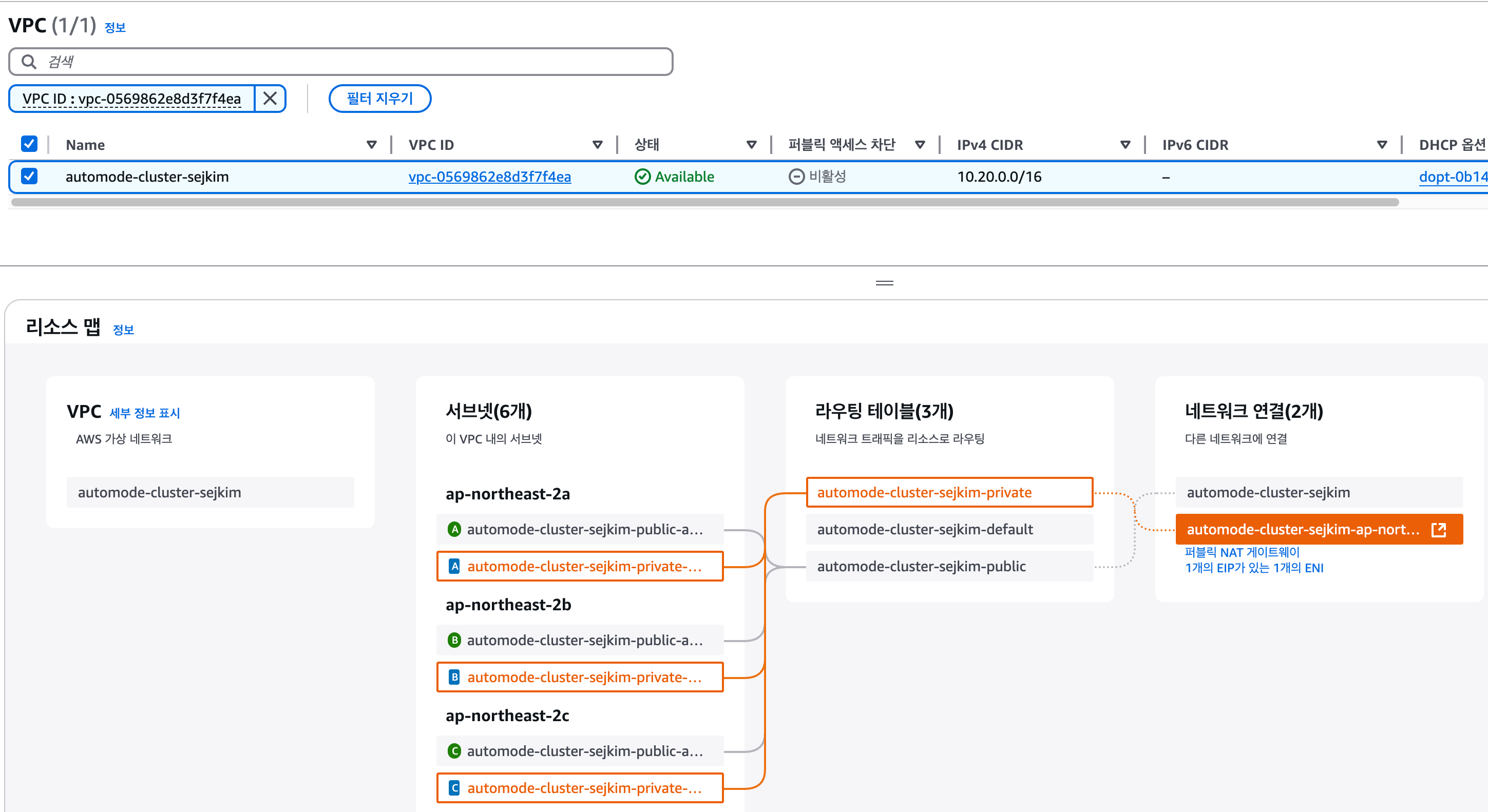
- EKS Cluster 자율모드 활성화 됨 - Cluster IAM Role, Node IAM Role, Auto Mode
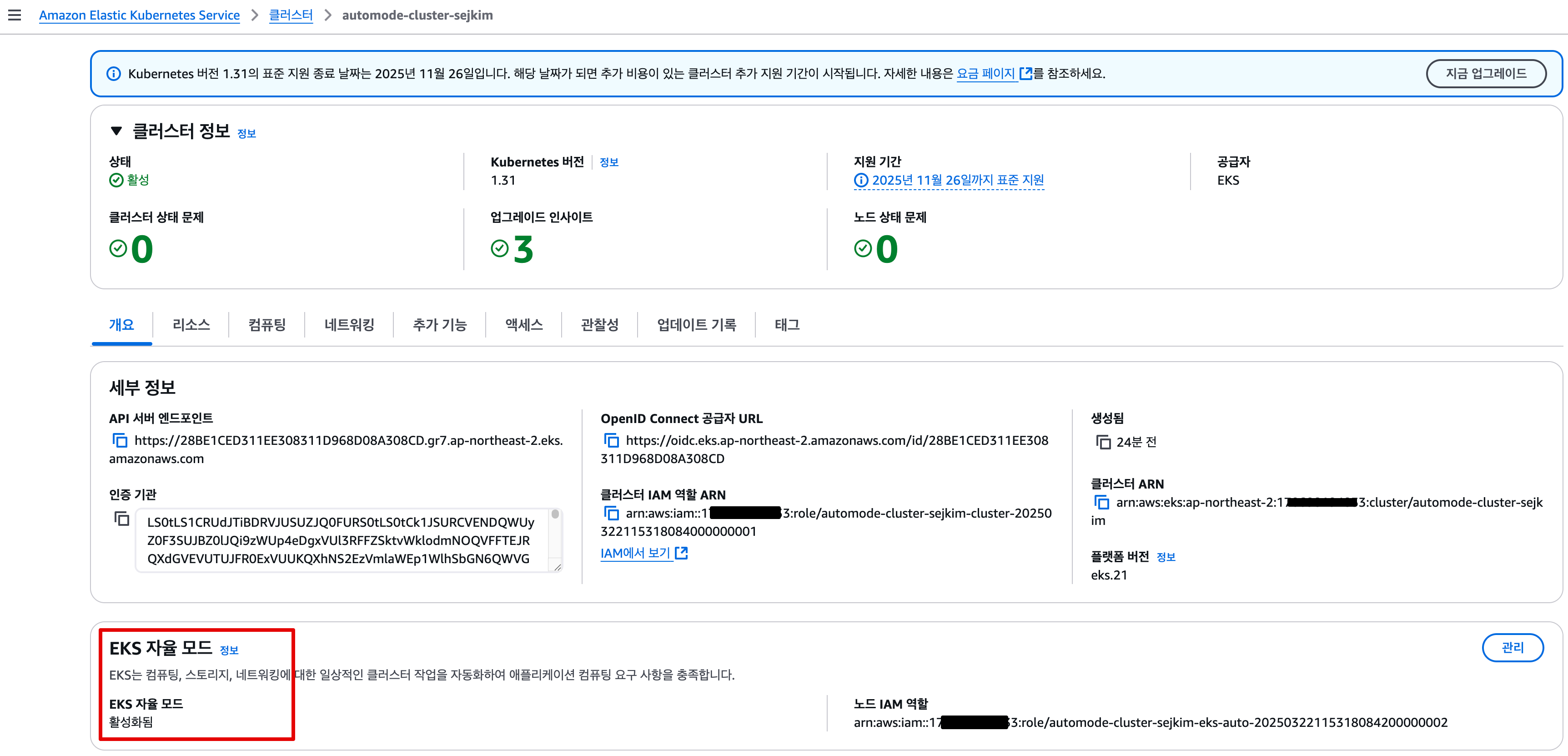
- EKS 컴퓨팅 - 내장 노드 풀이 생성 됨
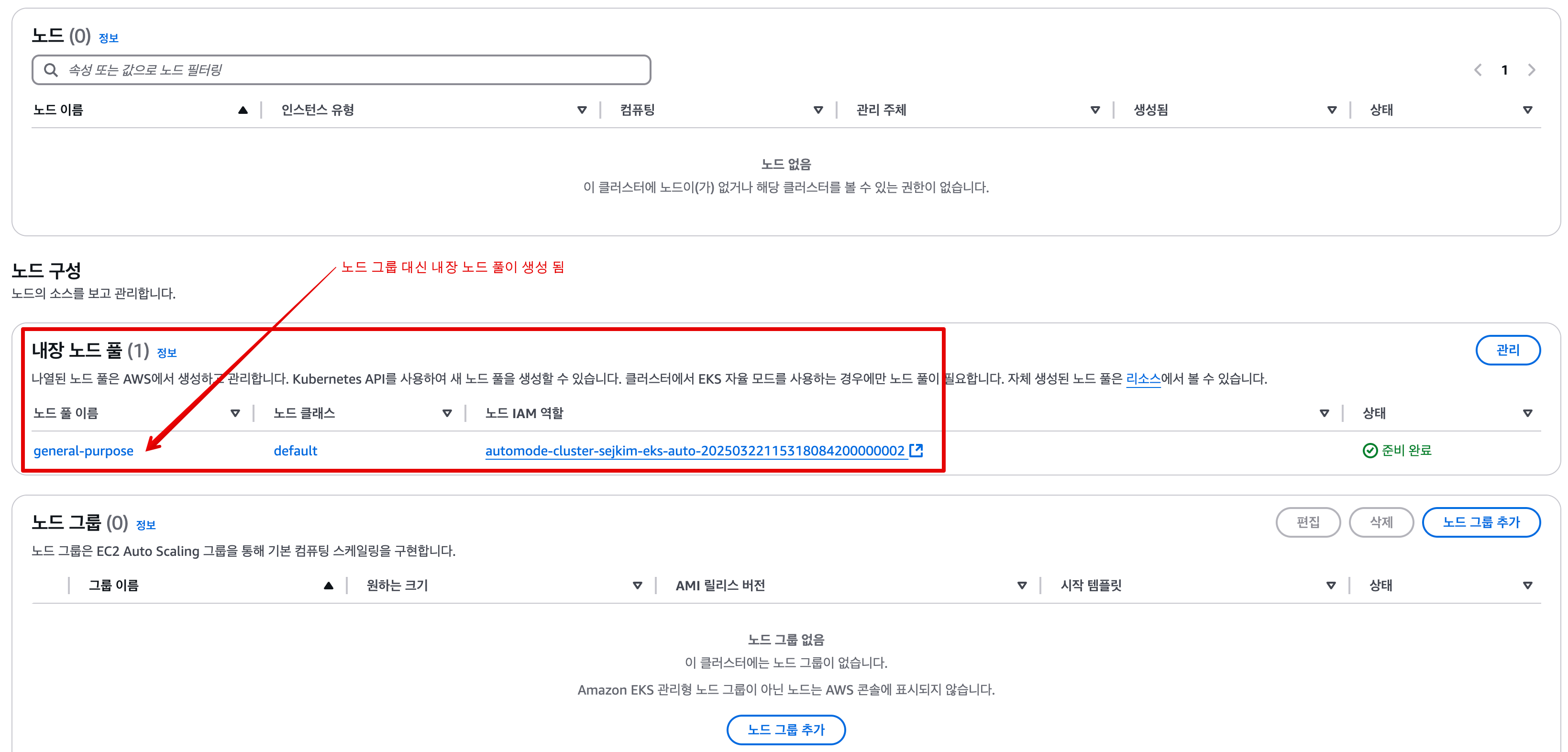
- VPC - ENI 확인 : EKS Owned-ENI

- Add-ons 조회 안됨
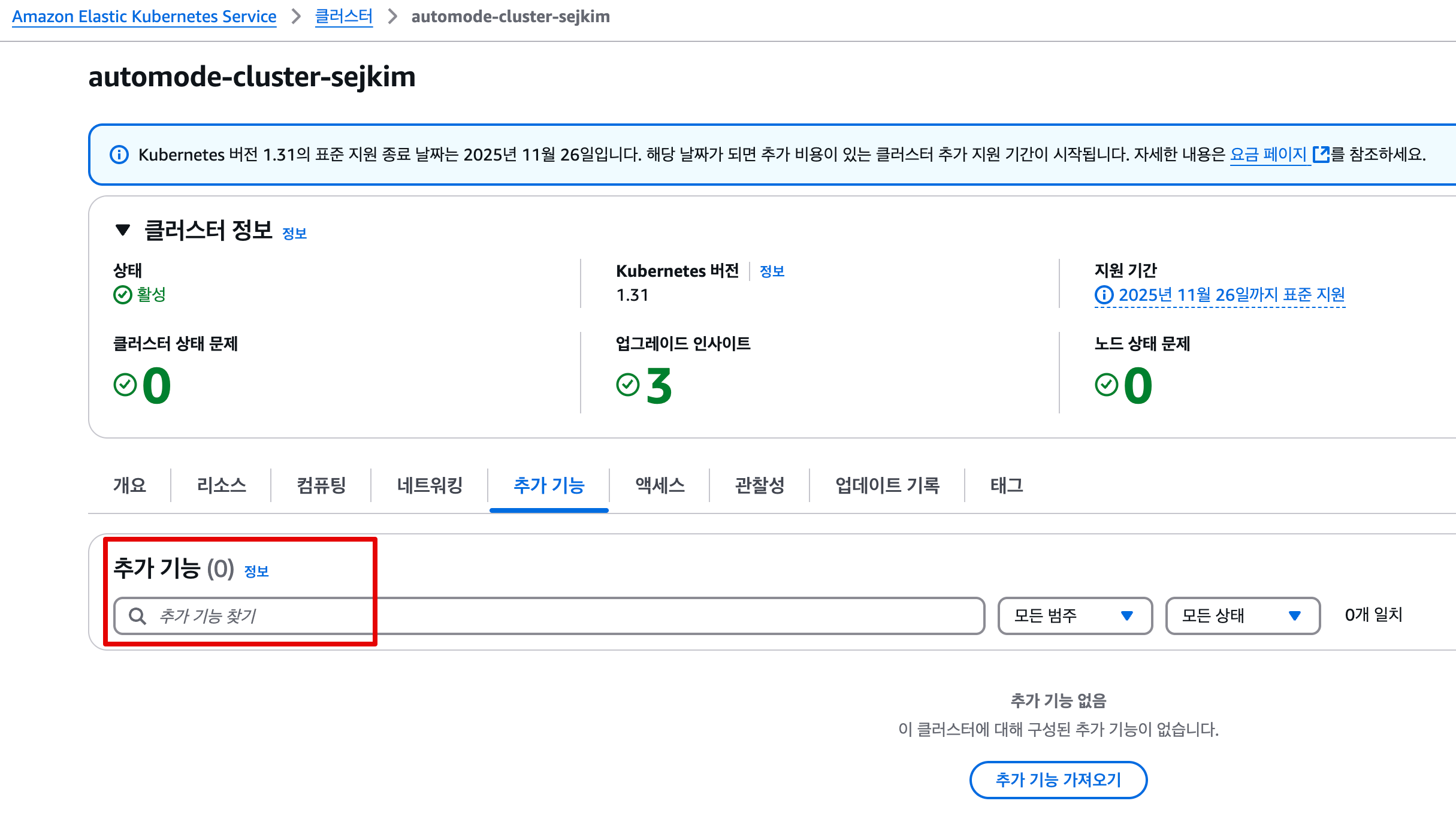
- Access : IAM access entries
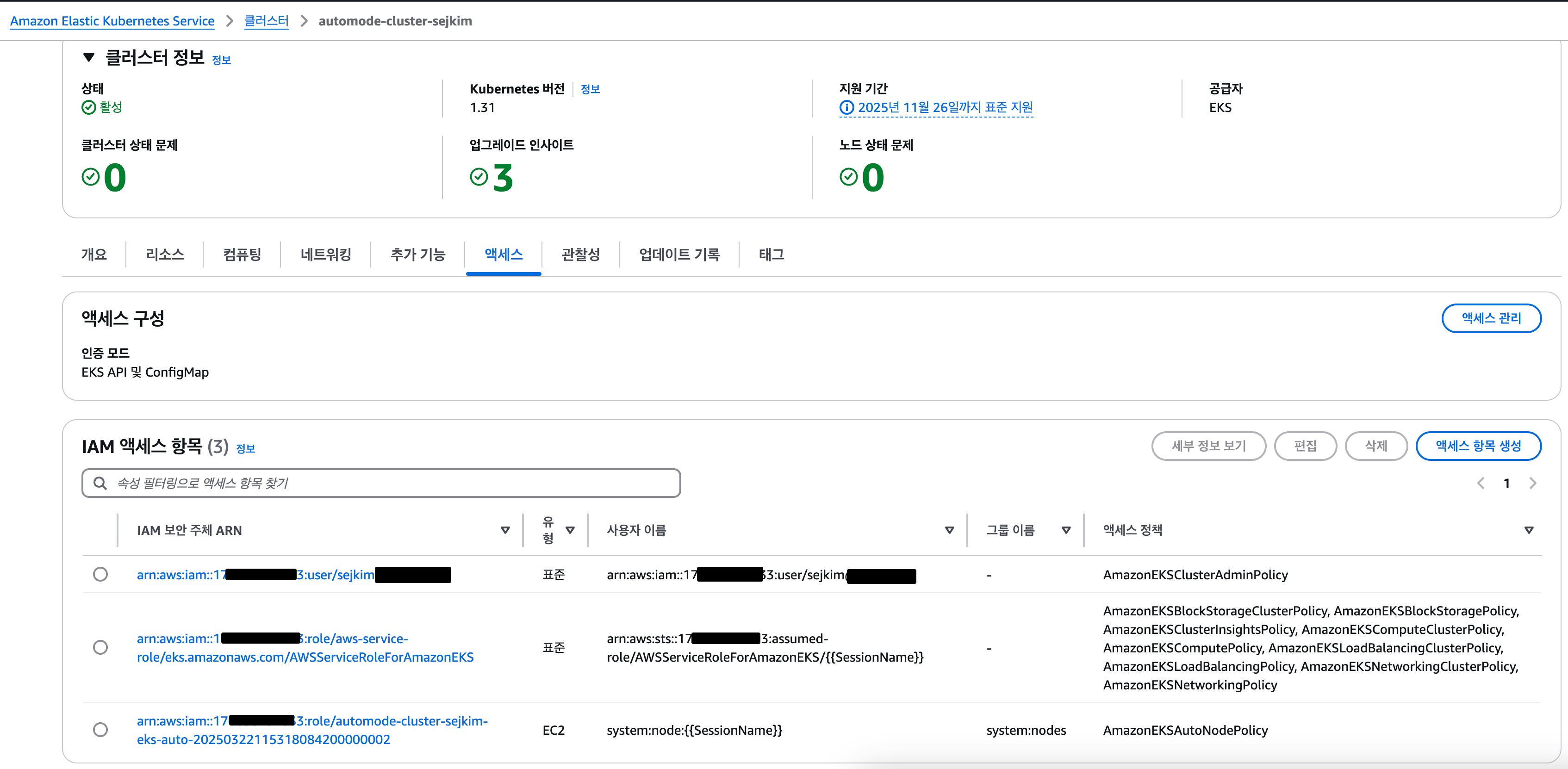
- vpc 생성
-
Kubectl 확인
#
kubectl get crd
cninodes.eks.amazonaws.com                   2025-03-22T12:02:42Z
cninodes.vpcresources.k8s.aws                2025-03-22T11:58:43Z
ingressclassparams.eks.amazonaws.com         2025-03-22T12:02:37Z
nodeclaims.karpenter.sh                      2025-03-22T12:03:24Z
nodeclasses.eks.amazonaws.com                2025-03-22T12:03:24Z
nodediagnostics.eks.amazonaws.com            2025-03-22T12:03:24Z
nodepools.karpenter.sh                       2025-03-22T12:03:24Z
policyendpoints.networking.k8s.aws           2025-03-22T11:58:44Z
securitygrouppolicies.vpcresources.k8s.aws   2025-03-22T11:58:43Z
targetgroupbindings.eks.amazonaws.com        2025-03-22T12:02:37Z

kubectl api-resources | grep -i node
nodes                               no           v1                                false        Node
cninodes                            cni,cnis     eks.amazonaws.com/v1alpha1        false        CNINode
nodeclasses                                      eks.amazonaws.com/v1              false        NodeClass
nodediagnostics                                  eks.amazonaws.com/v1alpha1        false        NodeDiagnostic
nodeclaims                                       karpenter.sh/v1                   false        NodeClaim
nodepools                                        karpenter.sh/v1                   false        NodePool
runtimeclasses                                   node.k8s.io/v1                    false        RuntimeClass
csinodes                                         storage.k8s.io/v1                 false        CSINode
cninodes                            cnd          vpcresources.k8s.aws/v1alpha1     false        CNINode

# 노드에 Access가 불가능하니, 분석 지원(CRD)제공
kubectl explain nodediagnostics
GROUP:      eks.amazonaws.com
KIND:       NodeDiagnostic
VERSION:    v1alpha1

DESCRIPTION:
    The name of the NodeDiagnostic resource is meant to match the name of the
    node which should perform the diagnostic tasks

#
kubectl get nodeclasses.eks.amazonaws.com
NAME      ROLE                                                          READY   AGE
default   automode-cluster-sejkim-eks-auto-20250322115318084200000002   True    43m

kubectl get nodeclasses.eks.amazonaws.com -o yaml
...
apiVersion: v1
items:
- apiVersion: eks.amazonaws.com/v1
  kind: NodeClass
  metadata:
    annotations:
      eks.amazonaws.com/nodeclass-hash: "10468904266238261588"
      eks.amazonaws.com/nodeclass-hash-version: v1
    creationTimestamp: "2025-03-22T12:03:26Z"
    finalizers:
    - eks.amazonaws.com/termination
    generation: 1
    labels:
      app.kubernetes.io/managed-by: eks
    name: default
    resourceVersion: "12353"
    uid: ef9f3038-8368-46fd-9ebd-363b258b3d99
  spec:
    ephemeralStorage:
      iops: 3000
      size: 80Gi
      throughput: 125
    networkPolicy: DefaultAllow
    networkPolicyEventLogs: Disabled
    role: automode-cluster-sejkim-eks-auto-20250322115318084200000002
    securityGroupSelectorTerms:
    - id: sg-075c4f2c5e995d263
    snatPolicy: Random
    subnetSelectorTerms:
    - id: subnet-0c6e549cae79fe765
    - id: subnet-068b6144a3656a5fc
    - id: subnet-00f4800fa61d80fb5
  status:
    conditions:
    - lastTransitionTime: "2025-03-22T12:03:41Z"
      message: ""
      observedGeneration: 1
      reason: SubnetsReady
      status: "True"
      type: SubnetsReady
    - lastTransitionTime: "2025-03-22T12:03:41Z"
      message: ""
      observedGeneration: 1
      reason: SecurityGroupsReady
      status: "True"
      type: SecurityGroupsReady
    - lastTransitionTime: "2025-03-22T12:03:41Z"
      message: ""
      observedGeneration: 1
      reason: InstanceProfileReady
      status: "True"
      type: InstanceProfileReady
    - lastTransitionTime: "2025-03-22T12:03:41Z"
      message: ""
      observedGeneration: 1
      reason: Ready
      status: "True"
      type: Ready
    instanceProfile: eks-ap-northeast-2-automode-cluster-sejkim-218065280045402456
    securityGroups:
    - id: sg-075c4f2c5e995d263
      name: eks-cluster-sg-automode-cluster-sejkim-1113156091
    subnets:
    - id: subnet-068b6144a3656a5fc
      zone: ap-northeast-2a
      zoneID: apne2-az1
    - id: subnet-00f4800fa61d80fb5
      zone: ap-northeast-2b
      zoneID: apne2-az2
    - id: subnet-0c6e549cae79fe765
      zone: ap-northeast-2c
      zoneID: apne2-az3
kind: List

#
kubectl get nodepools
NAME              NODECLASS   NODES   READY   AGE
general-purpose   default     0       True    46m

kubectl get nodepools -o yaml
...
  spec:
    disruption:
      budgets:
      - nodes: 10%
      consolidateAfter: 30s
      consolidationPolicy: WhenEmptyOrUnderutilized
    template:
      metadata: {}
      spec:
        expireAfter: 336h # 14일
        nodeClassRef:
          group: eks.amazonaws.com
          kind: NodeClass
          name: default
        requirements:
        - key: karpenter.sh/capacity-type
          operator: In
          values:
          - on-demand
        - key: eks.amazonaws.com/instance-category
          operator: In
          values:
          - c
          - m
          - r
        - key: eks.amazonaws.com/instance-generation
          operator: Gt
          values:
          - "4"
        - key: kubernetes.io/arch
          operator: In
          values:
          - amd64
        - key: kubernetes.io/os
          operator: In
          values:
          - linux
        terminationGracePeriod: 24h0m0s
...

#
kubectl get mutatingwebhookconfiguration
NAME                            WEBHOOKS   AGE
eks-load-balancing-webhook      2          48m
pod-identity-webhook            1          52m
vpc-resource-mutating-webhook   1          52m

kubectl get validatingwebhookconfiguration
NAME                              WEBHOOKS   AGE
vpc-resource-validating-webhook   2          52m
3.3.2 kube-ops-view 설치
# 모니터링
eks-node-viewer --node-sort=eks-node-viewer/node-cpu-usage=dsc --extra-labels eks-node-viewer/node-age
watch -d kubectl get node,pod -A

# helm 배포
helm repo add geek-cookbook https://geek-cookbook.github.io/charts/
helm install kube-ops-view geek-cookbook/kube-ops-view --version 1.2.2 --set env.TZ="Asia/Seoul" --namespace kube-system
kubectl get events -w --sort-by '.lastTimestamp' # 출력 이벤트 로그 분석해보자
2m          Normal    Launched                  nodeclaim/general-purpose-zv6wp   Status condition transitioned, Type: Launched, Status: Unknown -> True, Reason: Launched
118s        Normal    DisruptionBlocked         nodeclaim/general-purpose-zv6wp   Nodeclaim does not have an associated node
102s        Normal    NodeAllocatableEnforced   node/i-0df6a52f175b5b012          Updated Node Allocatable limit across pods
102s        Normal    NodeHasNoDiskPressure     node/i-0df6a52f175b5b012          Node i-0df6a52f175b5b012 status is now: NodeHasNoDiskPressure
102s        Normal    NodeHasSufficientPID      node/i-0df6a52f175b5b012          Node i-0df6a52f175b5b012 status is now: NodeHasSufficientPID
102s        Normal    Starting                  node/i-0df6a52f175b5b012          Starting kubelet.
102s        Warning   InvalidDiskCapacity       node/i-0df6a52f175b5b012          invalid capacity 0 on image filesystem
102s        Normal    NodeHasSufficientMemory   node/i-0df6a52f175b5b012          Node i-0df6a52f175b5b012 status is now: NodeHasSufficientMemory
101s        Normal    NodeReady                 node/i-0df6a52f175b5b012          Node i-0df6a52f175b5b012 status is now: NodeReady
101s        Normal    Ready                     node/i-0df6a52f175b5b012          Status condition transitioned, Type: Ready, Status: False -> True, Reason: KubeletReady, Message: kubelet is posting ready status
101s        Normal    Registered                nodeclaim/general-purpose-zv6wp   Status condition transitioned, Type: Registered, Status: Unknown -> True, Reason: Registered
101s        Normal    Synced                    node/i-0df6a52f175b5b012          Node synced successfully
100s        Normal    Ready                     nodeclaim/general-purpose-zv6wp   Status condition transitioned, Type: Ready, Status: Unknown -> True, Reason: Ready
100s        Normal    Initialized               nodeclaim/general-purpose-zv6wp   Status condition transitioned, Type: Initialized, Status: Unknown -> True, Reason: Initialized
98s         Normal    DisruptionBlocked         node/i-0df6a52f175b5b012          Node is nominated for a pending pod
98s         Normal    RegisteredNode            node/i-0df6a52f175b5b012          Node i-0df6a52f175b5b012 event: Registered Node i-0df6a52f175b5b012 in Controller
58s         Normal    Unconsolidatable          nodeclaim/general-purpose-zv6wp   Can't replace with a cheaper node
58s         Normal    Unconsolidatable          node/i-0df6a52f175b5b012          Can't replace with a cheaper node

# 확인
kubectl get nodeclaims
NAME                    TYPE        CAPACITY    ZONE              NODE                  READY   AGE
general-purpose-zv6wp   c5a.large   on-demand   ap-northeast-2b   i-0df6a52f175b5b012   True    3m55s

# OS, KERNEL, CRI 확인  - Amazon Linux 대신 Bottlerocket 사용
kubectl get node -owide
NAME                  STATUS   ROLES    AGE     VERSION               INTERNAL-IP    EXTERNAL-IP   OS-IMAGE                                           KERNEL-VERSION   CONTAINER-RUNTIME
i-0df6a52f175b5b012   Ready    <none>   3m56s   v1.31.4-eks-0f56d01   10.20.22.137   <none>        Bottlerocket (EKS Auto) 2025.3.14 (aws-k8s-1.31)   6.1.129          containerd://1.7.25+bottlerocket

# CNI 노드 확인
kubectl get cninodes.eks.amazonaws.com
NAME                  AGE
i-0df6a52f175b5b012   6m35s


#[신규 터미널] 포트 포워딩
kubectl port-forward deployment/kube-ops-view -n kube-system 8080:8080 &

# 접속 주소 확인 : 각각 1배, 1.5배, 3배 크기
echo -e "KUBE-OPS-VIEW URL = http://localhost:8080"
echo -e "KUBE-OPS-VIEW URL = http://localhost:8080/#scale=1.5"
echo -e "KUBE-OPS-VIEW URL = http://localhost:8080/#scale=3"

open "http://127.0.0.1:8080/#scale=1.5" # macOS
- kube-ops-view 설치 후

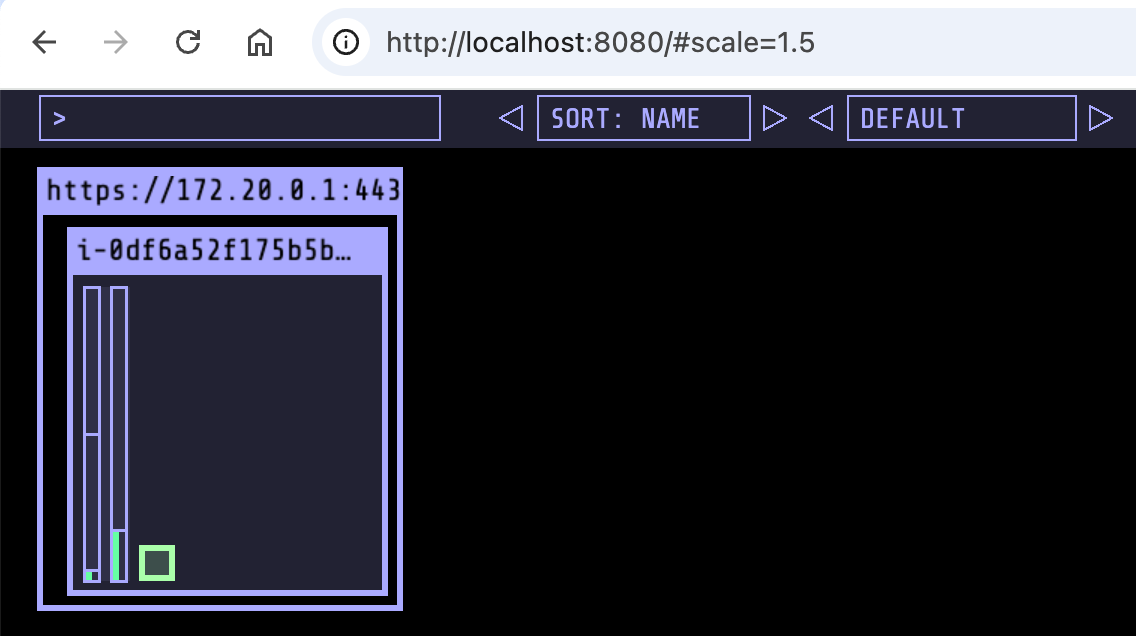
3.3.3 [컴퓨팅] karpenter 동작 확인
- 실습을 위해 deployment 배포
# Step 1: Review existing compute resources (optional)
kubectl get nodepools
NAME              NODECLASS   NODES   READY   AGE
general-purpose   default     1       True    63m

# Step 2: Deploy a sample application to the cluster
# eks.amazonaws.com/compute-type: auto selector requires the workload be deployed on an Amazon EKS Auto Mode node.
cat <<EOF | kubectl apply -f -
apiVersion: apps/v1
kind: Deployment
metadata:
  name: inflate
spec:
  replicas: 1
  selector:
    matchLabels:
      app: inflate
  template:
    metadata:
      labels:
        app: inflate
    spec:
      terminationGracePeriodSeconds: 0
      nodeSelector:
        eks.amazonaws.com/compute-type: auto
      securityContext:
        runAsUser: 1000
        runAsGroup: 3000
        fsGroup: 2000
      containers:
        - name: inflate
          image: public.ecr.aws/eks-distro/kubernetes/pause:3.7
          resources:
            requests:
              cpu: 1
          securityContext:
            allowPrivilegeEscalation: false
EOF


# Step 3: Watch Kubernetes Events
kubectl get events -w --sort-by '.lastTimestamp'
44s         Normal    Scheduled                 pod/inflate-b6b45f8d4-r8d5l       Successfully assigned default/inflate-b6b45f8d4-r8d5l to i-0df6a52f175b5b012
44s         Normal    SuccessfulCreate          replicaset/inflate-b6b45f8d4      Created pod: inflate-b6b45f8d4-r8d5l
44s         Normal    ScalingReplicaSet         deployment/inflate                Scaled up replica set inflate-b6b45f8d4 to 1
43s         Normal    Pulling                   pod/inflate-b6b45f8d4-r8d5l       Pulling image "public.ecr.aws/eks-distro/kubernetes/pause:3.7"
40s         Normal    Pulled                    pod/inflate-b6b45f8d4-r8d5l       Successfully pulled image "public.ecr.aws/eks-distro/kubernetes/pause:3.7" in 3.198s (3.198s including waiting). Image size: 2002080 bytes.
40s         Normal    Created                   pod/inflate-b6b45f8d4-r8d5l       Created container inflate
40s         Normal    Started                   pod/inflate-b6b45f8d4-r8d5l       Started container inflate

kubectl get nodes
NAME                  STATUS   ROLES    AGE   VERSION
i-0df6a52f175b5b012 Ready <none> 14m v1.31.4-eks-0f56d01- 스케일링 설정 후 확인 : kube-ops-view 파드 evict 되면, port-forward 명령 다시 입력 할것! → pod 안전성 설정이 없을 경우에 대한 간접 경험
# 모니터링
eks-node-viewer --node-sort=eks-node-viewer/node-cpu-usage=dsc --extra-labels eks-node-viewer/node-age
watch -d kubectl get node,pod -A

#
kubectl scale deployment inflate --replicas 5 && kubectl get events -w --sort-by '.lastTimestamp'

#
kubectl scale deployment inflate --replicas 10 && kubectl get events -w --sort-by '.lastTimestamp'

#
kubectl scale deployment inflate --replicas 50 && kubectl get events -w --sort-by '.lastTimestamp'

# 실습 확인 후 삭제
kubectl delete deployment inflate && kubectl get events -w --sort-by '.lastTimestamp'- Karpenter이용 Scale-out/in 테스트 - Pod수와 자원사용량 고려하여 동적으로 노드 최적화됨
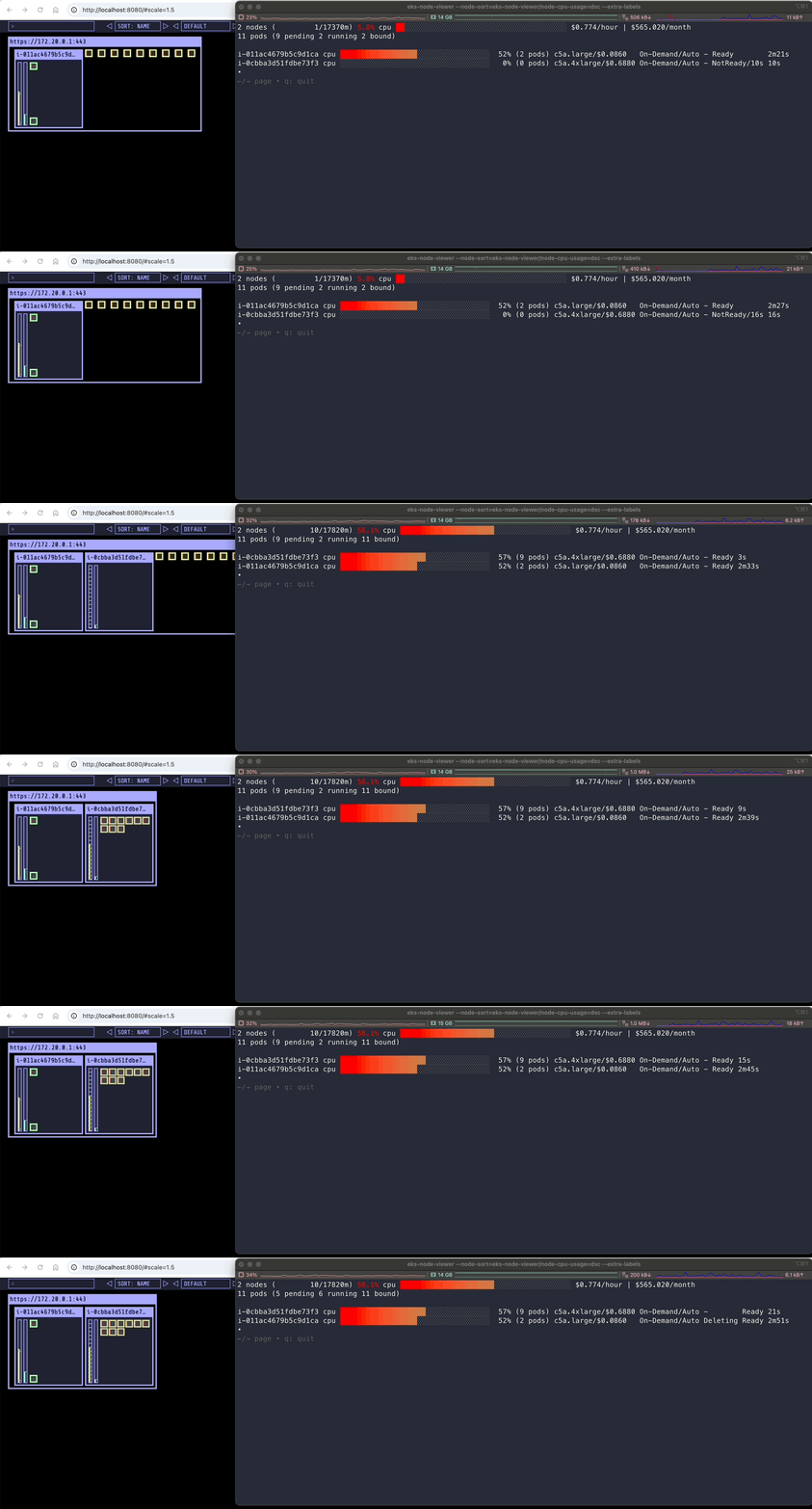
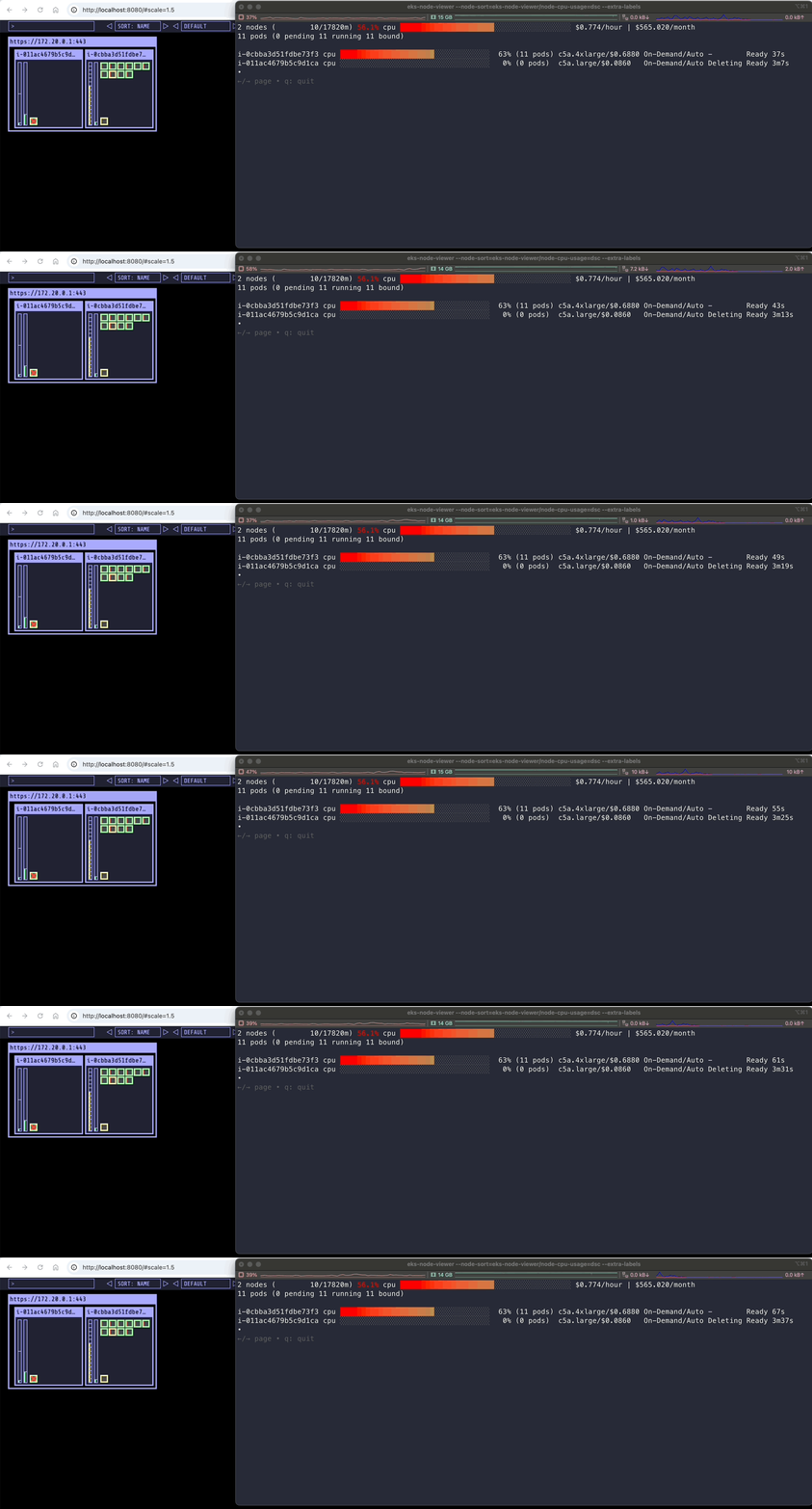
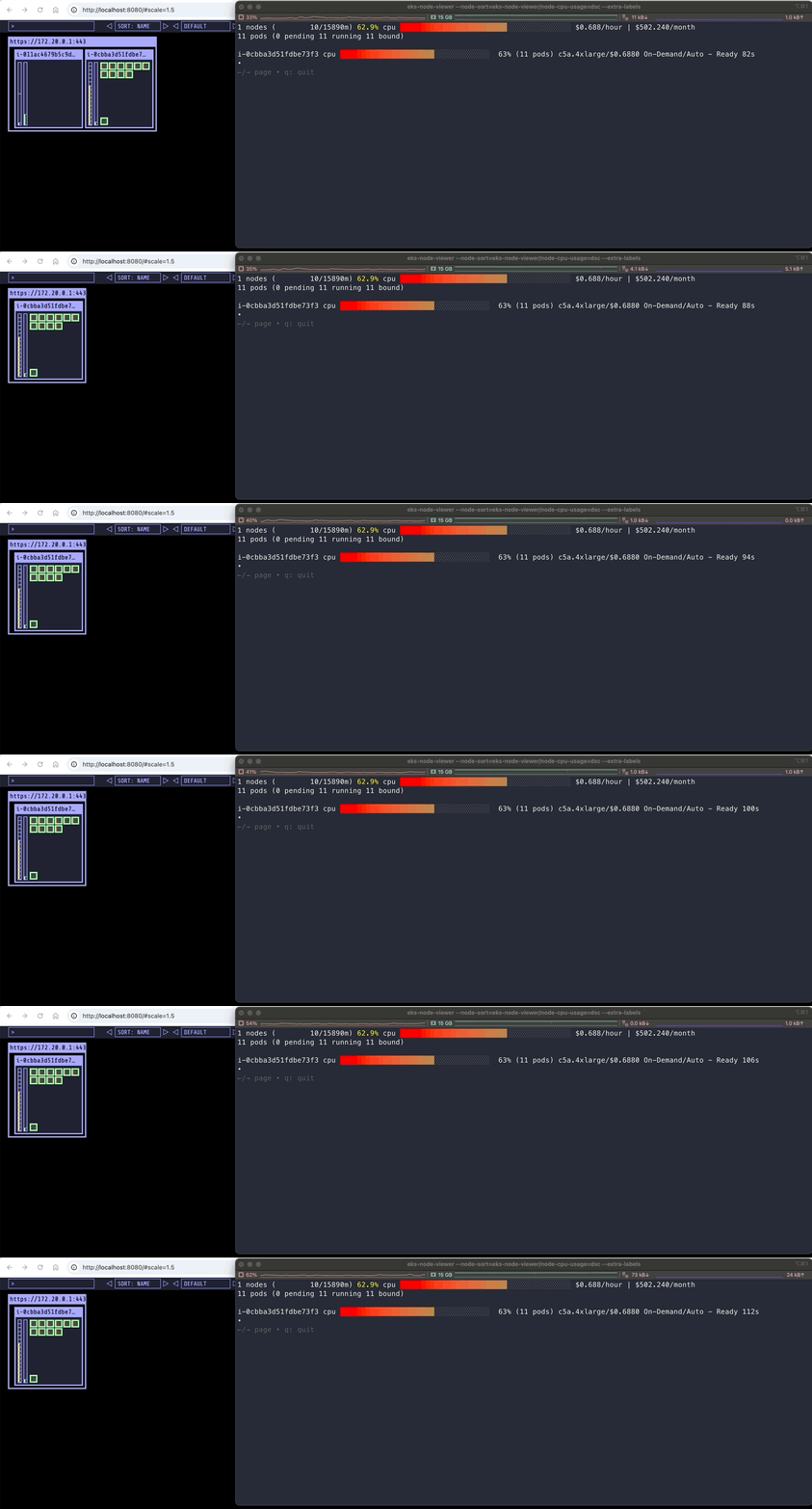
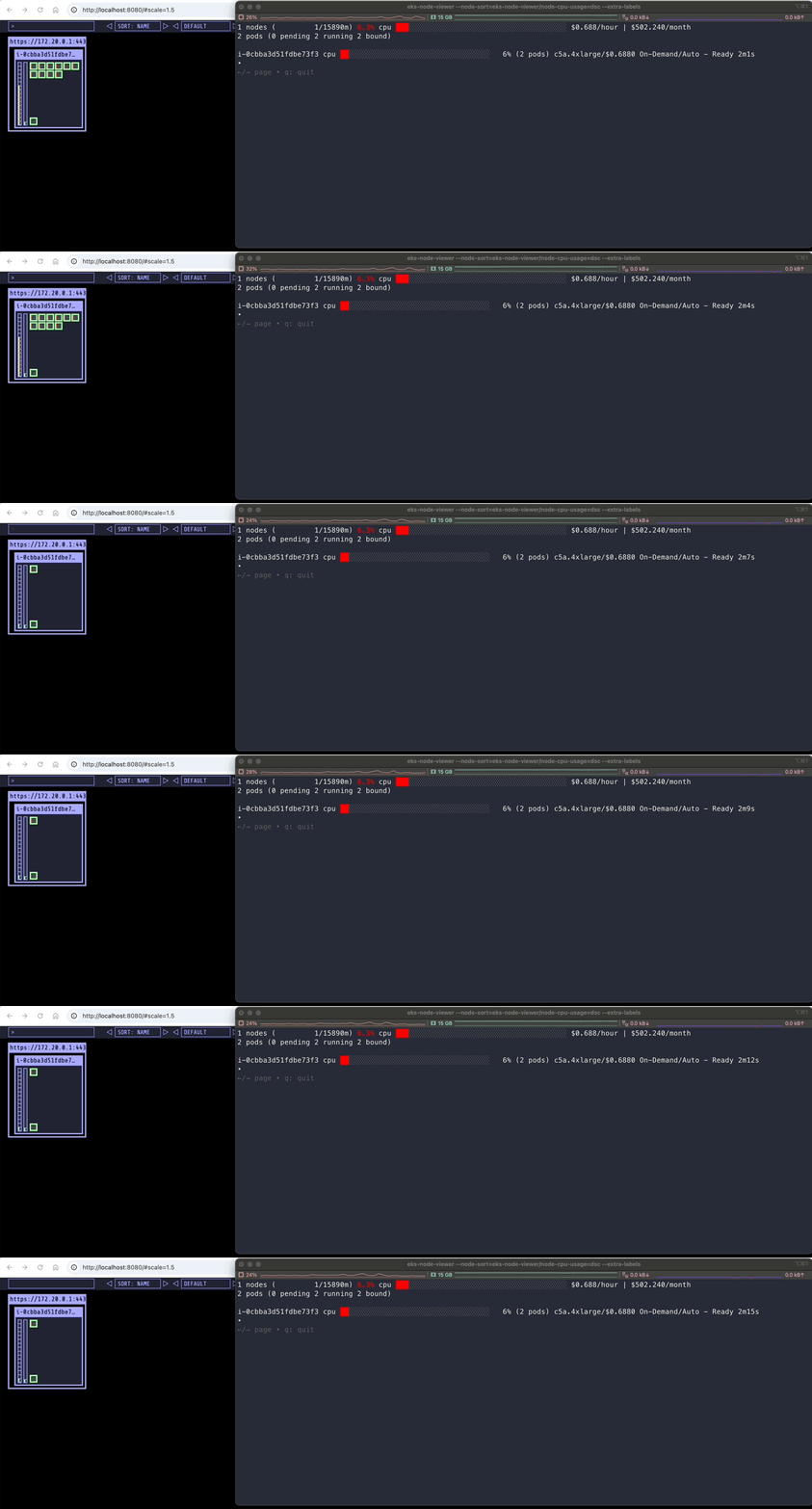
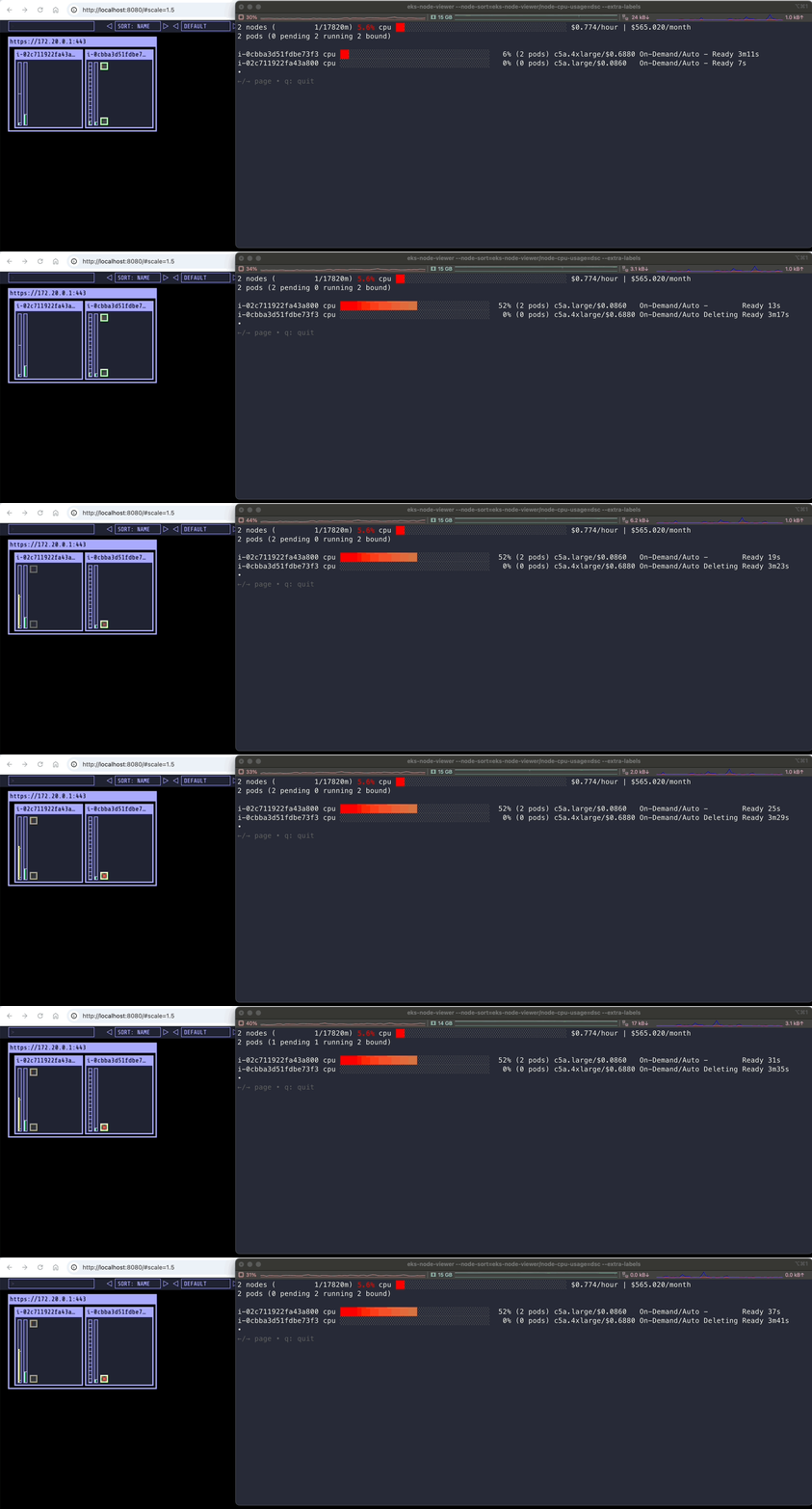
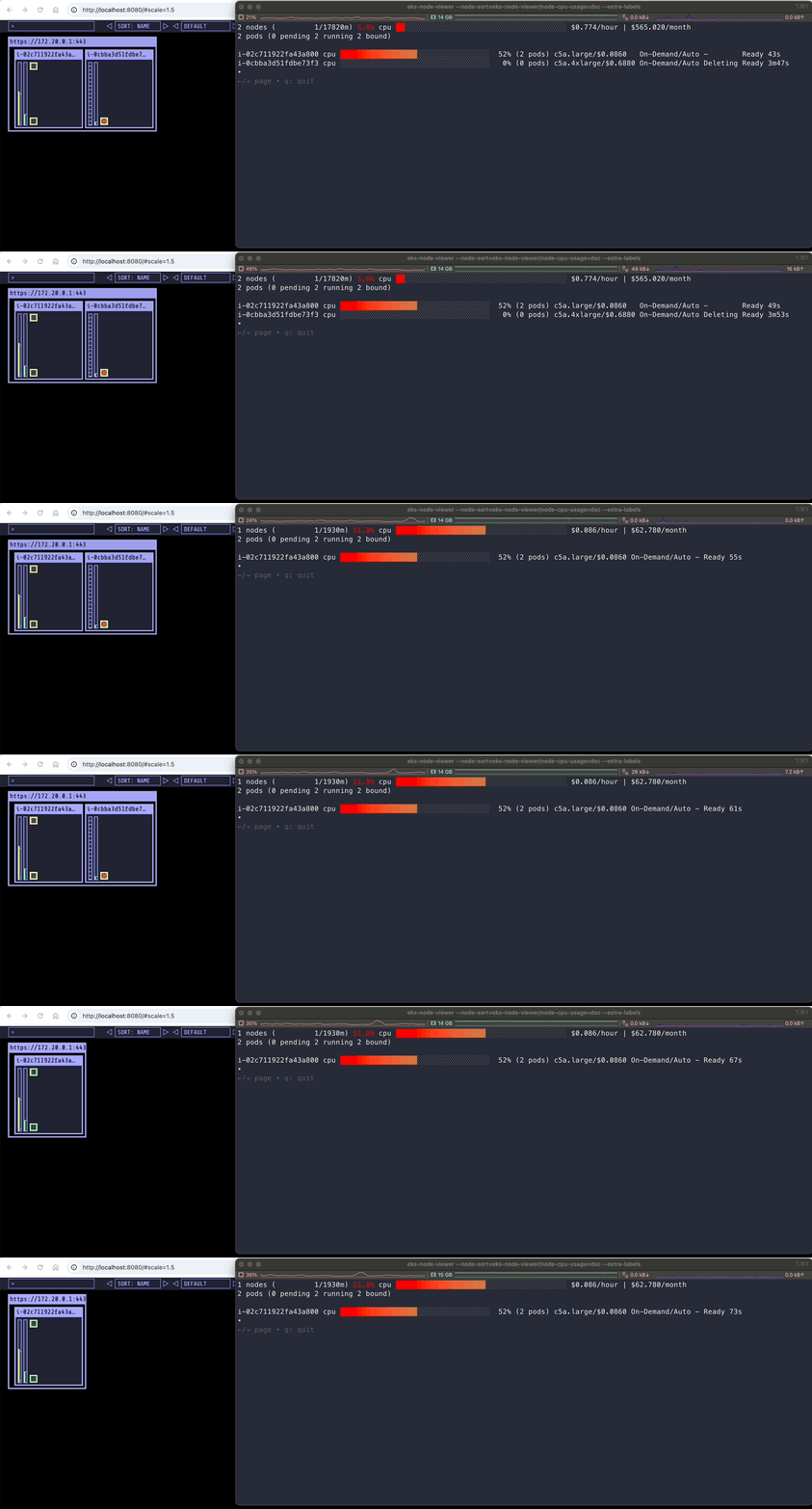
3.3.4 [네트워킹] Graviton Workloads (2048 game) 배포 with ingress(ALB) : custom nodeclass/pool 사용
- custom nodeclass/pool, ment 배포
# custom node pool 생성 : 고객 NodePool : Karpenter 와 키가 다르니 주의!
## 기존(karpenter.k8s.aws/instance-family) → 변경(eks.amazonaws.com/instance-family) - Link (https://dev.classmethod.jp/articles/eks-auto-mode-custom-node-pool/)
ls ../nodepools
gpu-nodepool.yaml graviton-nodepool.yaml
cat ../nodepools/graviton-nodepool.yaml
---
apiVersion: eks.amazonaws.com/v1
kind: NodeClass
metadata:
name: graviton-nodeclass
spec:
role: automode-cluster-sejkim-eks-auto-20250322115318084200000002
subnetSelectorTerms:
- tags:
karpenter.sh/discovery: "automode-demo"
securityGroupSelectorTerms:
- tags:
kubernetes.io/cluster/automode-cluster: owned
tags:
karpenter.sh/discovery: "automode-demo"
---
apiVersion: karpenter.sh/v1
kind: NodePool
metadata:
name: graviton-nodepool
spec:
template:
spec:
nodeClassRef:
group: eks.amazonaws.com
kind: NodeClass
name: graviton-nodeclass
requirements:
- key: "eks.amazonaws.com/instance-category"
operator: In
values: ["c", "m"]
- key: "eks.amazonaws.com/instance-cpu"
operator: In
values: ["2", "4"]
- key: "kubernetes.io/arch"
operator: In
values: ["arm64"]
taints:
- key: "arm64"
value: "true"
effect: "NoSchedule"
limits:
cpu: 1000
disruption:
consolidationPolicy: WhenEmpty
consolidateAfter: 30s
# Custom NodePool 생성
kubectl apply -f ../nodepools/graviton-nodepool.yaml
nodeclass.eks.amazonaws.com/graviton-nodeclass created
nodepool.karpenter.sh/graviton-nodepool created
#
kubectl get NodeClass
default automode-cluster-sejkim-eks-auto-20250322115318084200000002 True 109m
graviton-nodeclass automode-cluster-sejkim-eks-auto-20250322115318084200000002 True 4m58s
kubectl get NodePool
NAME NODECLASS NODES READY AGE
general-purpose default 1 True 109m
graviton-nodepool graviton-nodeclass 0 True 5m35s
#
ls ../examples/graviton
2048-ingress.yaml README.md game-2048.yaml
cat ../examples/graviton/game-2048.yaml
---
apiVersion: v1
kind: Namespace
metadata:
name: game-2048
---
apiVersion: apps/v1
kind: Deployment
metadata:
namespace: game-2048
name: deployment-2048
spec:
selector:
matchLabels:
app.kubernetes.io/name: app-2048
template:
metadata:
labels:
app.kubernetes.io/name: app-2048
spec:
securityContext:
seccompProfile:
type: RuntimeDefault
containers:
- image: cnrock/2048:latest@sha256:fc83e30a245af39105bb658ff5348fb0dec812ce9b0ff31915b4dc2ab5dce849
imagePullPolicy: Always
name: app-2048
ports:
- containerPort: 80
securityContext:
allowPrivilegeEscalation: false
capabilities:
drop:
- NET_RAW
seccompProfile:
type: RuntimeDefault
resources:
requests:
cpu: "100m"
memory: "128Mi"
limits:
cpu: "200m"
memory: "256Mi"
automountServiceAccountToken: false
tolerations:
- key: "arm64"
value: "true"
effect: "NoSchedule"
nodeSelector:
kubernetes.io/arch: arm64
kubectl apply -f ../examples/graviton/game-2048.yaml
# c6gn.large : vCPU 2, 4 GiB RAM > 스팟 선택됨!
kubectl get nodeclaims
NAME TYPE CAPACITY ZONE NODE READY AGE
general-purpose-wc2n7 c5a.large on-demand ap-northeast-2b i-02c711922fa43a800 True 43m
graviton-nodepool-qltqw c6gn.large spot ap-northeast-2a i-00a2e3c9b8aa3ab91 True 5m37s
kubectl get nodeclaims -o yaml
...
spec:
expireAfter: 336h
...
kubectl get cninodes.eks.amazonaws.com
NAME AGE
i-00a2e3c9b8aa3ab91 6m6s
i-02c711922fa43a800 44m
kubectl get cninodes.eks.amazonaws.com -o yaml
apiVersion: v1
items:
- apiVersion: eks.amazonaws.com/v1alpha1
kind: CNINode
metadata:
creationTimestamp: "2025-03-22T14:07:06Z"
finalizers:
- eks.amazonaws.com/cninode
generation: 1
name: i-00a2e3c9b8aa3ab91
ownerReferences:
- apiVersion: karpenter.sh/v1
blockOwnerDeletion: true
controller: true
kind: NodeClaim
name: graviton-nodepool-qltqw
uid: 54aab38a-ea36-4f47-86fe-c999ebfed084
resourceVersion: "40061"
uid: c5398789-0e84-4b2b-a07b-f30e605c8f86
spec:
instanceID: i-00a2e3c9b8aa3ab91
instanceType: c6gn.large
ipAllocationStrategy: PrefixFallback
ipFamily: IPv4
ipv4AddressesPerInterface: 10
maximumNetworkCards: 1
maximumNetworkInterfaces: 3
networkPolicy: DefaultAllow
networkPolicyEventLogs: Disabled
primaryIPv4: 10.20.14.74
primaryNetworkInterfaceID: eni-06e4d7d8ae612e66a
securityGroupIDs:
- sg-0d9e558e94ced900b
- sg-075c4f2c5e995d263
snatPolicy: Random
vpcID: vpc-0569862e8d3f7f4ea
status:
conditions:
- lastTransitionTime: "2025-03-22T14:07:06Z"
message: ""
observedGeneration: 1
reason: NetworkDiscovered
status: "True"
type: NetworkDiscovered
- lastTransitionTime: "2025-03-22T14:07:07Z"
message: ""
observedGeneration: 1
reason: PrefixesAvailable
status: "True"
type: PrefixesAvailable
- lastTransitionTime: "2025-03-22T14:07:07Z"
message: ""
observedGeneration: 1
reason: IPsAvailable
status: "True"
type: IPsAvailable
- lastTransitionTime: "2025-03-22T14:07:07Z"
message: ""
observedGeneration: 1
reason: Ready
status: "True"
type: Ready
networkInterfaces:
- attachmentId: eni-attach-08761e9119842fb18
deviceIndex: 0
id: eni-06e4d7d8ae612e66a
macAddress: 02:ed:52:4c:09:97
networkCardIndex: 0
primaryV4CIDR: 10.20.14.74/32
subnetId: subnet-068b6144a3656a5fc
subnetV4CIDR: 10.20.0.0/20
v4CIDRs:
- 10.20.12.144/28
- 10.20.14.74/32
subnetIDs:
- subnet-068b6144a3656a5fc
- subnet-0909dab56affd9a7a
vpcCIDRs:
- 10.20.0.0/16
- apiVersion: eks.amazonaws.com/v1alpha1
kind: CNINode
metadata:
creationTimestamp: "2025-03-22T13:28:58Z"
finalizers:
- eks.amazonaws.com/cninode
generation: 1
name: i-02c711922fa43a800
ownerReferences:
- apiVersion: karpenter.sh/v1
blockOwnerDeletion: true
controller: true
kind: NodeClaim
name: general-purpose-wc2n7
uid: c8dc5c36-ee62-4b96-9432-f6484803f351
resourceVersion: "28143"
uid: 190bebe5-b12f-4c27-9fdc-50916f224a06
spec:
instanceID: i-02c711922fa43a800
instanceType: c5a.large
ipAllocationStrategy: PrefixFallback
ipFamily: IPv4
ipv4AddressesPerInterface: 10
maximumNetworkCards: 1
maximumNetworkInterfaces: 3
networkPolicy: DefaultAllow
networkPolicyEventLogs: Disabled
primaryIPv4: 10.20.16.160
primaryNetworkInterfaceID: eni-01be30755c57c932a
securityGroupIDs:
- sg-075c4f2c5e995d263
snatPolicy: Random
vpcID: vpc-0569862e8d3f7f4ea
status:
conditions:
- lastTransitionTime: "2025-03-22T13:28:58Z"
message: ""
observedGeneration: 1
reason: NetworkDiscovered
status: "True"
type: NetworkDiscovered
- lastTransitionTime: "2025-03-22T13:28:58Z"
message: ""
observedGeneration: 1
reason: PrefixesAvailable
status: "True"
type: PrefixesAvailable
- lastTransitionTime: "2025-03-22T13:28:58Z"
message: ""
observedGeneration: 1
reason: IPsAvailable
status: "True"
type: IPsAvailable
- lastTransitionTime: "2025-03-22T13:28:58Z"
message: ""
observedGeneration: 1
reason: Ready
status: "True"
type: Ready
networkInterfaces:
- attachmentId: eni-attach-0e7a0500b4de47ff8
deviceIndex: 0
id: eni-01be30755c57c932a
macAddress: 06:79:f7:a0:c0:e9
networkCardIndex: 0
primaryV4CIDR: 10.20.16.160/32
subnetId: subnet-00f4800fa61d80fb5
subnetV4CIDR: 10.20.16.0/20
v4CIDRs:
- 10.20.28.192/28
- 10.20.16.160/32
subnetIDs:
- subnet-00f4800fa61d80fb5
vpcCIDRs:
- 10.20.0.0/16
kind: List
metadata:
resourceVersion: ""
eks-node-viewer --resources cpu,memory
kubectl get node -owide
NAME STATUS ROLES AGE VERSION INTERNAL-IP EXTERNAL-IP OS-IMAGE KERNEL-VERSION CONTAINER-RUNTIME
i-00a2e3c9b8aa3ab91 Ready <none> 8m56s v1.31.4-eks-0f56d01 10.20.14.74 <none> Bottlerocket (EKS Auto) 2025.3.14 (aws-k8s-1.31) 6.1.129 containerd://1.7.25+bottlerocket
i-02c711922fa43a800 Ready <none> 47m v1.31.4-eks-0f56d01 10.20.16.160 <none> Bottlerocket (EKS Auto) 2025.3.14 (aws-k8s-1.31) 6.1.129 containerd://1.7.25+bottlerocket
kubectl describe node
Name: i-00a2e3c9b8aa3ab91
Roles: <none>
Labels: app.kubernetes.io/managed-by=eks
beta.kubernetes.io/arch=arm64
beta.kubernetes.io/instance-type=c6gn.large
beta.kubernetes.io/os=linux
eks.amazonaws.com/compute-type=auto
eks.amazonaws.com/instance-category=c
eks.amazonaws.com/instance-cpu=2
eks.amazonaws.com/instance-cpu-manufacturer=aws
eks.amazonaws.com/instance-cpu-sustained-clock-speed-mhz=2500
eks.amazonaws.com/instance-ebs-bandwidth=9500
eks.amazonaws.com/instance-encryption-in-transit-supported=true
eks.amazonaws.com/instance-family=c6gn
eks.amazonaws.com/instance-generation=6
eks.amazonaws.com/instance-hypervisor=nitro
eks.amazonaws.com/instance-memory=4096
eks.amazonaws.com/instance-network-bandwidth=3000
eks.amazonaws.com/instance-size=large
eks.amazonaws.com/nodeclass=graviton-nodeclass
failure-domain.beta.kubernetes.io/region=ap-northeast-2
failure-domain.beta.kubernetes.io/zone=ap-northeast-2a
k8s.io/cloud-provider-aws=ccab2ff538e2cad7a1dd492ce487c8c4
karpenter.sh/capacity-type=spot
karpenter.sh/initialized=true
karpenter.sh/nodepool=graviton-nodepool
karpenter.sh/registered=true
kubernetes.io/arch=arm64
kubernetes.io/hostname=i-00a2e3c9b8aa3ab91
kubernetes.io/os=linux
node.kubernetes.io/instance-type=c6gn.large
topology.ebs.csi.eks.amazonaws.com/zone=ap-northeast-2a
topology.k8s.aws/zone-id=apne2-az1
topology.kubernetes.io/region=ap-northeast-2
topology.kubernetes.io/zone=ap-northeast-2a
Annotations: alpha.kubernetes.io/provided-node-ip: 10.20.14.74
csi.volume.kubernetes.io/nodeid: {"ebs.csi.eks.amazonaws.com":"i-00a2e3c9b8aa3ab91"}
eks.amazonaws.com/nodeclass-hash: 1673177005649619823
eks.amazonaws.com/nodeclass-hash-version: v1
karpenter.sh/nodepool-hash: 2684801500944993618
karpenter.sh/nodepool-hash-version: v3
node.alpha.kubernetes.io/ttl: 0
volumes.kubernetes.io/controller-managed-attach-detach: true
CreationTimestamp: Sat, 22 Mar 2025 23:07:06 +0900
Taints: arm64=true:NoSchedule
Unschedulable: false
Lease:
HolderIdentity: i-00a2e3c9b8aa3ab91
AcquireTime: <unset>
RenewTime: Sat, 22 Mar 2025 23:16:18 +0900
Conditions:
Type Status LastHeartbeatTime LastTransitionTime Reason Message
---- ------ ----------------- ------------------ ------ -------
MemoryPressure False Sat, 22 Mar 2025 23:12:43 +0900 Sat, 22 Mar 2025 23:07:06 +0900 KubeletHasSufficientMemory kubelet has sufficient memory available
DiskPressure False Sat, 22 Mar 2025 23:12:43 +0900 Sat, 22 Mar 2025 23:07:06 +0900 KubeletHasNoDiskPressure kubelet has no disk pressure
PIDPressure False Sat, 22 Mar 2025 23:12:43 +0900 Sat, 22 Mar 2025 23:07:06 +0900 KubeletHasSufficientPID kubelet has sufficient PID available
Ready True Sat, 22 Mar 2025 23:12:43 +0900 Sat, 22 Mar 2025 23:07:06 +0900 KubeletReady kubelet is posting ready status
ContainerRuntimeReady True Sat, 22 Mar 2025 23:12:10 +0900 Sat, 22 Mar 2025 23:07:10 +0900 ContainerRuntimeIsReady Monitoring for the ContainerRuntime system is active
StorageReady True Sat, 22 Mar 2025 23:12:10 +0900 Sat, 22 Mar 2025 23:07:10 +0900 DiskIsReady Monitoring for the Disk system is active
NetworkingReady True Sat, 22 Mar 2025 23:12:10 +0900 Sat, 22 Mar 2025 23:07:10 +0900 NetworkingIsReady Monitoring for the Networking system is active
KernelReady True Sat, 22 Mar 2025 23:12:10 +0900 Sat, 22 Mar 2025 23:07:10 +0900 KernelIsReady Monitoring for the Kernel system is active
Addresses:
InternalIP: 10.20.14.74
InternalDNS: ip-10-20-14-74.ap-northeast-2.compute.internal
Hostname: ip-10-20-14-74.ap-northeast-2.compute.internal
Capacity:
cpu: 2
ephemeral-storage: 81854Mi
hugepages-1Gi: 0
hugepages-2Mi: 0
hugepages-32Mi: 0
hugepages-64Ki: 0
memory: 3896788Ki
pods: 27
Allocatable:
cpu: 1930m
ephemeral-storage: 76173383962
hugepages-1Gi: 0
hugepages-2Mi: 0
hugepages-32Mi: 0
hugepages-64Ki: 0
memory: 3229140Ki
pods: 27
System Info:
Machine ID: ec29a29a035d0bce426116e5fa84024e
System UUID: ec29a29a-035d-0bce-4261-16e5fa84024e
Boot ID: 7f7f8f65-e4b6-4404-9b9b-81496fb14a43
Kernel Version: 6.1.129
OS Image: Bottlerocket (EKS Auto) 2025.3.14 (aws-k8s-1.31)
Operating System: linux
Architecture: arm64
Container Runtime Version: containerd://1.7.25+bottlerocket
Kubelet Version: v1.31.4-eks-0f56d01
Kube-Proxy Version: v1.31.4-eks-0f56d01
ProviderID: aws:///ap-northeast-2a/i-00a2e3c9b8aa3ab91
Non-terminated Pods: (1 in total)
Namespace Name CPU Requests CPU Limits Memory Requests Memory Limits Age
--------- ---- ------------ ---------- --------------- ------------- ---
game-2048 deployment-2048-d79687dcd-hnrlq 100m (5%) 200m (10%) 128Mi (4%) 256Mi (8%) 21m
Allocated resources:
(Total limits may be over 100 percent, i.e., overcommitted.)
Resource Requests Limits
-------- -------- ------
cpu 100m (5%) 200m (10%)
memory 128Mi (4%) 256Mi (8%)
ephemeral-storage 0 (0%) 0 (0%)
hugepages-1Gi 0 (0%) 0 (0%)
hugepages-2Mi 0 (0%) 0 (0%)
hugepages-32Mi 0 (0%) 0 (0%)
hugepages-64Ki 0 (0%) 0 (0%)
Events:
Type Reason Age From Message
---- ------ ---- ---- -------
Normal Starting 9m13s kube-proxy
Normal NodeHasSufficientPID 9m13s (x2 over 9m13s) kubelet Node i-00a2e3c9b8aa3ab91 status is now: NodeHasSufficientPID
Normal Starting 9m13s kubelet Starting kubelet.
Warning InvalidDiskCapacity 9m13s kubelet invalid capacity 0 on image filesystem
Normal NodeHasSufficientMemory 9m13s (x2 over 9m13s) kubelet Node i-00a2e3c9b8aa3ab91 status is now: NodeHasSufficientMemory
Normal NodeHasNoDiskPressure 9m13s (x2 over 9m13s) kubelet Node i-00a2e3c9b8aa3ab91 status is now: NodeHasNoDiskPressure
Normal Ready 9m13s karpenter Status condition transitioned, Type: Ready, Status: False -> True, Reason: KubeletReady, Message: kubelet is posting ready status
Normal NodeAllocatableEnforced 9m13s kubelet Updated Node Allocatable limit across pods
Normal Synced 9m13s cloud-node-controller Node synced successfully
Normal NodeReady 9m13s kubelet Node i-00a2e3c9b8aa3ab91 status is now: NodeReady
Normal RegisteredNode 9m11s node-controller Node i-00a2e3c9b8aa3ab91 event: Registered Node i-00a2e3c9b8aa3ab91 in Controller
Normal DisruptionBlocked 9m10s karpenter Node is nominated for a pending pod
Normal Unconsolidatable 8m50s karpenter NodePool "graviton-nodepool" has non-empty consolidation disabled
Name: i-02c711922fa43a800
Roles: <none>
Labels: app.kubernetes.io/managed-by=eks
beta.kubernetes.io/arch=amd64
beta.kubernetes.io/instance-type=c5a.large
beta.kubernetes.io/os=linux
eks.amazonaws.com/compute-type=auto
eks.amazonaws.com/instance-category=c
eks.amazonaws.com/instance-cpu=2
eks.amazonaws.com/instance-cpu-manufacturer=amd
eks.amazonaws.com/instance-cpu-sustained-clock-speed-mhz=3300
eks.amazonaws.com/instance-ebs-bandwidth=3170
eks.amazonaws.com/instance-encryption-in-transit-supported=true
eks.amazonaws.com/instance-family=c5a
eks.amazonaws.com/instance-generation=5
eks.amazonaws.com/instance-hypervisor=nitro
eks.amazonaws.com/instance-memory=4096
eks.amazonaws.com/instance-network-bandwidth=750
eks.amazonaws.com/instance-size=large
eks.amazonaws.com/nodeclass=default
failure-domain.beta.kubernetes.io/region=ap-northeast-2
failure-domain.beta.kubernetes.io/zone=ap-northeast-2b
k8s.io/cloud-provider-aws=ccab2ff538e2cad7a1dd492ce487c8c4
karpenter.sh/capacity-type=on-demand
karpenter.sh/initialized=true
karpenter.sh/nodepool=general-purpose
karpenter.sh/registered=true
kubernetes.io/arch=amd64
kubernetes.io/hostname=i-02c711922fa43a800
kubernetes.io/os=linux
node.kubernetes.io/instance-type=c5a.large
topology.ebs.csi.eks.amazonaws.com/zone=ap-northeast-2b
topology.k8s.aws/zone-id=apne2-az2
topology.kubernetes.io/region=ap-northeast-2
topology.kubernetes.io/zone=ap-northeast-2b
Annotations: alpha.kubernetes.io/provided-node-ip: 10.20.16.160
csi.volume.kubernetes.io/nodeid: {"ebs.csi.eks.amazonaws.com":"i-02c711922fa43a800"}
eks.amazonaws.com/nodeclass-hash: 10468904266238261588
eks.amazonaws.com/nodeclass-hash-version: v1
karpenter.sh/nodepool-hash: 4012513481623584108
karpenter.sh/nodepool-hash-version: v3
node.alpha.kubernetes.io/ttl: 0
volumes.kubernetes.io/controller-managed-attach-detach: true
CreationTimestamp: Sat, 22 Mar 2025 22:28:57 +0900
Taints: <none>
Unschedulable: false
Lease:
HolderIdentity: i-02c711922fa43a800
AcquireTime: <unset>
RenewTime: Sat, 22 Mar 2025 23:16:16 +0900
Conditions:
Type Status LastHeartbeatTime LastTransitionTime Reason Message
---- ------ ----------------- ------------------ ------ -------
MemoryPressure False Sat, 22 Mar 2025 23:15:54 +0900 Sat, 22 Mar 2025 22:28:56 +0900 KubeletHasSufficientMemory kubelet has sufficient memory available
DiskPressure False Sat, 22 Mar 2025 23:15:54 +0900 Sat, 22 Mar 2025 22:28:56 +0900 KubeletHasNoDiskPressure kubelet has no disk pressure
PIDPressure False Sat, 22 Mar 2025 23:15:54 +0900 Sat, 22 Mar 2025 22:28:56 +0900 KubeletHasSufficientPID kubelet has sufficient PID available
Ready True Sat, 22 Mar 2025 23:15:54 +0900 Sat, 22 Mar 2025 22:28:57 +0900 KubeletReady kubelet is posting ready status
KernelReady True Sat, 22 Mar 2025 23:14:02 +0900 Sat, 22 Mar 2025 22:29:02 +0900 KernelIsReady Monitoring for the Kernel system is active
ContainerRuntimeReady True Sat, 22 Mar 2025 23:14:02 +0900 Sat, 22 Mar 2025 22:29:02 +0900 ContainerRuntimeIsReady Monitoring for the ContainerRuntime system is active
StorageReady True Sat, 22 Mar 2025 23:14:02 +0900 Sat, 22 Mar 2025 22:29:02 +0900 DiskIsReady Monitoring for the Disk system is active
NetworkingReady True Sat, 22 Mar 2025 23:14:02 +0900 Sat, 22 Mar 2025 22:29:02 +0900 NetworkingIsReady Monitoring for the Networking system is active
Addresses:
InternalIP: 10.20.16.160
InternalDNS: ip-10-20-16-160.ap-northeast-2.compute.internal
Hostname: ip-10-20-16-160.ap-northeast-2.compute.internal
Capacity:
cpu: 2
ephemeral-storage: 81854Mi
hugepages-1Gi: 0
hugepages-2Mi: 0
memory: 3901740Ki
pods: 27
Allocatable:
cpu: 1930m
ephemeral-storage: 76173383962
hugepages-1Gi: 0
hugepages-2Mi: 0
memory: 3234092Ki
pods: 27
System Info:
Machine ID: ec22c896431d3ff4cfef1e707a36cd37
System UUID: ec22c896-431d-3ff4-cfef-1e707a36cd37
Boot ID: 1e3326be-6d09-4019-9182-e102c7fd4a3b
Kernel Version: 6.1.129
OS Image: Bottlerocket (EKS Auto) 2025.3.14 (aws-k8s-1.31)
Operating System: linux
Architecture: amd64
Container Runtime Version: containerd://1.7.25+bottlerocket
Kubelet Version: v1.31.4-eks-0f56d01
Kube-Proxy Version: v1.31.4-eks-0f56d01
ProviderID: aws:///ap-northeast-2b/i-02c711922fa43a800
Non-terminated Pods: (1 in total)
Namespace Name CPU Requests CPU Limits Memory Requests Memory Limits Age
--------- ---- ------------ ---------- --------------- ------------- ---
kube-system kube-ops-view-657dbc6cd8-p2hv6 0 (0%) 0 (0%) 0 (0%) 0 (0%) 47m
Allocated resources:
(Total limits may be over 100 percent, i.e., overcommitted.)
Resource Requests Limits
-------- -------- ------
cpu 0 (0%) 0 (0%)
memory 0 (0%) 0 (0%)
ephemeral-storage 0 (0%) 0 (0%)
hugepages-1Gi 0 (0%) 0 (0%)
hugepages-2Mi 0 (0%) 0 (0%)
Events:
Type Reason Age From Message
---- ------ ---- ---- -------
Normal Starting 47m kube-proxy
Normal NodeHasNoDiskPressure 47m (x2 over 47m) kubelet Node i-02c711922fa43a800 status is now: NodeHasNoDiskPressure
Normal Starting 47m kubelet Starting kubelet.
Warning InvalidDiskCapacity 47m kubelet invalid capacity 0 on image filesystem
Normal NodeHasSufficientMemory 47m (x2 over 47m) kubelet Node i-02c711922fa43a800 status is now: NodeHasSufficientMemory
Normal NodeHasSufficientPID 47m (x2 over 47m) kubelet Node i-02c711922fa43a800 status is now: NodeHasSufficientPID
Normal NodeAllocatableEnforced 47m kubelet Updated Node Allocatable limit across pods
Normal RegisteredNode 47m node-controller Node i-02c711922fa43a800 event: Registered Node i-02c711922fa43a800 in Controller
Normal NodeReady 47m kubelet Node i-02c711922fa43a800 status is now: NodeReady
Normal Synced 47m cloud-node-controller Node synced successfully
Normal Ready 47m karpenter Status condition transitioned, Type: Ready, Status: False -> True, Reason: KubeletReady, Message: kubelet is posting ready status
Normal DisruptionBlocked 47m karpenter Node is nominated for a pending pod
Normal Unconsolidatable 31m (x2 over 46m) karpenter Can't replace with a cheaper node
Normal Unconsolidatable 16m karpenter Can't replace with a cheaper node
#
kubectl get deploy,pod -n game-2048 -owide
NAME READY UP-TO-DATE AVAILABLE AGE CONTAINERS IMAGES SELECTOR
deployment.apps/deployment-2048 1/1 1 1 23m app-2048 cnrock/2048:latest@sha256:fc83e30a245af39105bb658ff5348fb0dec812ce9b0ff31915b4dc2ab5dce849 app.kubernetes.io/name=app-2048
NAME READY STATUS RESTARTS AGE IP NODE NOMINATED NODE READINESS GATES
pod/deployment-2048-d79687dcd-hnrlq 1/1 Running 0 23m 10.20.12.144 i-00a2e3c9b8aa3ab91 <none> <none>-
game-2048 배포 후
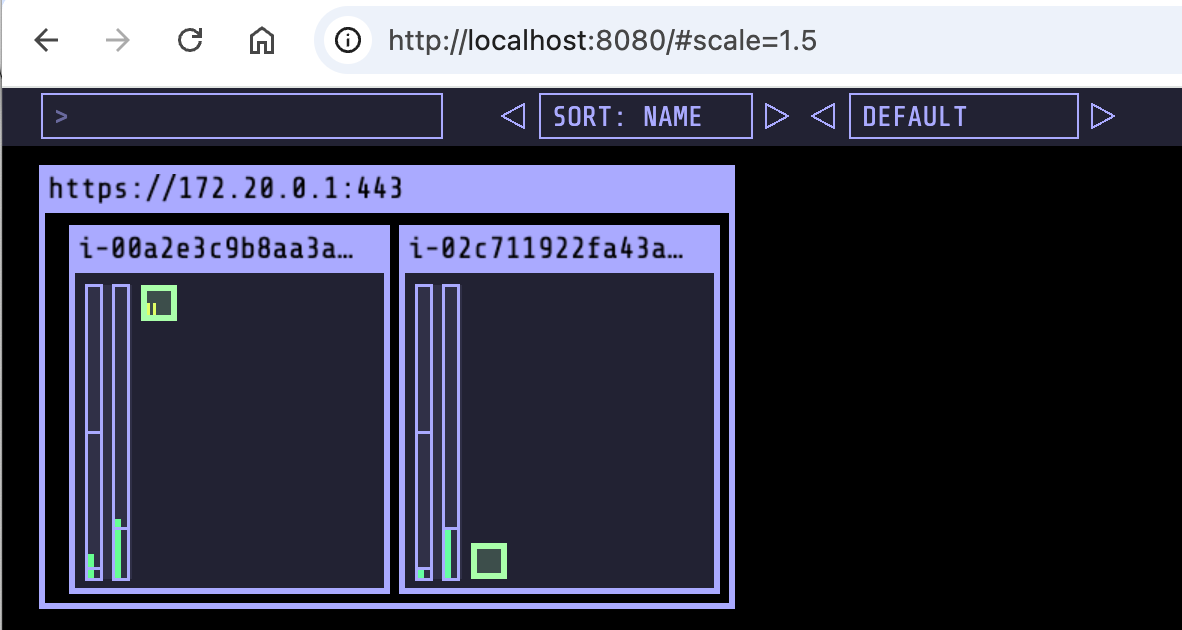
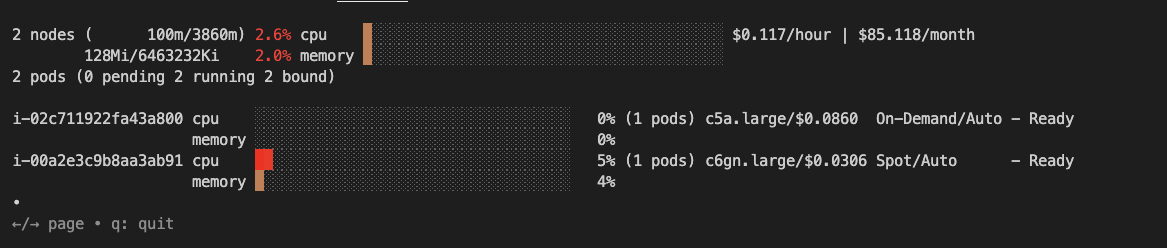
-
관리콘솔 확인
- EKS - Compute : 내장 node pool 이 아닌 별도 node pool 생성 확인.
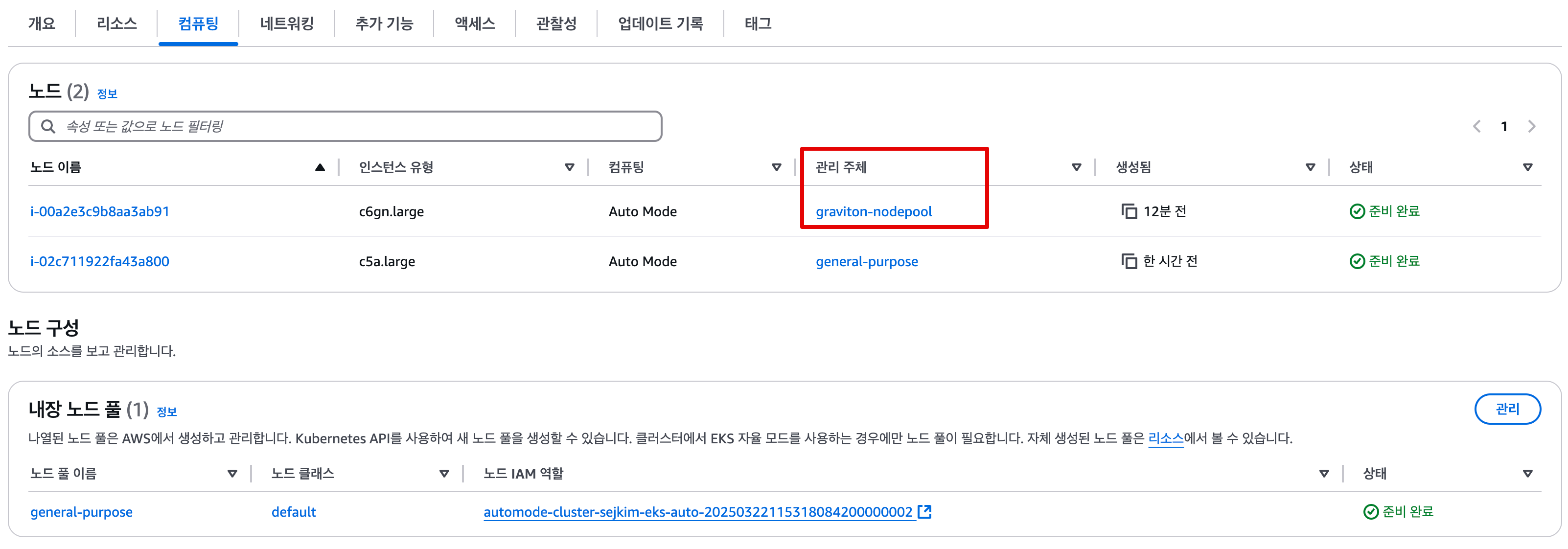
- EC2 - 1대 생성 확인!, 참고로 접근 안됨. ⇒ Reboot 해보자 ⇒ Terminated 해보자!
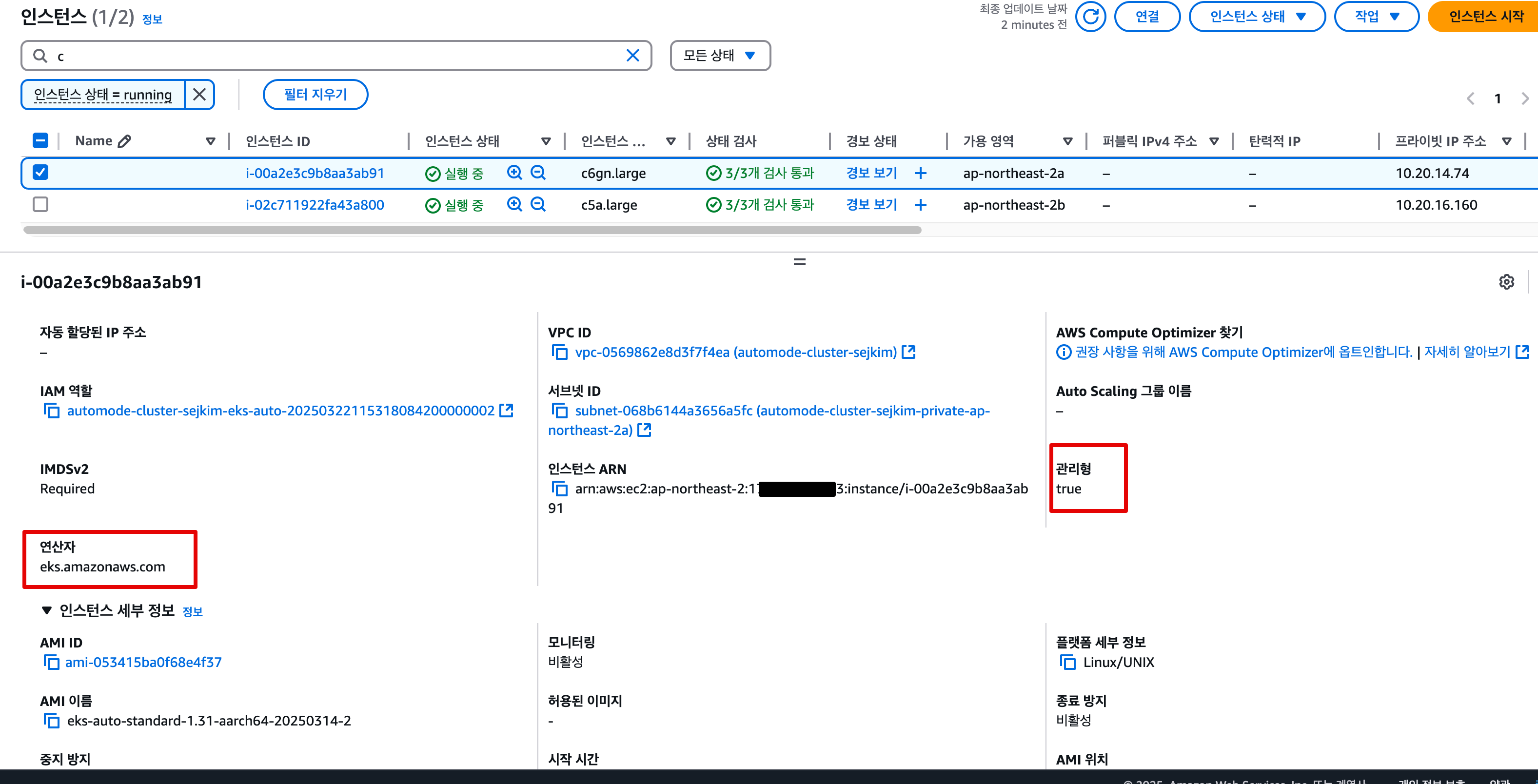
- 참고로, 생성되는 EC2의 OS는 Bottlerocket 이며, 루트 볼륨은 읽기 전용임.


- 참고로, 생성되는 EC2의 OS는 Bottlerocket 이며, 루트 볼륨은 읽기 전용임.
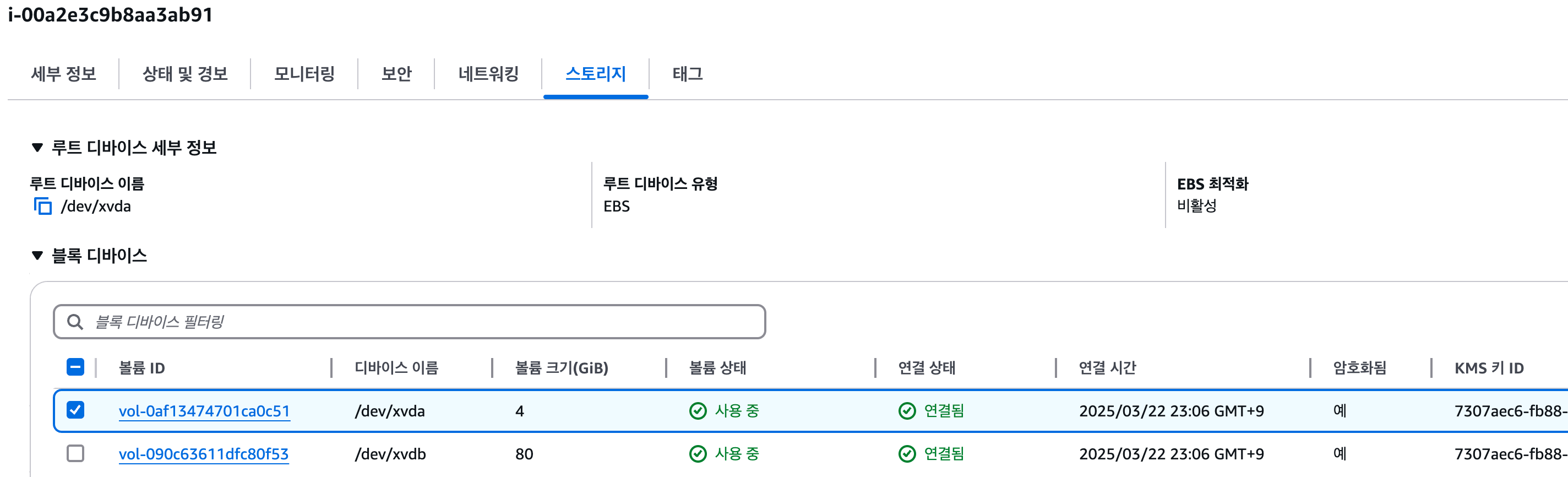
- 해당 EC2에서 Monitoring → Instance audit 확인 ⇒ 맨 하단에 RunInstances(CloudTrail) 클릭 , 재부팅/삭제 실패도 클릭
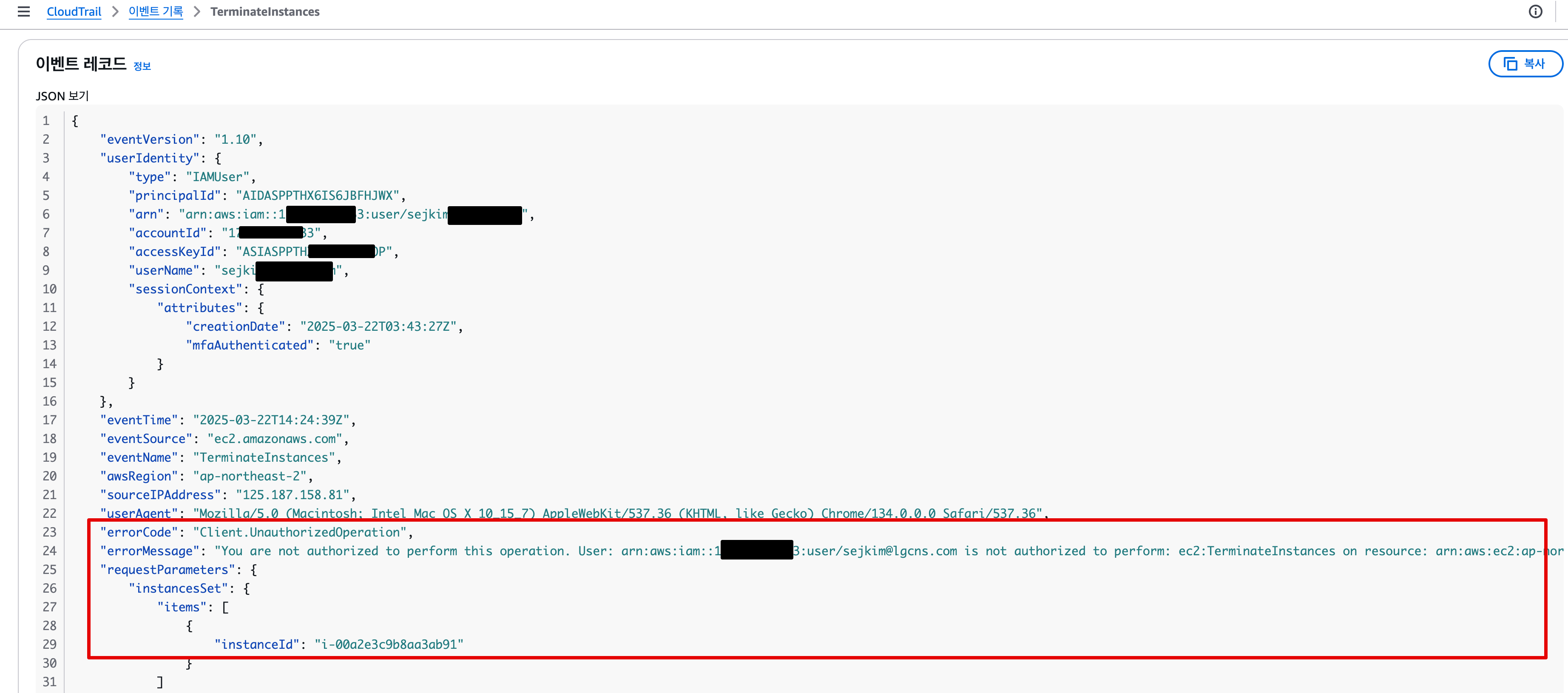
- EC2 - ENI 추가됨

- 참고로, 생성되는 EC2의 OS는 Bottlerocket 이며, 루트 볼륨은 읽기 전용임.
- EKS - Compute : 내장 node pool 이 아닌 별도 node pool 생성 확인.
-
ALB(Ingress) 설정
#
cat ../examples/graviton/2048-ingress.yaml
...
apiVersion: eks.amazonaws.com/v1
kind: IngressClassParams
metadata:
  namespace: game-2048
  name: params
spec:
  scheme: internet-facing

---
apiVersion: networking.k8s.io/v1
kind: IngressClass
metadata:
  namespace: game-2048
  labels:
    app.kubernetes.io/name: LoadBalancerController
  name: alb
spec:
  controller: eks.amazonaws.com/alb
  parameters:
    apiGroup: eks.amazonaws.com
    kind: IngressClassParams
    name: params

---
apiVersion: networking.k8s.io/v1
kind: Ingress
metadata:
  namespace: game-2048
  name: ingress-2048
spec:
  ingressClassName: alb
  rules:
    - http:
        paths:
          - path: /
            pathType: Prefix
            backend:
              service:
                name: service-2048
                port:
                  number: 80

kubectl apply -f ../examples/graviton/2048-ingress.yaml

#
kubectl get ingressclass,ingressclassparams,ingress,svc,ep -n game-2048
NAME                                 CONTROLLER              PARAMETERS                                    AGE
ingressclass.networking.k8s.io/alb   eks.amazonaws.com/alb   IngressClassParams.eks.amazonaws.com/params   2m55s

NAME                                          GROUP-NAME   SCHEME            IP-ADDRESS-TYPE   AGE
ingressclassparams.eks.amazonaws.com/params                internet-facing                     2m55s

NAME                                     CLASS   HOSTS   ADDRESS                                                                        PORTS   AGE
ingress.networking.k8s.io/ingress-2048   alb     *       k8s-game2048-ingress2-af6b439af8-2049905255.ap-northeast-2.elb.amazonaws.com   80      2m55s

NAME                   TYPE       CLUSTER-IP      EXTERNAL-IP   PORT(S)        AGE
service/service-2048   NodePort   172.20.52.253   <none>        80:31404/TCP   2m55s

NAME                     ENDPOINTS         AGE
endpoints/service-2048   10.20.12.144:80   2m55s
- Configure Security Groups : Configure security group rules to allow communication between the ALB and EKS cluster
- 보안 그룹 소스에 ALB SG ID가 이미 들어가 있는 상태라서 아래 규칙 추가 없이 접속이 되어야 하지만, 혹시 잘 안될 경우 아래 추가 할 것
# Get security group IDs
ALB_SG=$(aws elbv2 describe-load-balancers \
  --query 'LoadBalancers[?contains(DNSName, `game2048`)].SecurityGroups[0]' \
  --output text)

EKS_SG=$(aws eks describe-cluster \
  --name automode-cluster-sejkim \
  --query 'cluster.resourcesVpcConfig.clusterSecurityGroupId' \
  --output text)

echo $ALB_SG $EKS_SG # 해당 보안그룹을 관리콘솔에서 정책 설정 먼저 확인해보자
sg-083e8cdace10a38a3 sg-075c4f2c5e995d263
# Allow ALB to communicate with EKS cluster : 실습 환경 삭제 때, 미리 $EKS_SG에 추가된 규칙만 제거해둘것.
aws ec2 authorize-security-group-ingress \
  --group-id $EKS_SG \
  --source-group $ALB_SG \
  --protocol tcp \
  --port 80
{
    "Return": true,
    "SecurityGroupRules": [
        {
            "SecurityGroupRuleId": "sgr-04cfdb5e96c5a45f4",
            "GroupId": "sg-075c4f2c5e995d263",
            "GroupOwnerId": "170698194833",
            "IsEgress": false,
            "IpProtocol": "tcp",
            "FromPort": 80,
            "ToPort": 80,
            "ReferencedGroupInfo": {
                "GroupId": "sg-083e8cdace10a38a3",
                "UserId": "170698194833"
            },
            "SecurityGroupRuleArn": "arn:aws:ec2:ap-northeast-2:170698194833:security-group-rule/sgr-04cfdb5e96c5a45f4"
        }
    ]
}

# 아래 웹 주소로 http 접속!
kubectl get ingress ingress-2048 \
  -o jsonpath='{.status.loadBalancer.ingress[0].hostname}' \
  -n game-2048
k8s-game2048-ingress2-af6b439af8-2049905255.ap-northeast-2.elb.amazonaws.com- $EKS_SG에 $ALB_SG 80/tcp Inbound 허용 되도록 Rule 추가 후 5xx 에러 해소
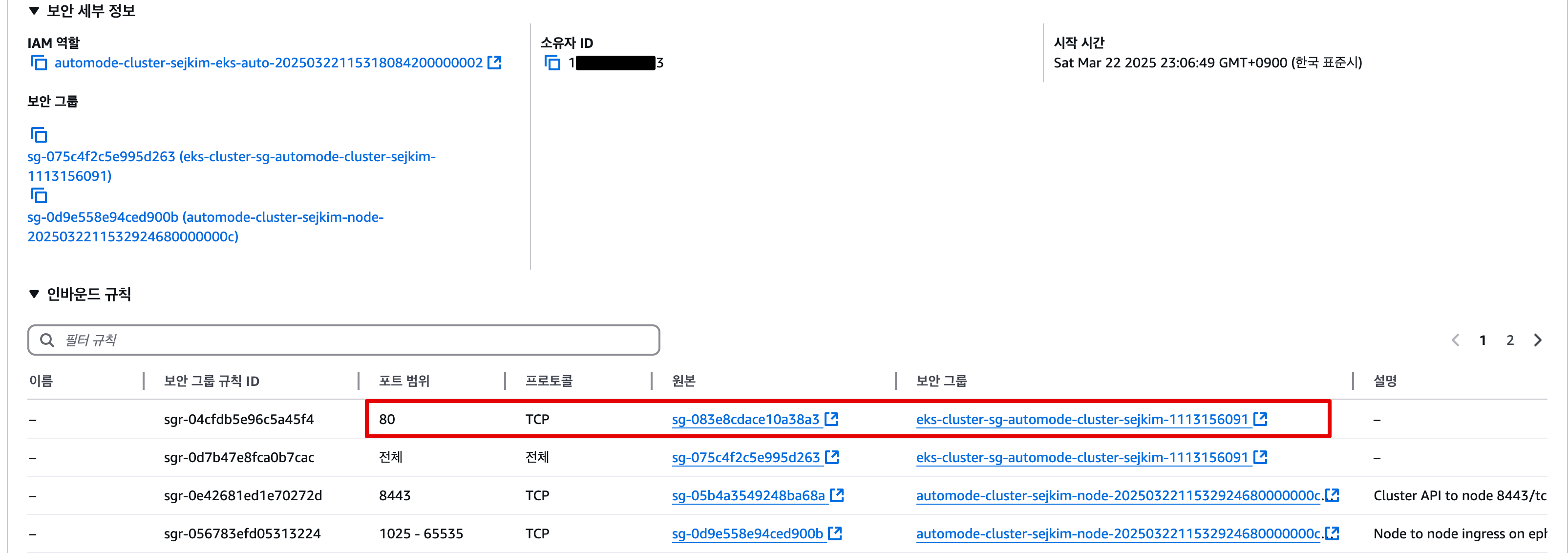
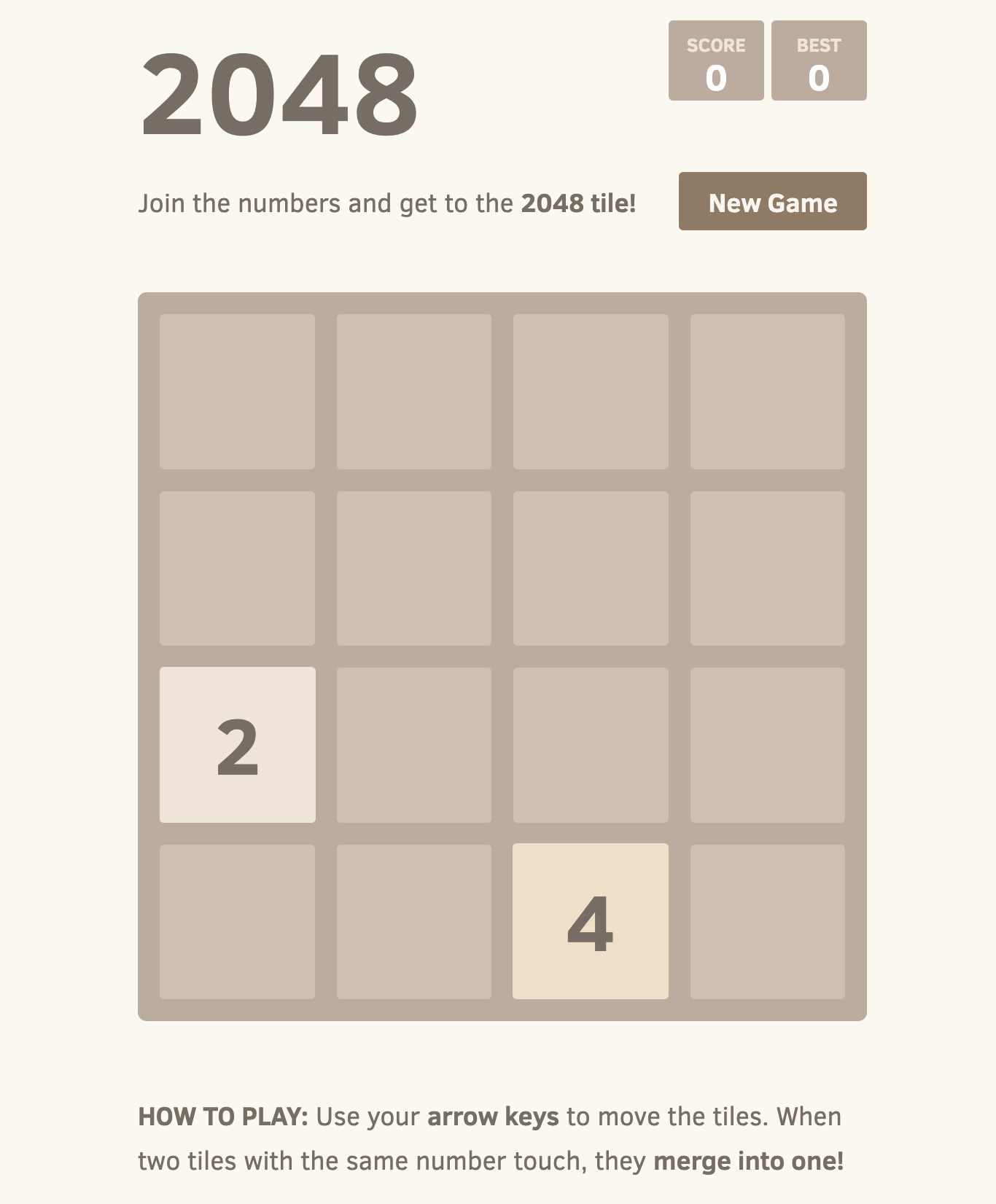
3.3.5 실습자원 삭제
# Remove application components
kubectl delete ingress -n game-2048 ingress-2048 # 먼저 $EKS_SG에 추가된 규칙만 제거할것!!!
kubectl delete svc -n game-2048 service-2048
kubectl delete deploy -n game-2048 deployment-2048
helm uninstall kube-ops-view -n kube-system

# 생성된 노드가 삭제 후에 노드 풀 제거 할 것 : Remove Graviton node pool
kubectl delete -f ../nodepools/graviton-nodepool.yaml

# 테라폼 이용하여 EKS Cluster와 VPC 삭제
terraform destroy -auto-approve

# Kube 인증파일 삭제
rm -rf ~/.kube/config