How to Remove Backgrounds from Product Photography with Free AI
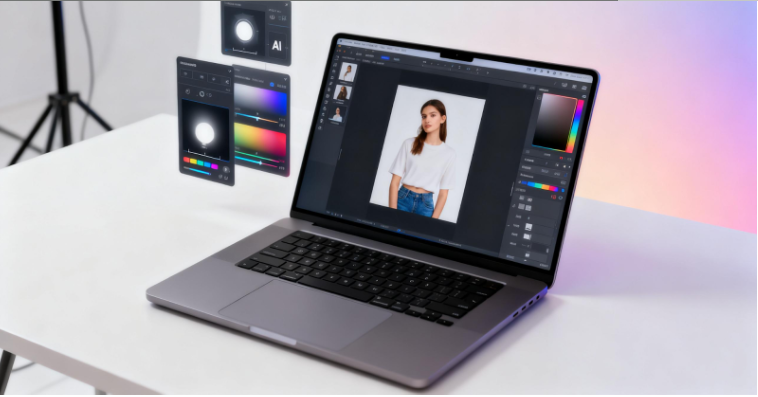
Product photography can make or break an online sale. Studies show that 93% of consumers consider visual appearance the key factor in purchasing decisions, yet hiring professional photographers and retouchers costs hundreds per session. The alternative—shooting products yourself and attempting amateur background removal in Photoshop—often results in jagged, unprofessional edges that undermine buyer confidence. AI-powered background removal tools have closed this gap, delivering studio-quality cutouts without the studio price tag.
What is AI Background Removal for Product Photography?
AI background removal uses machine learning algorithms trained on millions of images to automatically identify and isolate products from their original backgrounds. Unlike traditional manual selection tools that require tracing product outlines pixel by pixel, AI tools analyze edges, colors, and depth to distinguish foreground subjects from backgrounds in seconds. This technology handles challenging product photography scenarios like reflective surfaces, transparent packaging, and intricate product shapes with increasing accuracy.
For e-commerce sellers, this means transforming casual product shots taken at home or in a warehouse into professional marketplace-ready images without specialized equipment or editing skills. Clean, isolated product images on white or neutral backgrounds are standard requirements for Amazon, Shopify, eBay, and most online retail platforms—making background removal an essential skill for online sellers.
How to Use Vheer's Background Remover for Product Photography
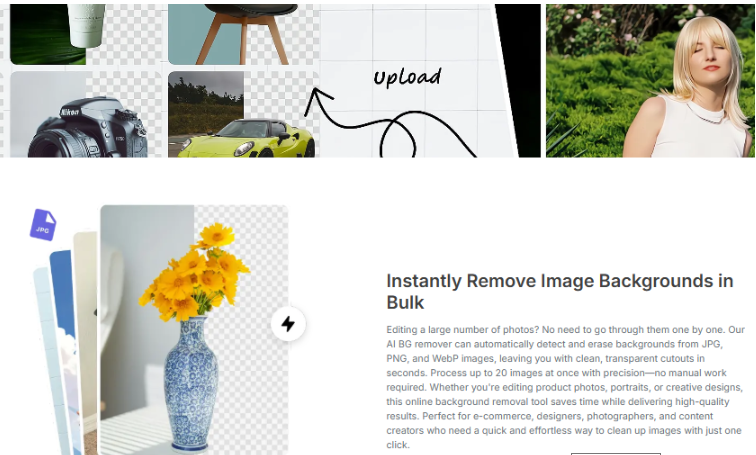
Step 1: Go to Vheer's Background Remover
Open your web browser and navigate to Vheer's homepage. From the navigation menu, select Background Remover under the Image Tools section. The tool loads directly in your browser with no installation required and no account signup necessary.
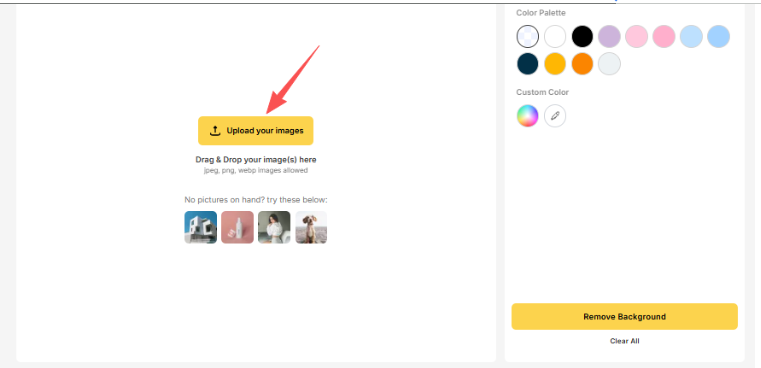
Step 2: Upload Your Product Images
Click the Upload your images button to add your product photos. You can upload a single image in JPEG, PNG, or WebP format. The tool supports drag-and-drop functionality, making it easy to select images directly from your desktop or downloads folder. For sellers with multiple product shots, you can upload up to 20 images at once for batch processing.
Step 3: Remove or Edit the Background
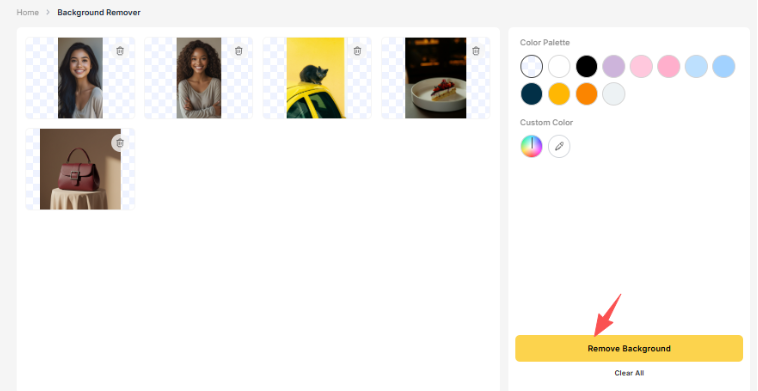
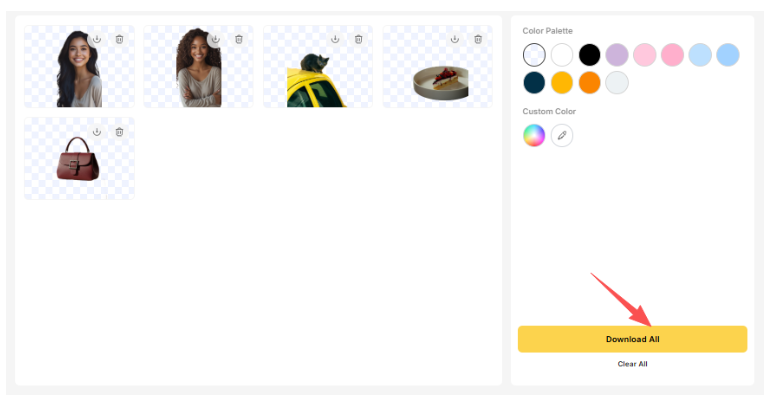
Click the Remove Background button to initiate the AI processing. The background removal completes in seconds, leaving your product isolated against a transparent backgroud. You now have two options:
Download the result directly — Your product image with a transparent background is ready to save and use immediately in your online store or marketplace listings.
Apply a new background color — Vheer provides a color panel where you can simply click a color icon to set a new background. For product photography, pure white (#FFFFFF) is the standard choice for Amazon and most e-commerce platforms. Click the white color option to apply a clean, professional white background.
The entire process from upload to finished product photo takes less than 30 seconds per image, or roughly 2-3 minutes when batch processing 15-20 products.
Product Photography Background Removal Examples
Example 1: E-commerce Jewelry Product
Original Image: Silver necklace photographed on a wooden table with natural lighting. The necklace has intricate chain details and a small gemstone pendant.
AI Process: Upload the jewelry photo to Vheer and click Remove Background. The AI detects the thin silver chains and preserves the delicate details while cleanly separating the necklace from the wooden surface.
Final Touch: Apply pure white background using Vheer's color panel. Download the PNG and upload directly to your Etsy or Shopify store.
Example 2: Cosmetics Product Shot
Original Image: Lipstick tube photographed against a bathroom mirror with reflections visible on the product surface.
AI Process: Upload the cosmetics image. The AI handles the reflective tube surface, distinguishing between the actual product edge and the background reflection in the mirror.
Final Touch: Apply white background for Amazon listing compliance. The transparent PNG output allows you to also place the lipstick on custom colored backgrounds for seasonal promotions.
Example 3: Electronics Product
Original Image: Wireless earbuds charging case photographed on a desk with cables and other items visible in the background.
AI Process: Upload the electronics photo. The AI identifies the smooth, curved edges of the charging case and removes the cluttered desk background while maintaining the clean product outline.
Final Touch: Apply white or light gray background. For additional marketing images, download the transparent version and composite onto lifestyle backgrounds in your design software.
Example 4: Apparel Product Photo
Original Image: T-shirt folded on a bedspread, photographed from above with room lighting casting shadows.
AI Process: Upload the clothing image. The AI detects the fabric edges and distinguishes the folded shirt from the patterned bedspread beneath it.
Final Touch: White background for standard marketplace listings. The clean cutout also allows you to display the shirt on model images or create color-variant mockups by changing shirt colors in design software.
Example 5: Food and Beverage Product
Original Image: Coffee bag photographed on a kitchen counter with other food packages and kitchen tools visible behind it.
AI Process: Upload the food product image. The AI identifies the bag edges and handles the matte packaging surface, separating the product cleanly from the busy background.
Final Touch: Apply neutral background consistent with your brand colors. Use the transparent PNG version for overlaying text graphics or creating promotional banners.
Pro Tips for Product Photography Background Removal
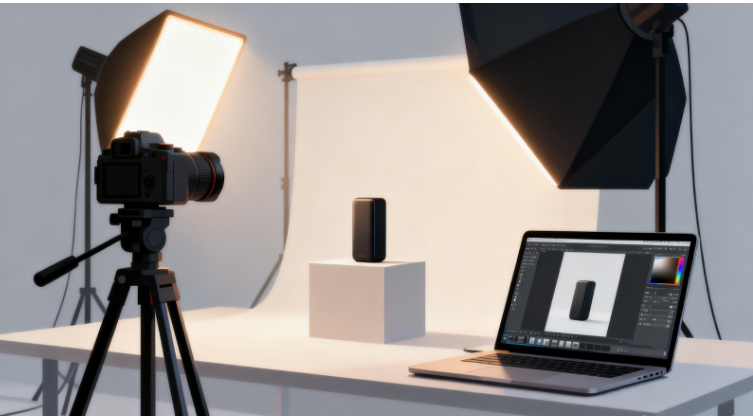
Light Your Products Evenly Before Shooting: While AI background removal is powerful, starting with evenly lit product photos yields the cleanest results. Avoid harsh shadows that blend the product edge into the background. Natural daylight or simple ring lights work well for most products. When the product is clearly separated from the background in terms of lighting, the AI has an easier time detecting precise edges.
Use Contrasting Backgrounds When Photographing: When shooting your original product photos, place items on backgrounds that contrast with the product itself. A dark product on a light surface, or vice versa, gives the AI clear visual information to work with. This becomes especially important for products without distinct edges—like clear glass items or white products on white surfaces.
Batch Process Similar Products Together: Vheer allows up to 20 images per upload. Group similar products shot under the same conditions into single batches. The AI will apply consistent processing across all images, giving your product catalog visual uniformity that builds customer trust.
Keep Transparent PNGs for Future Use: Even if you need a white background for your current marketplace, download and save the transparent PNG version. These files are versatile assets you can use later for creating promotional graphics, social media content, or marketing materials without re-processing the original images.
Test on Marketplace Preview Before Full Upload: Before uploading your processed product images to your actual store, preview them in the marketplace's interface or create a test listing. This ensures the background removal meets the specific technical requirements of your selling platform—Amazon, for example, requires pure RGB white (255,255,255) with no gray pixels.
Consider Reflection Carefully: Products with glass, metal, or highly reflective surfaces sometimes show the original environment in reflections. AI tools typically handle this well, but extreme reflections may occasionally need manual retouching after background removal for completely professional results.
Maintain Consistent Product Dimensions: When batch processing multiple products for an online store, try to photograph items at similar scales and distances. This makes it easier to maintain consistent sizing across your product catalog, creating a more polished shopping experience.
Troubleshooting Common Product Photography Issues
Product Edges Look Jagged or Rough: This usually occurs when the original photo has low resolution or poor contrast between product and background. Try re-shooting the product with better lighting and a more contrasting background. Higher resolution images (at least 1000px on the longest side) also produce cleaner edge detection.
Transparent Parts of Product Are Removed: Some products—like mesh bags, open-weave fabrics, or glass items—have semi-transparent areas that confuse AI algorithms. For these products, consider using a solid colored backdrop close to the product's main color, which helps the AI understand what to preserve.
Shadows Are Visible on New Background: If shadows from the original photo appear on your new white background, this indicates the shadow was integrated into the product edge during AI processing. You can minimize this by ensuring even lighting when shooting, or use photo editing software for minor touch-up work after background removal.
Multiple Products in One Image: While AI tools can sometimes handle multiple items, the best practice for e-commerce is one product per image. If you have a group shot, crop individual products into separate images before uploading to Vheer for the cleanest results.**
Conclusion
AI background removal has transformed product photography from a specialized, expensive skill into an accessible process any seller can master. Tools like Vheer's free background remover deliver professional-quality results in seconds without the cost of professional photographers or the learning curve of complex editing software.
For e-commerce entrepreneurs, small business owners, and anyone managing online product listings, this technology levels the playing field. Your product images can compete with established brands' visuals without draining your budget. The batch processing capability means updating entire product catalogs becomes a quick project rather than a days-long undertaking.
The key is starting with decent product photos—good lighting and contrasting backgrounds go a long way toward ensuring AI success. From there, Vheer handles the heavy lifting, turning casual snapshots into marketplace-ready images that build customer confidence and drive sales.
코드를 입력하세요