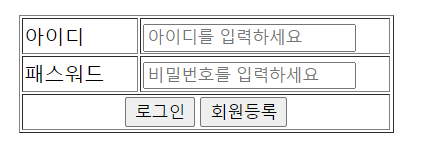
로그인
<script>
import { useRef } from "react";
import axios from "axios";
import { useNavigate } from "react-router-dom";

const LoginForm = () => {
  const idRef = useRef();
  const pwRef = useRef();

  const navigate = useNavigate();

  const handleLogin = () => {
    if (idRef.current.value === "" || idRef.current.value === undefined) {
      alert("아이디를 입력하세요!!!");
      idRef.current.focus();
      return false;
    }
    if (pwRef.current.value === "" || pwRef.current.value === undefined) {
      alert("패스워드를 입력하세요!!!");
      pwRef.current.focus();
      return false;
    }

    console.log(
      "LoginForm:window.sessionStorage(login_id) =>",
      window.sessionStorage.getItem("id")
    );

    axios
      .post("http://localhost:8008/login", {
        id: idRef.current.value,
        pw: pwRef.current.value,
      })
      .then((res) => {
        console.log("handleLogin =>", res);
        if (res.data[0].cnt === 1) {
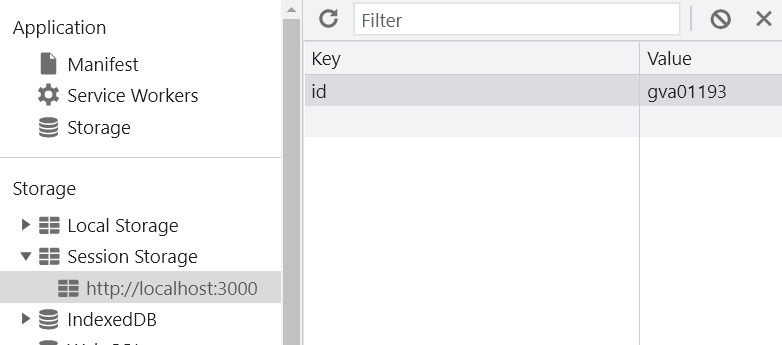
          window.sessionStorage.setItem("id", idRef.current.value); // 세션스토리지에 key : id , value : idRef.current.value로 저장
          // sessionsStorage는 창 닫으면 사라짐, localStorage는 안사라짐
          navigate("/main");
        } else {
          alert("아이디, 패스워드가 정확하지 않습니다.");
          idRef.current.value = "";
          pwRef.current.value = "";
          navigate("/");
        }
      })
      .catch((e) => {
        console.error(e);
      });
  };

  const handleMemberForm = () => {
    navigate("/member"); // 해당 url로 바로 이동
  };
</script><script>
// 로그인
app.post("/login", (req, res) => {
console.log("/login", req.body);
var id = req.body.id;
var pw = req.body.pw;
const sqlQuery =
"select count(*) as 'cnt' from member where id =? and pw =?;";
db.query(sqlQuery, [id, pw], (err, result) => {
res.send(result);
// console.log(result[0]);
// if (result[0].cnt === 1) {
// res.send({ message: "success" });
// } else {
// res.send({ message: "fail" });
// }
});
});
</script>
return (
<div>
<p></p>
<form>
<table border="1" width="300px" align="center">
<tr>
<td width="100px">아이디</td>
<td align="left" width="200px">
<input
type="text"
name="id"
size="20"
ref={idRef}
placeholder="아이디를 입력하세요"
></input>
</td>
</tr>
<tr>
<td width="100px">패스워드</td>
<td align="left" width="200px">
<input
type="password"
name="pw"
size="20"
ref={pwRef}
placeholder="비밀번호를 입력하세요"
></input>
</td>
</tr>
<tr>
<td colSpan="2" align="center">
<input type="button" value="로그인" onClick={handleLogin}></input>
<input
type="button"
value="회원등록"
onClick={handleMemberForm}
></input>
</td>
</tr>
</table>
</form>
</div>
);
};
export default LoginForm;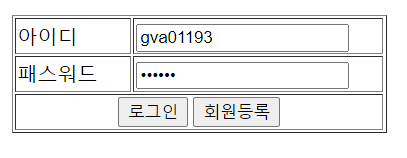
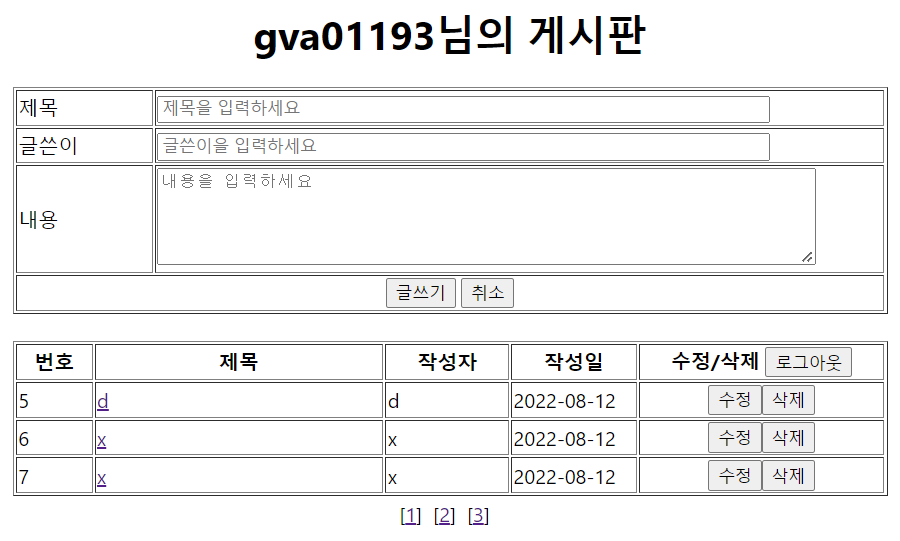
로그아웃
<script>
const handleLogout = () => {
    console.log("handleLogout");
    window.sessionStorage.clear(); // 세션 삭제
    console.log(
      "handleLogout:window.sessionStorage(login_id) =>",
      window.sessionStorage.getItem("id")
    );
    navigate("/"); // 로그인 페이지로 이동
  };
</script>
코딩공부