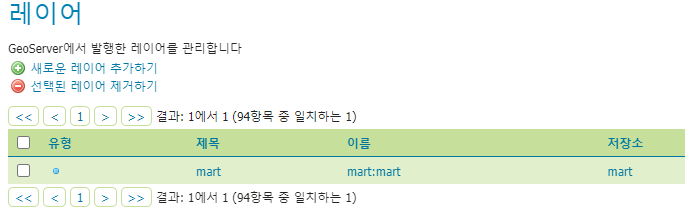
대구광역시 대형마트 shp 파일을 사용하여 웹에서 해당 레이어를 호출해보겠다.
-
mart 명칭으로 작업공간, 저장소를 생성한다.
-
레이어 생성
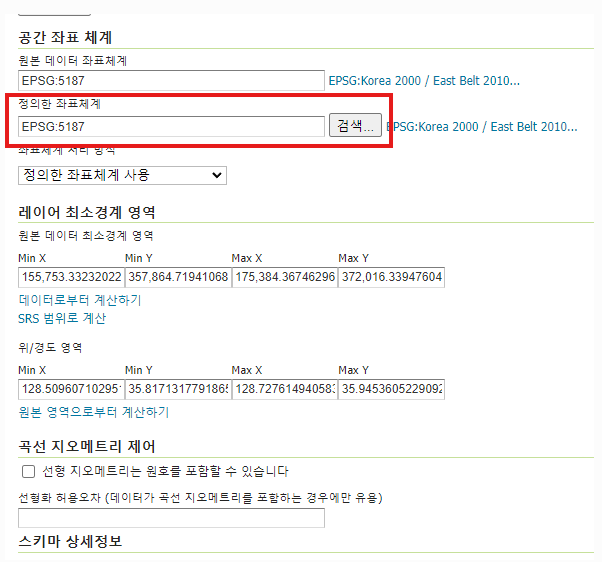
openlayers에서 기본으로 사용하는 위치좌표계는 EPSG:3857이지만 3857로 설정한 후 호출하면 이미지가 불러와지지 않을 때가 있다. SHP 파일에 설정된 좌표체계가 있을 수 있으니 해당 좌표체계로 설정하면 잘 불러와진다. -
웹에서 호출하기
<script>
// 해당 레이어 불러오기
const wmsSource =  new ol.source.ImageWMS({
	url: 'http://localhost:8080/geoserver/mart/wms?',
	params: {
		'layers':'mart:mart'
	},
	serverType: 'geoserver',
	crossOrigin: 'anonymous'
});

// 이미지 layer 생성
const layer = new ol.layer.Image({
	source : wmsSource
});

map.addLayer(layer); //맵에 추가
</script>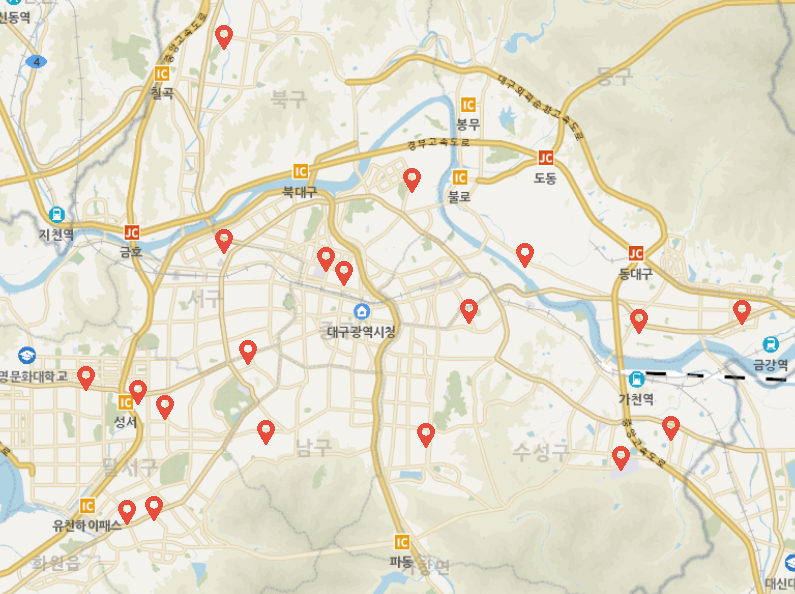
레이어 생성시 위치좌표계를 잘 설정해주고 영역위치를 잡아주는게 가장 중요한 것 같다. 하나라도 틀어지면 절대 안 나와서 돌겠다.
- 전체 코드
<script>
const view = new ol.View({
	projection: 'EPSG:3857',
 	center: [14210441.372369962, 4272332.772121915],
 	zoom: 8,
 	minZoom: 8,
	maxZoom: 20
});

let mapLayer = new ol.layer.Tile({
    source: new ol.source.XYZ({
		url : 'http://api.vworld.kr/req/wmts/1.0.0/[vworldApiKey]/Base/{z}/{y}/{x}.png',
		crossOrigin: "Anonymous",
		minZoom: 8,
		maxZoom: 20
    })
});

let map = new ol.Map({
	target: 'map',
    layers: [
    	mapLayer
    ],
    view: view
});

const wmsSource =  new ol.source.ImageWMS({
	url: 'http://localhost:8080/geoserver/mart/wms?',
	params: {
		'layers':'mart:mart'
	},
	serverType: 'geoserver',
	crossOrigin: 'anonymous'
});
const layer = new ol.layer.Image({
	source : wmsSource
});

map.addLayer(layer);
</script>
기록끼록끼룩