✔️ SQL 기초 1~3
Database 정의
- Database
- 여러 사람이 공유하여 사용할 목적으로 체계화해 통합, 관리하는 데이터의 집합체
- DBMS(Database Management System)
- 사용자와 데이터베이스 사이에서 사용자의 요구에 따라 정보를 생서해주고 데이터베이스를 관리해주는 소프트웨어
- RDB(Relational Database, 관계형 데이터베이스)
- 서로간에 관계가 있는 데이터 테이블을 모아둔 데이터 저장공간
- SQL(Structured Query Language)
- 데이터베이스에서 데이터를 정의, 조작, 제어하기 위해 사용하는 언어
- 데이터 정의 언어(DDL; Data Definition Language)
- CREATE, ALTER, DROP 등 명령어
- 데이터 조작 언어(DML; Data Manipulation Language)
- INSERT, UPDATE, DELETE, SELECT 등의 명령어
- 데이터 제어 언어(DCL; Data control Language)
- GRANT, REVOKE, COMMIT, ROLLBACK 등의 명령어
Database 관리
- MySQL 접속
% mysql -u root -p
Enter password:- database 'mydb' 생성
> create database mydb;- database 목록 확인
> show databases;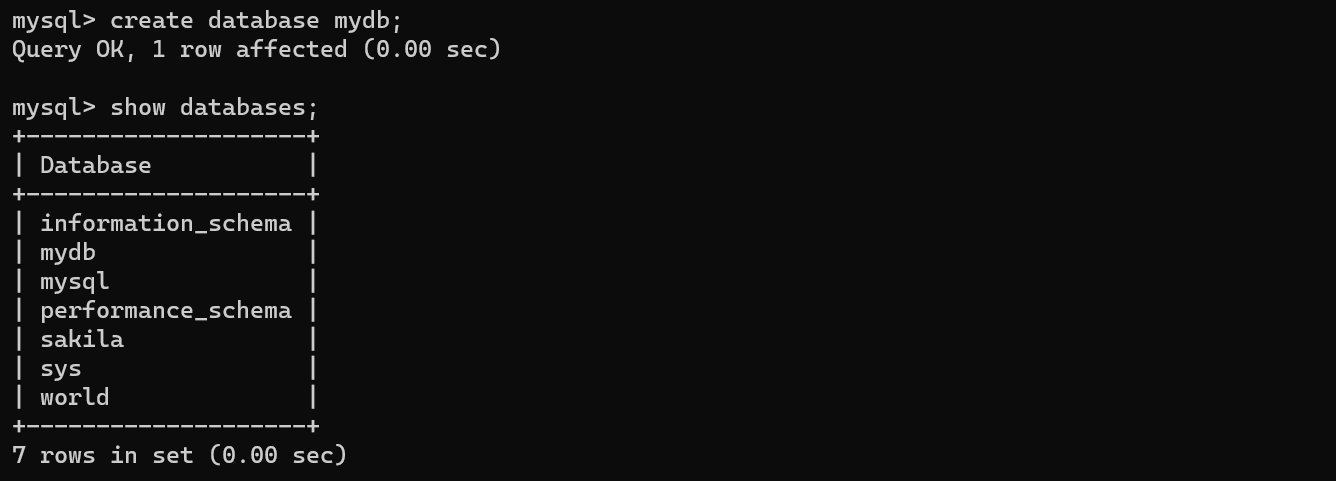
- 해당 database로 이동(사용)
> use mydb;- database 삭제
> drop database mydb;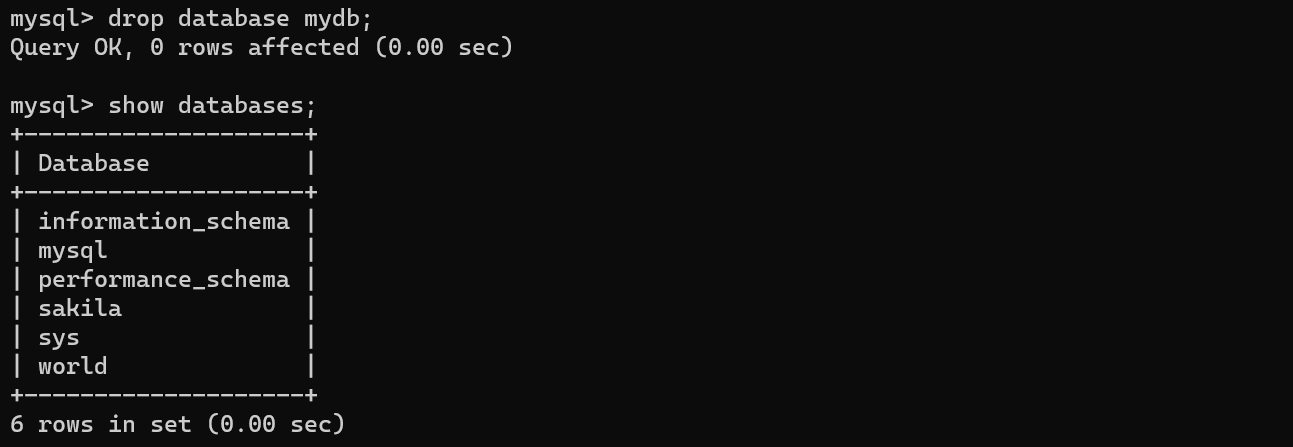
User 관리
- 현재 PC에서만 접속가능한 사용자(zerobase, 1234) 생성
> create user 'zerobase'@'localhost' identified by '1234';

-- 확인
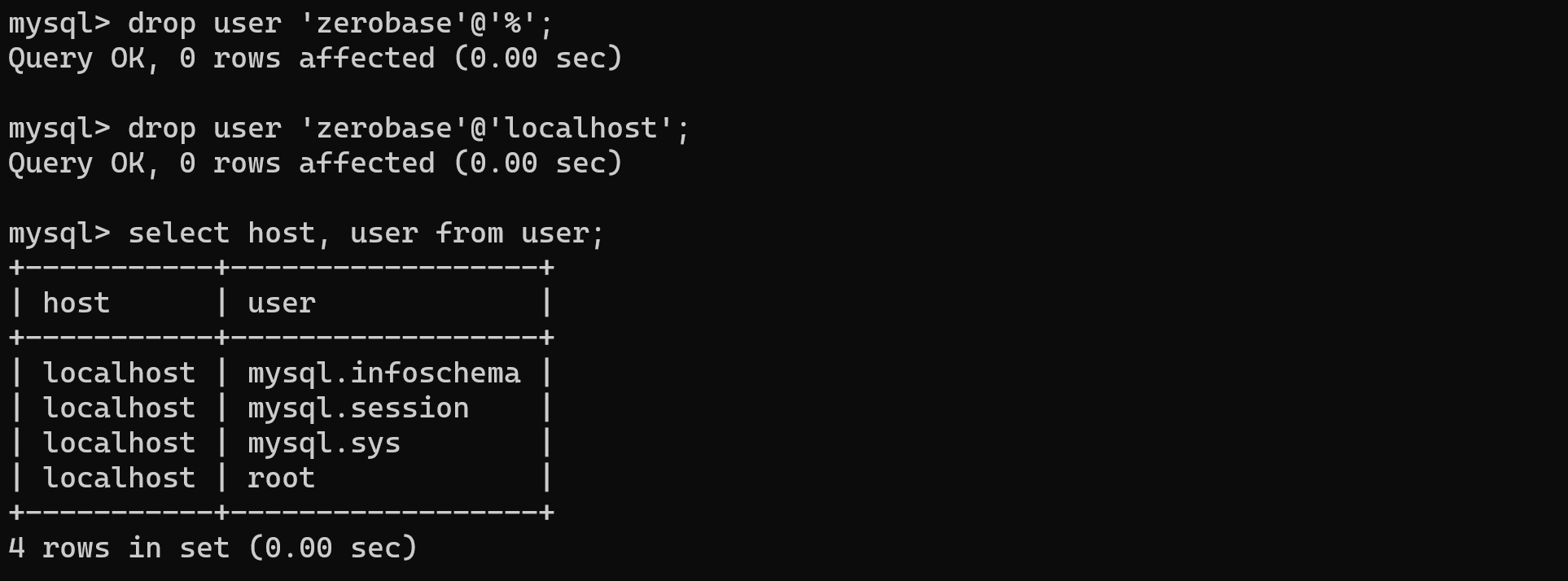
> select host, user from user;
- 외부에서 접속가능한 사용자(zerobase, 5678) 생성
> create user 'zerobase'@'%' identified by '5678';
> select host, user from user;
- 'zerobase' 계정 삭제
User 권한 관리
- 'mydb' database 생성
> create database mydb;- 사용자(id:'zero' , pw:'1234' ) 생성
> create user 'zero'@'localhost' identified by '1234';- 사용자에게 부여된 모든 권한 목록 확인
> show grants for 'zero'@'localhost';- 사용자에게 특정 db의 모든 권한을 부여
> grant all on mydb.* to 'zero'@'localhost';- 사용자에게 특정 db의 모든 권한을 삭제
> revoke all on mydb.* from 'zero'@'localhost';- 수정 내용이 적용되지 않을 경우 새로고침
> flush privileges;Table 생성
- 'zerobase' database 생성
> create database zerobase default character set utf8mb4;- database 사용
> use zerobase;- 'mytable' table 생성 - id(int), name(varchar(16) 컬럼
> create table mytable
    -> (
    ->     id int,
    ->     name varchar(16)
-> );- 테이블 확인 / 'mytable' 세부정보 확인
> show tables;
> desc mytable;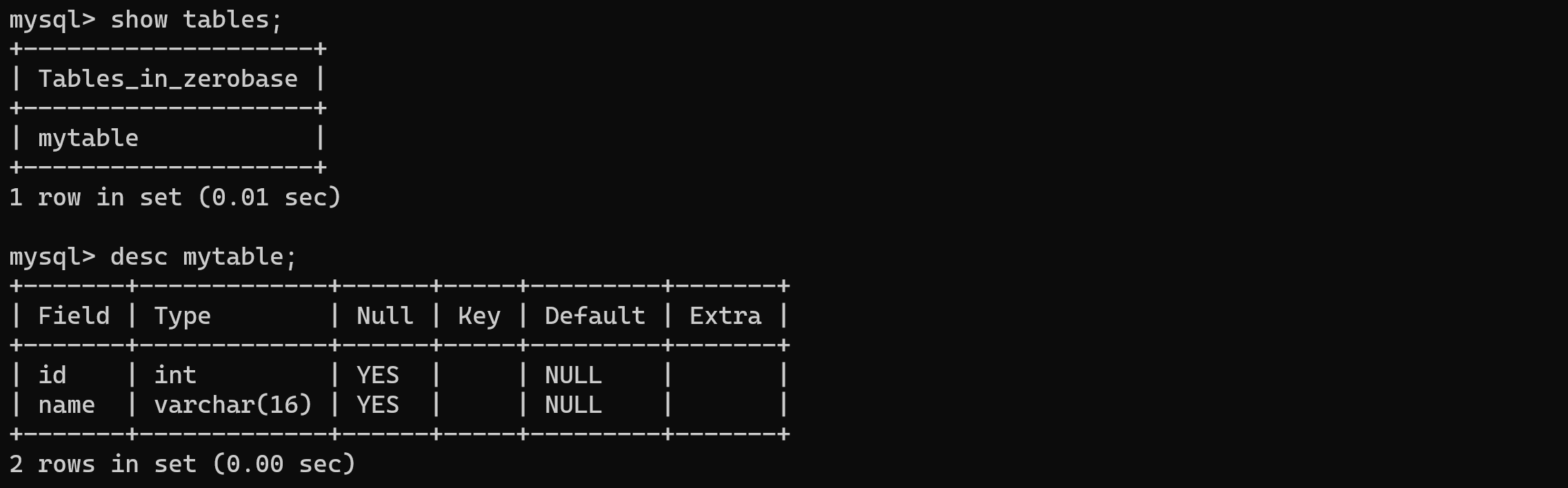
Table 변경 & 삭제
- 'mytable' 테이블을 'person' 으로 테이블이름 변경
> alter table mytable rename person;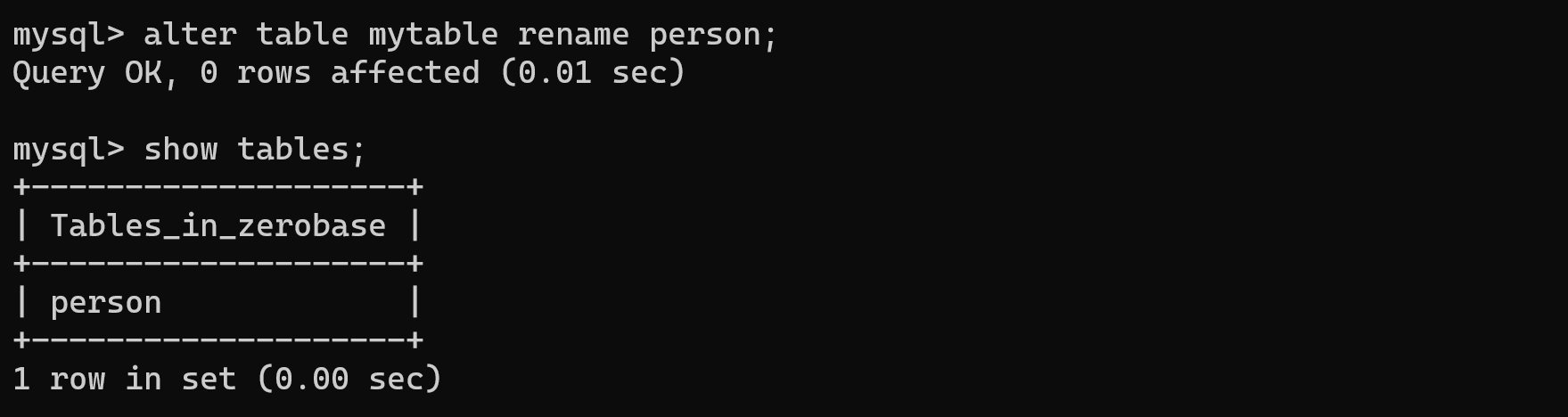
- 'person' 테이블에 'agee(double)' 컬럼 추가
> alter table person add column agee double;
- 'person' 테이블에 'agee' 컬럼의 데이터 타입을 int 로 변경
> alter table person modify column agee int;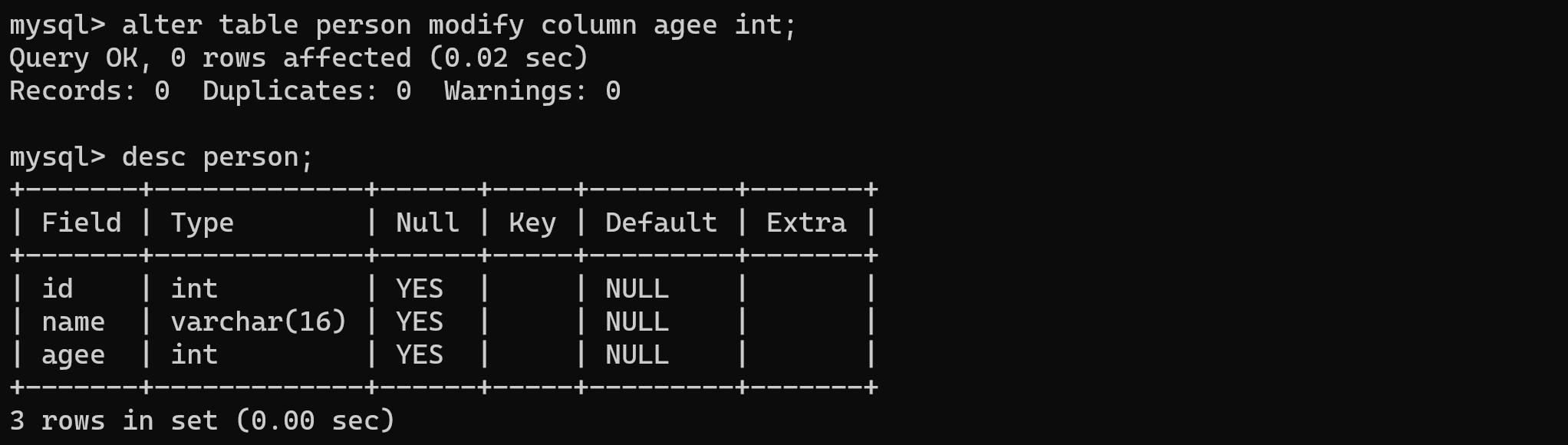
- 'person' 테이블의 'agee' 컬럼 이름을 'age'로 변경
> alter table person change column agee age int;
- 'person' 테이블의 'age' 컬럼삭제
> alter table person drop age;- 'person' 테이블 삭제
> drop table person;INSERT
▷ 데이터 추가
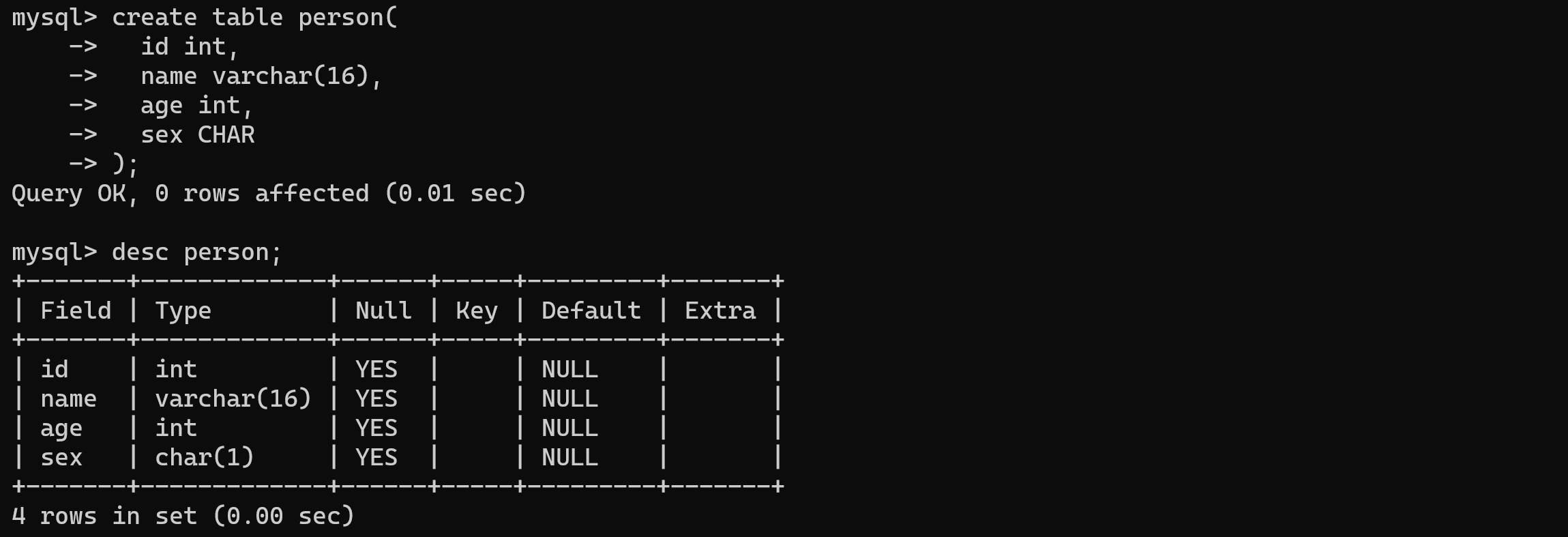
- 'person' 테이블 생성(컬럼 - id(int), name(varchar(16), age(int), sex(char))
> create table person(
    ->   id int,
    ->   name varchar(16),
    ->   age int,
    ->   sex CHAR
    -> );
- 'person' 테이블에 데이터 추가
> insert into person (id, name, age, sex)
    -> values(1, '이효리', 43, 'F');
> insert into person
    -> values(2, '이상순', 48, 'M');
SELECT / WHERE
▷ 데이터 조회 / 조건
- 'person' 테이블 내의 모든 컬럼에 대한 데이터 조회
> select * from person;- 'person' 테이블 내의 이름, 나이, 성별 데이터를 조회
> select name, age, sex from person;- 'person' 테이블의 성별이 여자인 데이터 조회
> select * from person where sex='F';- 'person' 테이블의 나이가 50세인 데이터 조회
> select * from person where age=50;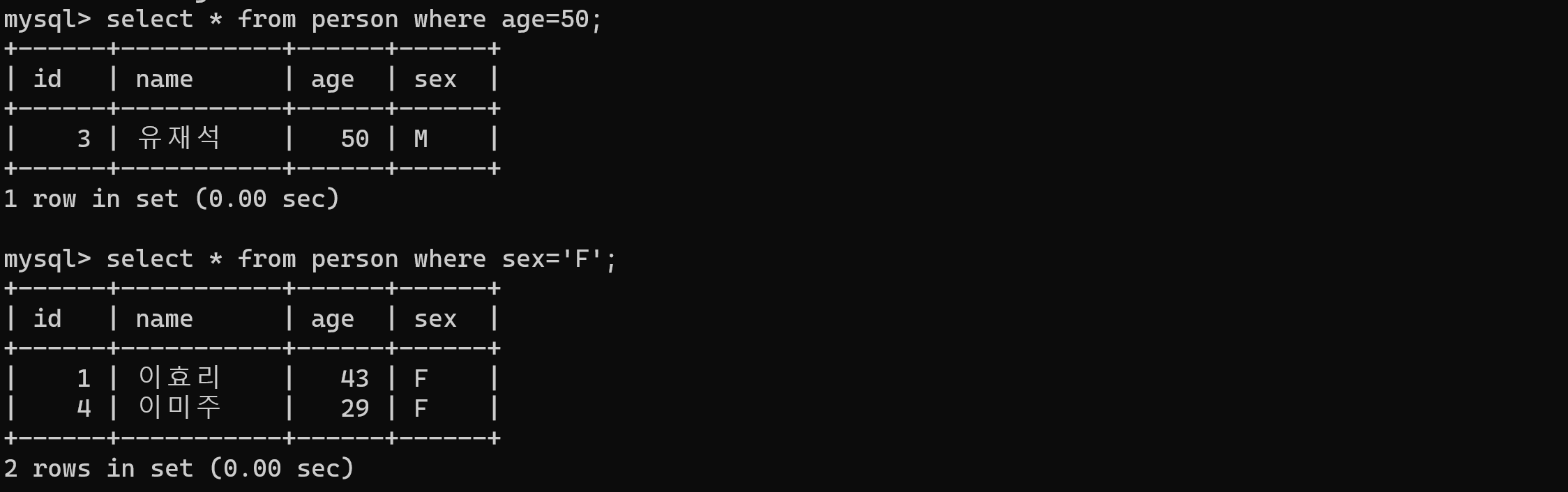
UPDATE
▷ 데이터 수정
- '이효리' 나이를 23세로 수정
> update person set age=23 where name='이효리';- 'person' 테이블에서 ID가 2번인 데이터의 이름을 '이미주'로 수정
> update person set name='이미주' where id=2;DELETE
▷ 데이터 삭제
- '이상순' 데이터 삭제
> delete from person where name='이상순';- 'animal' 테이블의 모든 데이터 삭제
> delete from animal;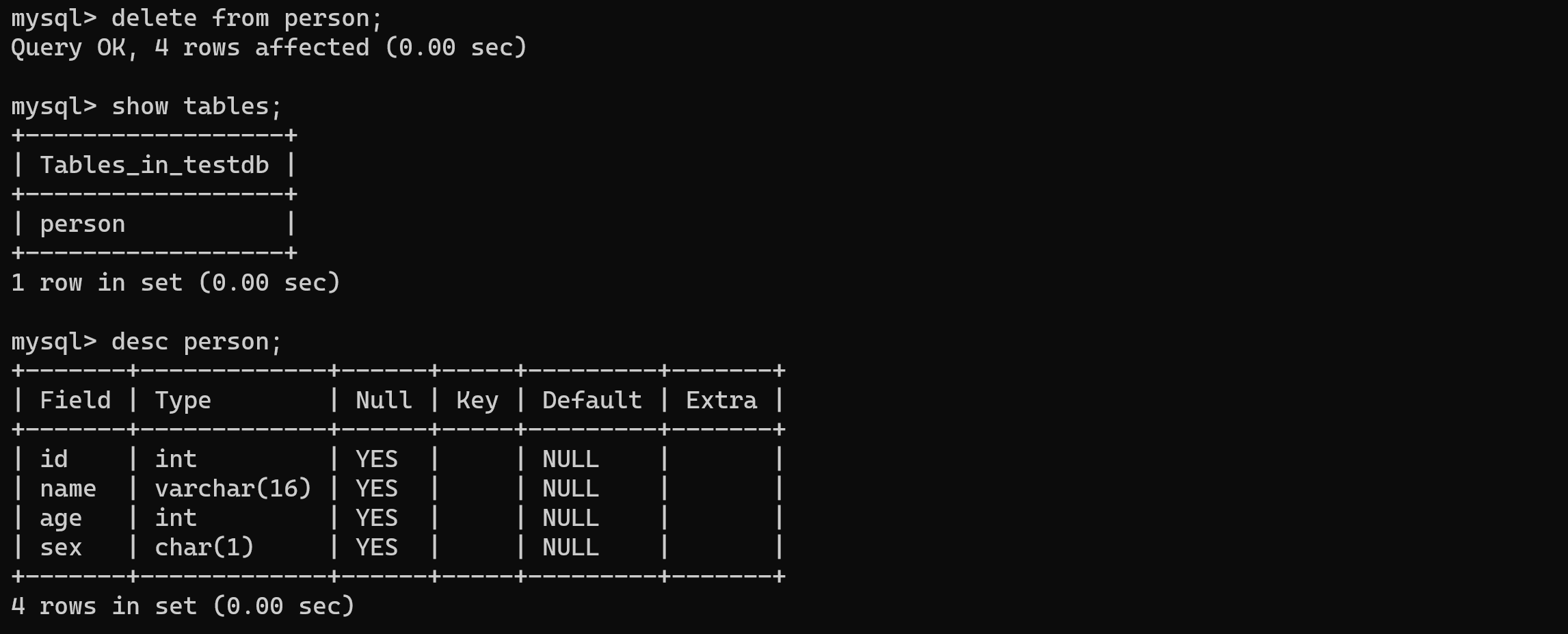
- 'person' 테이블 삭제
> drop table person;
"이 글은 제로베이스 데이터 취업 스쿨의 강의 자료 일부를 발췌하여 작성되었습니다."
