00. 개발 환경 구축
-
이 책의 예제 코드는 아래의 github에서 다운받자
https://github.com/codefactory-co/golden-rabbit-flutter-novice
-
개발 환경
MacOS( Intel )
IntelliJ
Flutter를 설치
1. 아래 주소에서 MacOS를 선택하여 다운받는다. 본인의 장비 chip이 Intel chip인지 M시리즈 Chip인지 확인하자. > https://docs.flutter.dev/get-started/install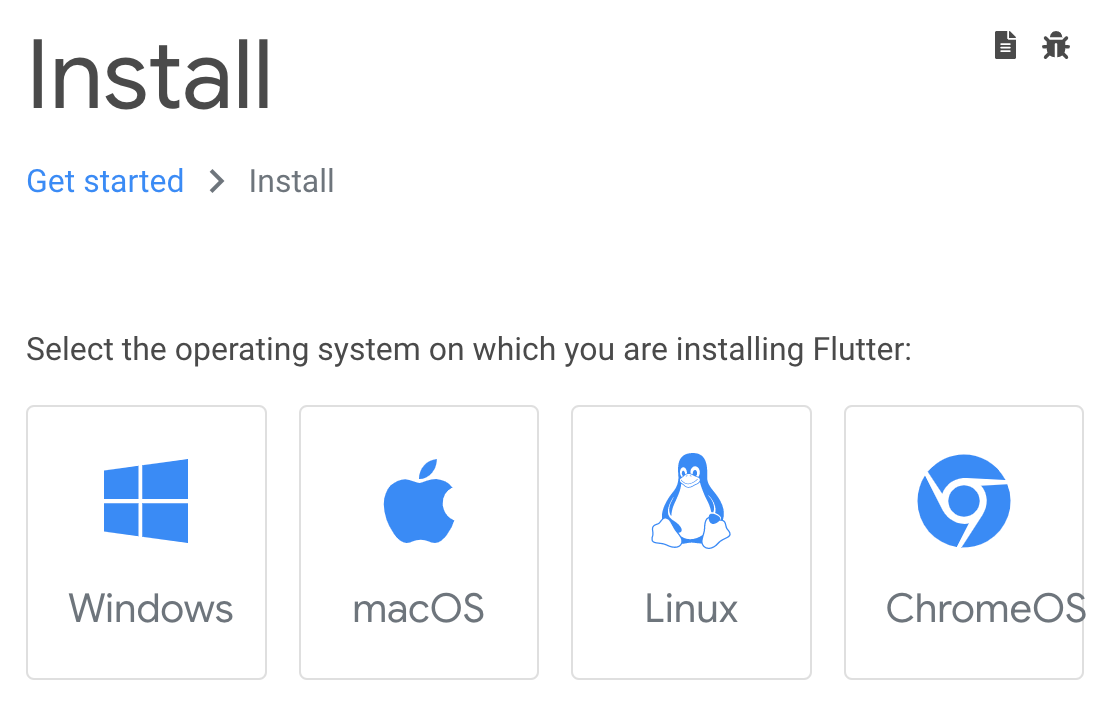
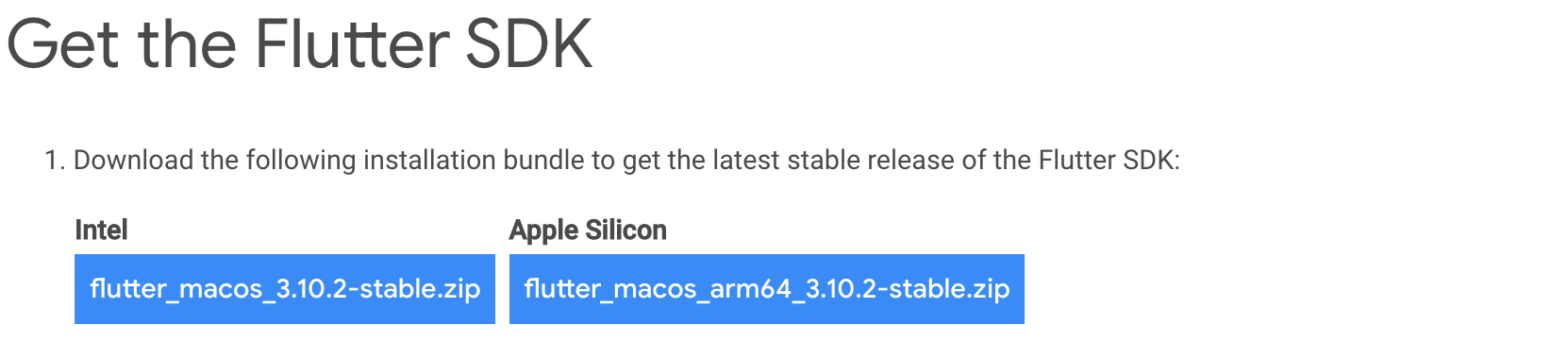
- 다운받은 zip 파일의 압축을 푼다.
% mv ~/Downloads/flutter_macos_3.10.2-stable.zip .
% unzip flutter_macos_3.10.2-stable.zip - 압축 다 풀면 아래와 같이 끝난다.
finishing deferred symbolic links:
  flutter/bin/cache/artifacts/engine/darwin-x64-profile/FlutterMacOS.framework/Resources -> Versions/Current/Resources
  flutter/bin/cache/artifacts/engine/darwin-x64-profile/FlutterMacOS.framework/Versions/Current -> A
  flutter/bin/cache/artifacts/engine/darwin-x64-profile/FlutterMacOS.framework/Headers -> Versions/Current/Headers
  flutter/bin/cache/artifacts/engine/darwin-x64-profile/FlutterMacOS.framework/Modules -> Versions/Current/Modules
  flutter/bin/cache/artifacts/engine/darwin-x64-profile/FlutterMacOS.framework/FlutterMacOS -> Versions/Current/FlutterMacOS
  flutter/bin/cache/artifacts/engine/darwin-x64/FlutterMacOS.framework/Resources -> Versions/Current/Resources
  flutter/bin/cache/artifacts/engine/darwin-x64/FlutterMacOS.framework/Versions/Current -> A
  flutter/bin/cache/artifacts/engine/darwin-x64/FlutterMacOS.framework/Headers -> Versions/Current/Headers
  flutter/bin/cache/artifacts/engine/darwin-x64/FlutterMacOS.framework/Modules -> Versions/Current/Modules
  flutter/bin/cache/artifacts/engine/darwin-x64/FlutterMacOS.framework/FlutterMacOS -> Versions/Current/FlutterMacOS
  flutter/bin/cache/artifacts/engine/darwin-x64-release/FlutterMacOS.framework/Resources -> Versions/Current/Resources
  flutter/bin/cache/artifacts/engine/darwin-x64-release/FlutterMacOS.framework/Versions/Current -> A
  flutter/bin/cache/artifacts/engine/darwin-x64-release/FlutterMacOS.framework/Headers -> Versions/Current/Headers
  flutter/bin/cache/artifacts/engine/darwin-x64-release/FlutterMacOS.framework/Modules -> Versions/Current/Modules
flutter/bin/cache/artifacts/engine/darwin-x64-release/FlutterMacOS.framework/FlutterMacOS -> Versions/Current/FlutterMacOS- Flutter의 Path를 설정한다.
- 자신의 쓰는 SHELL을 먼저 확인한다.
% echo $SHELL
/bin/zsh- PATH를 설정한다
export PATH="$PATH:/Users/본인주소/Flutter/flutter/bin"- flutter 설치 확인
% flutter doctor-
위의 명령어를 실행하여 제대로 설치 및 PATH 설정이 정상적으로 되었는지 확인한다. 또한, 개발을 위한 환경이 제대로 구성되었는지 확인한다.
-
아래의 화면에서 보면, Android toolchain, Xcode, Android Studio가 설치되지 않은 것을 확인할 수 있다.
  ╔════════════════════════════════════════════════════════════════════════════╗
  ║                 Welcome to Flutter! - https://flutter.dev                  ║
  ║                                                                            ║
  ║ The Flutter tool uses Google Analytics to anonymously report feature usage ║
  ║ statistics and basic crash reports. This data is used to help improve      ║
  ║ Flutter tools over time.                                                   ║
  ║                                                                            ║
  ║ Flutter tool analytics are not sent on the very first run. To disable      ║
  ║ reporting, type 'flutter config --no-analytics'. To display the current    ║
  ║ setting, type 'flutter config'. If you opt out of analytics, an opt-out    ║
  ║ event will be sent, and then no further information will be sent by the    ║
  ║ Flutter tool.                                                              ║
  ║                                                                            ║
  ║ By downloading the Flutter SDK, you agree to the Google Terms of Service.  ║
  ║ Note: The Google Privacy Policy describes how data is handled in this      ║
  ║ service.                                                                   ║
  ║                                                                            ║
  ║ Moreover, Flutter includes the Dart SDK, which may send usage metrics and  ║
  ║ crash reports to Google.                                                   ║
  ║                                                                            ║
  ║ Read about data we send with crash reports:                                ║
  ║ https://flutter.dev/docs/reference/crash-reporting                         ║
  ║                                                                            ║
  ║ See Google's privacy policy:                                               ║
  ║ https://policies.google.com/privacy                                        ║
  ╚════════════════════════════════════════════════════════════════════════════╝


Doctor summary (to see all details, run flutter doctor -v):
[✓] Flutter (Channel stable, 3.10.2, on macOS 13.3.1 22E772610a darwin-x64, locale ko-KR)
[✗] Android toolchain - develop for Android devices
    ✗ Unable to locate Android SDK.
      Install Android Studio from: https://developer.android.com/studio/index.html
      On first launch it will assist you in installing the Android SDK components.
      (or visit https://flutter.dev/docs/get-started/install/macos#android-setup for detailed instructions).
      If the Android SDK has been installed to a custom location, please use
      `flutter config --android-sdk` to update to that location.

[✗] Xcode - develop for iOS and macOS
    ✗ Xcode installation is incomplete; a full installation is necessary for iOS and macOS development.
      Download at: https://developer.apple.com/xcode/download/
      Or install Xcode via the App Store.
      Once installed, run:
        sudo xcode-select --switch /Applications/Xcode.app/Contents/Developer
        sudo xcodebuild -runFirstLaunch
    ✗ CocoaPods not installed.
        CocoaPods is used to retrieve the iOS and macOS platform side's plugin code that responds to your plugin usage on the Dart side.
        Without CocoaPods, plugins will not work on iOS or macOS.
        For more info, see https://flutter.dev/platform-plugins
      To install see https://guides.cocoapods.org/using/getting-started.html#installation for instructions.
[✓] Chrome - develop for the web
[!] Android Studio (not installed)
[✓] IntelliJ IDEA Ultimate Edition (version 2022.1.3)
[✓] Connected device (2 available)
[✓] Network resources

! Doctor found issues in 3 categories.
The Flutter CLI developer tool uses Google Analytics to report usage and diagnostic data
along with package dependencies, and crash reporting to send basic crash reports.
This data is used to help improve the Dart platform, Flutter framework, and related tools.

Telemetry is not sent on the very first run.
To disable reporting of telemetry, run this terminal command:

flutter --disable-telemetry.
If you opt out of telemetry, an opt-out event will be sent,
and then no further information will be sent.
This data is collected in accordance with the
Google Privacy Policy (https://policies.google.com/privacy).- flutter 개발을 위한 환경 구성
-
flutter doctor 명령어를 통해 설치되지 않는 프로그램을 설치한다.
A. Xcode
-
불안전하게 설치된 Xcode 설치
% sudo xcode-select --switch /Applications/Xcode.app/Contents/Developer % sudo xcodebuild -runFirstLaunch -
CocoaPods 설치
https://guides.cocoapods.org/using/getting-started.html#installation 참고
CocoaPods는 Swift 및 Objective-C Cocoa 프로젝트의 종속성 관리자다* 설치 ``` % sudo gem install cocoapods ``` * 설치 에러 발생 ``` ERROR: Error installing cocoapods: The last version of activesupport (>= 5.0, < 8) to support your Ruby & RubyGems was 6.1.7.3. Try installing it with `gem install activesupport -v 6.1.7.3` and then running the current command again activesupport requires Ruby version >= 2.7.0. The current ruby version is 2.6.10.210. ``` * Ruby 설치 ``` % brew install rbenv % rbenv install --list 3.0.6 3.1.4 3.2.2 jruby-9.4.2.0 mruby-3.2.0 picoruby-3.0.0 truffleruby-22.3.1 truffleruby+graalvm-22.3.1 Only latest stable releases for each Ruby implementation are shown. Use 'rbenv install --list-all / -L' to show all local versions. % rbenv install 3.2.2 % rbenv global 3.2.2 % rbenv rehash % ruby -v ruby 3.2.2 (2023-03-30 revision e51014f9c0) [x86_64-darwin22] ``` * 설치 에러를 해결 하고 다시 설치 ``` % sudo gem install cocoapods ... 생략 ... Done installing documentation for nanaimo, colored2, claide, CFPropertyList, atomos, xcodeproj, ruby-macho, nap, molinillo, gh_inspector, fourflusher, escape, cocoapods-try, netrc, cocoapods-trunk, cocoapods-search, cocoapods-plugins, cocoapods-downloader, cocoapods-deintegrate, ffi, ethon, typhoeus, public_suffix, fuzzy_match, concurrent-ruby, httpclient, algoliasearch, addressable, tzinfo, i18n, activesupport, cocoapods-core, cocoapods after 16 seconds 33 gems installed A new release of RubyGems is available: 3.4.10 → 3.4.13! Run `gem update --system 3.4.13` to update your installation. % gem update --system 3.4.13 ... 생략 ... RubyGems system software updated ``` * 설치 완료B. Android Studio
-
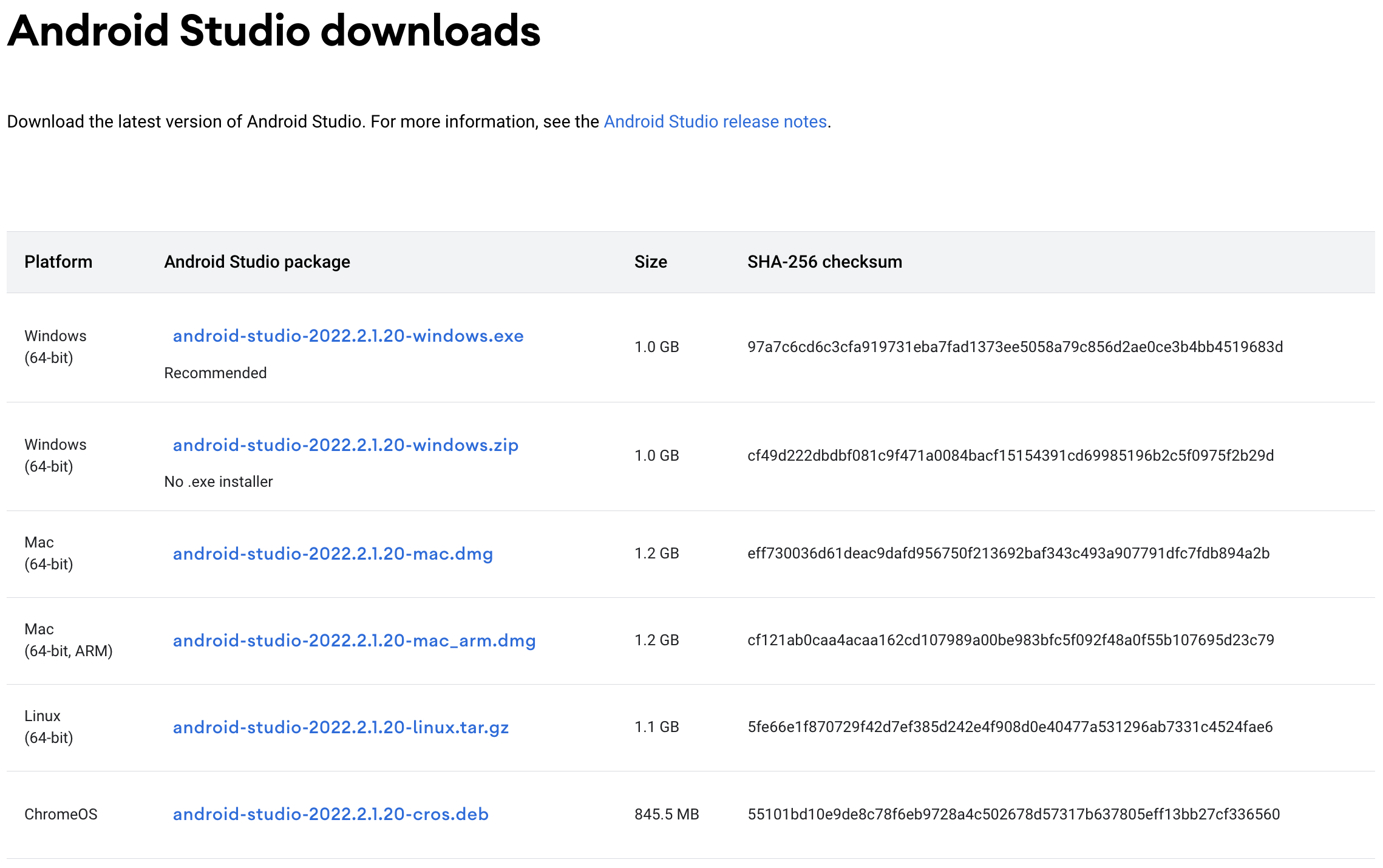
https://developer.android.com/studio/index.html 접속하여 다운받아 설치한다.
-
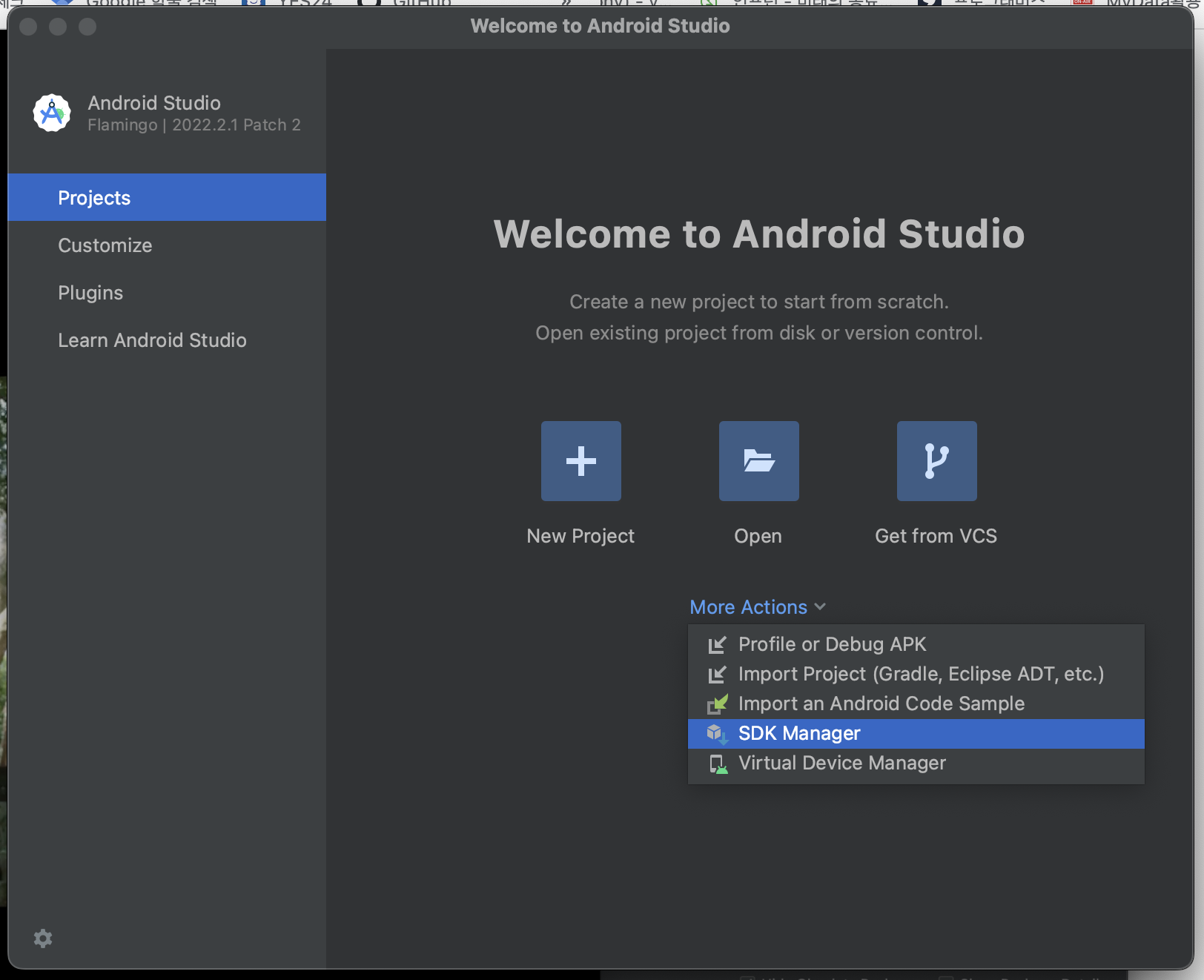
Android Studio 실행한다.
-
설치 완료. flutter doctor로 확인한다.
% flutter doctor
Doctor summary (to see all details, run flutter doctor -v):
[✓] Flutter (Channel stable, 3.10.2, on macOS 13.3.1 22E772610a darwin-x64, locale ko-KR)
[!] Android toolchain - develop for Android devices (Android SDK version 33.0.2)
    ✗ Android SDK file not found: adb.
[✓] Xcode - develop for iOS and macOS (Xcode 14.3)
[✓] Chrome - develop for the web
[✓] Android Studio (version 2022.2)
[✓] IntelliJ IDEA Ultimate Edition (version 2022.1.3)
[✓] Connected device (2 available)
[✓] Network resources
C. Android toolchain
-
먼저 Android Studio를 설치하다.
-
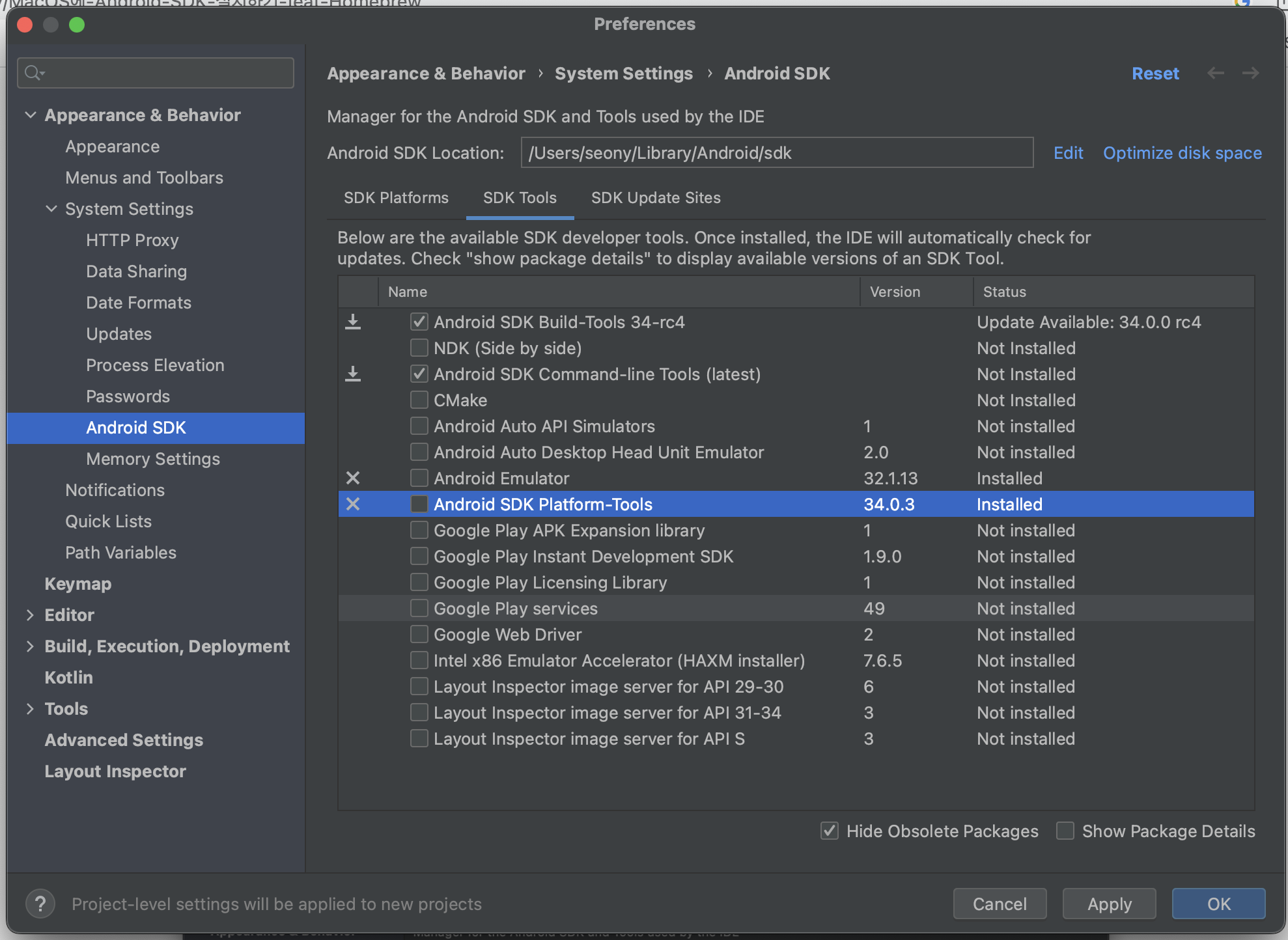
다음과 같은 에러가 발생하였다.
[!] Android toolchain - develop for Android devices (Android SDK version 33.0.2)
✗ Android SDK file not found: adb. -
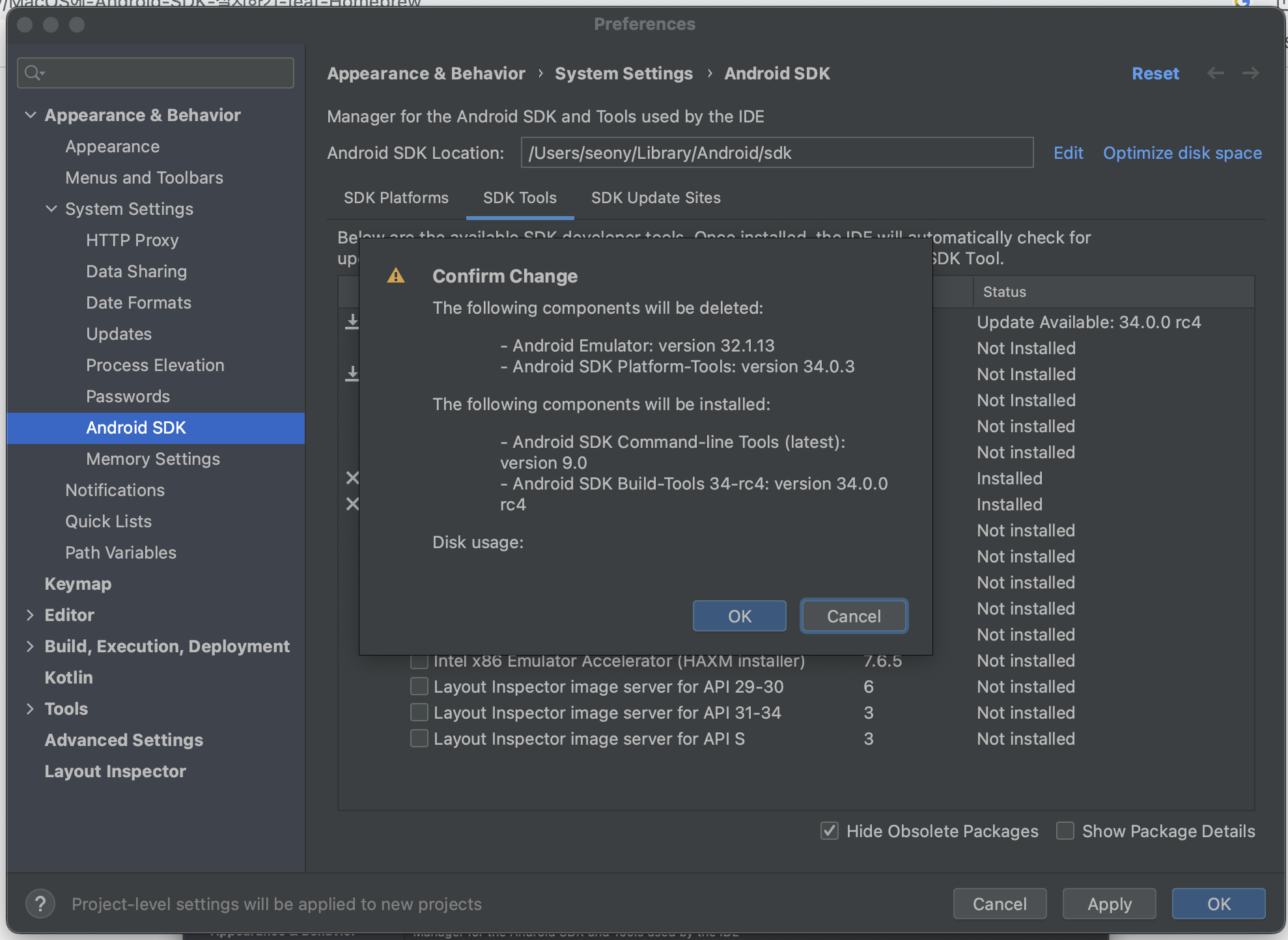
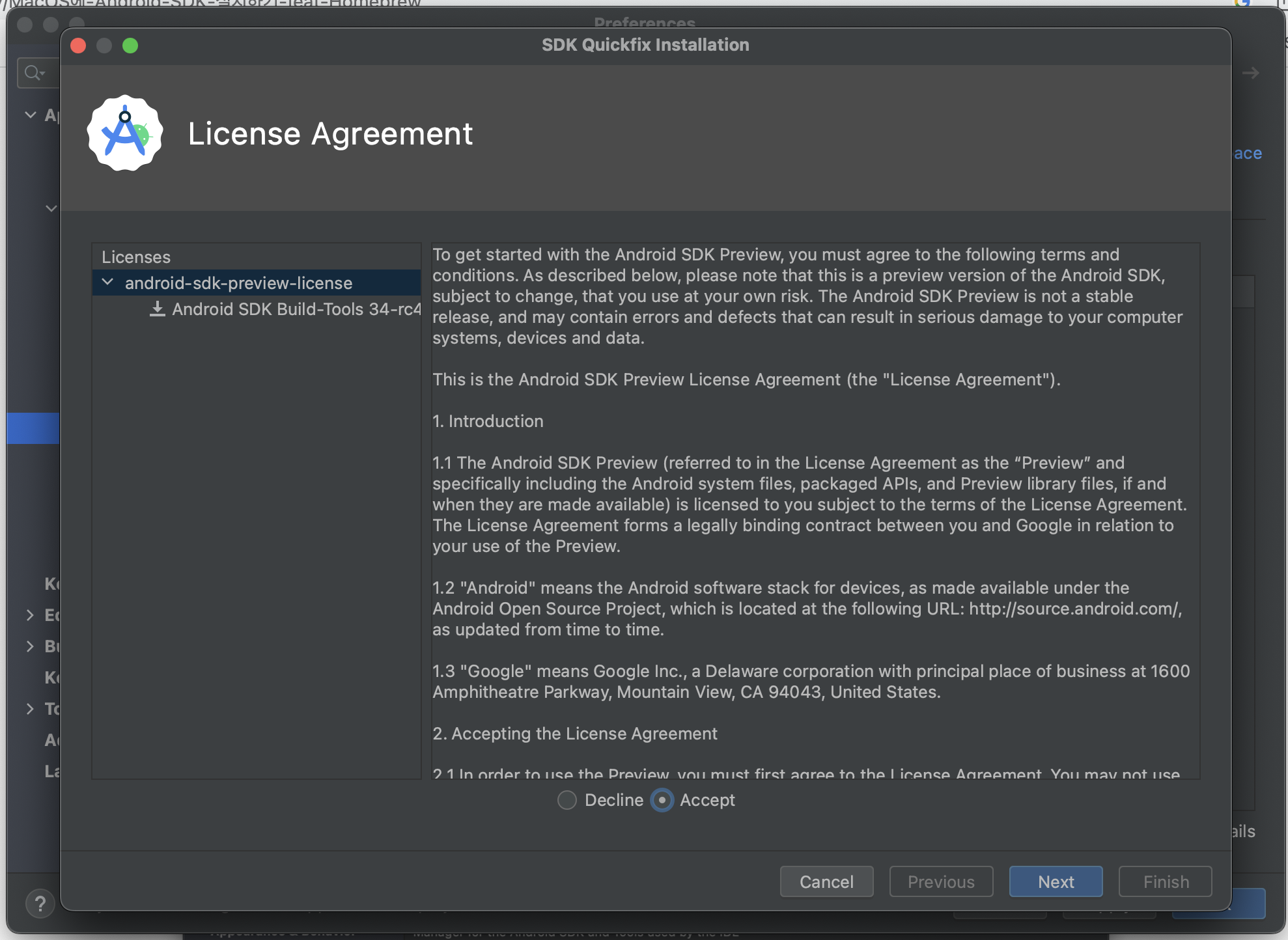
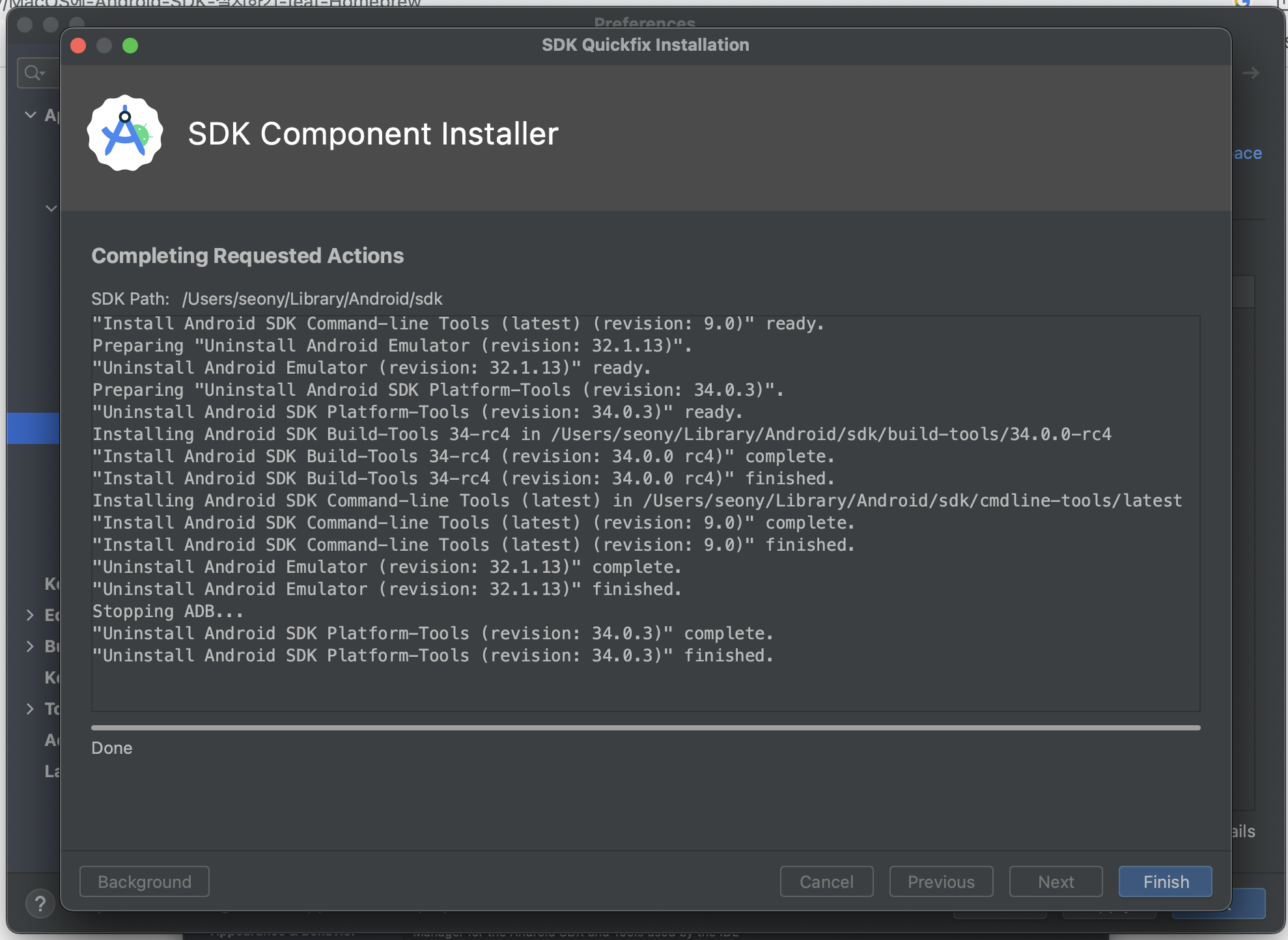
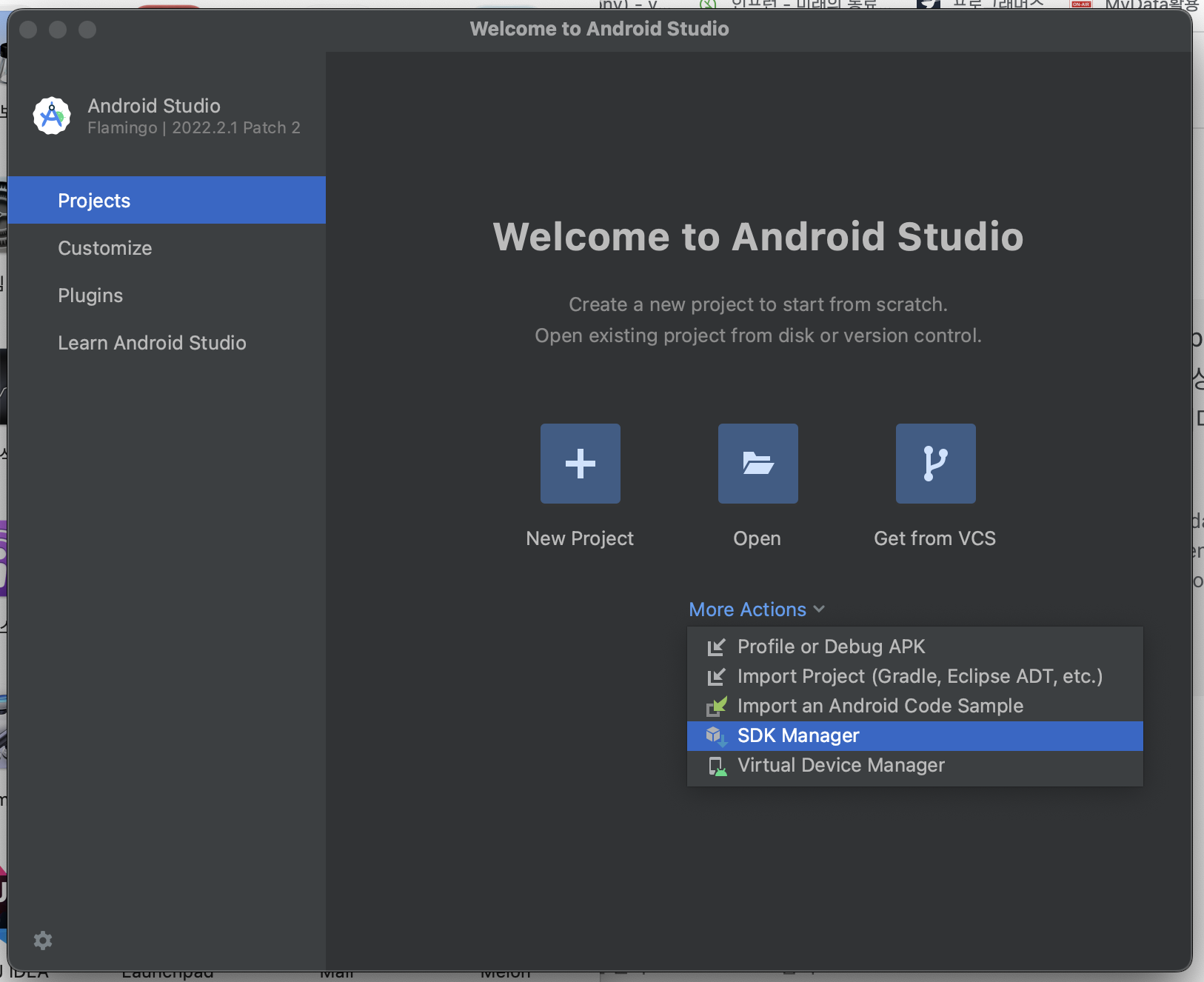
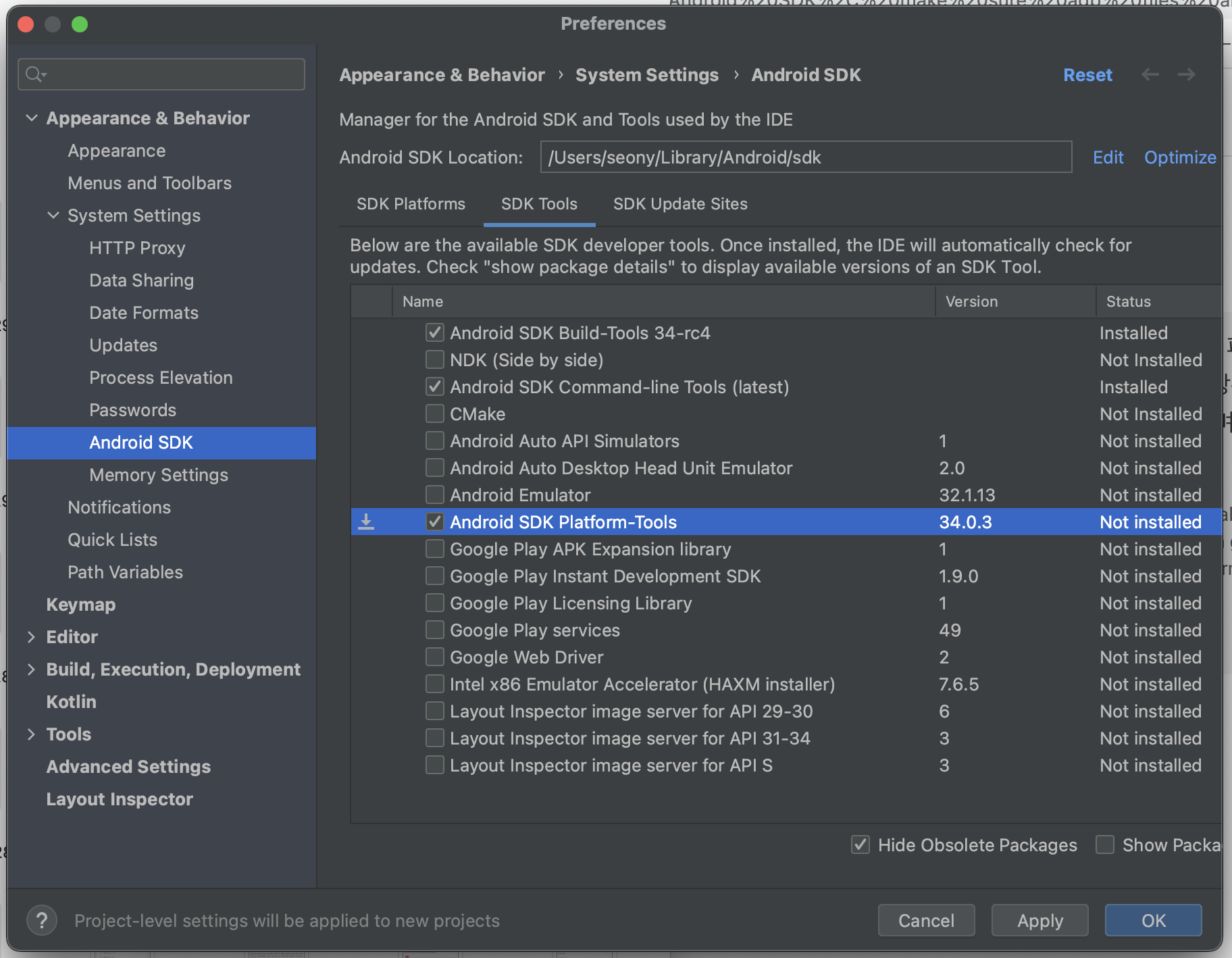
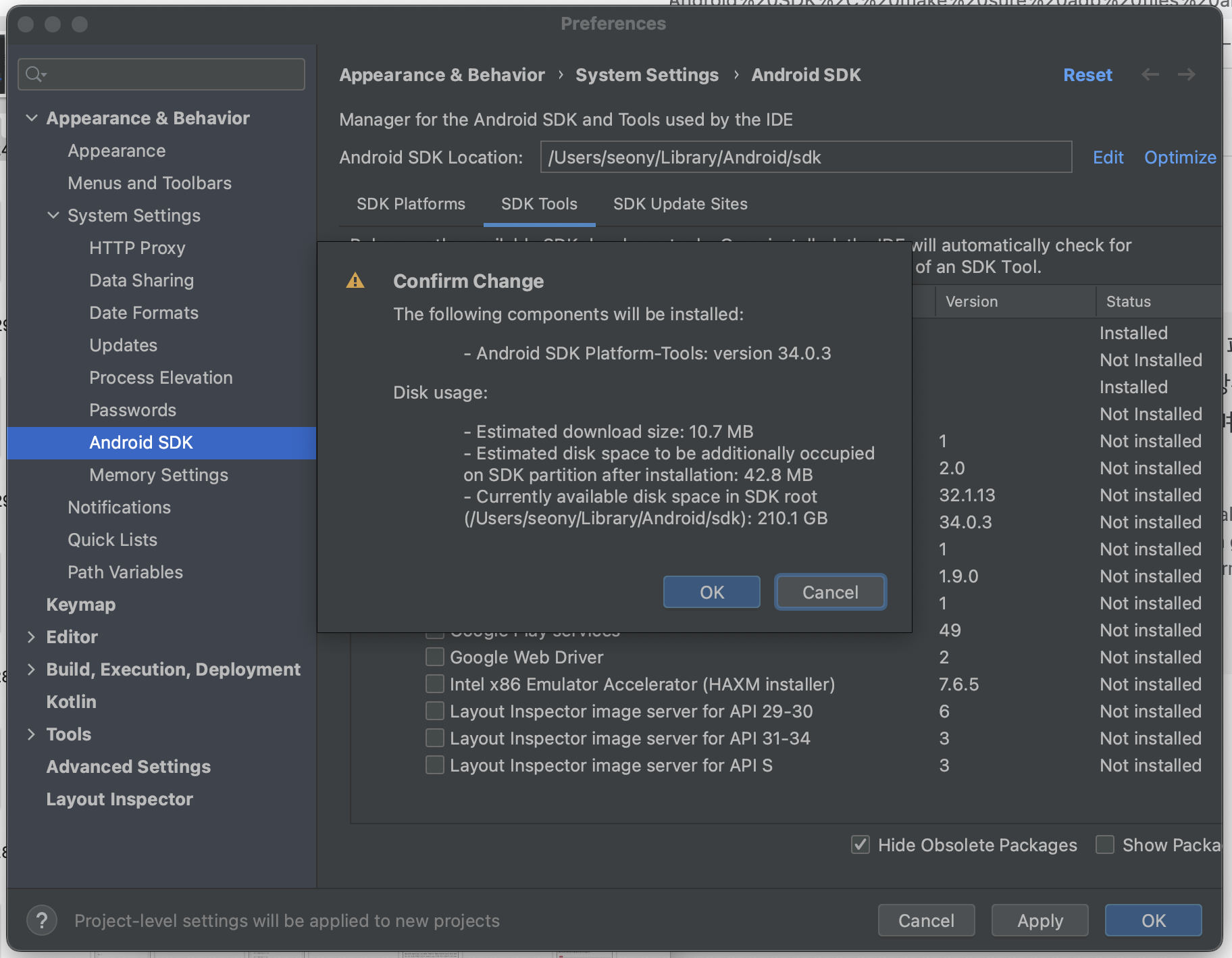
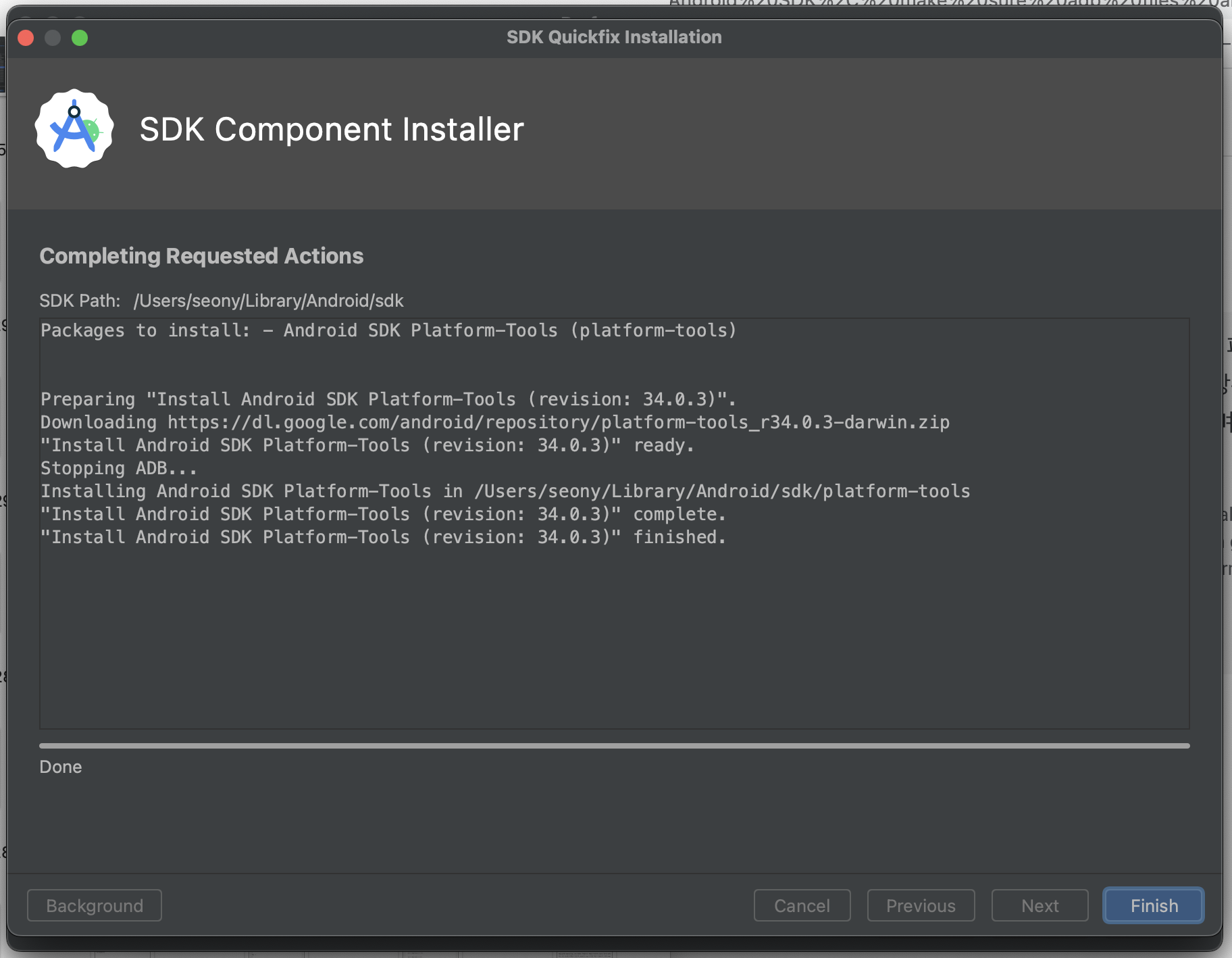
위의 에러를 해결하기 위해 Android SDK Platform-Tools 설치
-
flutter doctor로 확인
% flutter doctor Doctor summary (to see all details, run flutter doctor -v): [✓] Flutter (Channel stable, 3.10.2, on macOS 13.3.1 22E772610a darwin-x64, locale ko-KR) [!] Android toolchain - develop for Android devices (Android SDK version 33.0.2) ! Some Android licenses not accepted. To resolve this, run: flutter doctor --android-licenses [✓] Xcode - develop for iOS and macOS (Xcode 14.3) [✓] Chrome - develop for the web [✓] Android Studio (version 2022.2) [✓] IntelliJ IDEA Ultimate Edition (version 2022.1.3) [✓] Connected device (2 available) [✓] Network resources ! Doctor found issues in 1 category. -
또 다른 에러가 발생하였다. 위에서 말한 대로 실행한다.
% flutter doctor --android-licenses
-
-
설치 완료. flutter doctor로 확인한다.
% flutter doctor
Doctor summary (to see all details, run flutter doctor -v):
[✓] Flutter (Channel stable, 3.10.2, on macOS 13.3.1 22E772610a darwin-x64, locale ko-KR)
[✓] Android toolchain - develop for Android devices (Android SDK version 33.0.2)
[✓] Xcode - develop for iOS and macOS (Xcode 14.3)
[✓] Chrome - develop for the web
[✓] Android Studio (version 2022.2)
[✓] IntelliJ IDEA Ultimate Edition (version 2022.1.3)
[✓] Connected device (2 available)
[✓] Network resources

• No issues found!