
글자 꾸미기

<!-- 글자 꾸미기 -->
    <em>강조</em>
    <!-- bold -->
    <b>진하게</b>
    <!-- italic -->
    <i>이탤릭</i>
    <!-- sup: 윗첨자 -->
    2<sup>10</sup>
    <!-- sup: 아래첨자 -->
    log<sub>10</sub>
제목 크기
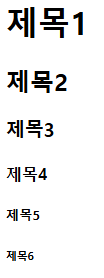
<!-- h: 제목 -->
    <h1>제목1</h1>
    <h2>제목2</h2>
    <h3>제목3</h3>
    <h4>제목4</h4>
    <h5>제목5</h5>
    <h6>제목6</h6>
이미지

이미지 폴더 만들어 파일 넣기
<!-- 이미지 보여주기 -->
    <img src="./images/html.png" alt = "html"> <!-- 상대 경로 -->
    <!-- ./ 현재위치 | ../ 현재폴더의 상위폴더 -->
    <!-- alt는 이미지가 안 떳을 때 뜨는 사진 설명 글 -->
    <img src="https://cdn.pixabay.com/photo/2023/01/15/08/55/dog-7719758_640.jpg" alt = "자유">
    <!-- 이미지 주소를 사용하는 것은 저작권 조심 -->
링크
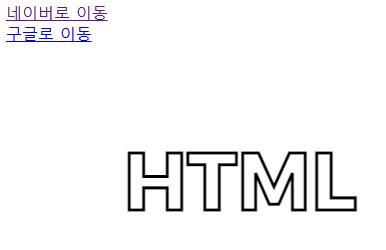
 <!-- a: 링크로 이동 -->
    <a href="http://www.naver.com">네이버로 이동</a><br/>
    <a href="http://www.google.com">구글로 이동</a><br/>
    <a href="http://www.daum.net">
        <img src="./images/html.png"/>
    </a>
오디오 & 비디오

오디오 폴더 & 비디오 폴더 만들어서 파일 넣기
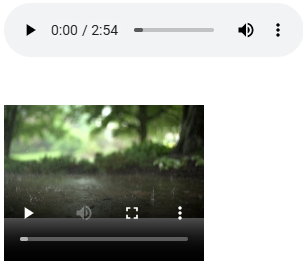
	<div>
    <audio src="./sound/Ring.mp3" controls/>
    </div>
    <div>
    <video src="./video/Rain.mp4" width="200px" height="200px" controls/>
    </div>
div로 묶어주니까 오디오와 비디오가 각각 재생됨.
<iframe width = "800" height = "285"
    src = "http://www.youtube.com/embed/ZKsv-FJRhqs"
    title = "자유형을 잘하기 위해 피해야하는 동작"
    frameborder = "0"
    allow = "accelerometer; autoplay clipboard-write;
    encrypted-media; gyroscope; picture-in-picture"
    allowfullscreen>
</iframe>
테이블
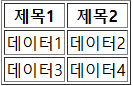
th : 제목
tr : 행
td : 열
	<table border = "1">
        <tr>
            <th>제목1</th>
            <th>제목2</th>
        </tr>
        <tr>
            <td>데이터1</td>
            <td>데이터2</td>
        </tr>
        <tr>
            <td>데이터3</td>
            <td>데이터4</td>
        </tr>
    </table>
테이블 병합
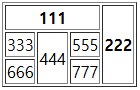
	<table border = "1">
        <tr>
            <th colspan="3">111</th>
            <th rowspan="3">222</th>
        </tr>
        <tr>
            <td>333</td>
            <td rowspan="2">444</td>
            <td>555</td>
        </tr>
        <tr>
            <td>666</td>
            <td>777</td>
        </tr>
    </table>
div & span
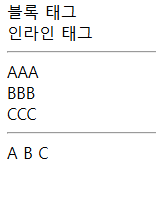
div : 박스 형태로 영역이 설정되고 그 내부에 정렬
span : 줄단위로 영역이 설정됨
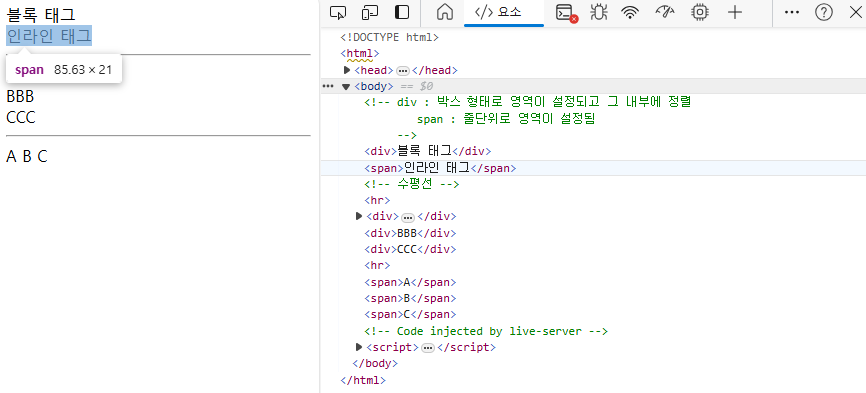
     <div>블록 태그</div>
     <span>인라인 태그</span>
     <!-- 수평선 -->
     <hr/>
     <div>
        <div>
            <div>AAA</div>
        </div>
     </div>
     <div>BBB</div>
     <div>CCC</div>
     <hr/>
     <span>A</span>
     <span>B</span>
     <span>C</span>
section 이동

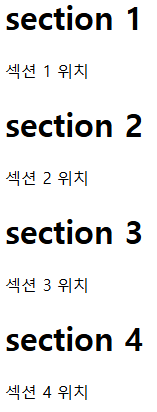
	<a href="#sec_1">section 1 이동</a>
    <a href="#sec_2">section 2 이동</a>
    <a href="#sec_3">section 3 이동</a>
    <a href="#sec_4">section 4 이동</a>
    <div id="sec_1">
        <h1>section 1</h1>
        섹션 1 위치
    </div>
    <div id="sec_2">
        <h1>section 2</h1>
        섹션 2 위치
    </div>
    <div id="sec_3">
        <h1>section 3</h1>
        섹션 3 위치
    </div>
    <div id="sec_4">
        <h1>section 4</h1>
        섹션 4 위치
    </div>
form
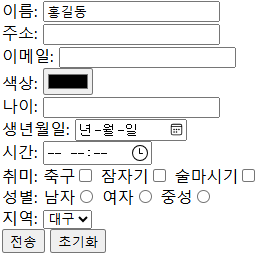
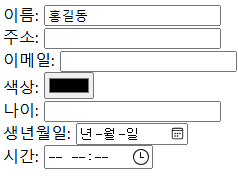
	<form action="test.jsp" method="get">
        <div>이름: <input type="text" name="name" value="홍길동"/> </div>
        <div>주소: <input type="text" name="addr"/> </div>
        <div>이메일: <input type="email" name="email"/> </div>
        <div>색상: <input type="color" name="clr"/> </div>
        <div>나이: <input type="number" name="age"/> </div>
        <div>생년월일: <input type="date" name="birth"/> </div>
        <div>시간: <input type="time" name="time"/> </div>
    </form>
form : 대상
input type : 입력 받는 창을 띄움
action :
method
- get :
- post : method를 값을 숨기려면 post 방식



		<div>
             취미:
             <label>축구<input type="checkbox" name="hobby" value="1"/> </label>
             <label>잠자기<input type="checkbox" name="hobby" value="2"/> </label>
             <label>술마시기<input type="checkbox" name="hobby" value="3"/> </label>
        </div>
        <div>
            성별:
            <label>남자<input type="radio" name="gender" value="Male"/> </label>
            <label>여자<input type="radio" name="gender" value="Female"/> </label>
            <label>중성<input type="radio" name="gender" value="None"/> </label>
        </div>
checkbox : 다중 선택 가능
radio : 단일 선택만 가능. Yes or No
drop down

		<div>
            지역:
            <select name="location">
                <option value="1">서울</option>
                <option value="2">대전</option>
                <option value="3" selected>대구</option>
                <option value="4">부산</option>
            </select>
        </div>
대구가 default가 됨

나야