
테스트 플랫폼 : 테스형 서비스 구축 과정 시 Github Action을 통한 AWS EC2 Docker 자동화 파이프라인 구축에서 일어난 트러블 슈팅 모음 문서
1. 배포 후 레디스
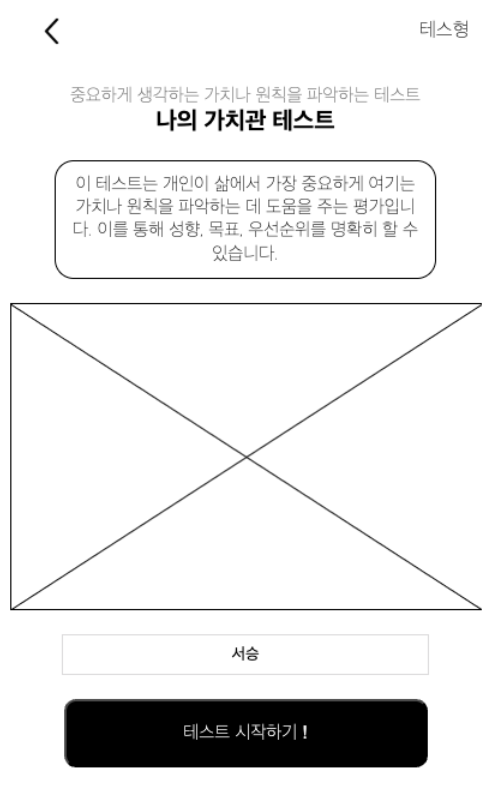
이 다음 진행은 레디스에 일부 정보를 저장하여 캐싱하는 프로세스이다.
테스트 시작하기 ! 버튼을 누르면
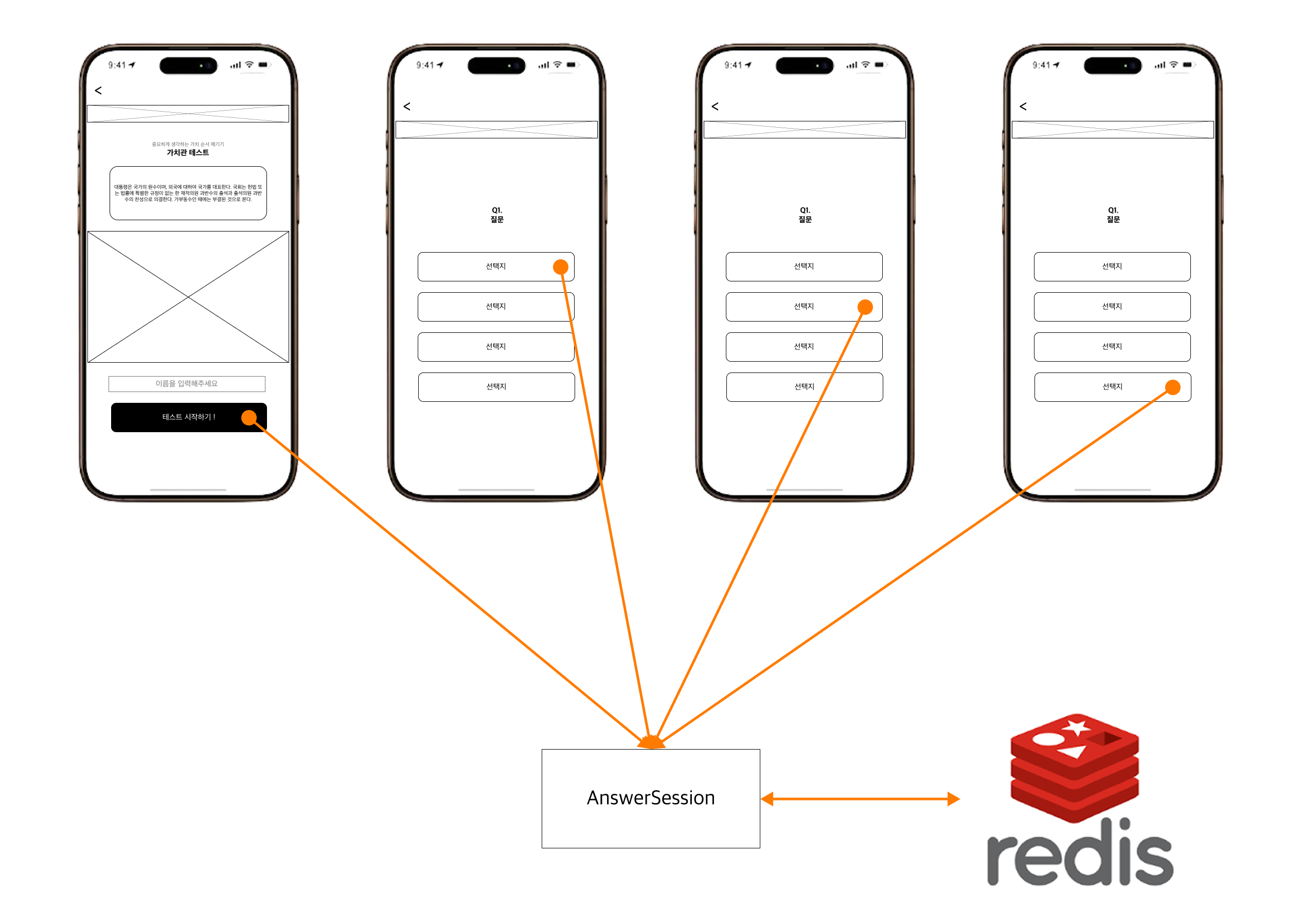
이런 흐름으로 Redis를 사용하여 진행한다.
설레는 마음으로 클릭한다.
역시나, 다음 화면으로 진행되지 않는다 ...
우울한 마음으로
EC2에 접속해 Spring app 로그를 확인해보았다.
2025-05-07T18:03:57.786Z  INFO 1 --- [nio-8080-exec-8] com.tst.controller.TestController        : 테스트 시작 요청 받음, testId: 1, userCode: 서승
2025-05-07T18:03:57.787Z  INFO 1 --- [nio-8080-exec-8] com.tst.service.TestService              : testId: 1, userCode: 서승로 테스트 시작
2025-05-07T18:03:57.787Z  INFO 1 --- [nio-8080-exec-8] com.tst.service.TestService              : UUID : 서승a631605a-227f-42a9-9c4b-ca72864422da
2025-05-07T18:03:57.791Z ERROR 1 --- [nio-8080-exec-8] o.a.c.c.C.[.[.[/].[dispatcherServlet]    : Servlet.service() for servlet [dispatcherServlet] in context with path [] threw exception [Request processing failed: org.springframework.data.redis.RedisConnectionFailureException: Unable to connect to Redis] with root cause

java.net.ConnectException: Connection refused
        at java.base/sun.nio.ch.Net.pollConnect(Native Method) ~[na:na]
        at java.base/sun.nio.ch.Net.pollConnectNow(Net.java:669) ~[na:na]
        at java.base/sun.nio.ch.SocketChannelImpl.finishConnect(SocketChannelImpl.java:944) ~[na:na]
        at io.netty.channel.socket.nio.NioSocketChannel.doFinishConnect(NioSocketChannel.java:336) ~[netty-transport-4.1.119.Final.jar!/:4.1.119.Final]
        at io.netty.channel.nio.AbstractNioChannel$AbstractNioUnsafe.finishConnect(AbstractNioChannel.java:339) ~[netty-transport-4.1.119.Final.jar!/:4.1.119.Final]
        at io.netty.channel.nio.NioEventLoop.processSelectedKey(NioEventLoop.java:784) ~[netty-transport-4.1.119.Final.jar!/:4.1.119.Final]
        at io.netty.channel.nio.NioEventLoop.processSelectedKeysOptimized(NioEventLoop.java:732) ~[netty-transport-4.1.119.Final.jar!/:4.1.119.Final]
        at io.netty.channel.nio.NioEventLoop.processSelectedKeys(NioEventLoop.java:658) ~[netty-transport-4.1.119.Final.jar!/:4.1.119.Final]
        at io.netty.channel.nio.NioEventLoop.run(NioEventLoop.java:562) ~[netty-transport-4.1.119.Final.jar!/:4.1.119.Final]
        at io.netty.util.concurrent.SingleThreadEventExecutor$4.run(SingleThreadEventExecutor.java:998) ~[netty-common-4.1.119.Final.jar!/:4.1.119.Final]
        at io.netty.util.internal.ThreadExecutorMap$2.run(ThreadExecutorMap.java:74) ~[netty-common-4.1.119.Final.jar!/:4.1.119.Final]
        at io.netty.util.concurrent.FastThreadLocalRunnable.run(FastThreadLocalRunnable.java:30) ~[netty-common-4.1.119.Final.jar!/:4.1.119.Final]
        at java.base/java.lang.Thread.run(Thread.java:831) ~[na:na]
아이고 이런 에러가 ..
org.springframework.data.redis.RedisConnectionFailureException: Unable to connect to Redis
Caused by: java.net.ConnectException: Connection refused
결국은 레디스와 연결이 안되었다는 것이다.
서버에서 redis 컨테이너는 6379 잘 구동하고 있다.
docker logs -f redis
로그를 살펴보니
Server initialized
Ready to accept connections tcp
정상적으로 작동도 하고 있다.
아마도 환경변수 전달이 제대로 이뤄지지 않아서 그런 것 같다.
GitHub Secret 에서 application.properties 값을 넣어줄 때
#Redis
spring.redis.host=localhost (redis 에서 변경)
spring.redis.port=6379
spring.redis.timeout=1800000
EC2에 접속한 후
docker exec -it tst-be ping redis
를 통해 확인해본다.
:~$ docker exec -it tst-be ping redis
PING redis (172.18.0.2): 56 data bytes
64 bytes from 172.18.0.2: seq=0 ttl=64 time=0.056 ms
64 bytes from 172.18.0.2: seq=1 ttl=64 time=0.050 ms
64 bytes from 172.18.0.2: seq=2 ttl=64 time=0.060 ms
64 bytes from 172.18.0.2: seq=3 ttl=64 time=0.058 ms
64 bytes from 172.18.0.2: seq=4 ttl=64 time=0.057 ms
64 bytes from 172.18.0.2: seq=5 ttl=64 time=0.057 ms
네트워크 연결이 잘 되고 있다 . .
reid 컨테이너 이름도 잘 인식되고 있고
내부 Docker 네트워크에서도 통신이 정상이다.
Redis가 준비상태임을 확인하기 위해서 로그를 확인해보자
1:M 08 May 2025 07:04:58.065 * Ready to accept connections tcp
문제 없다는 것 ..
- redis 와 spring boot app 네트워크 연결이 잘 되고 있다.
- redis 컨테이너도 잘 구동하고 있다.
- redis log를 살펴보아도 Ready to accept 로 준비된 상황이다.
문제가 무엇인지 모르겠어서 조금의 검색을 해보았다.
Stack overflow 에서
What is the content of your
application.propertiesandapplication-docker.properties? Next to that shouldn't the properties bespring.data.redis.hostandspring.data.redis.port? Those are now basically unset leading to defaults being used thuslocalhost. Thespring.redis.hostwas for Spring Boot 2, in Spring Boot 3 they moved it tospring.data.redis.host(and other properties as well).
즉 Spring Boot 3.x 에서는
#Redis
spring.redis.host=redis
spring.redis.port=6379
spring.redis.timeout=1800000
가 아니라 중간에 data 를 추가하여
#Redis
spring.data.redis.host=redis
spring.data.redis.port=6379
spring.data.redis.timeout=1800000
로 해야 한다는 것이다.
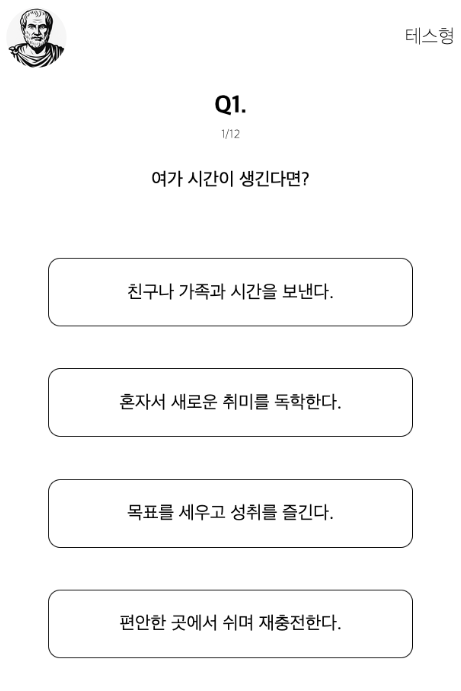
-해결-
감사합니다.
2. Next.js 이중요청 및 Redis 객체 삭제 오류
테스트를 완료하고 유형을 전달할 때 자원 효율을 위해 Redis 에서 사용하던 메모리 값을 삭제하는 코드를 구현했었다.

프론티어 이기에 작은 용량도 소중하니까 ..
먼저 로컬 환경에서 테스트를 해보았다.
public StyleDTO getStyle(int testId, String userCode) {
    log.info("testId: {}, userCode: {}로 결과 조회", testId, userCode);

    AnswerSession answerSession = redisService.getAnswerSession(userCode);

    Optional<Style> optionalStyle = styleRepository.findById(answerSession.findMostSelectedStyle());
    Style style = optionalStyle.orElseThrow(() -> new RuntimeException("결과를 찾을 수 없습니다."));

    // 삭제 코드
    redisService.delete(userCode);
    redisService.delete(userCode+"questions");

    return entityDtoMapper.toStyleDTO(style);
}
로컬 환경에서 삭제 코드를 추가하고 테스트하니 에러가 났다.
Servlet.service() for servlet [dispatcherServlet] in context with path [] threw exception [Request processing failed: java.lang.NullPointerException: Cannot invoke "com.tst.util.AnswerSession.findMostSelectedStyle()" because "answerSession" is null] with root cause

java.lang.NullPointerException: Cannot invoke "com.tst.util.AnswerSession.findMostSelectedStyle()" because "answerSession" is null
꺼낸 후, 삭제 하려고 하는 anserSession 객체가 null . .
Optional<Style> optionalStyle = styleRepository.findById(answerSession.findMostSelectedStyle());
이 부분에서 에러가 난다는 것인데
redisService.delete() 함수에 주석 처리를 하면 정상적으로 진행이 되는 모습이다 .
코드 순서가 delete 먼저 실행될리는 없고 .
아하 !
로컬 환경에서의 Next.js useEffect 시 호출은 stirct mode 때문에 2번 보내진다.
방지하면 된다.
해결 방법은 검색을 추천합니다.
빌드 후 배포 환경에서는 잘 돌아감으로 따로 해결 방안을 기술하진 않았다.
-해결-