인프런 강의를 들으며 스프링부트강의를 듣기 시작하였다.
강의 내용대로 잘 따라가다가 만난 첫번째 문제..
A problem occurred configuring root project 'hello-spring'.
Could not resolve all files for configuration ':classpath'.
Could not resolve org.springframework.boot:spring-boot-gradle-plugin:3.0.2.
Required by:
project : > org.springframework.boot:org.springframework.boot.gradle.plugin:3.0.2
No matching variant of org.springframework.boot:spring-boot-gradle-plugin:3.0.2 was found. The consumer was configured to find a runtime of a library compatible with Java 11, packaged as a jar, and its dependencies declared externally, as well as attribute 'org.gradle.plugin.api-version' with value '7.6' but:
원인
sprint boot의 버전에 따라 필요한 java 버전이 맞지 않아 발생한 문제.
강의에서는 spring boot 2.x 버전과 java 7 버전을 사용하였는데,
내가 강의를 들을 시점인 지금(2023.07.24)에는 spring boot 3.x 버전이 나왔고
이 버전에는 java 11 버전이 설치 되어야 함.
해결 방법
java 11 버전을 다시 설치하면 됨! (매우 간단)
1. 아래 사이트에서 본인 운영체제에 맞는 java 17 버전 다운로드
https://www.oracle.com/java/technologies/downloads/#jdk17-windows
2. java 설치 진행
다운 받은 파일을 클릭하여 설치 진행

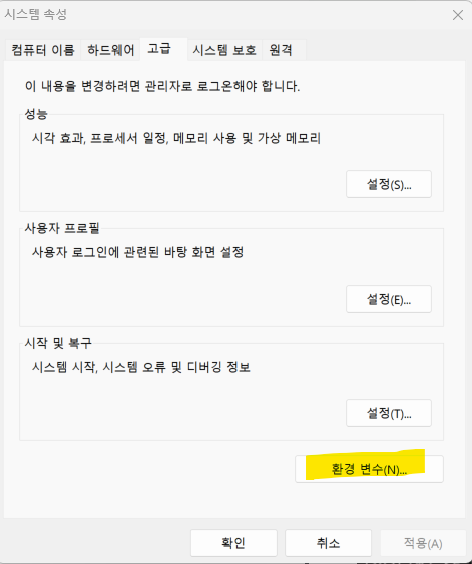
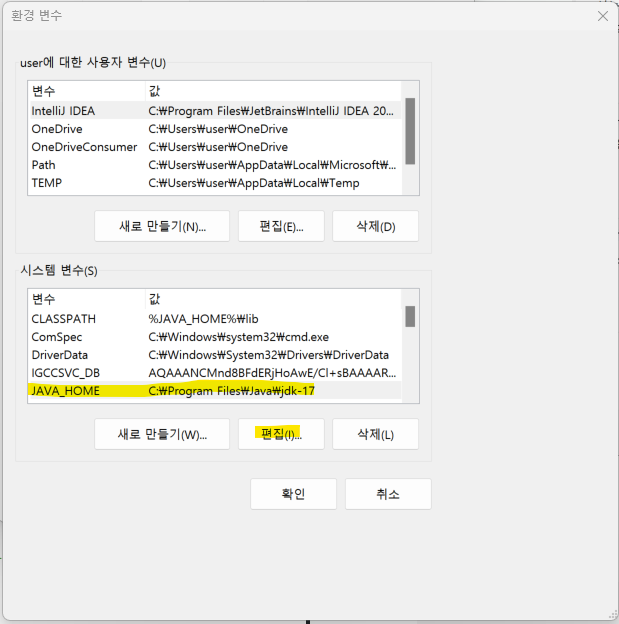
3. 시스템 환경 변수 설정
-
시스템 환경 변수 설정 창에 들어가서 환경 변수 클릭
-
JAVA_HOME 편집
4. 자바 버전 확인
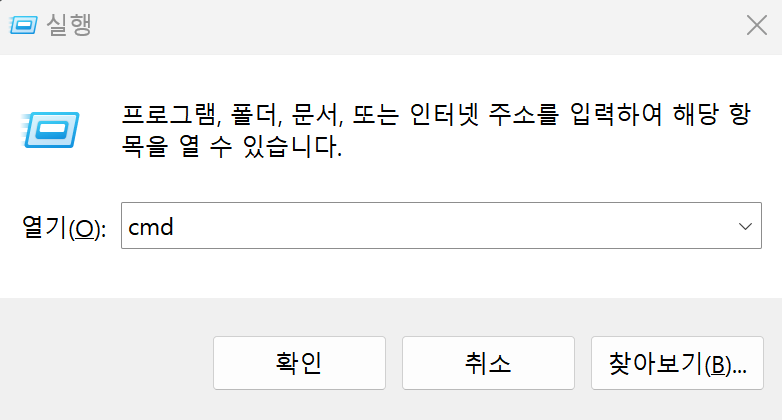
window + R 버튼을 입력 후 cmd를 입력하여 명령 프롬프트 열기

java -version 을 입력하여 자바 버전 확인.
원하는 버전이 나오면 잘 설정된 것!

유익한 글이었습니다.