Web scraping
웹사이트에서 html 정보를 받아 데이터 조회
python 코드로 원하는 데이터만 조회
- Crawling : 방대한 데이터를 수집하여 색인작업
- Scraping : 필요한 데이터를 분석하여 특정 패턴을 가진 데이터 수집
환경 설정
pip install requests(url로부터 데이터 받기)
pip install beautifullsoup4(html 데이터 처리)
pip install cloudscraper(requests 예비)
웹사이트 개요 파악
chrome 브라우저 - 주소창 옆 더보기 - 도구 더보기 - 개발자 도구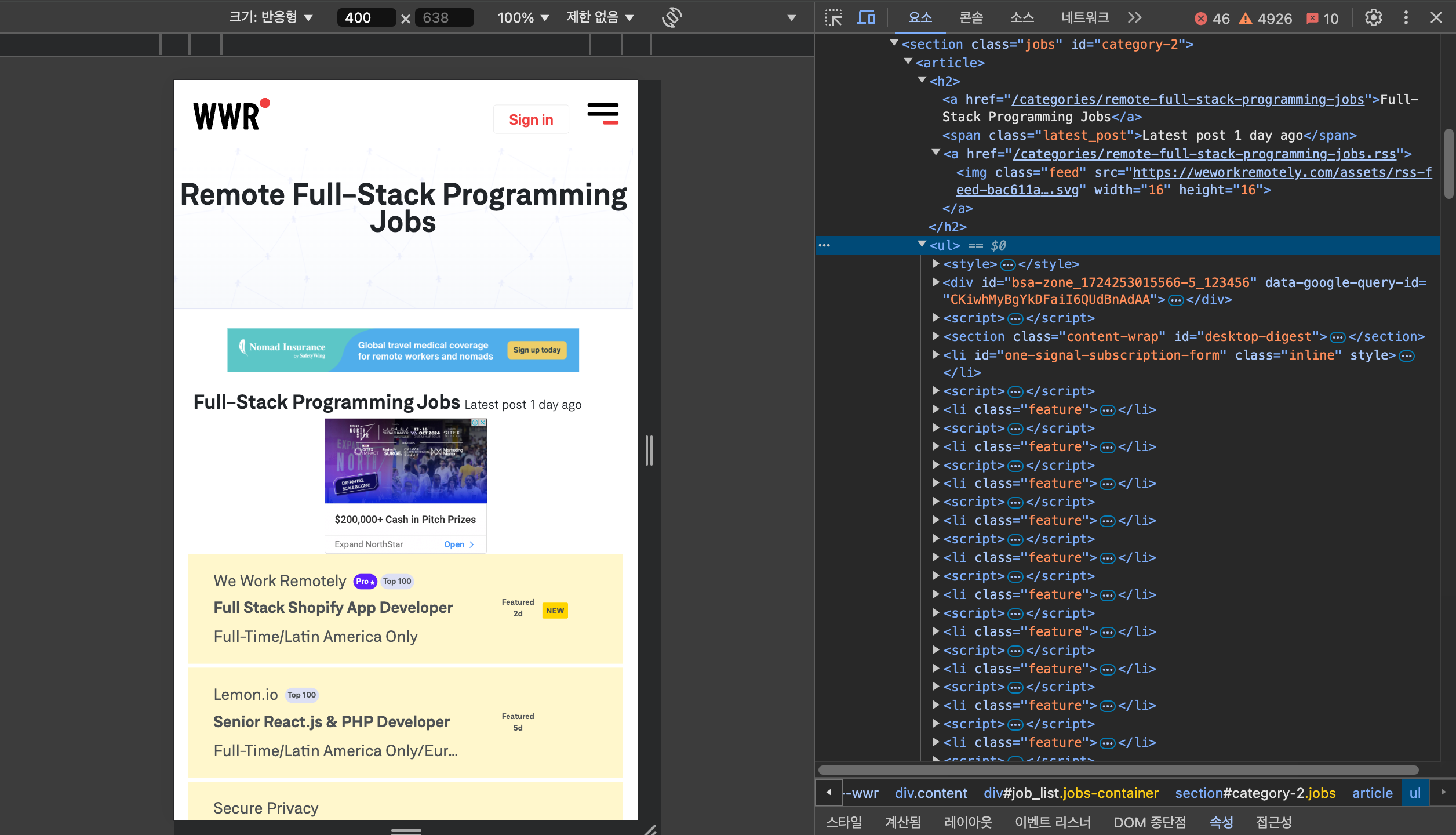
html 데이터 조회
- parser : parsing 도구
- parsing : 데이터를 이해 가능한 형태로 분석하고 추출
데이터 간의 문법적 관계를 분석하여 가공
import requests
from requests import get
import cloudscraper
# 웹사이트가 스크랩 제한하여 우회 패키지 사용
from bs4 import BeautifulSoup
scraper = cloudscraper.create_scraper()
# beatifulsoup # html로 부터 데이터 보기 쉽게 추출해줌

url = "https://weworkremotely.com/categories/remote-full-stack-programming-jobs"
# response = requests.get(url)
response = scraper.get(url)
print(response.text) # 웹사이트의 source code 출력 / html
soup = BeautifulSoup(response.text, 'html.parser',)
특정 데이터 조회
- 웹사이트에서 원하는 데이터의 위치를 파악하여 활용
- .find(), .find_all()
- class는 class_ 로 작성하여 객체생성과 혼동 방지
jobs = soup.find('section', class_ = 'jobs').find_all('li')[1:-1]
# class를 class_ 로 쓰는 이유 = 파이썬의 기능 class 와 구분하기 위해
# .find(엘리멘트, 클래스)
# .find() 첫번째 항목
# [1:-1] 2번째 항목부터 뒤에서 첫번째 항목 이전까지 슬라이싱

all_jobs = [] # 탐색된 정보가 모일 리스트
for job in jobs:
  # 텍스트만 보고 싶은 경우 .text
  title = job.find('span', class_='title').text
  company, position, region = job.find_all('span', class_='company')
  # 언패킹 # 길이가 같을 때만 가능
  try: url = job.find('div', class_ = 'tooltip--flag-logo').next_sibling['href']
  # .next_sibling[위치] 위치 다음 것
  except: KeyError: url='You need log-in'
  job_data = {
  'title' : title,
  'company' : company.text,
  'position' : position.text,
  'region' : region.text,
  'url' : f'https://weworkremotely.com{url}'
  }
  all_jobs.append(job_data)
  print(title, company, position, region, '------\n') # 디버깅 용도
print(all_jobs)
Pagination
- 페이지가 여러개인 경우
- 각 페이지를 순차적으로 조회하도록 코드 작성
- 페이지 정보의 개수를 바탕으로 url 조작
def get_pages(url):
  response = scraper.get(url)
  soup = BeautifulSoup(response.content, 'html.parser')
  return len(
    soup.find('div', class_ = 'pagination').find_all('span', class_ = 'page')
    ) # 4개 버튼

total_page = get_pages('https://weworkremotely.com/remote-full-time-jobs?page=1')

for x in range(total_page):
  url = f'https://weworkremotely.com/remote-full-time-jobs?page={x+1}'
  # 페이지 값이 1부터 시작 / 인덱스 값은 0부터 시작
  scrape_page(url)
requests 요청이 거부된 경우
- headers 활용 : python에서의 접근을 브라우저를 통한 접근으로 가장
- 요청을 받는 브라우저 리스트 확인(개발자 도구 - 네트워크)
 response = requests.get(url, headers={"User-Agent": "Mozilla/5.0"})
# 파이어폭스 접근으로 가장- 또는 다른 모듈 사용
response = scraper.get(url)