React Native Firebase FCM 설정 (feat. yak shaving)
REACT NATIVE FIREBASE : https://rnfirebase.io/messaging/usage
Yak shaving example!
- You need to change the banner on your company’s website.
- You don’t have the login credentials so you ask the admin to give them to you.
- It turns out you must set up a particular password manager to get them.
- The password manager requires 2FA, so you must download an authentication app and set it up.
- You get the credentials, but the banner has a typo in it. You must find the person on the design team who made it and ask them to fix it.
- The person is on holiday, so their teammate agrees to help. They can’t find the AI file.
- Ad infinitum
1. 처음엔 몰랐다. 생각보다 지랄맞다.
npm install @react-native-firebase/app @react-native-firebase/messagingGPT가 도움은 되지만 절대적이진 않다. 하긴 뭐 온라인에 있는 각종 튜토리얼들을 찾아 헤매던게 불과 몇 년 전이었는데, 이 정도로 만족해야하지 않을까? 그래도 적어도 수많은 에러 메시지 속에서 필요한 내용을 잘 정리해주니까 그래서 털 깍기가 수월하다.
2. 파이어베이스 설정은 필수적이다.
https://console.firebase.google.com 에서 프로젝트를 만든다. 프로젝트 생성이 완료되면, 해당 프로젝트 클릭해 "앱 추가"를 하고 Android로 새로운 앱을 등록한다. 이 때, "Android 패키지 이름"이 리액트 네이티브에 gradle 설정되는 점을 기억한다. 이렇게 하면 최종적으로 "google-services.json"이 생성되면서 다운로드할 수 있다. 이 파일을 프로젝트 루트 아래에 "project root"/android/app에 복사한다.
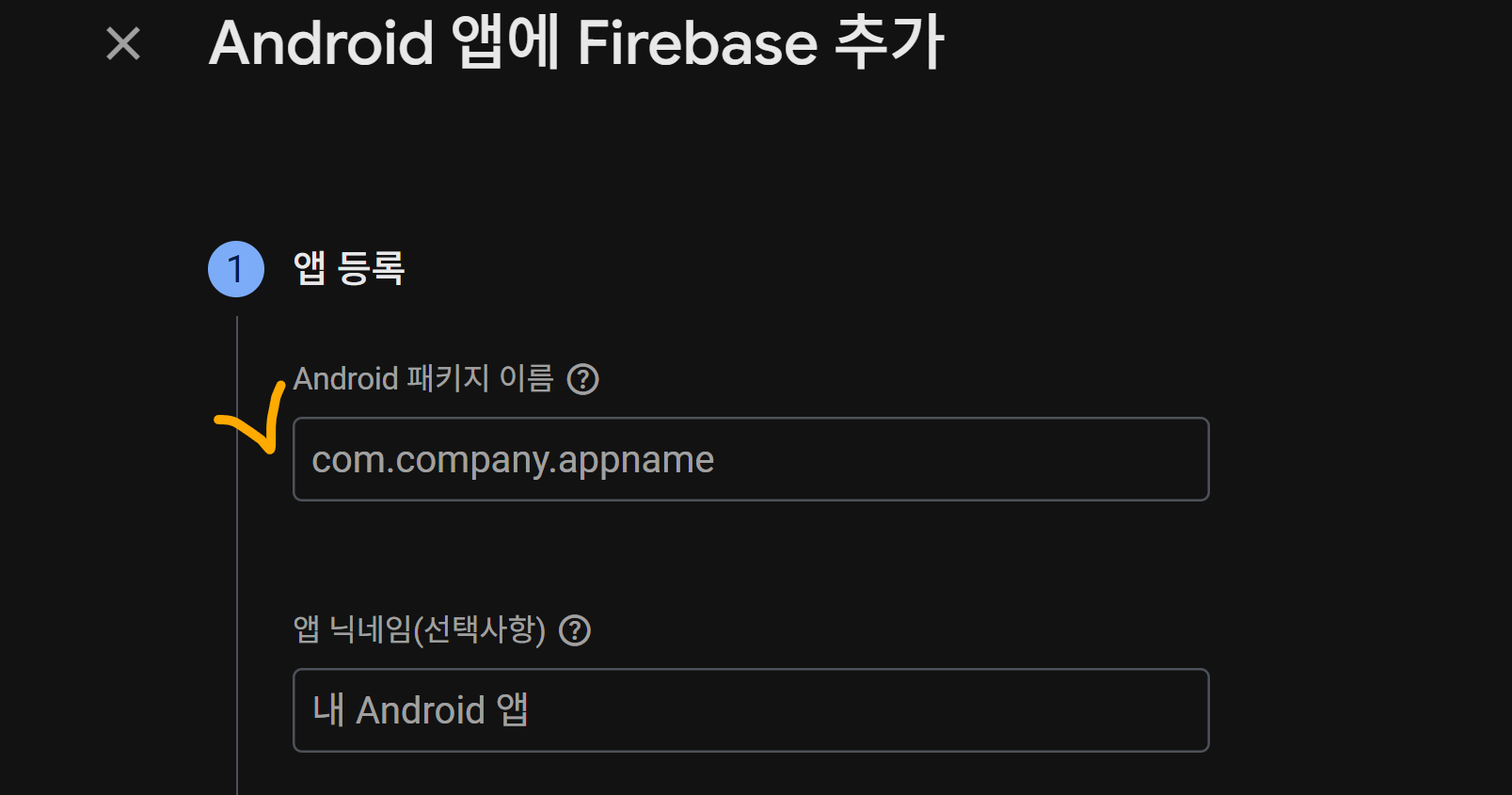
3. 아! 파이어베이스에 등록한 Android 패키지 이름과 디렉토리 구조가 일치해야 한다.
* 변경 전: app> dir .\android\app\src\main\java\com\app
* 변경 후: app> dir .\android\app\src\main\java\com\pack\age

* 이 것도 필요한지 모르겠음
<service
    android:name="io.invertase.firebase.messaging.ReactNativeFirebaseMessagingService"
    android:exported="true">
    <intent-filter>
        <action android:name="com.google.firebase.MESSAGING_EVENT" />
    </intent-filter>
</service>

<service
    android:name="io.invertase.firebase.messaging.ReactNativeFirebaseInstanceIdService"
    android:exported="true">
    <intent-filter>
        <action android:name="com.google.firebase.INSTANCE_ID_EVENT"/>
    </intent-filter>
</service>
4. 각종 설정을 변경한다.
괜시리 Yak shaving을 생각한게 아니었다. 이 건 뭐, PUSH 서비스 만들려다, 자잘한 다른 일에 시간이 허비하다보니 이런 표현이 영미권에 존재하는지 궁금했을 뿐이었다.
(1) 수정할 파일 ./ android / app / src / main / AndroidManifest.xml
* 변경 전
<manifest xmlns:android="http://schemas.android.com/apk/res/android">

* 변경 후
<manifest xmlns:android="http://schemas.android.com/apk/res/android"
    package="com.pack.age"> 😄
(2) 수정할 파일 ./ android / app / gradle.properties
org.gradle.jvmargs=-Xmx4096m 😄 -Dfile.encoding=UTF-8  # 메모리 공간 높히려고
org.gradle.parallel=true  # 처리 속도 높히려고
newArchEnabled=false  # cache 삭제할 때 오류 방지 (적절히 맞게 써야 함)
(3) 수정할 파일 ./ android / build.gradle (전체 프로젝트에 대한 전역 설정 담당)
의존성에 추가
classpath('com.google.gms:google-services:4.4.2') 😄
최신버전을 확인하려면 다음 웹사이트에 접속!
https://mvnrepository.com/artifact/com.google.gms/google-services
(4) 수정할 파일 ./ android / app / build.gradle ( 앱 자체의 설정과 의존성 담당)
제일 상단부에 추가하는 것
apply plugin: 'com.google.gms.google-services'

중간 부분에 수정하는 것
android {
    ndkVersion rootProject.ext.ndkVersion
    buildToolsVersion rootProject.ext.buildToolsVersion
    compileSdk rootProject.ext.compileSdkVersion

    namespace "com.pack.age" 😄
    defaultConfig {
        applicationId "com.pack.age" 😄
        minSdkVersion rootProject.ext.minSdkVersion
        targetSdkVersion rootProject.ext.targetSdkVersion

이 것도 필요한 것인지는 모르겠음
dependencies {
    implementation 'com.google.firebase:firebase-messaging:23.0.0' // 또는 최신 버전
}
(5) settings.gradle
include ':@react-native-firebase_app'
project(':@react-native-firebase_app').projectDir = new File(rootProject.projectDir, '../node_modules/@react-native-firebase/app/android')

include ':@react-native-firebase_messaging'
project(':@react-native-firebase_messaging').projectDir = new File(rootProject.projectDir, '../node_modules/@react-native-firebase/messaging/android')
5. 스타일
(1) index.ts
import 'react-native-gesture-handler'; // 반드시 최상단

import { AppRegistry } from 'react-native';
import App from './App';
import { name as appName } from './app.json';
import { registerBackgroundHandler } from './src/services/notification';
import { createNotificationChannel } from './src/services/notification/channel';
import notifee, { EventType } from '@notifee/react-native';

// 알림 채널 가장 먼저 생성
createNotificationChannel();

// 알림 백그라운드 이벤트 처리
notifee.onBackgroundEvent(async ({ type, detail }) => {
  console.log('[Notifee Background Event]', type, detail);

  if (type === EventType.ACTION_PRESS || type === EventType.PRESS) {
    const notification = detail.notification;
    const pressAction = detail.pressAction;
    console.log('알림 클릭됨:', notification, pressAction);
    // TODO: 동작 (예: 라우팅)
  }
});

// FCM 백그라운드 핸들러 등록
registerBackgroundHandler();

// 앱 시작
AppRegistry.registerComponent(appName, () => App);
(2) channel.ts
import notifee, { AndroidImportance } from '@notifee/react-native';

export async function createNotificationChannel() {
  await notifee.createChannel({
    id: 'default',
    name: 'Default Channel',
    //vibrationPattern: Array(10).fill([500, 300]).flat(),
    sound: 'default', // 시스템 기본 알림 소리
    importance: AndroidImportance.HIGH,
  });
}
(2) App.tsx
function AppInner() {
  usePushNotifications();
  return <AppNavigator />;
}
export default function App() {
  return (
    <AppInner />
  )
}
(3) usePushNotification.ts
import { useEffect } from 'react';
import { setupForegroundHandler, setupNotificationOpenHandler } from '../services/notification';

export function usePushNotifications() {
  useEffect(() => {
    setupForegroundHandler();
    setupNotificationOpenHandler();
  }, []);
}
(4) foregroundHandler.ts
import { messaging } from './firebaseApp';
import { onMessage } from '@react-native-firebase/messaging';
import Toast from 'react-native-toast-message';

export function setupForegroundHandler() {
  onMessage(messaging, async remoteMessage => {
    const { title, body } = remoteMessage.notification || {};
    Toast.show({
      type: 'info',
      text1: title ?? '새 알림',
      text2: body ?? '',
      onPress: () => {
        // 누르면 처리하는 페이지
      },
    });
  });
}
because we know you'll love it