Create Vite react typescript(or javascript)
Vite React TypeScript(또는 javascript) 만들기
$ npm create vite@latestwrite your choice name and framework and variant.
원하시는 프로젝트명 이랑 플레임웍 선택 그리고 형식 을 작성하세요.
*(not important project_name, 프로젝트명 중요하지않음)
> npx
> create-vite

✔ Project name: … [your_github_id].github.io
✔ Select a framework: › React
✔ Select a variant: › TypeScript

Scaffolding project in /Users/sidcode/Developer/flutter_workspace/HomePage/sidcodeme.github.io...

Done. Now run:

  cd [your_github_id].github.io
  npm install
  npm run dev
if finished create and then you command line and do it change directory and run "npm install"
생성이 완료되면 명령줄에서 디렉터리를 변경하고 "npm install"을 실행합니다.
git
$ git init
$ git add .
$ git commit -m "init"
$ git branch -M gh-pages
===============================================
$ git remote add origin https://github.com/[your_id]/[repo_name].git
******** choice not token or token github
******** 깃허브 토큰없거나 토큰 있는 경우 선택
$ git remote add origin https://[your_id]:[your_token]@github.io/{your_id}/{repo_name}.git
===============================================
$ git push -u origin gh-pages-
you can ready to start now.
-
install gh-pages
gh-pages 설치
$ npm install gh-pages --save-dev- package.json {setup, 설정}
if you dont have domain or had domain
도메인이 없거나 또는 도메인이 있는 경우
  "homepage": "https://sidcodeme.github.io/",
			or
  "homepage": "https://sidcod.me/",
==========================================
- scripts command values is use vscode or not
- 스크립트 명령 값은 vscode 사용 여부입니다.
  "scripts": {
    "depoly" : "npm run deploy",
    "predeploy" : "npm run build",
    "deploy" : "gh-pages -d dist",
              or
  "scripts": {
    "predeploy" : "npm run build",
    "deploy" : "gh-pages -d dist",
anyway finished my package.json
여하튼 완성된 제 package.json 입니다.
{
  "name": "sidcodeme.github.io",
  "private": true,
  "version": "1.0.0",
  "type": "module",
  "homepage": "https://sidcod.me/",
  "scripts": {
    "depoly" : "npm run deploy",
    "predeploy" : "npm run build",
    "deploy" : "gh-pages -d dist",
    "dev": "vite",
    "build": "vite build",
    "lint": "eslint . --ext js,jsx --report-unused-disable-directives --max-warnings 0",
    "preview": "vite preview"
  },
  "dependencies": {
    "react": "^18.2.0",
    "react-dom": "^18.2.0"
  },
  "devDependencies": {
    "@types/react": "^18.2.66",
    "@types/react-dom": "^18.2.22",
    "@vitejs/plugin-react": "^4.2.1",
    "eslint": "^8.57.0",
    "eslint-plugin-react": "^7.34.1",
    "eslint-plugin-react-hooks": "^4.6.0",
    "eslint-plugin-react-refresh": "^0.4.6",
    "gh-pages": "^6.1.1",
    "vite": "^5.2.0"
  }
}
Those using a domain can place the CNAME file in the public directory.
CNAME file contents
도메인을 사용하시는 분들은 CNAME파일을 public 디렉토리에 넣으시면됩니다.
CNAME 파일 내용
sidcode.melast!! 마지막!!
커멘드 직접 입력하거나 vscode - npm에서 deploy 실행
$ npm run deploy * Executing task: yarn run depoly
yarn run v1.22.22
$ npm run deploy
> sidcode.github.io@1.0.0 predeploy
> npm run build
> sidcode.github.io@1.0.0 build
> vite build
vite v5.3.1 building for production...
✓ 34 modules transformed.
dist/index.html 0.46 kB │ gzip: 0.30 kB
dist/assets/react-CHdo91hT.svg 4.13 kB │ gzip: 2.14 kB
dist/assets/index-DiwrgTda.css 1.39 kB │ gzip: 0.72 kB
dist/assets/index-DVoHNO1Y.js 143.36 kB │ gzip: 46.07 kB
✓ built in 394ms
> sidcode.github.io@1.0.0 deploy
> gh-pages -d dist
Published
✨ Done in 5.28s.
* Terminal will be reused by tasks, press any key to close it. check homepage!!
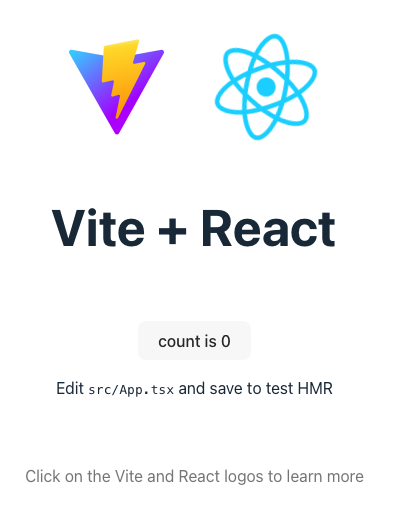
Thank you for reading and sorry, im not well English.