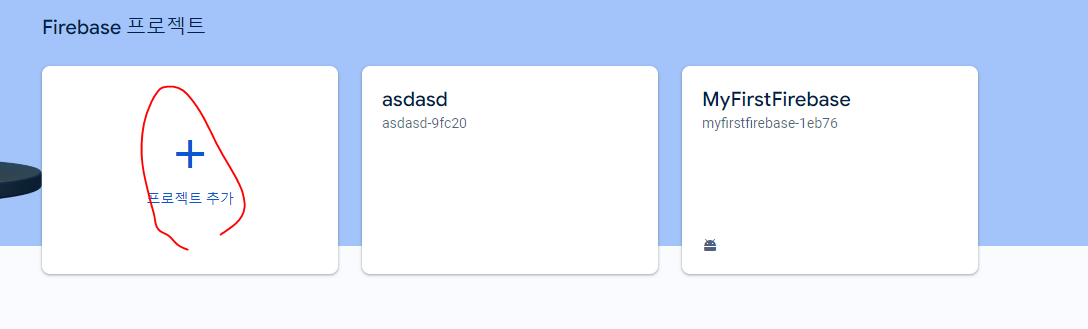
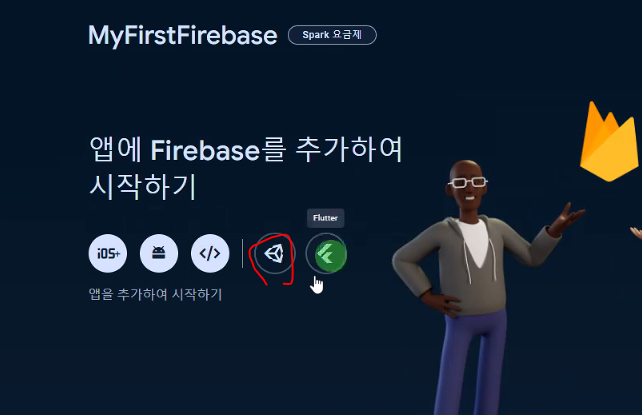
Firebase 프로젝트 생성
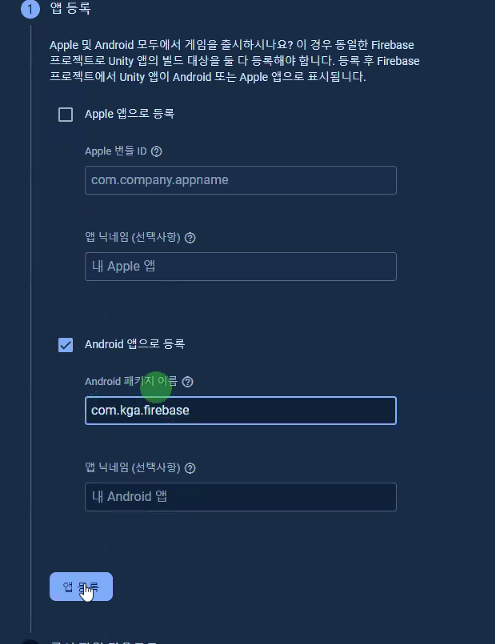
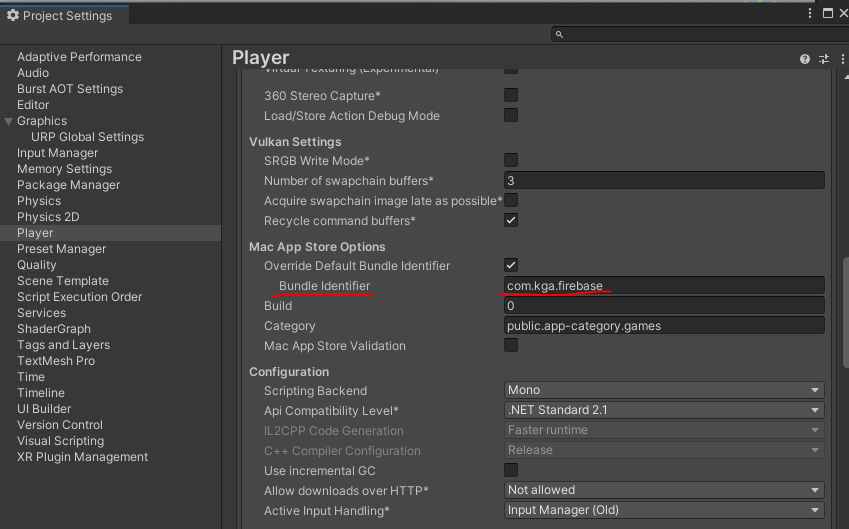
패키지 이름 동기화
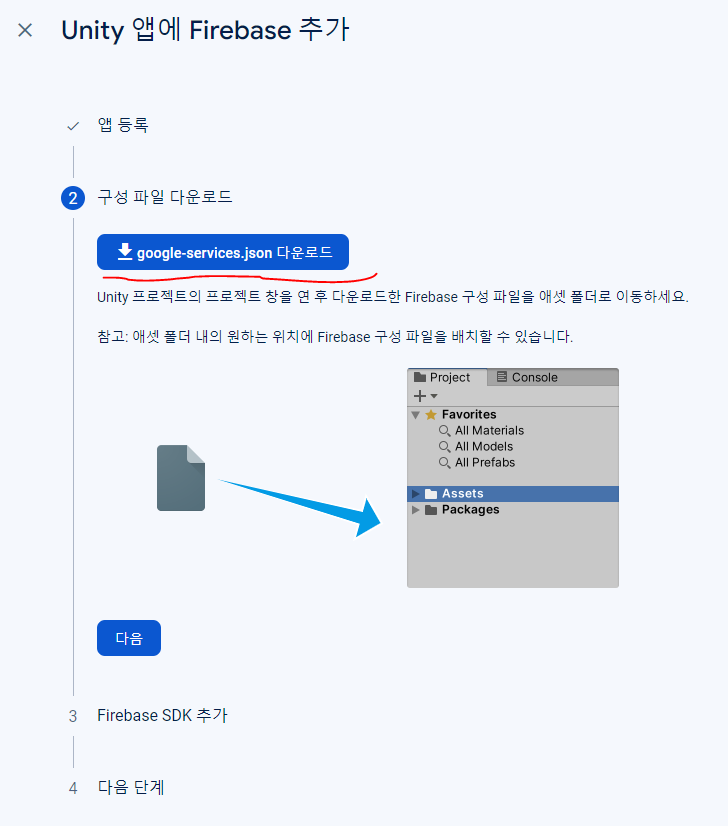
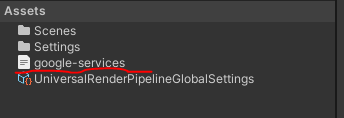
json 파일 추가
로그인 인증 기능 구현
SDK 설치
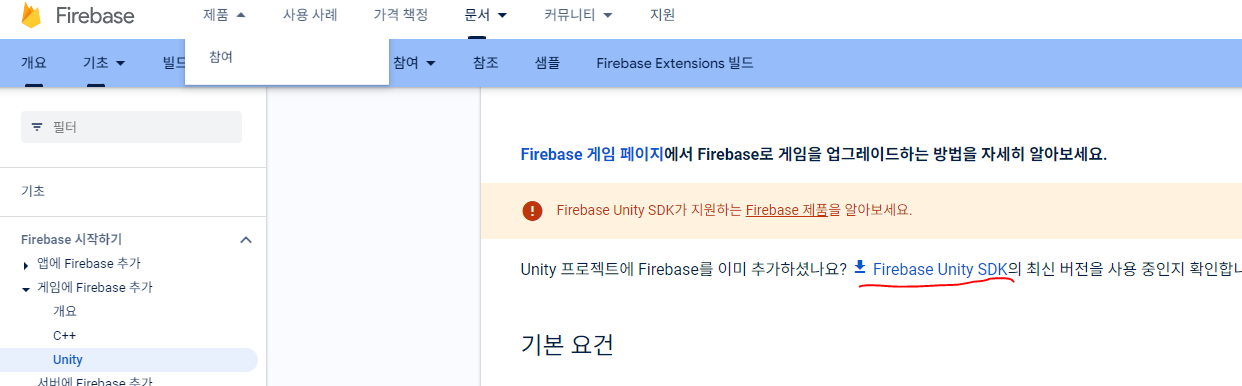
유니티에 인증 기능 설치
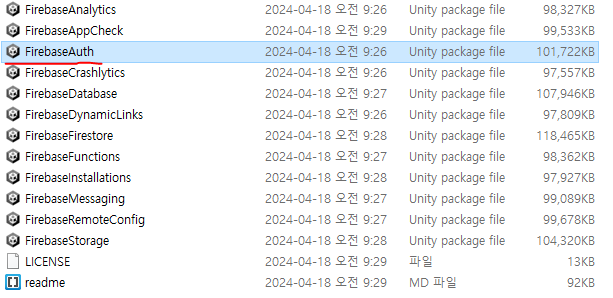
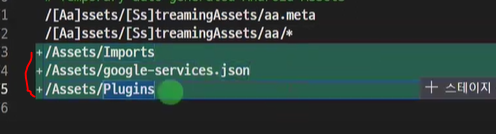
*Imports, Plugins, json 파일
Ignore 설정
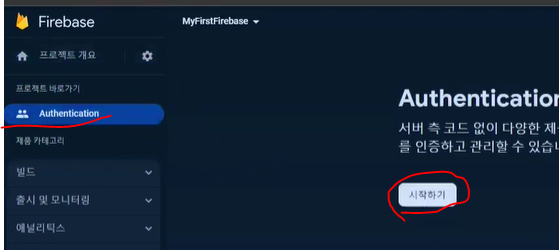
Firebase에 인증 기능 추가 - 시작하기
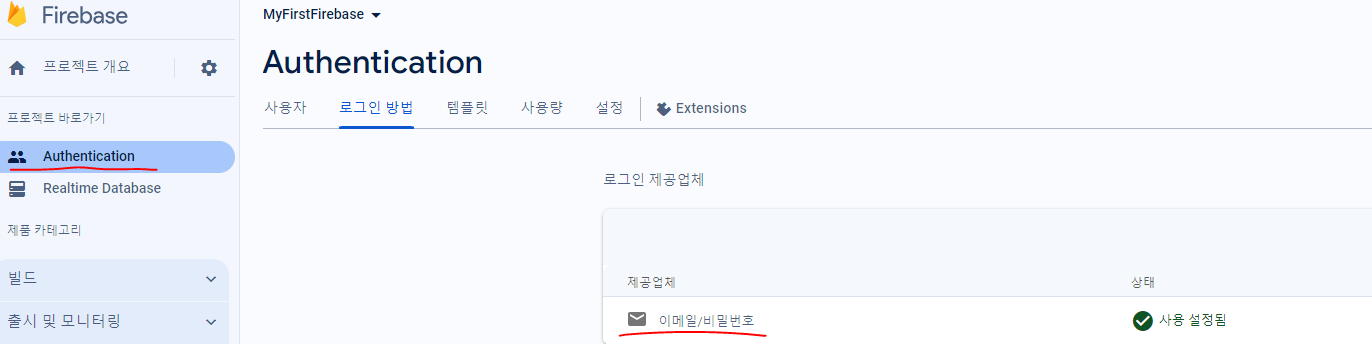
이메일/비밀번호 로그인 추가
[FirebaseManager]
Firebase초기화 코드 사용
https://firebase.google.com/docs/unity/setup?authuser=0&hl=ko&_gl=1*qocjdp*_up*MQ..*_ga*NjE5NTUwODA4LjE3MTQ0NzIzMjk.*_ga_CW55HF8NVT*MTcxNDYxMDQ4OS40LjEuMTcxNDYxMDQ5NS41NC4wLjA.
using Firebase;
using Firebase.Auth;
using Firebase.Extensions;
using UnityEngine;

public class FirebaseManager : MonoBehaviour
{
    private static FirebaseManager instance;
    public static FirebaseManager Instance { get { return instance; } }

    private static FirebaseApp app;
    public static FirebaseApp App { get { return app; } }

    private static FirebaseAuth auth;
    public static FirebaseAuth Auth { get { return auth; } }

    private void Awake()
    {
        CreateInstance();
        CheckFirebaseAvailable();
    }

    private void CheckFirebaseAvailable() //Firebase 초기화 코드 (서비스 사용 가능한지 확인)
    {
        Firebase.FirebaseApp.CheckAndFixDependenciesAsync().ContinueWithOnMainThread(task => {
            var dependencyStatus = task.Result;
            if (dependencyStatus == Firebase.DependencyStatus.Available)
            {
                // Create and hold a reference to your FirebaseApp,
                // where app is a Firebase.FirebaseApp property of your application class.
                app = FirebaseApp.DefaultInstance;
                auth = FirebaseAuth.DefaultInstance;
                Debug.Log("Success");
                // Set a flag here to indicate whether Firebase is ready to use by your app.
            }
            else
            {
                UnityEngine.Debug.LogError(System.String.Format(
                  "Could not resolve all Firebase dependencies: {0}", dependencyStatus));
                // Firebase Unity SDK is not safe to use here.
                app = null;
                auth = null;
            }
        });
    }


    private void CreateInstance() //싱글톤
    {
        if(instance == null)
        {
            instance = this;
            DontDestroyOnLoad(gameObject);
        }
        else
        {
            Destroy(gameObject);
        }
    }
}

디버그로 동작 확인

[로그인 / 회원가입]
로그인/회원가입 코드 사용
https://firebase.google.com/docs/auth/unity/start?hl=ko&authuser=0&_gl=1*kys2yi*_up*MQ..*_ga*NjE5NTUwODA4LjE3MTQ0NzIzMjk.*_ga_CW55HF8NVT*MTcxNDYxMDQ4OS40LjEuMTcxNDYxMDQ5NS41NC4wLjA.
using System.Collections;
using System.Collections.Generic;
using TMPro;
using UnityEngine;
using UnityEngine.UI;

public class LoginPanel : MonoBehaviour
{
    [SerializeField] TMP_InputField idInputField;
    [SerializeField] TMP_InputField passInputField;

    [SerializeField] Button loginButton;
    [SerializeField] Button signUpButton;

    private void Awake()
    {
        loginButton.onClick.AddListener(Login);
        signUpButton.onClick.AddListener(SignUp);
    }

    public void Login() //Firebase 로그인 코드
    {
        string email = idInputField.text;
        string password = passInputField.text;

        FirebaseManager.Auth.SignInWithEmailAndPasswordAsync(email, password).ContinueWith(task =>
        {
            if (task.IsCanceled)
            {
                Debug.LogError("SignInWithEmailAndPasswordAsync was canceled.");
                return;
            }
            if (task.IsFaulted)
            {
                Debug.LogError(task.Exception.Message);
                return;
            }

            Firebase.Auth.AuthResult result = task.Result;
            Debug.LogFormat("User signed in successfully: {0} ({1})",
                result.User.DisplayName, result.User.UserId);
        });
    }

    public void SignUp() //Firebase 회원가입 코드
    {
        string email = idInputField.text;
        string password = passInputField.text;

        FirebaseManager.Auth.CreateUserWithEmailAndPasswordAsync(email, password).ContinueWith(task => {
            if (task.IsCanceled)
            {
                Debug.LogError("CreateUserWithEmailAndPasswordAsync was canceled.");
                return;
            }
            if (task.IsFaulted)
            {
                Debug.LogError(task.Exception.Message);
                return;
            }

            // Firebase user has been created.
            Firebase.Auth.AuthResult result = task.Result;
            Debug.LogFormat("Firebase user created successfully: {0} ({1})",
                result.User.DisplayName, result.User.UserId);
        });
    }
}
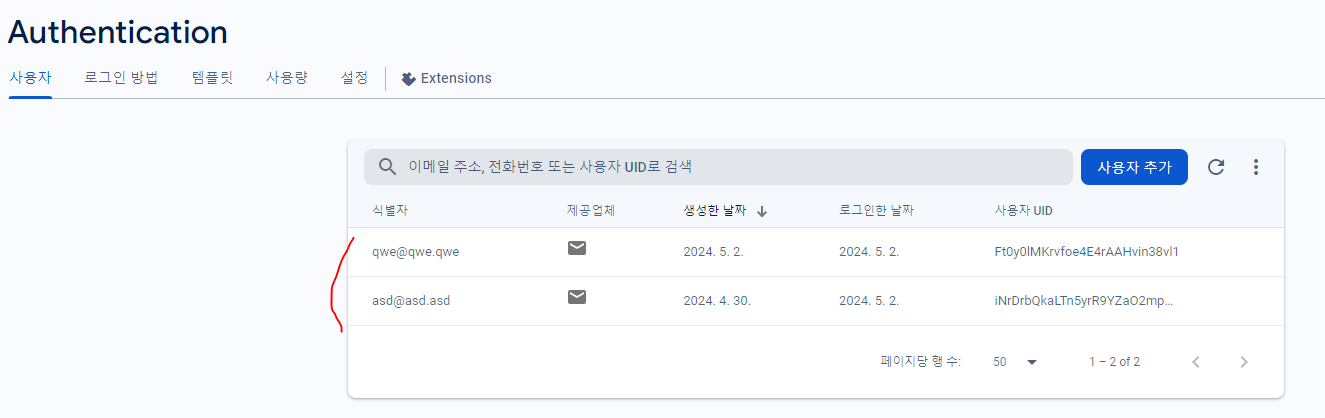
회원가입 시 Firebase에 해당 아이디 추가
(Unity)
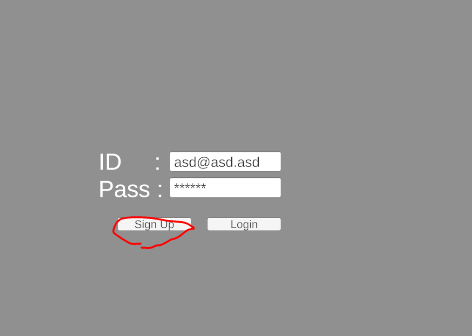
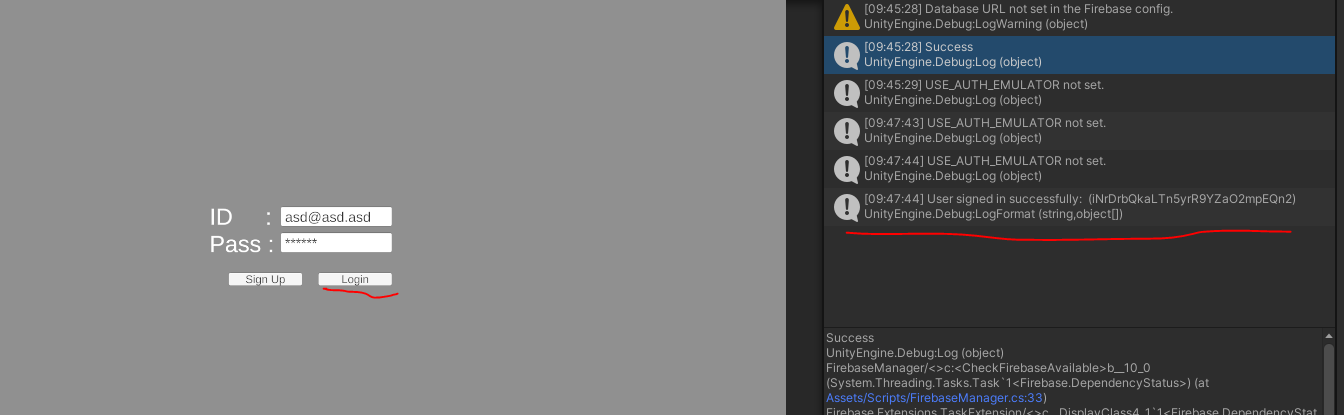
로그인 동작 확인

기록하는 것이 기억된다.