0816
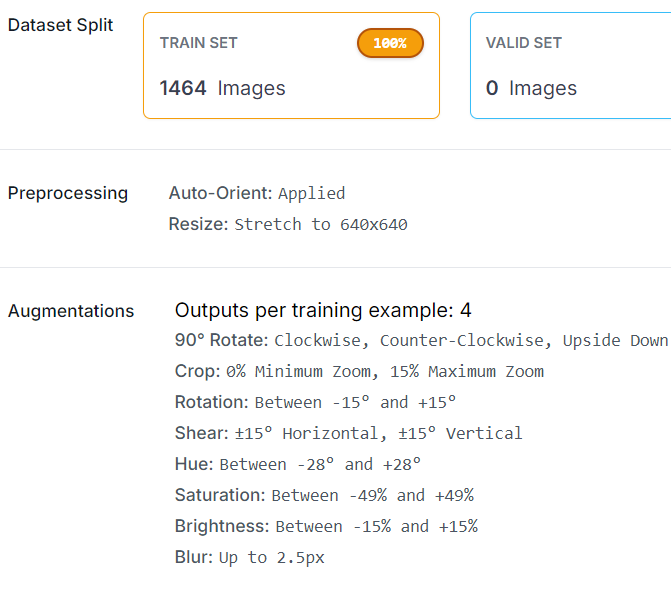
클래스 id
'apple':0, 'hallabong':1, 'onjumilgam':2, 'pear':3,'persimmon':4}
- hand : 5수정
- 손 데이터 라벨링 및 1000장으로 증강
- 다른 클래스는 각 6000장
- 손 366장 (직접 촬영 266장 + aihub 100장) * 3배
- trainset으로만 활용.
- 손으로 들고 촬영할 거니까 손도 분류할 수 있어야 함.
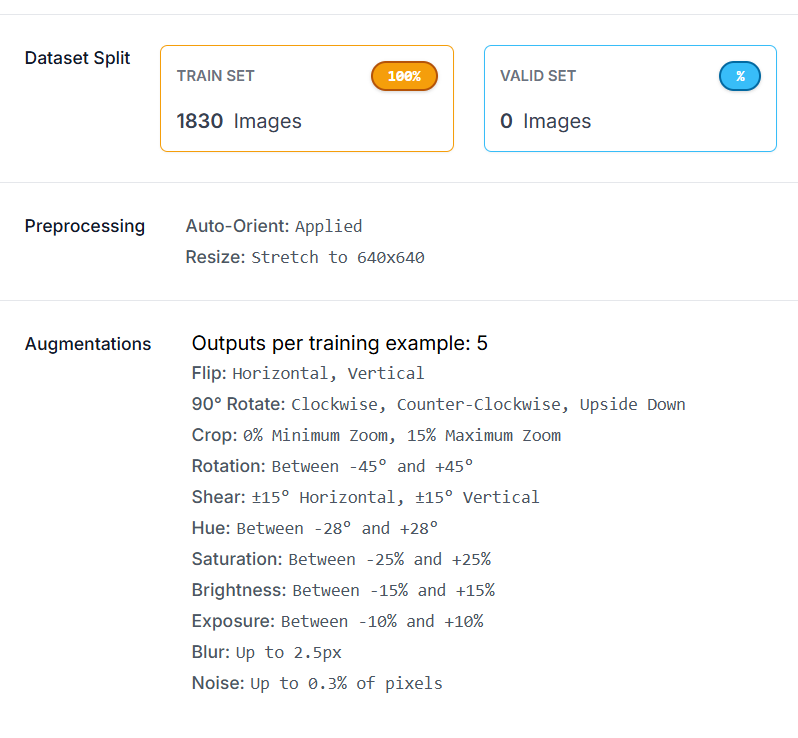
- augmentation 후 클래스id 변경
## roboflow 활용 **손** 어노테이션 파일에서 클래스 아이디 1-> 5로 수정

import os

# 어노테이션 파일이 있는 디렉토리 경로
ann_dir = r"C:\classes\FINAL_PROJECT\Data\AIHUB_Fruit\1.Training\Final_Data_before_aug\hand.v2i.yolov8\train\labels"

# 디렉토리 내의 모든 파일을 순회
for filename in os.listdir(ann_dir):
    if filename.endswith(".txt"):  # .txt 파일만 처리
        file_path = os.path.join(ann_dir, filename)

        # 파일 내용 읽기
        with open(file_path, 'r') as file:
            lines = file.readlines()

        # 클래스 ID가 1인 것을 5로 바꿈
        new_lines = []
        for line in lines:
            parts = line.split()
            if len(parts) > 0 and parts[0] == '1':  # 첫 번째 항목이 클래스 ID임을 확인
                parts[0] = '5'  # 클래스 ID를 5로 변경
            new_lines.append(" ".join(parts) + '\n')

        # 변경된 내용으로 파일 덮어쓰기
        with open(file_path, 'w') as file:
            file.writelines(new_lines)

print("클래스 ID 변경이 완료되었습니다.")
- ROBOFLOW 활용한 전체 이미지 증강
- with_background에서 trainset 27,000장을 증강.
- 1의 손데이터 증강
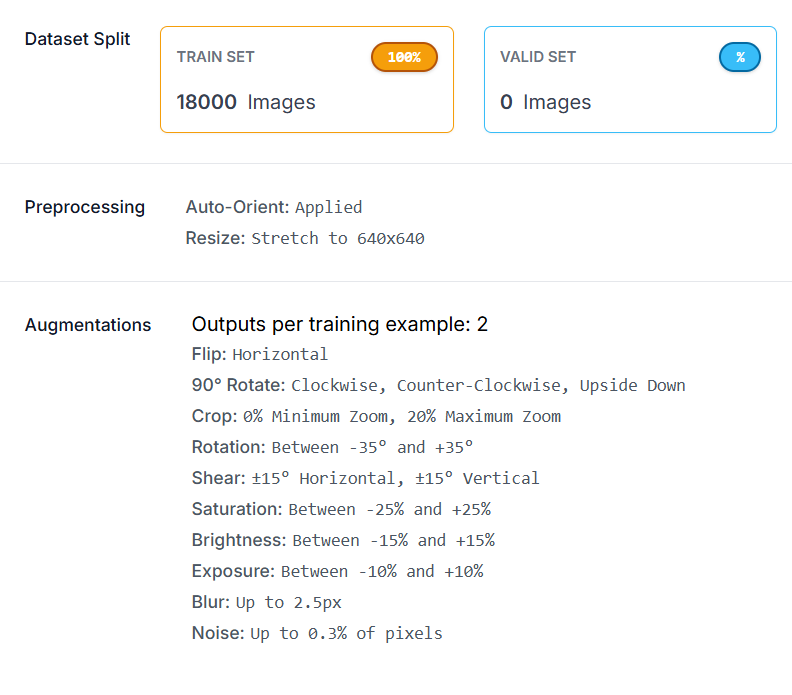
- 2배.
- 불필요한 augmentation은 노이즈가 되어서 학습 성능 저하시킬 수 있음
- 자동차에서는 다양한 색상으로 데이터 증강 필요
- 과일/손데이터에서는 색상 변환이 노이즈가 될 수 있음