What is Styled-Component?
대표적인 CSS-in-JS 라이브러리.
styled-component란 CSS를 컴포넌트화 시켜주는 라이브러리. react에서 사용 가능.
CSS-in-JS 개념이 적용된 라이브러리이다.
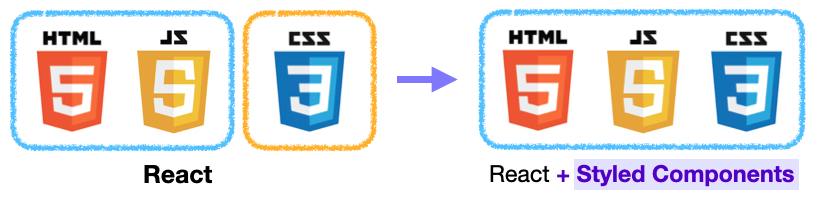
HTML, JS, CSS를 하나로 묶어서 컴포넌트 단위로 개발 가능.
import styled from "styled-components"위 코드를 작성하여 사용할 수 있다.
Syntax
- Creating component
// Create a Title component that'll render an <h1> tag with some styles
const Title = styled.h1`
  font-size: 2rem;
  text-align: center;
  color: purple;
`;

// Use Title like any other React component
render(
  <Title>
    Hello World!
  </Title>
);
component를 선언하고 styled.tag명를 할당하고 templete literal를 이용하여 CSS를 작성하면 된다.
이렇게 만든 component를 React component처럼 사용하면 된다.
- Extending styles
const Button = styled.button`
  color: palevioletred;
  font-size: 1rem;
  margin: 1rem;
  padding: 0.25rem 1rem;
  border: 2px solid palevioletred;
  border-radius: 3px;
`;

// A new component based on Button, but with some override styles
const TomatoButton = styled(Button)`
  color: tomato;
  border-color: tomato;
`;

render(
  <div>
    <Button>Normal Button</Button>
    <TomatoButton>Tomato Button</TomatoButton>
  </div>
);
다른 component의 스타일을 상속받고 싶을 때는 styled(component명)를 할당해준다. 그리고 추가하고 싶은 CSS 속성을 작성하면 된다.