

OS is an exciting field of study
Brings together many areas in Computer Science
- Data structures, algorithms
- Programming languages, compilers
- Computer hardware, architecture

Why study OS evolution
Defining the term "Operating System" is difficult
- Discipline acrose historically from a set of problems
Phase I: early ’50s – mid ‘60s
Key observation
- Hardware expensive, humans cheap
Goal
- Make efficient use of the hardware
Phase 1-1 : Operator as OS
- OS was a shared subroutine library
- Card decks in cabinet
- Single user working at console
- Debugging done interactively
- Slow job-to-job transition
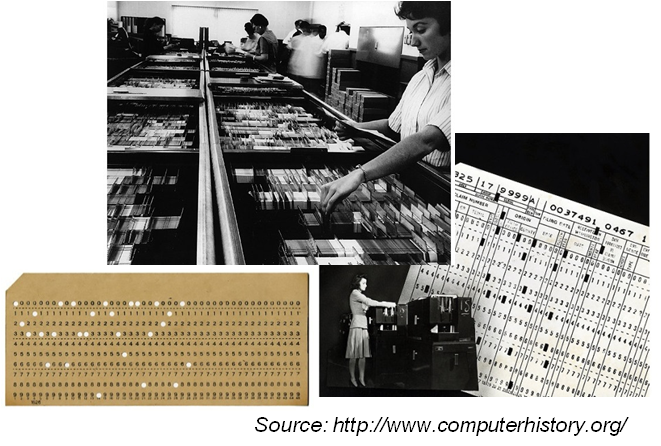
카드 펀처, 카드를 통한 프로그래밍 (Card decks)
카드 리더기에 Card decks 읽어 메인메모리에 적재가 되면서 프로그램 로딩
휴먼 오퍼레이터와 Card decks이 OS 역할을 함.
진공관이 아무리 느려도 카드리더기나 사람이 카드를 변경하는 것보다 빨라 하나의 일이 끝나고 다음 일을 하더라도 많은 시간이 낭비
Phase 1-2 : Simple batch monitor
- OS loaded and ran a user job and took dump
- Simultaneous Peripheral Operations Online (SPOOL)
- I/O machine (IBM 1401) read in “a batch of jobs” onto tape
- Main machine (IBM 7094) loaded “a job from the batch” on tape, did computing and took dump back to tape
- I/O machine printed output from tape
- Simultaneous Peripheral Operations Online (SPOOL)
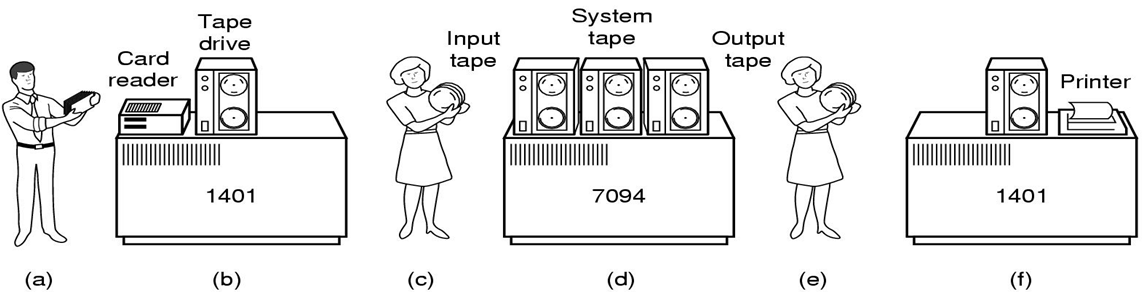

여러 jobs를 batch로 묶어서 Tape에 저장
IBM7094와 1401를 묶어서 사용
1401로 테이브 드라이브에 저장
7094에서 연산
다시 1401로 출력
job to job transition 시간 줄임
이를 Spooling과 Batch processing이라한다.
- Debugging done offline
- Resolved limitations
- CPU working with a faster I/O device than a card reader
- Faster job-to-job transition within a batch
- Unresolved issue
- No overlap between I/O and computation
job to job 트랜지션 시간을 줄였지만 I/O를 CPU가 관리하여 I/O시간에 대한 문제 해결은 아직 미해결, 즉, I/O와 CPU 동시 수행 목적 미달성
Pharse 1-3 : Batch monitor
- Jobs spooled on “disk” or “drum”
- Read jobs from cards to disk, loaded one into memory, and queued output to disk for printing
- No need for costly I/O machines (advanced SPOOLing)
- “Buffering” and “interrupt handling” added to OS
- Overlap of computation with asynchronous I/O
- Still single job, so utilization often bad
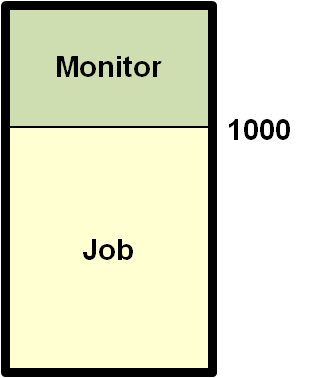
Cpu 수행과 I/O 분리시키기 위해 하드웨어적인 서킷을 하나 제작
I/O 채널이라 부르며, CPU 대신해서 I/O 채널을 담당
인터렙터 메커니즘과 I/O 채널 서킷 컴퓨터 시스템에 도입
하지만 모든 문제를 해결한 것은 아님
Aside: Two types of I/O methods
Asynchronous I/O
- After I/O starts, control returns to user program without waiting for I/O completion
Synchronous I/O
- After I/O starts, control returns to user program only upon I/O completion
- Wait instruction idles the CPU until the next interrupt
- Wait loop
- At most one I/O request is outstanding at a time
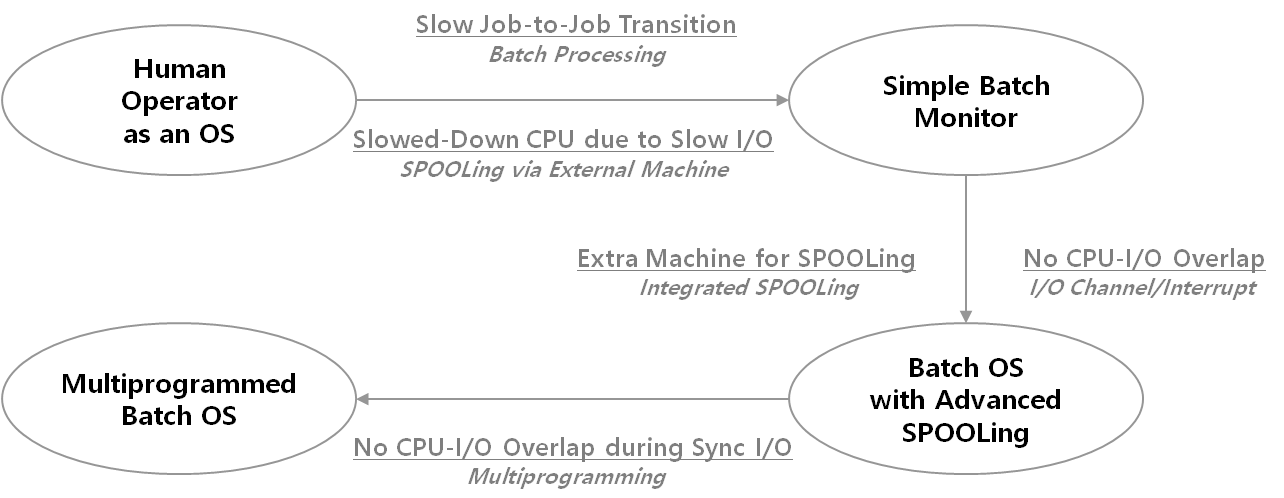
비동기 I/O - Output이 대표적
동기 I/O - Input 대표적
비동기 I/O만 병렬화 성공
Pharse 1-4 : Multiprogrammed Batch Monitor
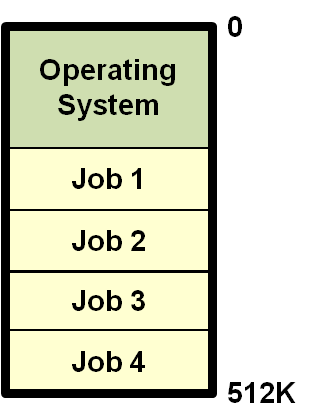
- 멀티프로그래밍 :
- 메모리의 관점
어느 한 시점에 아직 수행이 종료하지 않은 여러개의 job이 적재된 상태
메인메모리에 여러개의 job이 들어간 상태- 멀티태스킹 : CPU의 관점
- Several users shared the system
- Degree of multiprogramming ≥ 1
- OS became a focus of study
- Memory protection and relocation added to OS
- Higher utilization because of multiple jobs
- Concurrent programming became necessary
Multiprogrammimg issues
- Memory protection
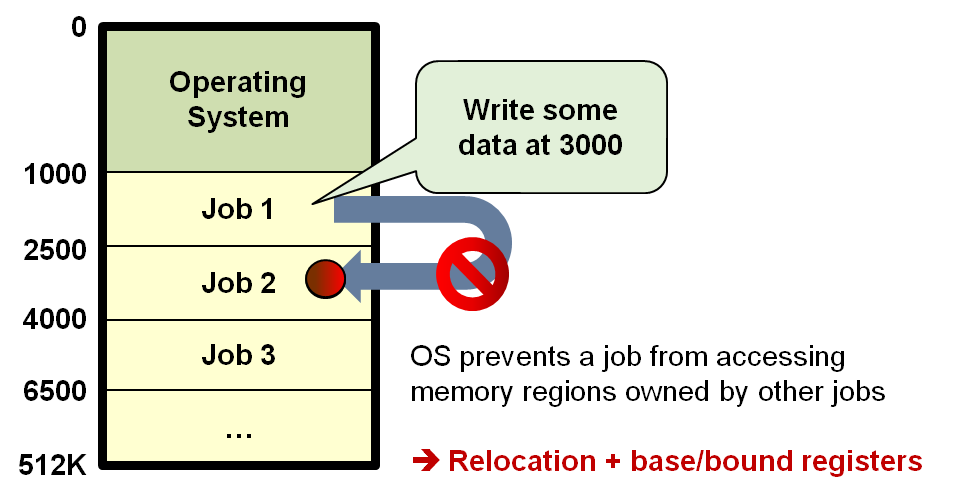
job1이 수행 중 포인터 버그로 인해 job2의 영역으로 넘어가 오버라이팅하는 작업 실행 하지만 job2는 이사실을 모르고 수행중 오류 발생
- Relocation
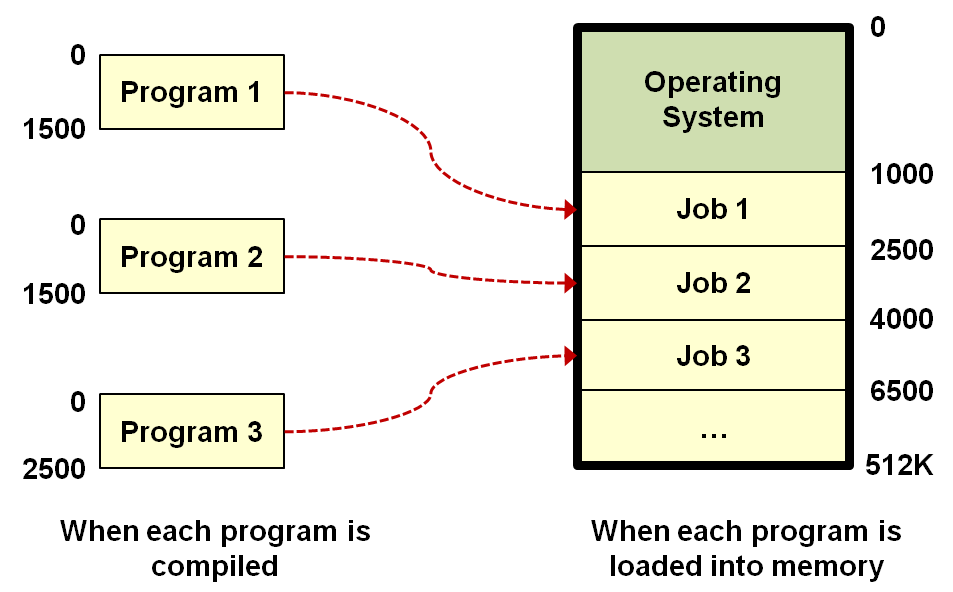
작성한 프로그램이 메인 메모리에 어떤 임의에 위치에 로드가 되도 수행이되도록 만드는것이 프로그램의 Relocation이라고 함.
- Base/Bound register
Base register - 어떤 job의 시작주소를 담고있는 register
bound registers - 현재 수행하고있는 job의 크기를담는 register
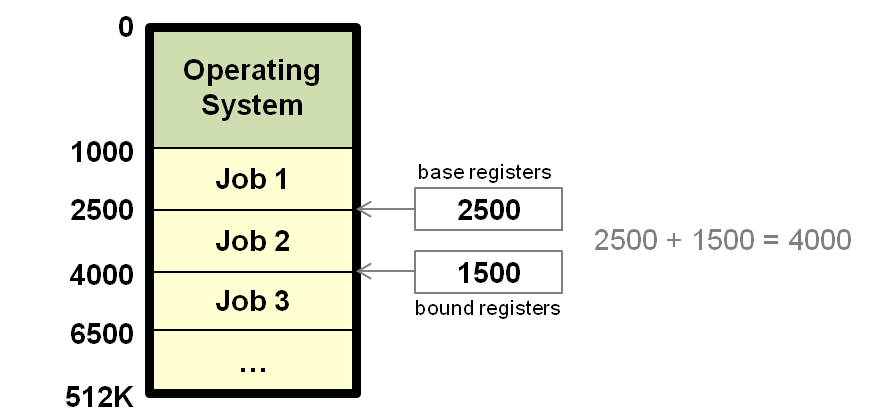
0번지부터 수행이된다고 가정 - 가상 주소(논리 주소)
메인메모리에 로드 될 시 그때 물리 주소라 함
가상 주소를 물리 주소로 변환시켜주는 것을 MMU라고 함.
MMU는 하드웨어 구현이 합리적(소프트웨어 구현 가능하나 비합리적, 오버헤드 발생, 재귀적 문제발생(mmu의 가상주소 물리주소를 누가 실행?))
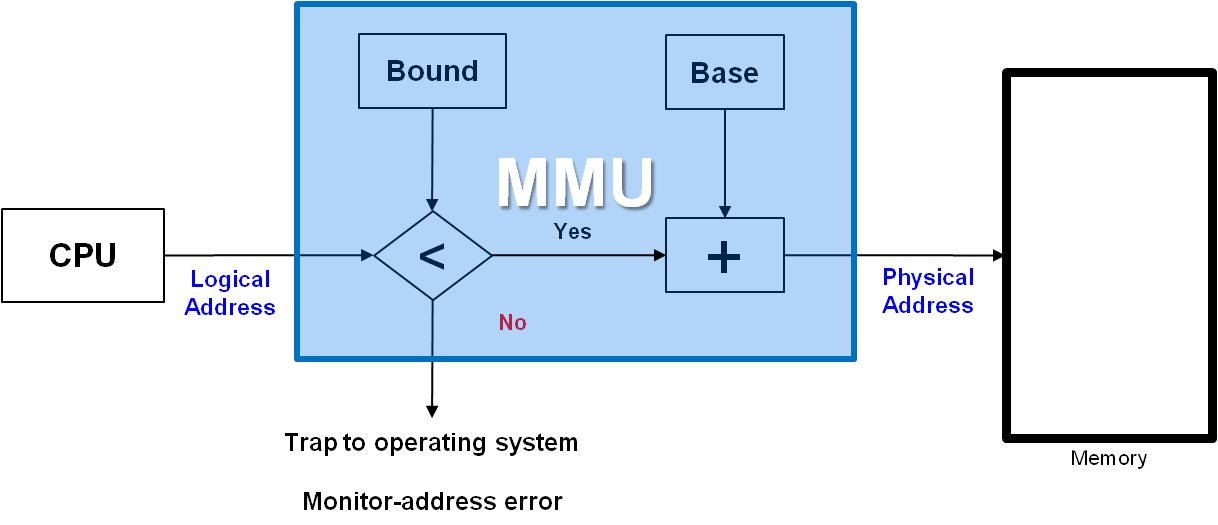
- bound와 명령어 주소(가상 주소)를 비교해서 크면 오류를 작으면 Base를 더해 물리 주소를 변환해준다.(실제로는 더 복잡하다)
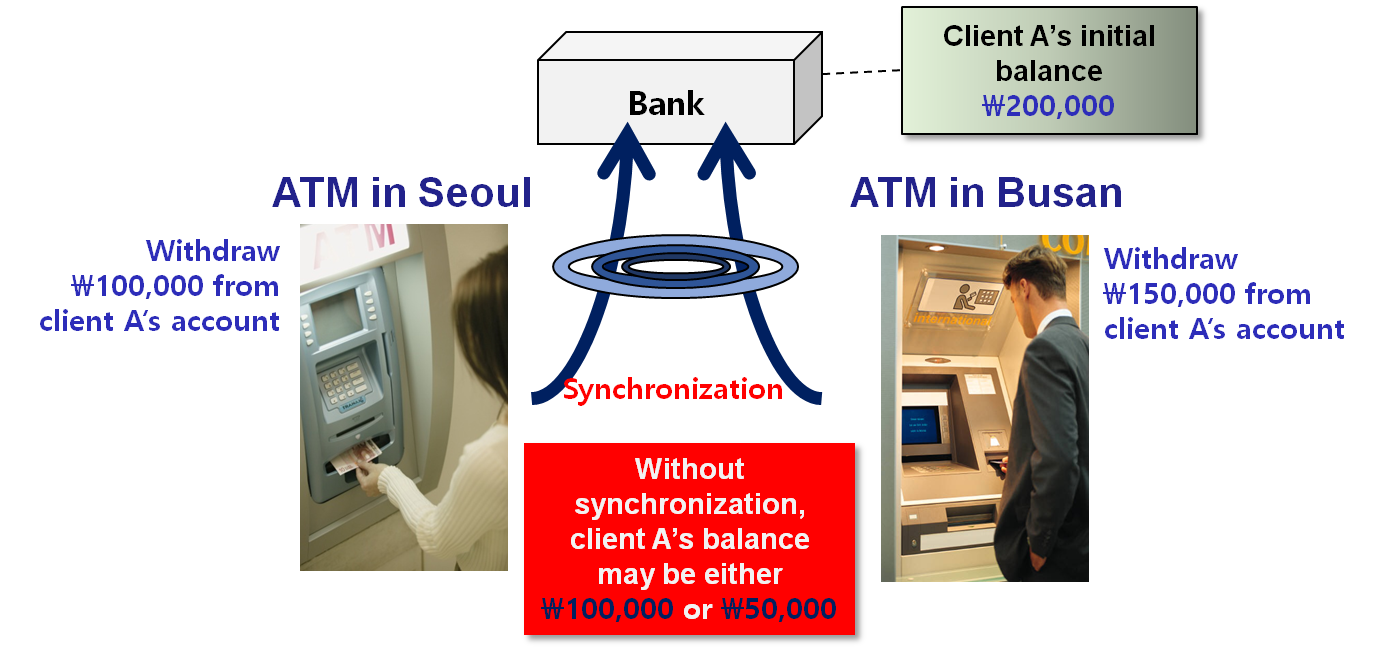
- Concurrency and synchronization
2개의 CPU에서 동시에 작업중 공유하고 있는 자료를 읽고 쓰면 자료가 이상한 값이 되는 문제를 의미
Phase II: mid ’60s – mid ‘90s
Phase 2-1: Interactive time-sharing OS
- Terminals were cheap
- Users interacted with the system again
- Fancy filing systems added to OS
- Response time and protection became important
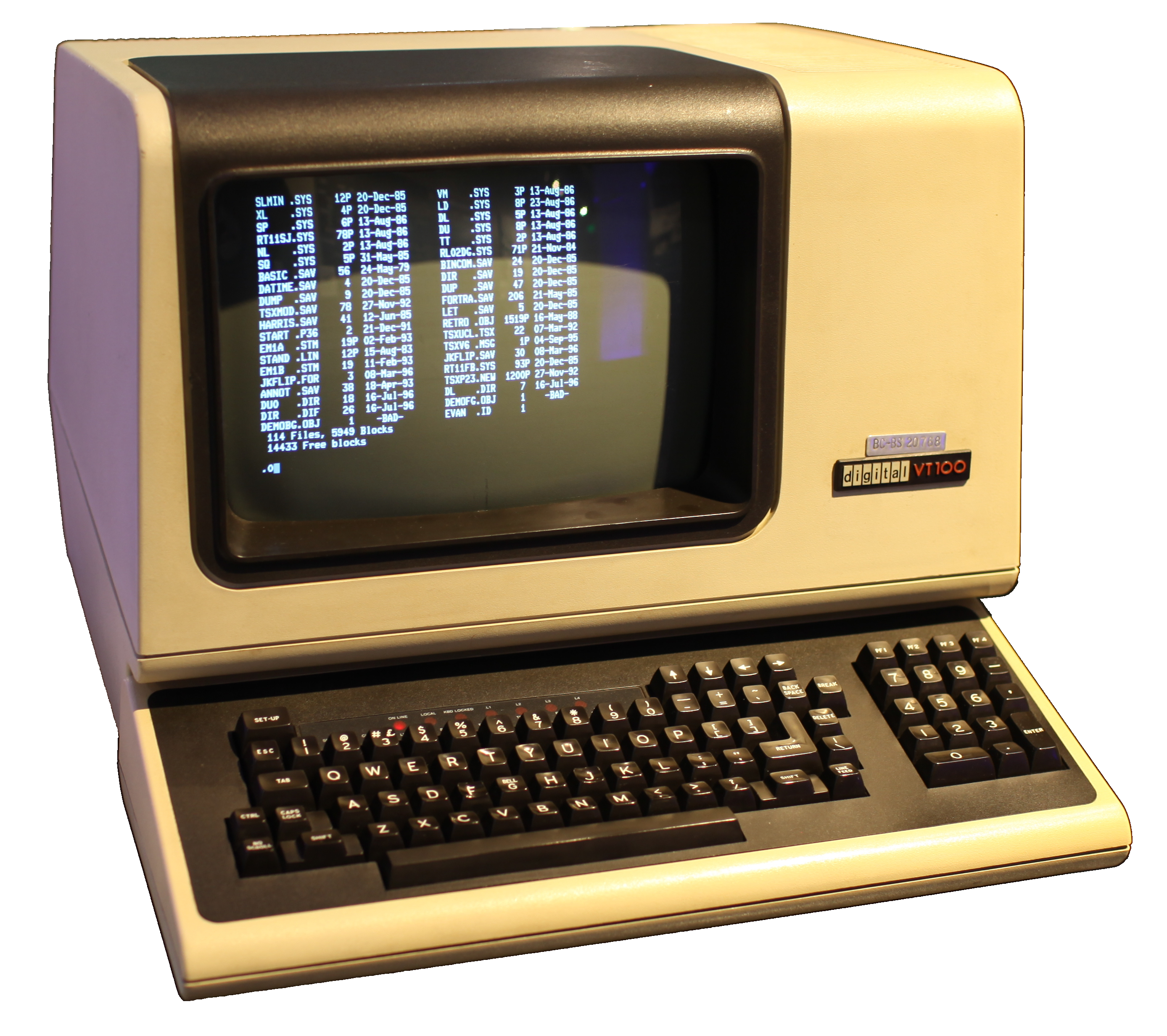 from : https://en.wikipedia.org/wiki/Computer_terminal
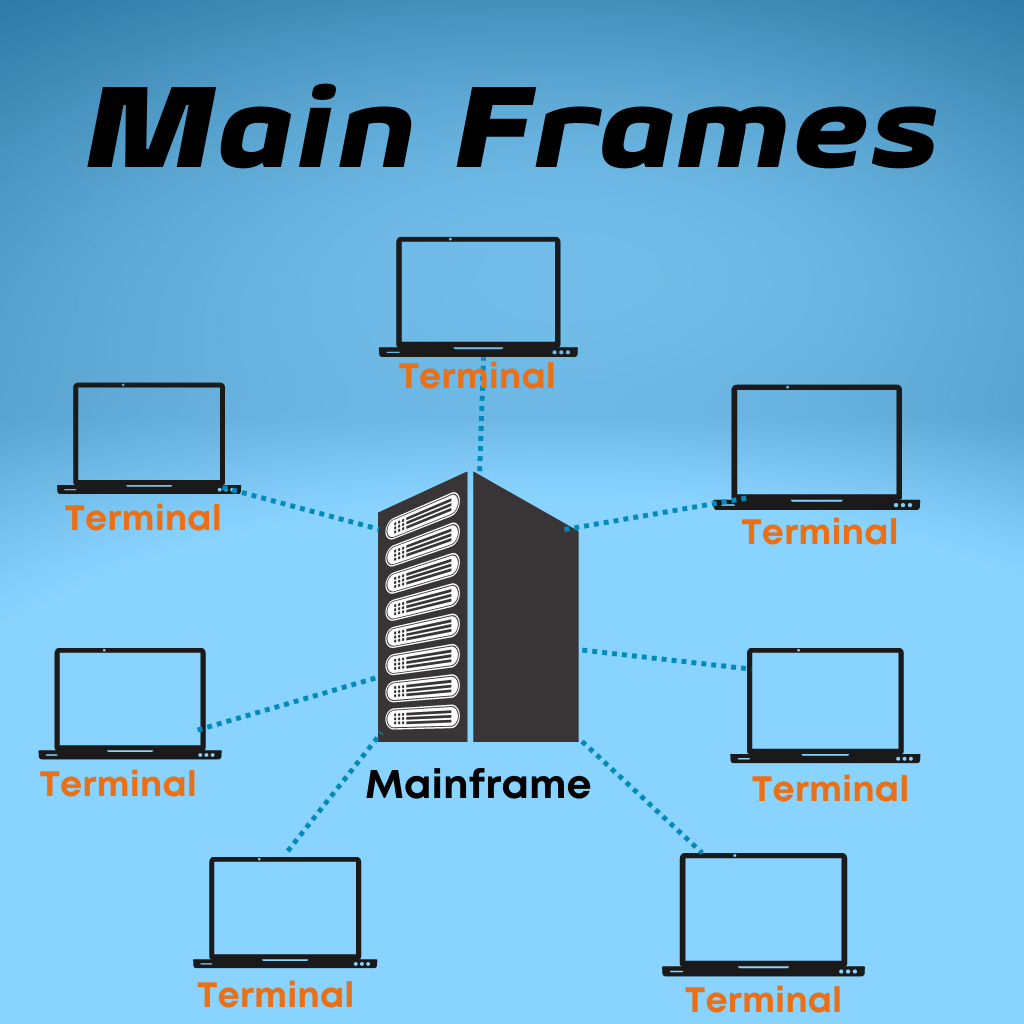 from : https://www.vcubesoftsolutions.com/main-frame/
Phase 2-2: PC OS
- Computers were cheap
- Computer in every terminal
- OS becomes a subroutine library again
Phase 2-3: OS with Internet
- Allowed different machines to share resources easily
- Remote procedure calls (RPC)
- Network file system (NFS)
Phase III: mid ‘90s – present
Phase 3-1: OS with built-in Internet Access
- Internet protocols added to PC OS
- Internet programming is important (Web, CGI, Java, ...)
- Multitasking became important again
Phase 3-2: Sophisticated(정교한) PC OS
- Computers are extremely cheap
- Even PC has sophisticated architecture
- OS became complex again
Phase 3-3: OS with Multimedia Support
- Demands lots of computer and network resources
- Human perception became the center of universe
- QoS (Quality of Service), RTOS (Real-Time OS)
- Home appliances and computers got mergedPhase
3-4: OS as Commodity
- Common OS used in desktop, mobile, cloud systems
- Multicore support added to OS
- Virtualization
- OS became software platform
- Android, webOS, …

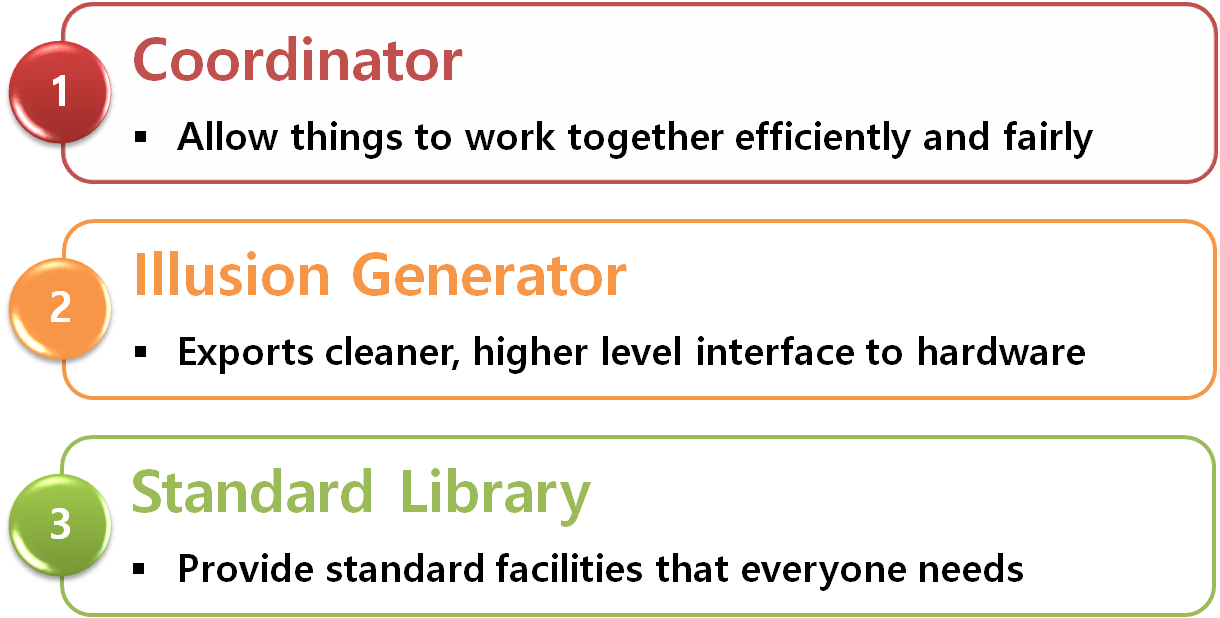
Characteristics of current OS
- Large
- 10M’s of lines of code, 100-1000 man-years of work
- Complex
- Asynchronous behaviors
- Hardware idiosyncrasies
- Conflicting needs of different users and performance goals
- Poorly understood
- The system outlives any of its builders
- Too complex to totally debug – often unreliable
- Behavior is hard to predict
- Tuning is done by guessing
OS as Coordinator
Make many things work well together
-
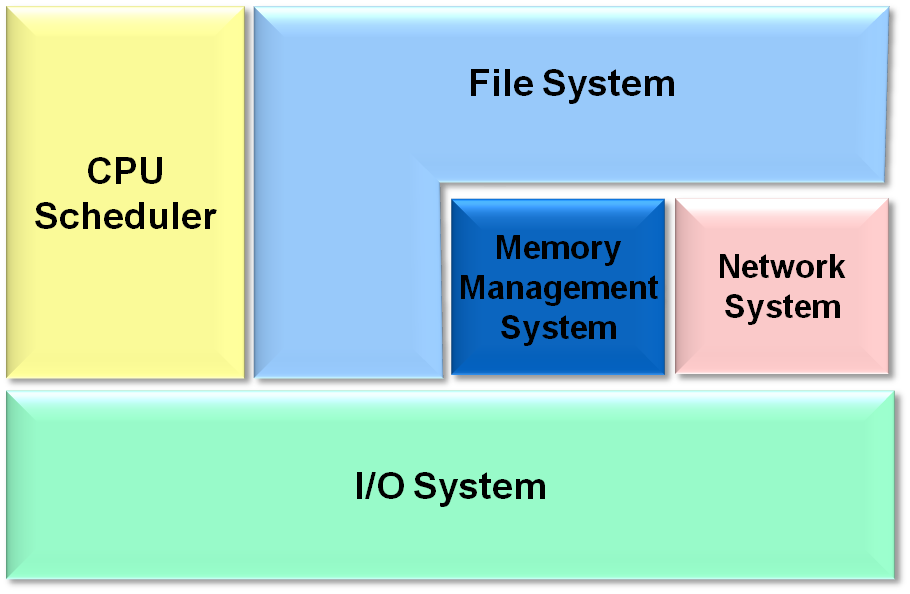
Concurrency: Notion of process
- Several users working at the same time
- One user doing many things at the same time
-
I/O devices: I/O devices run concurrently with the CPU
- Devices interrupts CPU when done
- Interrupt processing complicates the OS
-
Memory: Each process needs some memory to execute
- OS must coordinate the memory usage
- Swap information between memory and disk
-
Files: Each user owns a collection of files
- OS must coordinate how space is allocated
- Control shared accesses to files
-
Network: Allow groups of computers to work together
OS as Illusion Generator
OS presents an illusion: “Cleaner abstraction”

OS presents an illusion: “Multiple processors”

Examples that work
- Timesharing, virtual memory
Sometimes the illusions fail
- You can’t fake what you don’t get
- Thrashing