
MinIO 개요
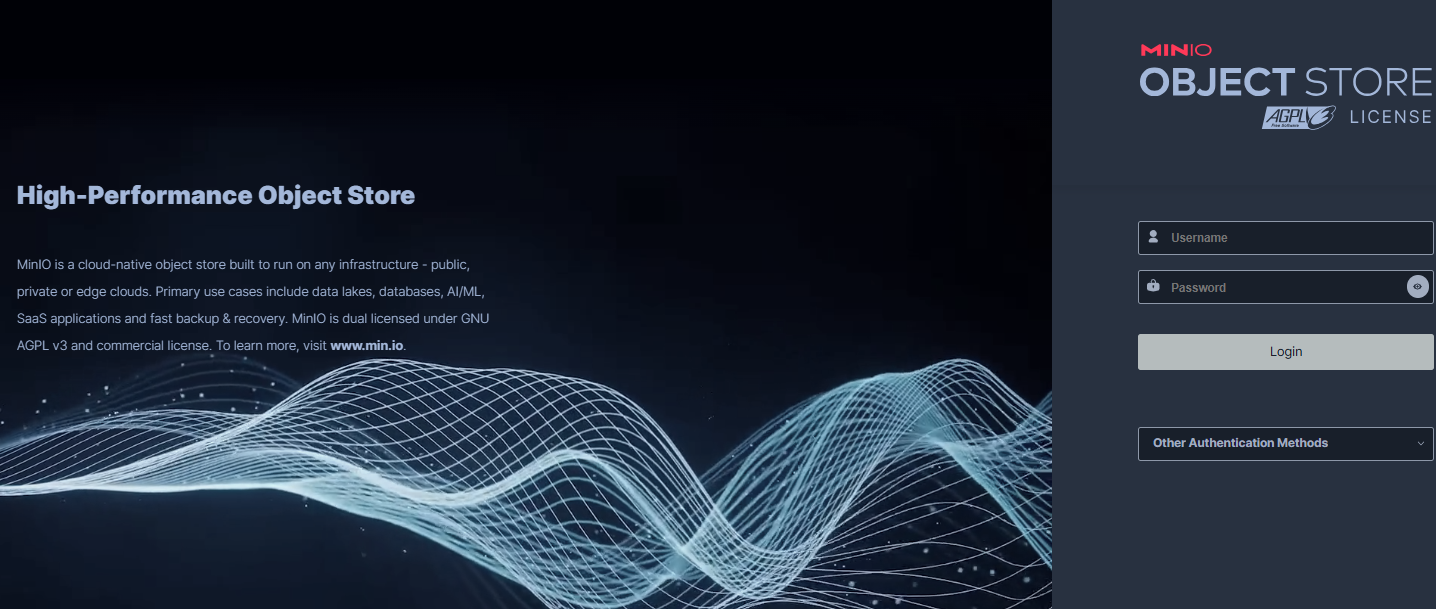
MinIO란?
MinIO는 Amazon S3와 100% 호환되는 오픈소스 분산 객체 저장소입니다.
고성능을 자랑하며 Kubernetes 환경에서도 손쉽게 사용할 수 있어 클라우드 네이티브 애플리케이션에 최적화되어 있습니다.
주요 특징
- AWS S3 API 완전 호환: S3 SDK를 그대로 사용 가능하며, 마이그레이션 시 코드 수정 불필요
- Erasure Coding: 데이터 복구 및 무결성 보장
- 웹 UI 제공: 직관적인 관리 콘솔
- 고가용성: 클러스터 구축을 통한 확장성
- 암호화 지원: 전송 중/저장 시 데이터 암호화
아키텍처
MinIO는 3계층 구조로 설계되었습니다.
- S3 Layer: 네트워크 통신 처리
- Object Layer: 캐시, 압축, 암호화, Erasure Code 처리
- Storage Layer: 파일 시스템과의 직접 통신
환경 설정
1. MinIO 서버 Docker 실행
docker run -d \
  -p 9000:9000 \
  -p 9001:9001 \
  -e "MINIO_ROOT_USER=minioadmin" \
  -e "MINIO_ROOT_PASSWORD=minioadmin" \
  --name minio \
  quay.io/minio/minio server /data --console-address ":9001"
포트 설명
- 9000: MinIO API 서버 포트
- 9001: 관리 콘솔 웹 UI 포트
2. Gradle 의존성 설정
// build.gradle.kts
dependencies {
    implementation("org.springframework.boot:spring-boot-starter-web")
    implementation("org.springframework.boot:spring-boot-starter-thymeleaf")
    implementation("io.minio:minio:8.5.7")
    implementation("org.springframework.boot:spring-boot-starter-validation")
    implementation("commons-io:commons-io:2.11.0")
}
3. application.yml 설정
minio:
  url: http://localhost:9000
  access-key: minioadmin
  secret-key: minioadmin
  bucket-name: file-storage
중요: URL은 반드시 API 포트(9000)를 사용해야 합니다.
구현 코드
1. Configuration Properties
@ConfigurationProperties(prefix = "minio")
@Component
data class MinioProperties(
    var url: String = "",
    var accessKey: String = "",
    var secretKey: String = "",
    var bucketName: String = ""
)
2. MinIO 설정 클래스
@Configuration
@EnableConfigurationProperties(MinioProperties::class)
class MinioConfig {

    @Bean
    fun minioClient(properties: MinioProperties): MinioClient {
        return MinioClient.builder()
            .endpoint(properties.url)
            .credentials(properties.accessKey, properties.secretKey)
            .build()
    }
}
3. 파일 업로드 서비스
@Service
class FileUploadService(
    private val minioClient: MinioClient,
    private val minioProperties: MinioProperties
) {
    private val logger = LoggerFactory.getLogger(FileUploadService::class.java)

    fun uploadFile(file: MultipartFile): FileUploadResponse {
        try {
            // 버킷 존재 여부 확인 및 생성
            ensureBucketExists()

            // 파일명 생성 (UUID + 원본 파일명)
            val fileName = generateFileName(file.originalFilename ?: "unknown")

            // 파일 업로드
            minioClient.putObject(
                PutObjectArgs.builder()
                    .bucket(minioProperties.bucketName)
                    .`object`(fileName)
                    .stream(file.inputStream, file.size, -1)
                    .contentType(file.contentType ?: "application/octet-stream")
                    .build()
            )

            val fileUrl = "${minioProperties.url}/${minioProperties.bucketName}/$fileName"
            logger.info("파일 업로드 성공: $fileName")

            return FileUploadResponse(
                success = true,
                fileName = fileName,
                fileUrl = fileUrl,
                fileSize = file.size
            )

        } catch (e: Exception) {
            logger.error("파일 업로드 실패", e)
            throw FileUploadException("파일 업로드 중 오류가 발생했습니다: ${e.message}")
        }
    }

    private fun ensureBucketExists() {
        val bucketExists = minioClient.bucketExists(
            BucketExistsArgs.builder()
                .bucket(minioProperties.bucketName)
                .build()
        )

        if (!bucketExists) {
            minioClient.makeBucket(
                MakeBucketArgs.builder()
                    .bucket(minioProperties.bucketName)
                    .build()
            )
            logger.info("버킷 생성됨: ${minioProperties.bucketName}")
        }
    }

    private fun generateFileName(originalFileName: String): String {
        val extension = originalFileName.substringAfterLast(".", "")
        val nameWithoutExtension = originalFileName.substringBeforeLast(".")
        val timestamp = System.currentTimeMillis()
        val uuid = UUID.randomUUID().toString().substring(0, 8)

        return if (extension.isNotEmpty()) {
            "${nameWithoutExtension}_${timestamp}_${uuid}.$extension"
        } else {
            "${nameWithoutExtension}_${timestamp}_${uuid}"
        }
    }
}
4. DTO 클래스
data class FileUploadResponse(
    val success: Boolean,
    val fileName: String? = null,
    val fileUrl: String? = null,
    val fileSize: Long? = null,
    val message: String? = null
)

class FileUploadException(message: String) : RuntimeException(message)
5. 컨트롤러
@RestController
@RequestMapping("/api/files")
class FileUploadController(
    private val fileUploadService: FileUploadService
) {

    @PostMapping("/upload")
    fun uploadFile(@RequestParam("file") file: MultipartFile): ResponseEntity<FileUploadResponse> {
        return try {
            if (file.isEmpty) {
                return ResponseEntity.badRequest()
                    .body(FileUploadResponse(success = false, message = "파일이 비어있습니다"))
            }

            val response = fileUploadService.uploadFile(file)
            ResponseEntity.ok(response)

        } catch (e: FileUploadException) {
            ResponseEntity.status(HttpStatus.INTERNAL_SERVER_ERROR)
                .body(FileUploadResponse(success = false, message = e.message))
        }
    }
}
사용 방법
1. MinIO 콘솔 접속
-
브라우저에서 http://localhost:9001 접속
-
사용자명/비밀번호: minioadmin / minioadmin
-
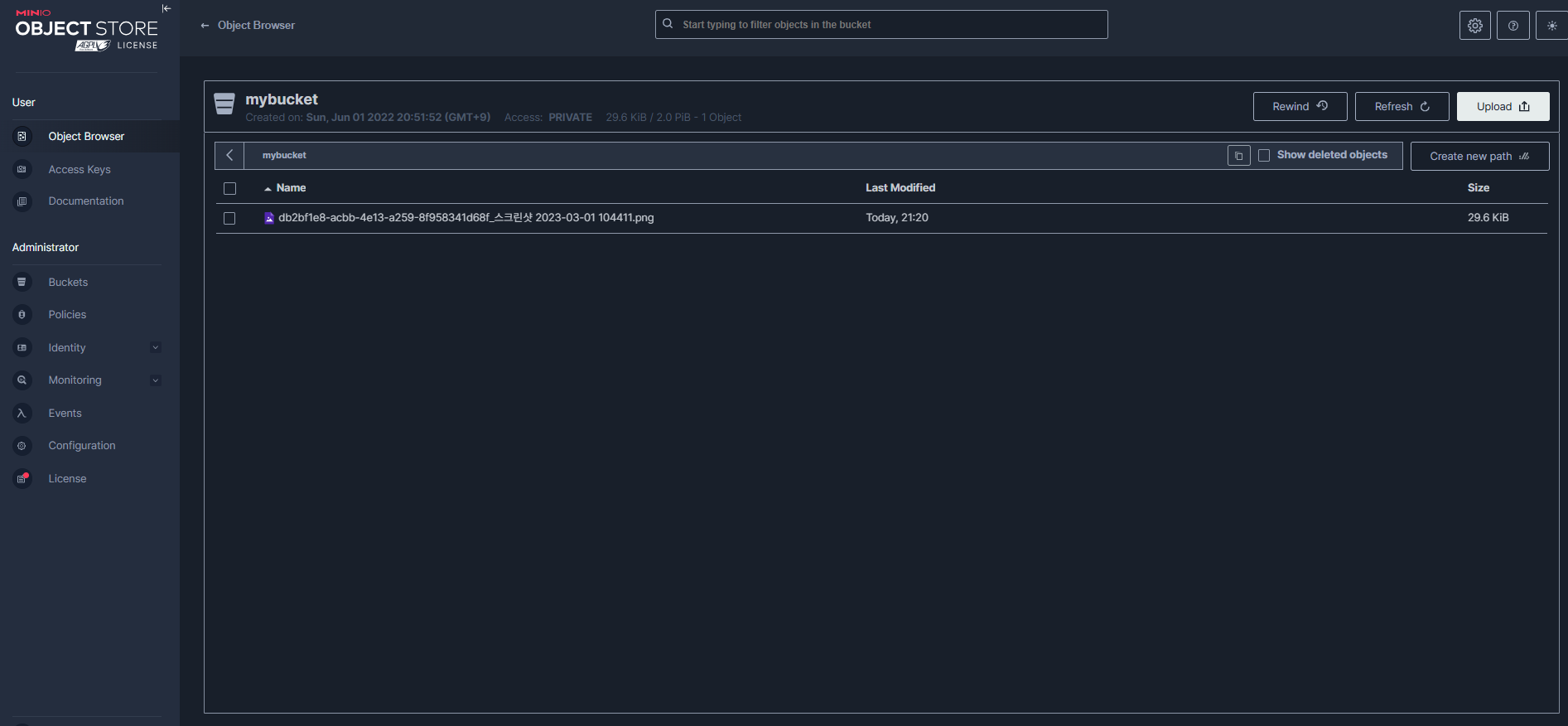
Buckets 메뉴에서 업로드된 파일 확인
-
MinIo 콘설 업로드에서 확인..
-
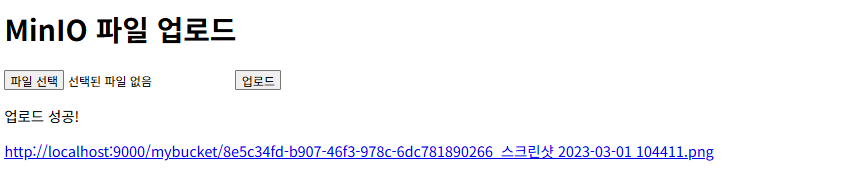
파일 업로드해서 링크 클릭할경우

2. API 테스트
curl -X POST \
  http://localhost:8080/api/files/upload \
  -H 'Content-Type: multipart/form-data' \
  -F 'file=@/path/to/your/file.jpg'
추가 기능 구현
파일 다운로드
fun downloadFile(fileName: String): InputStream {
    return minioClient.getObject(
        GetObjectArgs.builder()
            .bucket(minioProperties.bucketName)
            .`object`(fileName)
            .build()
    )
}
파일 삭제
fun deleteFile(fileName: String) {
    minioClient.removeObject(
        RemoveObjectArgs.builder()
            .bucket(minioProperties.bucketName)
            .`object`(fileName)
            .build()
    )
}
파일 목록 조회
fun listFiles(): List<String> {
    val results = minioClient.listObjects(
        ListObjectsArgs.builder()
            .bucket(minioProperties.bucketName)
            .build()
    )

    return results.map { it.get().objectName() }
}
보안 고려사항
- 환경변수 사용: 실제 운영 환경에서는 민감한 정보를 환경변수로 관리
- 파일 크기 제한: Spring Boot의 spring.servlet.multipart.max-file-size 설정
- 파일 타입 검증: 업로드 가능한 파일 형식 제한
- 인증/인가: Spring Security를 통한 접근 제어
트러블슈팅
- 포트 오류: API 포트(9000)와 콘솔 포트(9001) 혼동
- 버킷 권한: 버킷 생성 권한 확인
- 네트워크 연결: MinIO 서버 실행 상태 확인
이제 Kotlin과 Spring Boot를 사용하여 MinIO 객체 저장소에 파일을 안전하고 효율적으로 업로드할 수 있는 완전한 솔루션을 구현했습니다.
이 기반 위에 파일 관리 시스템을 확장해 나갈 수 있습니다.

공부할게 많아졌어요