
OpenWeatherMap이라는 날씨 API를 사용하여 대한민국 도시의 현재 날씨를 보여주는걸 만들어보려한다. 개발하면서 알게된 것 까지~~
사용 API : 현재 날씨 데이터
API 사용법은 다른 블로그에 많이 있으니 패스하고 일단 도시 하나에 대한 현재 날씨 데이터를 가져와보자
1. 서울의 현재 날씨 데이터 가져오기
const [weather, setWeather] = useState();
const cityName = "Seoul";
const apiKey = process.env.REACT_APP_WEATHER_KEY;
useEffect(() => {
const getWeatherData = async () => {
try {
const { data } = await axios.get(
`https://api.openweathermap.org/data/2.5/weather?q=${cityName}&appid=${apiKey}`
);
setWeather({
temp: (data.main.temp - 273.15).toFixed(0), //현재 날씨
temp_max: (data.main.temp_max - 273.15).toFixed(0), //최고 기온
temp_min: (data.main.temp_min - 273.15).toFixed(0), //최저 기온
desc: weatherDescKo.find((obj) => obj.hasOwnProperty(data.weather[0].id))[data.weather[0].id], //날씨 상태
icon: data.weather[0].icon, //날씨 아이콘 ID
});
} catch (err) {
console.error(`api호출 에러: ${err}`);
}
};
getWeatherData();
}, []);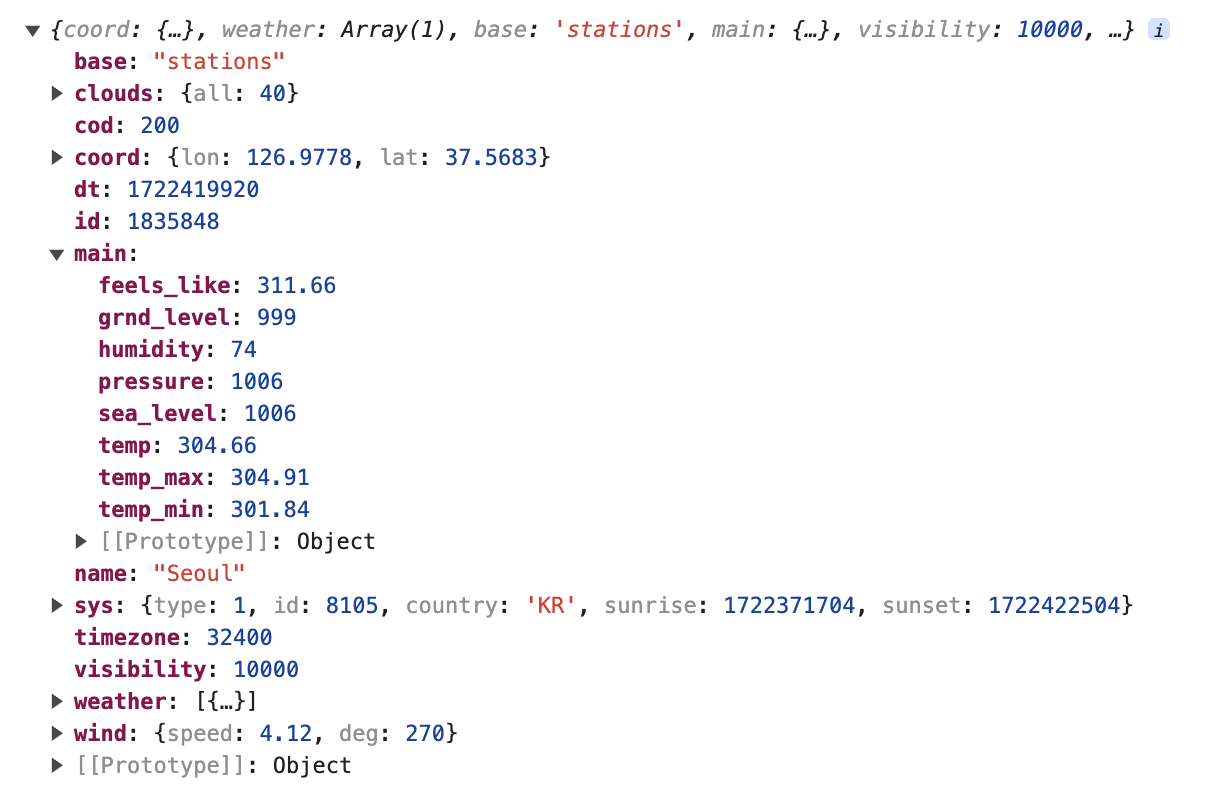 콘솔에서
콘솔에서 data(API에서 응답받은 데이터)를 찍으보면 요로코롬 나온다!
weather에는 API에서 응답받은 데이터 중에서 필요한 데이터만 객체로 담았다.
OpenWeatherMap API에서 온도를 켈빈(K)단위로 주기때문에 켈빈에서 섭씨(°C)로 바꿔줘야한다.
계산식 : 섭씨 온도 = 켈빈 온도 − 273.15
날씨 상태의 한국어 버전 데이터는 https://gist.github.com/choipd/e73201a4653a5e56e830 링크에서 공유된 코드를 사용했습니다.
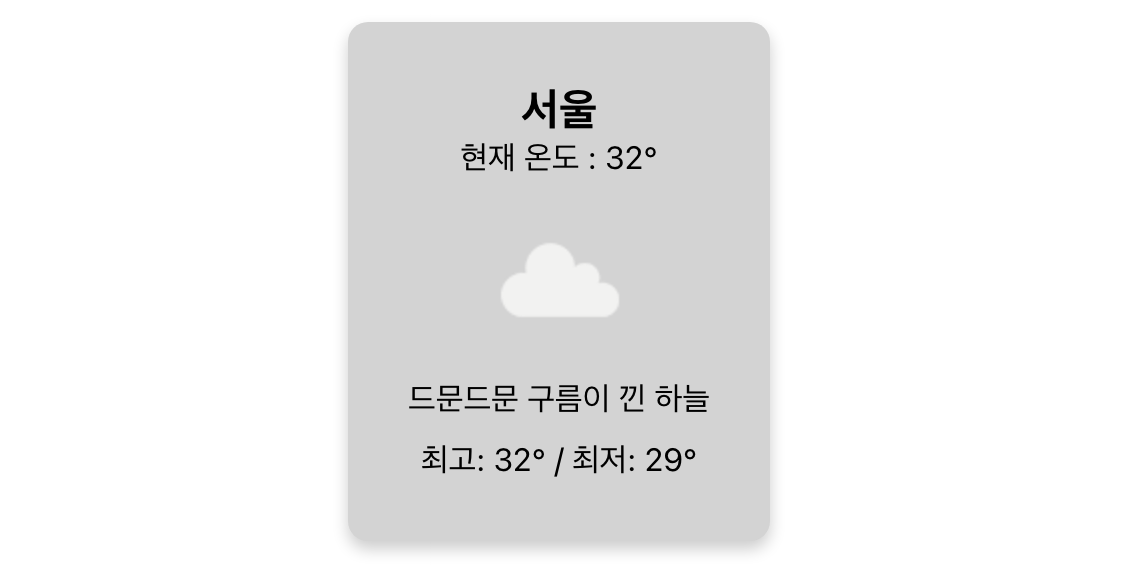
HTML코드까지 작성하면 데이터가 잘 나오는걸 볼 수 있다!
이제 OpenWeatherMap에서 제공하는 대한민국 도시의 현재 날씨 데이터를 가져와보자!
API 한 번 호출로 여러 도시의 현재 날씨 데이터를 가져오고 싶었는데... 아무리봐도 안보인다 (예전 블로그 보니깐 group에 도시 ID를 넣는 방법이 있었는데 지금은 없어진 것 같은. . .. 🥲. . ..궁시렁. .. .)
똑같은 API를 도시 이름만 바꿔서 호출해야되는데 이런 경우는 처음인...거..같은데...
 어어... 일단 반복문 렛츠 고...
2-1. 대한민국 도시의 현재 날씨 데이터 가져오기 (참고 ❌)
const [weather, setWeather] = useState([]);
const apiKey = process.env.REACT_APP_WEATHER_KEY;

useEffect(() => {
  const getWeatherData = async (city) => {
    try {
      const { data } = await axios.get(`https://api.openweathermap.org/data/2.5/weather?q=${city}&appid=${apiKey}`);

      setWeather((prevWeather) => [
        ...prevWeather,
        {
          name: data.name,
          temp: (data.main.temp - 273.15).toFixed(0),
          temp_max: (data.main.temp_max - 273.15).toFixed(0),
          temp_min: (data.main.temp_min - 273.15).toFixed(0),
          humidity: data.main.humidity,
          desc: weatherDescKo.find((obj) => obj.hasOwnProperty(data.weather[0].id))[data.weather[0].id],
          icon: data.weather[0].icon,
        },
      ]);
    } catch (err) {
      console.error(`api호출 에러: ${err}`);
    }
  };

  cityNamesEn.forEach((city) => getWeatherData(city));
}, []);
이 코드가 내가 생각할 수 있는 최선의 방법이었다^^..;;;;;
cityNamesEn.forEach((city) => getWeatherData(city));냅다 forEach 돌려버리기...
이렇게해도 나오긴 한다! 랜덤으로 보여지는걸 곁들인... (↓ 움직여용)
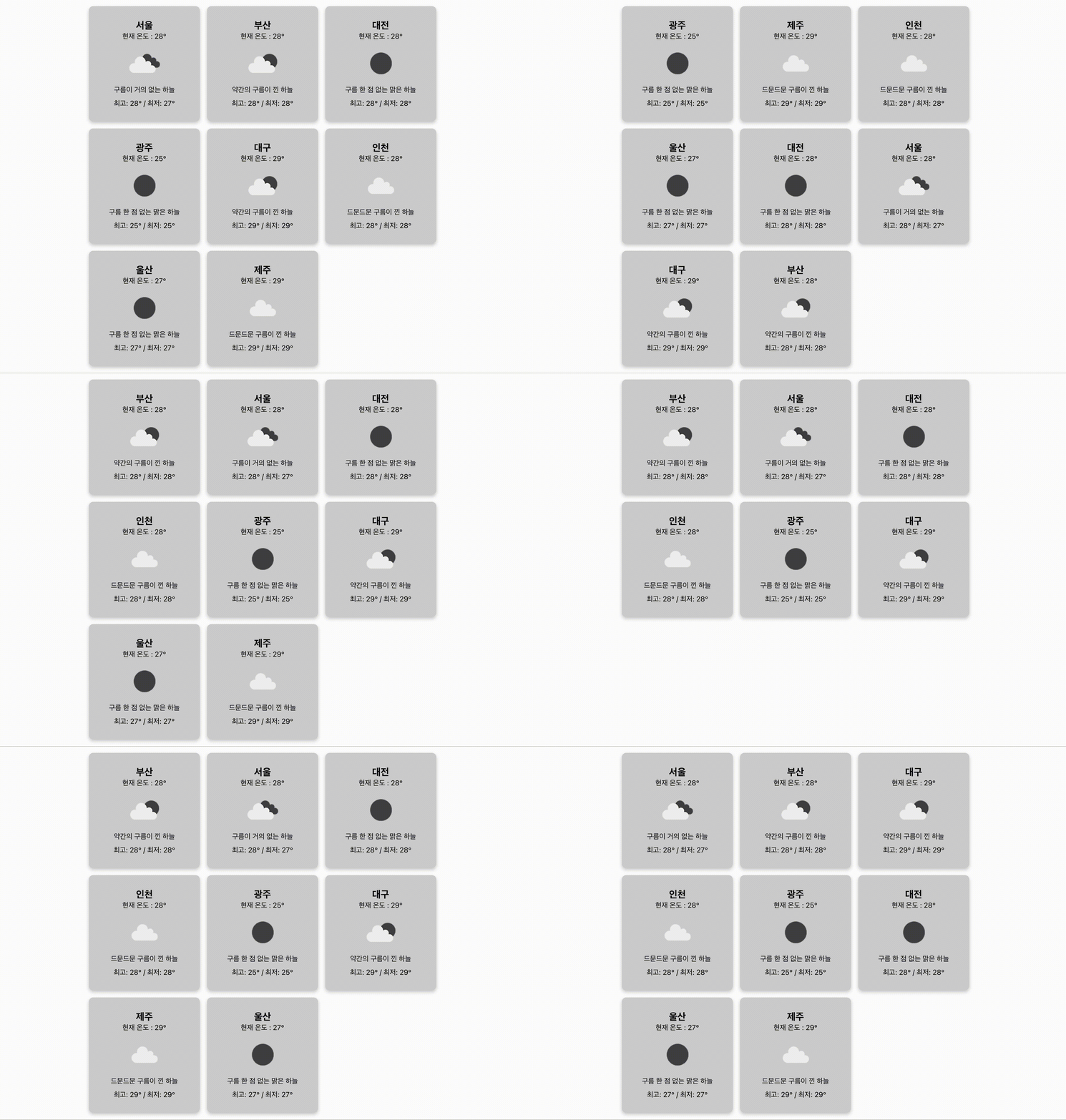 보여지긴 하나 이 방식으로 API 호출을 하면 각 호출이 비동기적으로 실행되기 때문에 응답의 순서가 보장되지 않는다 😤
forEach는 응답이 완료되는 순서랑 요청 순서가 다를 수 있다는 것!
이럴 때 사용하는 것이 Promise.all() 이라고 한다....!!
2-2. 대한민국 도시의 현재 날씨 데이터 가져오기 (Promise.all 사용)
가져오기 전에 Promise.all()에 대해 알아보자...
Promise.all() MDN 문서
Promise.all() 💡
: 여러 개의 프로미스(비동기 작업)가 모두 성공적으로 완료될 때까지 기다리며, 모든 프로미스의 결과를 배열로 반환하는 자바스크립트 메서드
- 각 비동기 작업은 서로 영향을 주지 않고 실행되며, 모든 작업이 끝날 때까지 기다린 후, 모든 결과를 한꺼번에 제공한다.
- 결과 배열은 프로미스가 제공된 순서와 동일하며, 첫 번째 프로미스의 결과는 배열의 첫 번째 요소에 저장된다.
- 하나라도 프로미스가 실패하면, 전체 Promise.all이 실패하며, 첫 번째로 실패한 프로미스의 오류가 반환된다.
useEffect(() => {
  const getWeatherData = async () => {
    try {
      //도시 별 API 요청을 배열로 생성 (axios.get()은 비동기 작업을 수행하여 Promise를 반환)
      const requests = cityNamesEn.map((city) => axios.get(`https://api.openweathermap.org/data/2.5/weather?q=${city}&appid=${apiKey}`));

      //모든 API 요청을 병렬로 처리 (Promise.all을 사용하여 모든 요청이 완료될 때까지 대기)
      const responses = await Promise.all(requests);

      //각 응답에서 필요한 데이터를 추출하여 새로운 배열 생성
      const weatherData = responses.map((response) => {
        const data = response.data;
        return {
          name: data.name,
          temp: (data.main.temp - 273.15).toFixed(0),
          temp_max: (data.main.temp_max - 273.15).toFixed(0),
          temp_min: (data.main.temp_min - 273.15).toFixed(0),
          desc: weatherDescKo.find((obj) => obj.hasOwnProperty(data.weather[0].id))[data.weather[0].id],
          icon: data.weather[0].icon,
        };
      });

      setWeather(weatherData);
    } catch (err) {
      console.error(`api호출 에러: ${err}`);
    }
  };

  getWeatherData();
}, []);
1. 여러 개의 API 요청을 동시에 준비
const requests = cityNamesEn.map((city) => axios.get(`https://~~`));2. 모든 API 요청을 동시에 병렬로 실행하여 응답을 기다림
const responses = await Promise.all(requests);3. 모든 요청의 응답을 처리하여 필요한 데이터를 추출하고, 최종적으로 사용 할 형태로 가공
const weatherData = responses.map((response) => {
	...
});
이렇게 코드를 짜면 cityNamesEn에 넣어놨던 배열 순서대로 결과가 나오게 된다!
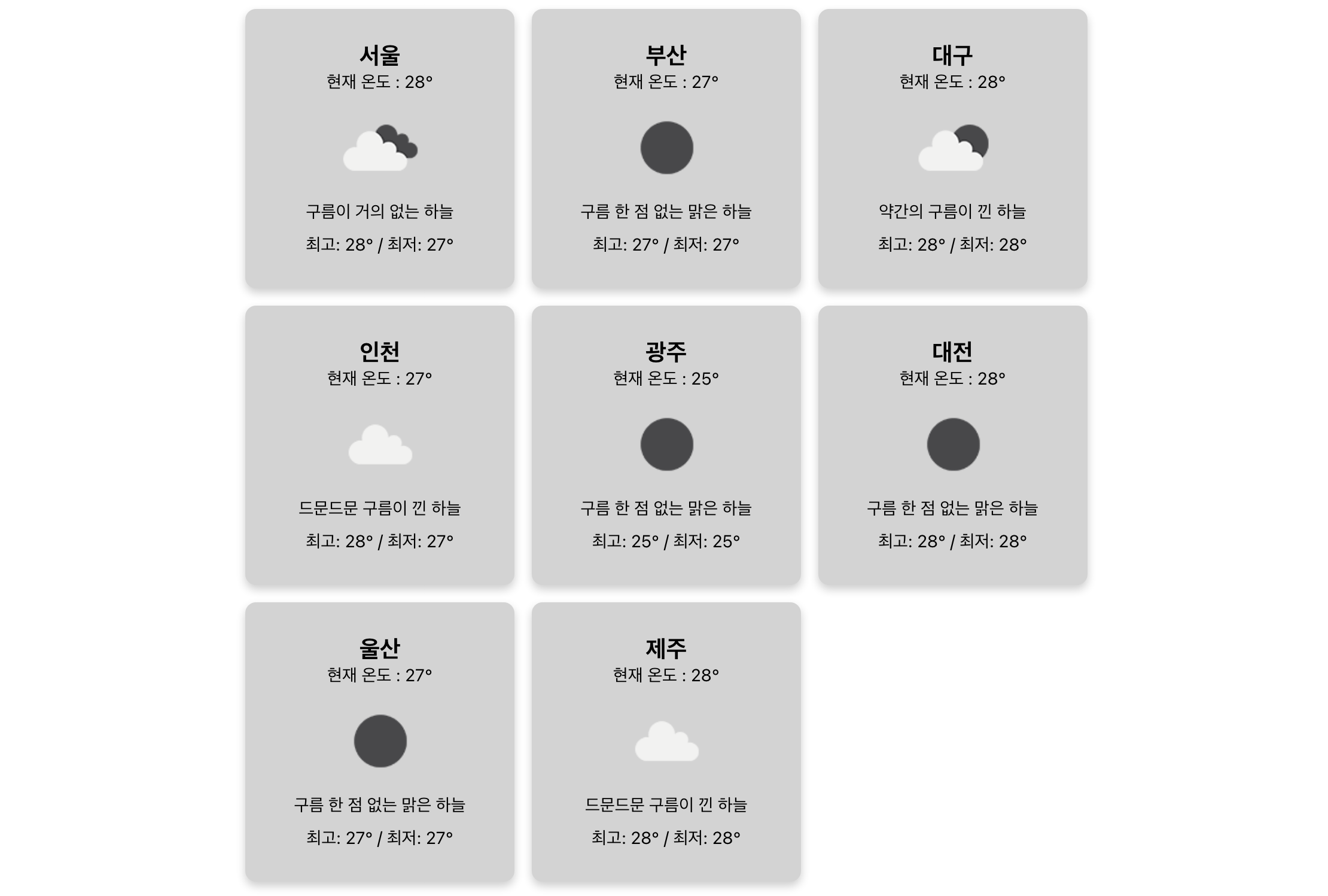
일단 냅다 돌아가게는 만들어버려서..... 덕분에(?) 새로운걸 알게되었다. 오히려 좋아(?)😃