spring initializr
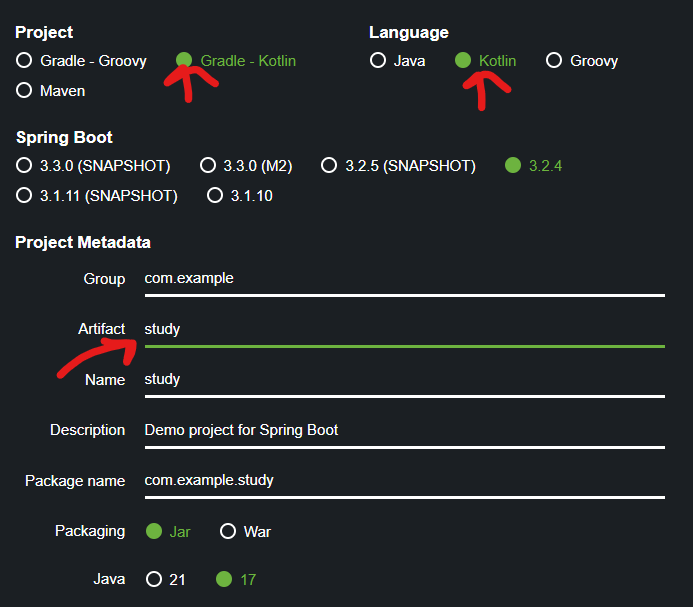
사양
Project Gradle - Kotlin
Language - Kotlin
Java - 17
Dependencies -
들어가서 세가지 수정
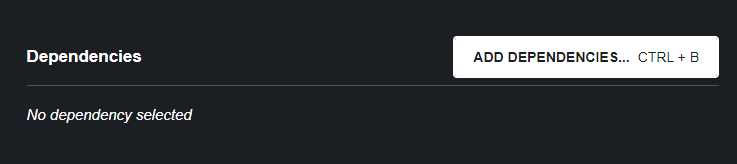
Dependencies
관리할 자료파일들 의존성을 위해 추가.
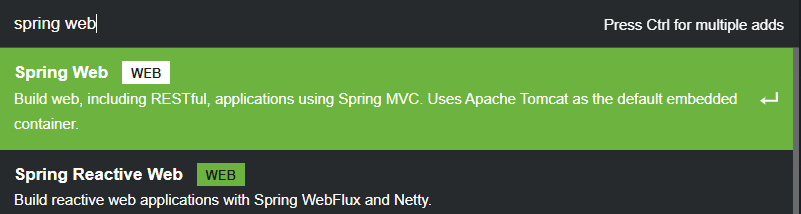
1. Spring Web
web생성용(MVC)
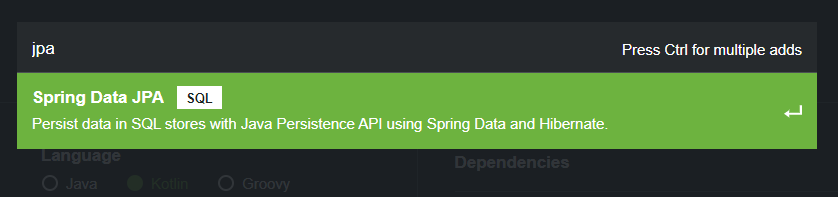
2. JPA
db 연결용
3. mariaDB Driver

4. Spring Boot Dev Tools
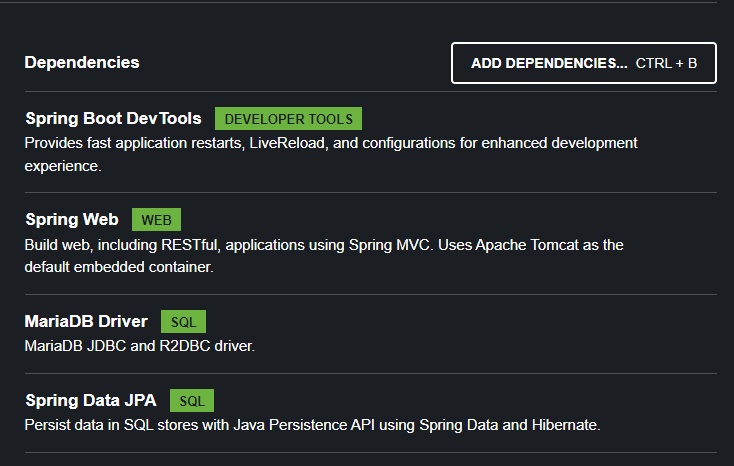
선택후 Generate
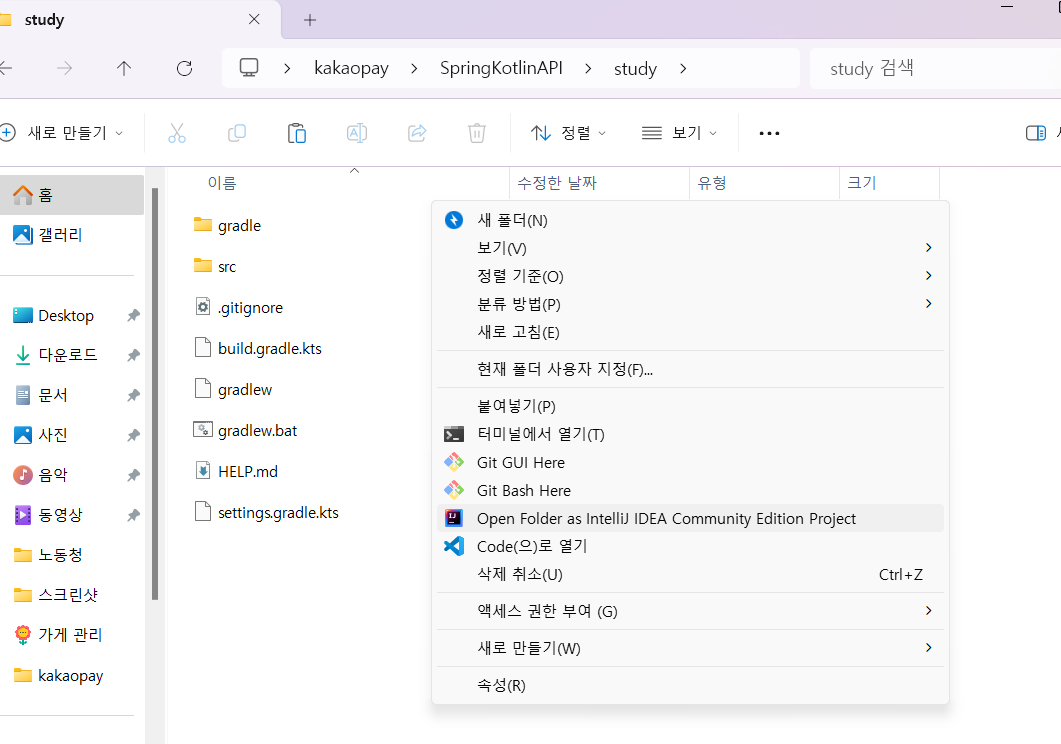
다운로드 받은 파일 IntelliJ로 오픈
우측하단에 자동으로 빌드 시작.
42분부터 48분까지 6분 소요
main kt 파일 실행해보니 에러발생.
  .   ____          _            __ _ _
 /\\ / ___'_ __ _ _(_)_ __  __ _ \ \ \ \
( ( )\___ | '_ | '_| | '_ \/ _` | \ \ \ \
 \\/  ___)| |_)| | | | | || (_| |  ) ) ) )
  '  |____| .__|_| |_|_| |_\__, | / / / /
 =========|_|==============|___/=/_/_/_/
 :: Spring Boot ::                (v3.2.4)

2024-03-22T09:48:33.820+09:00  INFO 5720 --- [study] [  restartedMain] com.example.study.StudyApplicationKt     : Starting StudyApplicationKt using Java 20 with PID 5720 (C:\Users\SmileB\Desktop\kakaopay\SpringKotlinAPI\study\build\classes\kotlin\main started by SmileB in C:\Users\SmileB\Desktop\kakaopay\SpringKotlinAPI\study)
2024-03-22T09:48:33.823+09:00  INFO 5720 --- [study] [  restartedMain] com.example.study.StudyApplicationKt     : No active profile set, falling back to 1 default profile: "default"
2024-03-22T09:48:33.905+09:00  INFO 5720 --- [study] [  restartedMain] .e.DevToolsPropertyDefaultsPostProcessor : Devtools property defaults active! Set 'spring.devtools.add-properties' to 'false' to disable
2024-03-22T09:48:33.906+09:00  INFO 5720 --- [study] [  restartedMain] .e.DevToolsPropertyDefaultsPostProcessor : For additional web related logging consider setting the 'logging.level.web' property to 'DEBUG'
2024-03-22T09:48:35.392+09:00  INFO 5720 --- [study] [  restartedMain] .s.d.r.c.RepositoryConfigurationDelegate : Bootstrapping Spring Data JPA repositories in DEFAULT mode.
2024-03-22T09:48:35.421+09:00  INFO 5720 --- [study] [  restartedMain] .s.d.r.c.RepositoryConfigurationDelegate : Finished Spring Data repository scanning in 17 ms. Found 0 JPA repository interfaces.
2024-03-22T09:48:36.637+09:00  INFO 5720 --- [study] [  restartedMain] o.s.b.w.embedded.tomcat.TomcatWebServer  : Tomcat initialized with port 8080 (http)
2024-03-22T09:48:36.656+09:00  INFO 5720 --- [study] [  restartedMain] o.apache.catalina.core.StandardService   : Starting service [Tomcat]
2024-03-22T09:48:36.656+09:00  INFO 5720 --- [study] [  restartedMain] o.apache.catalina.core.StandardEngine    : Starting Servlet engine: [Apache Tomcat/10.1.19]
2024-03-22T09:48:36.731+09:00  INFO 5720 --- [study] [  restartedMain] o.a.c.c.C.[Tomcat].[localhost].[/]       : Initializing Spring embedded WebApplicationContext
2024-03-22T09:48:36.732+09:00  INFO 5720 --- [study] [  restartedMain] w.s.c.ServletWebServerApplicationContext : Root WebApplicationContext: initialization completed in 2825 ms
2024-03-22T09:48:36.832+09:00  WARN 5720 --- [study] [  restartedMain] ConfigServletWebServerApplicationContext : Exception encountered during context initialization - cancelling refresh attempt: org.springframework.beans.factory.UnsatisfiedDependencyException: Error creating bean with name 'dataSourceScriptDatabaseInitializer' defined in class path resource [org/springframework/boot/autoconfigure/sql/init/DataSourceInitializationConfiguration.class]: Unsatisfied dependency expressed through method 'dataSourceScriptDatabaseInitializer' parameter 0: Error creating bean with name 'dataSource' defined in class path resource [org/springframework/boot/autoconfigure/jdbc/DataSourceConfiguration$Hikari.class]: Failed to instantiate [com.zaxxer.hikari.HikariDataSource]: Factory method 'dataSource' threw exception with message: Failed to determine a suitable driver class
2024-03-22T09:48:36.837+09:00  INFO 5720 --- [study] [  restartedMain] o.apache.catalina.core.StandardService   : Stopping service [Tomcat]
2024-03-22T09:48:36.864+09:00  INFO 5720 --- [study] [  restartedMain] .s.b.a.l.ConditionEvaluationReportLogger :

Error starting ApplicationContext. To display the condition evaluation report re-run your application with 'debug' enabled.
2024-03-22T09:48:36.900+09:00 ERROR 5720 --- [study] [  restartedMain] o.s.b.d.LoggingFailureAnalysisReporter   :

***************************
APPLICATION FAILED TO START
***************************

Description:

Failed to configure a DataSource: 'url' attribute is not specified and no embedded datasource could be configured.

Reason: Failed to determine a suitable driver class


Action:

Consider the following:
	If you want an embedded database (H2, HSQL or Derby), please put it on the classpath.
	If you have database settings to be loaded from a particular profile you may need to activate it (no profiles are currently active).


Process finished with exit code 0-
DB 생성
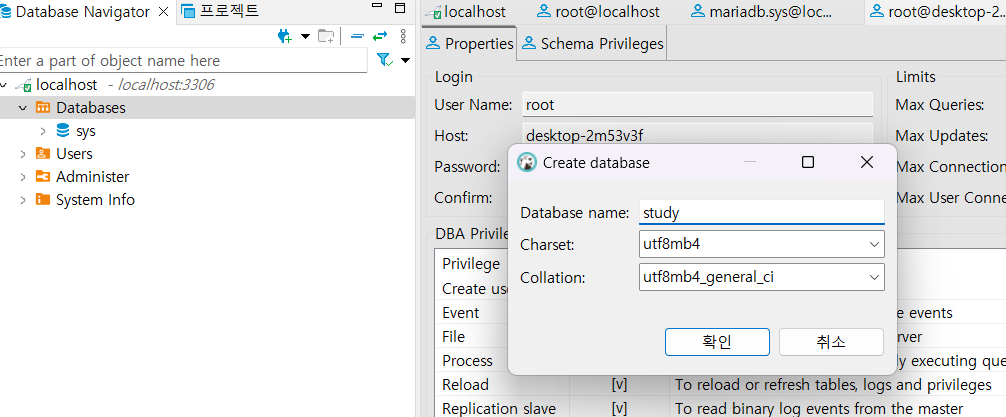
study 생성 -
build.gradle.kts 수정 &
application.properties 삭제 후 application.yml 생성
- build.gradle.kts 추가
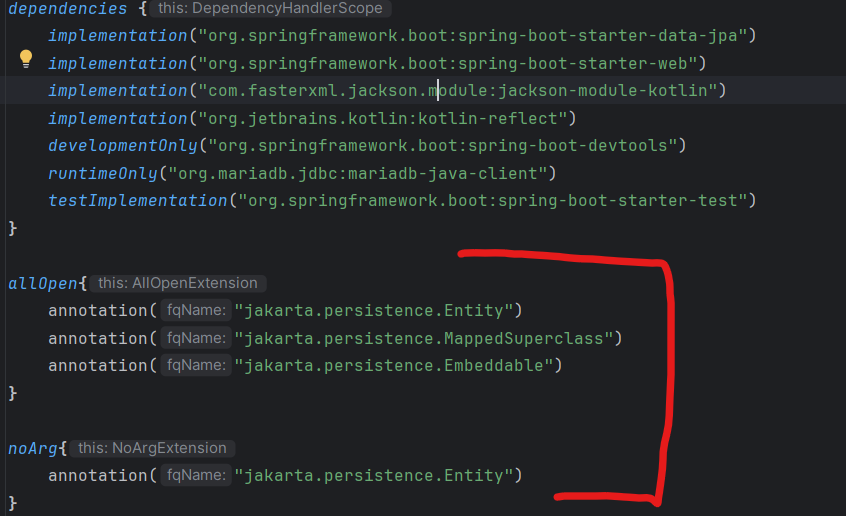
allOpen{
	annotation("jakarta.persistence.Entity")
	annotation("jakarta.persistence.MappedSuperclass")
	annotation("jakarta.persistence.Embeddable")
}

noArg{
	annotation("jakarta.persistence.Entity")
}
기존에 있던 파일 삭제 후 다시 생성.
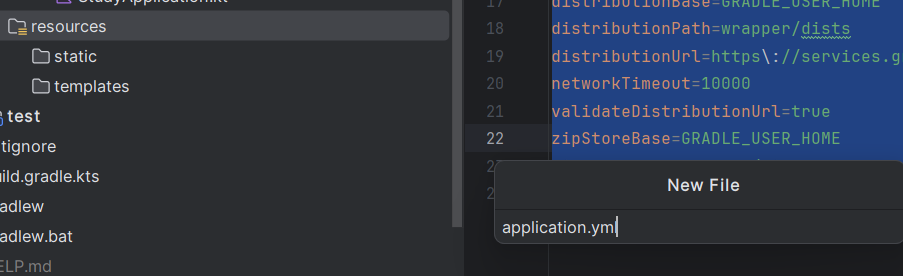
내용 작성
username은 그대로 했으면 root, password는 DB 만들때 작성한 비밀번호 입력.
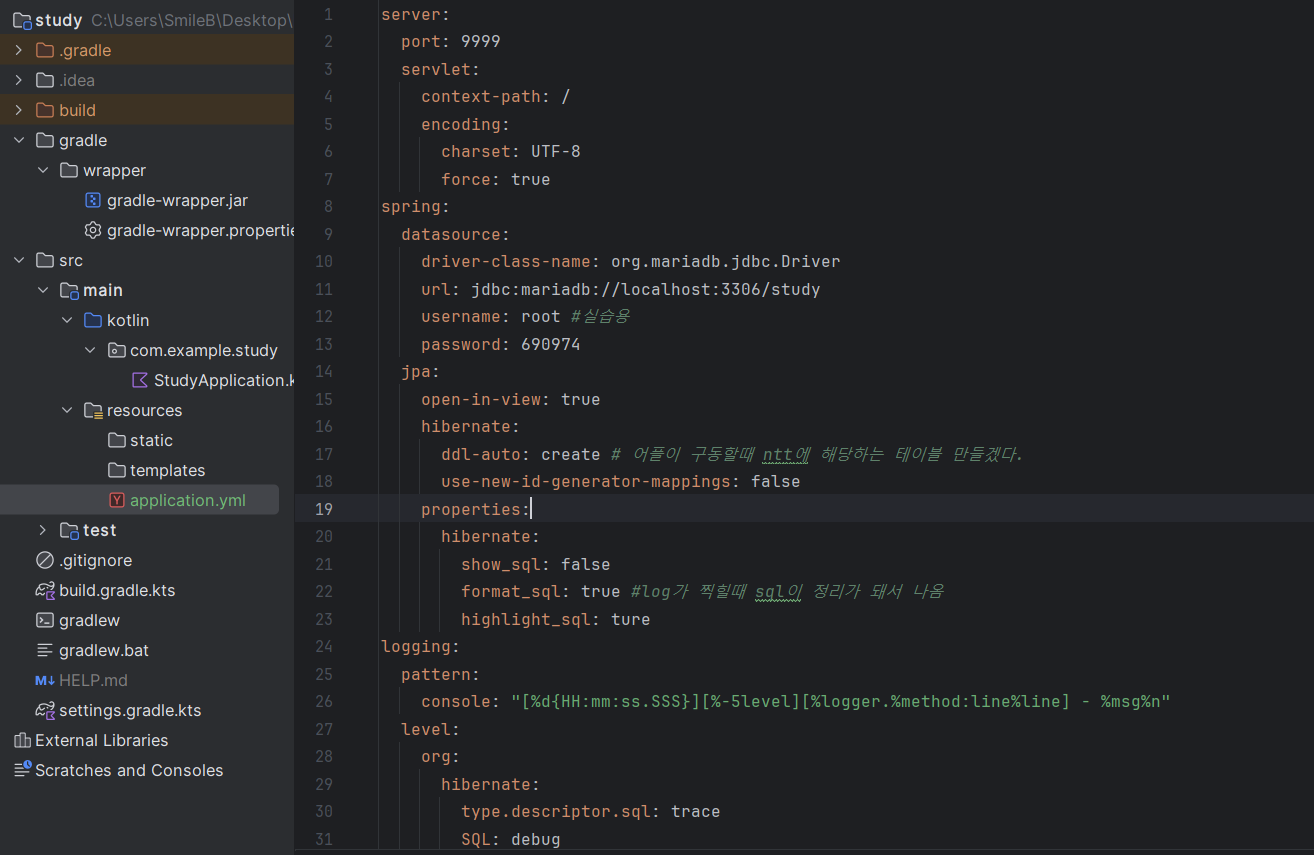
server:
  port: 9999
  servlet:
    context-path: /
    encoding:
      charset: UTF-8
      force: true
spring:
  datasource:
    driver-class-name: org.mariadb.jdbc.Driver
    url: jdbc:mariadb://localhost:3306/study
    username: root #실습용
    password: 690974
  jpa:
    open-in-view: true
    hibernate:
      ddl-auto: create # 어플이 구동할때 ntt에 해당하는 테이블 만들겠다.
      use-new-id-generator-mappings: false
    properties:
      hibernate:
        show_sql: false
        format_sql: true #log가 찍힐때 sql이 정리가 돼서 나옴
        highlight_sql: ture
logging:
  pattern:
    console: "[%d{HH:mm:ss.SSS}][%-5level][%logger.%method:line%line] - %msg%n"
  level:
    org:
      hibernate:
        type.descriptor.sql: trace
        SQL: debug
이렇게 세팅후 study applicationkt 파일 실행해보면 에러없이 동작
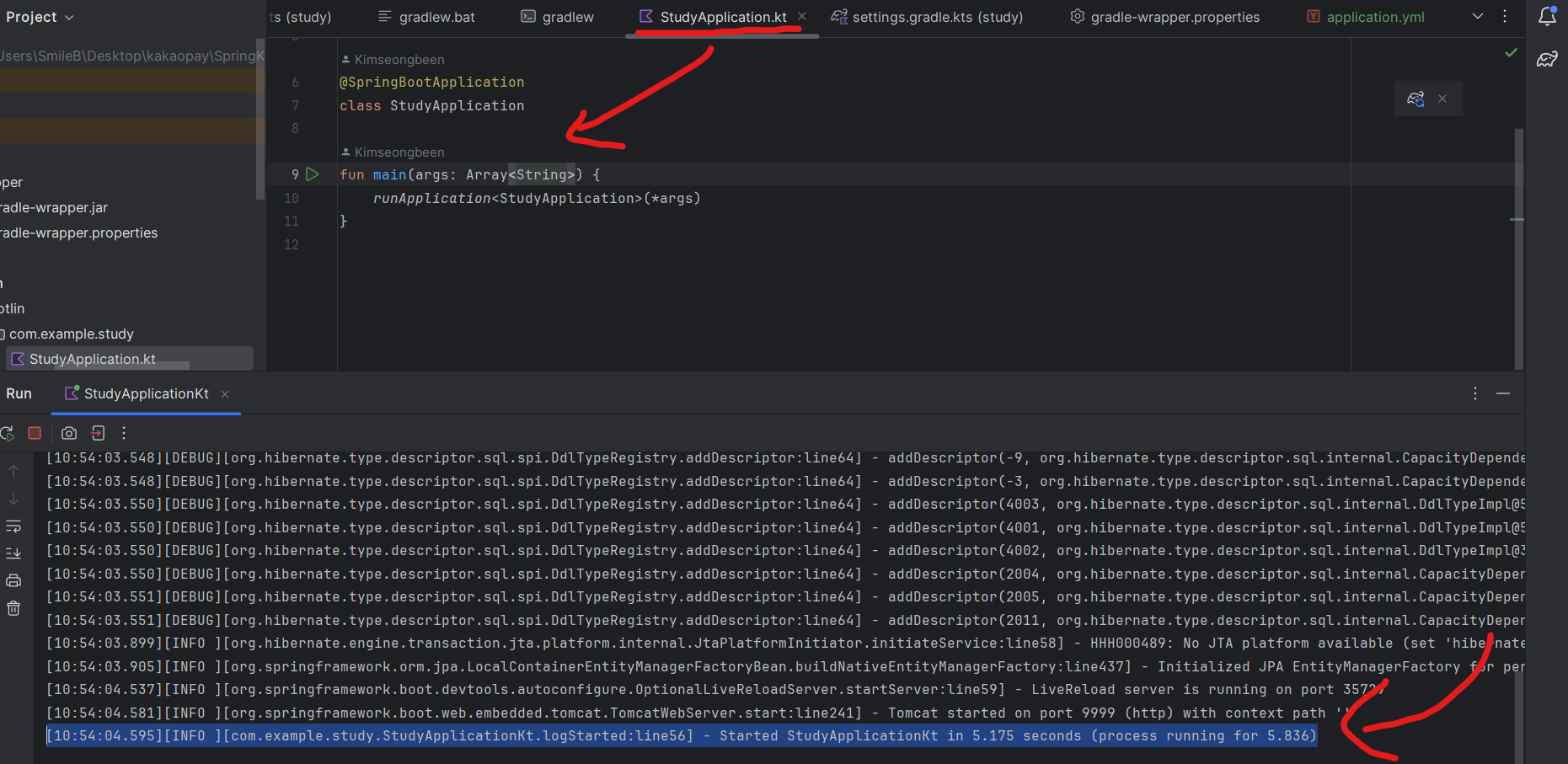
[10:54:04.595][INFO ][com.example.study.StudyApplicationKt.logStarted:line56] - Started StudyApplicationKt in 5.175 seconds (process running for 5.836)실행이 됐으면 DB에 접속
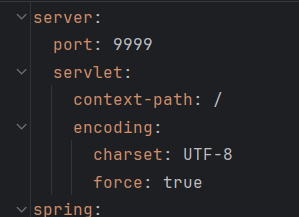
port 9999 이므로 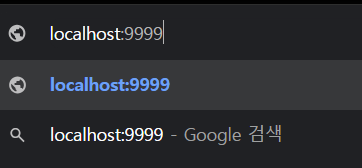
아래처럼 에러가 발생하면 성공
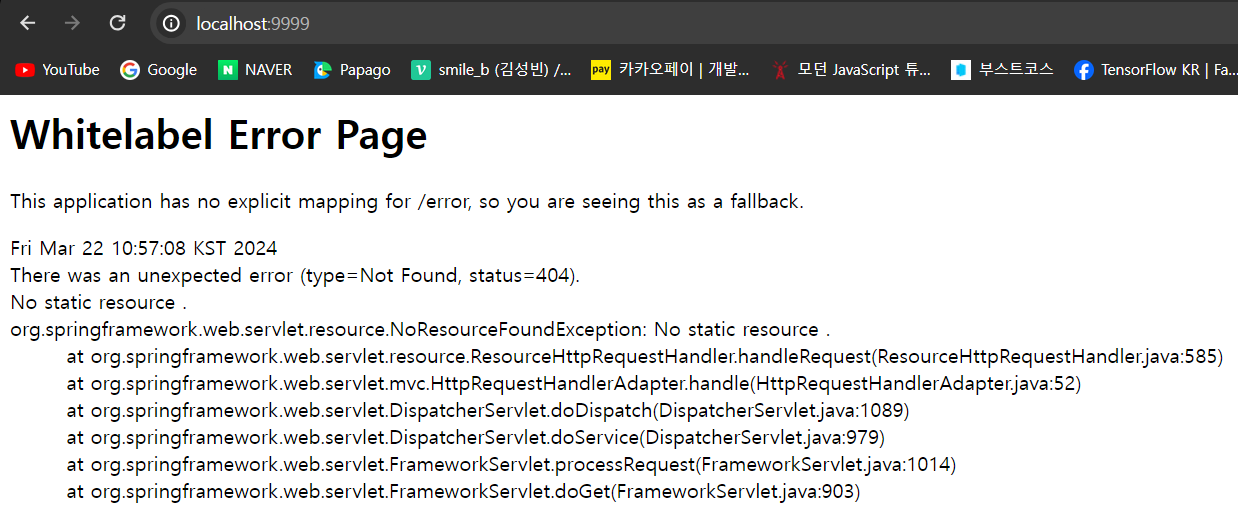
Spring boot 어플리케이션에 아무것도 하지 않았기때문에
출력할 내용이 없어서 에러가 뜨는것이 정상.

감사합니다. https://www.youtube.com/channel/UCxlkiu9_aWijoD7BannNM7w