Virtual Staging in HDR Environments: Match Light or Fail
You can drop the most expensive sofa into an empty penthouse, but if its shadow points north while every sunbeam in the photo streams south, the viewer’s subconscious screams fake. In an HDR world—where windows glow like lanterns and interior shadows dissolve into silky blacks—matching light direction, intensity, and color temperature isn’t optional; it’s survival.
Below is a field-tested checklist that keeps virtual furniture, artwork, and even potted palms locked believably into HDR scenes.
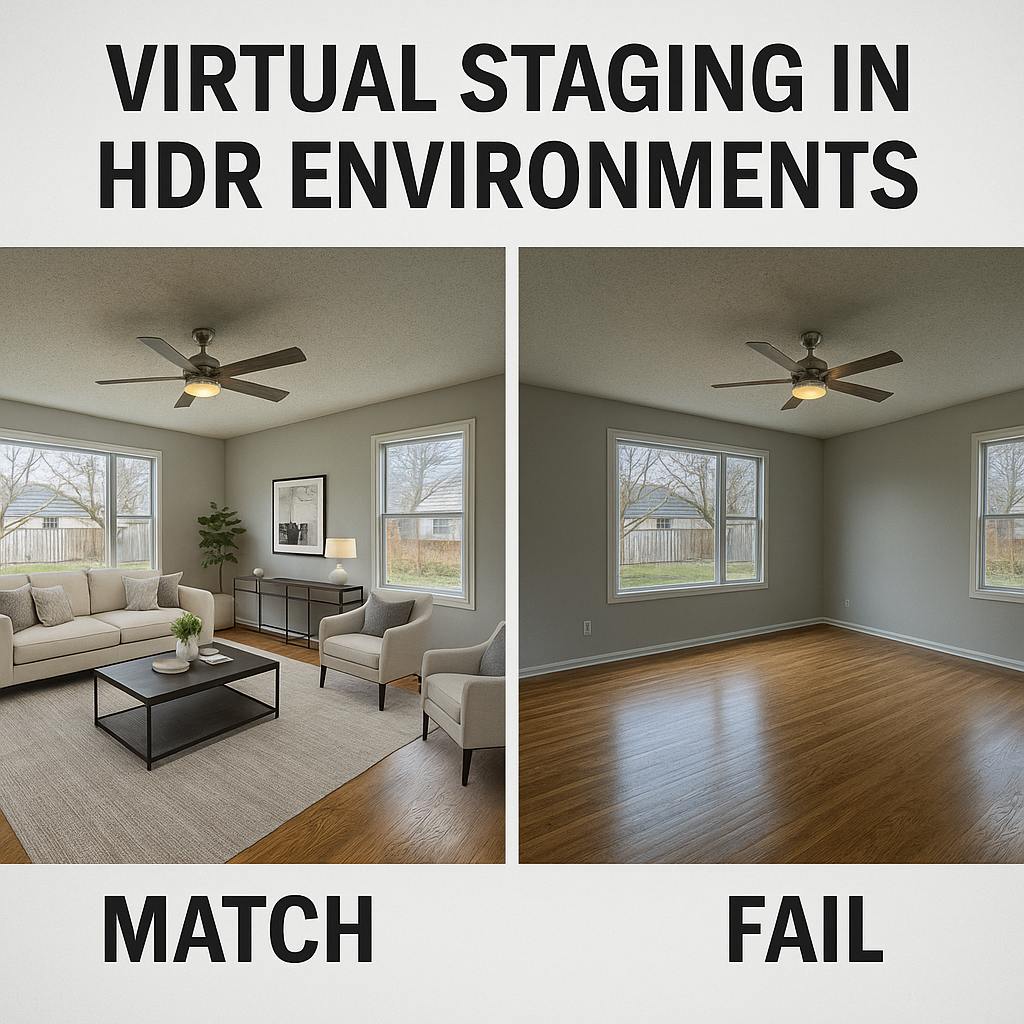
Read the HDR Map First
Before you import any 3D asset, open the merged HDR editing file and study three things:
Primary light source direction—sun flare on the floor, hot rim on the curtain wall.
Secondary bounces—soft fill on the ceiling, cool skylight spill across the sofa back.
Color temperature spread—warm 3200 K from recessed LEDs versus 5600 K daylight.
These three cues become your “north star.”
Create a Lighting Proxy
Rather than eyeballing, drop a simple white sphere or cube into the scene and render it under the HDR environment. The sphere instantly shows you:
Where highlights hit
How shadows taper
Whether any color cast sneaks into mid-tones
If the proxy looks wrong, the sofa will look worse.
Use HDR as an Image-Based Light Source
Most virtual staging engines (Blender Cycles, V-Ray, Twinmotion) accept 32-bit HDRIs. Plug the same panorama you used for the real photo into the IBL slot. Set scene units to real-world scale so a 3-foot coffee table casts a 3-foot shadow.
Pro tip: If the HDR was tonemapped for beauty, keep an un-tonemapped copy for lighting only; it preserves the original dynamic range.
Mind the Window Over-Burn
HDR often pushes window panes to 100 % luminance. Virtual objects placed near glass should not receive the same scorching light. Lower their direct-sun contribution and boost skylight fill so they feel inside the room, not on the balcony.
Soft vs. Hard Shadow Fall-off
Interiors lit by broad daylight have soft, graduated shadows. Interiors lit by a pinpoint LED downlight show razor edges. Match the shadow softness in your 3D lighting setup—area lights for daylight, small spotlights for LEDs.
Color Temperature Sync
A 2700 K lamp in the HDR should produce a 2700 K reflection on the virtual chrome lamp base. Use Kelvin values, not RGB sliders, to keep the math consistent across materials.
Post-Blend Reality Check
After compositing, zoom to 100 %. Flip the canvas horizontally for five seconds. If the furniture suddenly feels pasted on, revisit shadows or highlights.
Quick fix: add a 5 % noise layer at 10 % opacity to both real and virtual pixels; it knits the two worlds together.
When in Doubt, Shoot a Chrome Ball
On location, place a Christmas-ornament-sized chrome sphere in the frame and fire a bracket from the same tripod position. Later, build an HDRI from those brackets and use it as your lighting environment . The sphere records every highlight direction and color shift for you.