로그인과 게시판 정리 겸해서
하루동안 로그인해서 사용하는 게시판을 만들었다.
로그인 한 사용자 본인의 글만 삭제 수정이 가능하다.
페이징 파일처리도 아직인데 DAO가 엄청 길다..
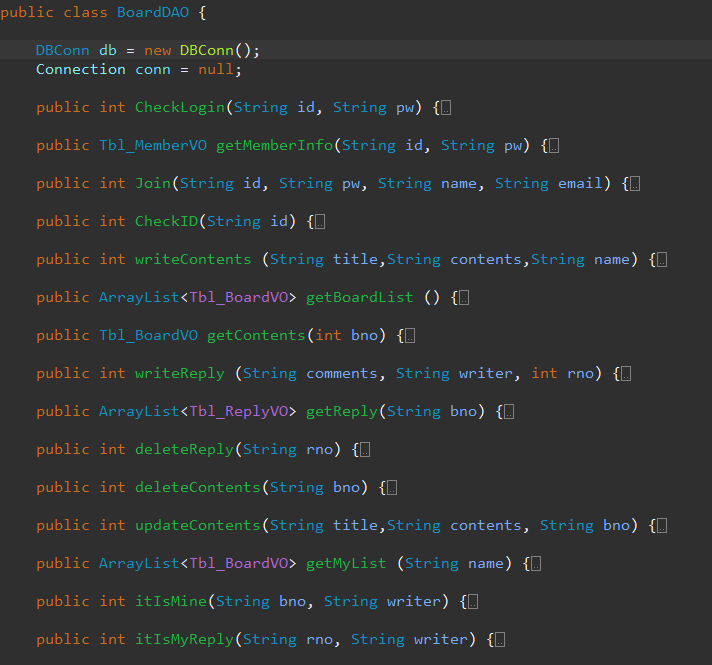
기본 화면과 메뉴이다
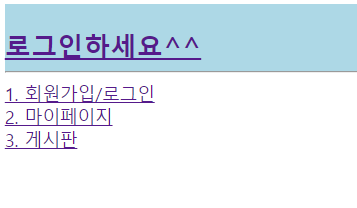
아이디 중복확인(버튼도 같이 처리된다)
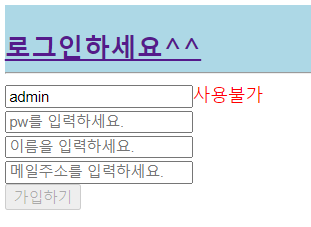
에이젝스로 서블릿에 보내주고 넘어오는 데이터가 1이면 중복으로 처리되어 버튼도 같이 막는 블러이벤트이다.$("#uid").blur(function() { $.ajax({ url : "JoinServlert", type : "get", data : { uid : $("#uid").val() }, success : function(data) { if (data == 1) { $("#btn_join").attr("disabled", true); $("#checkUid").css("color", "red"); $("#checkUid").text("사용불가"); } else { $("#btn_join").attr("disabled", false); $("#checkUid").css("color", "black"); $("#checkUid").text("사용가능"); } } }); });로그인시 로그인 페이지는 로그아웃페이지로 바뀐다
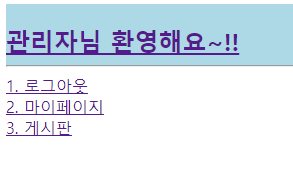
세션에 로그인 정보를 저장해 놓았다
let name = '<%=(String) session.getAttribute("name")%>';
	$(function(){
		if(name!="null"){
			$("#main").html('<a href="index.jsp">'
            +name+'님 환영해요~!!</a>');
		}
	})
let check = '<%=(String)session.getAttribute("name")%>';
	$(function(){
		if(check!="null"){
			$("#login").text("1. 로그아웃");
			$("#login").prop('href','logout.jsp');
		}else{
			$("#myPage").prop('href','login.jsp');
			$("#board").prop('href','login.jsp');
		}
	});
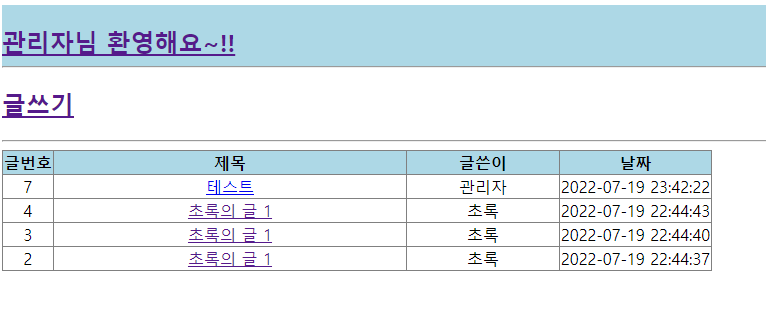
게시판 전체목록
글번호 내림차순(최신글)부터정렬된다.
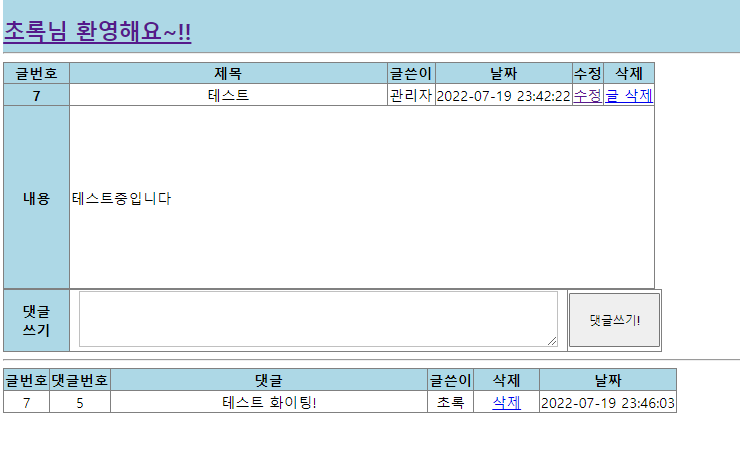
게시글 상세페이지
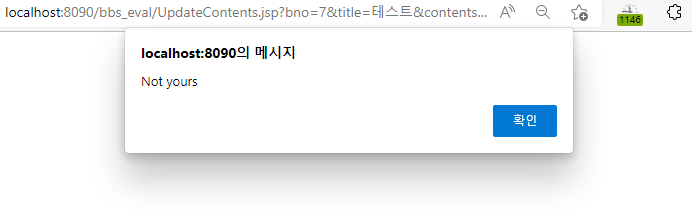
본인의 글이 아닌경우 수정과 삭제가 불가능하다
먼저 내 글인지 체크하고 아닌경우에는 alert를 띄우고 다시 해당 페이지로 돌아간다.
내 글일 경우 바로 처리가 가능하다.BoardDAO dao = new BoardDAO(); int result = dao.itIsMine(bno, name); if(result==1) { int delResult = dao.deleteContents(bno); if(delResult == 1) { response.sendRedirect("BoardListServlet"); } }else { out.print("<script>"); out.print("alert('Not yours');"); out.print("location.href='WriteServlet?bno=+bno+"'"); out.print("</script>"); }
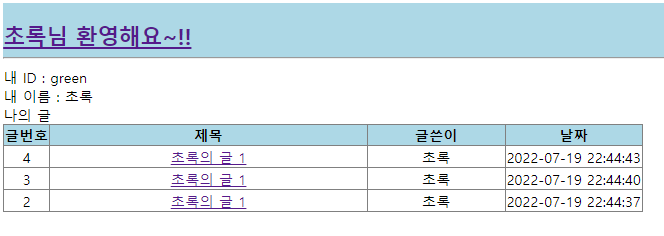
마이페이지
마이페이지에서는 본인이 쓴 글을 확인할 수 있다
쿼리문select t.* from ((select * from tbl_board where writer=?)order by bno desc)t
상세페이지 JSP의 코드
게시글 상세페이지 JSP의 코드
<body>
<jsp:include page="header.jsp"></jsp:include>

<table border="1" style="border-collapse: collapse;">
	<tr>
		<th style="width: 70px;">글번호</th>
   		<th style="width: 250px;">제목</th>
		<th style="width: 50px;">글쓴이</th><th>날짜</th>
		<th>수정</th><th>삭제</th>
	</tr>
	<tr>
		<th>${contents.bno }</th>
      	<td style="width: 350px;">${contents.title }</td>
		<td>${contents.writer }</td>
      	<td>${contents.regdate }</td>
		<td><a href="UpdateContents.jsp?bno=${contents.bno }&title=${contents.title }&contents=${contents.contents }">수정</a></td>
		<td><a href="DeleteContents?bno=${contents.bno }">글 삭제</a></td>
	</tr>
	<tr>
		<th style="height: 200px;">내용</th><td colspan="5" style="text-align: left;">${contents.contents }</td>
	</tr>
</table>

	<form action="ReplyServlet" method="get">
		<table border="1" style="border-collapse: collapse;">
			<tr>
				<th style="width: 70px;">댓글<br>쓰기</th>
				<td style="width: 550px;">
				<textarea name="comments" id="comments"
					style="width: 520px; height: 50px; overflow: auto; border: 1px solid silver; padding: 5px;"
					onKeyup="var m=50;var s=this.scrollHeight;if(s>=m)this.style.pixelHeight=s+4"></textarea></td>
				<td><button id="btn_write" style="width: 102px; height: 60px;">댓글쓰기!</button></td>
			</tr>
		</table>
		<input type="hidden" name="bno" value="${contents.bno }">
	</form>
	<hr>
	<table border="1" style="border-collapse: collapse;">
		<tr>
			<th>글번호</th><th>댓글번호</th><th style="width: 350px;">댓글</th>
			<th>글쓴이</th><th>삭제</th><th>날짜</th>
		</tr>
	<c:forEach var="reply" items="${reply }">
		<tr>
			<td>${reply.bno }</td>
			<td>${reply.rno }</td>
			<td>${reply.comments }</td>
			<td>${reply.writer }</td>
			<td style="width: 70px">
              <a href="DeleteReply?rno=${reply.rno }&bno=${reply.bno }">삭제</a></td>
			<td>${reply.regdate }</td>
		</tr>
	</c:forEach>
</table>
</body>
화이탱!