
🌱 Spring
Spring Boot 프로젝트 시작하기
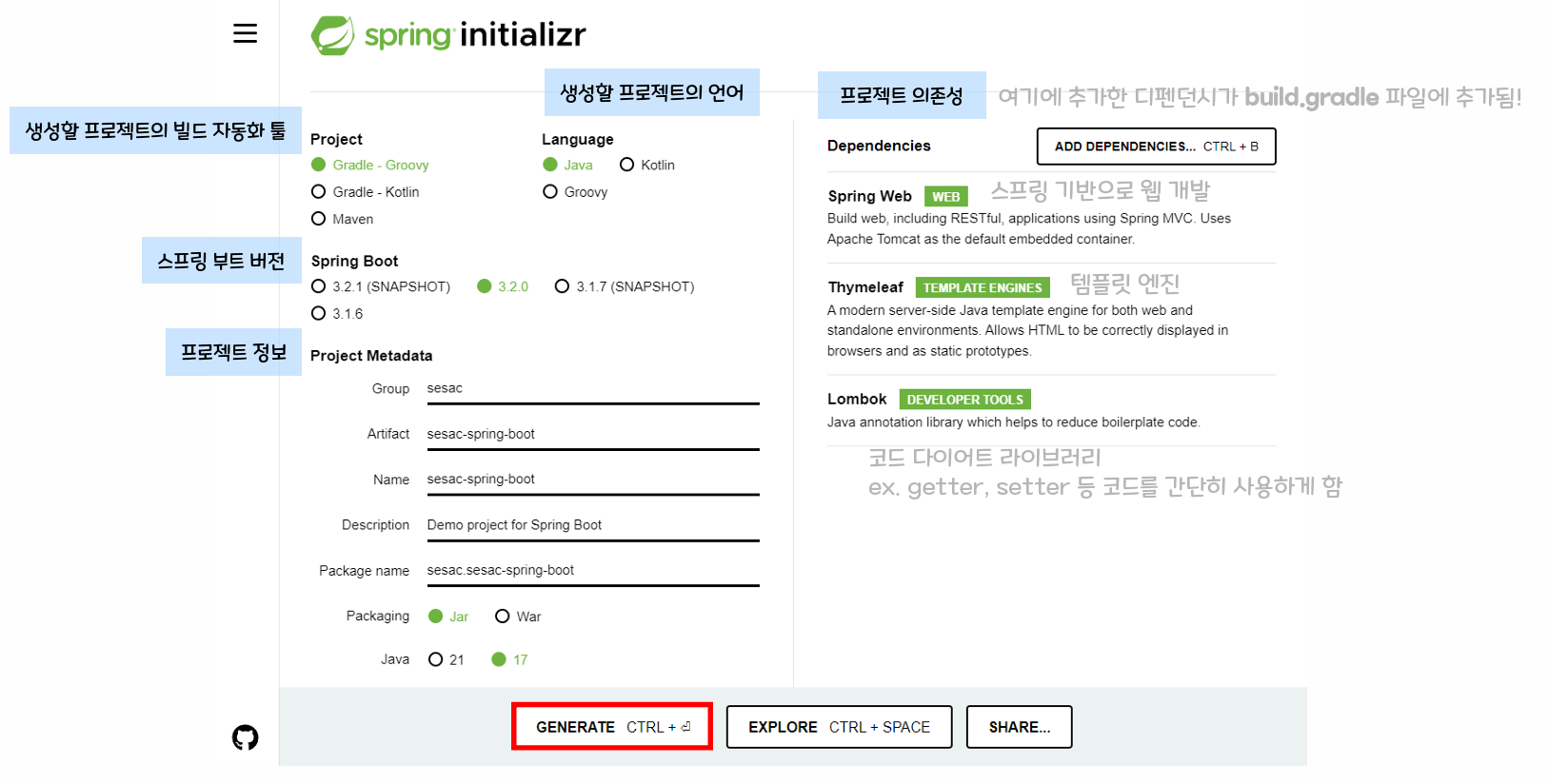
- spring boot 기반으로 spring 관련 프로젝트를 만들어주는 사이트로 해당 사이트에서 원하는 라이브러리를 선택 후 프로젝트 생성한다.
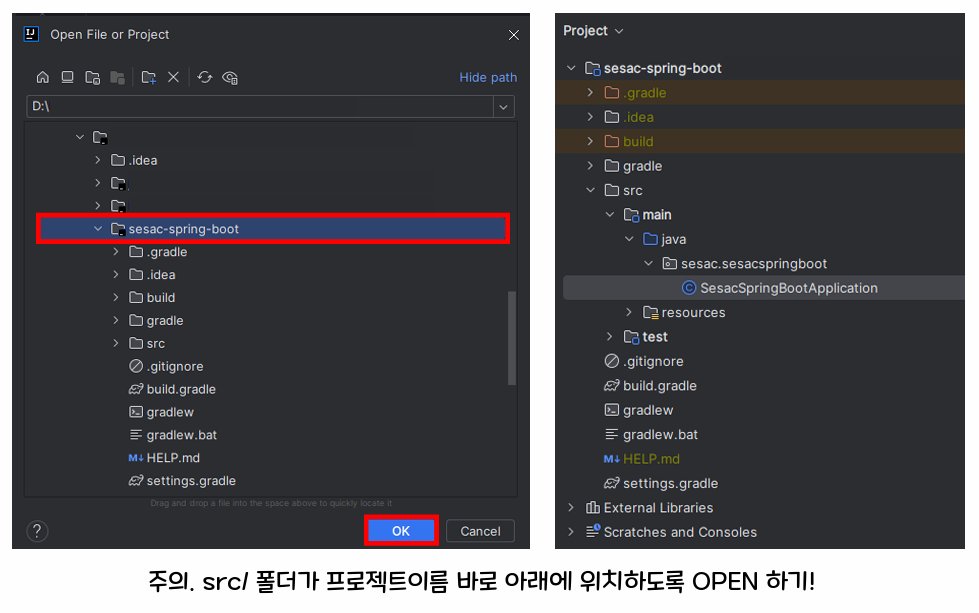
주의! IntelliJ 에서 프로젝트 열기
압축 풀어서 인텔리제이에서 파일을 열 때 scr/ 폴더가
프로젝트 이름 바로 아래 위치해서 open해야 error가 발생하지 않는다!
-
위에서 SesacSpringBootApplication 에서 실행버튼을 클릭하면 spring 프로젝트가 실행된다.
-
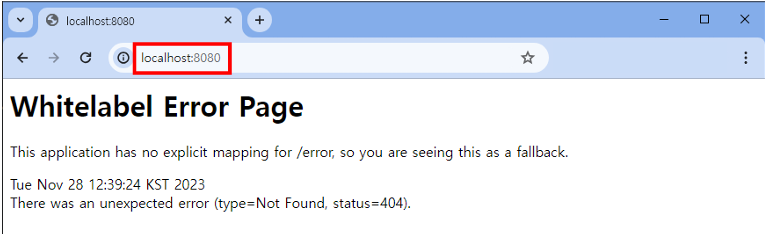
localhost:8080에 접속해서 아래와 같이 에러메세지가 나오면 성공!
Spring Boot 프로젝트 구조
main/: 실제 코드를 작성하는 곳test/: 프로젝트의 소스 코드를 테스트하는 코드 or 리소스 파일build.gradle: 빌드 설정 파일setting.gradle: 빌드 할 프로젝트 정보 설정 파일
Thymeleaf
Thymeleaf 란?
- 템플릿 엔진으로 HTML 태그에 속성을 추가해 페이지에 동적으로 값을 추가하거나 처리할 수 있도록 도와주는 것
- 템플릿 엔진은 Thymeleaf 외에도 JSP, FreeMarker.. 등이 있다.
Thymeleaf 문법
th:text: 서버에서 전달받은 값을 태그 안에 텍스트로 사용
<span th:text="${hello}">message</span>-
th:utext: th:text와 유사하며 변수에서 받은 값에 html태그가 있다면 태그 값을 반영해서 표시해준다. -
th:value: HTML element 의 value 속성 값을 지정할 때 사용
<button th:value="${hello}" />th:with: 변수를 사용하고자 할 때 사용
<button th:with="temp=${hello}" th:text=${temp} />th:switch: switch-case문을 이용할 때 사용하며 * 는 default를 의미
<div th:switch="${hello}">
  <p th:case="'admin'">hello is admin</p>
  <p th:case="'manager'">hello is manager</p>
  <p th:case="'*'">hello is other</p>
</div>th:if: if-else 조건문이 필요할 때 사용되며 else 문은 th:unless 를 사용해야 한다.
if-else문을 사용하려면 th:if와 th:unless의 조건이 동일해야 한다.
<p th:if="${hello}=='web'" th:text=${hello}></p>
<p th:unless="${hello}=='web'" th:text="unless입니다."></p>th:each: 반복문이 필요한 경우 사용
리스트와 같은 collection 자료형을 서버에서 넘겨주면 그에 맞춰 반복적인 작업이 이루어질 때 주로 사용
<ul>
  <li th:each="name:${names}">
    <span th:text="${name}">이름</span>
  </li>
</ul>
이 문서는 SeSAC X 코딩온 풀스택 웹 개발자 과정 강의자료 내용을 일부 포함하고 있습니다.

개발자 성장로그