이번 팀 프로젝트에서 빠르게 개발하여 퀼리티를 높이기 위해 Vite와 tailwindcss를 사용하기로 했습니다. 아쉽게도 아직 React는 배우지 못해 Vanilla JS로 진행하게 되었지만 javascript의 기본기를 늘릴 수 있는 기회라고 생각합니다.
Vite
🚩설치
npm create vite@latest my-app -- --template vanilla
cd my-app
한 줄이면 설치 끝입니다. 만들어진 앱으로 이동 후(위 명령어의 경우 my-app) vite명령어 하나로 실행 가능합니다. 또는 npx vite를 사용하셔도 됩니다.
Tailwind CSS
🚩설치
npm install -D tailwindcss postcss autoprefixer설치를 원하는 프로젝트 폴더 안에서 명령어를 실행해주면 tailwindcss가 설치됩니다.
npx tailwindcss init -p그 다음 위의 명령어를 실행하면 tailwind.config.js파일이 생성됩니다.
📝설정
/** @type {import('tailwindcss').Config} */
export default {
  content: [
    "./index.html",
    "./src/**/*.{js,ts,jsx,tsx}",
    "./src/views/**/*.{js,ts,jsx,tsx,html}",
  ],
  theme: {
    extend: {},
  },
  plugins: [],
};tailwind.config.js에 들어가 파일 의 모든 템플릿 파일에 대한 경로를 추가합니다. content에 tailwindcss를 사용할 경로를 설정해 주세요. 첫 번째 경로와 두 번째 경로는 공식 문서에 적혀있는 경로이고 마지막 경로는 제 프로젝트 파일의 경로를 설정했습니다.
@import "tailwindcss/base";
@import "tailwindcss/components";
@import "tailwindcss/utilities";
Tailwind의 각 레이어에 대한 지시문을 기본 CSS 파일에 추가합니다.
<!DOCTYPE html>
<html lang="en">
  <head>
    <meta charset="UTF-8" />
    <link rel="icon" type="image/svg+xml" href="/vite.svg" />
    <meta name="viewport" content="width=device-width, initial-scale=1.0" />
    <title>Vite App</title>
    <link rel="stylesheet" href="/src/index.css" />
  </head>
  <body>
    <div id="app"></div>
    <h1 class="text-3xl font-bold underline">Hello world!</h1>
    <script type="module" src="/main.js"></script>
  </body>
</html>
저는 우선 프로젝트 바로 아래에 있는 index.html 파일에 적용해 보았습니다. 위에서 만든 기본 css파일을 link를 통해 경로를 지정해주세요.
npm run dev그리고 위의 명령어를 입력하면 서버가 실행되고 tailwindcss가 적용된 모습을 확인하실 수 있습니다.
VC Extention
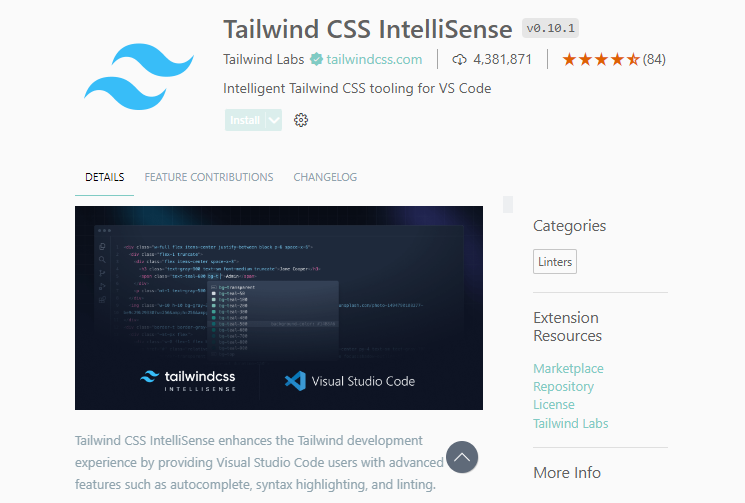
vc extention에서 Tailwind CSS IntelliSense를 설치해줍니다. 이 외에도 tailwind로 검색하면 다양한 확장자가 있으니 봐보시면 좋을 것 같습니다. 또한, 공식 사이트에선 Prettier와 함께 사용하는 것을 추천하고 있어서 혹시 설치 안되신 분이 있다면 설치해주시면 코딩시 편하고 좋습니다.
Figma Plugin
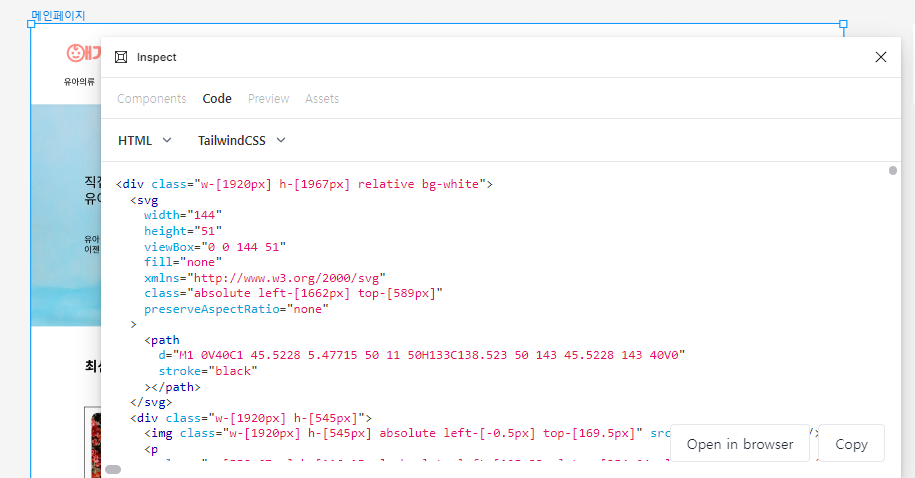
피마로 만든 디자인을 플러그인을 통해 바로 tailwind css로 만들 수 있습니다. 저같은 경우 Inspect라는 플러그인을 사용했는데 상당히 만족스러웠습니다. 프로젝트 기간을 단축시켜줄 수 있는 아주 좋은 플러그인이라는 생각이 들었습니다.