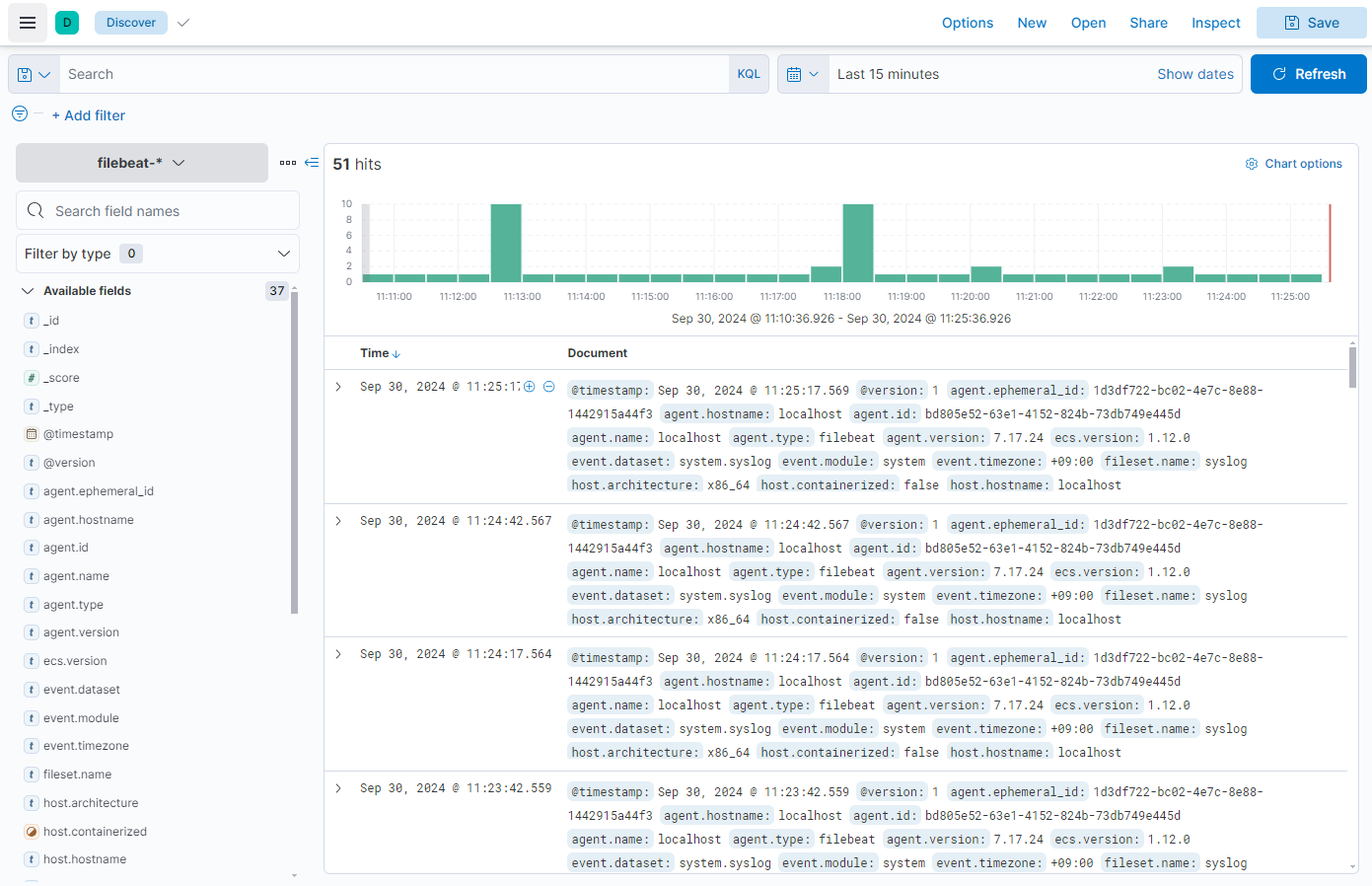
1. ElasticSearch
1) 자바 설치 확인

2) 인증키 설치
rpm --import https://artifacts.elastic.co/GPG-KEY-elasticsearch

3) 저장소 등록
/etc/yum.repos.d/elasticsearch.repo파일을 생성하고 아래 구문 작성.
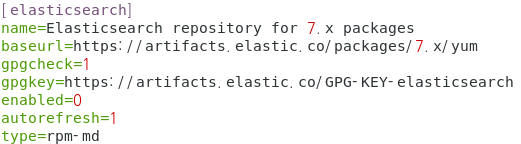
4) 설치
yum install -y elasticsearch

5) 환경 설정
56라인 주석 제거 후 구문 수정

61라인 주석 제거

74라인 주석 제거 후 구문 수정

6) 서비스 실행
systemctl restart elasticsearch

7) 실행 확인
curl http://127.0.0.1:9200
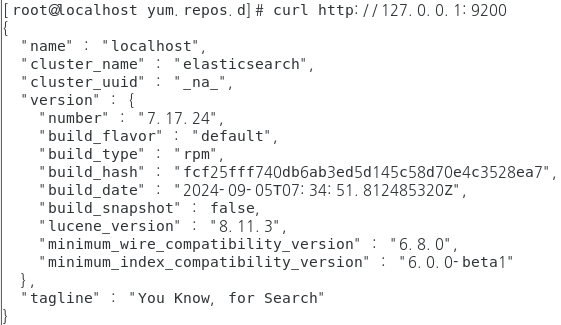
2. Kibana
데이터 시각화
1) 저장소 설정
/etc/yum.repos.d/kibana.repo 파일 생성 후 구문 작성
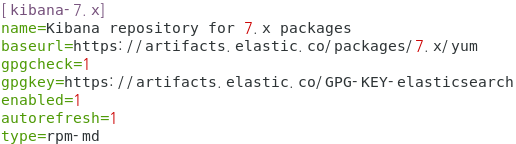
2) 설치
yum install -y kibana

3) 환경 설정
/etc/kibana/kibana.yml
2라인 주석 해제

7라인 주석 해제 후 구문수정

32라인 주석 해제 후 구문수정

45,46라인 주석 해제 후 구문 수정

4) 서비스 실행
systemctl restart kibana

5) 실행 확인
http://192.168.5.130:5601

3. Logstash
1) 저장소 등록
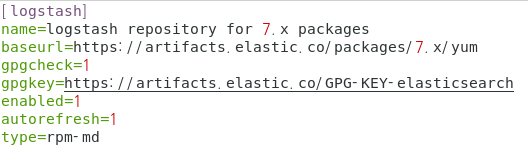
2) 설치
yum install -y logstash

3) 환경 설정
/etc/logstash/conf.d/ 밑에 first-pipeline.conf 파일 생성 후 구문 작성
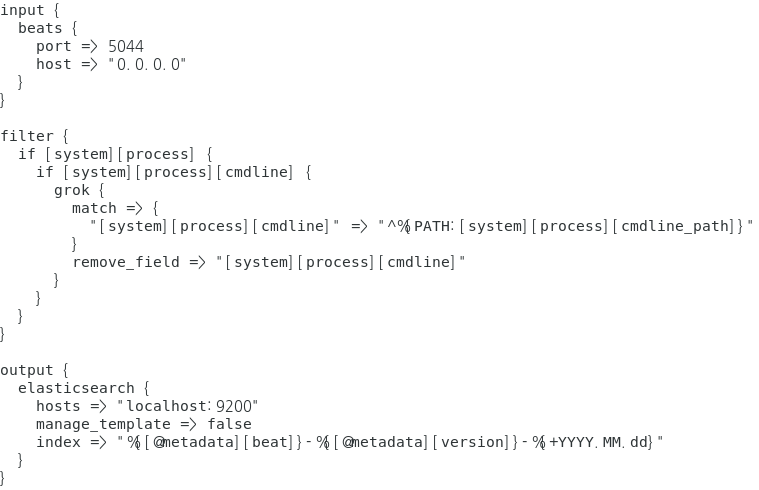
4) 서비스 실행
systemctl start logstash
4. Filebeat
1) 패키지 설치
yum install -y filebeat
2) 환경 설정
/etc/filebeat/filebeat.yml
135라인 주석

137라인 주석

148라인 주석 해제

150라인 주석 제거 후 localhost -> elasticsearch 서버 IP

3) 시스템 실행
systemctl start filebeat
4) 모듈 활성화 및 확인
filebeat modules enable system

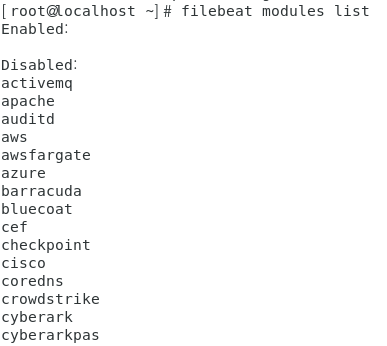
filebeat modules list 명령어 입력 시 사용 가능한 모듈 확인 가능
5. ELK 설치 완료
1) 전체 데몬 재실행
systemctl restart elasticsearch logstash kibana filebeat

-> Add integrations
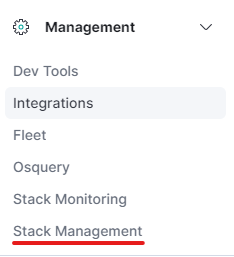
-> 왼쪽 3선 아이콘 클릭 > Management > Stack Management
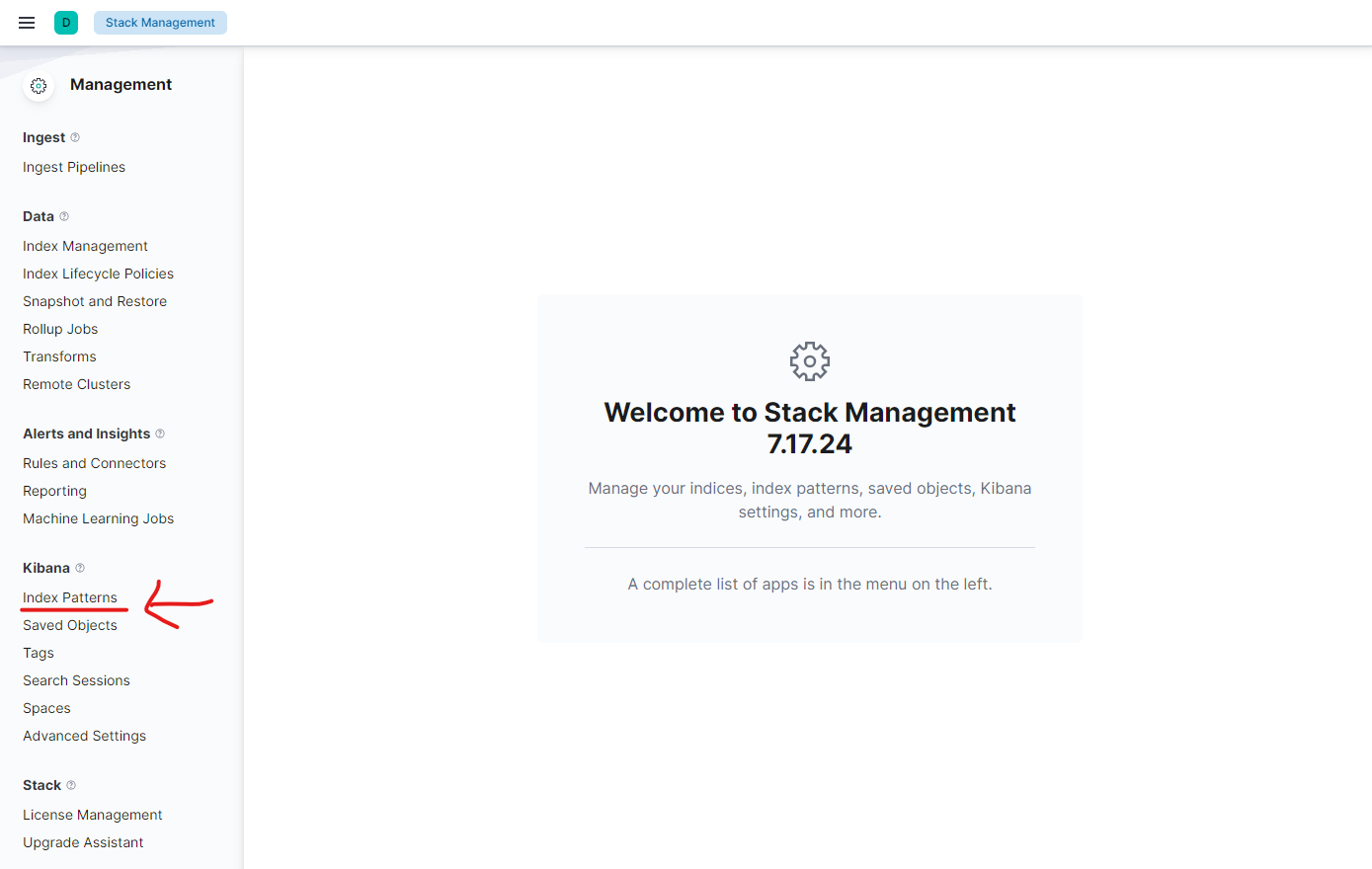
-> Kibana > Index Patterns
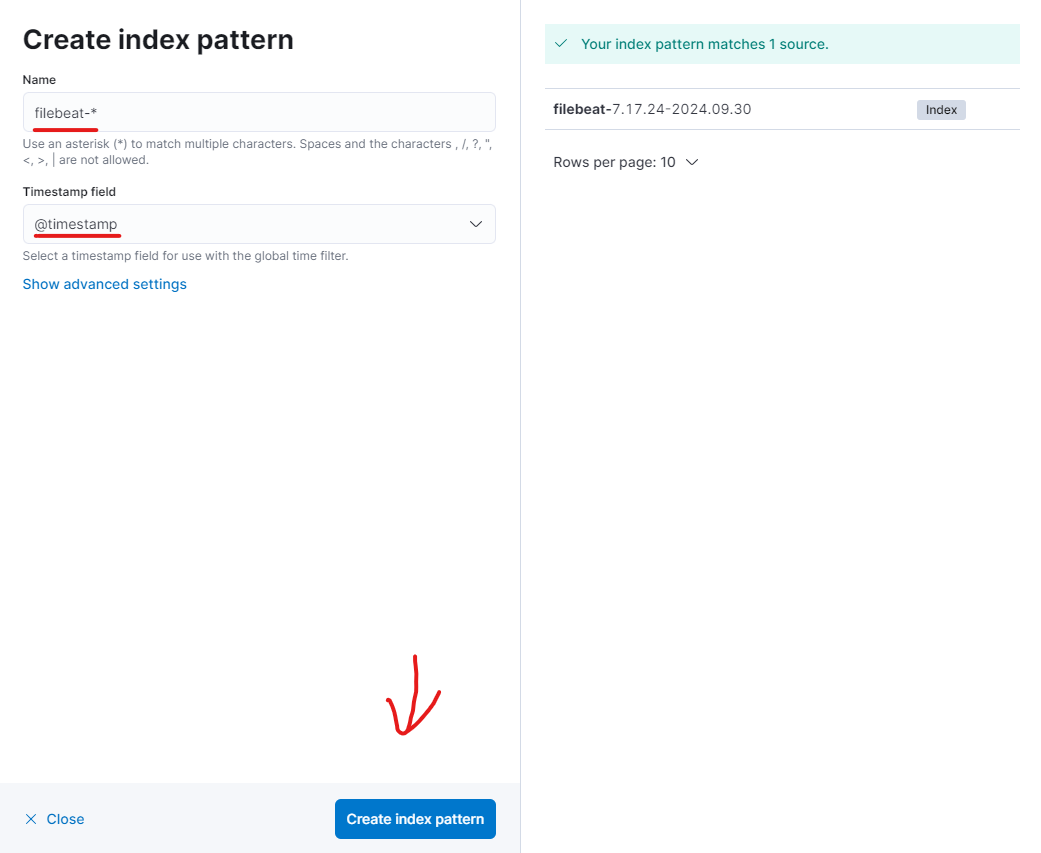
-> Name: filebeat-* , Timestamp field: @timestamp 입력 후 Create index pattern 버튼 클릭

왼쪽 3선 아이콘 > Analytics > Discover