문제
풀이
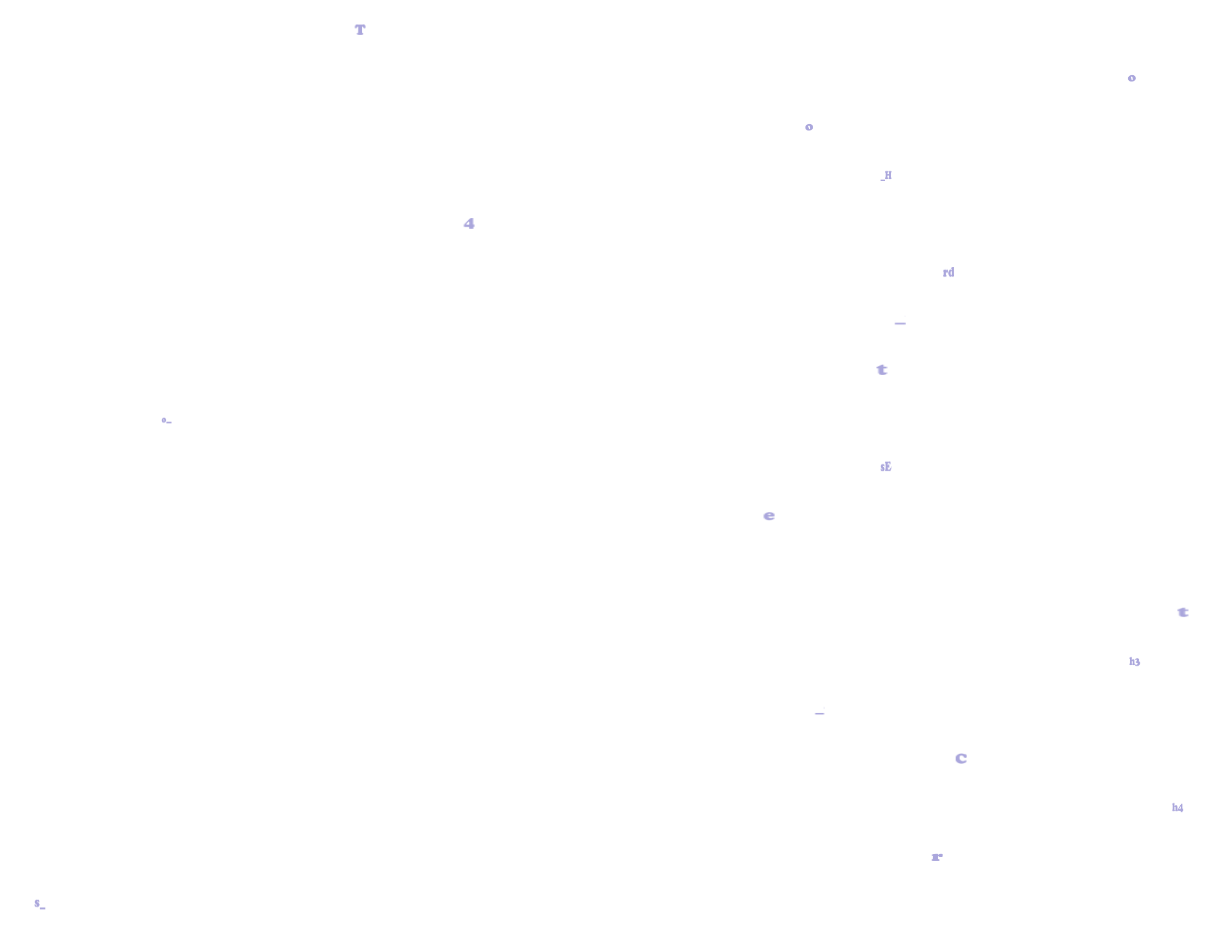
서버에 접속하면 문자들이 마구잡이로 날라다니는 것을 볼 수 있다. 문제 해결을 위해 우선 javascript 코드를 확인한다.
    const img_files = ["/static/images/10.png", "/static/images/17.png", "/static/images/13.png",
                       "/static/images/7.png","/static/images/16.png", "/static/images/8.png",
                       "/static/images/14.png", "/static/images/2.png", "/static/images/9.png",
                       "/static/images/5.png", "/static/images/11.png", "/static/images/6.png",
                       "/static/images/12.png", "/static/images/3.png", "/static/images/0.png",
                       "/static/images/19.png", "/static/images/4.png", "/static/images/15.png"
                       , "/static/images/18.png", "/static/images/1.png"];
소스 코드를 보면 img_files 안에 그림 파일들의 경로를 저장하고 있다. 이 그림들이 날라다니는 문자들 일 것 같다. 해당 경로로 이동해 그림 파일들을 하나씩 확인하는 것도 하나의 방법이다.
    const max_pos = self.innerWidth;
    function anim(elem, pos, dis){
      function move() {
        pos += dis;
        if (pos > max_pos) {
          pos = 0;
        }
        elem.style.transform = `translateX(${pos}px)`;
        requestAnimationFrame(move);
      }
      move();
    }
여기가 중요한 부분인데, 이 부분에 anim() 함수와 move() 함수가 정의되어 있다. anim() 함수는 elem(요소), pos(위치), dis(이동할 값)를 입력받아서 pos에 dis 값을 더하고, translateX() 함수를 사용해 요소를 ${pos}px만큼 X축으로 이동시킨다. 그리고 requestAnimationFrame() 함수를 사용해 move 함수를 재호출한다. 이렇게 되면 스탑 코드가 없기 때문에 위 과정이 무한정 반복된다.
    for(var i = 0; i < 20; i++){
      anim(imgs[i], 0, Math.random()*60+20);
    }
맨 아래에는 anim() 함수에 그림을 순서대로 입력해 위 함수를 실행하는 코드가 작성되어 있다.
정리하면, anim() 함수에 요소와 시작 위치 값, 그리고 이동시킬 값을 입력해 특정 요소를 X축으로 무한정 이동시키고 초기화하고를 반복하는 것이다.
여기서는 이 문제를 콘솔창을 이용해 마지막 for 반복문 코드를 변경해서 해결했다.
for(var i = 0; i < 20; i++){
     anim(imgs[i], 50, 0);
   }
기존 for 반복문을 보면 anim() 함수에 인자를 전달하고 있는데, 여기서 pos와 dis 인자 값을 50, 0으로 변경해주면, 시작 위치가 50px, 증가값이 0이기 때문에 모든 문자가 50px 위치에 고정되어 움직이지 않는다.
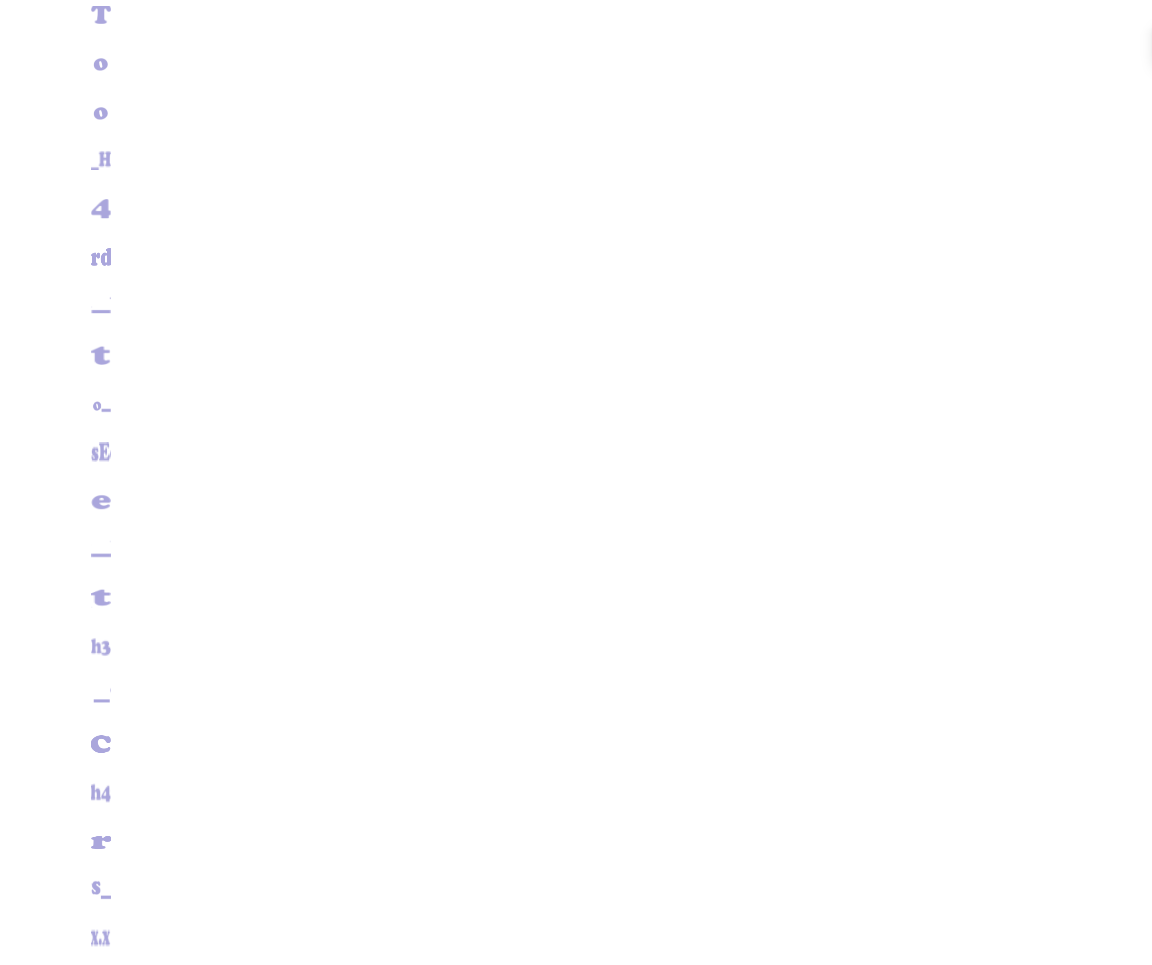
이 문자들을 DH{} 내부에 넣어 입력하면 끝.