git setup
https://git-scm.com/docs/gittutorial
git 공식 문서
https://chromewebstore.google.com/detail/octotree-github-code-tree/bkhaagjahfmjljalopjnoealnfndnagc
Octotree - GitHub code tree
$ git config --list -> 설정된 목록 확인
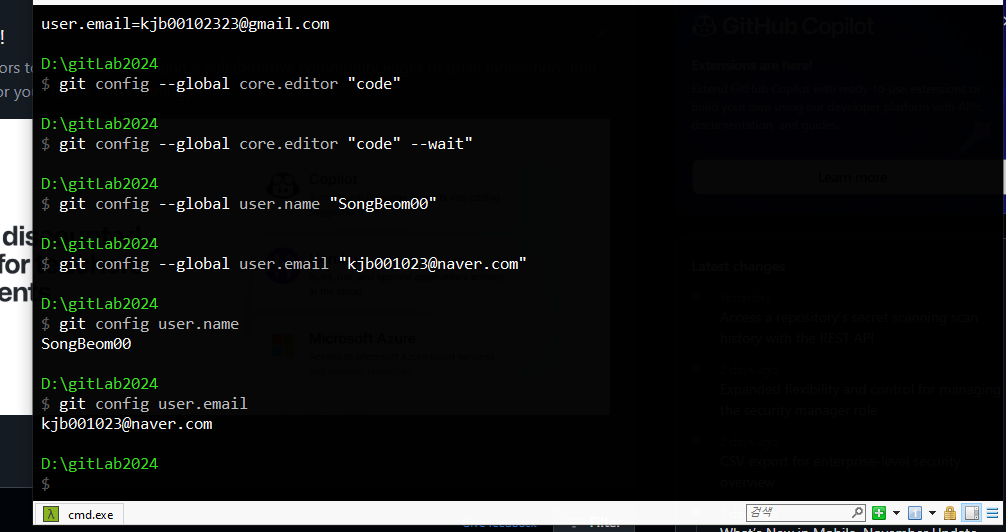
$ git config --global core.editor "code"
$ git config --global core.editor "code" --wait"
$ git config --global user.name "자신의 닉네임"
$ git config --global user.email "자신의 이메일"
$ git config user.name -> 등록됐는지 이름 확인
$ git config user.email -> 등록됐는지 이메일 확인
-push 할 때 필요함.
Git을 사용할 때는 file status가 있다.
- Tracked 상태
- 한번이라도 git add가 되었던 적이 있는 파일
1) unmodified - 파일이 commit된 이후 변경이 없는 상태
2) Modified(수정됨) : 파일은 변경되었으나 스테이징 안된 상태
3) Staged : 변경된 파일이 스테이징 영역에 올라간 상태
-> commit될 준비가 끝난 상태
- UnTracked 상태
- Git관리하지 않는 파일
- 또는 .gitignore에 의해 무시되는 파일인 경우
- git 로컬에 있지만 git add로 스테이징되지 않은 파일
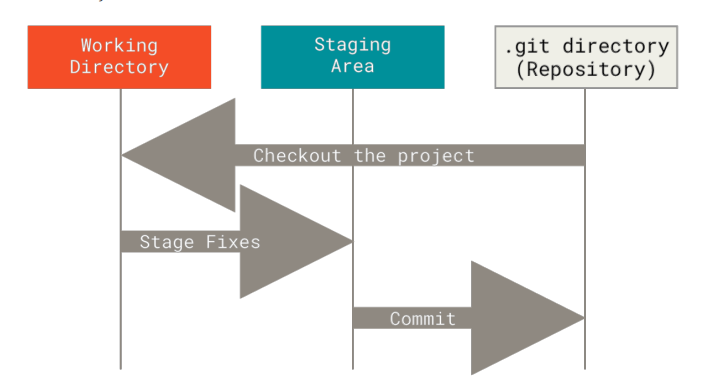
- workflow
working directory -> staging area -> .git direcotory(로컬레포) -> .git directory(웹레포[remote])
- 로컬에 파일 넣기
- working directory -> a.txt
- staging area = b.txt , c.txt
- commit 할 때 .git directory 이동한다.
-
staging area에서 .git directory보낼 때 commit 한다
-
추적이 가능하다.
-
로컬레포에서 웹 레포로 보낼 때 push
$ git config --global core.autocrlf input
-> two-way-merge 나 three-way-merge 할 때 충돌이 발생하면 에디터로 확인한다.
-> 그래서 전용 에디터를 vscode로 한다.
로컬에서 만든 레포를 웹레포에 올리기 push
웹레포에서 -> 로컬 레포로 내리기 pull
$ mkdir 폴더명
$ cd 폴더명
$ git init -> master branch가 생긴다.
$ git config --global alias.hist "log --graph --all --pretty=format:'%C(yellow)[%ad]%C(reset) %C(green)[%h]%C(reset) | %C(white)%s %C(bold red){{%an}}%C(reset) %C(blue)%d%C(reset)' --date=short"
$ git config -e -> vscode에서 config창이 열린다.
[core]
	editor = code --wait
	autocrlf = true
[user]
	name = 깃이름
	email = 본인메일
[pull]
    rebase = false
[diff]
    tool = vscode
[difftool "vscode"]
    cmd = code --wait --diff $LOCAL $REMOTE
[merge]
    tool = vscode
[mergetool "vscode"]
    cmd = code --wait $MERGED
[alias]
    st = status
	hist = log --graph --all --pretty=format:'%C(yellow)[%ad]%C(reset) %C(green)[%h]%C(reset) | %C(white)%s %C(bold red){{%an}}%C(reset) %C(blue)%d%C(reset)' --date=short
[mergetool]
keepBackup = false- config창에 붙여넣기
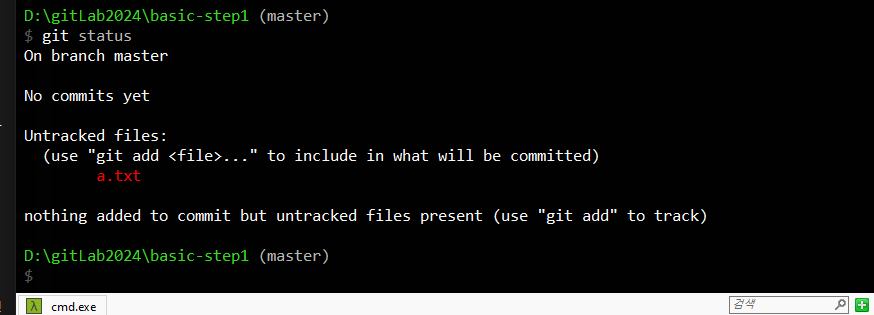
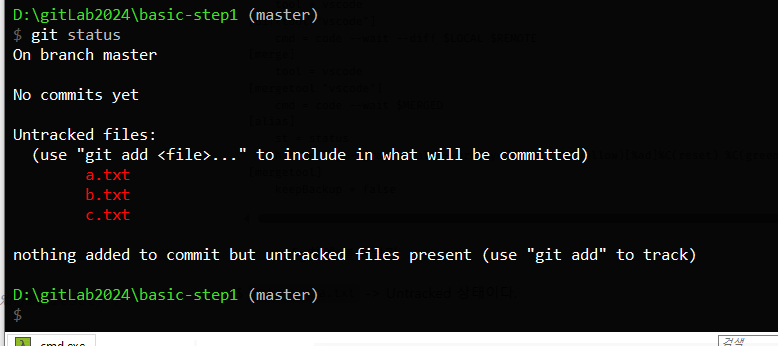
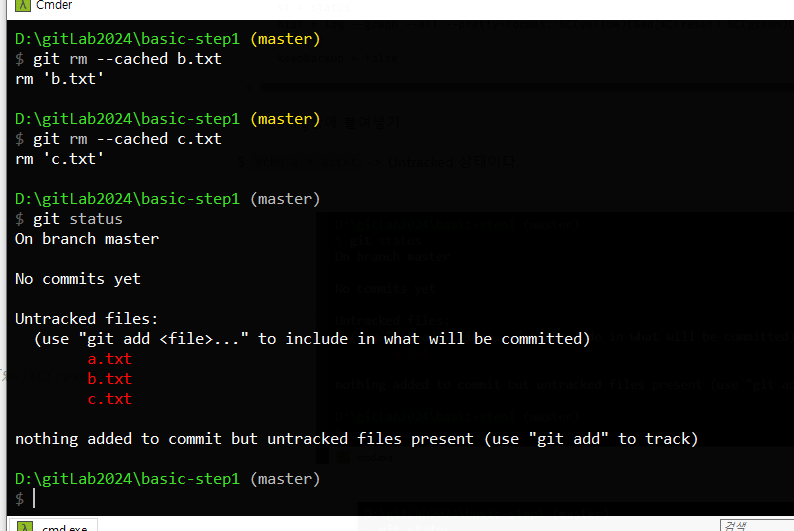
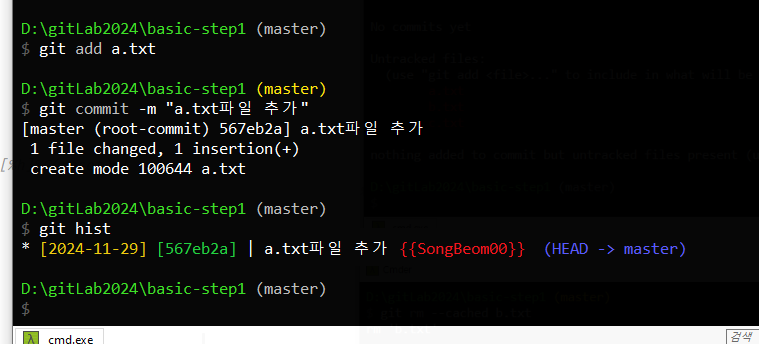
$ echo a > a.txt -> Untracked 상태이다.
$ git add a.txt -> Staging Area로 이동한다
$ git rm --cached a.txt -> 다시 Untracked 상태로 된다.
$ git commit -m "메시지를 입력하세요" -> .git directory로 로컬 git으로 이동한다
$ git hist
$ git push
branch
git checkout -b 브랜치이름 -> branch가 만들어지고 해당 브랜치로 이동한다.
branch 이동 명령어
git checkout 브랜치이름
git switch 브랜치이름