TypeScript - interface, Props default값 작성방법
interface/props 속성값/props 넘겨받을때 default값 지정 방법
Component, styled-Component 의 인터페이스를 작성해줌으로써 자바스크립트 오류를 해결할 수 있다.
1) interface 속성값 default 지정방법
ex)
interface circleProps{
bgColor?:string
}
2) props값 default 지정방법
ex)
<Container bgColor={bgColor ?? "red" }/>
3) props 넘겨받을때 default 지정방법
ex)
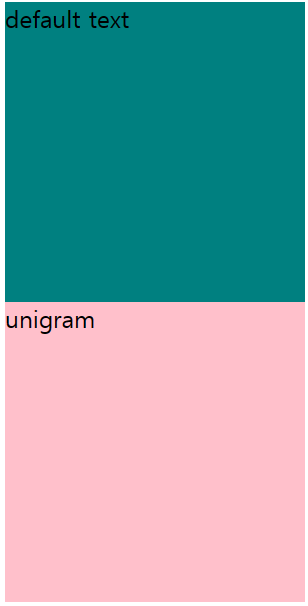
const Circle=({text="default text", yon=true})=>{
}
import React from "react";
import styled from "styled-components";
interface CircleProps {
  bgColor: string;
  # backgroundColor는 undefined여도 무방하다 #
  backgroundColor?: string;
  text?: string;
}
interface ContainerProps {
  bgColor: string;
  backgroundColor: string;
  text: string;
}
const Container = styled.div<ContainerProps>`
  height: 200px;
  width: 200px;
  background-color: ${(props) => props.bgColor};
`;
function Circle({
  bgColor,
  backgroundColor,
  #text는 default 값 ="default text" 이다 #
  text = "default text",
}: CircleProps) {
  return (
    <Container
      bgColor={bgColor}
      #backgroundColor가 없다면 default 값="pink"이다#
      backgroundColor={backgroundColor ?? "pink"}
      text={text}
    >
      {text}
    </Container>
  );
}
export default Circle;