서론
카페24같은 쇼핑몰 홈페이지 서비스를 react 없이 바닐라 자바스크립트로 구현해 보고 있다
구현하는 과정에서 사용한 aws s3사용법을 작성하려고 한다
사용을 시작할 땐 간단한 줄 알았는데 아니었다...
참고
AWS S3
amazon 웹 서비스 중 이미지 등 파일 저장하고 접근 가능한 url을 제공하는 서비스
- 데이터 베이스를 파이어베이스로 해서 파이어베이스에 내장된 데이터 베이스를 사용하려 했는데 유료였다
- 찾아보니 예전에 잠시 써본 S3가 무료로 사용했던 것 같아서 쓰게 되었다
- 근데 첫 가입 12개월만 무료고 이제 무료가 아니다. 잠시 돈을 내고 다시 해지하려한다.
버킷 생성
버킷이란 파일들을 담을 버킷이라는 storage 공간
- AWS S3에 접속해 아래 다른 작업들보다 간편하게 생성이 가능하다
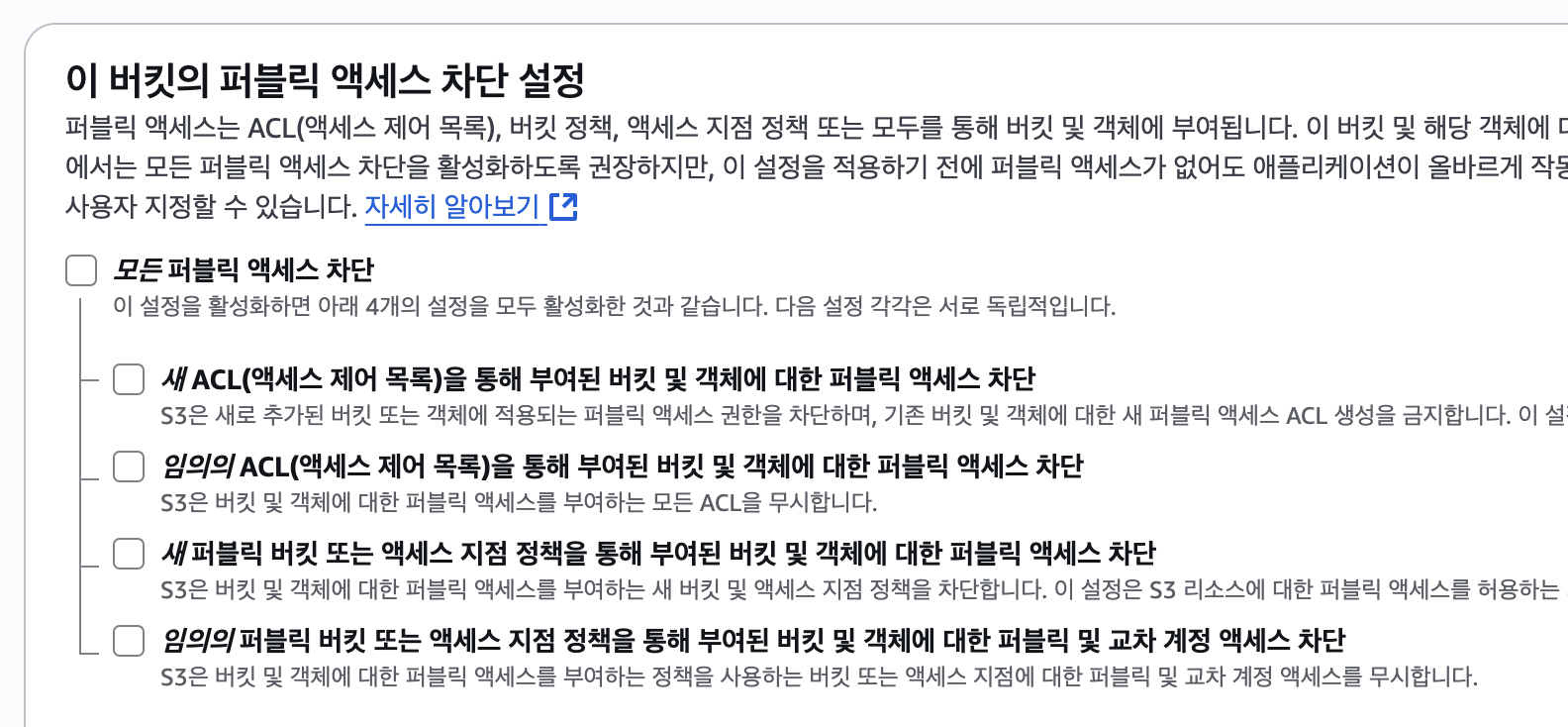
- 업로드한 S3 파일에 엑세스 차단 설정이 기본으로 되어 있는데 아래 이미지와 같이 전체 차단을 해제하고 생성하면 된다
- 사실 모든 걸 이해하고 차단해제 하려 했는데 아직 사용해 보지 못해 용어들이 익숙하지 않아 사용하면서 익숙해 지고 하나씩 필요한 게 생기면 설정해 보려고 한다
Cognito 설정
- 내 aws s3에 인증된 사용자만 업로드 해야 한다
- 클라이언트에서 직접 access key와 secret access key를 사용하면 노출 위험이 있음
- 안전하게 업로드 하기 위해서는 cognito 사용이 필요함
cognito 란?
로그인 없이도 안전하게 권한 설정을 도와주는 서비스
- 로그인 한 것 처럼 사용자에게 임시 권한을 부여함
cognito 자격 증명 풀 생성
- 필요에 따라 선택하면 될 텐데 나는 로그인, 인증, 권한 등 다른 기능은 firebase로 할 예정이라 일단 게스트 선택했다
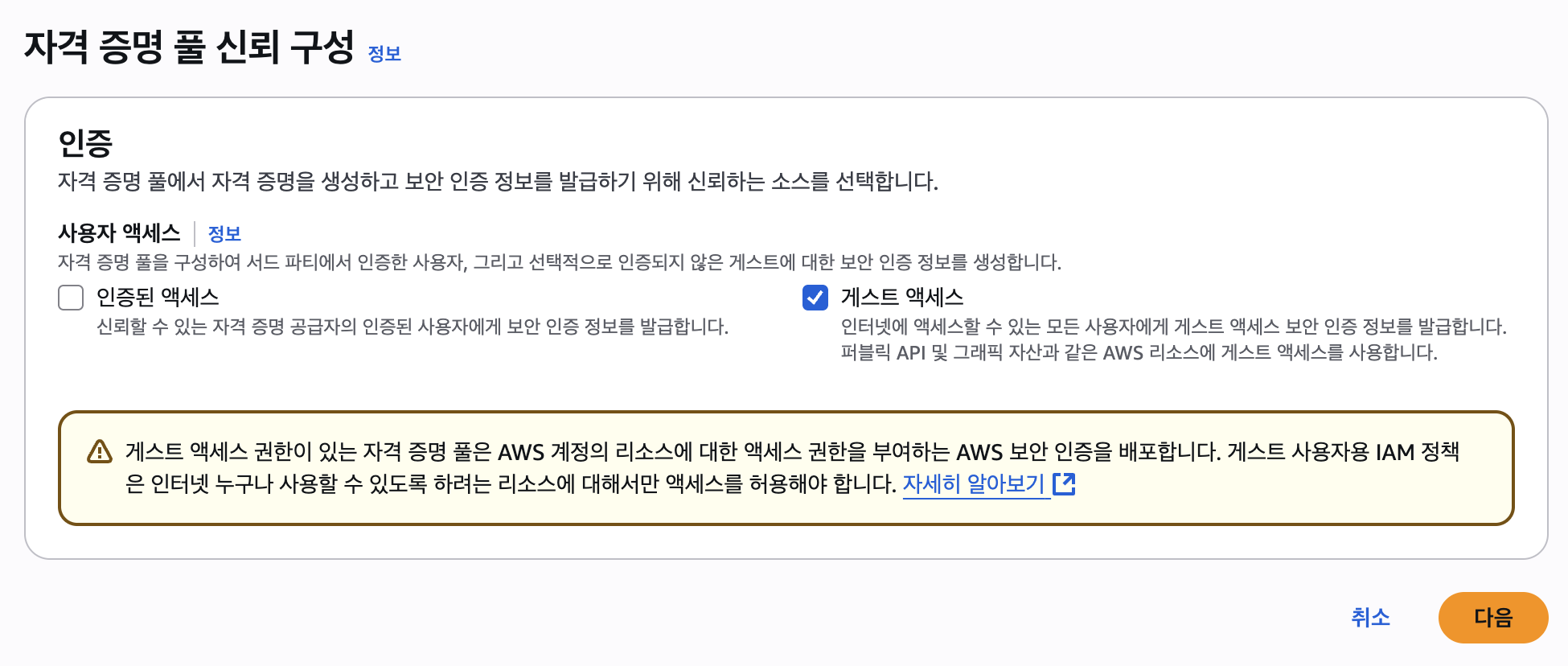
- 별다른 설정없이 입력하라는 내용 쭉 작성했다
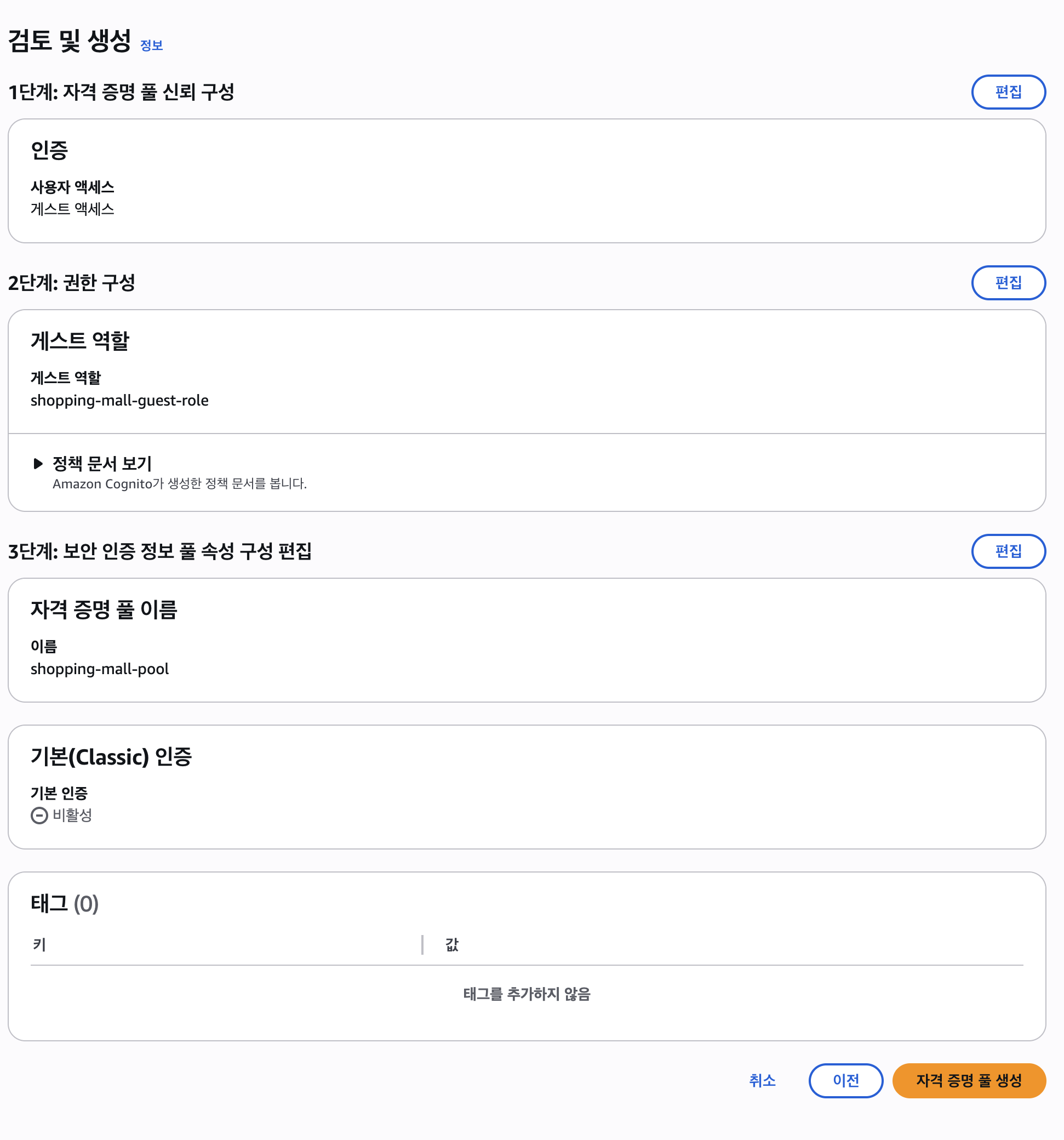
IAM 권한 설정
- 자격 증명 풀을 생성하면 IAM에 역할에 항목이 생성 됨
- 그 역할에 S3관련 권한을 설정해 주면 된다
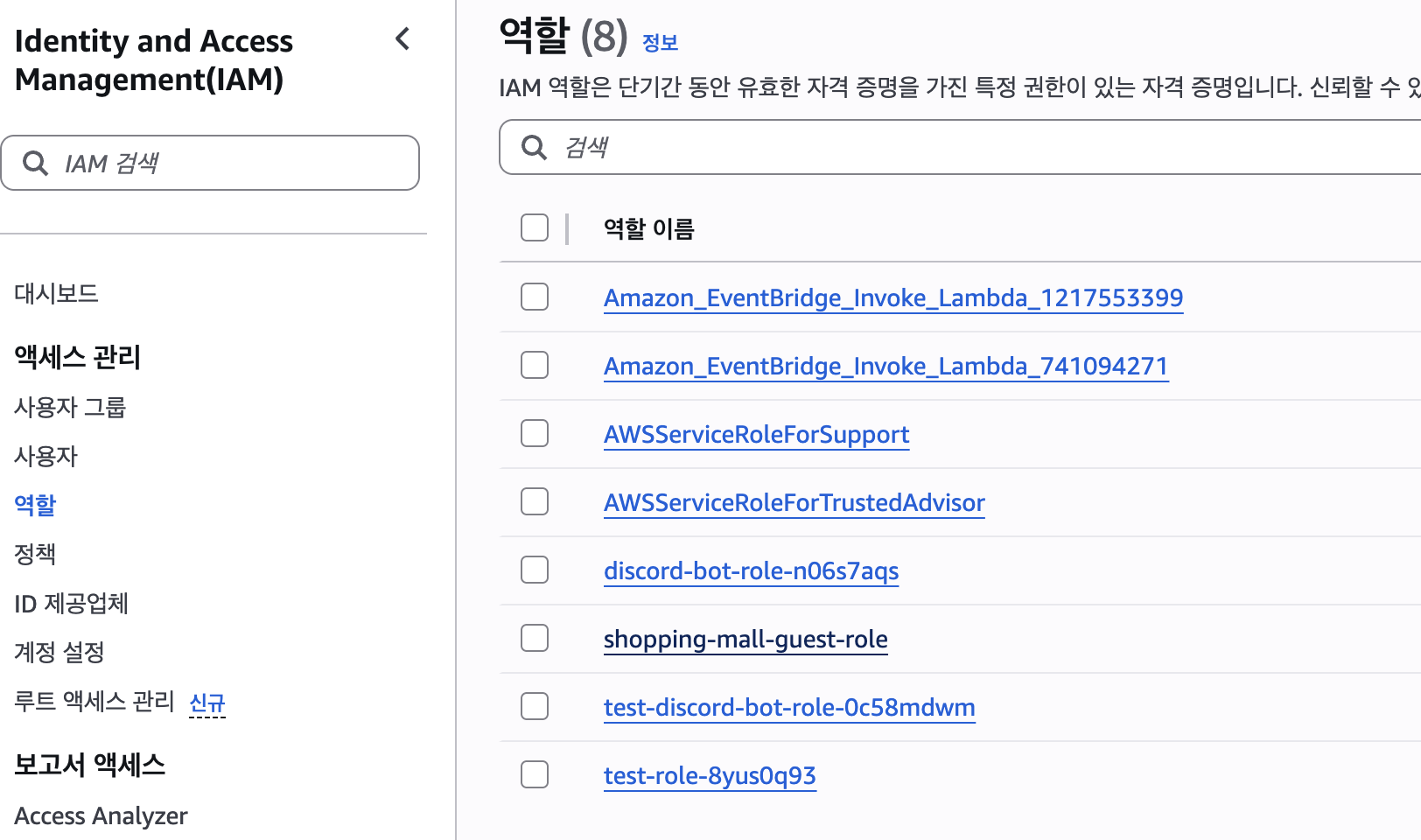
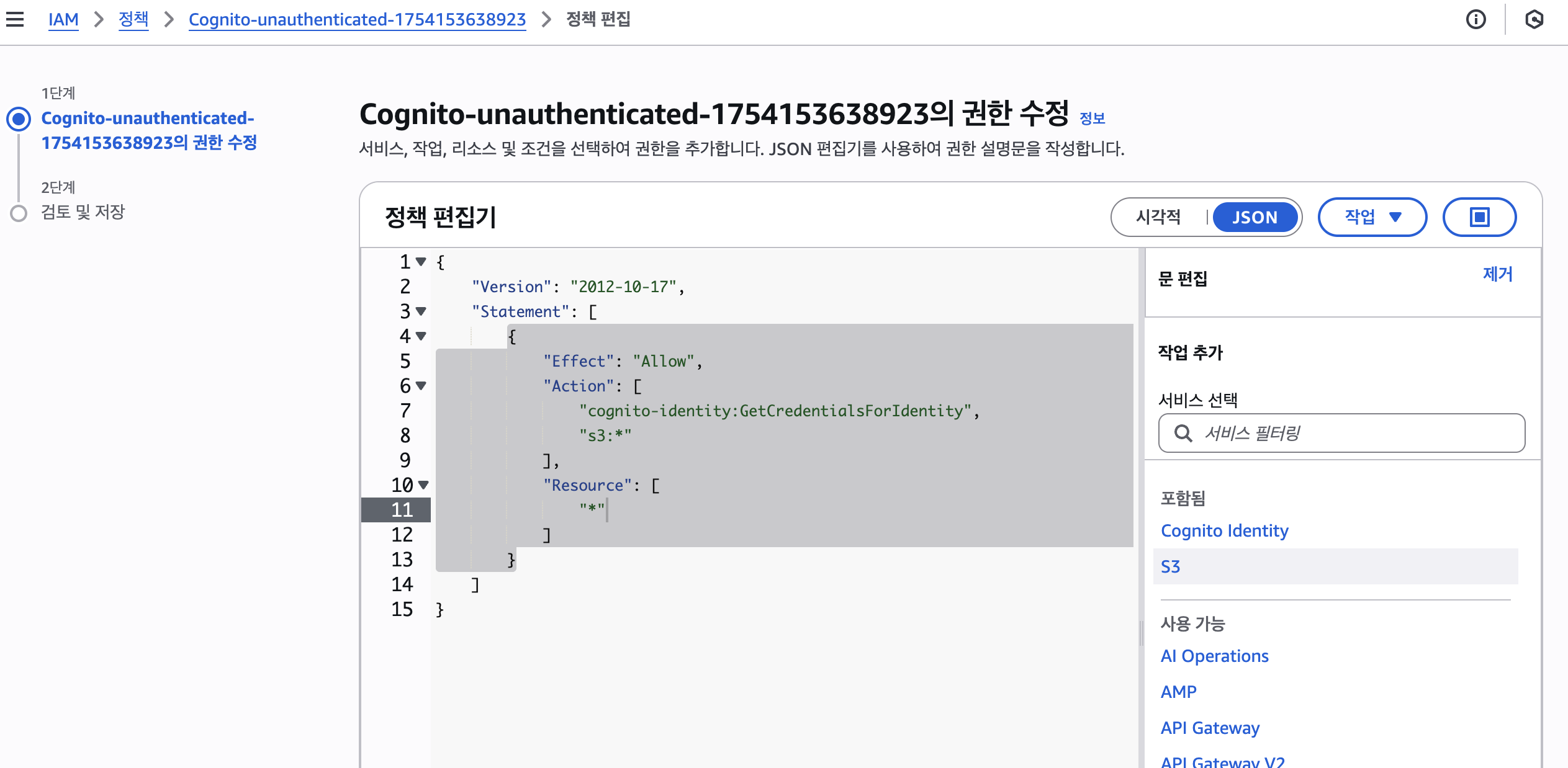
- 권한 내부로 진입하면 cognito-unauth 어쩌구하는 게 있는데 클릭해서 들어가면 다른 권한을 추가할 수 있다
- 아래 이미지와 같이 추가하면 된다
- 아마 resource에 더 정확한 값을 입력해야할 것 같은데 생략했다
클라이언트 코드 작성
- 공식문서를 참고하면 여러 방법이 있는 것 같은데 나는 SDK를 설치해 S3에 파일을 업로드하는 코드를 작성할 예정
@aws-sdk/client-s3: S3 관리 SDK 라이브러리@aws-sdk/credential-provider-cognito-identity: 권한 인증용
npm i @aws-sdk/client-s3 @aws-sdk/credential-provider-cognito-identity주의
- 공식 문서에서는 AWS S3 v3를 권장하고 있다
aws-sdk라이브러리는 v2@aws-sdk/client-s3라이브러리는 v3- 따라서 공식문서나 다른 코드를 참고할 때 사용하는 버전에 주의하자
      <main id="admin">
        <input id="s3-image-input" type="file" accept="image/*" />
        <button id="s3-button" type="submit">url 생성</button>
        <p id="s3-url-result">접근 URL: </p>
        <div class="image-container">
          <img id="s3-image-preview" src="" alt="업로드 이미지 미리보기">
        </div>
      </main>
import { S3Client, PutObjectCommand } from "@aws-sdk/client-s3";
import { fromCognitoIdentityPool } from "@aws-sdk/credential-provider-cognito-identity";

// S3 객체 생성 및 환경 설정
const s3 = new S3Client({
  region: "ap-northeast-2",
  credentials: fromCognitoIdentityPool({
    clientConfig: { region: "ap-northeast-2" },
    identityPoolId: import.meta.env.VITE_AWS_S3_IDENTITY_POOL_ID,
  }),
});

// AWS S3 요청 시 보내는 파라미터 객체를 반환하는 함수
async function getUploadParams (file) {
  // S3에 올릴 파일 전처리
  const arrayBuffer = await file.arrayBuffer();
  const body = new Uint8Array(arrayBuffer);

  // 버킷 내부에 products라는 디렉토리에 파일 이름이 겹칠 것을 염두해 업로드 시각을 이름에 포함 시킴
  const fileName = `products/${Date.now()}-${file.name}`;

  return {
    Bucket: import.meta.env.VITE_AWS_S3_BUCKET_NAME,
    Key: fileName,
    Body: body,
    ContentType: file.type,
  };
}

// S3로 파일 업로드 후 URL return
export async function uploadFileToS3(file) {
  const uploadParams = await getUploadParams(file)

  try {
    const command = new PutObjectCommand(uploadParams);
    await s3.send(command);

    const fileUrl = `https://${uploadParams.Bucket}.s3.ap-northeast-2.amazonaws.com/${uploadParams.key}`;
    console.log("[SUCCESS] ", fileUrl);

    return fileUrl;
  } catch (err) {
    console.error("[ERROR] ", err);
    throw err;
  }
}


// 업로드드 버튼 이벤트 설정
// 업로드 후 url, image 미리보기 화면에 띄우기
document.getElementById("s3-button").addEventListener("click", async () => {
  const imageInput = document.getElementById("s3-image-input");
  const resultPara = document.getElementById("s3-url-result");
  const imgPreview = document.getElementById("s3-image-preview");
  const file = imageInput.files[0];

  if (!file) return;

  try {
    const url = await uploadFileToS3(file);
    resultPara.textContent = "접근 URL: " + url;
    imgPreview.src = url;
  } catch (error) {
    console.error(error);
  }
});
문제 상황 1
aws.js:36 업로드 실패: TypeError: readableStream.getReader is not a function- 처음 코드에서는 요청을 보낼 때
Body: file그대로 넣었다 - 이게 라이브러리 안에서 나온 에러라 어쩌란 건지 몰랐다
해결 1
- 찾아보니
body에 담긴 파일 형태가 nodejs에서 ReadableStream으로 변환되지않아 타입 에러를 일으켜 형식을 바꿔줘야한다고 했다 - new File로 한 번더 file형태로 변경해 보거나
- new ReadableStream으로 바꿔봤는데 또 다른 에러가 나올 뿐이었다
- file을
blob->uint8array로 타입을 변환해 주라는 글이 라이브러리 이슈페이지에 있어서 해보니 해결됐다ㅎㅎ
  const arrayBuffer = await file.arrayBuffer();
const body = new Uint8Array(arrayBuffer);문제 상황 2
실패: TypeError: Failed to fetch- 별다른 내용 없이 이렇게만 왔다
- 에러에 내용이 있다면 직접 처리를 해 보고 코드 변경도 해 볼 텐데 뭘 해야할 지 몰라 바로 검색했다
- 찾아보니 CORS 설정 안 해서 그렇다는데 에러에는 CORS에 관련된 어떠한 말도 없어서 어이가 없었다
해결 2
- 버킷 권한 탭으로 이동해 CORS에 아래와 같이 작성했다
- AllowedOrigins는 추후 배포하게 된다면 배포 주소로 변경해야한다.
[
  {
    "AllowedHeaders": ["*"],
    "AllowedMethods": ["GET", "PUT", "POST", "HEAD"],
    "AllowedOrigins": ["*"],
    "ExposeHeaders": ["ETag"],
    "MaxAgeSeconds": 3000
  }
]
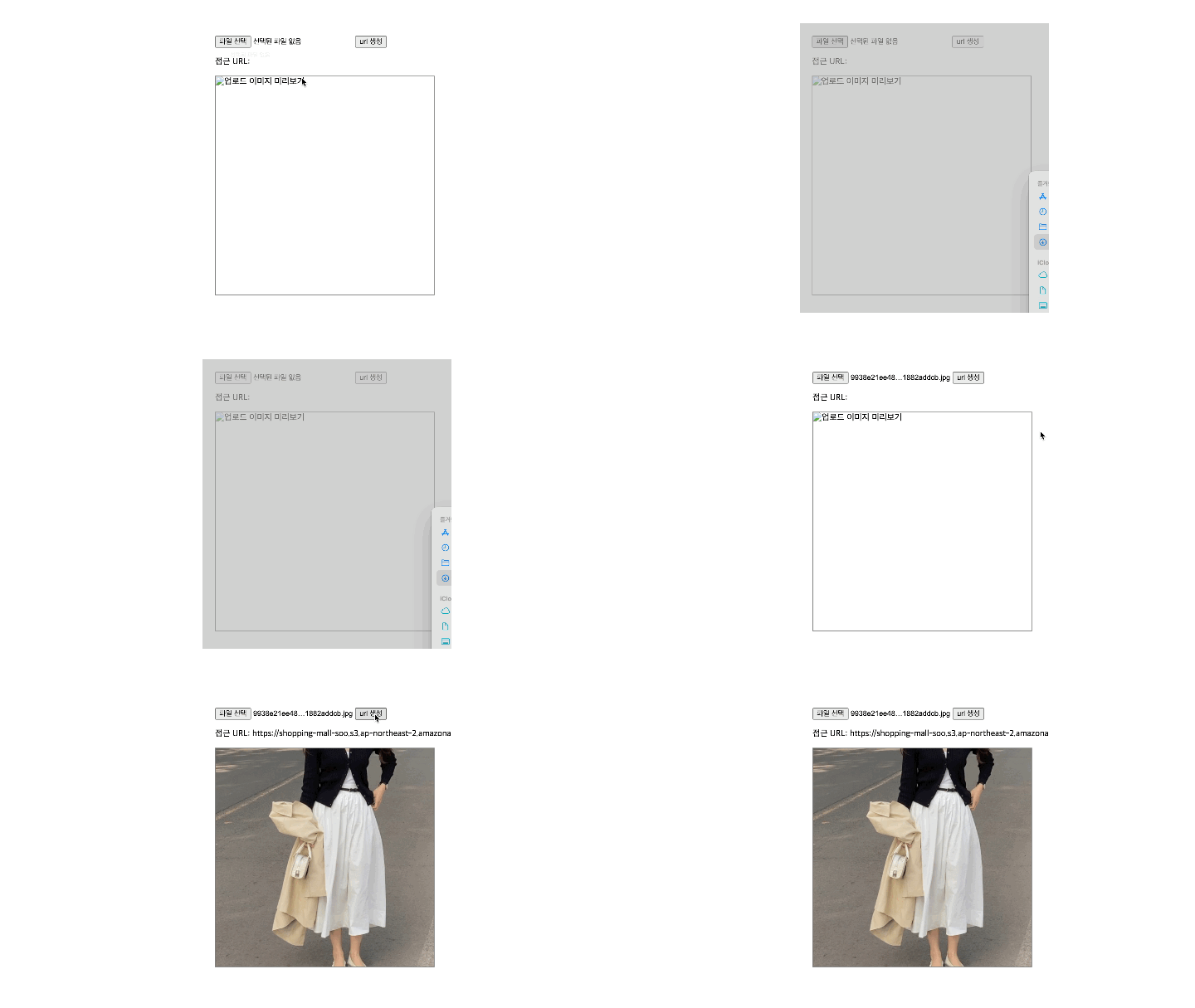
결과 화면

프론트엔드 개발 블로그